Thinkific has been one of the oldest course platforms out there.
However, with new platforms entering the marketplace, is it really the best?
Or will you be betting on an old-school LMS?
Let’s dive in!
| Feature | Description |
| Starting price | $49/mo |
| Transaction fee | 0% |
| Features | Online courses, community, digital downloads, custom domain |
| Competitors | Teachable, Kajabi, and Skool |
What do I like about Thinkific? 👍
- Free plan (with no transaction fees): Unlike Teachable which charges transaction fee on their paid plans, Thinkific offers a free plan with 0% transaction fees. Even their Basic plan at $49/mo supports unlimited products which is impressive!
- Superior lesson formats: Engage your students with various multimedia options, including audio, PDFs, quizzes, surveys, Google Docs, assessments, and live lessons. More than even Teachable!
- Advanced course capabilities: Streamline your course creation with scheduling, drip-feeding content, multiple instructors, course discussion areas, evergreen and expiring content, and more.
- Course-level engagement analytics: Reports to get insight into your course’s performance with bird’s-eye view engagement, progress reports, overview and retention graphs, metrics for course videos, and integrations with analytics and marketing tools.
- Inbuilt community support: Unlike other platforms, Thinkific offers inbuilt community features.
What I don’t like about Thinkific? 👎
- Basic community feature: Their community feature is basic and lacks superior marketing and gamification features. Unlike platforms like Skool, Circle or Kajabi. This is 2026, a stronger community feature is a must have.
- Mobile app limitations: Their mobile apps (iOS and Android) are good for course viewing, but branding is limited unless you pay extra. Some lesson types and in-app purchases aren’t supported.
- Not an all-in-one platform: Thinkific is a specialist platform when it comes to courses. It doesn’t come with email marketing and powerful funnel creation abilities.
- Customer support can be slow: A lot of users report delayed responses and ticket resolution.
- Slow product development: Thinkific is criticized for ignoring feature requests that the community has asked for repeatedly over many years. For instance, it falls short in bulk student management, advanced reporting, and SCORM support. Of course, they have implemented some UI enhancements and fancy AI course outliners and. stuff, but…
Thinkific Review – Upfront bottom line
Thinkific is the best bet if you want to sell courses at a low starting price of $49/mo with zero transaction fees. The checkout experience is smooth with Tcommerce one-step payments, and course creation is straightforward.
However, you need to be comfortable with:
- Limited community features (basic discussions, no gamification)
- Limited mobile app (strong app with good community features is a must have)
- Hosting your email marketing and sales funnels elsewhere
Thinkific is not an all-in-one platform. It excels at course delivery and student management, but if you need advanced community engagement or want everything under one roof, consider a dedicated community platform (like Skool) or an all-in-one solution like Kajabi (at a premium price).
In short, yes. Thinkific is still relevant in 2026.
Choose Thinkific if your priority is shipping courses fast, keeping costs low, and you’re okay managing other tools separately.

Start your Free Thinkific Trial!
Try everything FREE for 30 days.
Verified
Interface has improved
The sidebar UI is clean and predictable. They have made a lot of enhancements that were long pending due.
Now, most of the UI interactions are 1–2 clicks away, and the wording/feature-labels feels familiar if you’ve ever touched Teachable
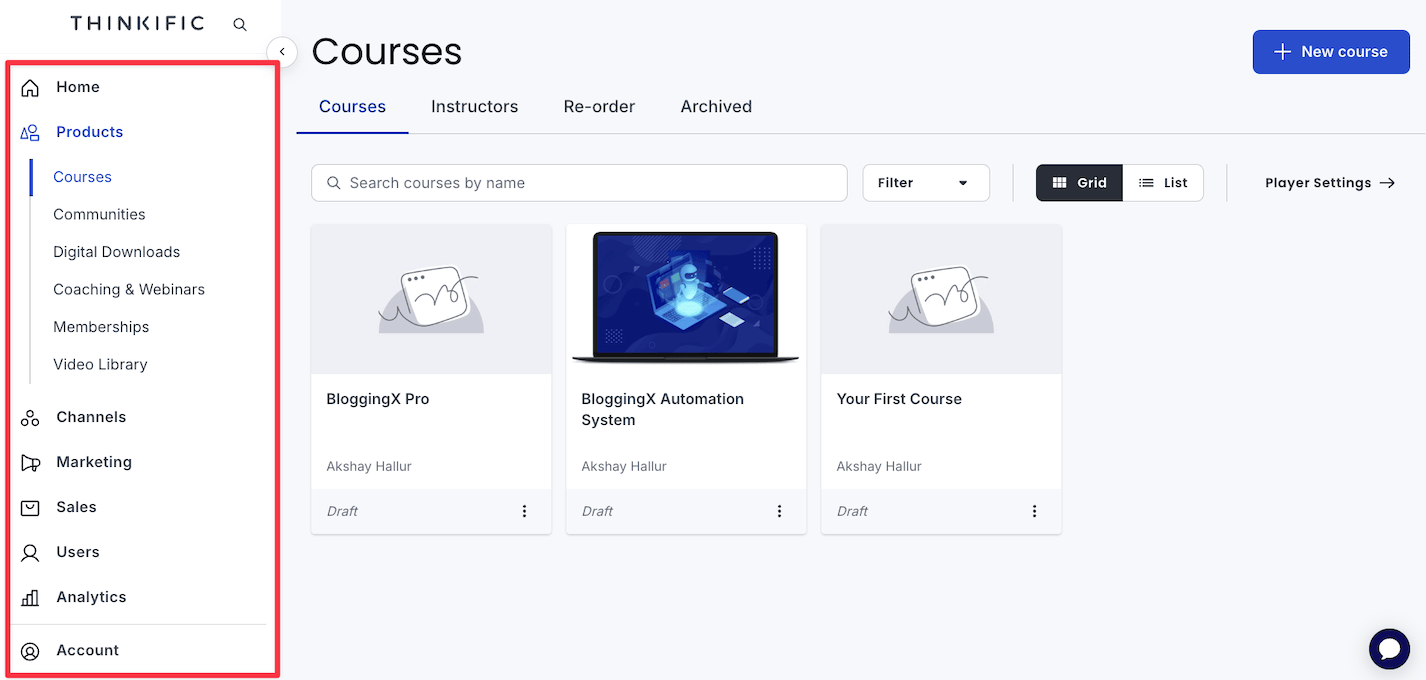
Earlier (an year back), the way by which they grouped features within illogical section headers was really tiring on your brain.
Now, it’s ALL GOOD!
👉 Bottom line: Thinkific’s UI has improved significantly, making course creation faster and more intuitive, though it still requires separate lessons for different content types unlike some competitors.
Course creation is decent and fast
When you create a course in Thinkific, you have the option to choose from different templates or start from scratch.
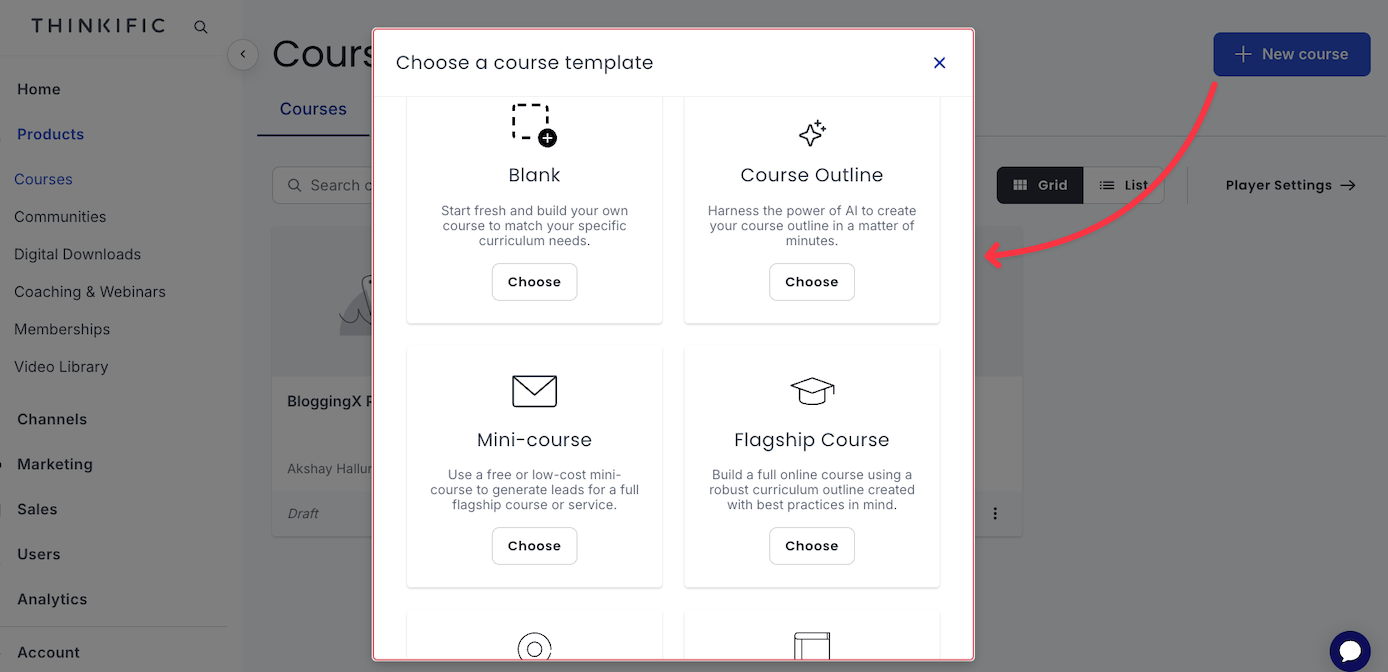
You can start from scratch, use the AI outline generator, or pick a template (mini course, flagship course, etc.) to structure your content faster.
Course uploading and structuring
When you create a new course, you’ll need to create different sections first, and then add multiple lessons under each section.
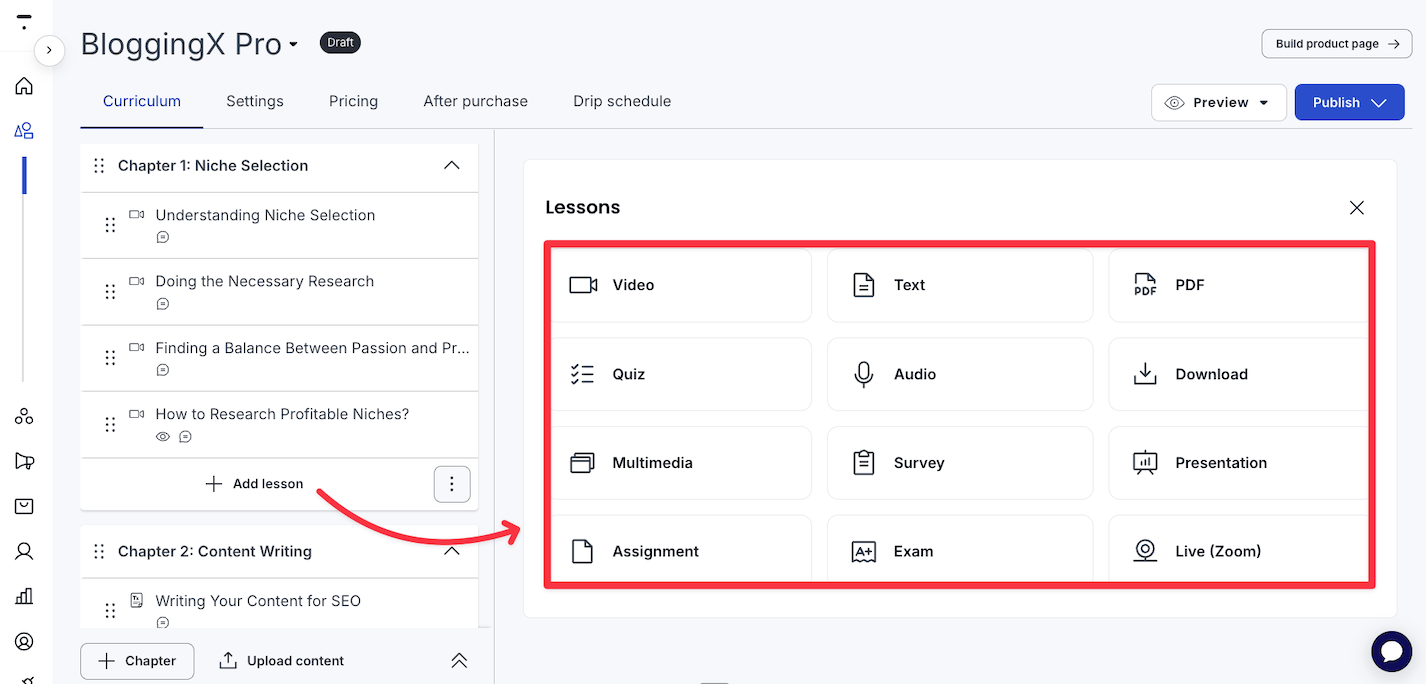
You can create video lessons, PDF lessons, text, audio, downloads, quizzes, assignments, and more.
Thinkific also supports unique lesson types like:
- Presentations
- Live lessons (using Zoom’s video meeting or webinar tools)
- Surveys
- Exams
These lesson formats are not available in some other course platforms like say Teachable.
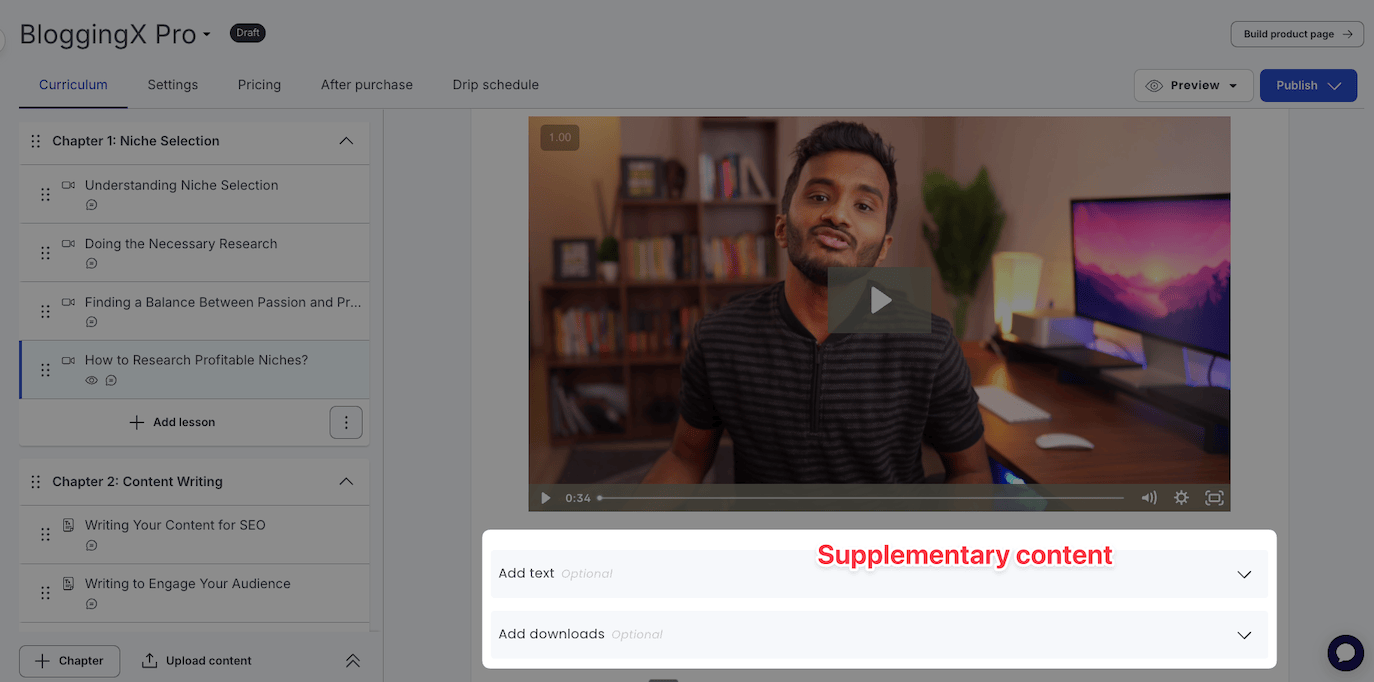
You need to upload the video, and you can add some text and any relevant downloads that are related to it (say checklists or worksheets).
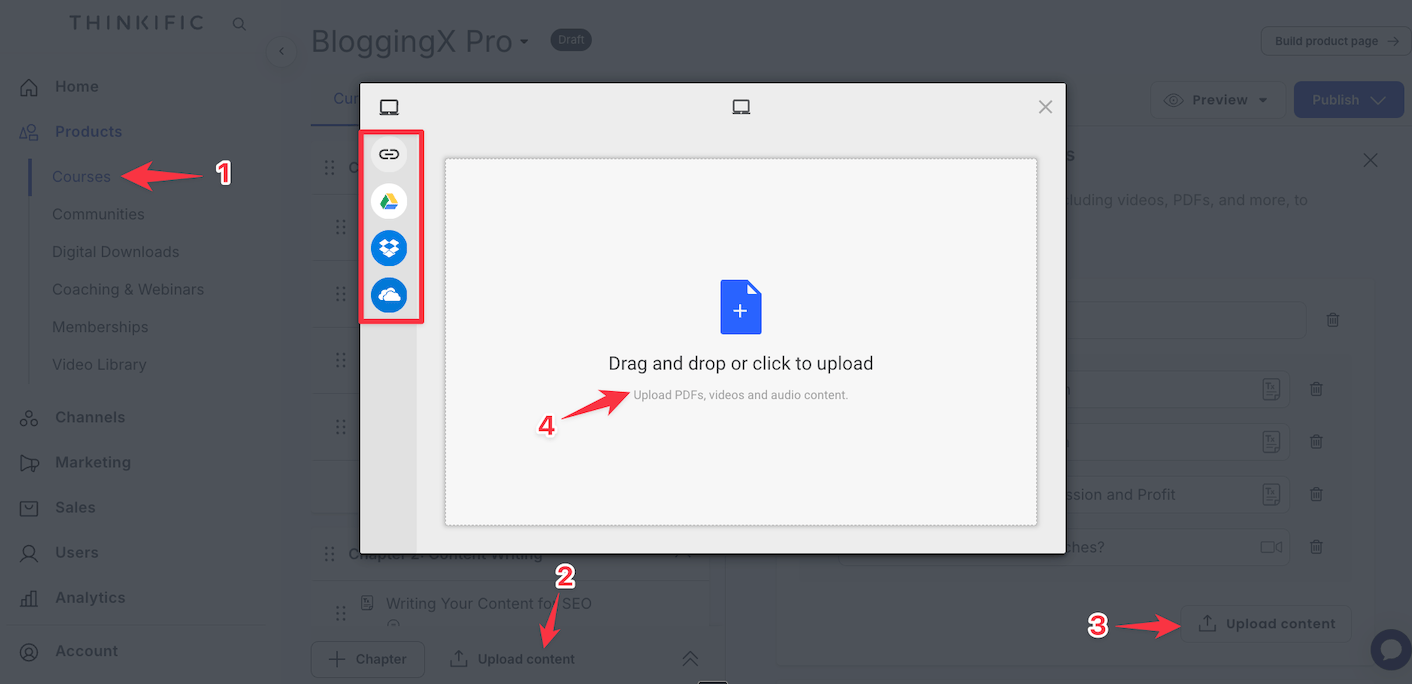
When you bulk upload, it maps your files to lessons automatically.
You can upload videos, audio, and PDFs in one go, then rename and reorder in a single pass.
It’s a real time‑saver when you’re updating multi‑module courses.
There’s a downside here.
👎 Unlike Teachable, Thinkific only allows for one type of content format per lesson. This means you can’t have a video followed by a quiz in the same lesson. You end up having separate lessons for each and every activity.
Quizzes and assessments
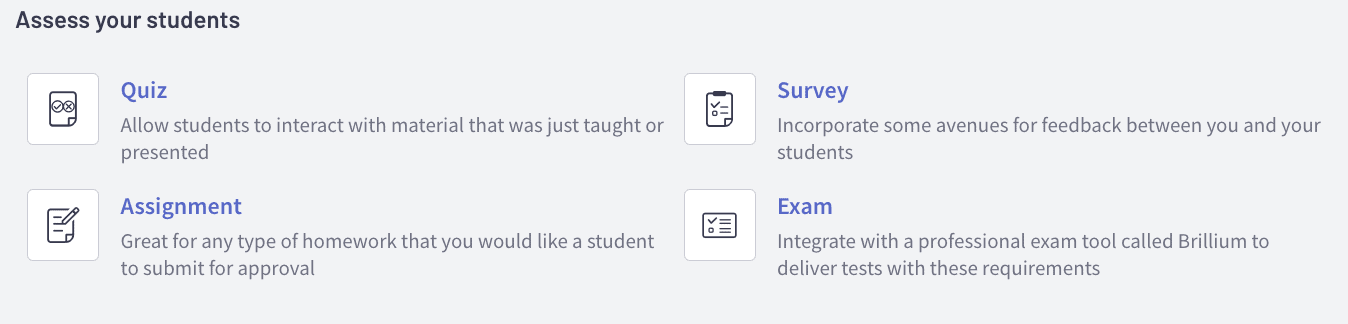
Thinkific offers quizzes, surveys, assignments, and Brillium exams for student assessments.
You can set “must pass” only on key checkpoints that truly gate understanding.
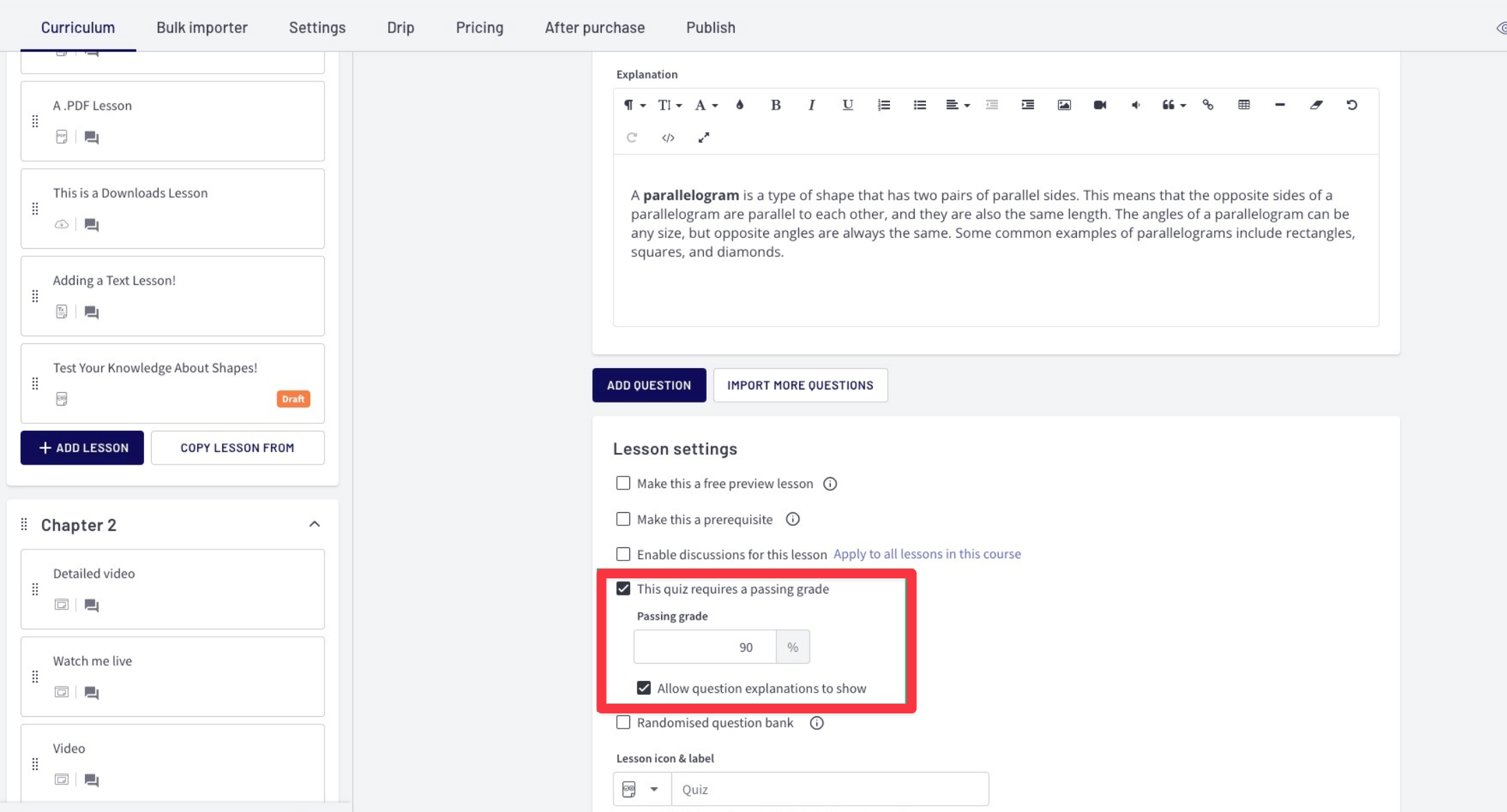
Everywhere else, use a quick quiz as a prerequisite to pace the course without killing momentum.
You can also control how students consume the content by making use of the “drip” feature.
See this:
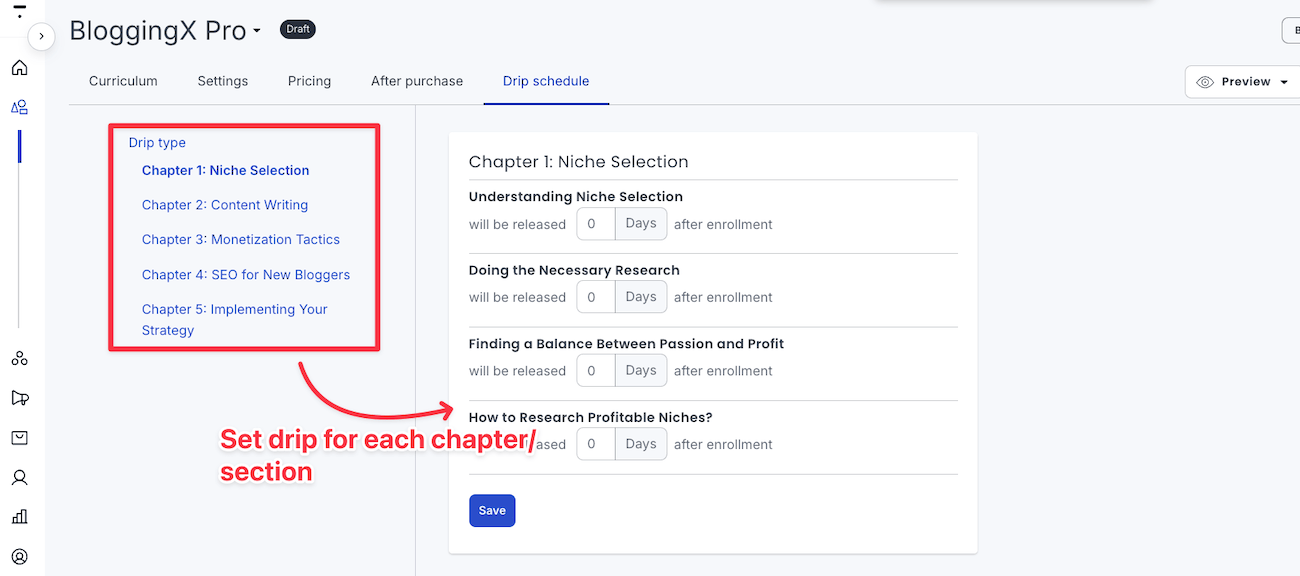
At the chapter level, you can drip sections by days from enrollment date, to control the pace of say cohorts.
It’s perfect for 30 or 90-day challenges to stop binge-and-drop-off.
Certification
When it comes to certification, there are 7+ templates to start with.
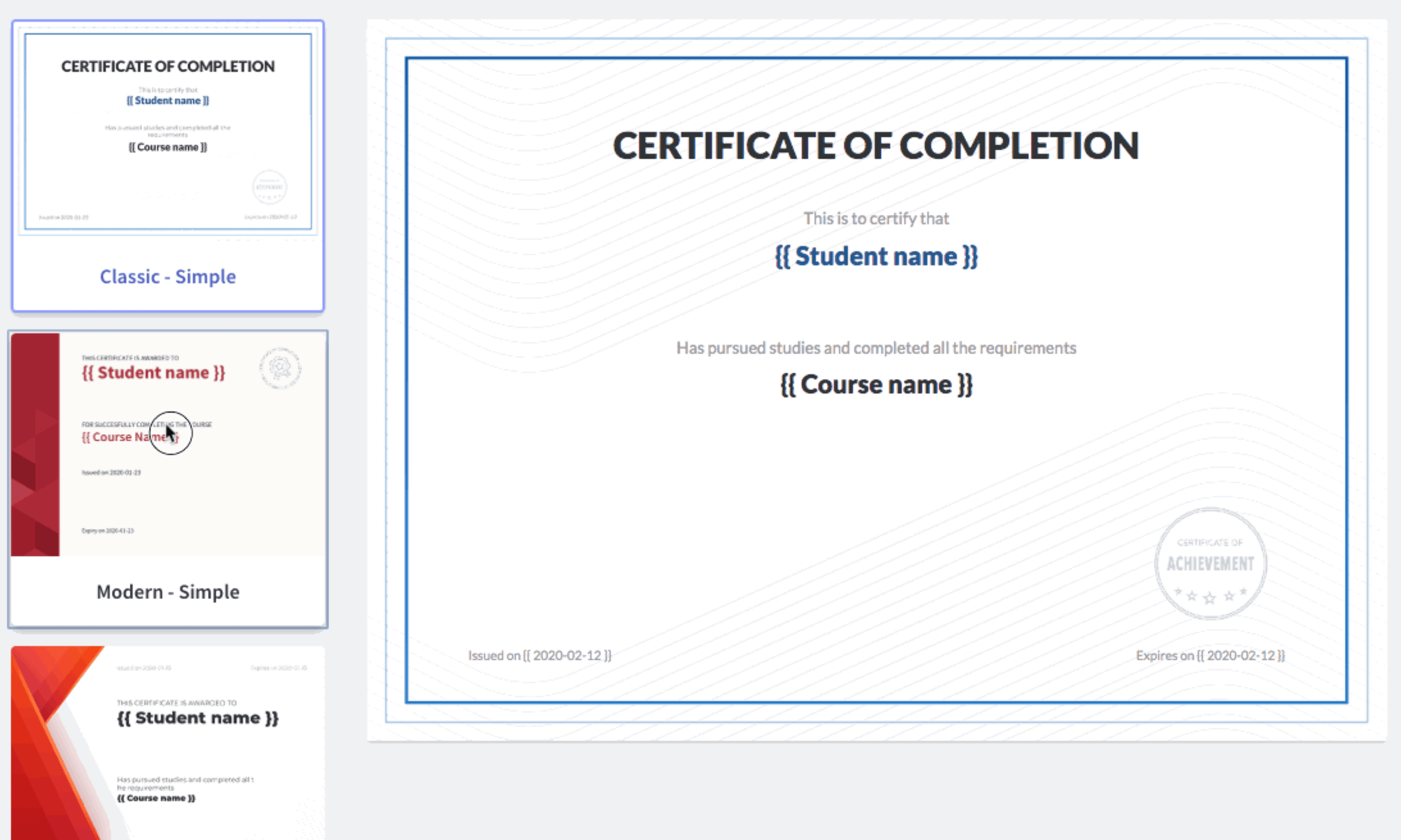
Pick one, customize it: edit text, colors, background, and logo.
Create a single master certificate style for your brand and reuse it across programs.
After you create a certificate, assign it to a course under “Course progress and completion” in the course settings.
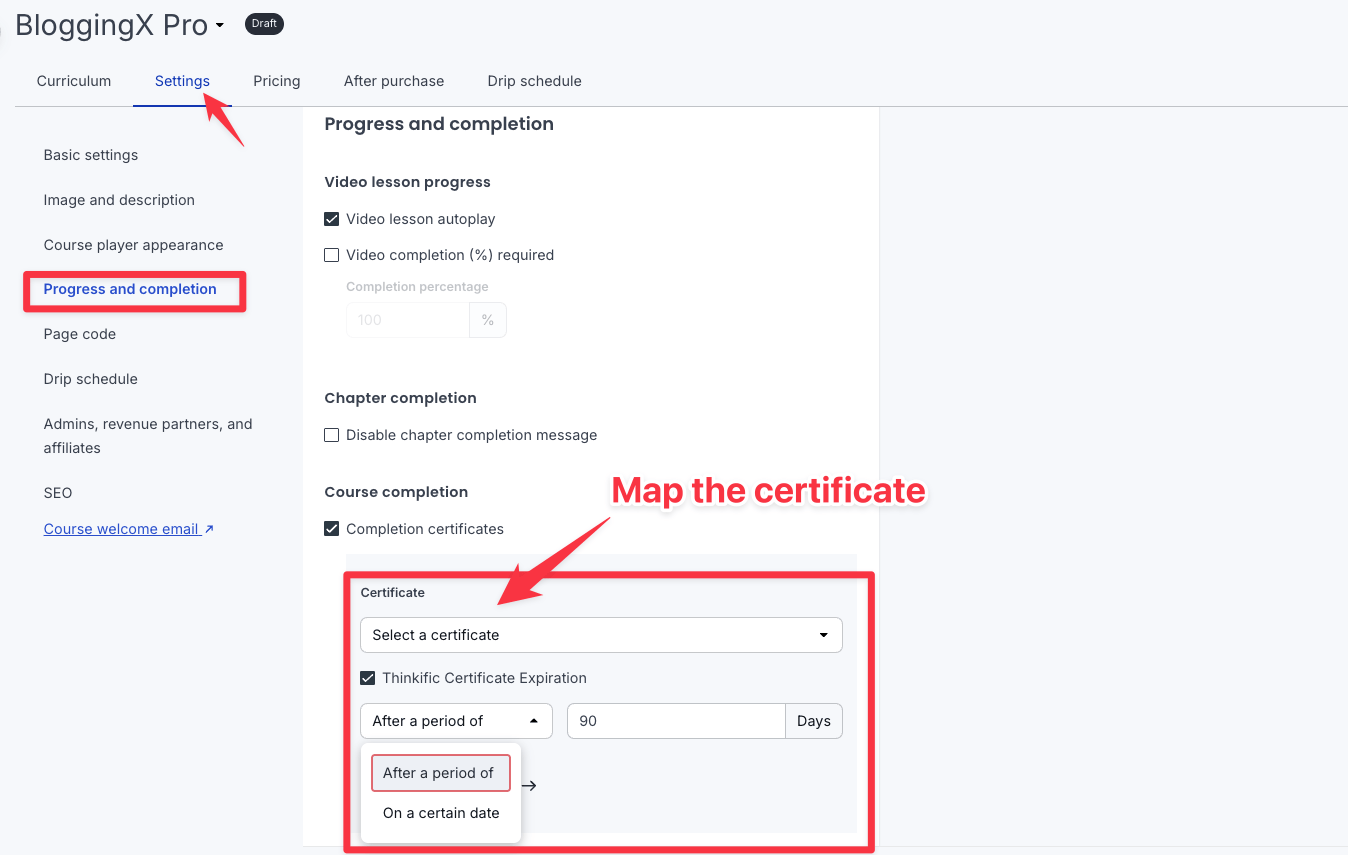
Set an expiration date to push students toward finishing.
If your course runs 30 days, expire the certificate in 90 days. That urgency can lift your course completion rate.
Students get the certificate on the player page once they finish.
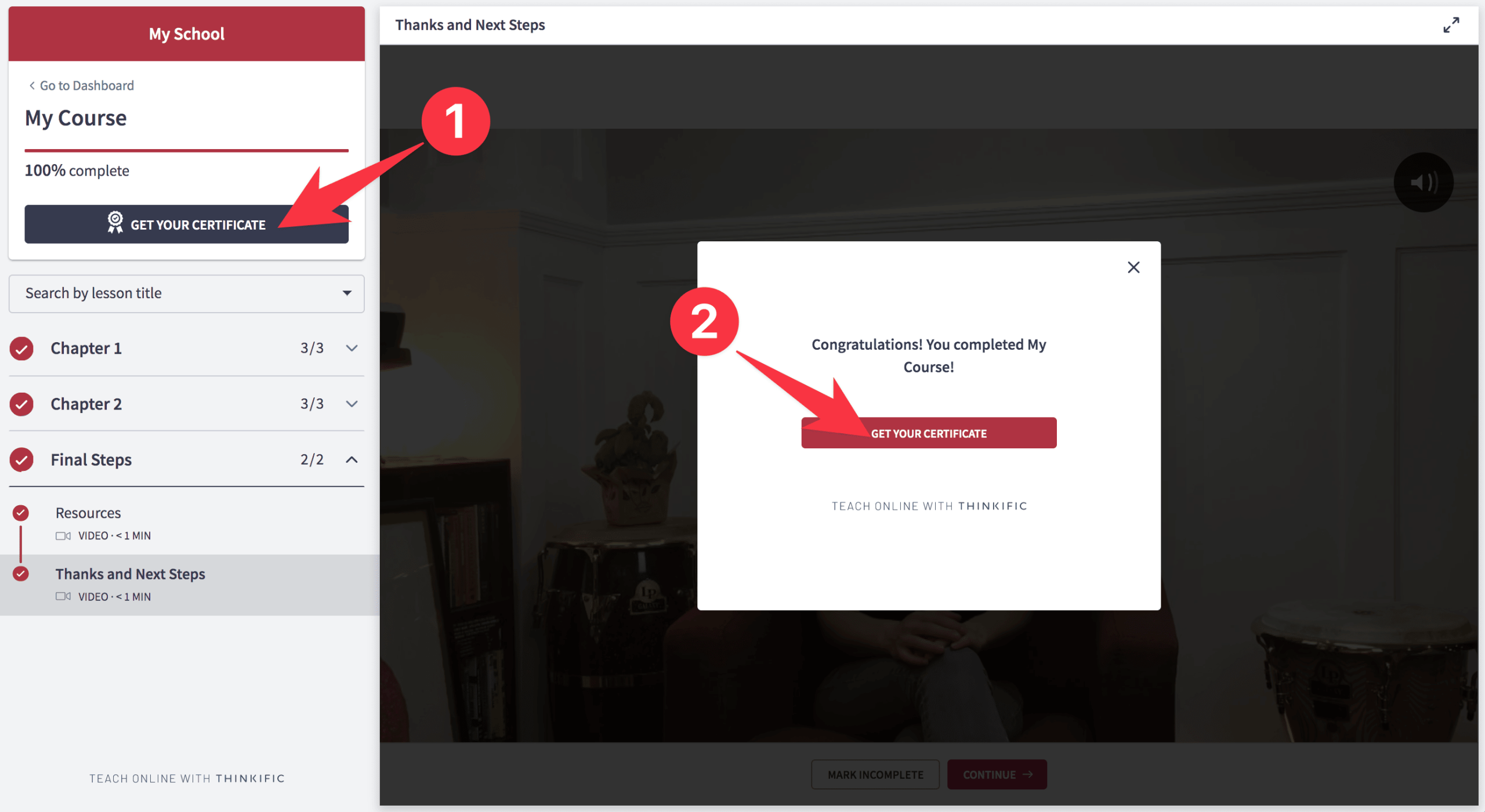
Additionally, under the “My Account” section, they can view their certificates at any time in the future, even if their course access has expired.
Student experience (frontend)
When students first load the course player, they can access the course curriculum on the left sidebar and the middle will display a large video player.
The discussion, download, and full-screen buttons will be located at the top right corner of the player.
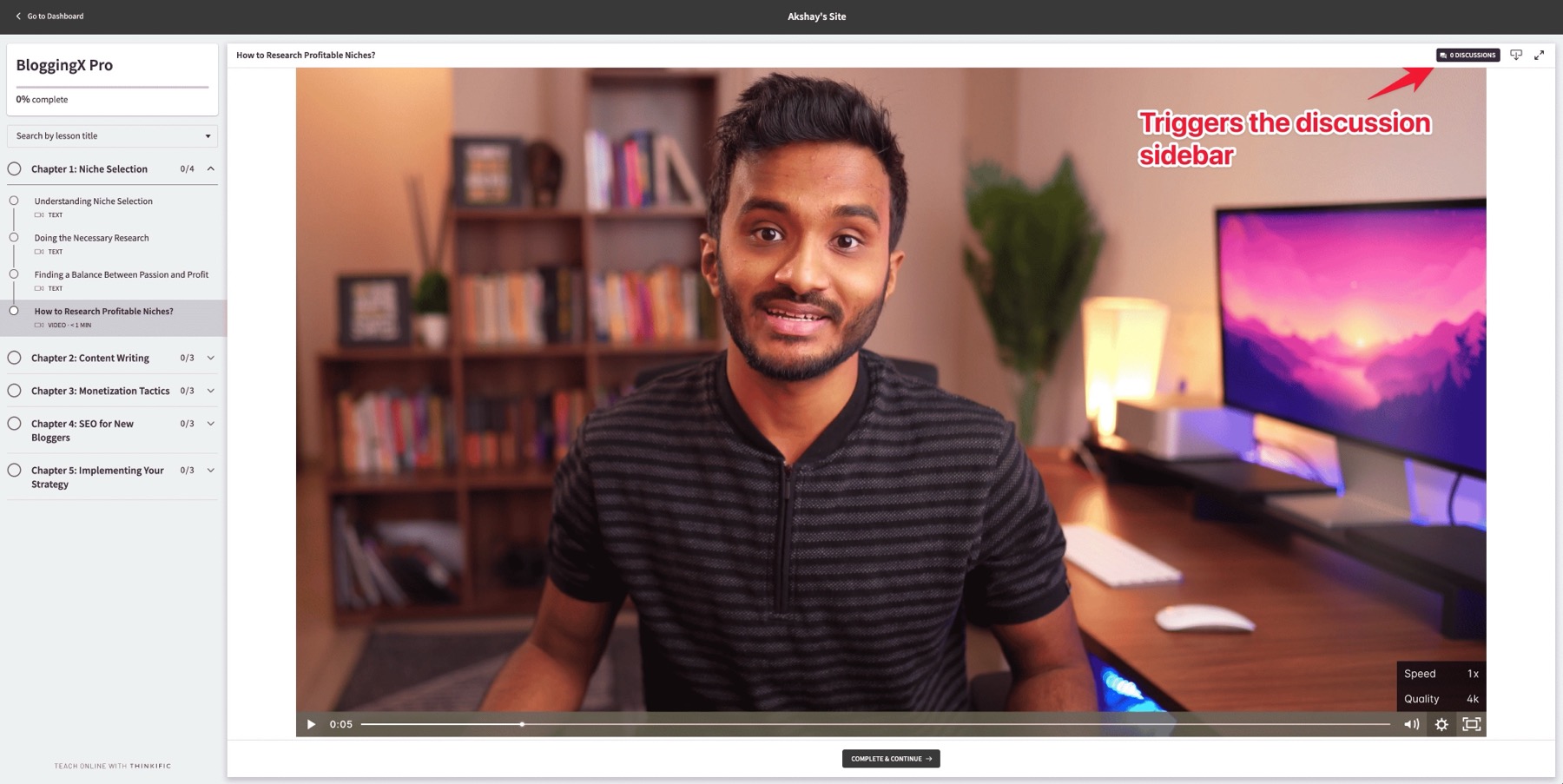
Discussion opens in a sidebar, not below the lesson. This hurts student engagement a bit.
Student engagement reports
You can monitor the progress report of each of your students under the “Progress” section.
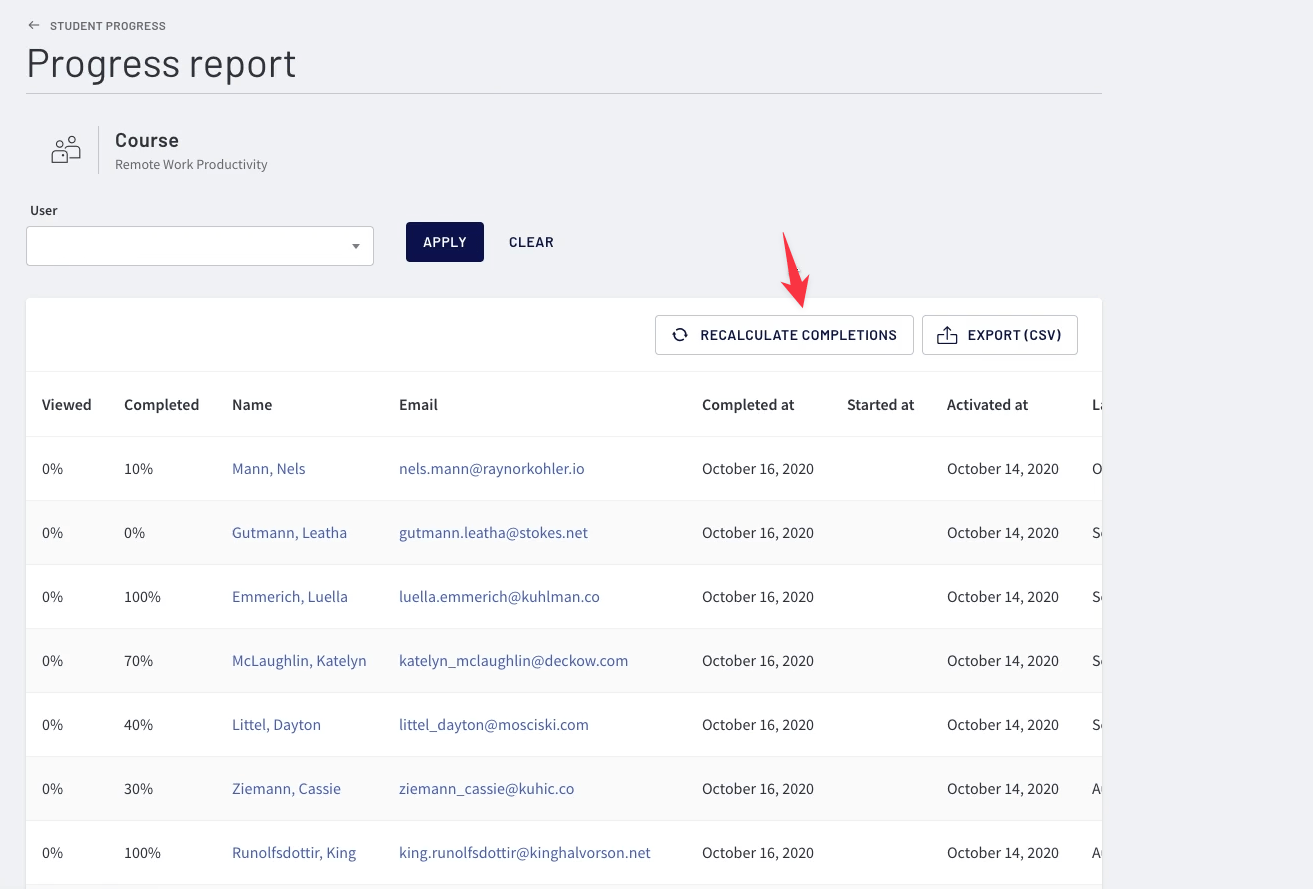
If you’re interested in per-video level analytics, you have overview and also retention graphs for every video.
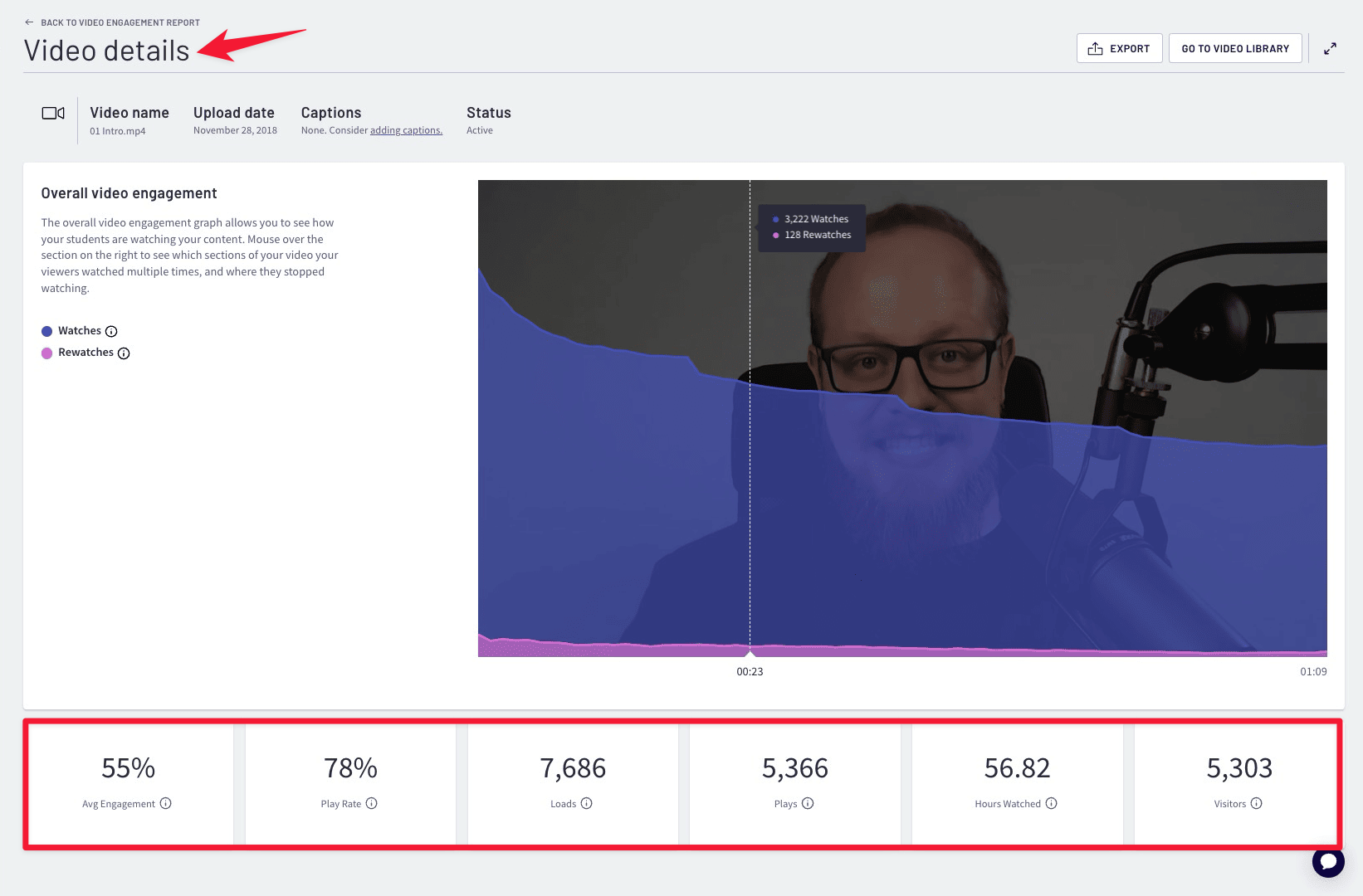
You can get metrics for your course videos, such as the following:
- Average engagement: on average, how much the students have viewed the video.
- Total plays: the total number of times a video has been played.
- Play rate: the number of students who press play on the video after it has been loaded.
- Last watched and other crucial metrics
For site Analytics, you can also integrate Thinkfic with analytics tools such as Mixpanel, and Google Analytics.
Community is basic
Thinkific’s community feature is simple but functional. When you first land on the community home page, you’ll see a clean interface with a sidebar showing members, upcoming events, and discussion “Spaces.”
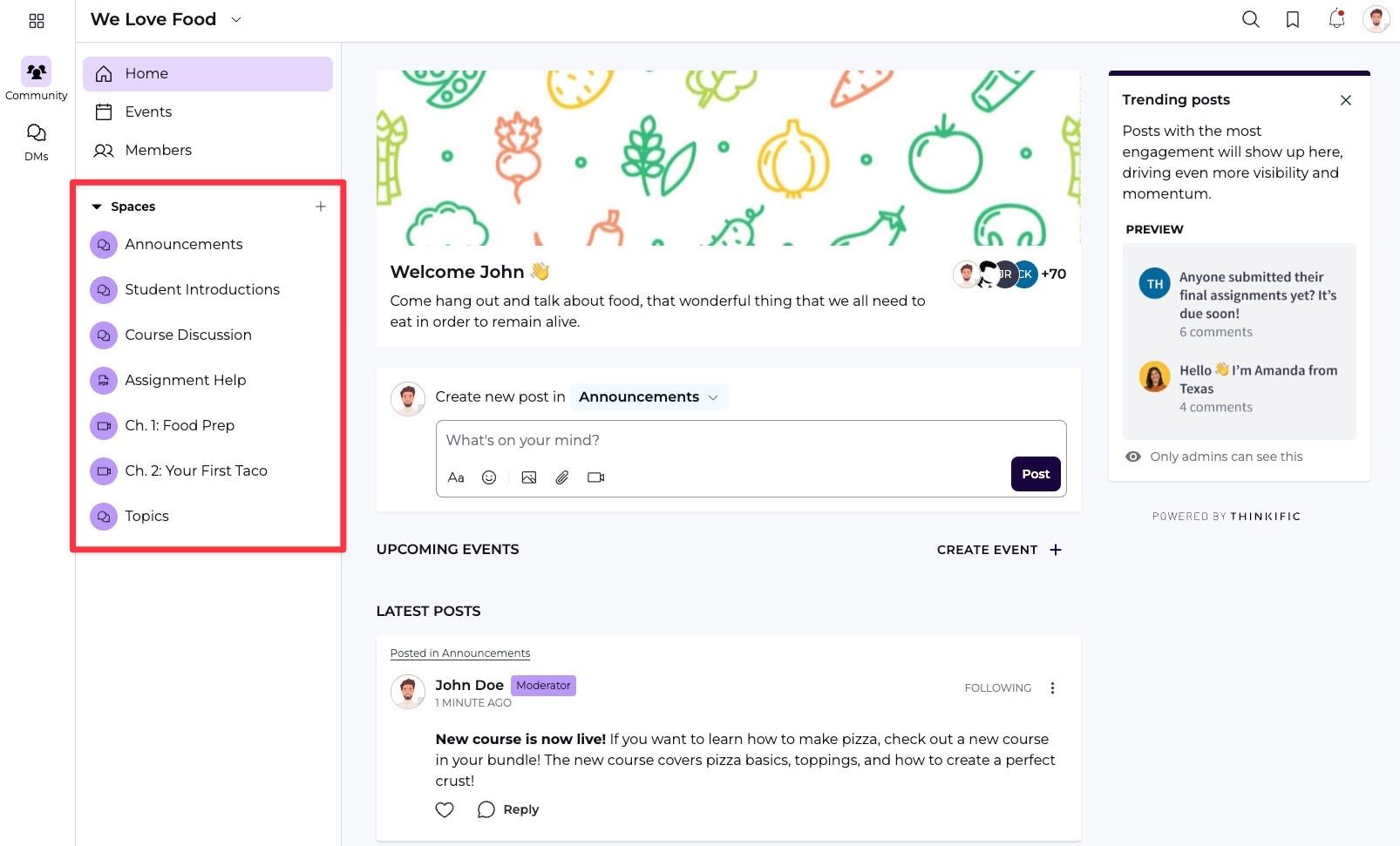
Before your students can jump in, you need to configure access settings. Head to your community settings and choose who gets in.
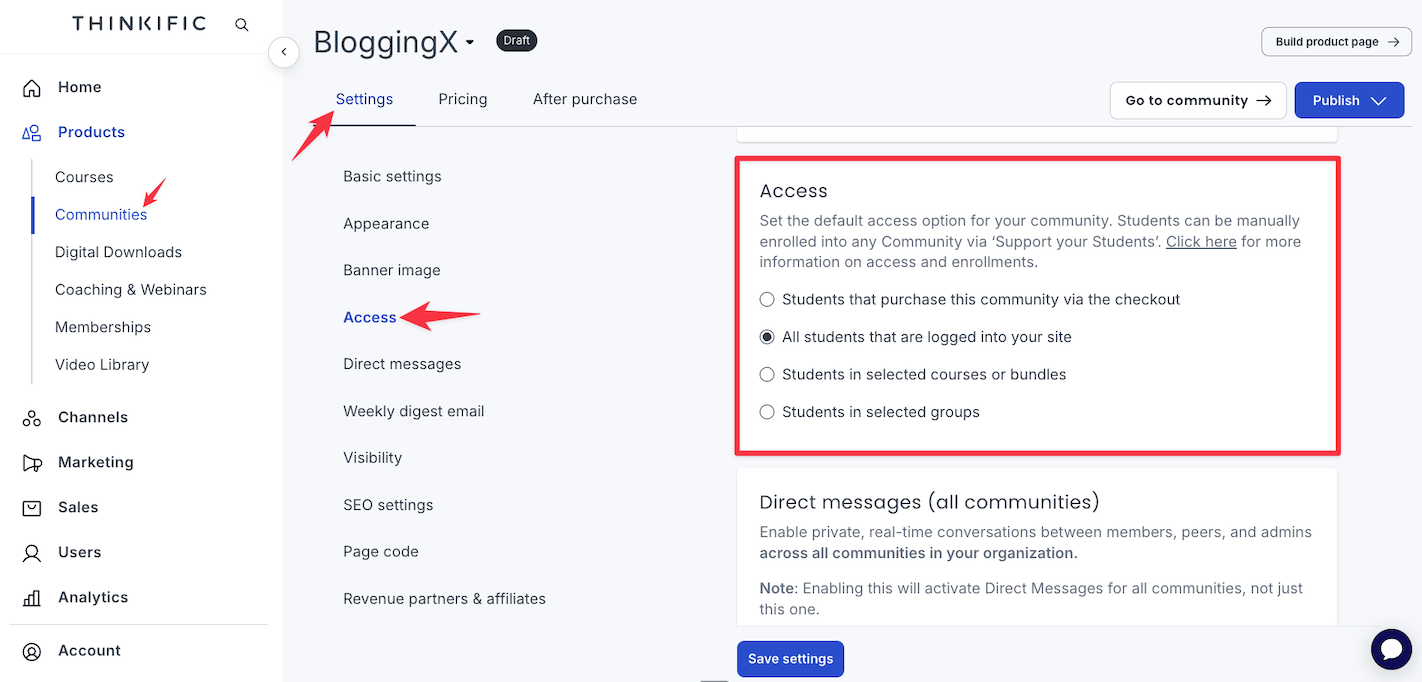
You can choose from four access levels:
- Standalone community purchase: Students buy community access as its own product
- All logged-in students: Anyone who logs into your site gets access
- Course or bundle enrollment: Students enrolled in specific courses or bundles
- Selected groups: Students who belong to particular groups you define
👉 If community is part of your offer, you can sell it standalone, bundle it with courses, or add it as an order bump or upsell.
Once you grant access, students can log in and interact through discussion Spaces.
You can link Spaces to specific courses. When someone enrolls, they see a community invite inside the course player.
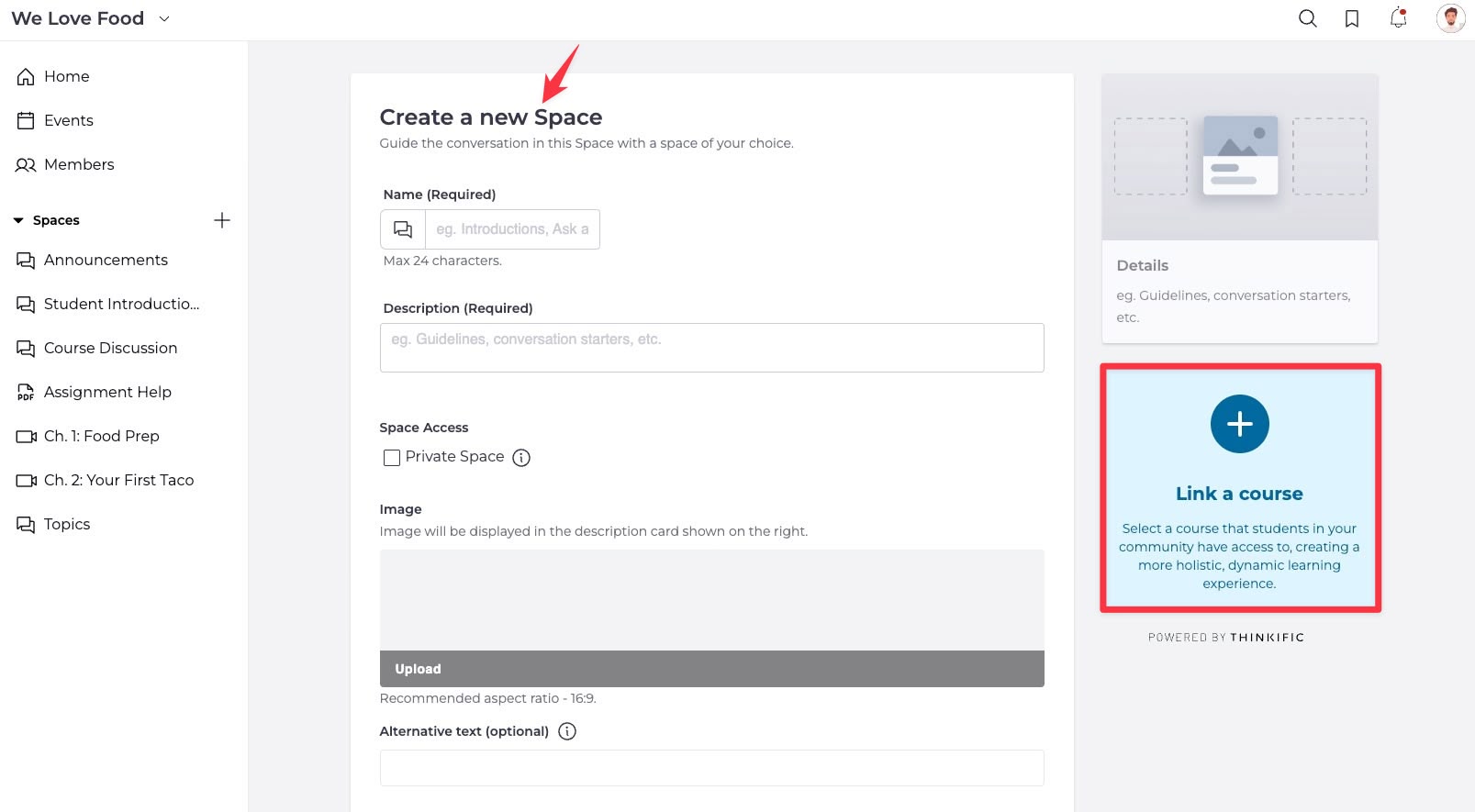
This tight integration makes discovery natural. Students don’t have to hunt for the community
👎 But here’s where it gets limited. Thinkific’s community covers the basics: posts, events, and Spaces work fine for light interaction. But you won’t find gamification, automation, or the depth that dedicated community platforms offer.
If community is a core part of your business model (not just a nice-to-have), you’ll outgrow this fast.
Consider pairing Thinkific with a dedicated community platform or switching to an all-in-one like Kajabi or Mighty Networks.
One more thing.
The free Thinkific Mobile app (included in Start and Grow plans) lets students access courses and communities on the go.
But if you want custom branding in the app, you’ll need the Branded Mobile app add-on at $199/mo.
👉 Bottom line: Thinkific’s community feature works well for light interaction and is tightly integrated with courses, but it lacks the depth, gamification, and automation that dedicated community platforms provide. If community is central to your business model, you’ll need to integrate a specialized tool.
Website builder (Decent for courses)
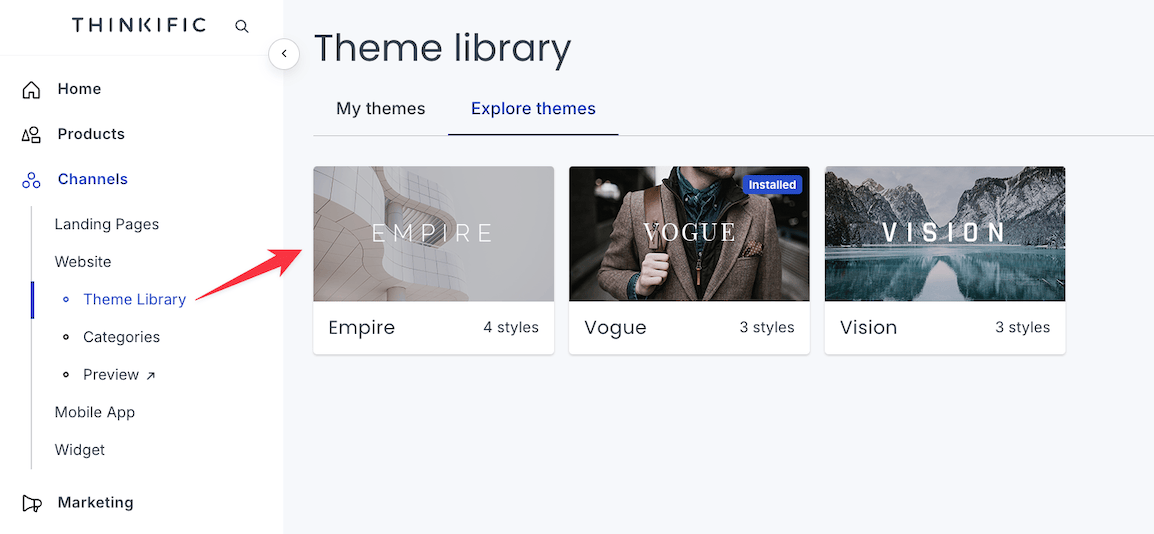
The site builder covers the essentials. You get global themes, brand colors, and sections to ship clean, on‑brand course sites fast.
For heavy funnel work or deep design control, keep using your CMS or an all‑in‑one like Kajabi.
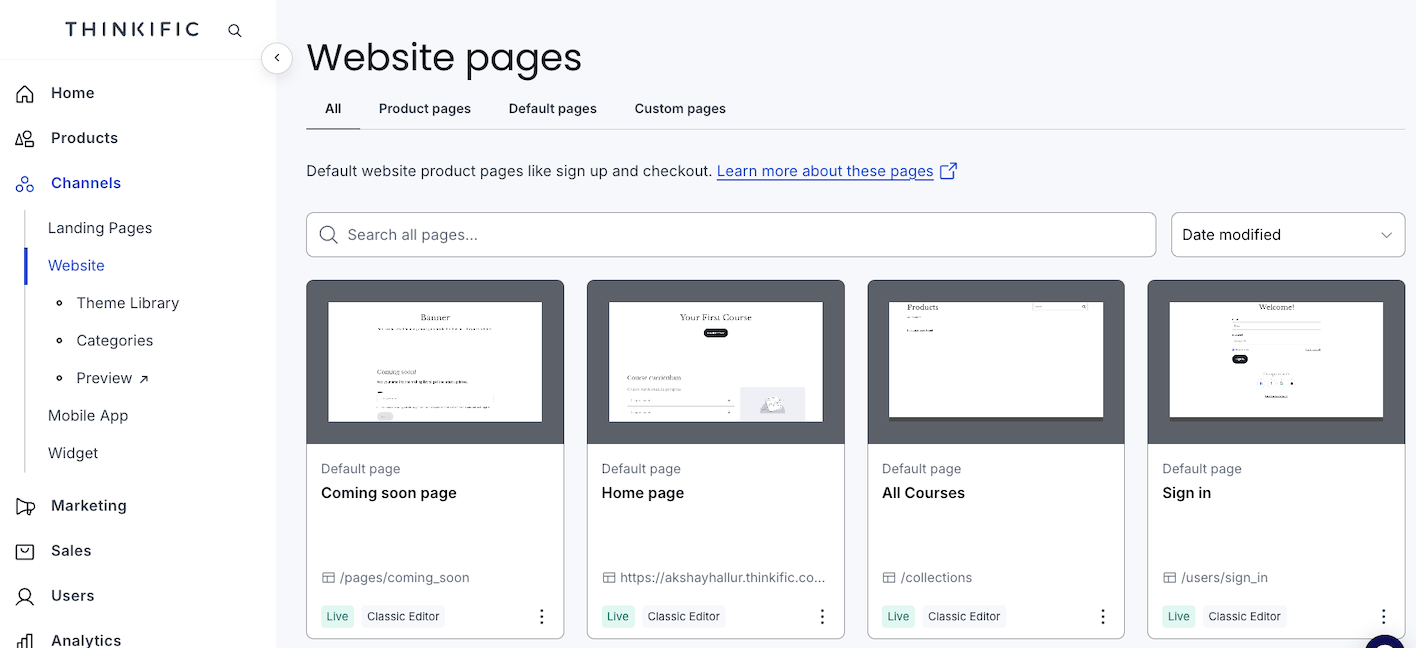
When you choose a theme in Thinkific, it applies across all your pages, including the homepage, course pages, community pages, and any custom pages you create.
To edit a page, you can use Thinkific’s page builder.
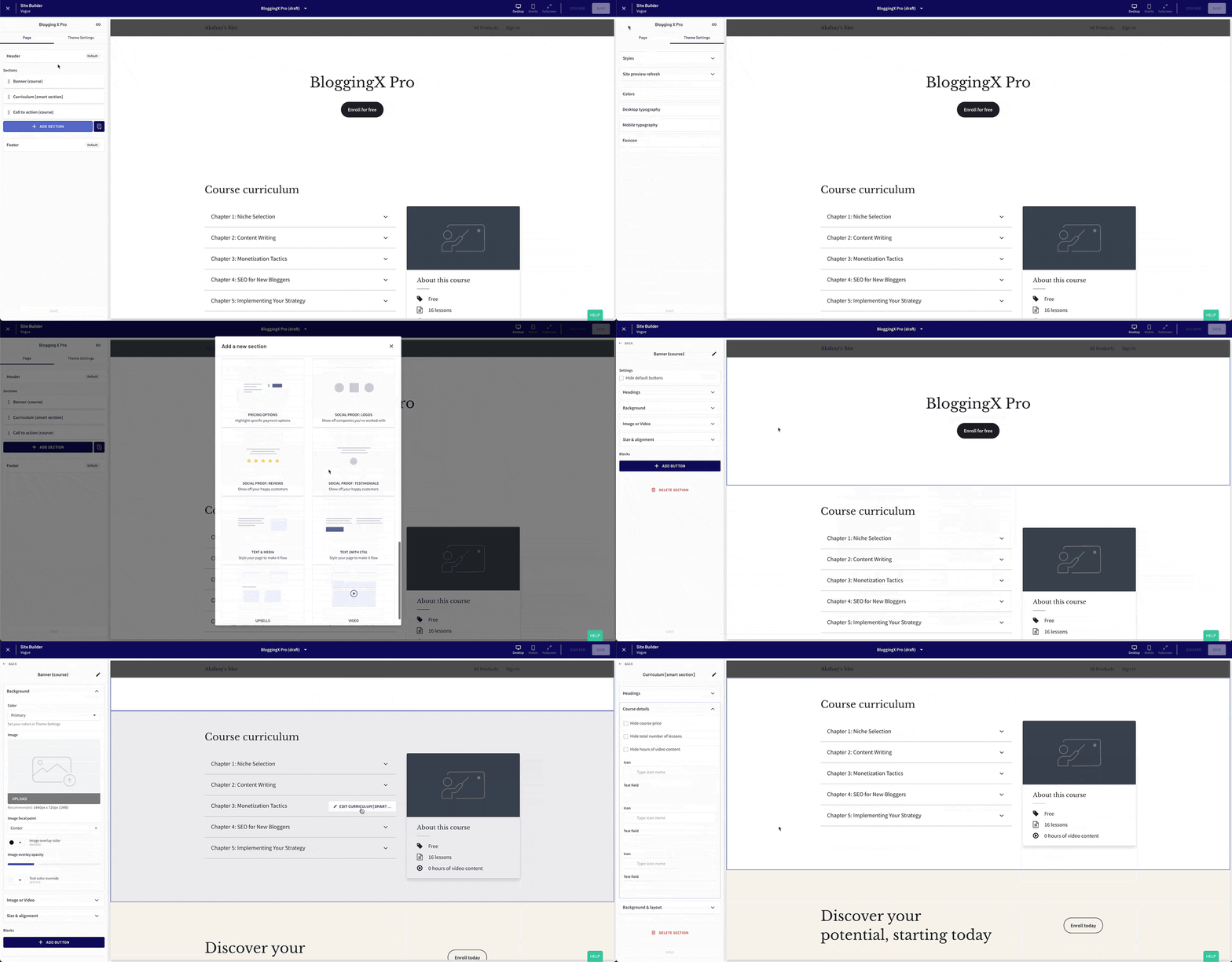
There are around 20 different sections, including testimonials, FAQs, pricing details, upsells, reviews, lead capture and more.
👉 Bottom line: While the Thinkific page builder is more limited than other funnel-building software like Kajabi or ClickFunnels, it’s still better than Teachable’s, which doesn’t offer a visual page builder.
Checkout and payments
Thinkific has Tcommerce, and it adds wallets, buy-now-pay-later, and order bumps.
If you’re in other unsupported regions you need to still use Stripe or PayPal.
You can configure course pricing.
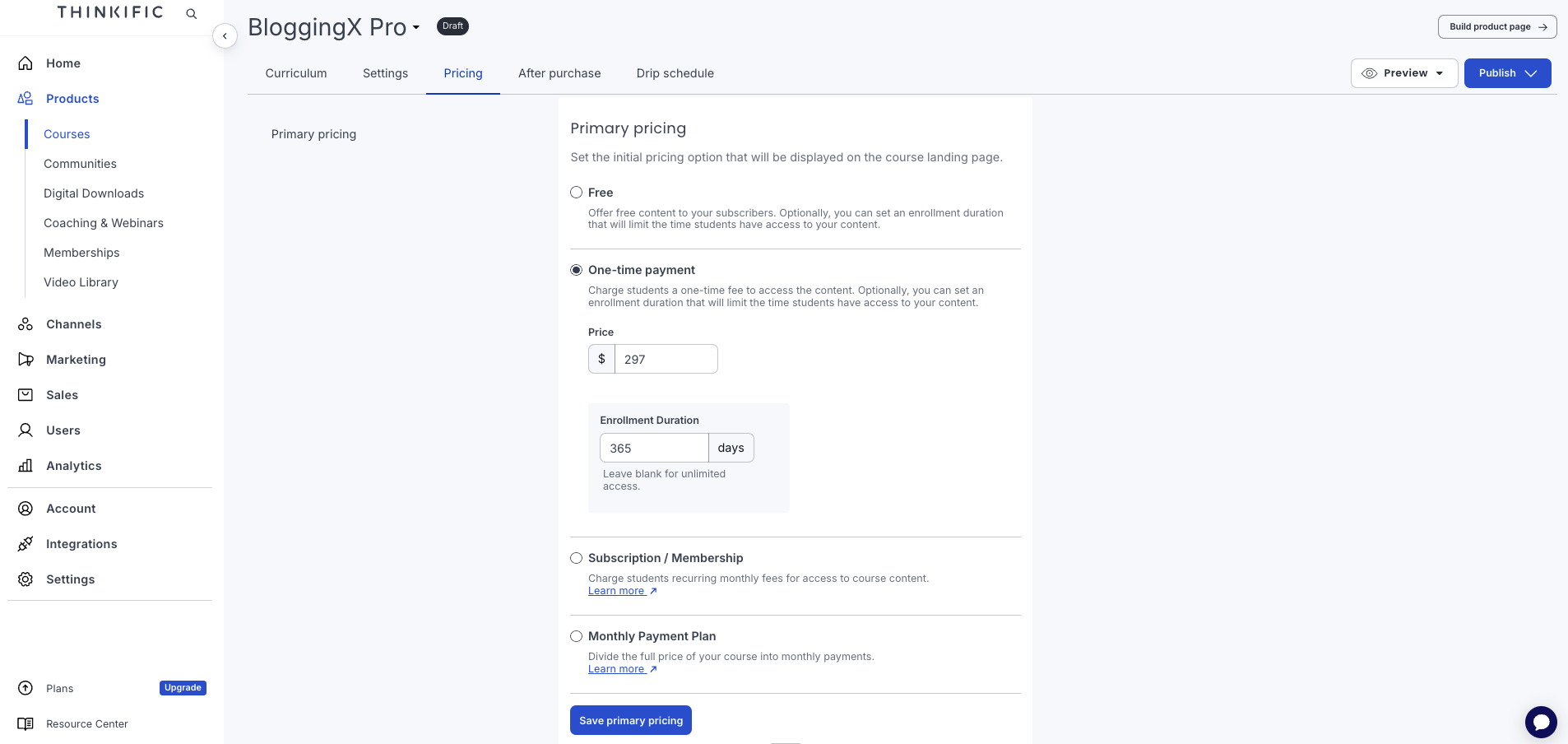
Thinkific offers flexible after-purchase flows:
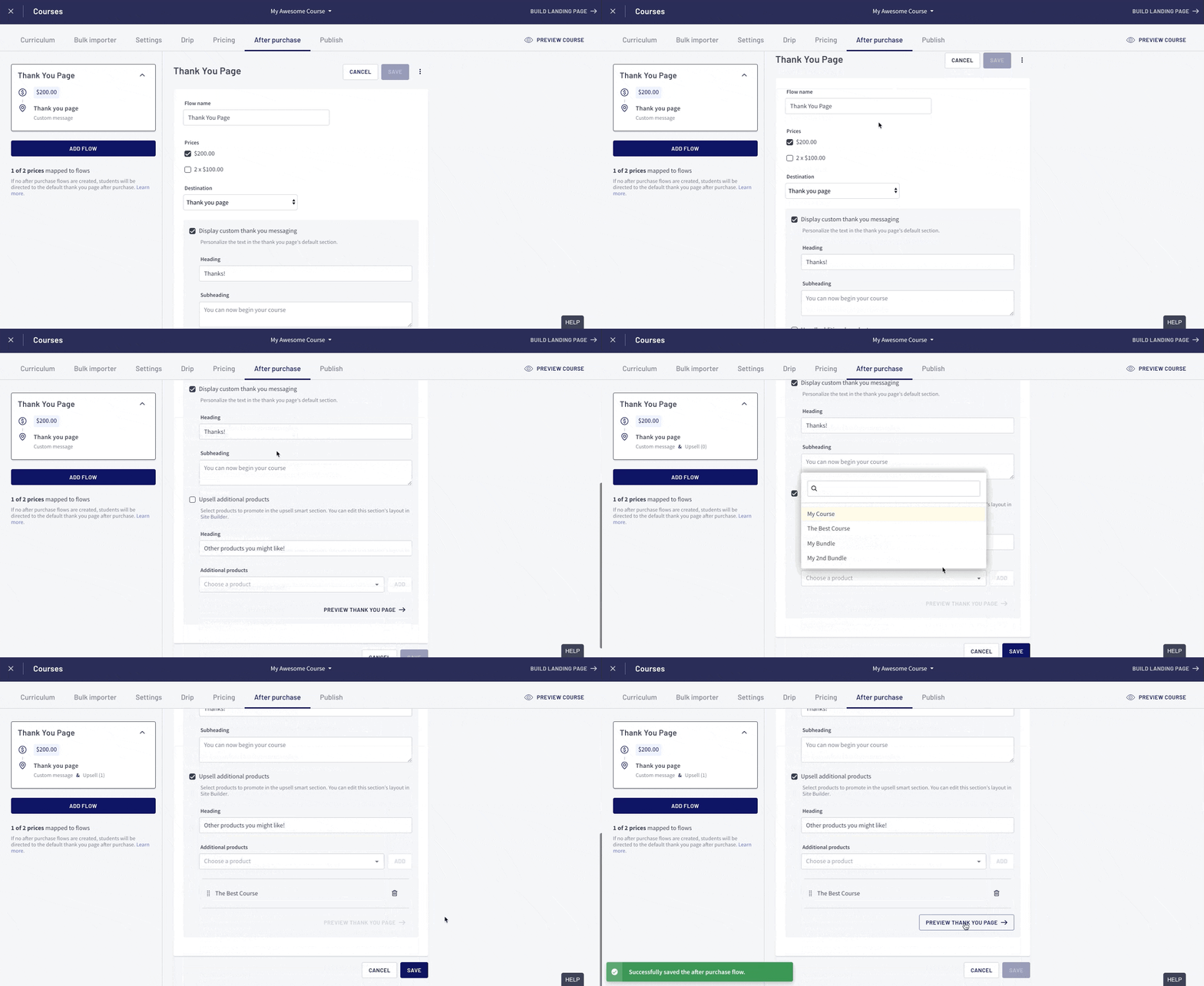
You can direct customers to a custom URL or a thank-you page that contains additional products as upsell, based on the price at which they buy the product.
When it comes to checkout see this:
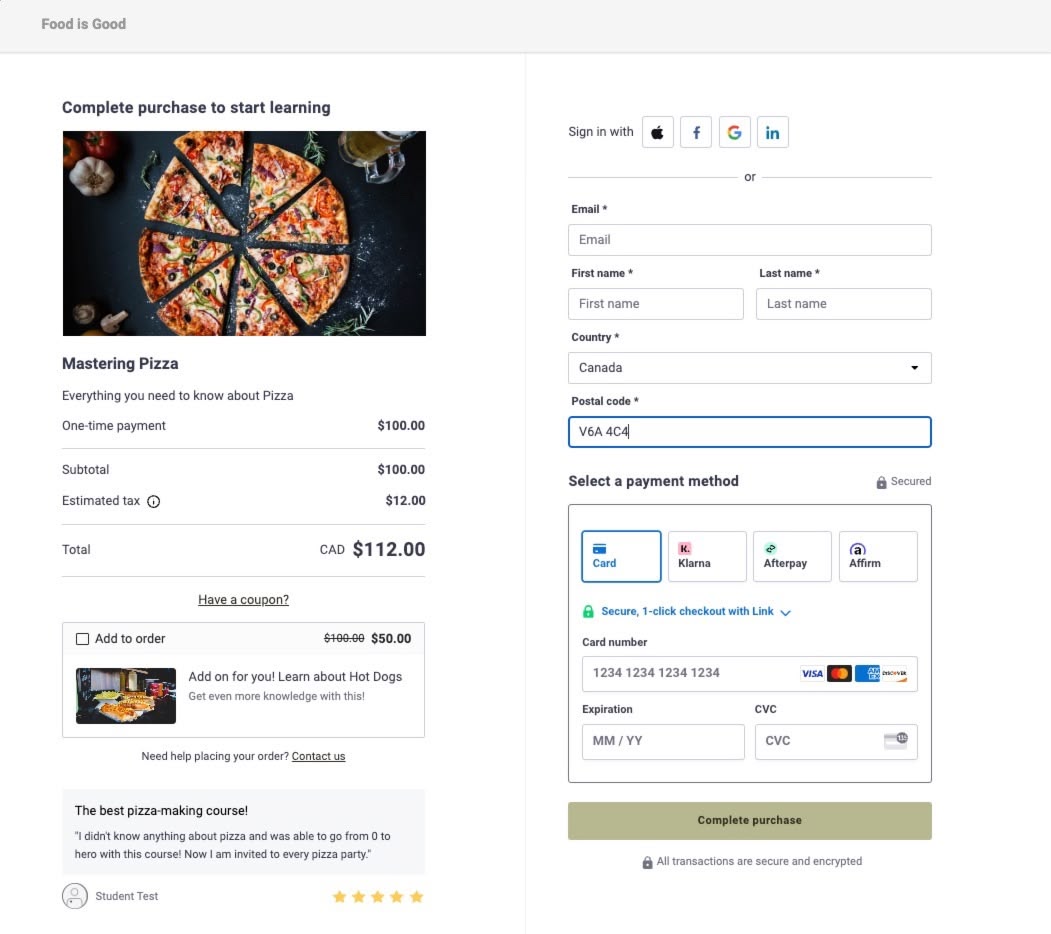
With Thinkific Payments (Tcommerce), you get a one-step checkout instead.
This unlocks more payment methods and lets you add order bumps and social login at checkout, which can boost conversions.
Affiliates and revenue partners
When it comes to effectively promoting courses in collaboration with others, Thinkific provides two key features:
- Revenue partners
- Affiliate program
Look at this:
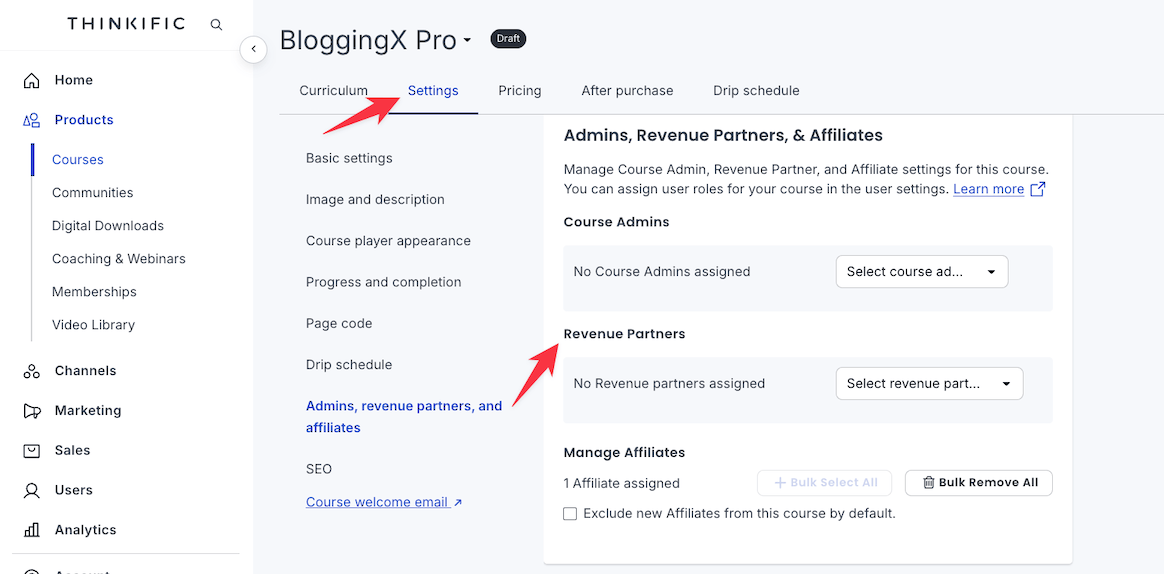
Revenue Partners let you split course revenue with collaborators automatically.
Also affiliates:
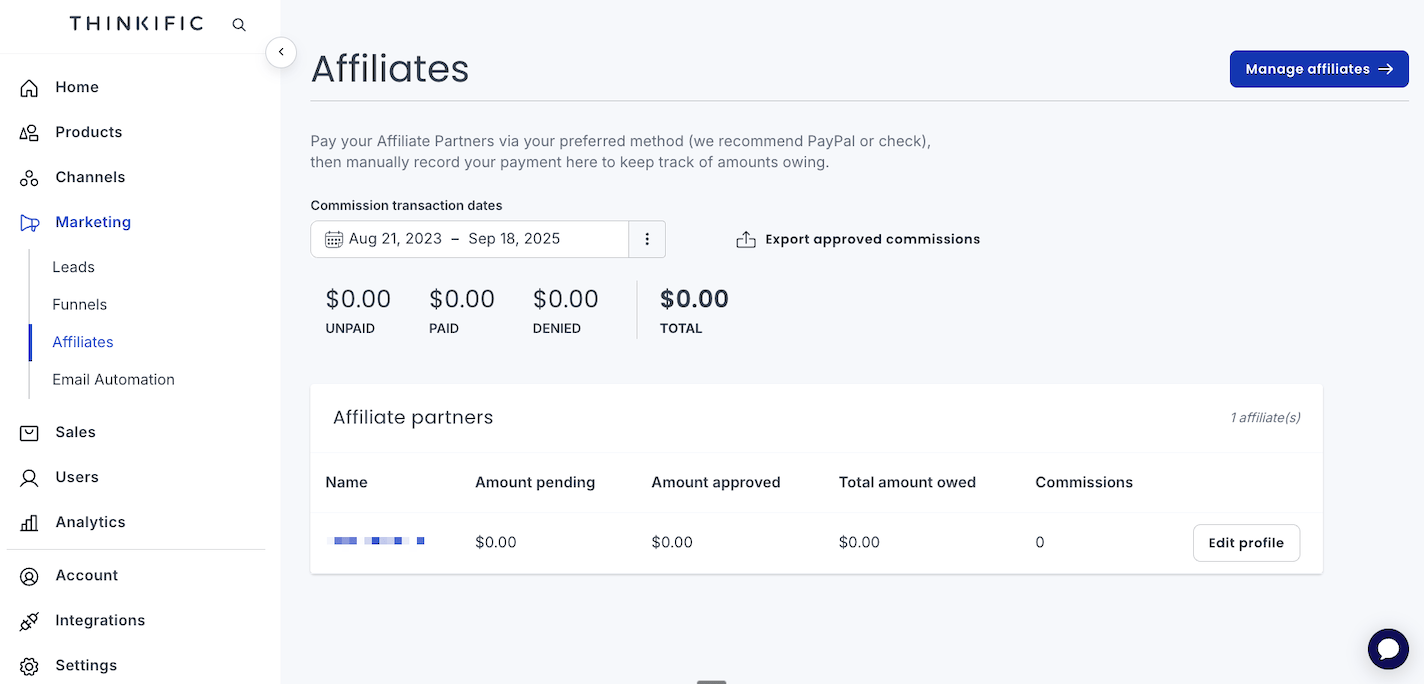
Here are the main downsides with affiliates:
- No bulk import or automation for onboarding. Every affiliate is manual.
- Commission payouts require manual approvals, one by one.
- Click tracking is limited and the affiliate dashboard isn’t compelling. We saw top affiliates disengage and revenue drop after the switch.
👉 Bottom line: This is fine for small programs. For scaled affiliate ops, use a dedicated affiliate platform and connect it to Thinkific.
Integrations and App store (good!)
Thinkific has an app store with integrations across email marketing, business operations, engagement, selling, and site design.
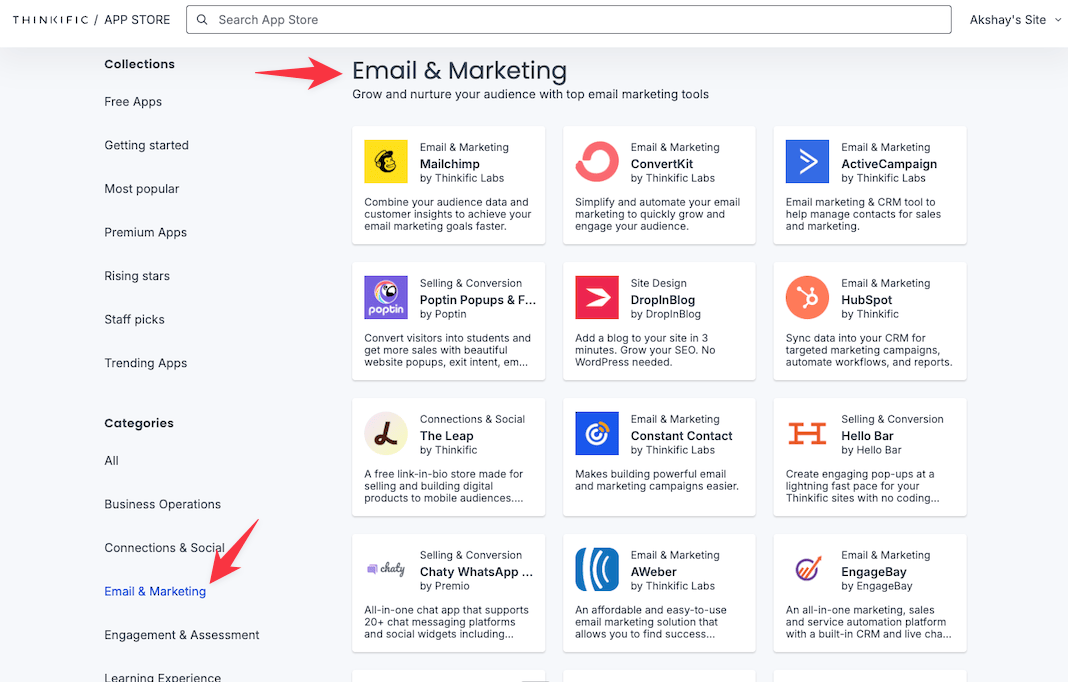
Thinkific has direct integration with popular email marketing providers. These are MailChimp, ConvertKit, Active Campaign, Drip, and Aweber.
However, if you are using email marketing software that Thinkific does not integrate with, you need to use Zapier or other integration solutions.
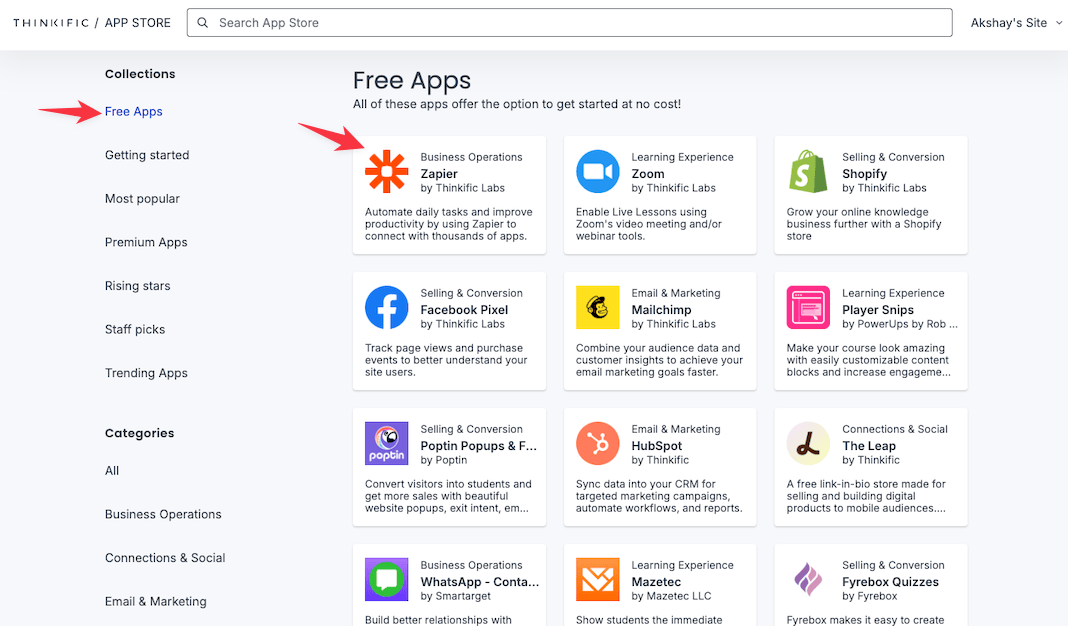
It has apps in different categories including site design.
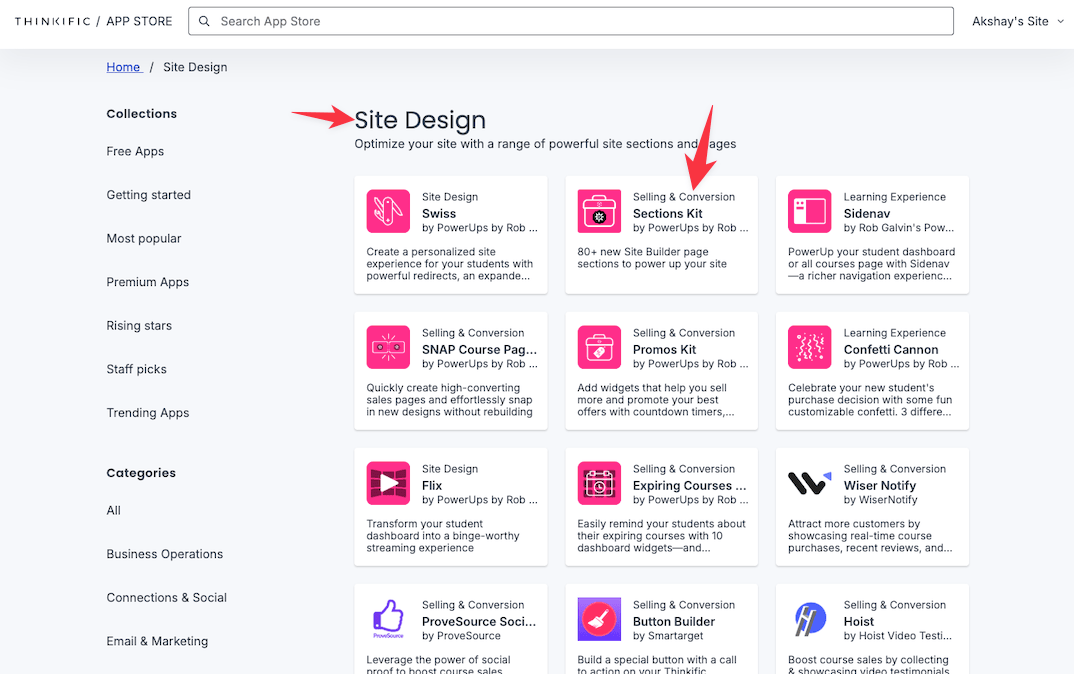
For instance, there’s the “Sections Kit” app developed by Rob.
It enables you to add 80 new page sections to the limited site builder that Thinkific comes with.
Mobile app
Thinkific gives you a custom-branded mobile app with their Start or Grow plan.
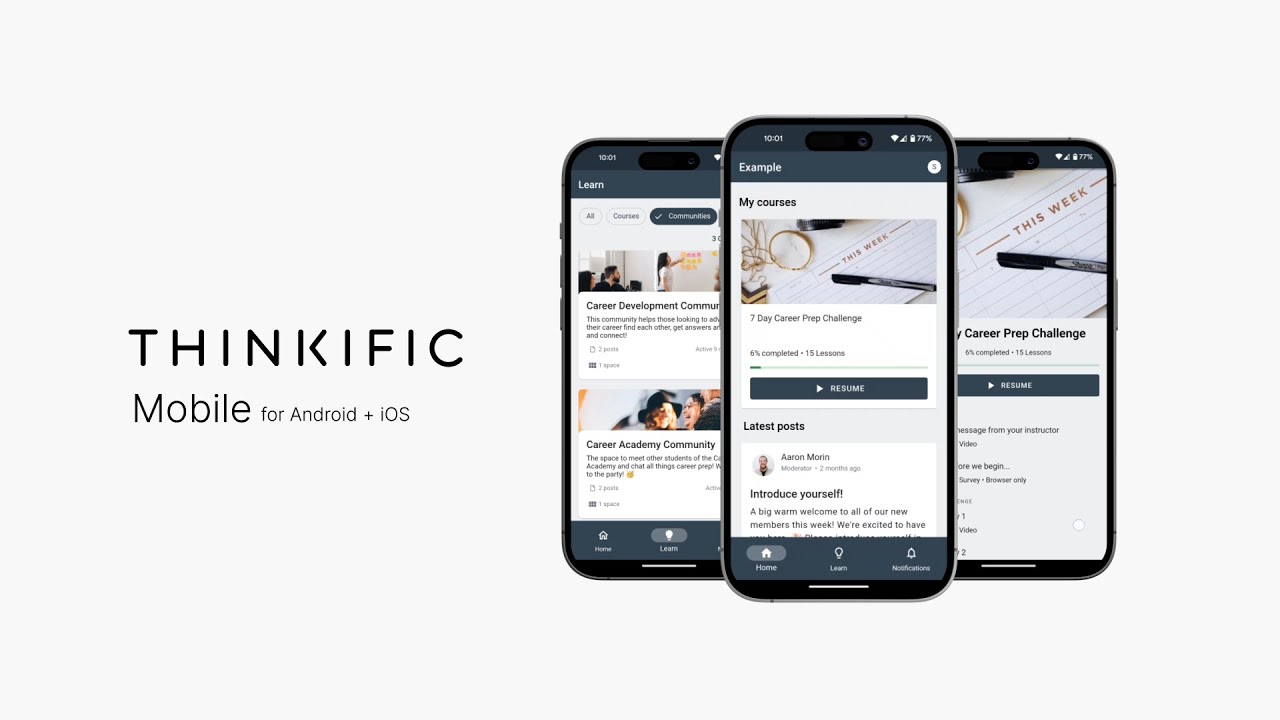
It looks impressive at first glance. The app lets you send different kinds of notifications – from regular updates to drip lesson releases, and also community activity alerts.
But here are the downsides:
- Limited lesson type support: Quizzes, surveys, assignments, presentations, and live videos are not supported on the app.
- Restricted community features: Members can’t access the directory to connect with other members in DMs, and they can’t attend community events live on mobile.
- No in-app purchases: Unlike other apps like Kajabi, Thinkific doesn’t support in-app purchases. This really limits your ability to sell more products to your existing students.
For what they’re charging, these are serious limitations that can impact both student experience and your revenue potential.
Pricing
Thinkific offers 4 pricing tiers that fit different needs.
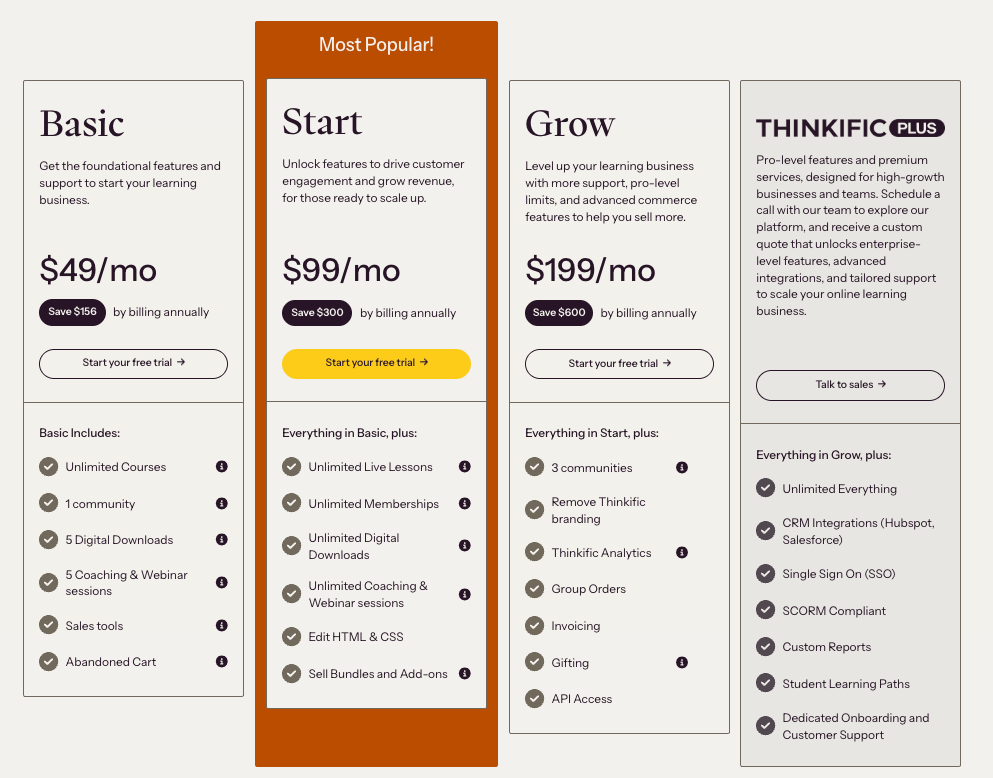
Most people go with either the Basic ($49/mo) or Start ($99/mo) plan.
But if you need more powerful features like detailed analytics, advanced course-building tools, or want to remove Thinkific branding, you might want to look at the higher plans.
👍 Here’s the good part: Unlike Teachable, Thinkific doesn’t limit how many courses you can create with their paid plans. And it doesn’t charge any transaction fees, while Teachable charges 5% on their Basic plan ($59/mo).
Verdict
Thinkific is a solid choice if you want a straightforward course platform with no transaction fees and decent flexibility.
It works well for creators who need clean course delivery without the complexity of an all-in-one platform.
But it’s not perfect.
The community features are basic, the mobile app has frustrating limitations, and you’ll need third-party tools if you want advanced funnels or serious affiliate management.
If you’re running a simple course business and don’t need heavy marketing automation or deep community engagement, Thinkific does the job at a fair price.