I’ve spent years testing community platforms as an instructional designer (since 2018, ever since I said goodbye 👋 to Facebook Groups).
EVERY SINGLE ONE OF THEM!
Circle, Skool, Mighty Networks… you name it.
But is Mighty Networks worth your money?
Maybe, or may not be.
Let me break it down for you!
Quick decision
👍 What I like about Mighty Networks?
- Good UI and UX: Mighty Networks traditionally had poor UI with oversized elements and clunky design, but they’ve made significant improvements recently. The interface is now much more polished and user-friendly.
- Strong mobile apps: Their native mobile apps for iOS and Android are very well-designed and reliable, which is crucial for community engagement. With Mighty Pro, you can even brand them as your own.
- Variety of space templates: You get lots of ready-to-use templates for different space (like for chat, courses events), including the new “Challenge” and “Habit Trackers” templates that work well with their gamification features.
- Native Calendar feature (surprisingly useful): There’s a calendar that shows all your events in one place, it’s like a master calendar for your members to cut the noise. This makes it easier for members to see what’s coming up. I find it really handy.
- Livestreaming is built-in: Built-in features for hosting (live streaming) and managing events make it easy to run webinars and community gatherings. But for most, you end up using Zoom.
- Ambassador program: They have a built-in system to reward members who bring in new people. It’s not a full affiliate program, but you can give badges and manual rewards.
👎 What I don’t like about Mighty Networks?
- Limited course features: You won’t find things like completion certificates or student-level tracking. If you need more advanced features, check out platforms like Kajabi or Thinkific.
- Limited gamification features: While they’ve recently added streaks and milestones that let members display points and recognition on their profiles, but the gamification still needs work to compete with platforms like Skool.
- Only Stripe integration (no PayPal): Want to accept payments? You’re stuck with Stripe. No PayPal support.
- Limited integrations (that too only on $215/mo plan): The platform lacks built-in connections to other tools and has limited API. You’ll need to use Zapier for most integrations. That too, these integrations are available only in their Scale plan at $215 per month.
Upfront bottomline
Here’s my honest take on Mighty Networks:
Mighty Networks used to have a very clunky interface with oversized elements and poor design choices that made navigation frustrating. The UI felt bloated and the UX wasn’t intuitive.
This was one of the main reasons why I was NOT recommending it to people
However, they’ve made significant improvements recently.
The interface is now much more polished and streamlined, making it easier to navigate and manage your community.
Apart from it, the good stuff?
- You’re getting a decent bang for your buck. Their combo of community + course features comes at a fair price point.
- Their mobile app is also actually pretty solid. If you ask me, it’s one of the main reasons why I recommend Mighty for you.
If you’re big on mobile engagement (who isn’t these days?), this could be your deciding factor.
But hold up.
In the Mighty forums, you can see users keep pleading for essential features (like more integrations, payment gateways), but Mighty Networks is dead ears when it comes to actually implementing what people need.
And here’s where it gets worse: even the limited integrations they do offer are locked behind their $215/month Scale plan. That’s a steep price.
If the above things are the deal-breaker for you, check out Circle or Kajabi instead.
Both these platforms have really stepped up their game lately, especially with community features and gamification.
Overview
Mighty Networks, founded by Gina Bianchini (creator of Ning) in 2017, this platform had a clear mission: help people build engaging communities without social media distractions.
Here’s the interesting part:
It didn’t start big.
First, it was just a basic community tool.
But, they doubled down on: The mobile experience.
During 2020-2021, they dominated the space with their branded community apps (touted as alternative to FB groups)!
That’s a quick history.
Now let’s look at the interface 👇
Interface
Mighty Networks used to have a really clunky interface with poorly designed UI and UX.
However, more recently they’ve improved a lot.
The UI and UX is now very polished.
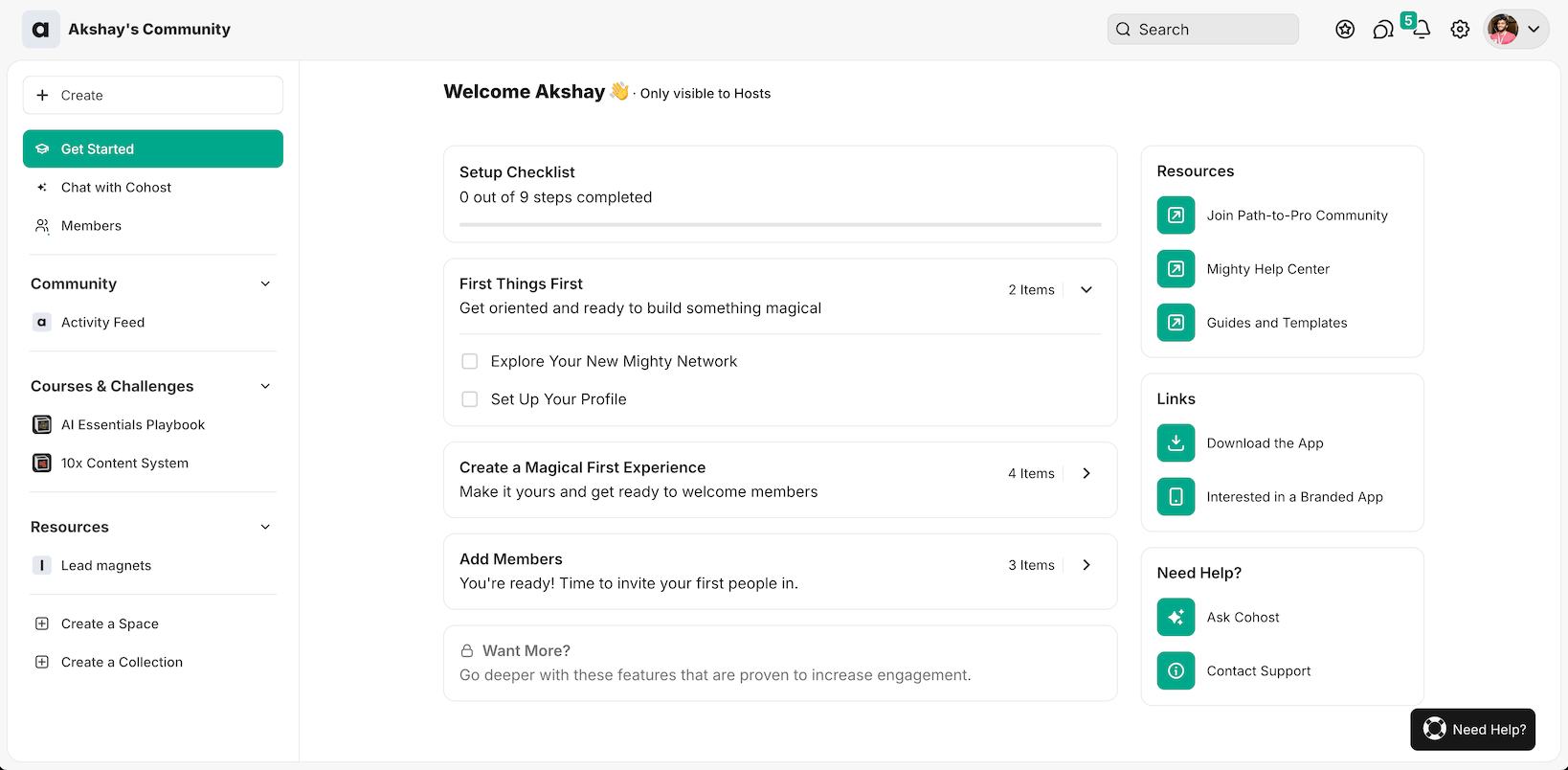
When you’re first getting started, you have a dedicated “Get Started” page where you can set up all the essentials to kickstart your community.
Community organization and access
Understanding the organization
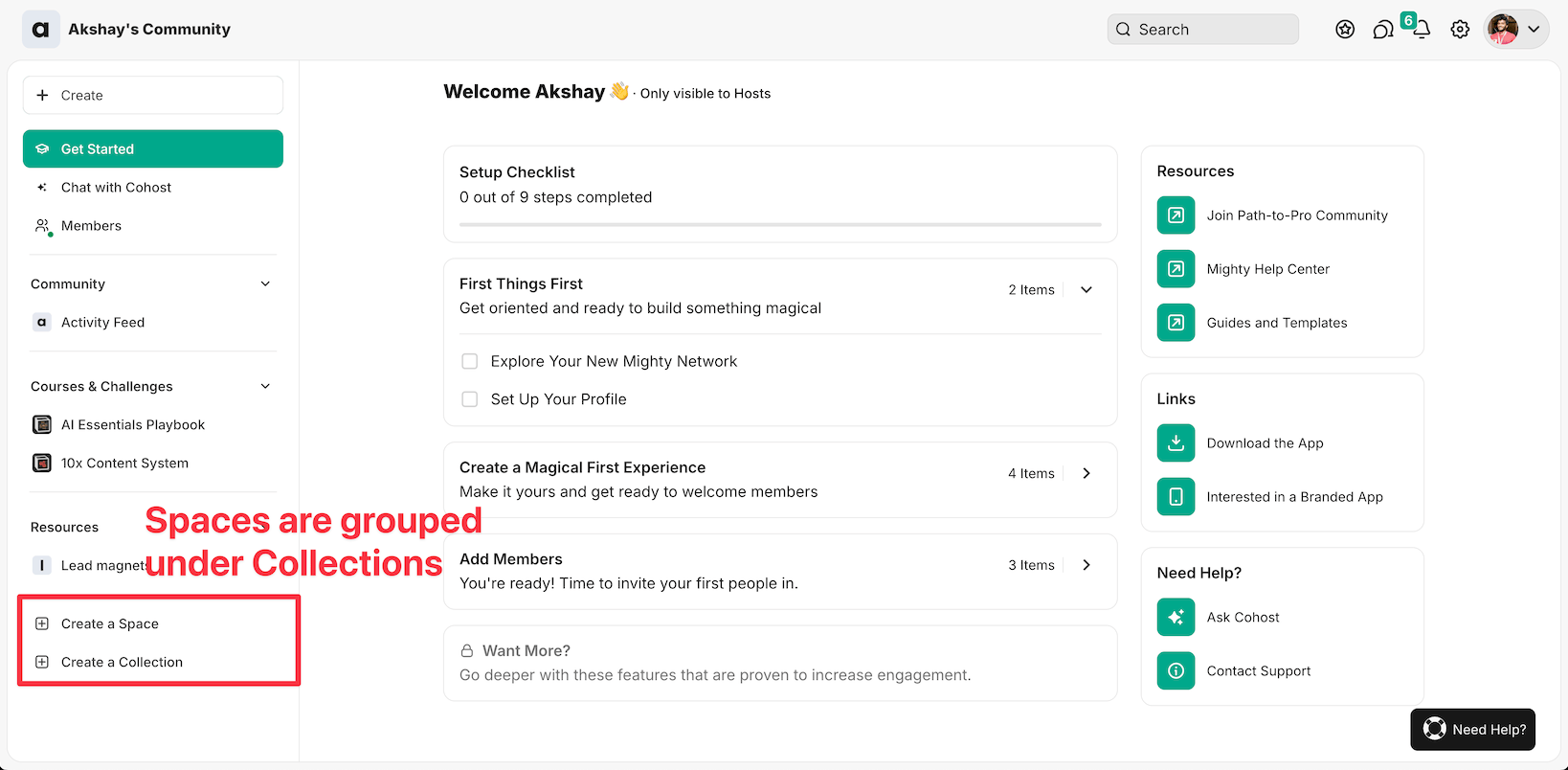
Mighty Networks uses two main organizing tools:
- Spaces: These are separate rooms/spaces for courses, products, or community areas – each with their own chat, events, and content.
- Collections: These work like folders to organize your spaces. For example, you could group beginner courses in one collection and advanced courses in another.
Mighty Networks has completely redesigned their organization system.
Now you need a dedicated space for each course or product.
This transition wasn’t smooth. Many users lost content, and some had their entire community structure messed up.
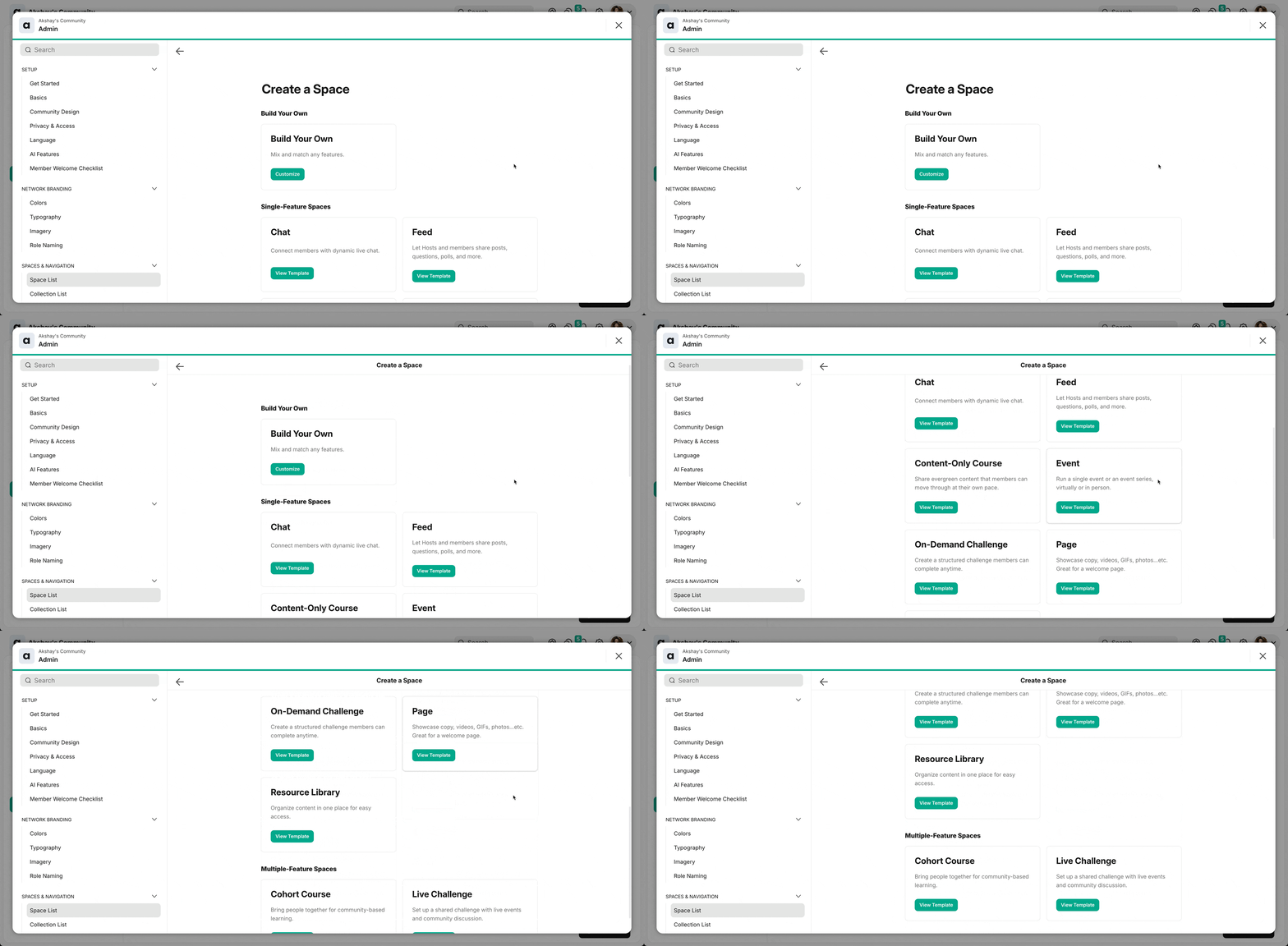
Once you create a space, you can turn on or off different features.
Additional tabs will be added to your space!
For instance, I have a course called AI Essentials Playbook.
For that course, I can add a chat tab so that all the course-related chat will be housed under one tab.
For every “space”, you can enable:
- Course: Offer courses with modules and lessons
- Chat: Facilitate conversations and discussions among community members.
- Feed: Share updates, announcements, and content with your community.
- Events: Host and manage live events, such as webinars and workshops.
- Discovery: Help members discover relevant content and engage with each other.
- Members: Provide information and profiles of community members.
🤔 Here’s what’s cool about Mighty Networks: you can have everything in one space – courses, events, and chat. Unlike Circle, where you need separate spaces for each thing, this makes it way easier to manage your content and keep things organized.
Next.
In the Space settings, you have the ability to change who can join, view, or send invites to your space.
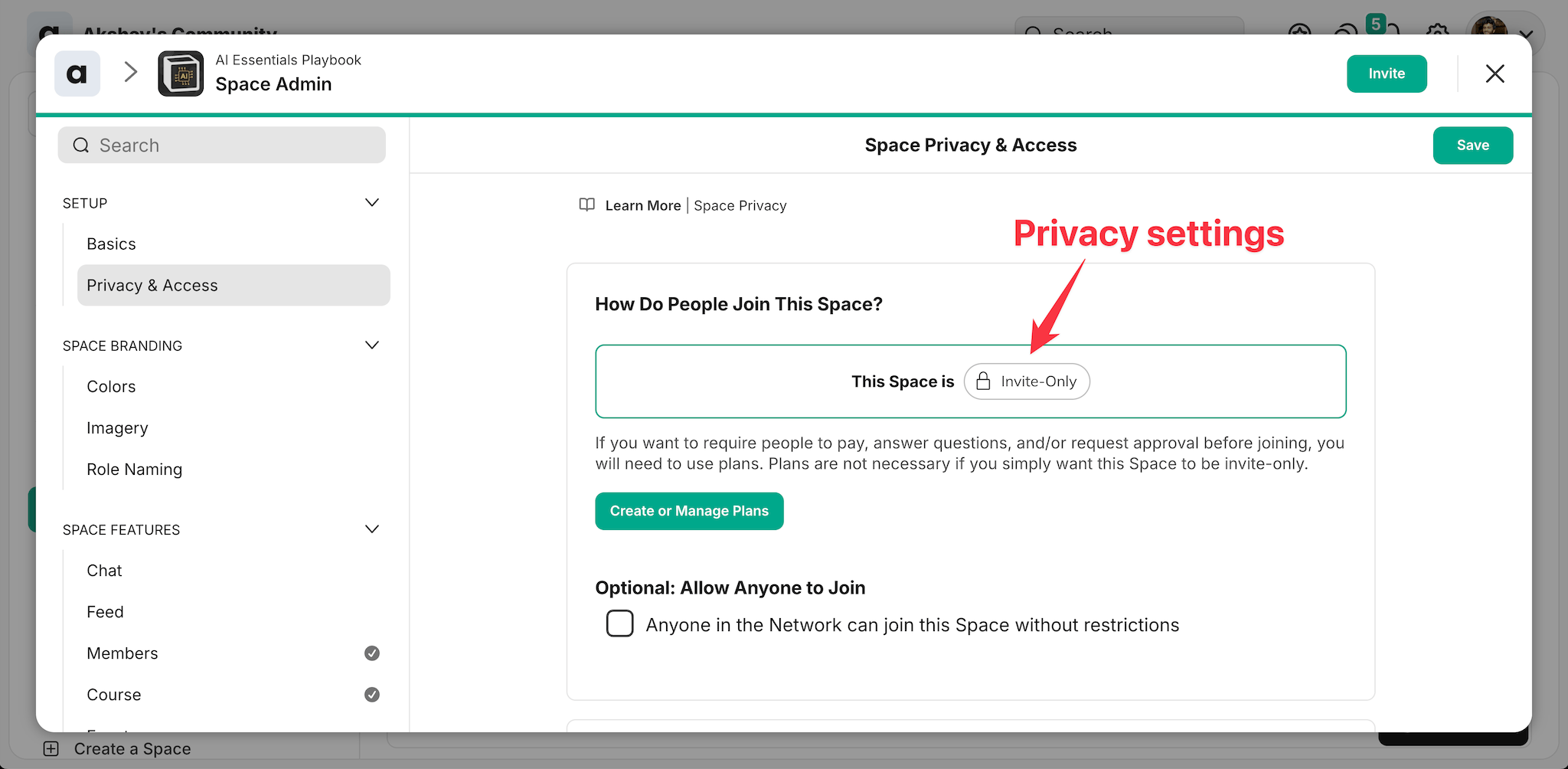
Here are the 4 space visibility options in Mighty Networks:
- Public Space: Anyone can see the content and join without approval. Great for growing communities, but watch out for spam! Because Mighty doesn’t have impressive moderation tools.
- Private Space: Content stays hidden from non-members. People need to request access first. Perfect for exclusive communities.
- Secret Space: Ultra-private option – nobody can see it exists until they get a direct invite. Ideal for VIP groups.
- Paid Space: Content is locked until members pay the fee. Best for premium courses and membership sites.
These options cover all your requirements.
🚧 I strongly recommend against making your space public on Mighty Networks – the platform lacks essential moderation features like profanity filters and spam rules, which makes managing public communities a real headache, as many users have reported in their reviews.
Enrollments and community access
When you go to community or network settings, you can create multiple pricing plans.
For each plan, you can select the products or the access to spaces that will be included.
As a next step, you can set “Gates” as well.
Here’s what it does:
It lets you create qualification questions that potential members must answer before joining your network.
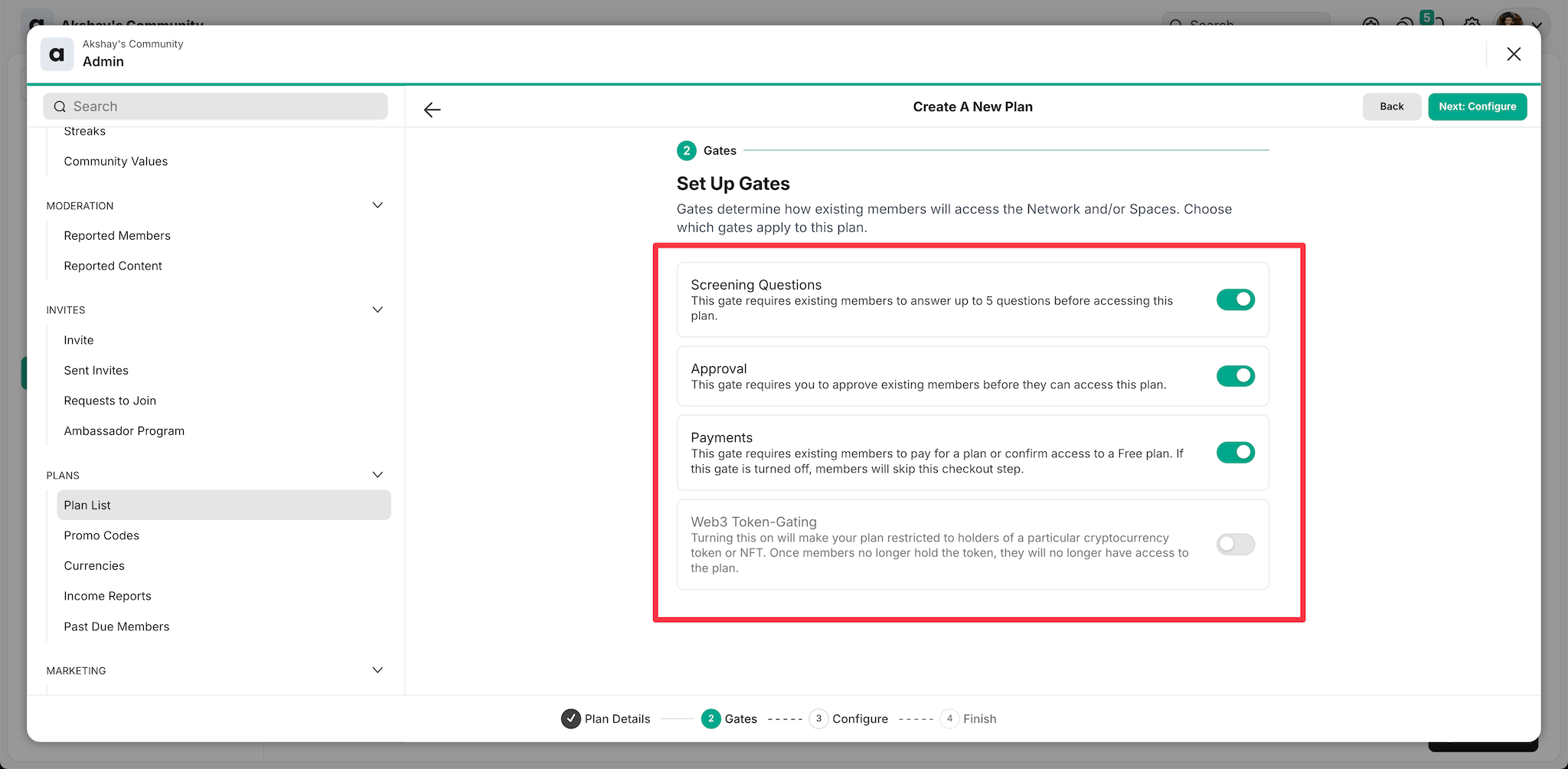
This pre-qualification can be particularly important.
Because, based on the niche of your community and helps you avoid spam and focus on quality interactions.
One notable feature is the ability to toggle screening questions and approvals independently.
- Screening Questions only: The member would answer the questions and be able to make a purchase.
- Approval only: The member would require approval to make a purchase.
👉 If you set your community as public, I strongly recommend implementing a rigorous prequalification process to prevent spam.
You can invite members/moderators/hosts to spaces by sending an invitation email that is customizable.
To ease the process, you can send bulk invites by uploading CSV and importing the contacts. Rather than sending individual emails this bulk process saves tons of time.
Community engagement
Posting content
When people join your community, they will be able to navigate the relevant spaces or collections
But how good is the post creator?
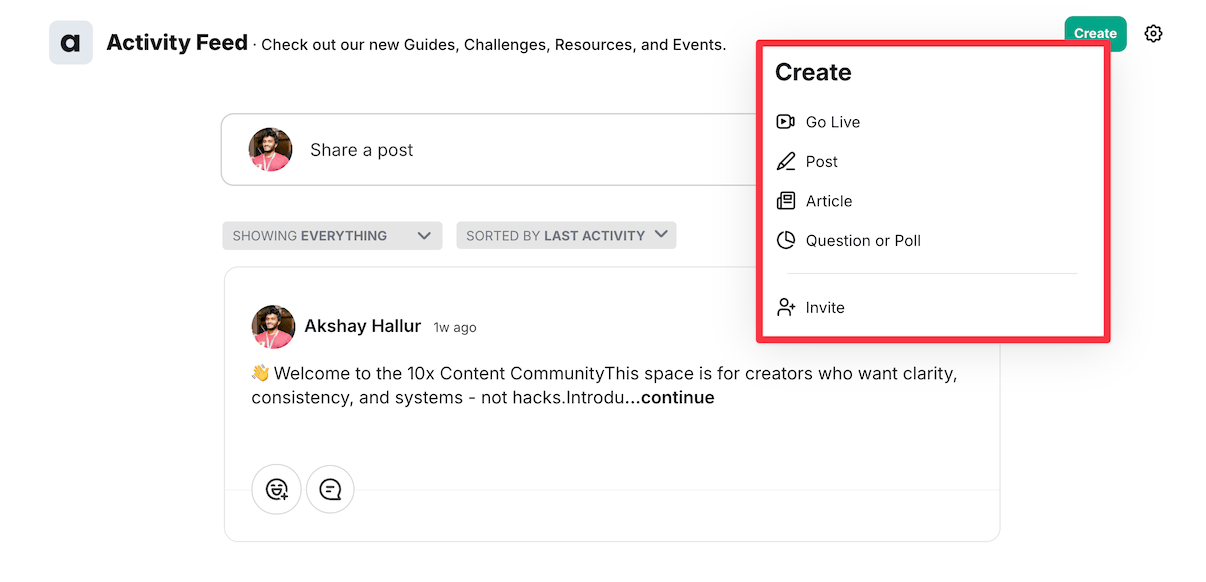
You have the ability to create content various formats of content.
Members have the ability to create quick posts, articles, ask questions, or conduct polls.
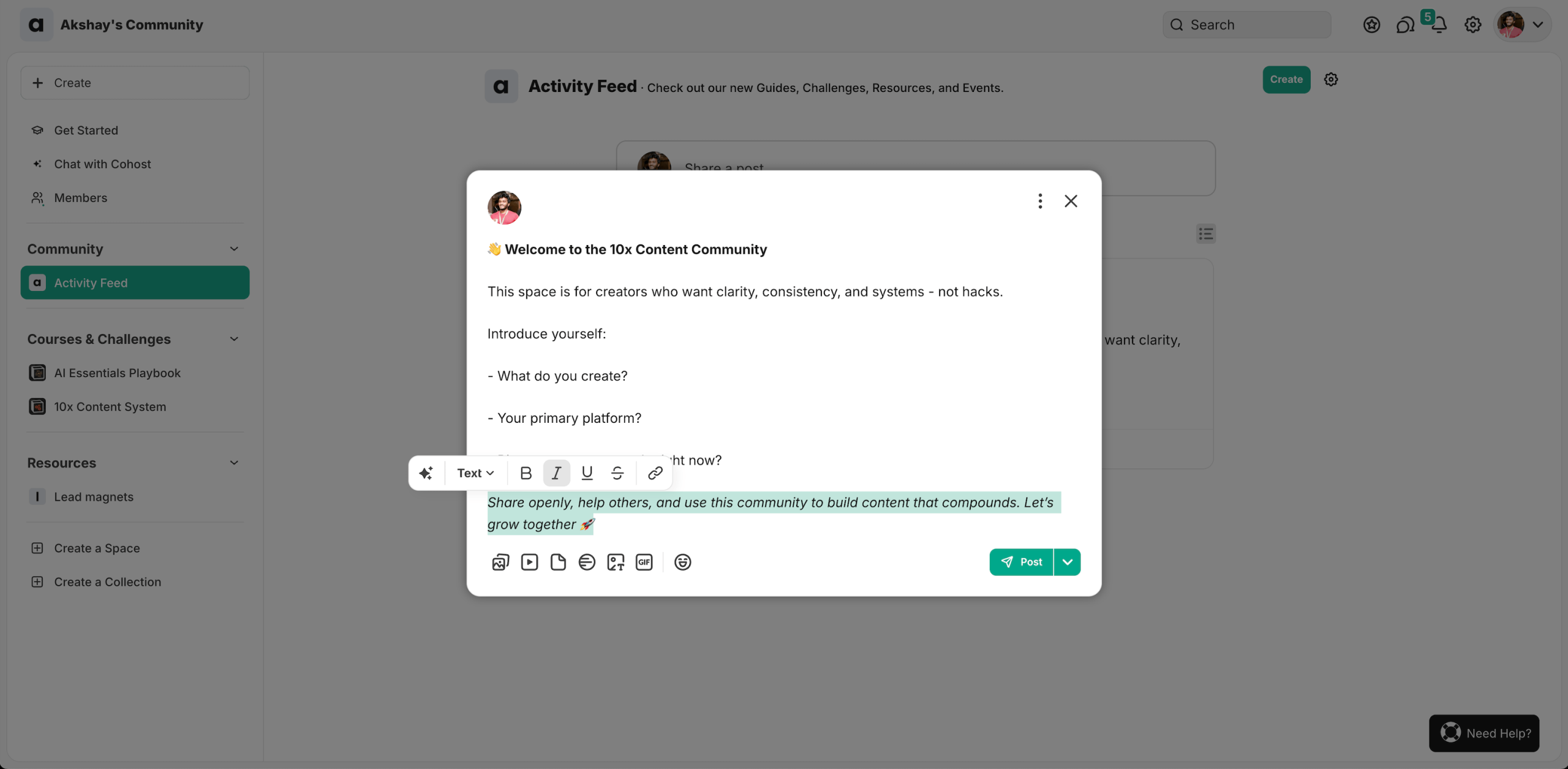
For example, most times you will create quick posts using the feature-rich post editor, which includes AI features to quickly enhance your text.
On the other hand, if users are creating an entire article, the text editor provides various formatting options such as bold, italics, alignments, and heading options.
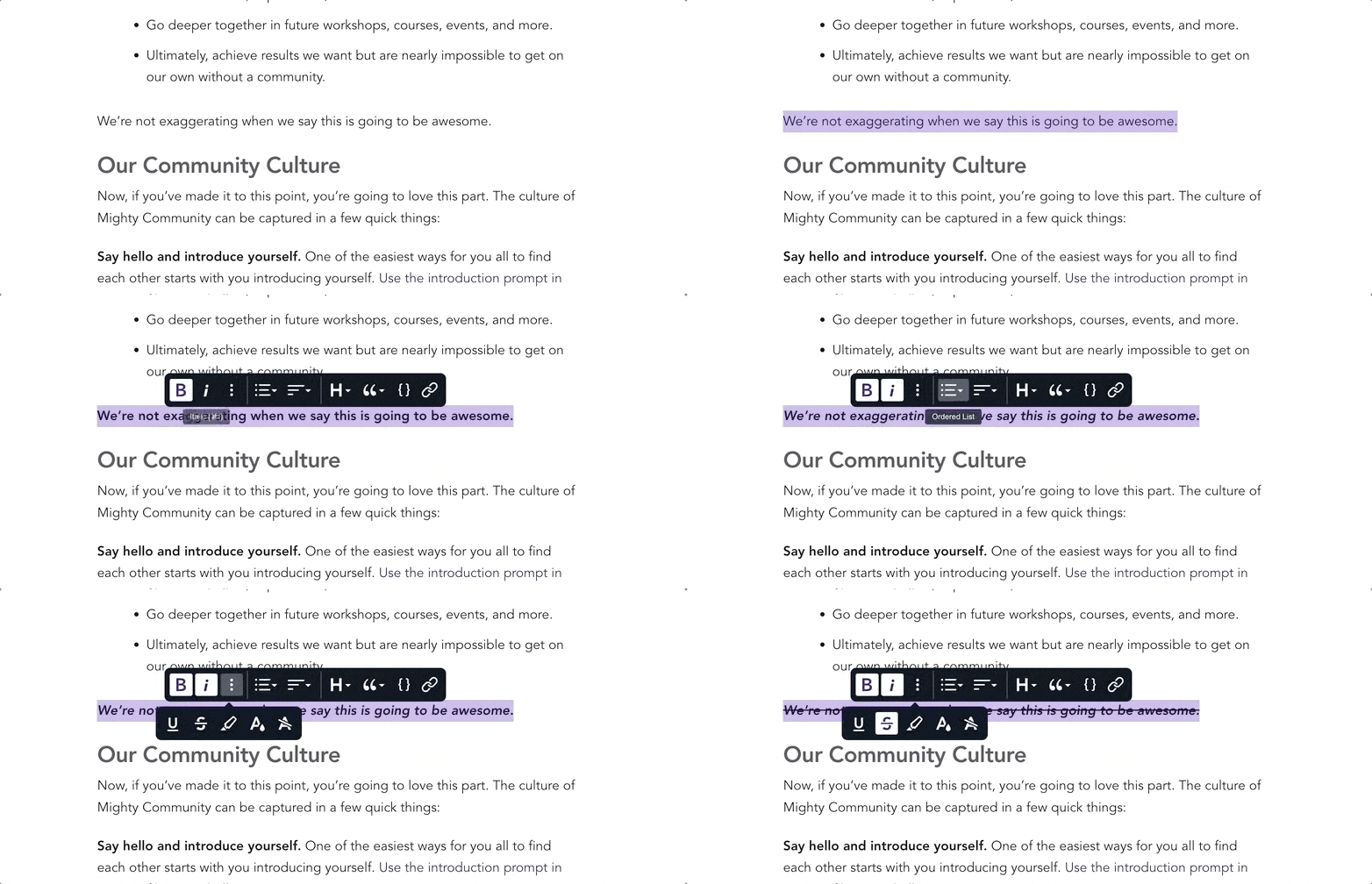
Overall, the text editor is minimal yet effective.
Member discovery
Mighty Networks offers some unique features for member matchmaking.
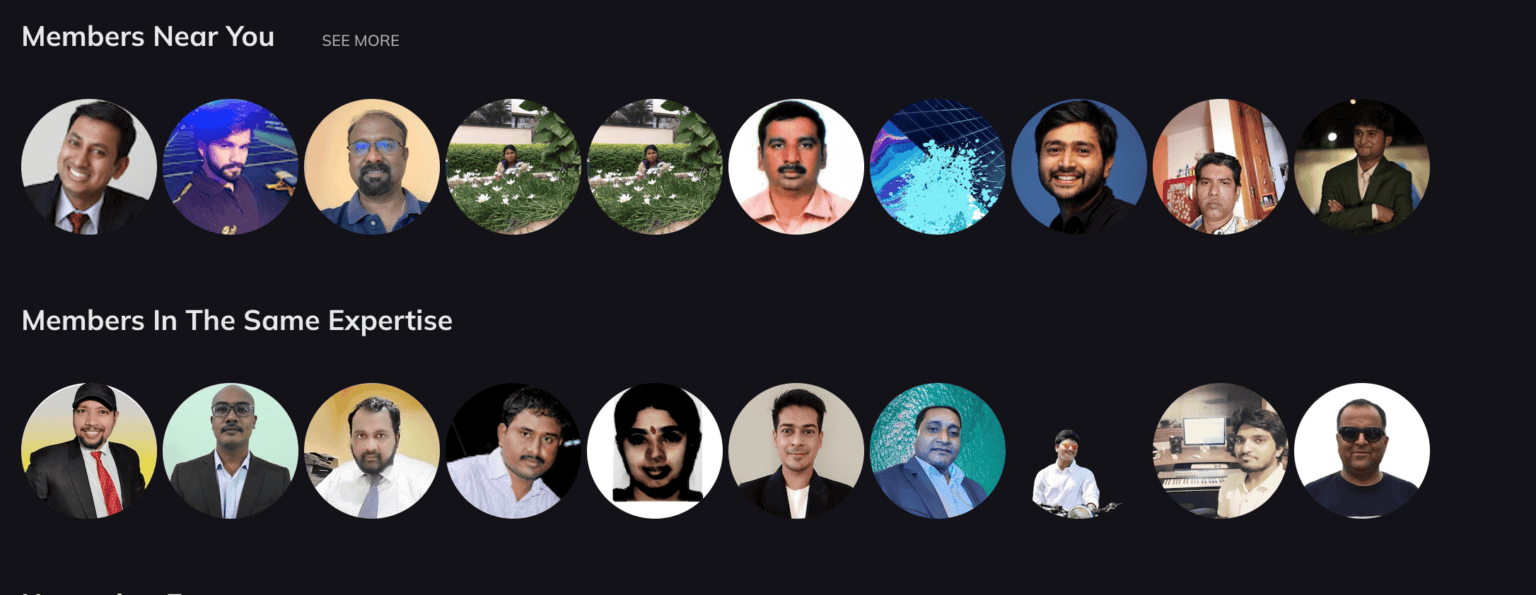
I was impressed with their prioritization of community engagement through member matching based on common interests.
Also, you have a member search engine that allows you to search members based on various filters as shown below.
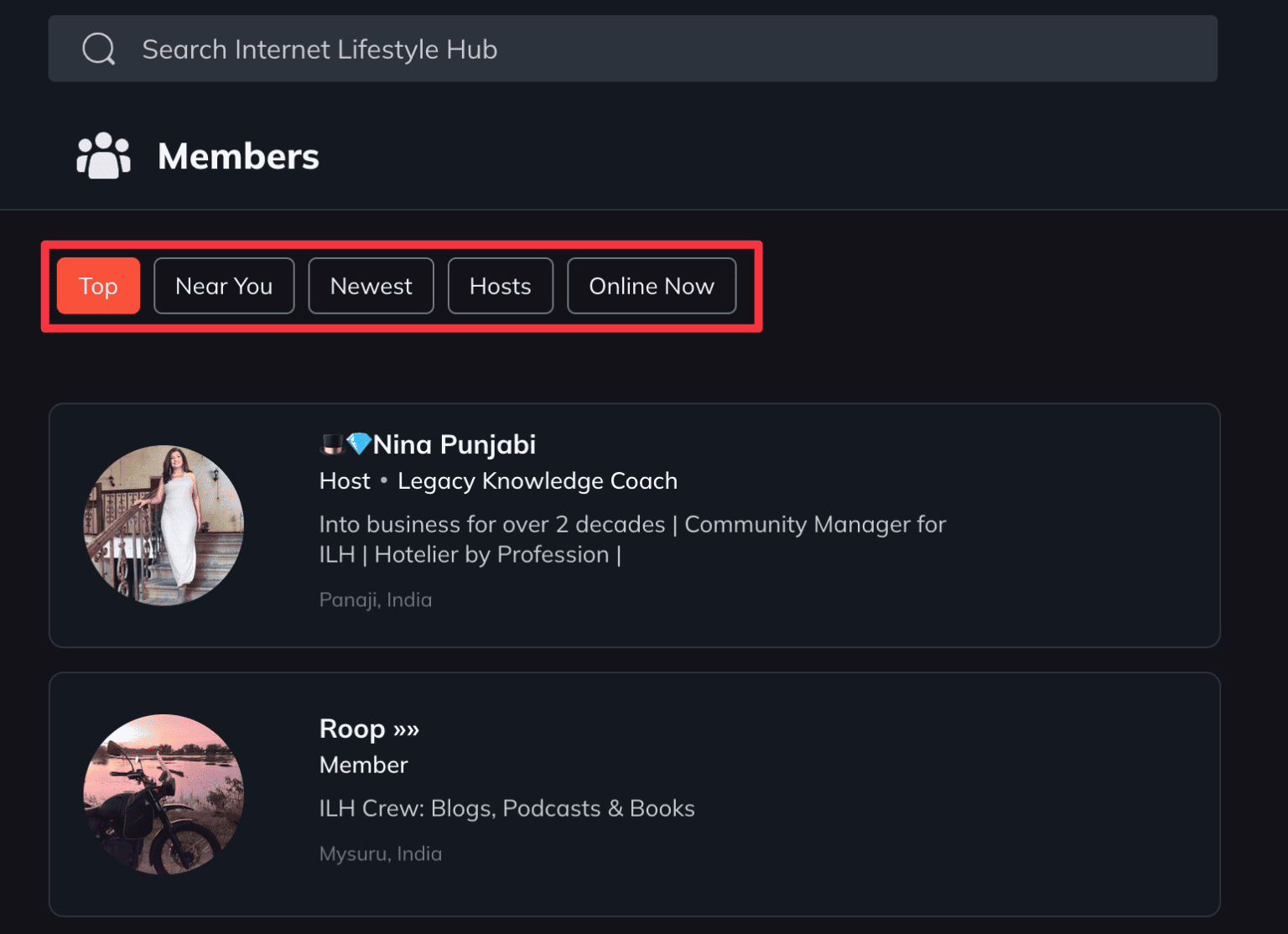
- Top members: Recognizes active users and awards badges for engagement
- Members near you: Connects users based on location for local networking
- Member categories: Groups users by interests like marketing, blogging, etc.
Finding members who live nearby is a game-changer.
Here’s why:
- Build stronger connections with local community members
- Organize in-person meetups easily
This local connection feature sets Mighty Networks apart from other platforms where organizing local meetups can be quite challenging.
Gamification
Mighty Networks has recently introduced streaks and stake milestones to encourage community engagement.
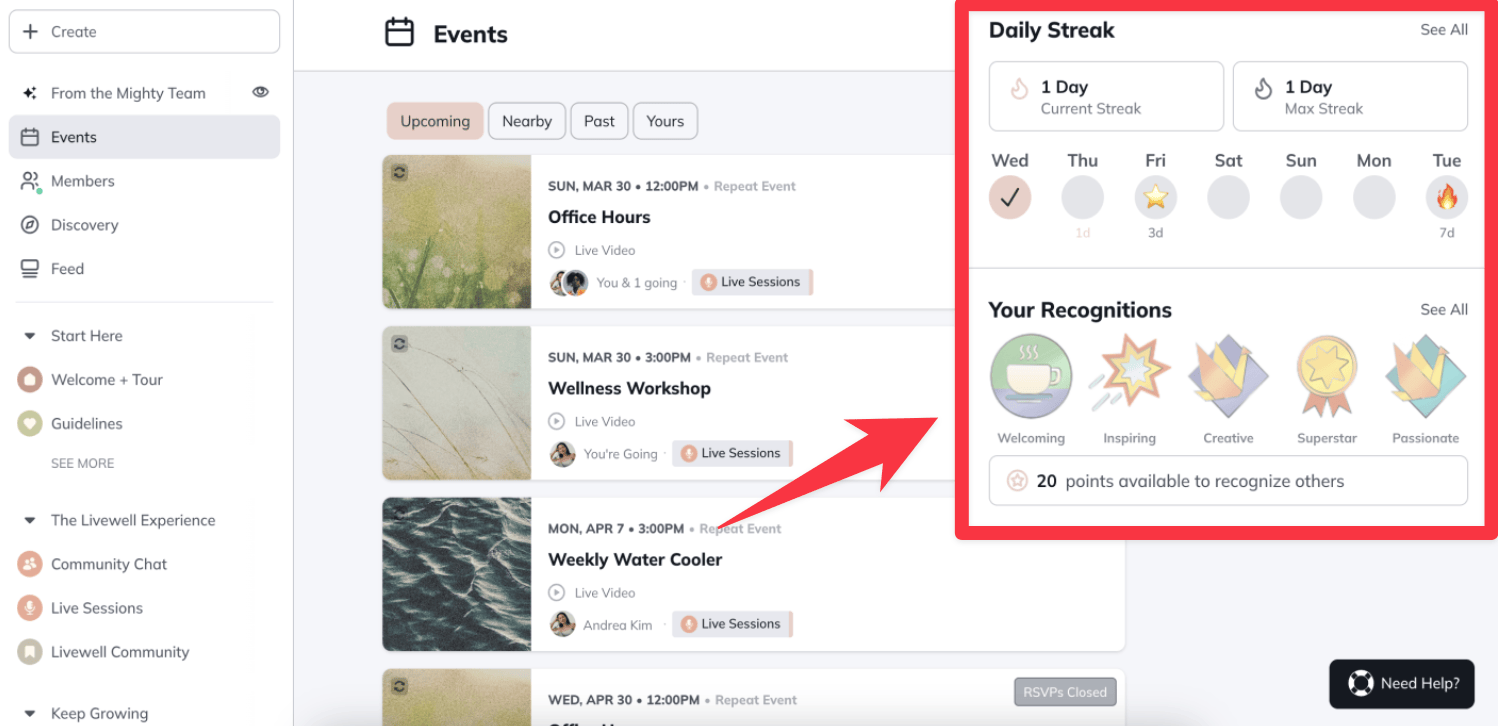
Here’s how it works:
- Members earn points based on their community activity
- They can display their recognition and points on their public profiles
- Streaks encourage people to log into your community more consistently
While this is a step forward for Mighty Networks (they were traditionally weak on gamification), it still needs significant development to compete with dedicated gamification platforms like Skool.
The features feel basic compared to comprehensive point systems, leaderboards, and advanced reward mechanics you’ll find elsewhere.
Online courses
Mighty Networks gives you two course options: regular content courses and cohort courses (for group learning).
Also they have recently added two new space templates that work hand-in-hand with their gamification features:
- Challenge: Perfect for structuring community challenges that encourage engagement
- Habit Trackers: Helps members track progress and build consistent habits
Now.
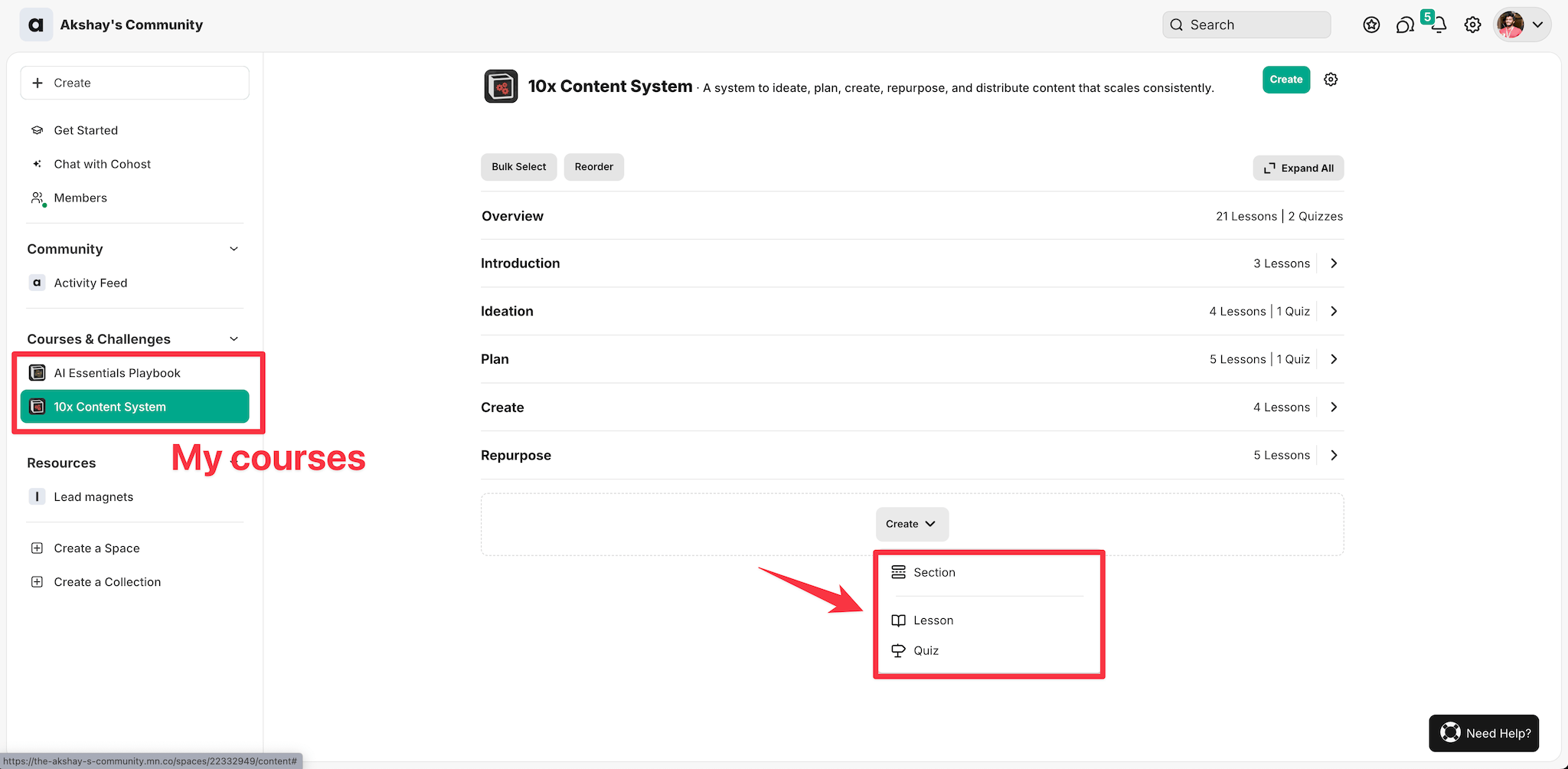
Course organization is straightforward:
- Create sections to group related content
- Add lessons under each section
- Students can easily switch between course content and community features
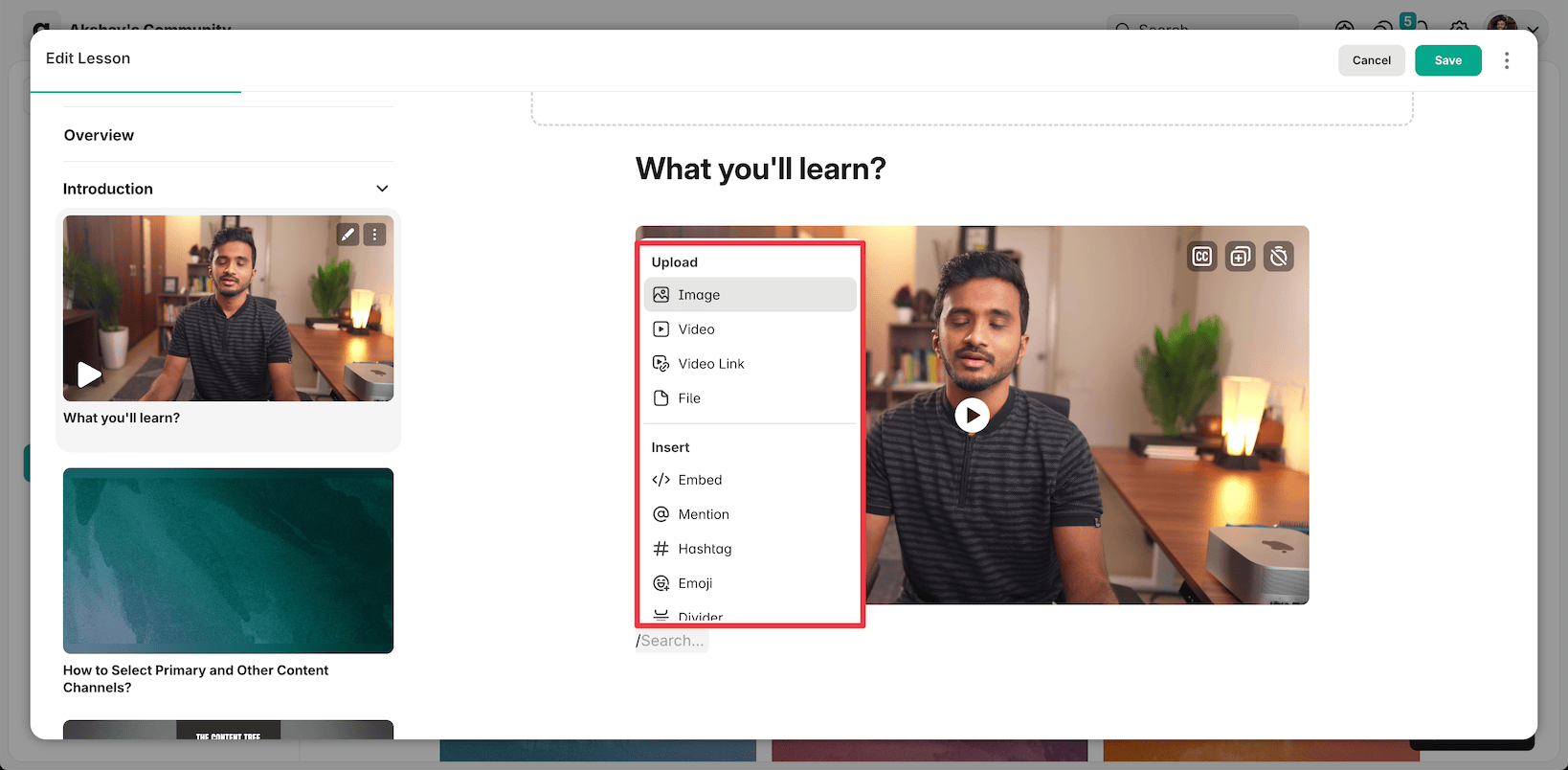
The lesson editor is simple but functional:
- Basic text formatting options
- Upload videos directly or embed from Vimeo/Wistia
- But no bulk video upload feature
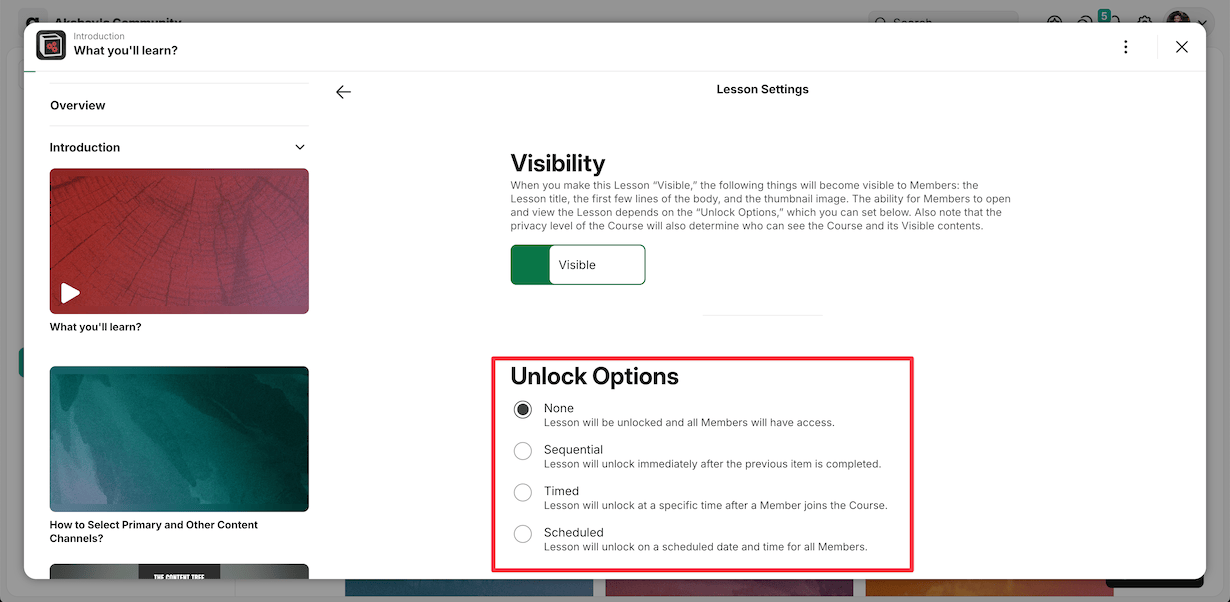
You get three lesson delivery options:
- None: All content available instantly
- Sequential: Must complete previous lesson first
- Timed: Lesson will unlock at a specific time after a Member joins the Course.
- Scheduled: Lesson will unlock on a scheduled date and time for all Members.
But there are some important limitations that we need to be aware of.
- No video analytics like retention graphs or completion tracking
- No built-in certification system
When a student logs into your community, here’s how it looks.
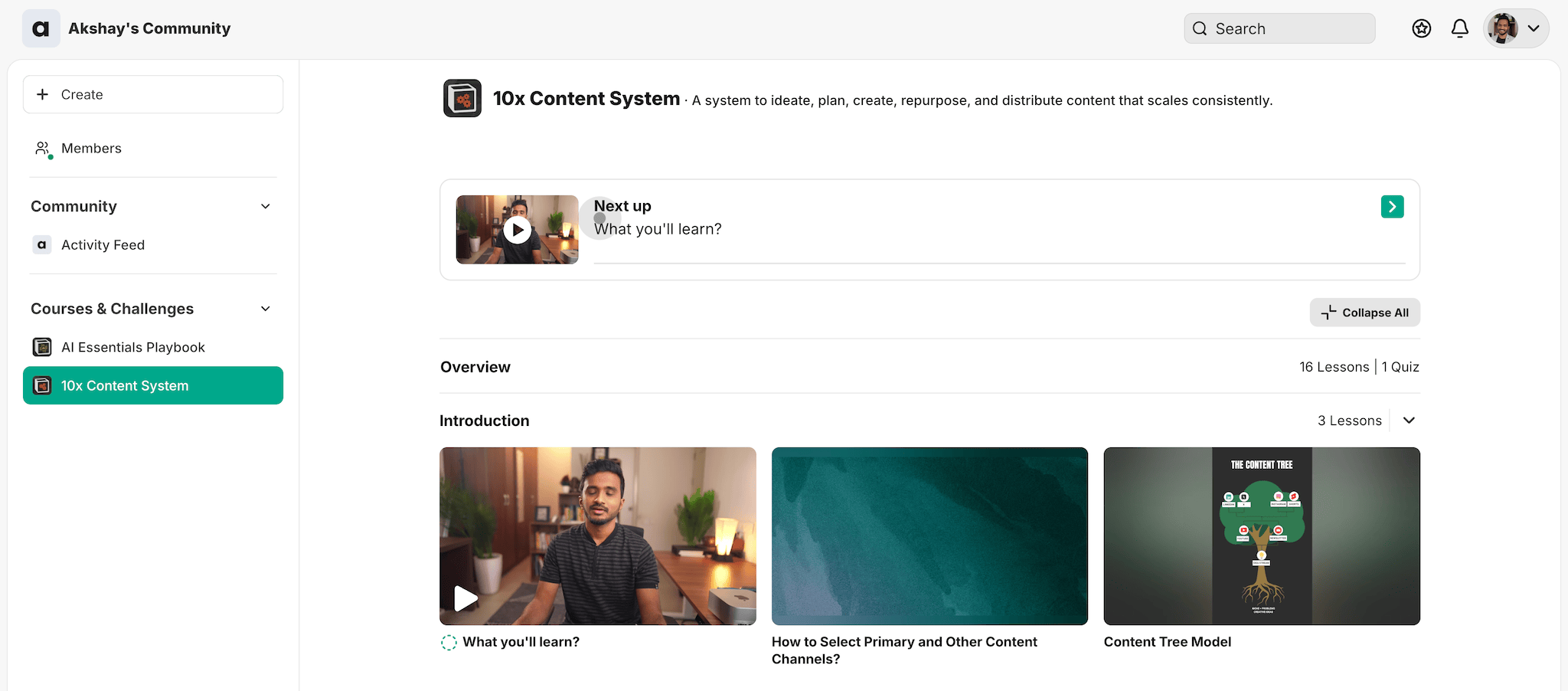
They will be able to see all their spaces in the sidebar, and the course content looks like this:
And here’s how the course player looks like:
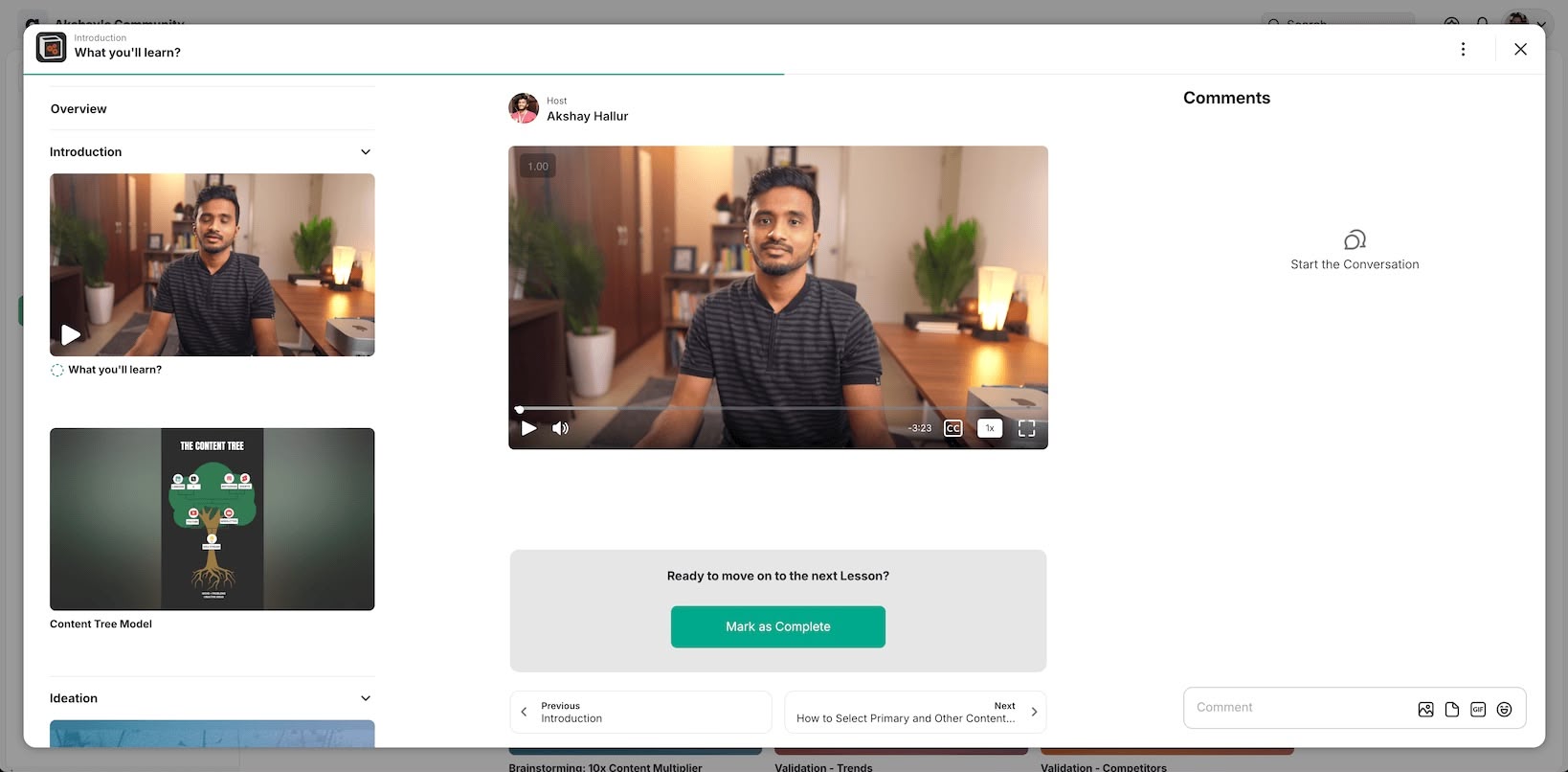
The course interface is fairly simple.
You have auto-generated subtitles, playback speed controls, and people can conveniently leave comments on the side of the course videos.
Events and livestreaming
In Mighty Networks, you have the ability to host live streaming events for your community.
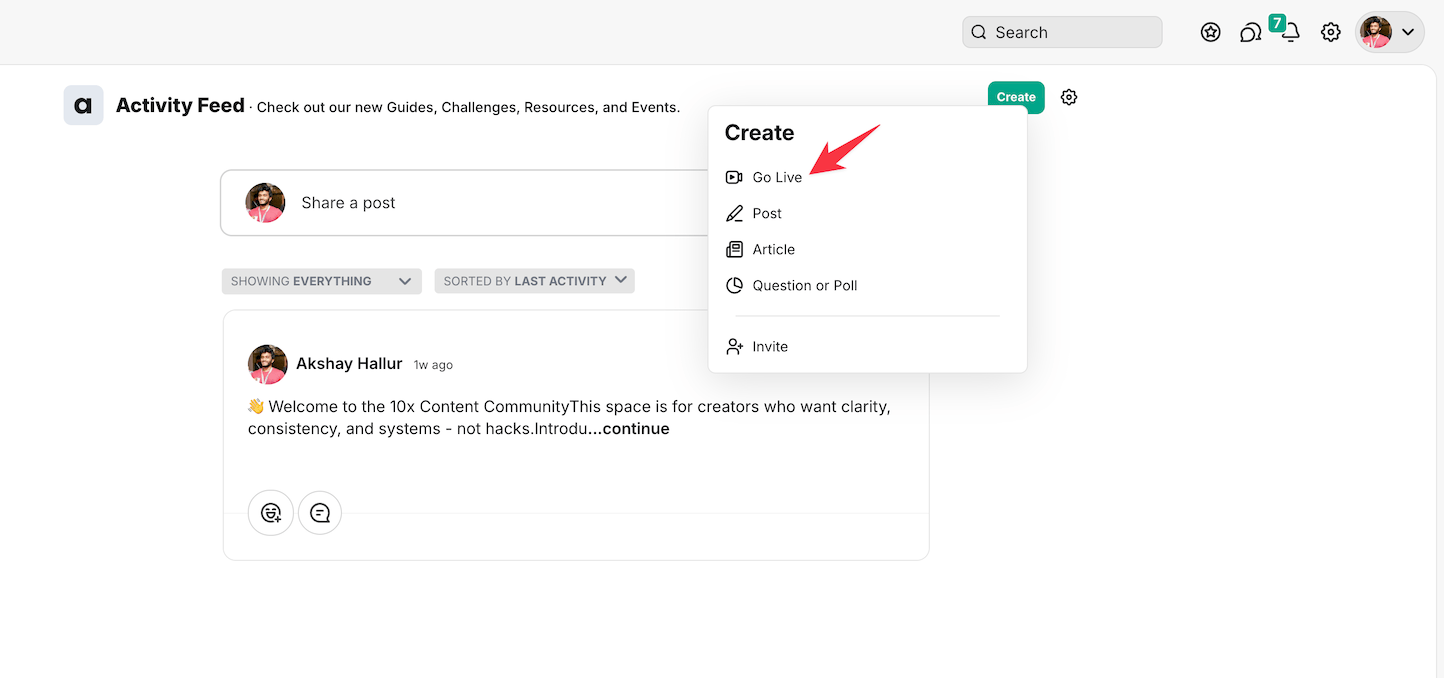
As a host, you can go live at any time using the “go live” feature, which is available not only on the web interface but also on the Mighty Networks mobile apps.
Here’s how the live preview looks.

You have the ability to record any live sessions.
One feature I really like is that you can enable voice isolation for your microphone to let AI automatically reject background noise.
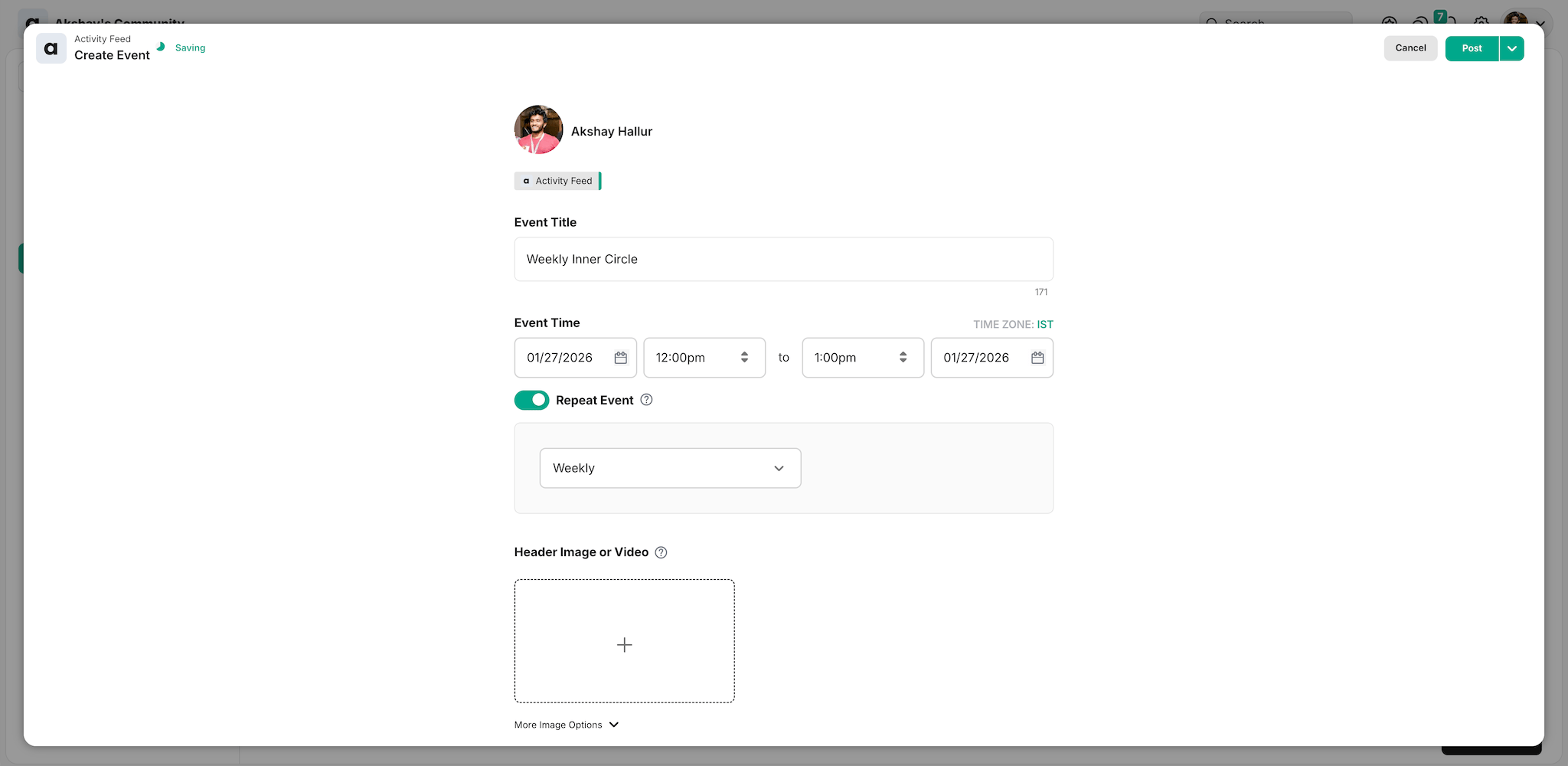
Additionally, you can schedule community events, which will be listed in your events space.
Mighty Networks offers several event types:
- Live videos
- Live streams
- Webinars
- Online meetings
- Text chat events
Here’s the problem: their terminology is quite confusing.
For example, what’s the real difference between a “live video”, “webinar”, and “live stream”?
They’re basically the same thing! This unclear naming leads to unnecessary confusion when trying to pick the right option for your event.
Another example: they use “online” vs “local” for event categories. Why not just say “in-person” instead of “local”?
It would be much clearer.
Design and customization
As usual, Mighty Networks provides the option to customize your community name, visibility, logos, and brand colors.
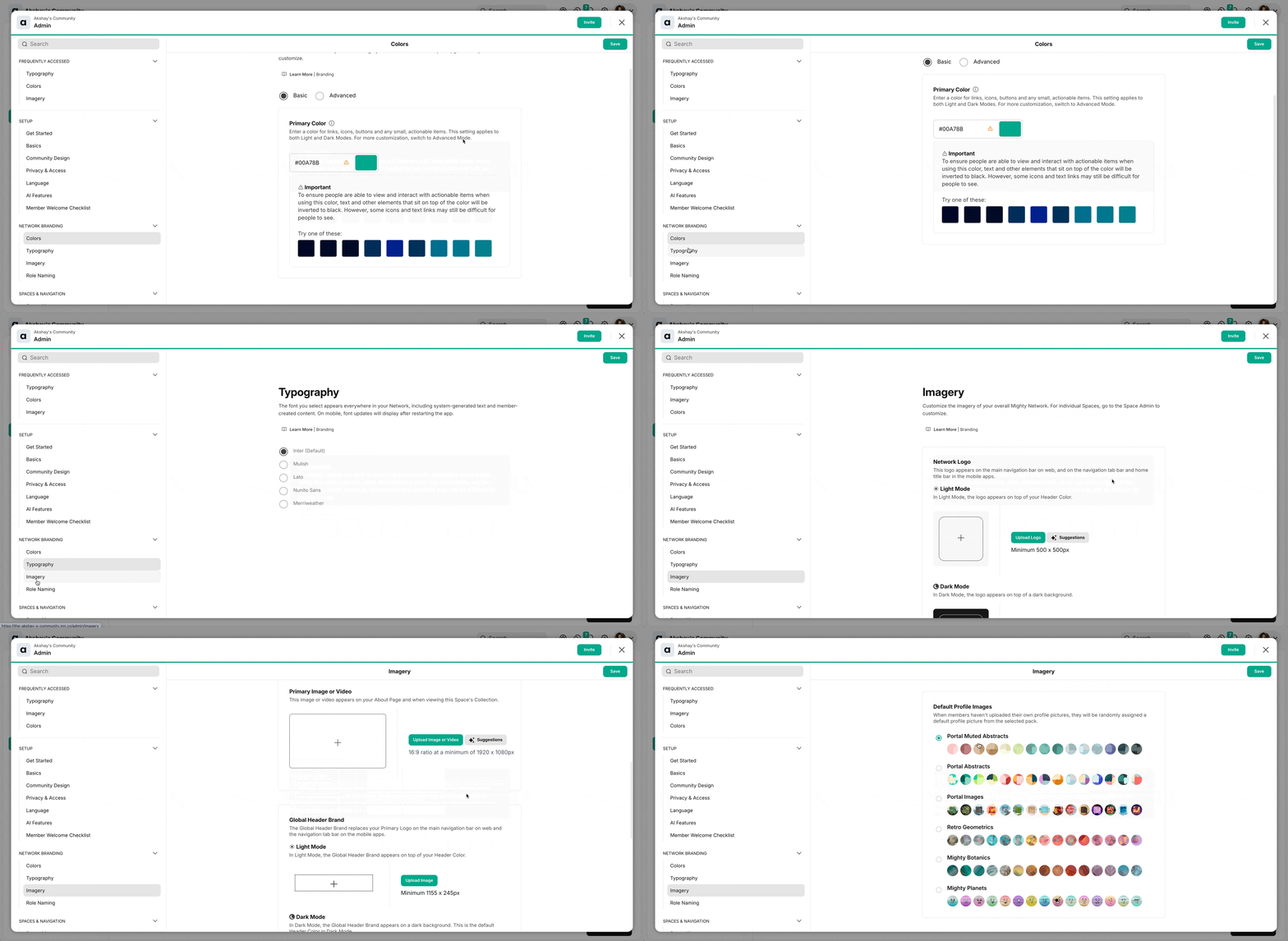
Additionally, community members have the ability to switch between dark and light mode in their account settings.
Here’s a powerful customization feature in Mighty Networks:
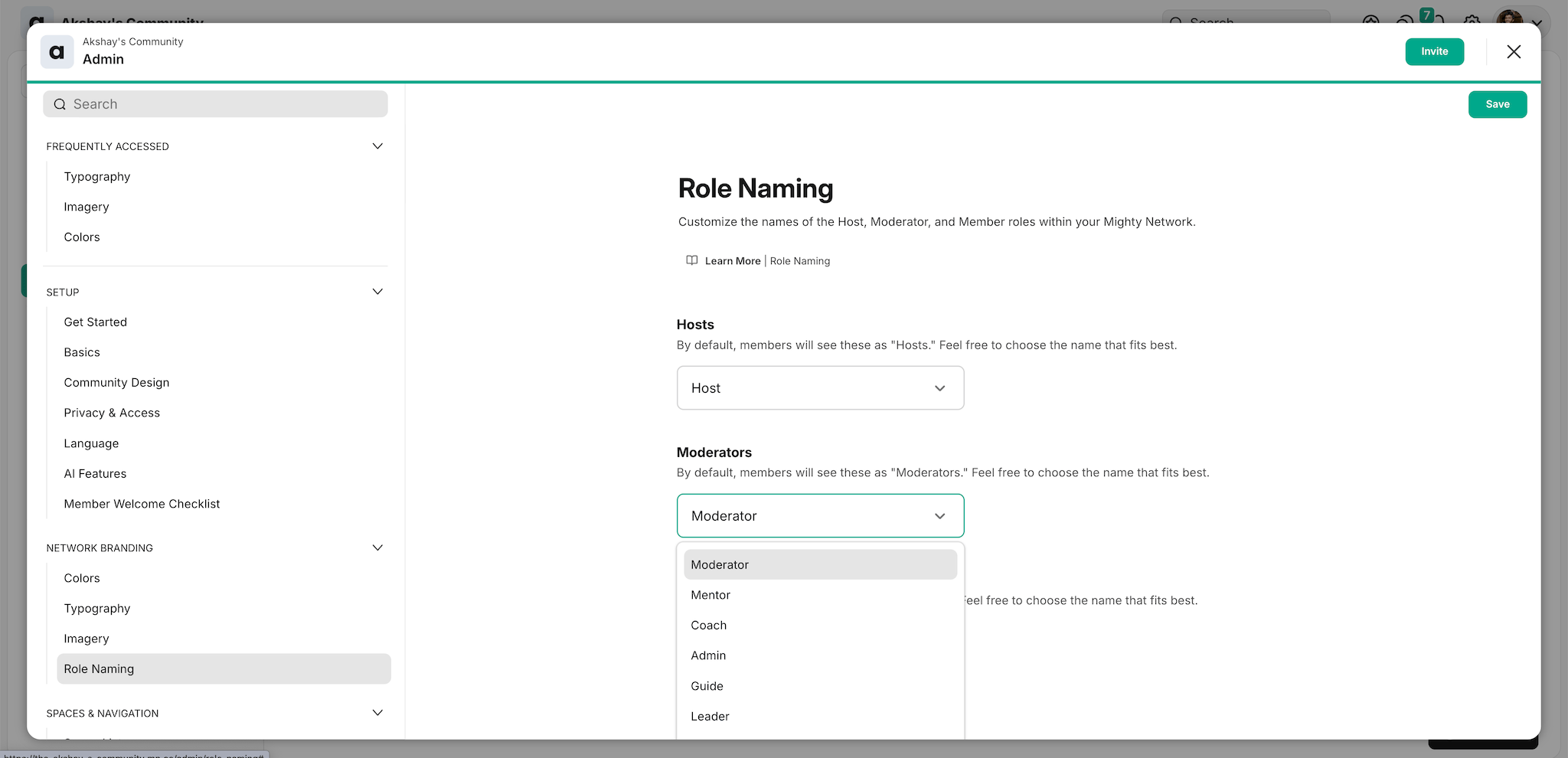
You can rename key terms throughout your community to match your brand voice.
For example, you can rename:
- Moderator → Mentor
- Collections → Groups
- Spaces → Areas
- Events → Hangouts
This lets you create a more personalized and branded experience for your community members.
Landing page builder
Mighty Networks has recently rolled out an all-new landing page builder to replace their legacy system.
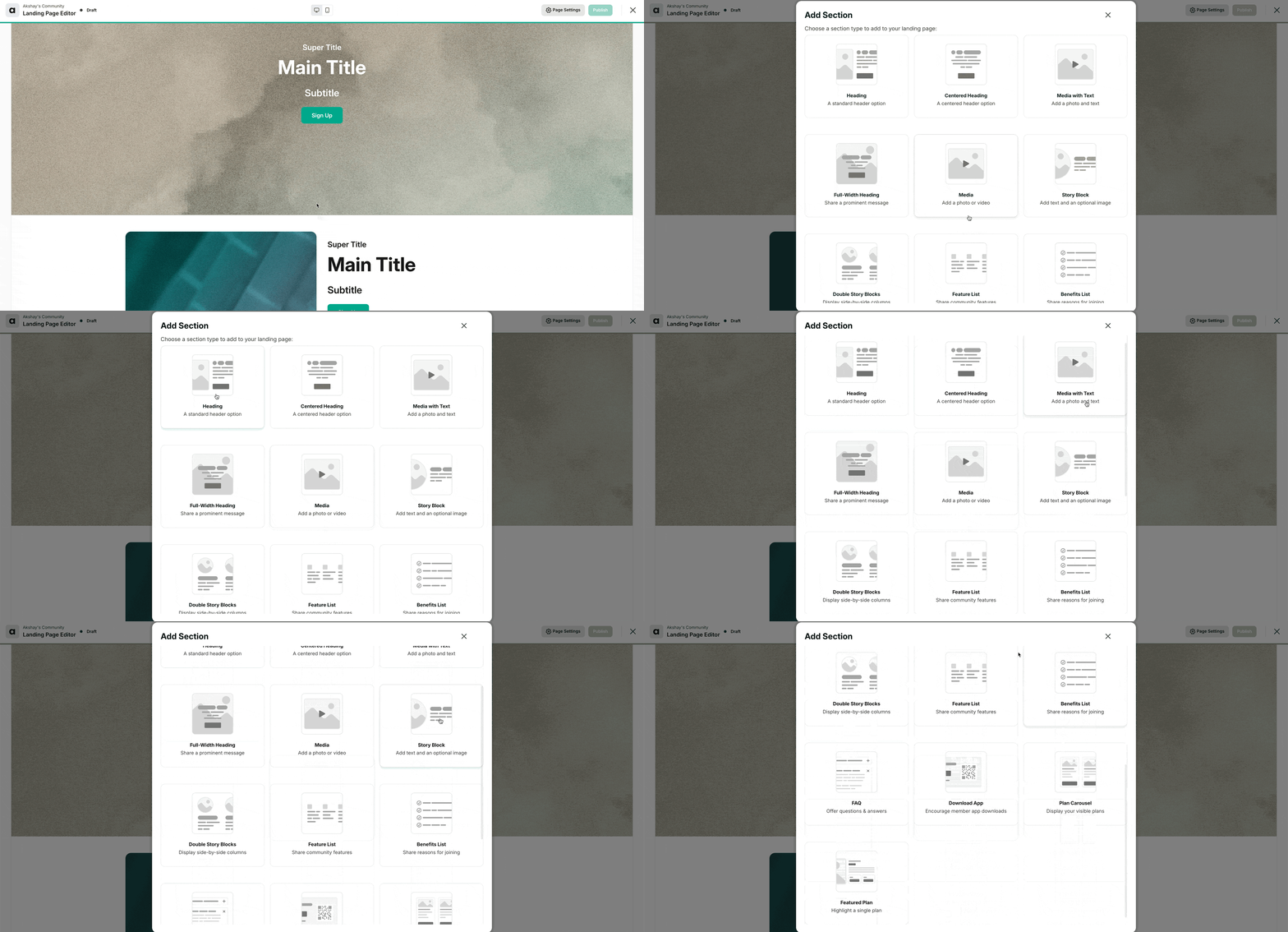
You now get access to various sections for headings, media, and story blocks.
Inside each of these sections, you can place different elements to build a more complete landing page.
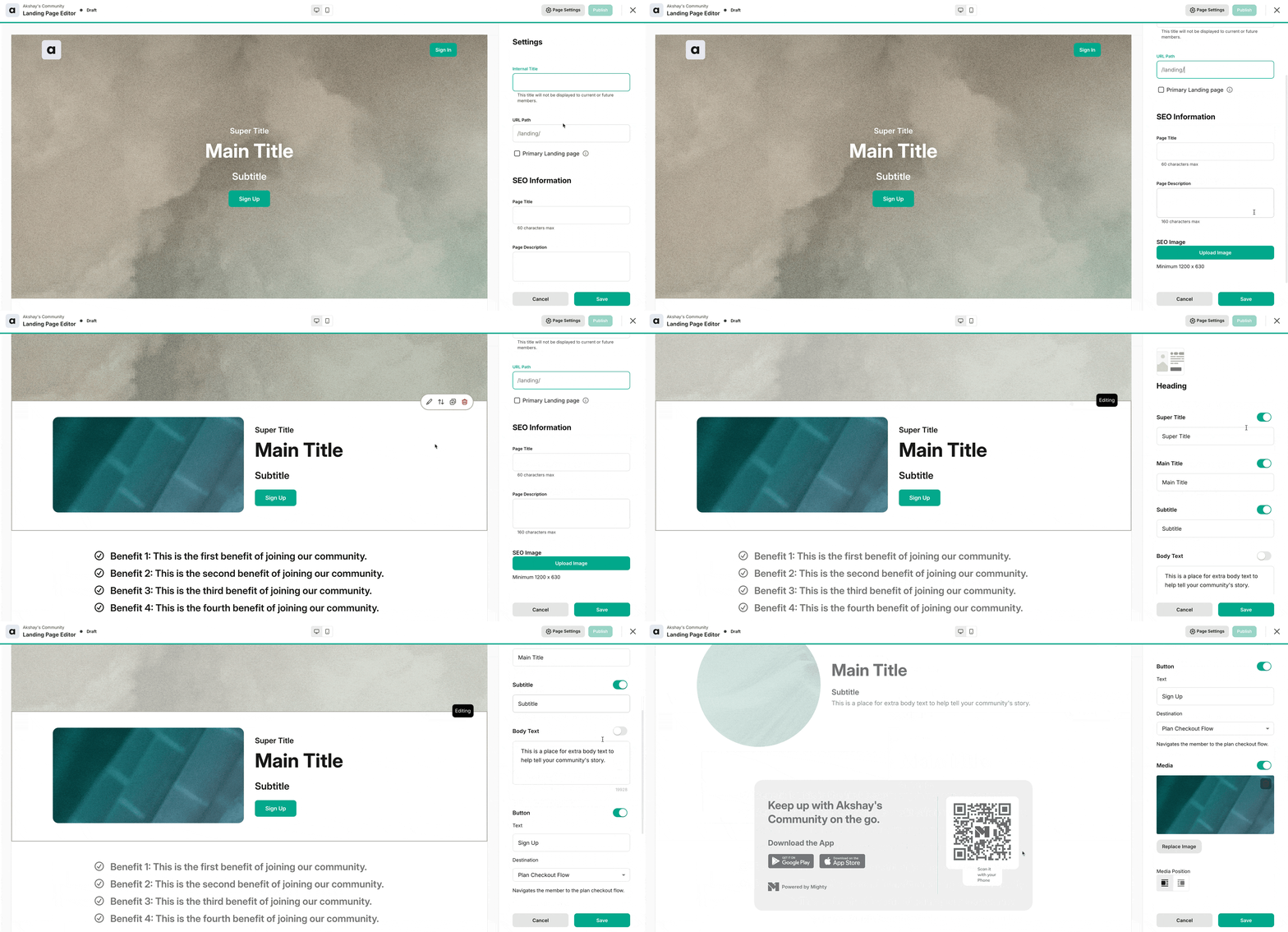
The new builder includes:
- Multiple section types for headings, media, and story blocks
- Responsive design options so you can preview both mobile and desktop views
- More flexibility than their previous basic template system
You also have responsive options so you can see how the landing page looks on both mobile and desktop devices.
👉 Their landing page builder is quite lightweight and not a robust alternative to Elementor or Webflow, but for community needs, it’s very decent. This is a significant improvement from their previous limitations where you could only edit basic info without testimonials, hero sections, or videos.
Reporting and Analytics
On the Community and Business plans, Mighty Networks gives detailed analytics on the content, courses, and groups.
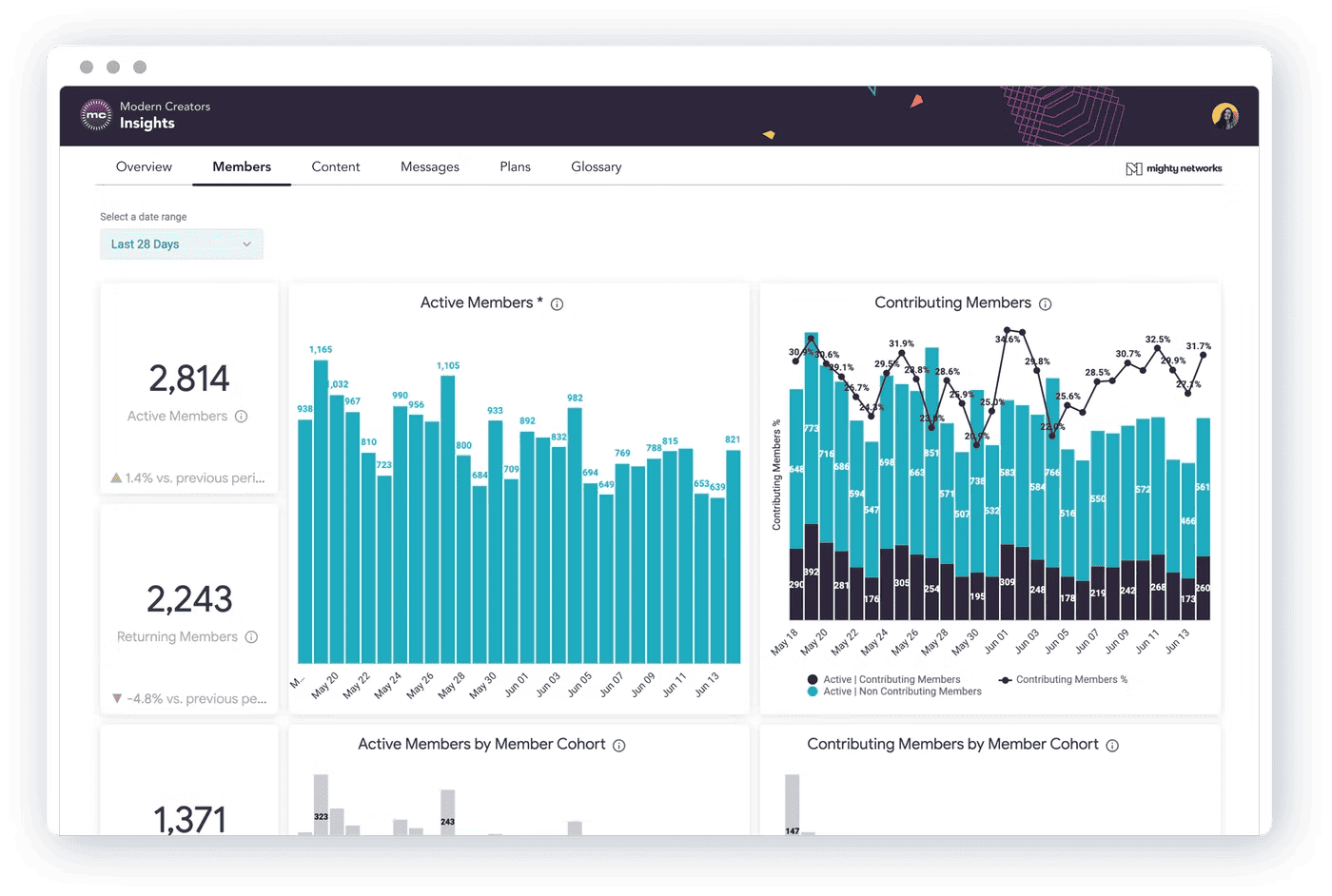
The analytics dashboard gives you two key insights:
- Member activity metrics: Track daily/monthly active users, view peak activity times via heatmap, and analyze platform usage patterns
- Content engagement data: Monitor post engagement, member-generated content percentage, course performance, and export analytics for team review
Mobile app
Mighty Networks offers robust mobile apps for both iOS and Android platforms.
The apps provide full feature parity with the web version, meaning you won’t miss out on any functionality when using mobile.
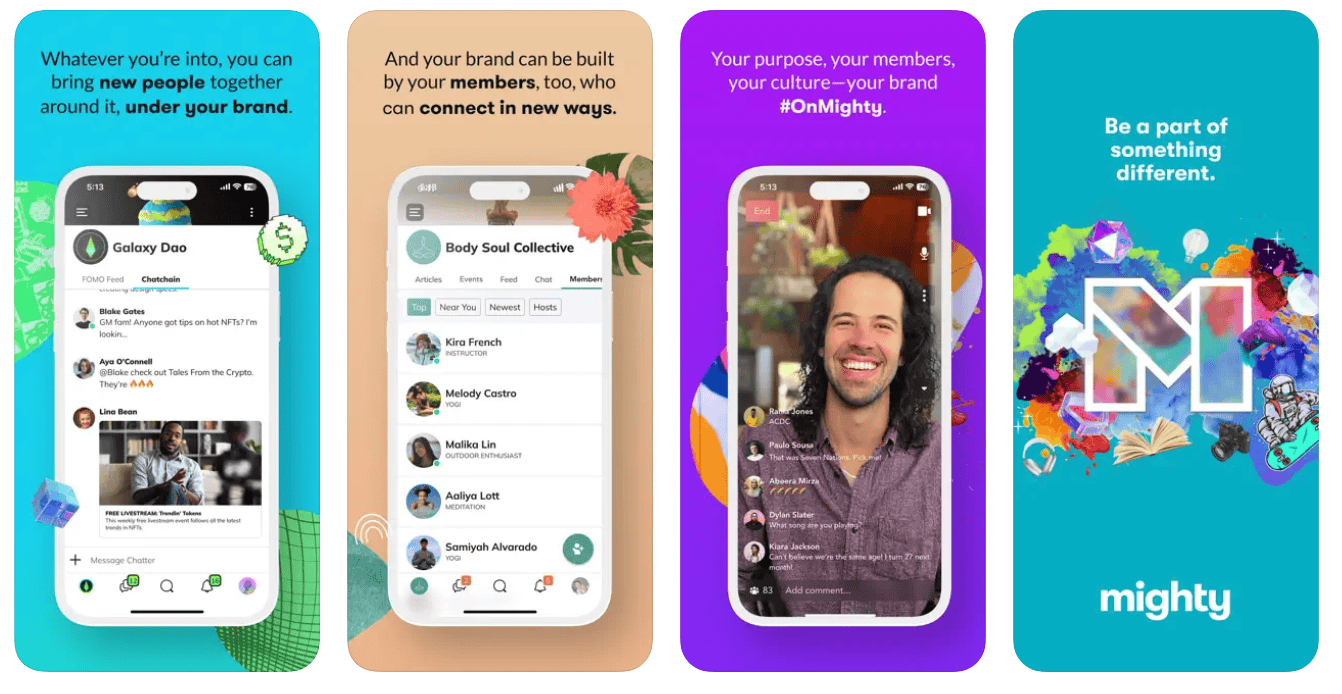
The mobile app packs powerful features:
- Go live instantly and interact with webinar attendees
- Send custom brand notifications
- Push alerts for in-app purchases, group coaching calls, live events, and new product launches
A solid mobile app is crucial for community building since email engagement tends to be low. Mighty Networks delivers here.
For those wanting more, their Mighty Pro solution offers complete white-labeling.
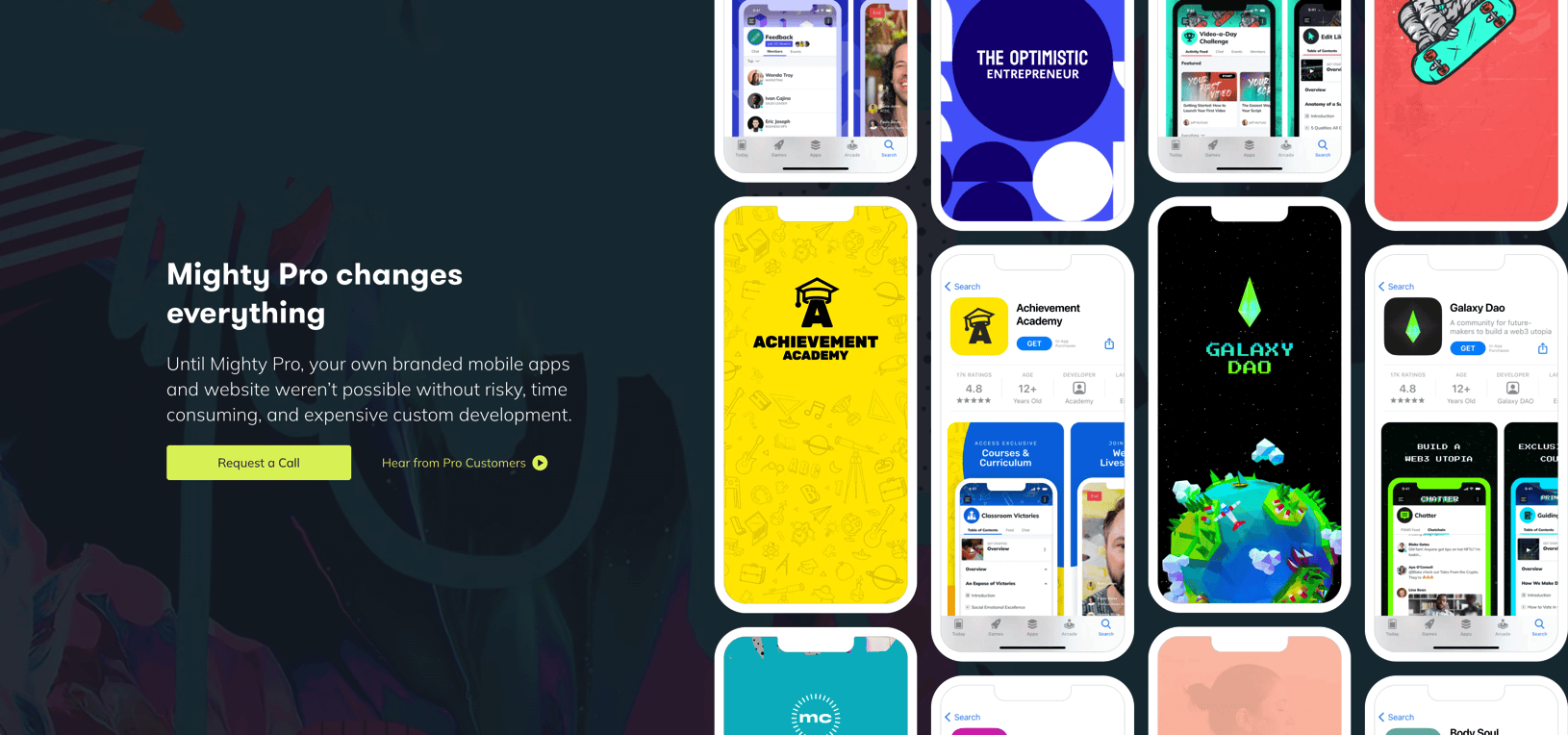
Mighty Pro lets you create and launch custom-branded apps on both Google Play and Apple App Stores.
Here’s a real success story:
Kula by Yoga With Adriene switched from Facebook Groups to Mighty Pro and saw impressive results:
- +130% business growth
- 220,000+ active members
- Fully branded custom apps
Integrations
Mighty Networks has limited integrations.
While it allows integration with Kit, Quaderno (for taxes) Google Analytics, Facebook Pixel tracking code, there are not many other options.
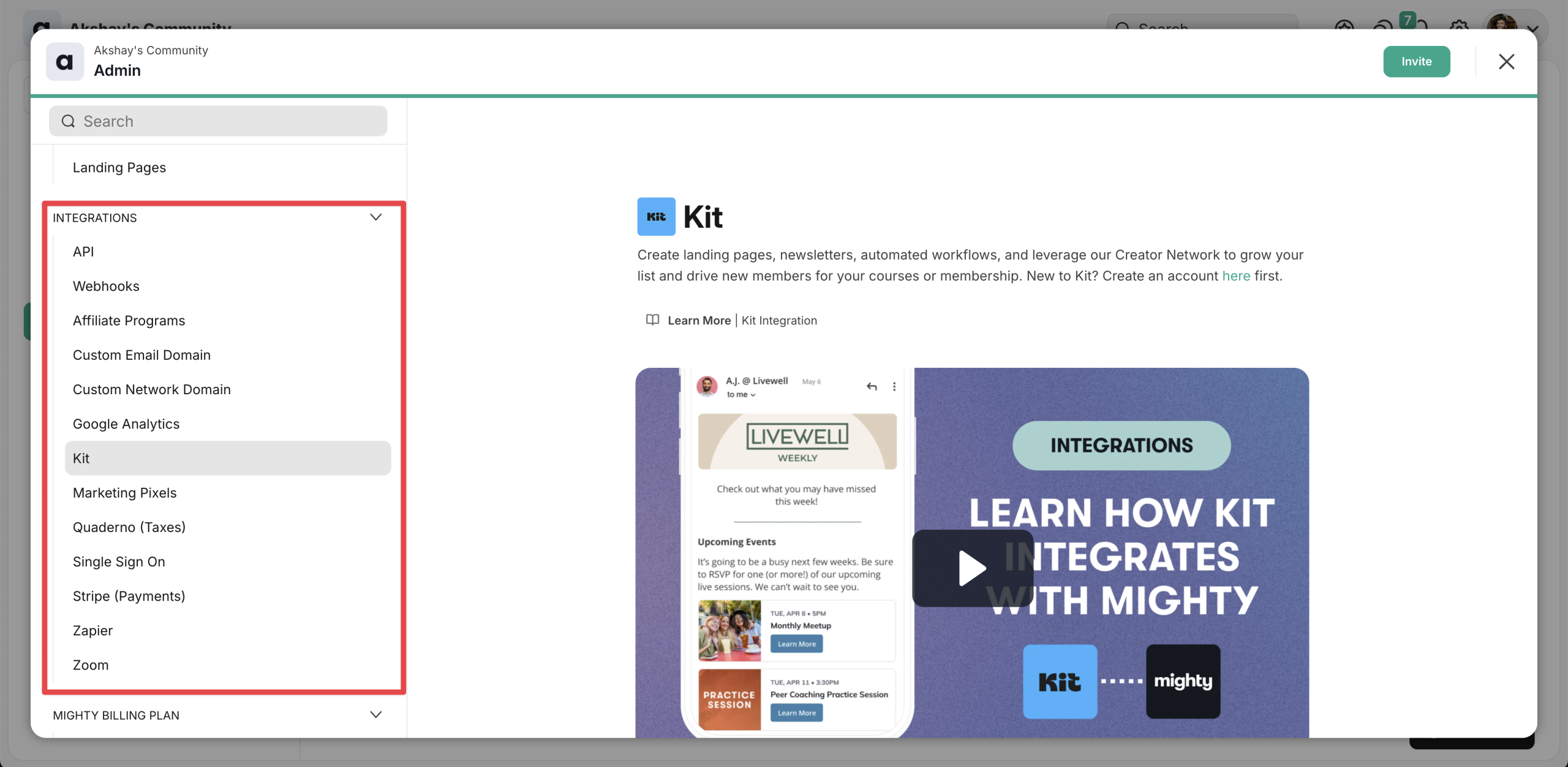
It does not have direct integrations with popular email marketing software like ActiveCampaign, MailChimp, and others.
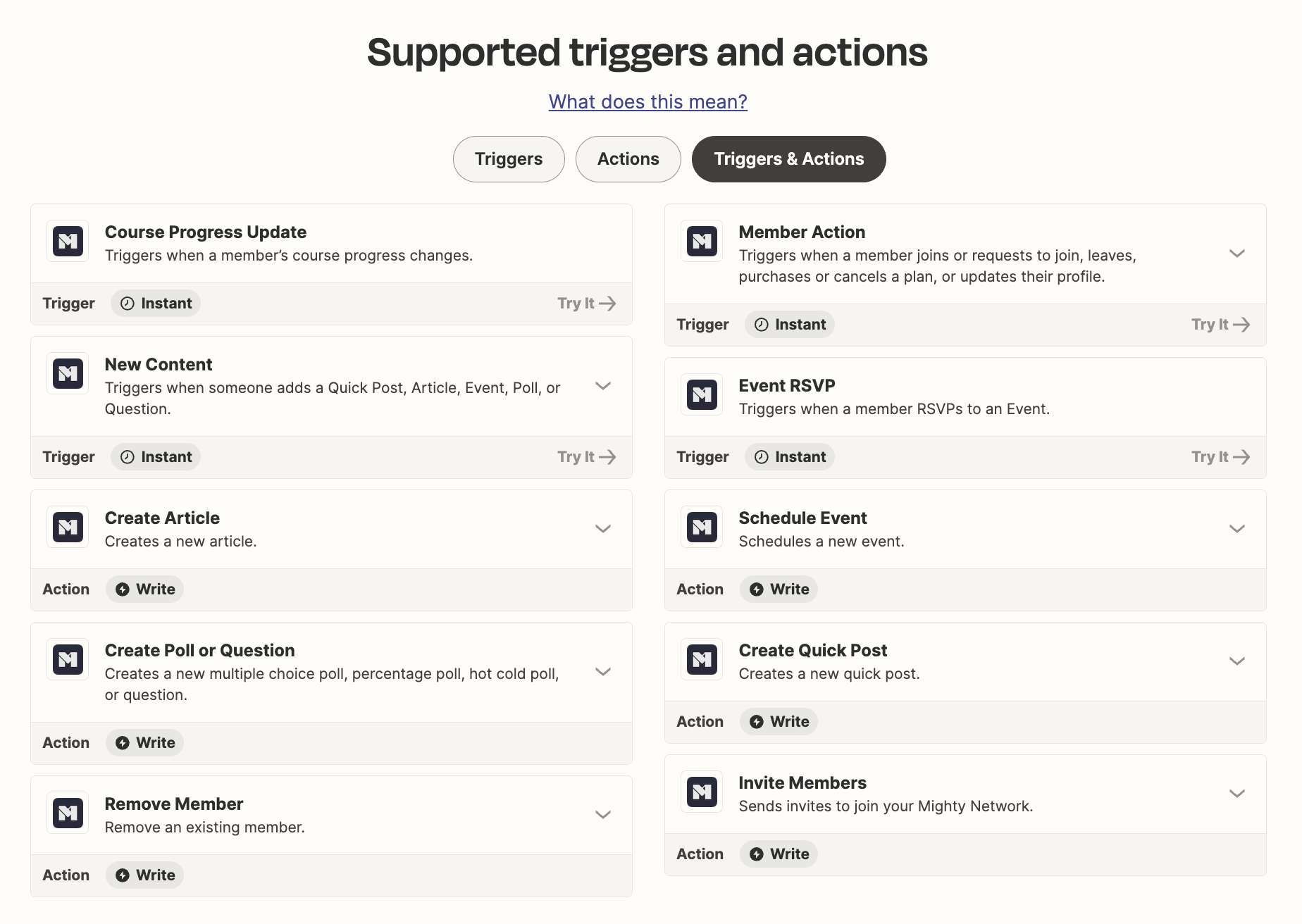
Instead, you must rely on Zapier for automation.
Referral program
Mighty Networks offers an ambassador program to help grow your community through member referrals.
Unlike traditional affiliate programs, it doesn’t pay cash commissions. Instead, you can set up a rewards system for members who bring in new people.
For example, you could offer:
- Store discounts
- Special recognition
- Event tickets
- Custom perks
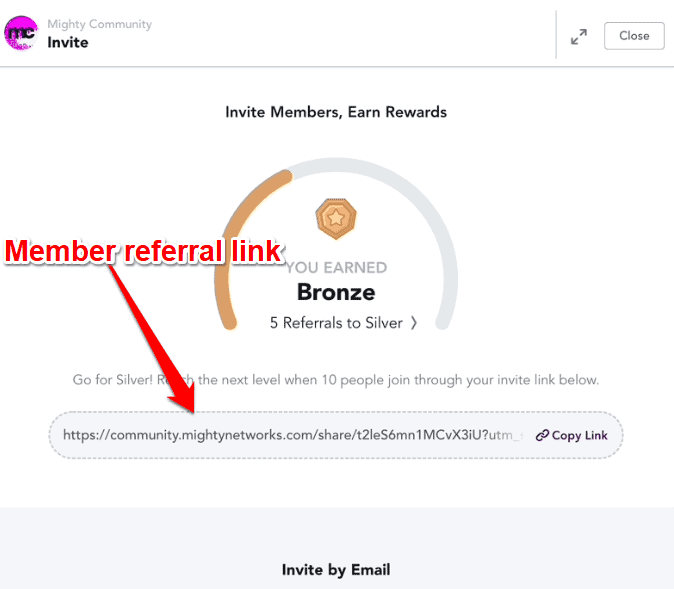
When you enable the ambassador program, members get unique referral links to invite others.
Rewards are based on the number of successful referrals. Here are some example rewards you can offer:
- 10% store discount for referring 5 members
- Featured member of the month status
- Free ticket to upcoming masterclass
These are just examples – you can fully customize the rewards to match what your community values most.
Mighty Networks pricing
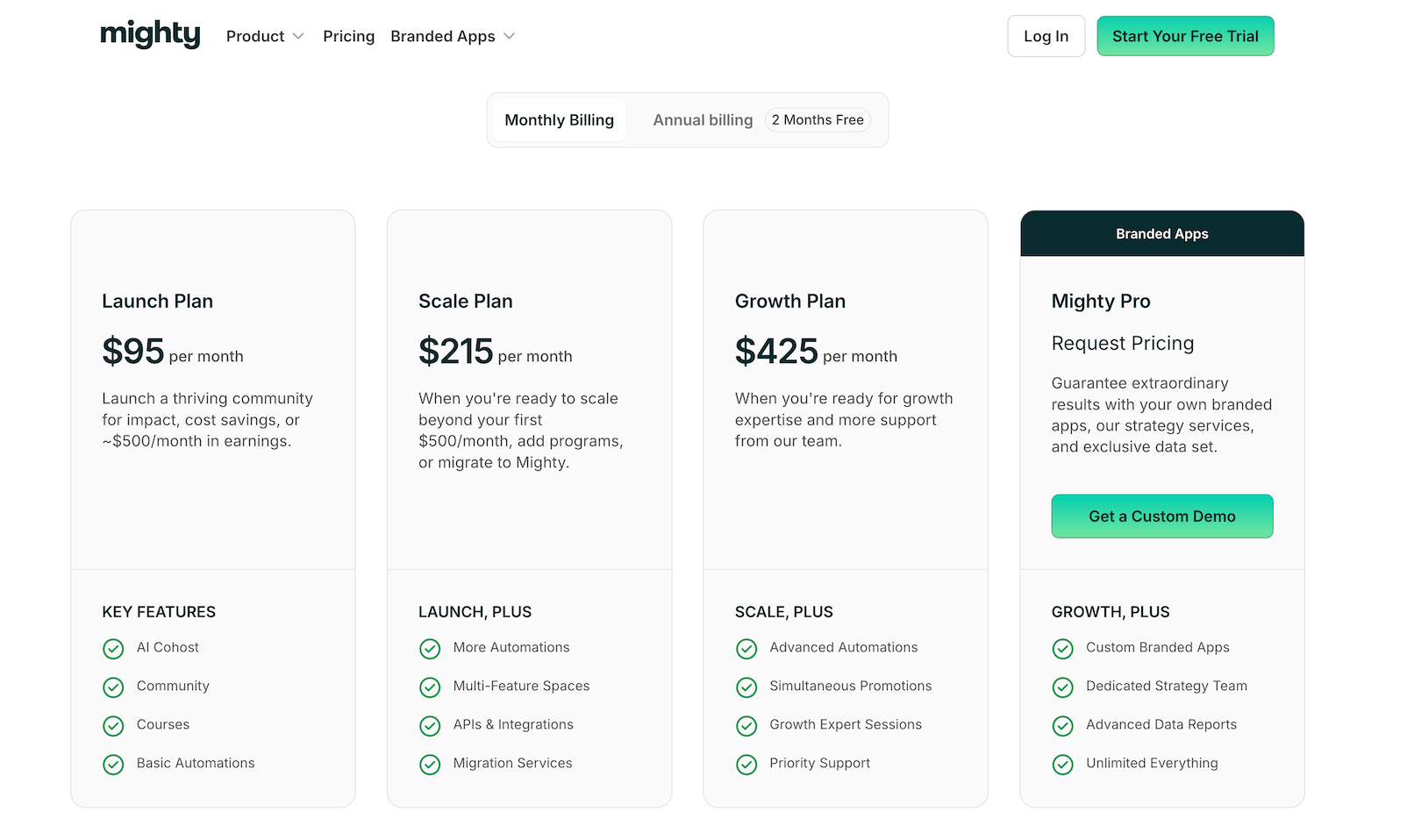
Over the years, Mighty Networks has drastically increased their pricing.
For most people, if you need access to advanced automations, multi-feature spaces, and even basic integrations, you need to go with the Scale Plan that costs $215 per month.
When it comes to value for money, you’ll find alternatives to Mighty Networks like Circle or Kajabi to be better.
Conclusion
Mighty Networks has evolved significantly since its launch, but whether it’s the right platform for you depends on your specific needs and budget.
The Scale Plan costs $215 per month.
This is a lot of money considering that Mighty Networks is not an all-in-one platform. For example, it lacks native email marketing, a powerful site builder, and many other features that competitors like Kajabi or Circle offer.
However, if you’re looking for unique features like gamification features, the ability to host events right inside the platform, and also really feature-rich mobile app that you can rarely find in any other platform, Mighty Networks may be well worth it.
FAQs on Mighty Networks
- What is Mighty Networks? It’s an all-in-one platform for online communities and courses. Perfect for course creators, teachers, coaches, and marketers who want everything in one place.
- What is Mighty Pro? These are custom-branded mobile apps with your branding, available as a premium option.
- Does Mighty have a free plan? No, but you can try it free for 14 days using this link.
- Can I try out the tool before going with premium? Yes, just sign up for the 14-day trial to test it out.