Teachable and Kajabi.
But which one is right for your online courses?
As a professional course creator, I’ve used both of these tools from last 2 to 3 years.
But things have drastically changed recently.
Let’s compare Teachable vs Kajabi.
| Features | Teachable | Kajabi |
| Pricing 💰 | Starts at $39/mo (with 7.5% transaction fee and 1 product limit) | Starts at $179/mo |
| Community | Yes (limited features) | Yes (with gamification) |
| Mobile app 📱 | Yes both iOS and Android apps | Has both iOS and Android apps (more feature-rich) |
Quick decision
Upfront bottomline ✨
When it comes to Teachable vs. Kajabi, I used to recommend Teachable without hesitation. It was solid, affordable, and got the job done for course creators.
But things changed dramatically after Hotmart acquired them.
Here’s what went wrong:
- Feature updates slowed down
- Customer support quality dropped significantly
- They removed unlimited courses from their Beginner plan and added a hefty 7.5% transaction fee
I’ve detailed all these issues in this dedicated Teachable review.
👉 I believe that there won’t be significant changes in the near future for Teachable, as the CEO is heavily invested in Circle, which is a competing platform ironically.
That’s why many creators are now switching to platforms like Kajabi and Circle.
And based on my hands-on experience, I now recommend Kajabi. (unless price is an issue)
Yes, it’s more expensive. But here’s why it’s worth every penny.
Kajabi is a true all-in-one platform that replaces multiple tools you’re probably paying for separately:
- Community platform (like Skool – $9/month)
- Email marketing (like ConvertKit – $166/month for 25k subscribers)
- Website hosting ($20/month)
- Webinar platform (like Zoom Webinars – $59/month)
The best part?
No more headaches trying to connect different tools together, because they have a solid automation engine that makes everything work seamlessly.
It’s excellent for both online courses and automation features, making it worth the premium price tag.
👍 Two big reasons to go with Kajabi is its gamified community feature and also really well-refined mobile apps. These are really important for more course completion rates. According to me, community-driven coaching is the future.
What do I like about Kajabi vs Teachable 👍?
- All-in-one platform: Kajabi’s got everything you need under one roof – email marketing, sales funnels, automations, site builder, blogging… you name it! And trust me, these aren’t just basic features. They’ve got depth.
- Built-in funnel: You know ClickFunnels? Kajabi’s is something similar – a visual funnel builder where you can set up landing pages, automation rules, and emails.
- Deep automations: As an all-in-one platform, all its features work tightly together with triggers and actions. You can save on your Zapier bill.
- Email marketing feature: You can send one-off broadcasts and also email sequences. Quite robust! But for most people, it won’t replace your regular top-of-the-funnel email marketing software.
- Dedicated website/page builder: Kajabi offers a robust page builder for landing pages and full websites, while Teachable only provides sales page functionality.
- Gamified communities: You can build a gamified learning community inside Kajabi with points, badges, challenges for your community members to interact more. On the other hand, Teachable just has basic forum-like feature.
- Inbuilt livestreaming and events: Want to run live streams or coaching sessions? Kajabi’s got built-in streaming. No more juggling between Zoom or Google Meet!
- Better mobile apps – Kajabi gives you feature-packed iOS and Android apps with notifications and in-app purchases. On the other hand, Teachable’s mobile apps are not so well rated.
What do I like about Teachable vs Kajabi 👍?
- Easier on your wallet (big upside): Teachable starts at $39/month (heads up: there’s a 7.5% transaction fee and you’re limited to 1 product). For most people $89/month with 5 product creation limit. Kajabi’s entry point is $179/month. Big difference, right?
- Seriously flexible lesson builder: Here’s what I love about Teachable – you can mix and match different content types in one lesson. Want to embed some code or throw in an upsell? No problem!
Supported products
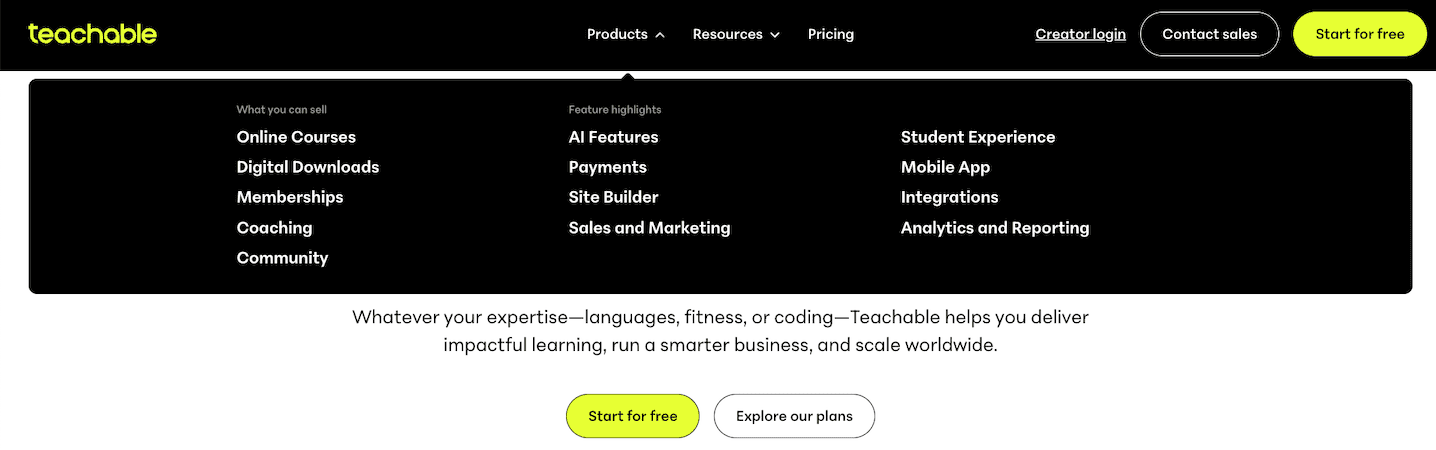
Teachable offers various product types such as:
- Courses
- Digital downloads
- Memberships
- Community feature (new and very limited)
- Coaching
You may be thinking, “Well, Teachable is also an all-in-one platform, right?”
No, it lacks email marketing and funnel building ability, so you can’t glue all these features together like you can with Kajabi.
Let’s see Kajabi:
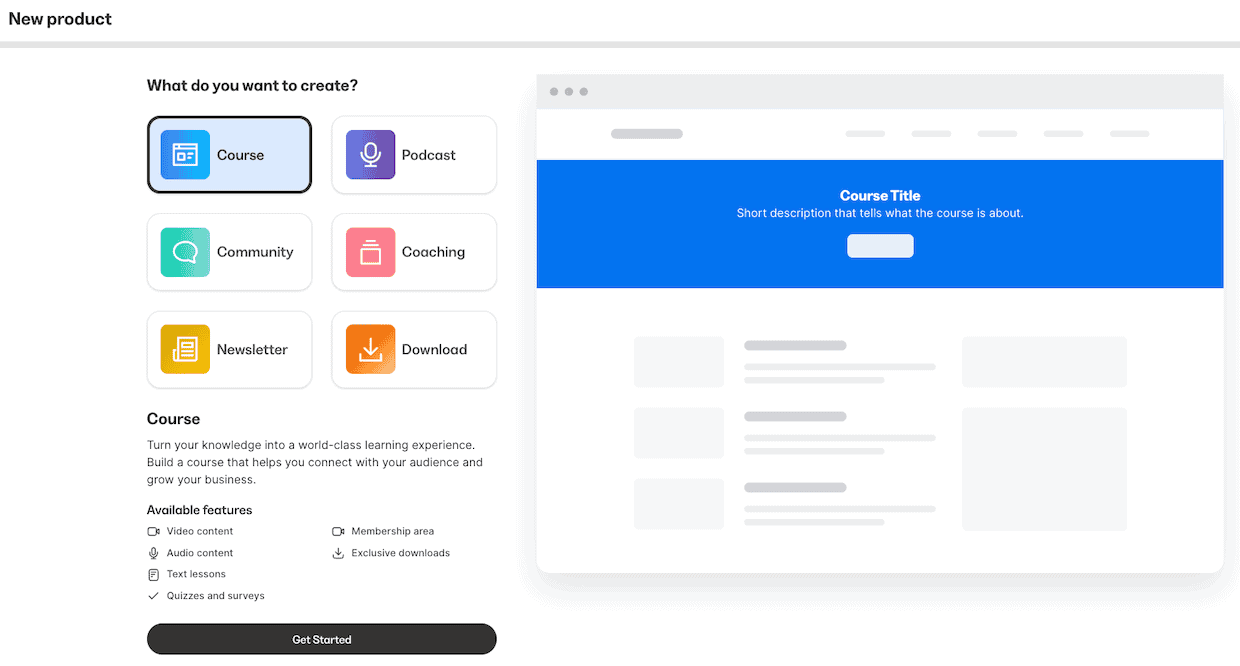
Key features are:
- Courses
- Coaching
- Community (with gamification elements)
- Podcasts
Here’s what makes Kajabi really special – all their features work together seamlessly through their built-in email and automation engine.
It’s very neat!
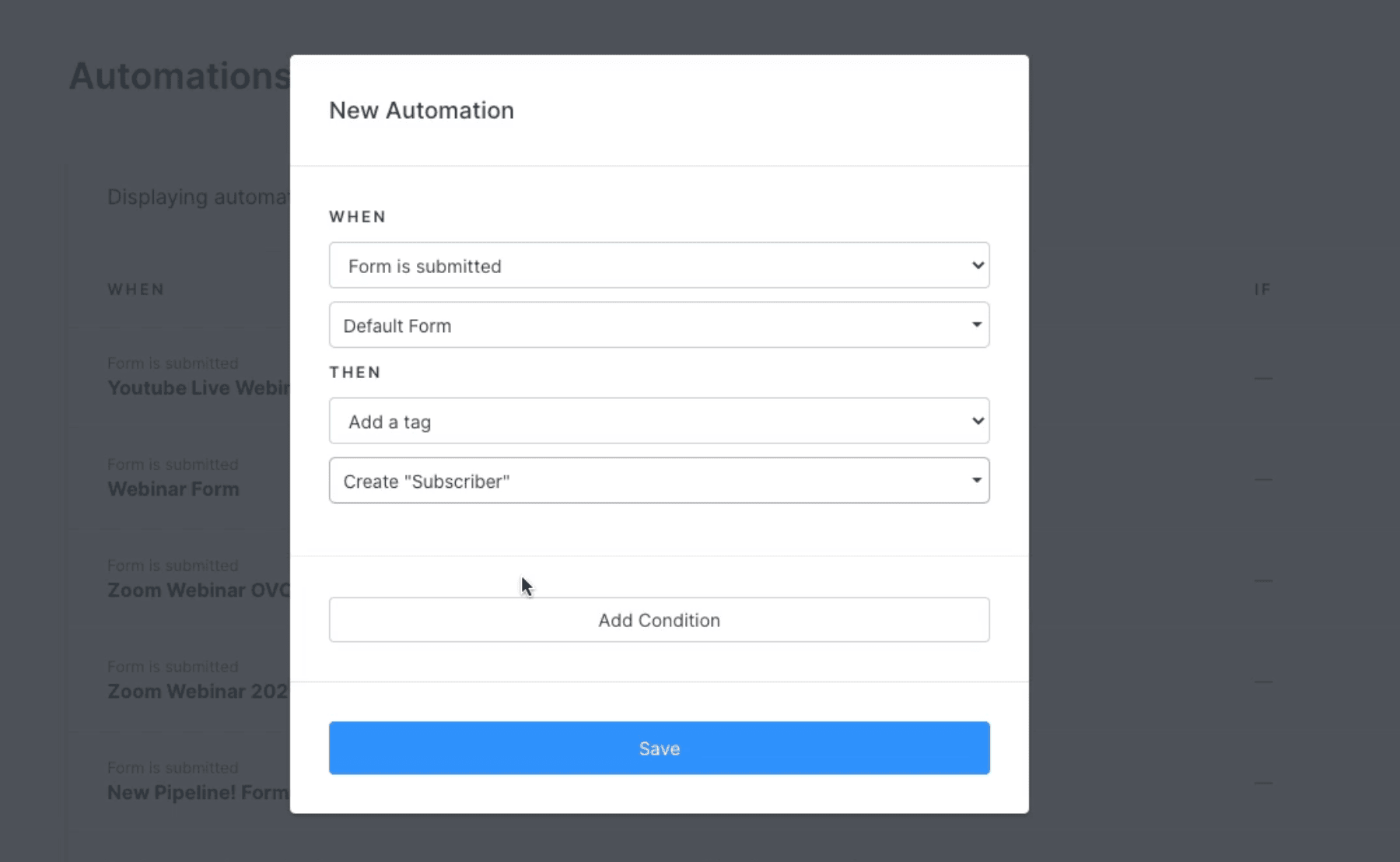
You know what’s cool?
They’ve got tons of triggers and actions you can mix and match.
It’s like having Zapier right inside Kajabi (but without the extra cost!).
👉 Let me give you a real example: When someone finishes your course, then Kajabi can automatically sign them up for your next webinar or give them a special badge in your community.
This automation feature is really the secret sauce that makes all of Kajabi’s features work together.
🏆 Winner: Kajabi offers more products. Also added on top, they have automation engine to glue all of them together.
Course creation 📚
Let’s compare the course creation features of Teachable and Kajabi:
| Features | Teachable | Kajabi |
| Course compliance | Enforce lesson order, video watching, quizzes | Enforce lesson order |
| Quizzes and Assessments | Multiple-choice quizzes and automated grading | +1. Various question types and advanced assessments. |
| Frontend experience | Ability to take time-stamped lesson notes for students | Standard course player |
| Certification | Yes. Various templates available | Yes. Only one default template |
| Drip-feeding lessons | Yes. | Yes. |
Course structuring
Let me show you how Teachable structures their courses:
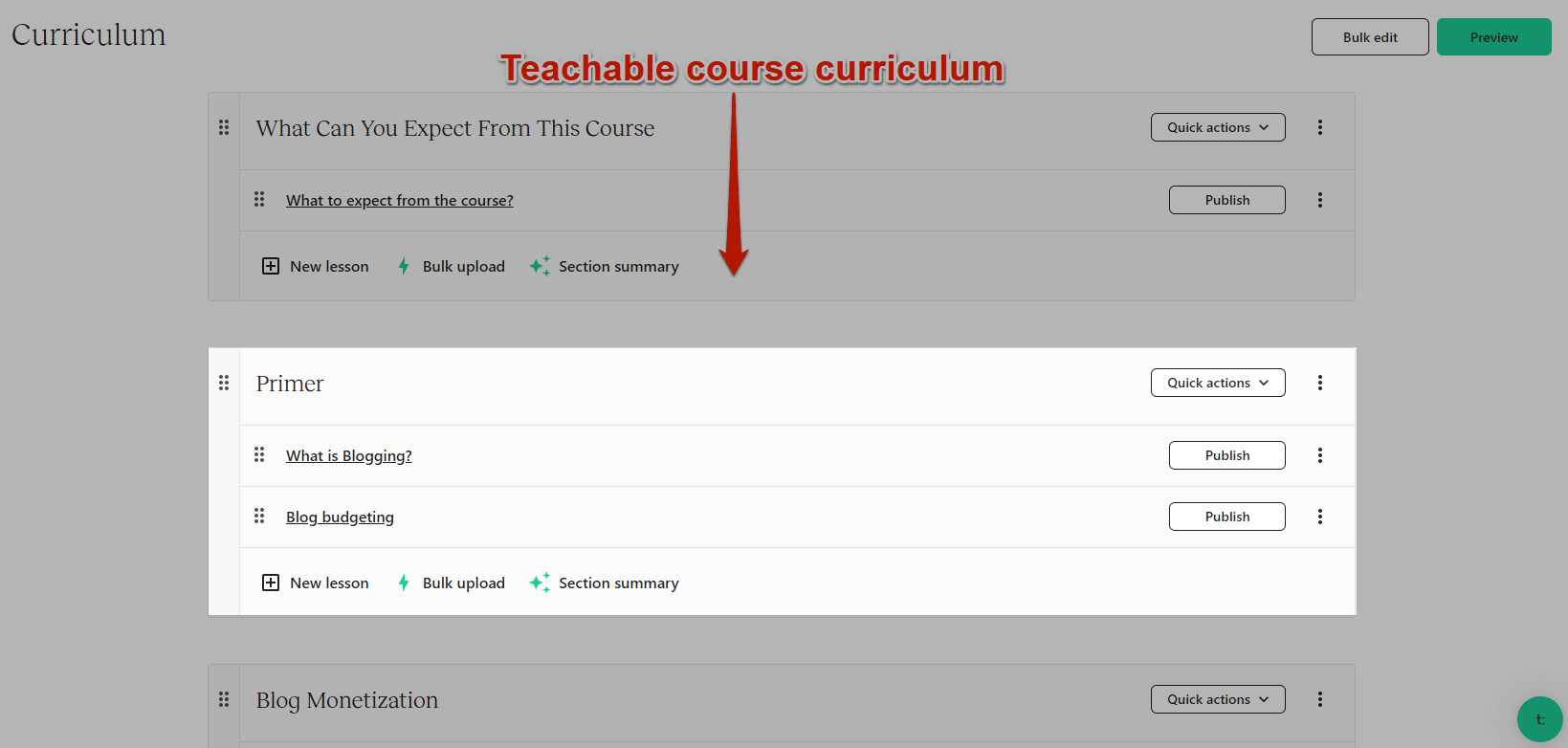
It keeps things pretty simple with just sections and lessons.
No fancy stuff.
Here’s a cool feature I really like.
You can bulk upload videos directly into any section.
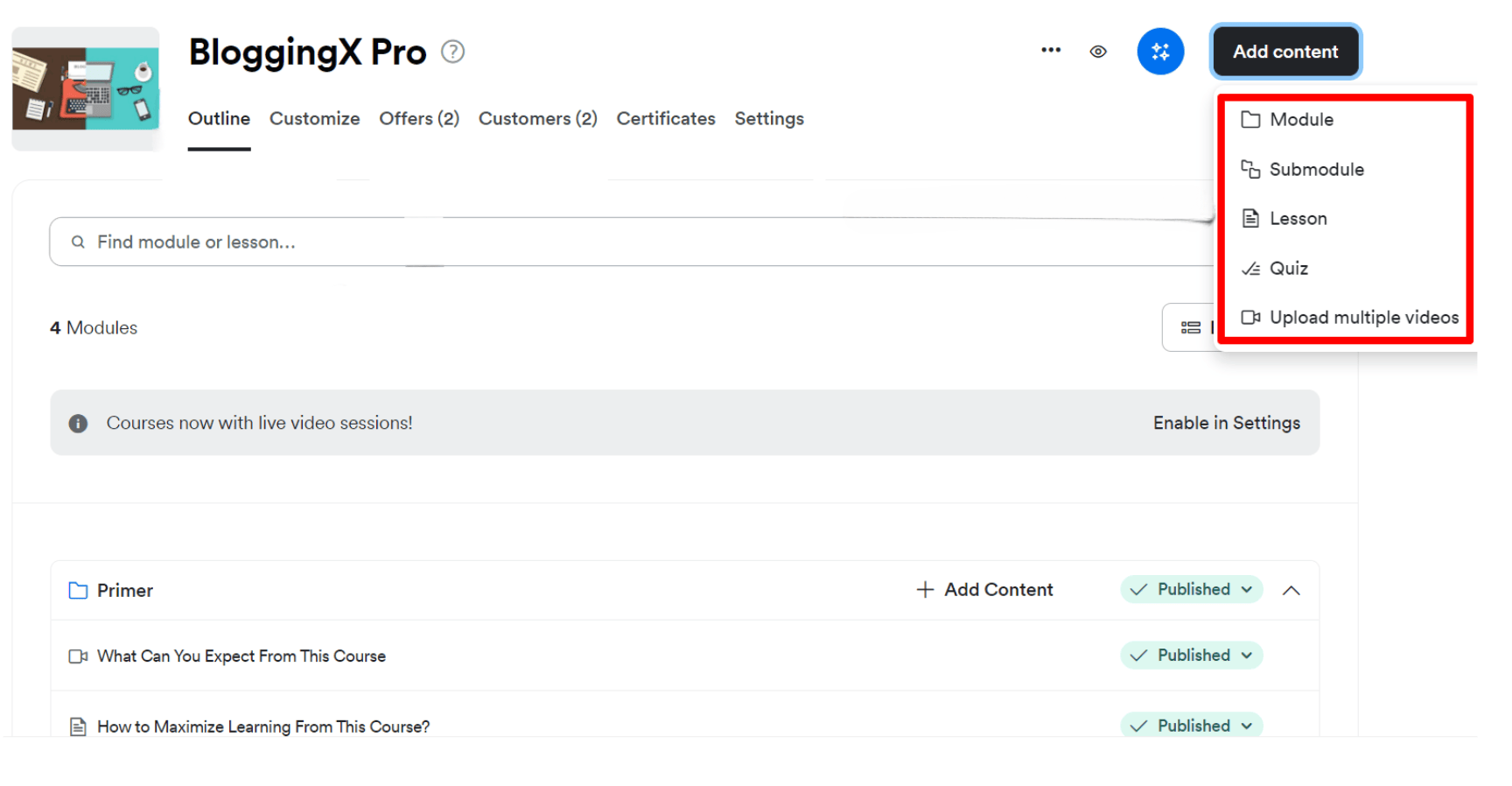
Here’s what’s cool about Kajabi.
You get modules, sub-modules, and lessons.
I’m a huge fan of those “Submodules”.
You know why?
I love breaking down course content into bite-sized chunks – it’s not just me being picky, it’s actually proven to boost course completion rates.
Also, it encourages you to be to have your lessons more atomized and helps a lot in upgradation of courses as well when time comes.
🤖 Both platforms have this fancy AI Course Outline Generator. But honestly? I stick to creating my outlines manually – it’s better for really understanding what students need.
🏆 Winner: Kajabi, as it comes with the modules and sub-modules.
Creating lesson content
You can create multiple lessons inside of modules with both of these platforms.
Here’s the deal with Kajabi lessons.
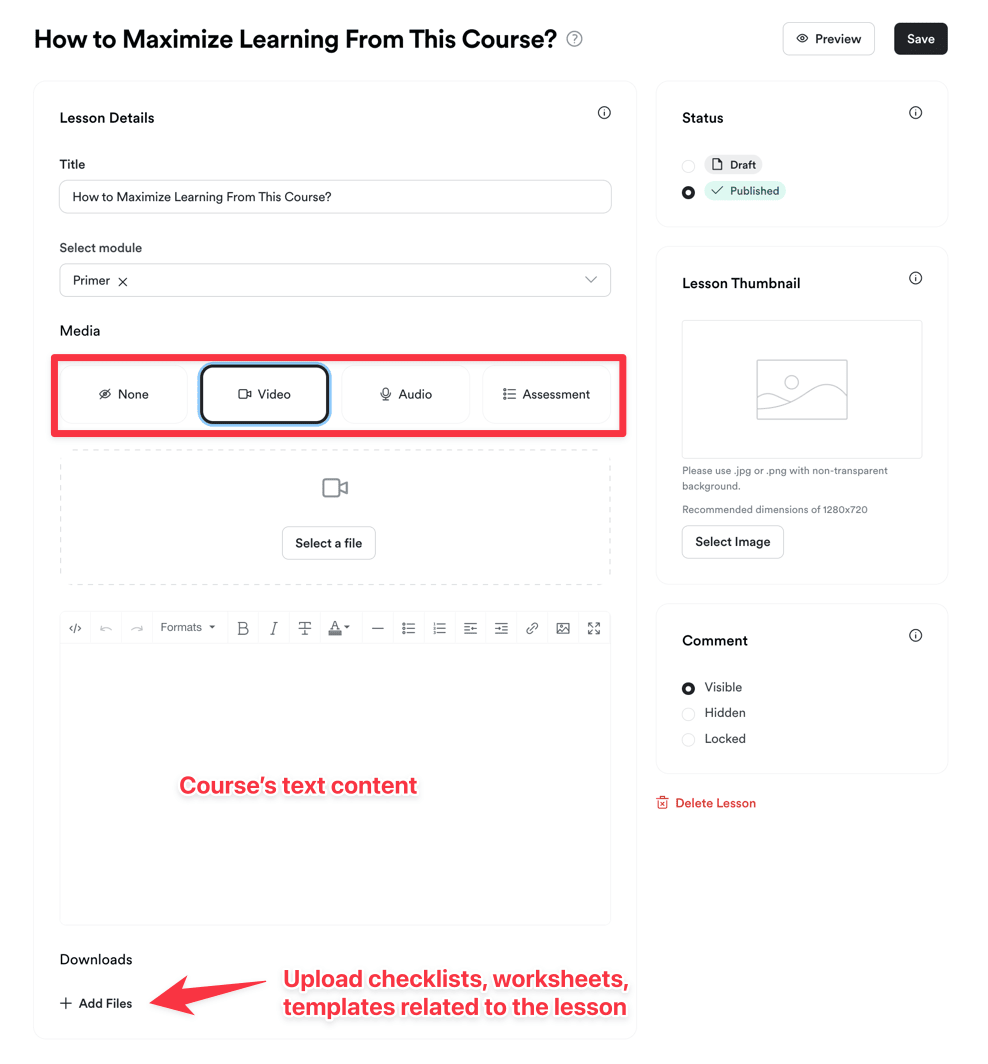
You gotta pick one specific media type per lesson.
That’s just how it works.
But having just one main content type means you’ll end up with more lessons in your course. No big deal though – I use sub-modules to keep things organized.
Now, let’s look at Teachable:
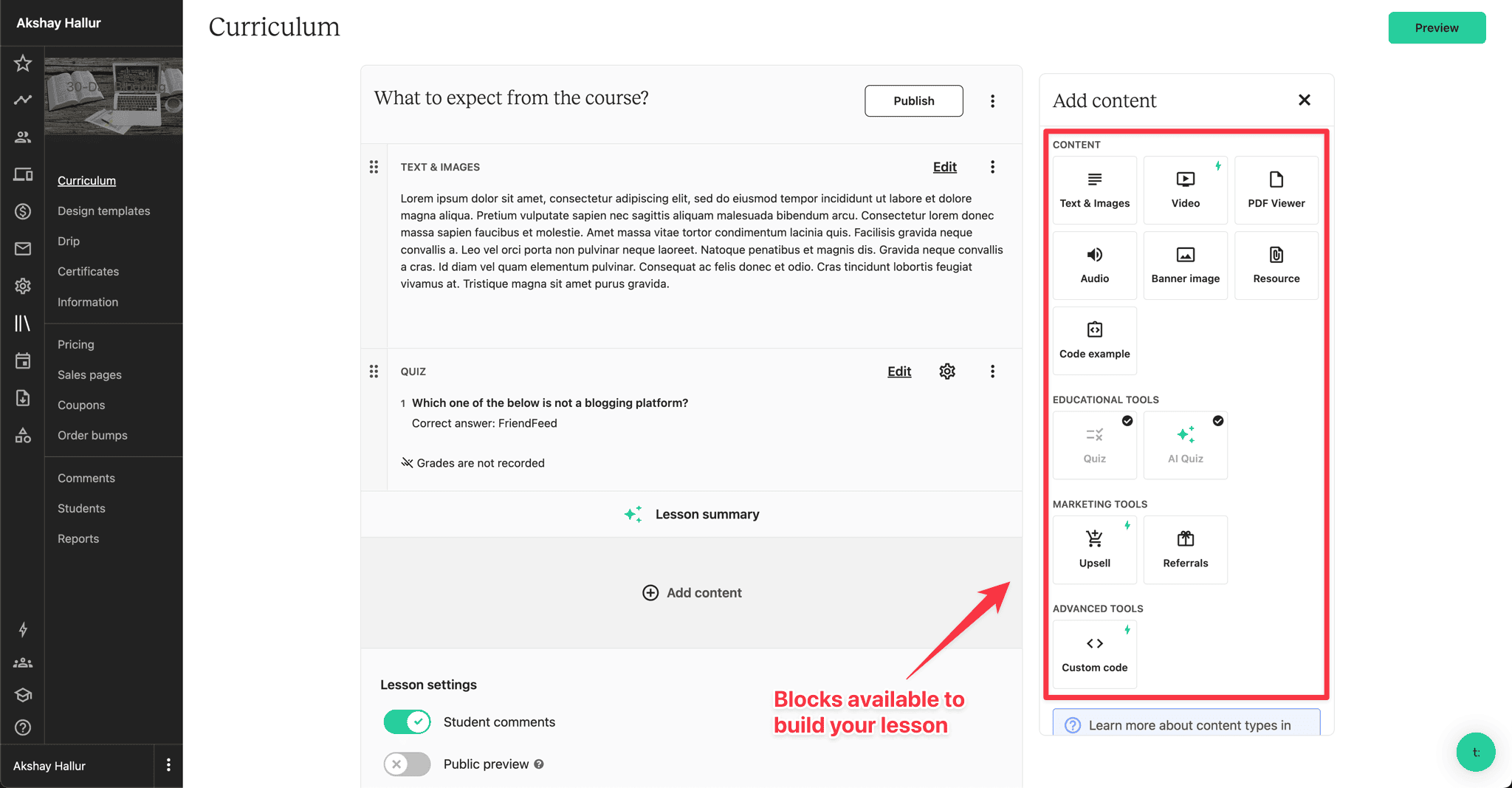
Teachable’s pretty flexible – you get these blocks you can drag and drop into your lessons.
Nice, right?
You’re not stuck with just one type of content per lesson. Mix and match however you want!
And get this – here’s what I really love:
You can actually add upsells and custom code right inside your lessons!
This is such a powerful feature!
Want to sell some extra goodies while students are learning?
You can totally do that!
🥇 Winner: Tie! I like the feel of Kajabi. On the other hand, Teachable allows you to include multiple types of content per lesson and the ability to add upsells and custom code inside lesson content is really flexible.
Frontend experience (to the students)
When it comes to any course platform, the experience it can give for the front-end students is really important.
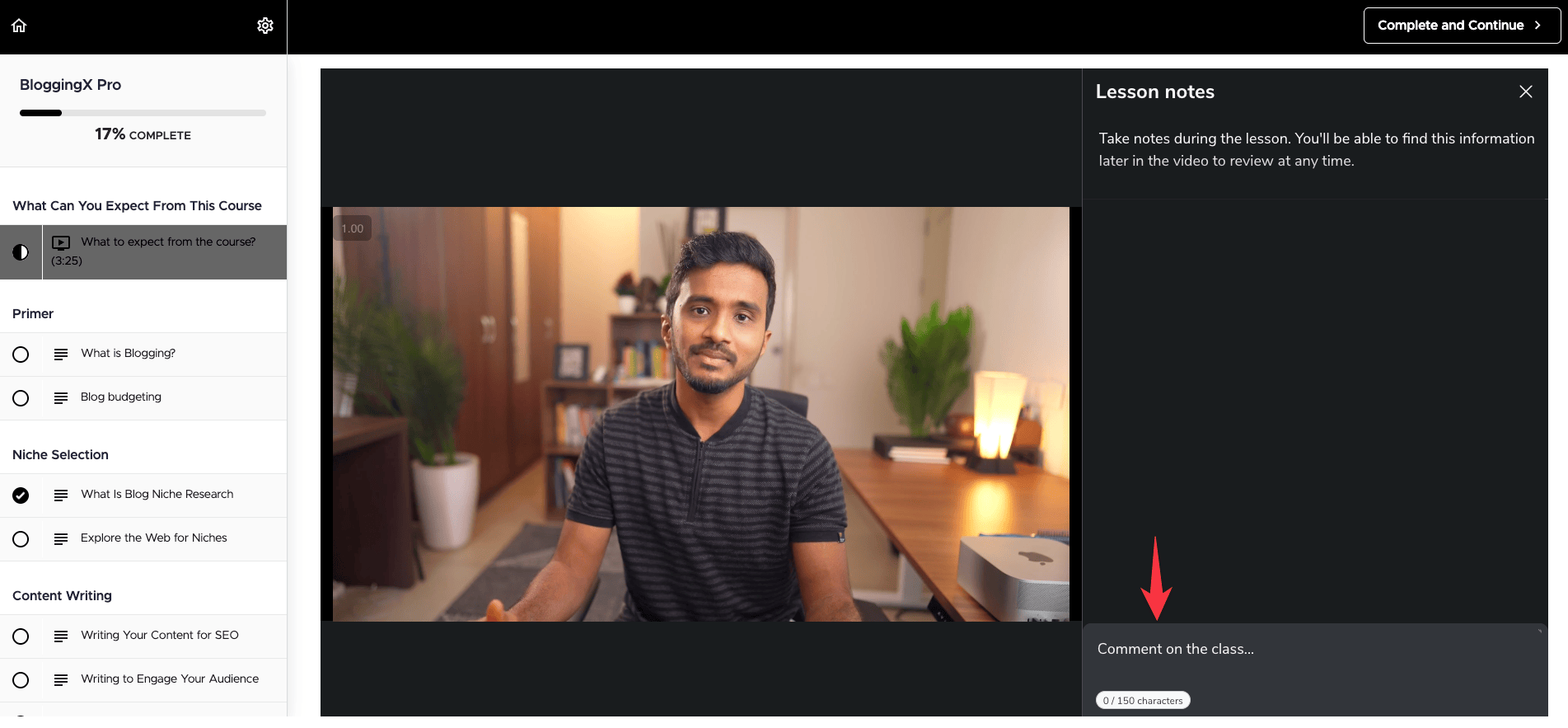
Let me tell you what’s awesome about Teachable’s course player!
Two features that really impressed me:
- Mini-player that works just like YouTube’s picture-in-picture mode (super handy when you’re taking notes!)
- Time-stamped lesson notes, similar to what you see on Udemy (trust me, your students will love this)
You won’t find these features anywhere else – they’re uniquely Teachable.
Got it?
Now, what about Kajabi?
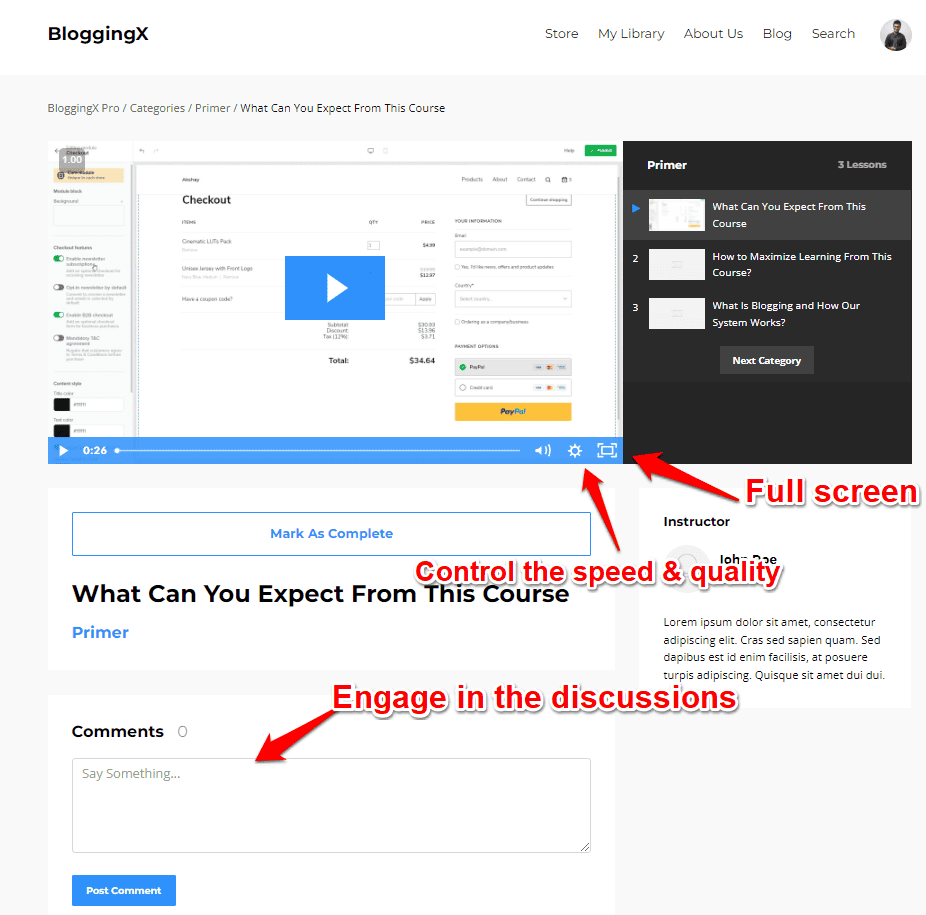
Kajabi keeps things clean with their course player.
You get multiple layout options (nice for customization), so that your instructional design experience will not be resembling all other Kajabi websites.
Here’s something I really like.
There’s a comment section under each lesson where students can chat and help each other out.
👉 As a side note, both of these platforms come with community features, but Kajabi is more comprehensive in this regard. I’ll be discussing more on this later.
🏆 Winner: Teachable wins. It has its mini-player and time-stamped notes, while Kajabi offers a cleaner interface with built-in community features. Pick based on your priority: note-taking or social learning.
Quizzes and assessments
Let me tell you about the quiz features.
Both platforms have them, but Kajabi’s got some really cool stuff that surprised me.
Here’s what’s awesome about Kajabi’s quiz system.
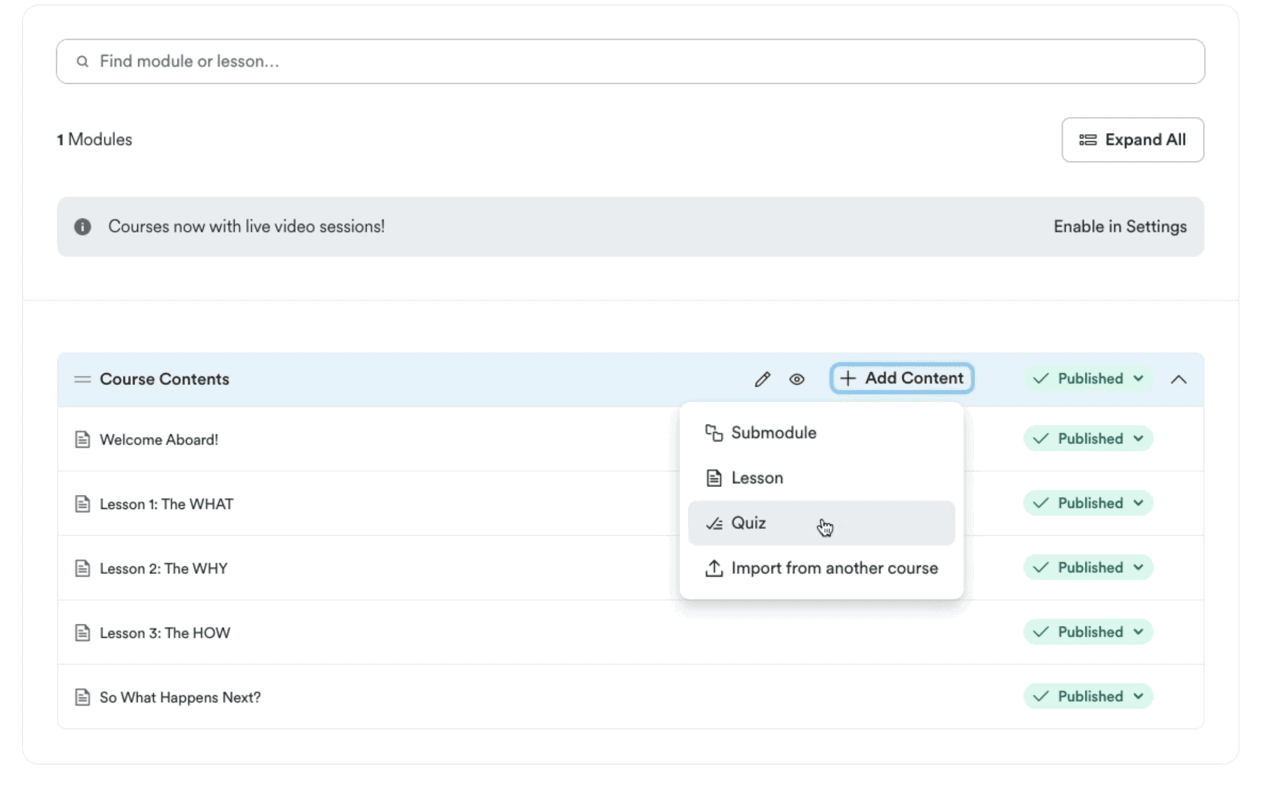
They’ve made Quiz a separate lesson type (smart move!).
And get this – you’re not stuck with just boring multiple choice questions.
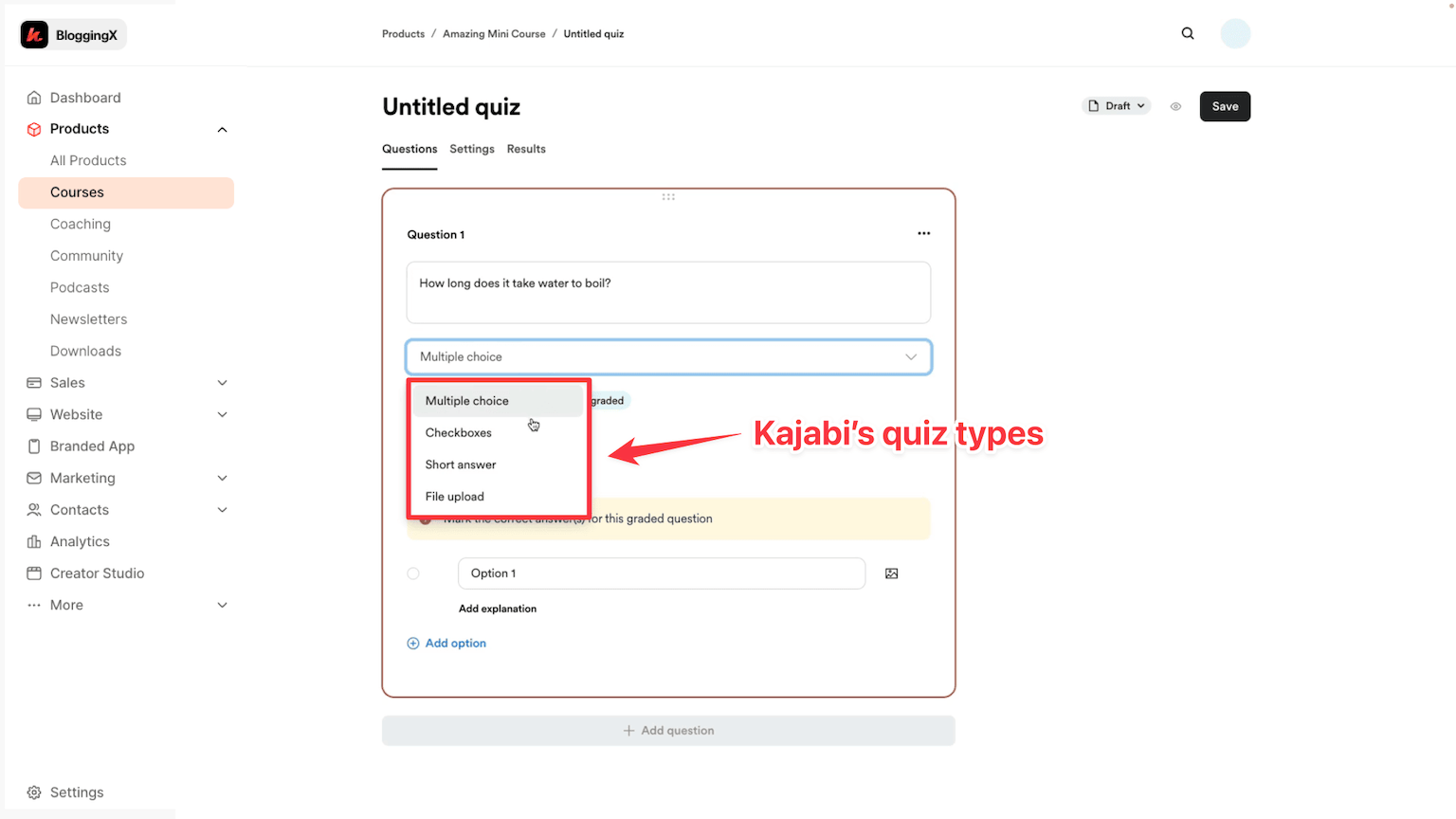
You can mix it up with checkboxes, short answers, and even file uploads!
Let me tell you what I absolutely love about Kajabi’s quiz features:
- Short answers are gold – perfect for quick surveys or checking if students really get what you’re teaching
- File uploads are a game-changer! Students can submit their coding projects or coaching assignments right there.
Here’s what’s really cool.
When you combine these quizzes with content locking and grading, you’re not just teaching – you’re creating an actual learning journey that keeps students engaged and helps them understand everything better.

You know what works better than those drip schedules?
Setting a minimum quiz score that students need to hit before moving forward.
Now Teachable:
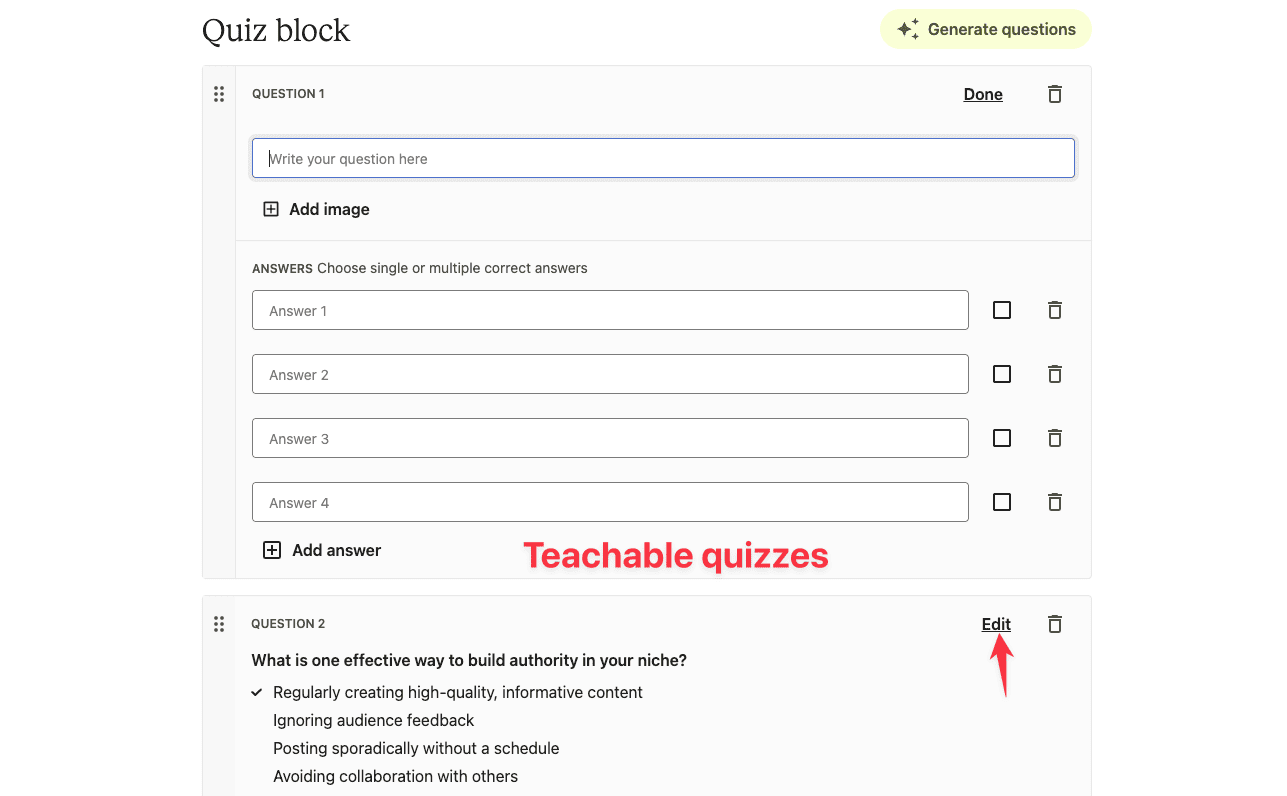
With Teachable, you’re stuck to only multiple-choice questions.
It doesn’t let you ask open-ended questions or handle file uploads.
Theis makes every feature work even better!
🥇 Winner: Kajabi. You can ask open-ended questions, ask for file uploads (assignments) and also has integration with their automation engine which makes it 10x effective. For example, you got send a congrats email on students passing a quiz.
Certification 🏅 (to reward the students)
Teachable and Kajabi come with built-in course completion certificates.
Here’s what you get with Teachable.
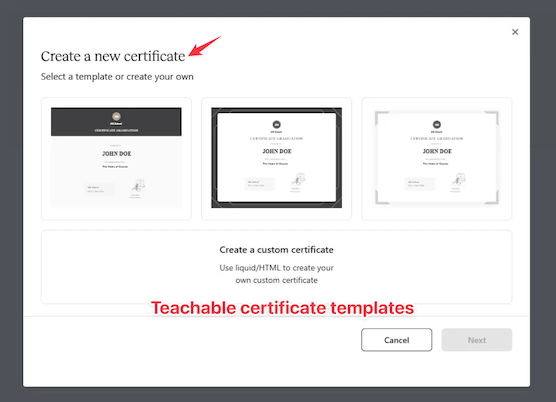
Three certificate templates ready to go, plus you can create your own custom ones if you know HTML/Liquid templating.
Pretty cool, right?
But heads up – you’ll need at least their Pro plan to use this feature.
Now, Kajabi keeps it simple with just one default certificate template.
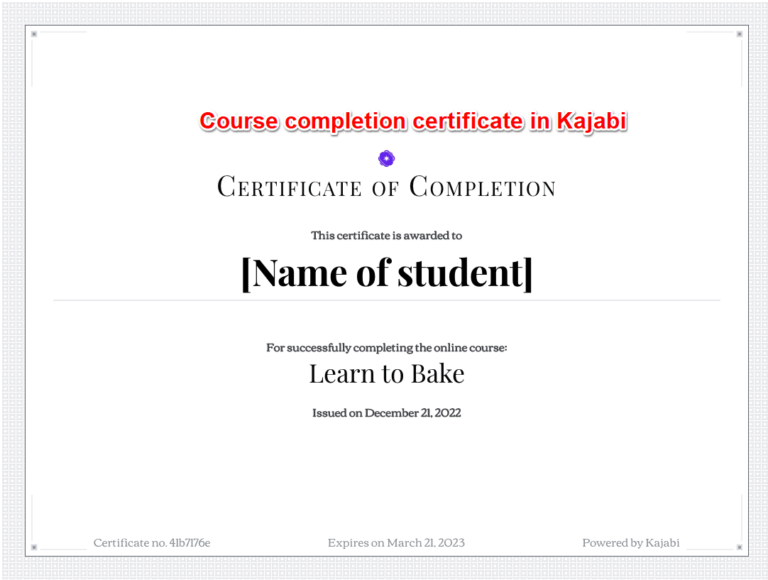
When students finish your course, they’ll automatically get an email to download their certificate.
But here’s where it gets really interesting:
Kajabi’s automation engine lets you get creative with when and how you hand out certificates.
You’re not stuck with the usual “finish course, get certificate” workflow.
Want students to pass certain assessments before getting their certificate?
You can totally do that!
🏆 Winner: Tie. Teachable offers three different templates. On the other hand, Kajabi has only one, but you can trigger certificate delivery whenever you want using it’s automation engine.
Coaching
Let me show you how Kajabi and Teachable handle coaching! 🎯
Kajabi is the clear winner here.
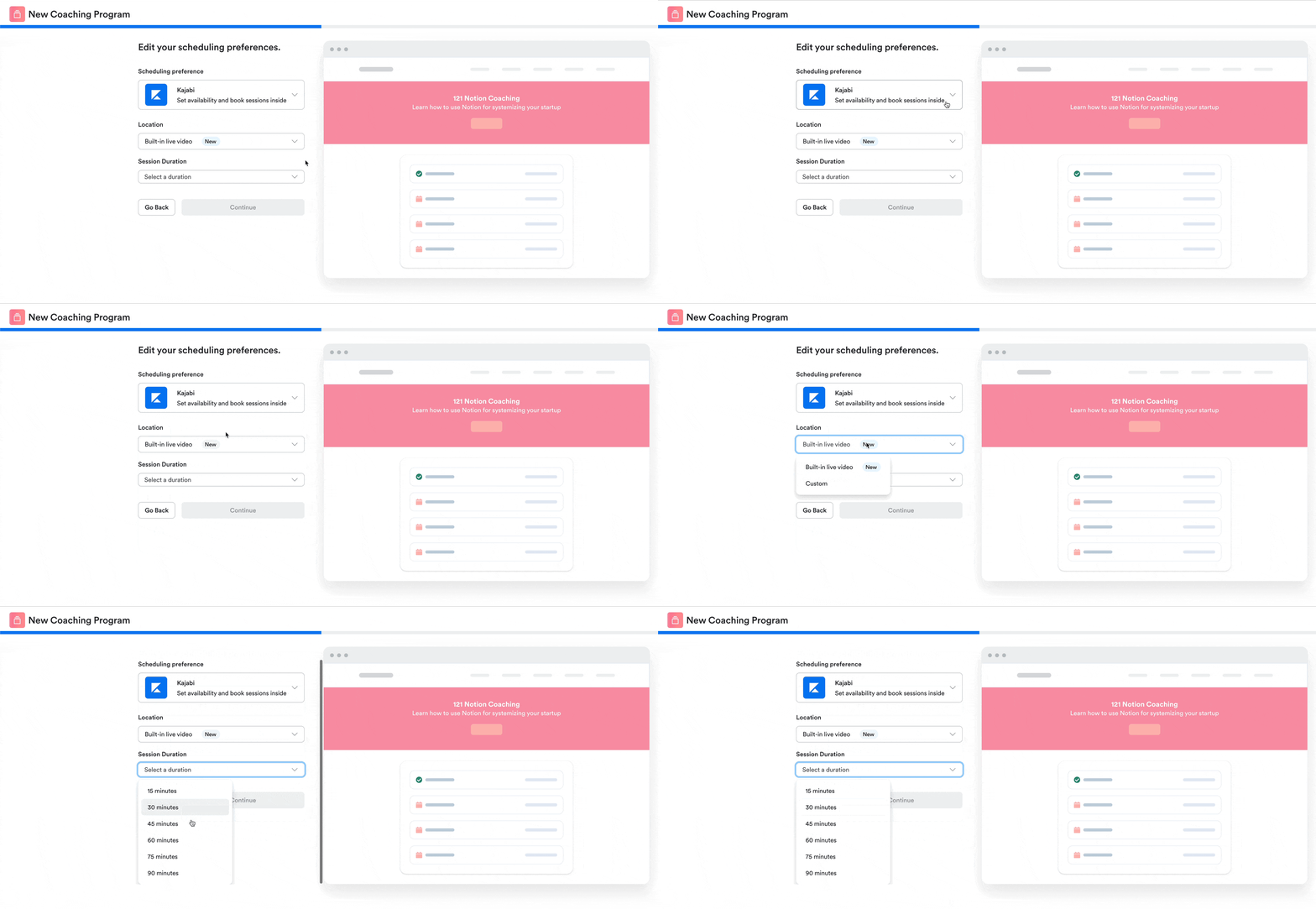
It’s got everything built right in:
- Calendar appointments sync automatically
- Meeting setup happens right in the platform
- Smart notifications keep everyone on track
- Group coaching works smoothly with community features
Teachable keeps things simple (maybe too simple).
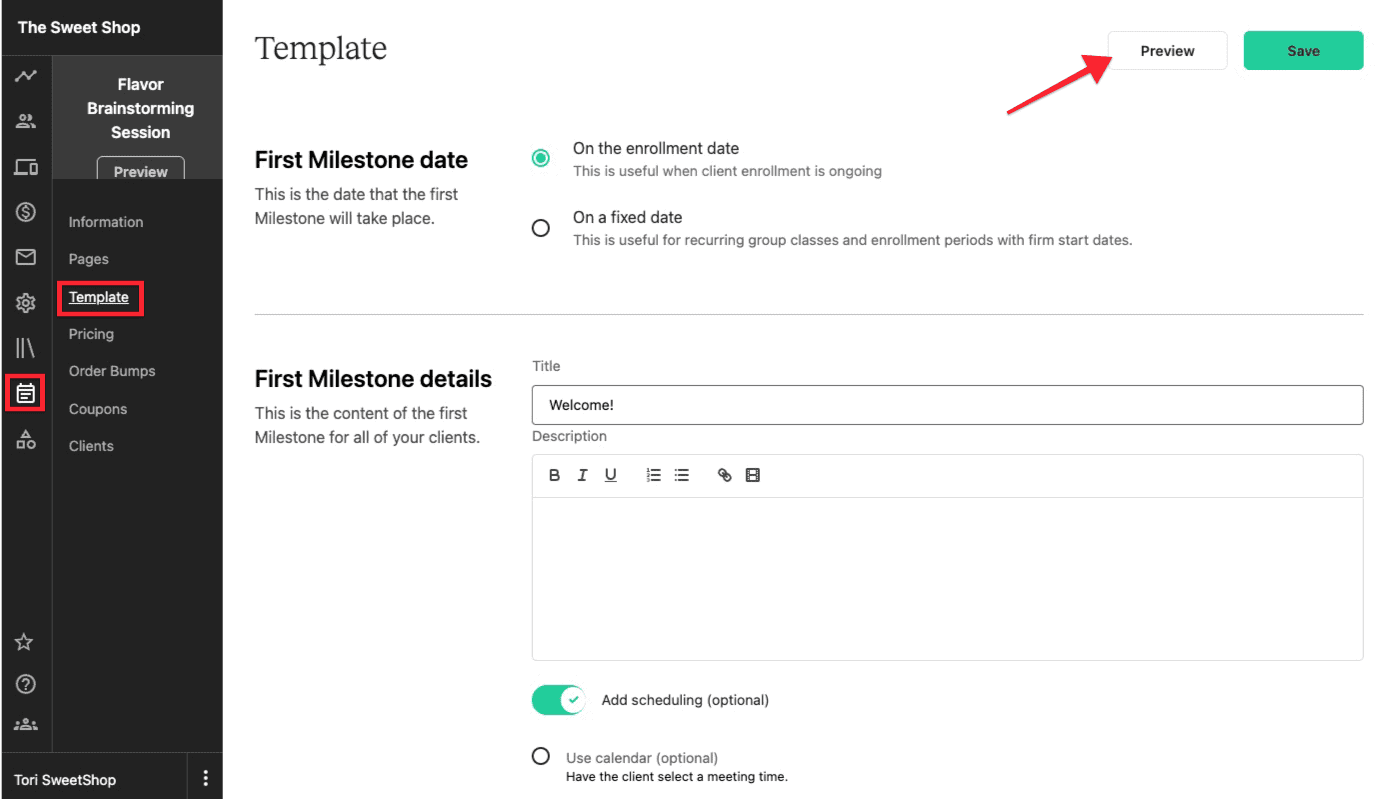
While you can do one-on-one coaching, you’ll need to use other tools for Calendar booking and the live call.
Both platforms work with Zoom and Google Calendar.
But here’s the thing – Kajabi has most of these features built-in. With Teachable, you’ll be juggling multiple tools.
🏆 Winner: If coaching is a big part of your business, Kajabi is your best bet. It’s got all the automation and features you need to run coaching sessions smoothly.
Community and gamification
Kajabi bought Vibely, a super cool community platform with gamification built-in! 🎮
Now you get awesome features like challenges and badges that make learning way more fun.
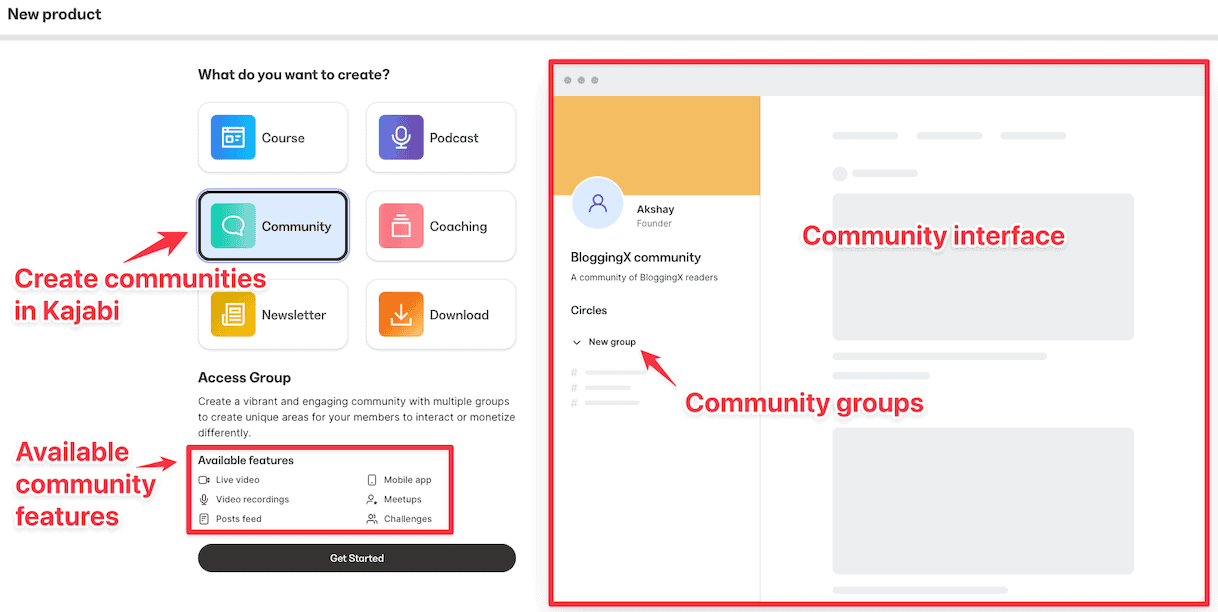
Setting up your community is pretty straightforward – you’ll create different groups for different purposes.
You can create different offers for each group and control who gets access to what spaces based on their membership level.
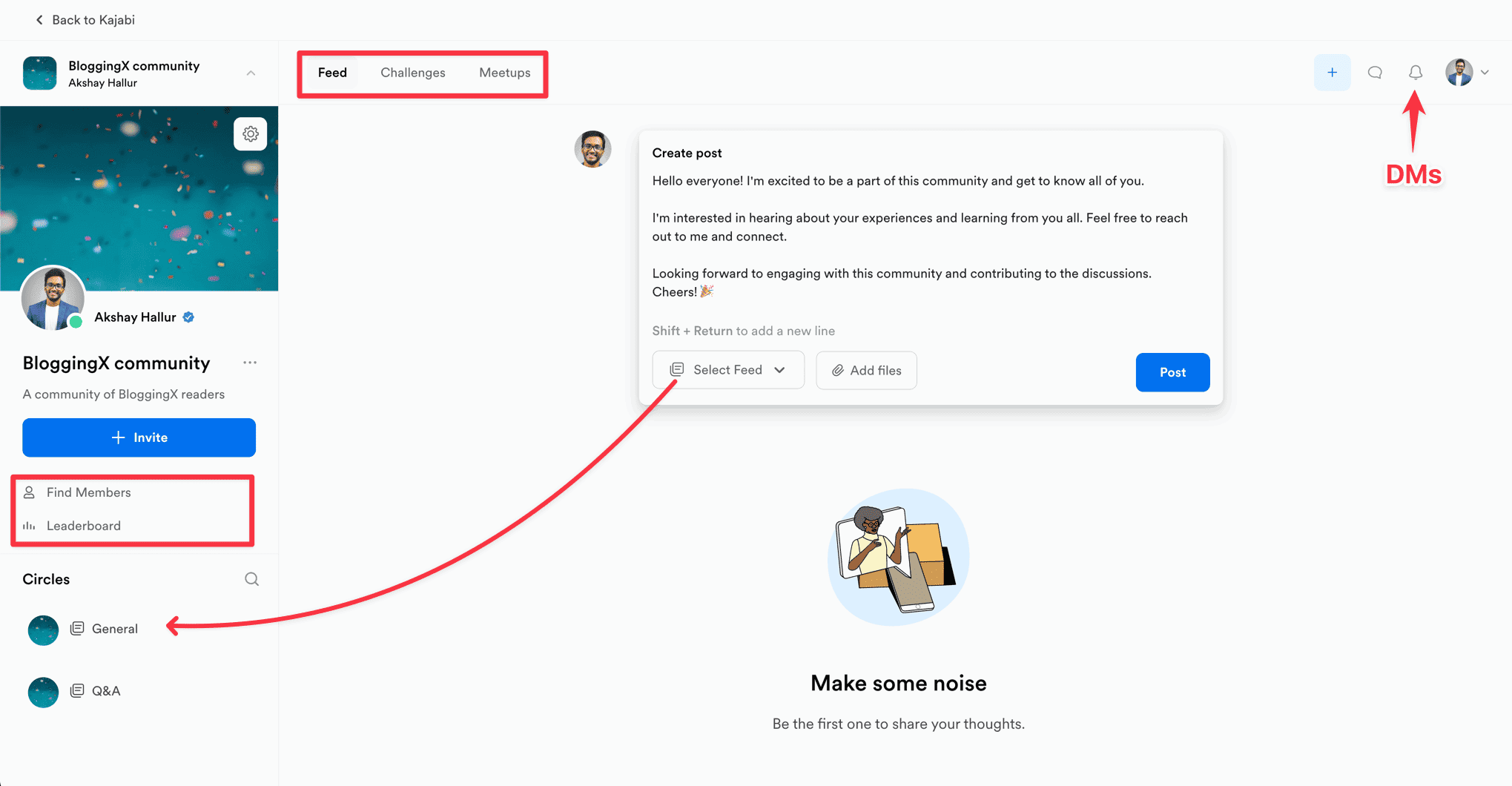
Here’s what’s really cool about the community.
When your students log in, they’ll see three well-organized tabs.
- Feeds
- Challenges
- Meetups.
You get tons of awesome features like newsfeed (to keep everyone connected), chat and DMs (for those quick questions), live video calls (perfect for group sessions), and some really neat accountability tools to keep everyone on track.
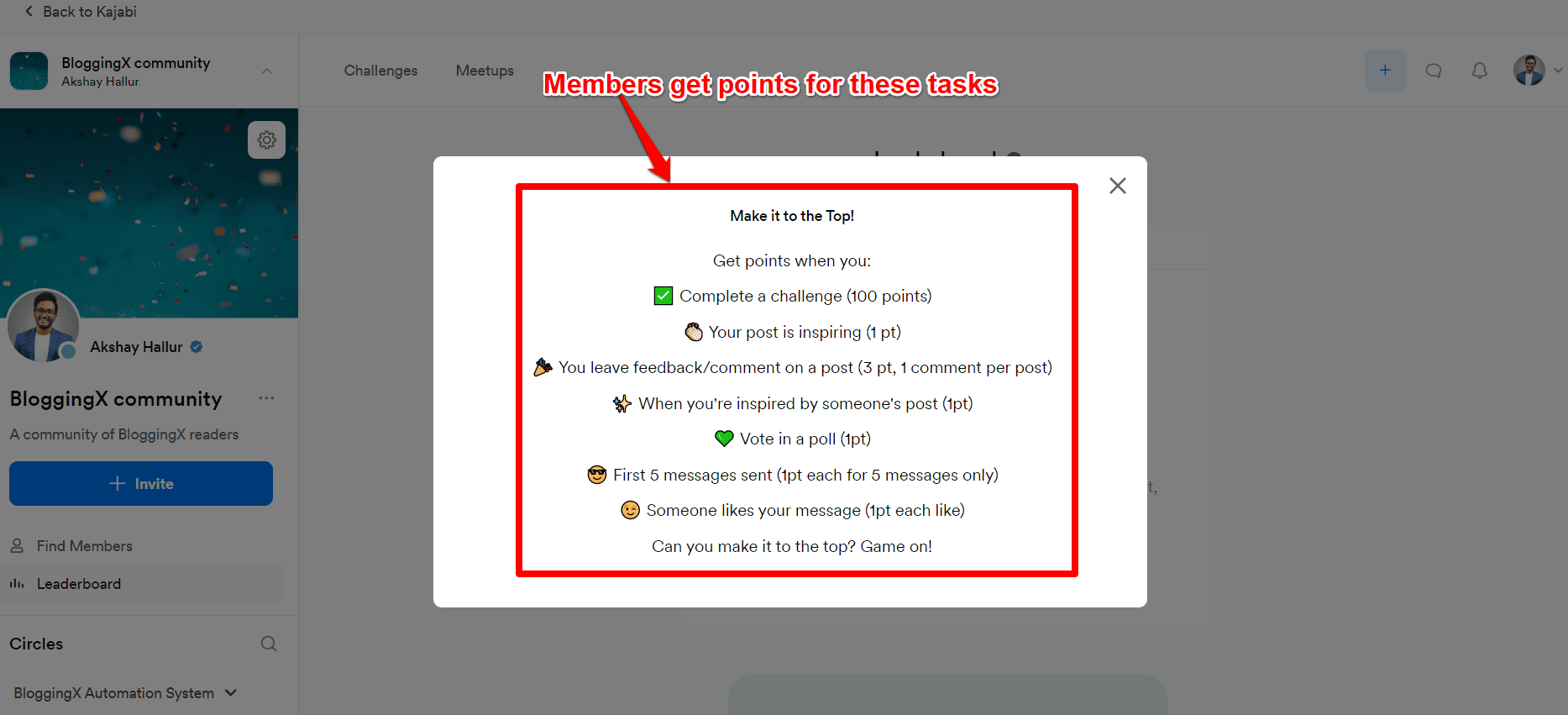
Kajabi has gone all-in-one gamification.
Trust me, this really gets people engaged.
Now, let’s talk about Teachable.
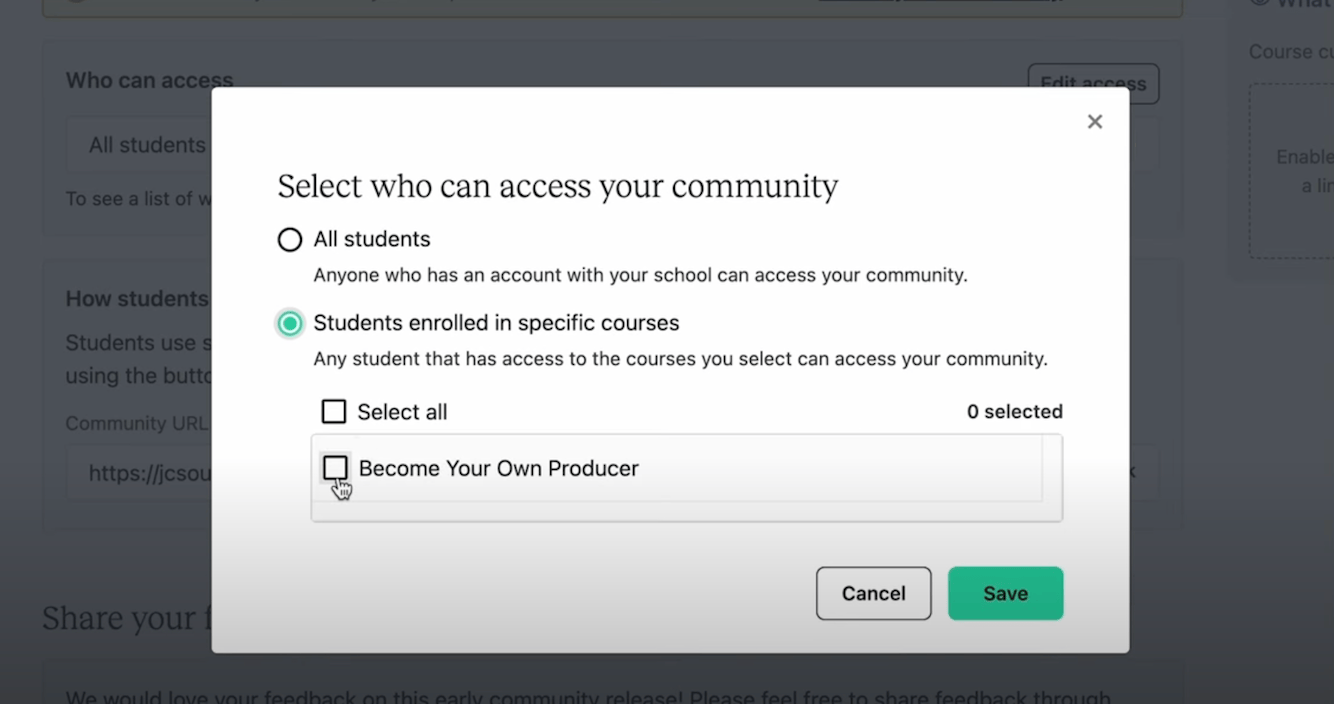
They’ve finally rolled out their community feature.
You can create your community and grant access based on course enrollments.
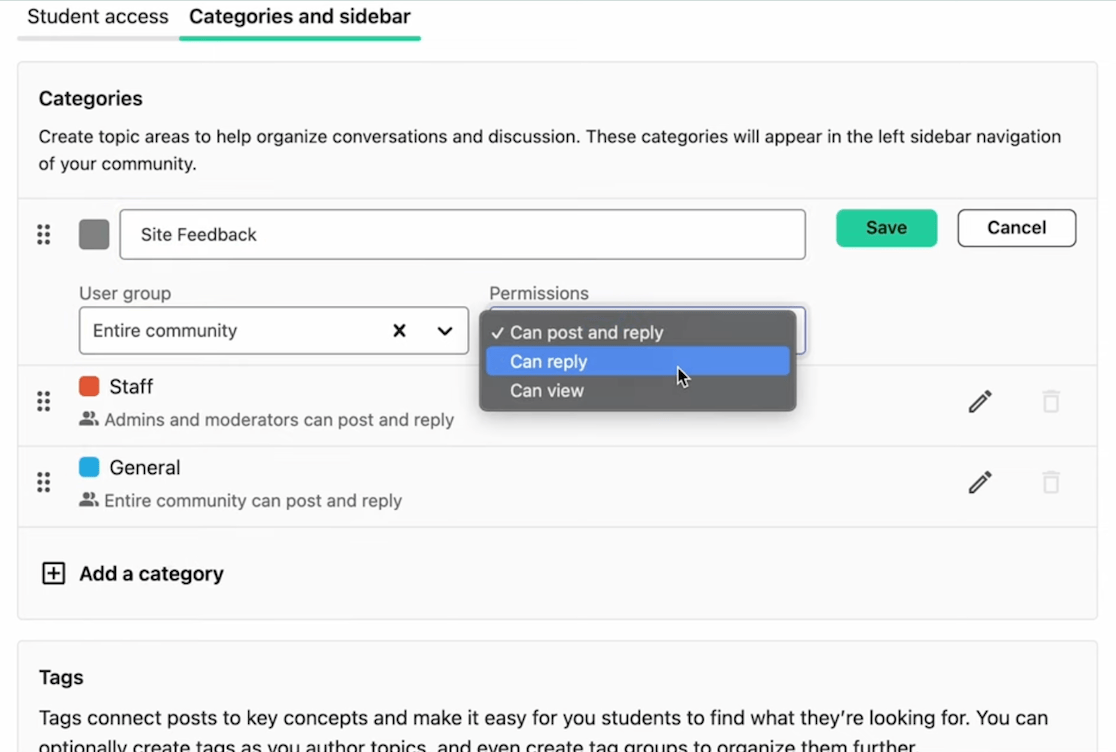
Inside your community space, you can set up different topics to organize discussions and add tags.
Super simple stuff!
But here’s the thing – it’s pretty basic compared to other dedicated community platforms.
You don’t get much flexibility to customize things the way you might want.
Need more community features?
No worries!
You can hook up Circle with Teachable – this lets your students use the same login for both platforms.
🙂 Fun fact: Circle actually comes from the same team that created Teachable. They sold Teachable to Hotmart and then launched Circle.
🏆 Winner: Kajabi. Teachable has a really basic community feature, while Kajabi has a feature-rich community that includes events, gamification, challenges, points, and badges (with automation on top of it).
Design and customization
| Features | Teachable | Kajabi |
| Site builder | Not available | Yes |
| Page builder | Just has 6+ blocks to design the pages | Has page builder with over 40+ blocks |
| Themes | No | 10+ built-in themes available |
| Blog | No | Yes |
| Support for custom domain and subdomain | Yes | Yes |
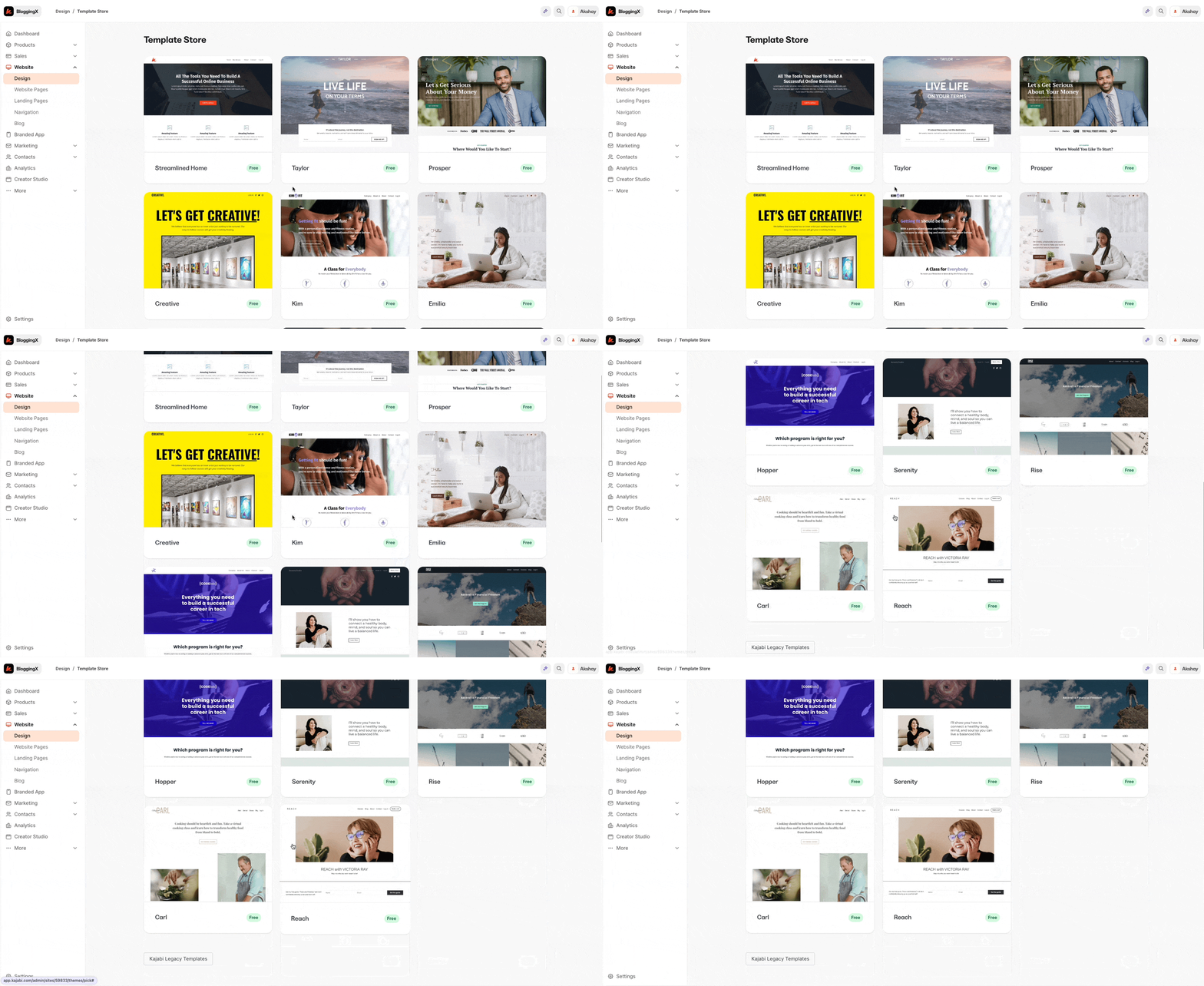
But to start with your site. Kajabi has a template store with over 15+ site templates (including 6 legacy templates).
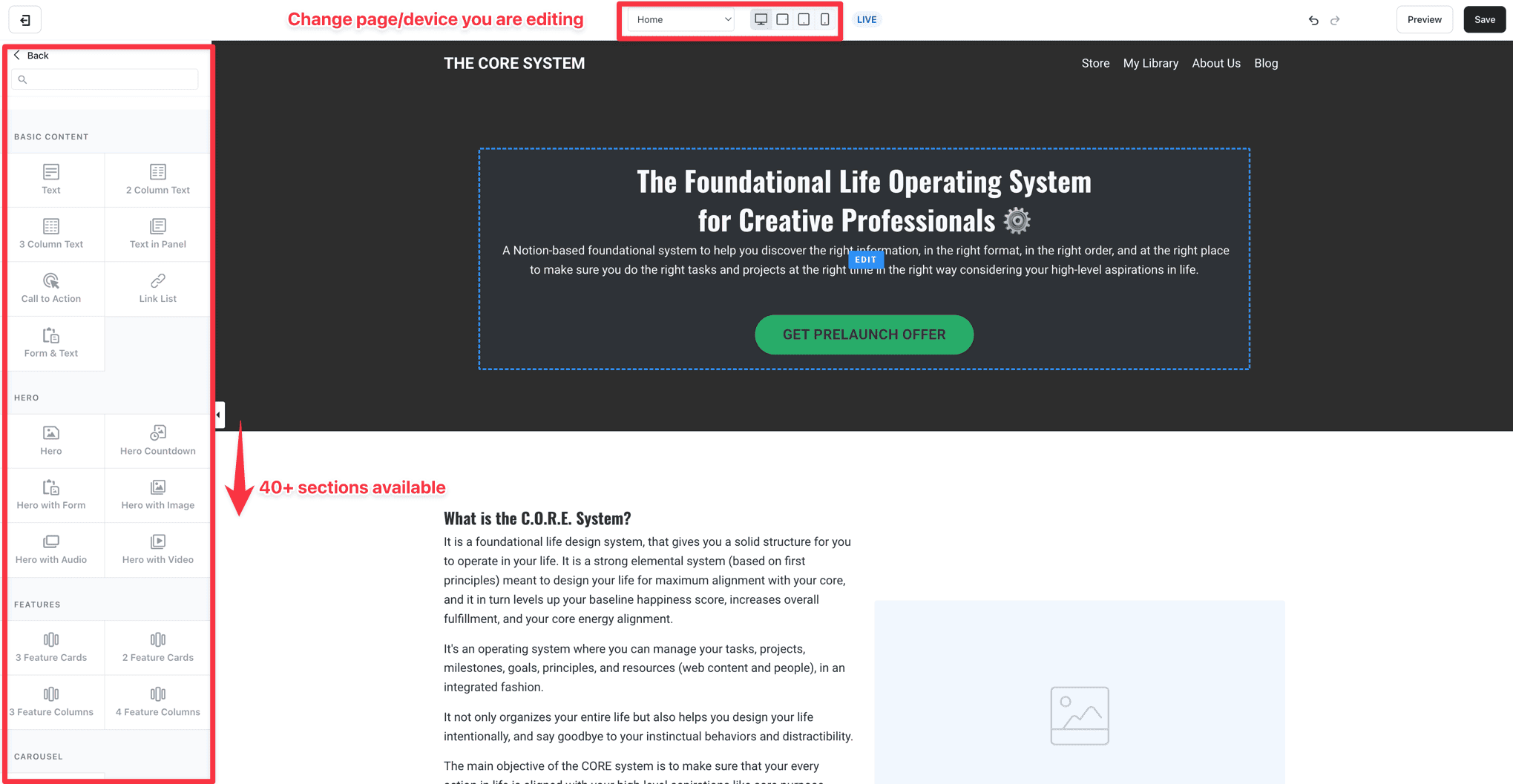
Kajabi comes with a seriously powerful page builder that can do everything WordPress + Elementor can do (and maybe even more).
It’s super easy to use – just drag and drop what you need.
Think of sections as your building blocks, and inside each one, you can add different elements.
45+ pre-made sections ready to go!
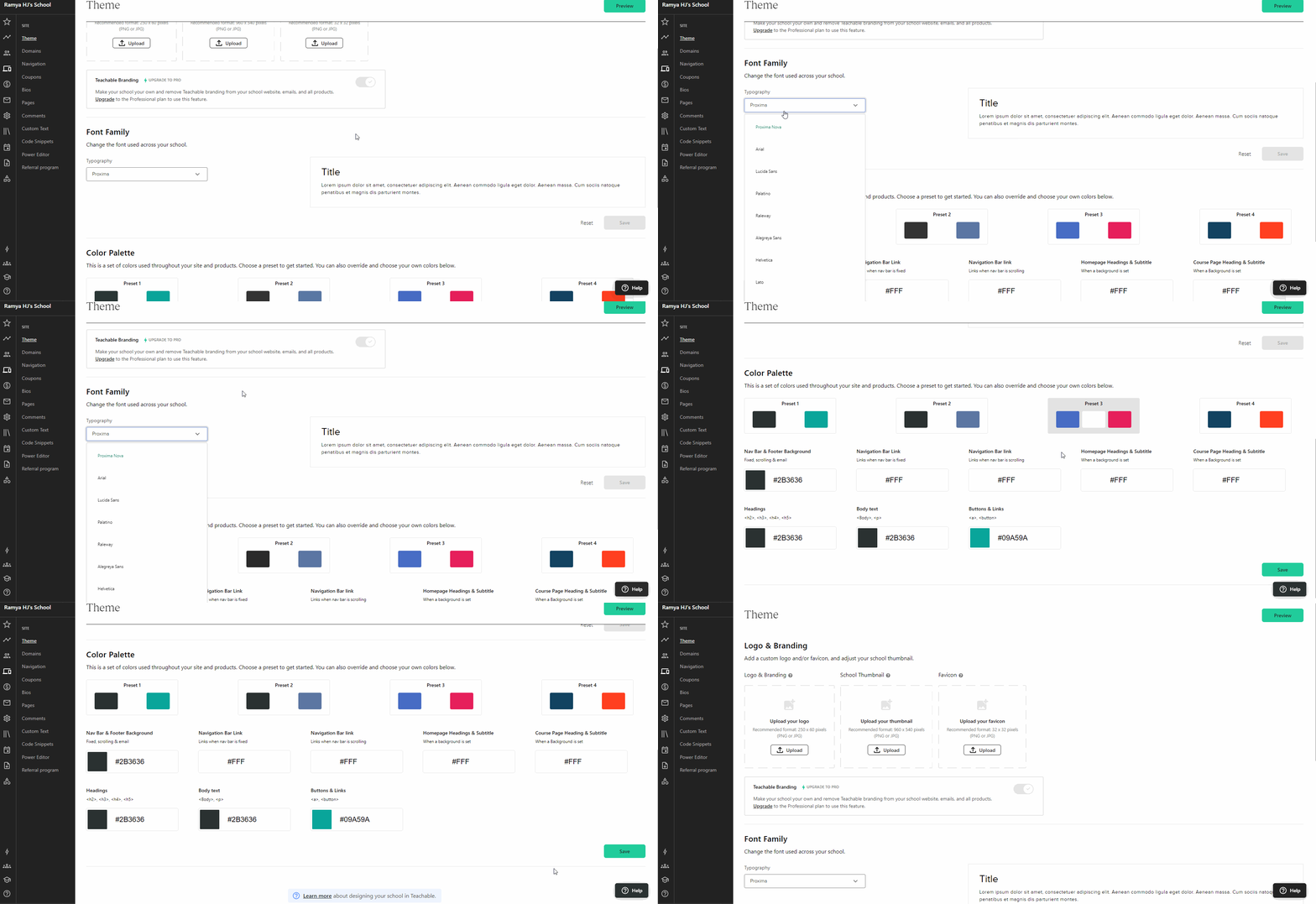
Now, Teachable?
Well… they keep things pretty basic.
You’re pretty limited here – you can only tweak the logo, branding, add school thumbnails, play with the favicon, and adjust fonts and colors.
That’s literally all you get.
No fancy page building, no custom layouts.
Just the basics.
🏆 Winner: Kajabi. It comes with multiple themes and a page builder that allows you to design your website, landing pages, checkout pages, and even your blog. But with Teachable, people tend to still use WordPress/other page builders for their page building needs.
Sales and marketing
Funnels
Kajabi has built-in funnels. You can create them from scratch or use pre-made funnel templates.
Some of the templates include:
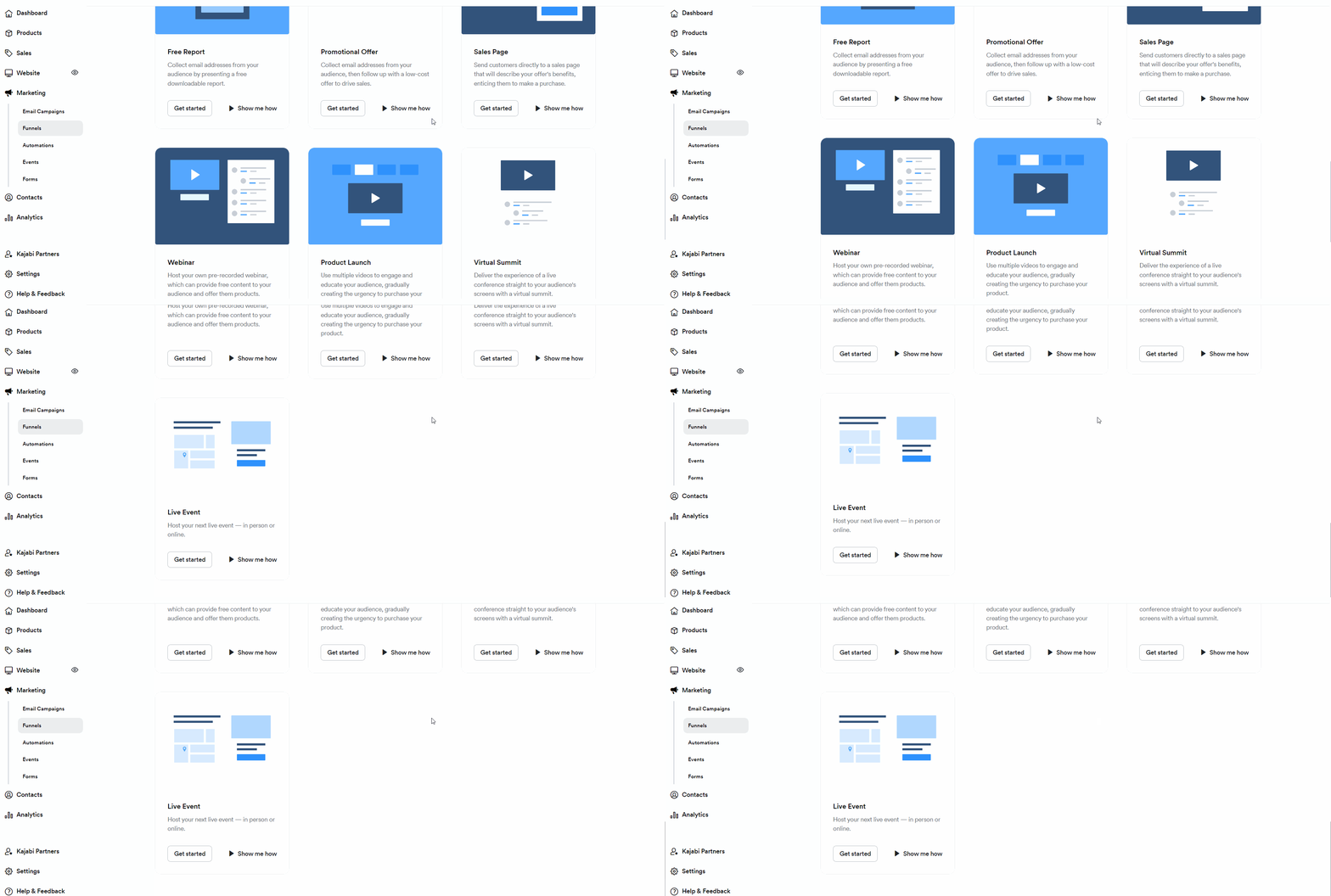
These templates will deploy the pages and email sequences that you can customize as needed.
Kajabi’s funnels consist of pages, emails, opt-ins, and automations.
👎 On the other hand, Teachable doesn’t come with any funnel-building abilities.
Checkout page and OTOs (like upsells, and order bumps)
Both platforms offer excellent marketing tools, including customizable checkout pages with one-time offers for improved conversions.
Let’s talk about Kajabi first.
Kajabi allows you to create different product offers.
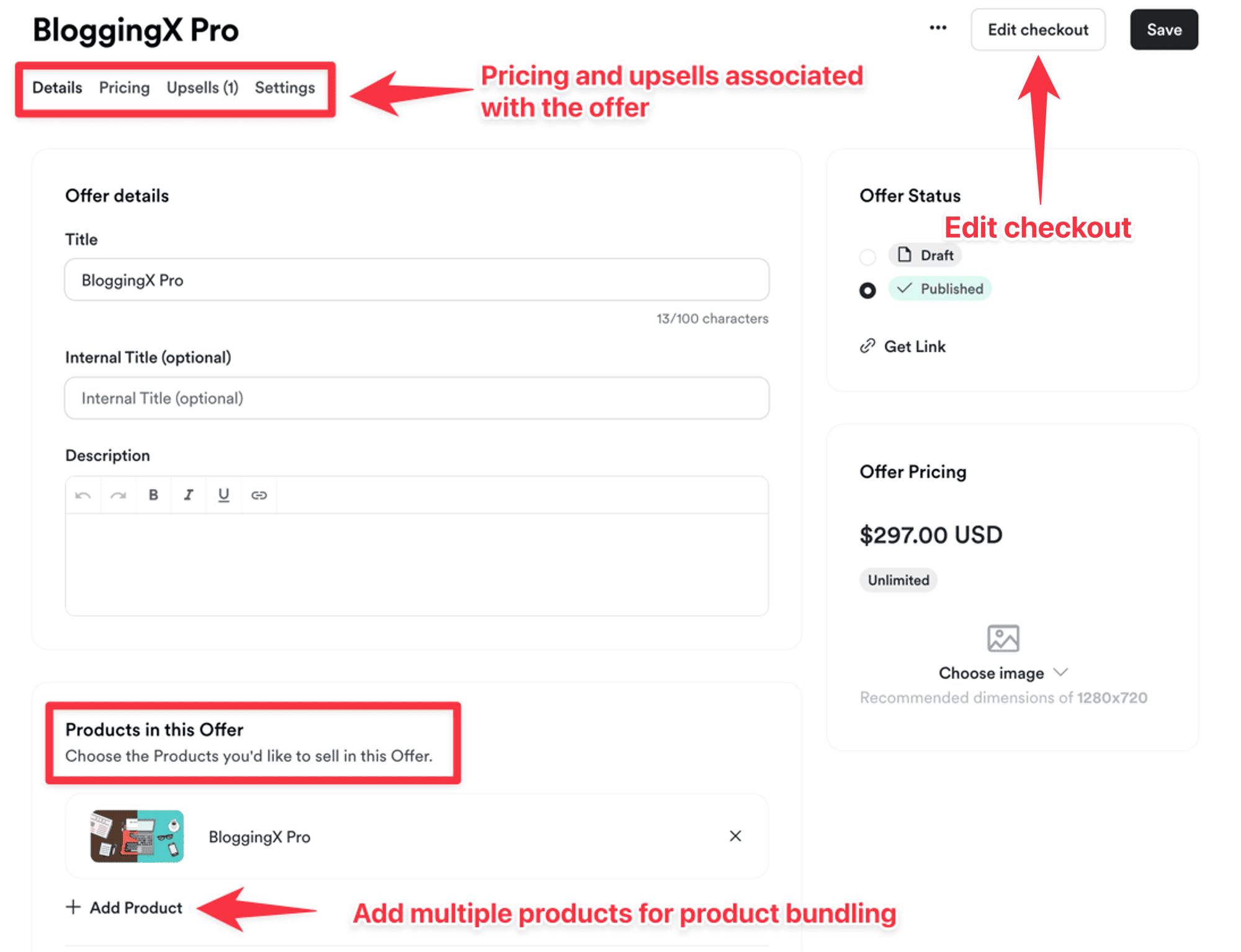
Creating offers in Kajabi is powerful and flexible.
You can:
- Bundle multiple products
- Add upsells
- Customize checkout pages with one click
- Include custom fields to gather buyer data
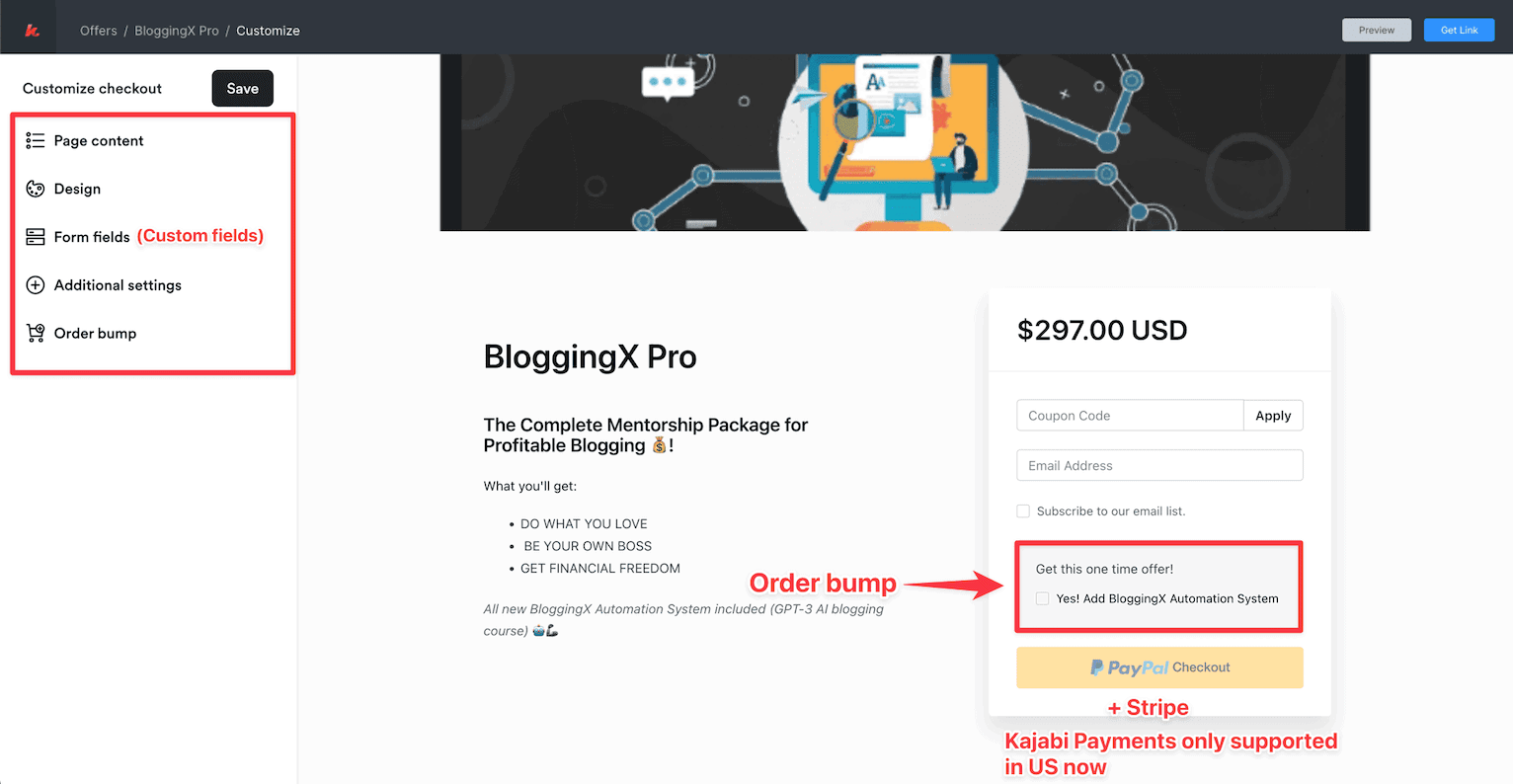
Also Order Bumps
When someone’s buying my main course, BloggingX Pro, I offer them my AI-based blogging automation course as an order bump.
It’s a great way to increase cart value without being pushy.
Now let’s check out what Teachable brings to the table.
They’ve got upsells and order bumps too!
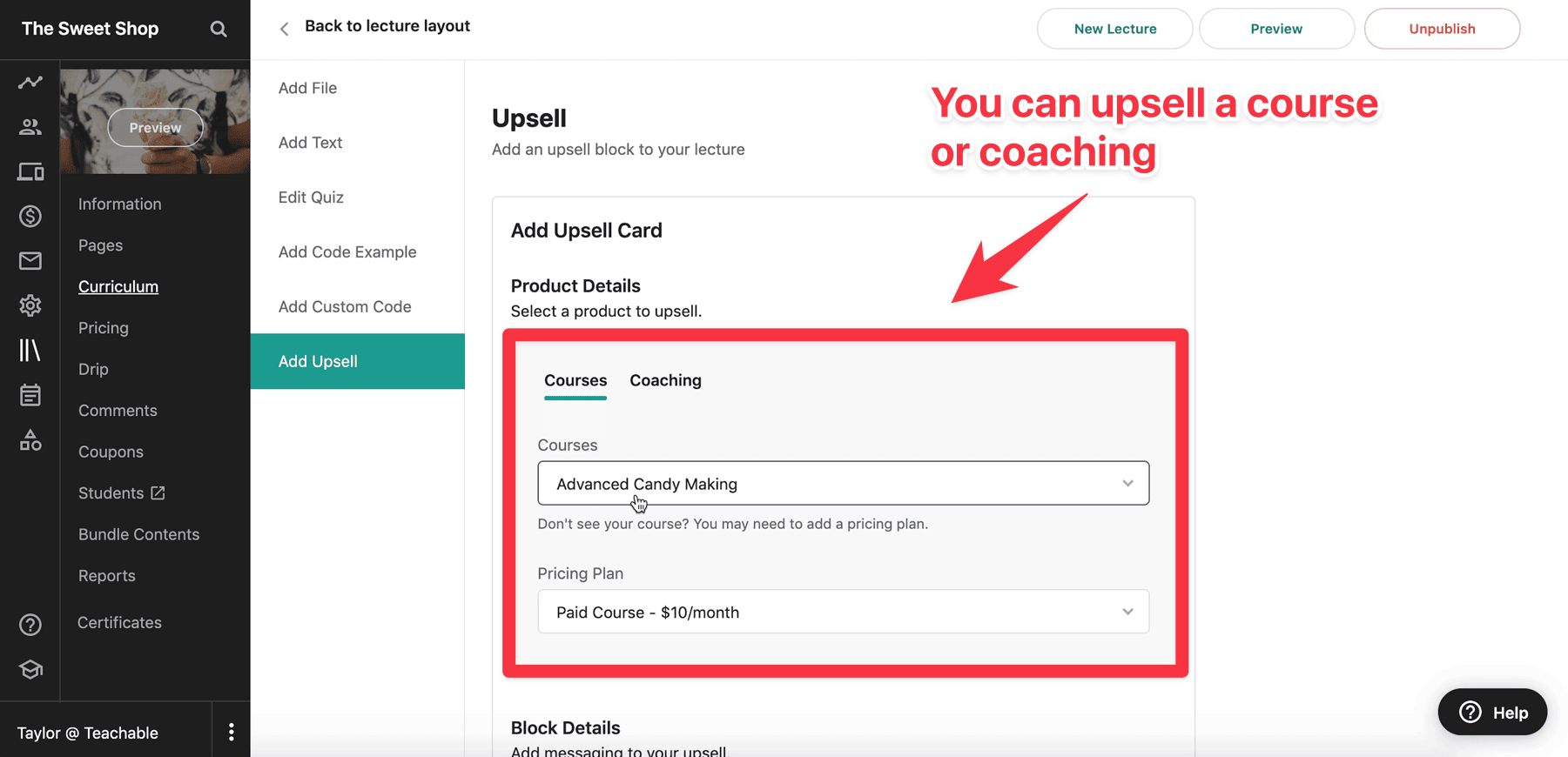
And just like Kajabi, Teachable lets you add an order bump at the bottom of the checkout page.
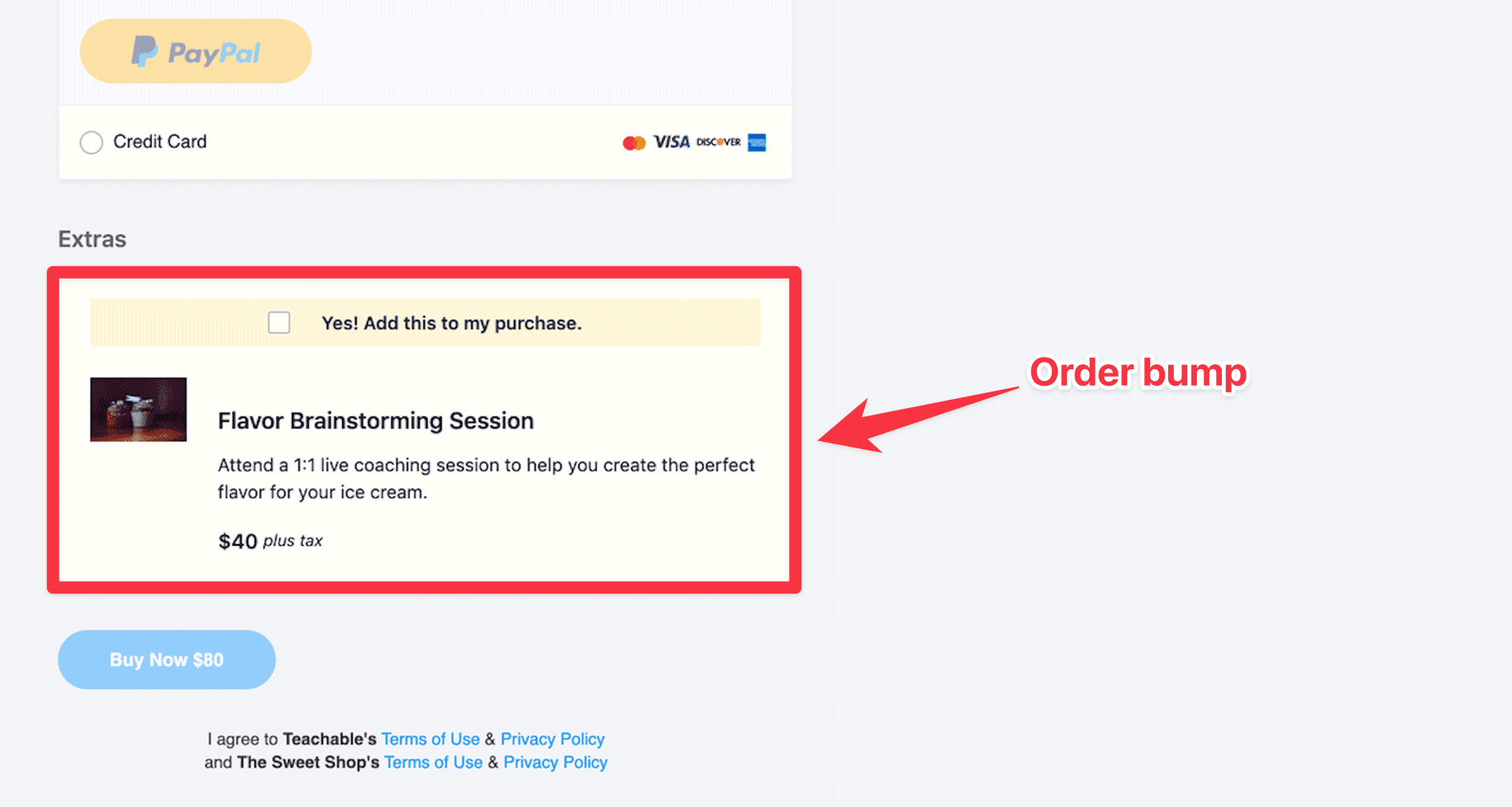
Quick heads up though – you can only add one order bump at checkout.
Email marketing and automations
Kajabi comes with its own email marketing tool built right in!
You can send both one-off broadcasts and email sequences.
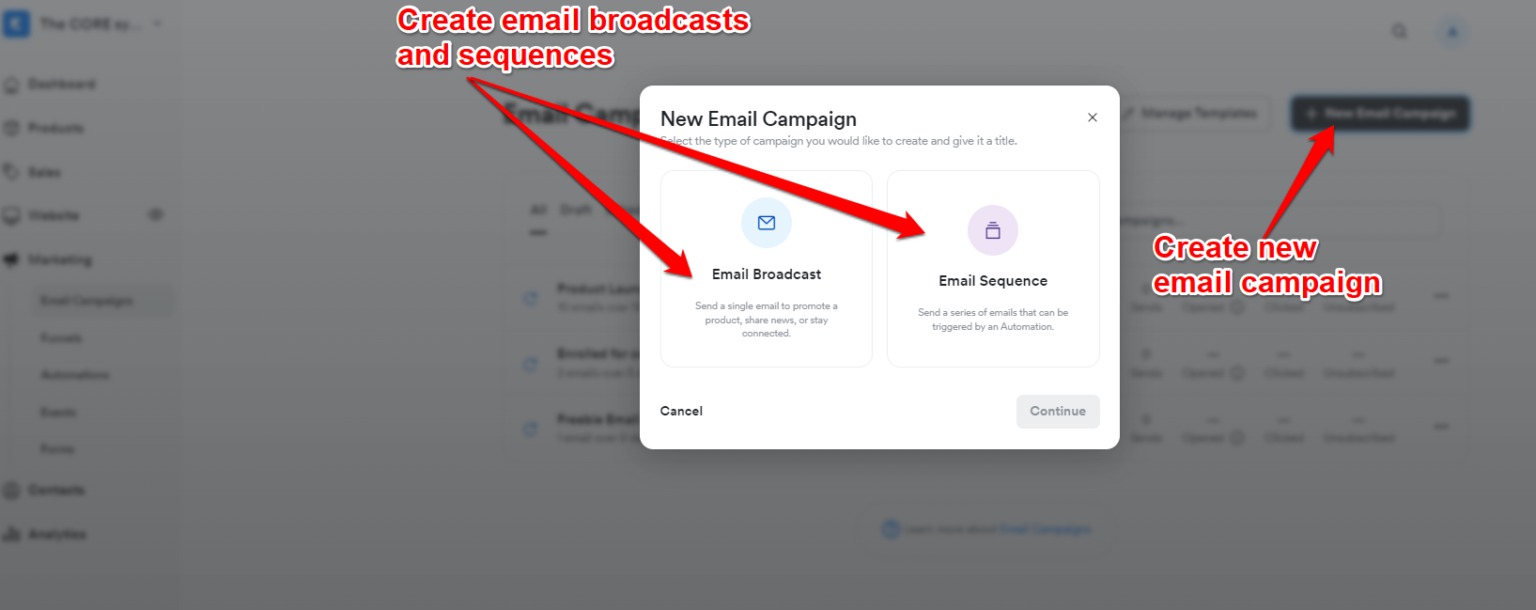
Also it has email templates:
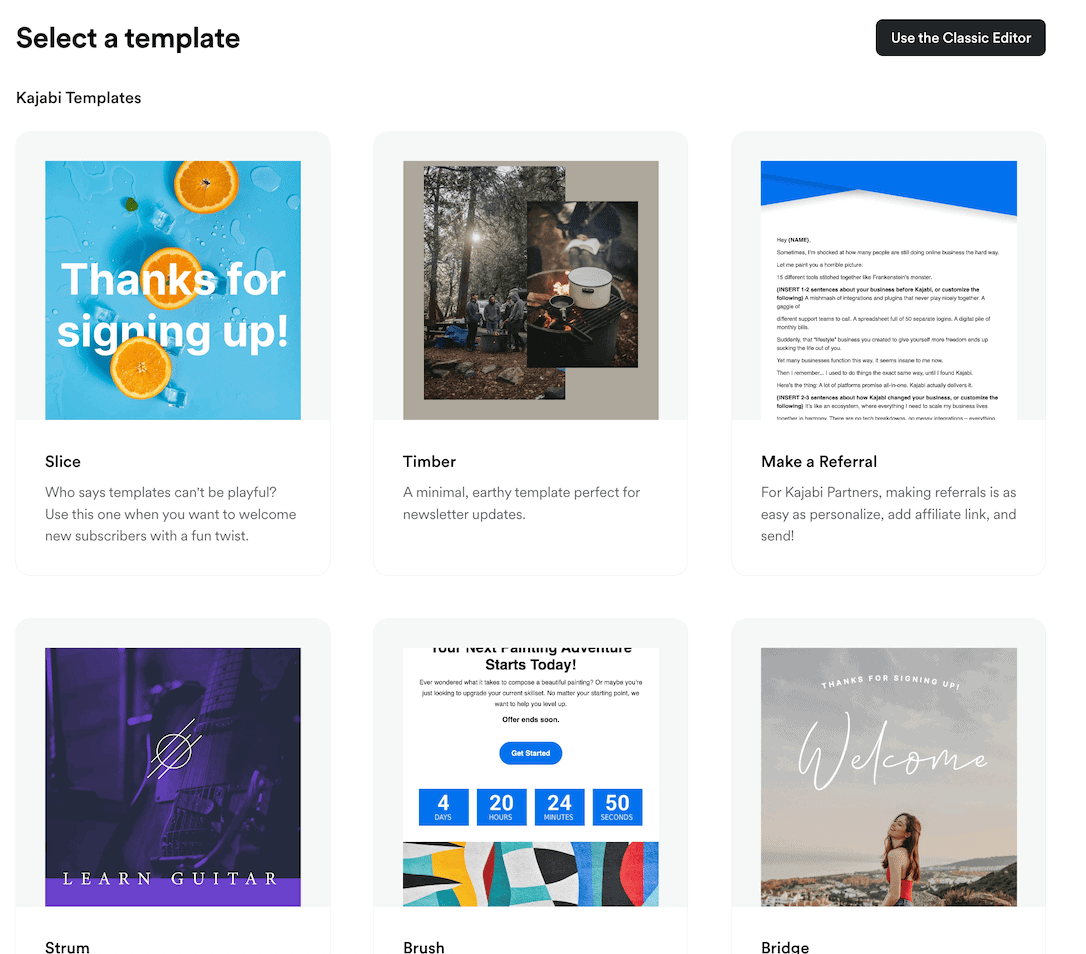
Now.
As I told you, Kajabi also comes with email sequences for those 30 or 90 day courses.
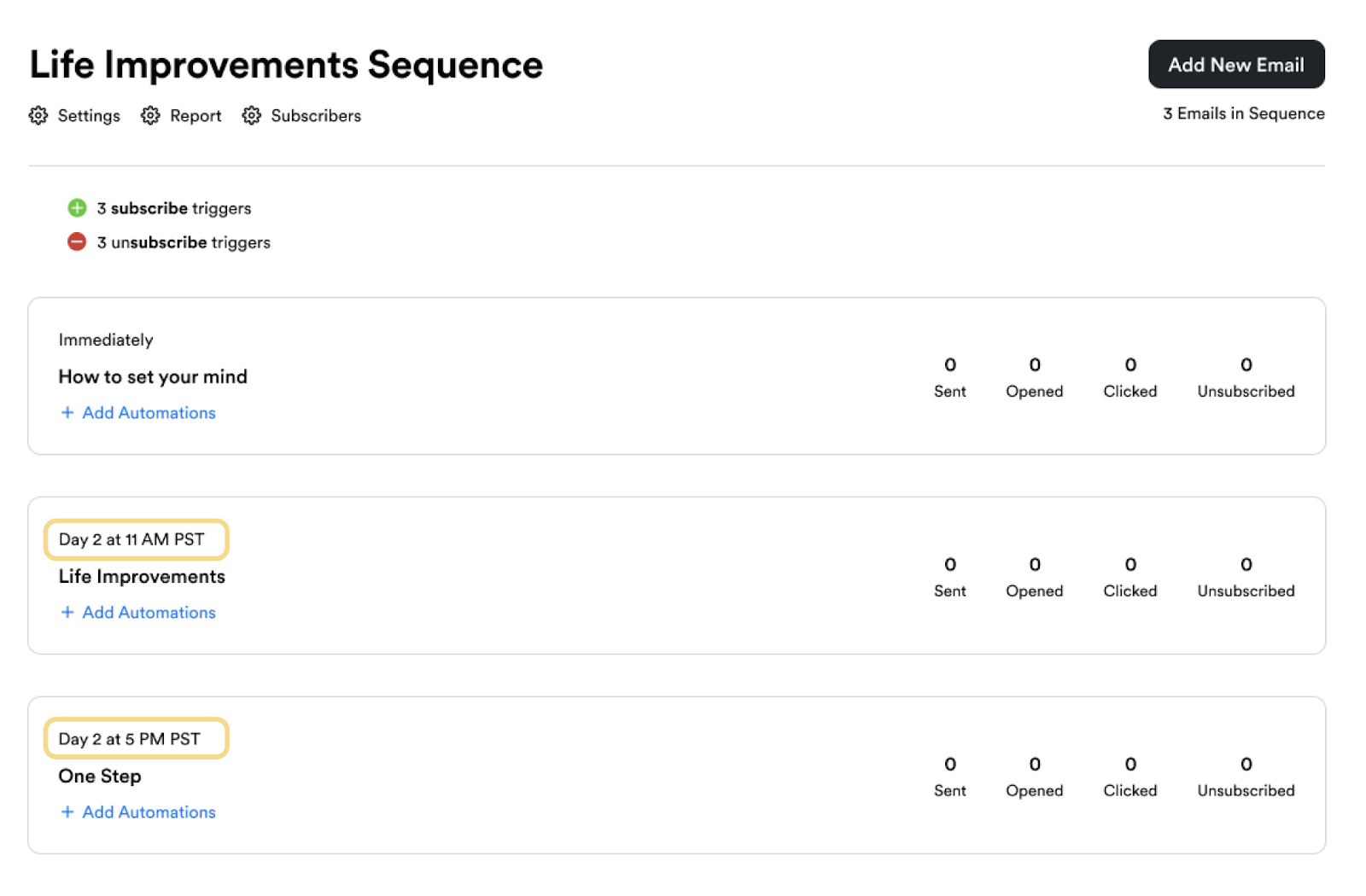
Here’s where Kajabi’s email system really shines, especially when you mix in some automation magic.
Check this out:
- WHEN: Someone opens your email, clicks a link, or finishes a sequence
- THEN: You can do all sorts of cool stuff – give them access to new content, sign them up for events, add tags… you name it! 🚀
And if you’re on Kajabi’s Pro plan?
You get advanced automations with conditional filters – basically, you can get super specific with who gets what and when.
Here’s the thing about Teachable – it’s got ZERO built-in email marketing or automation features.
You’ll need to hook it up to something like Mailchimp or ConvertKit.
🏆 Winner: Kajabi. While Teachable makes you rely on external email tools (and possibly Zapier), Kajabi gives you everything built right in – email marketing, automations, and sequences. It’s like having your whole email marketing toolkit under one roof!
Payment processing
Let’s talk about payments!
Both platforms work with PayPal and Stripe (you know, the usual).
They’ve also got their own payment systems – Teachable Pay and Kajabi Pay – but heads up, these only work in the US right now.
Now, about taxes: Teachable has more built-in tax handling features.
Kajabi, on the other hand, requires you to integrate with third-party tools like Quaderno for comprehensive tax compliance (especially for VAT, GST, and sales tax across multiple jurisdictions).
While both platforms can collect taxes through their payment processors, full tax compliance management may need additional tools.
One thing to note: Teachable has “Backoffice” for handling complex payouts and affiliate stuff (something Kajabi doesn’t have).
When it comes to payouts, Kajabi sends it to you right away.
Teachable?
You need to choose – daily, weekly, or monthly payouts.
🏆 Winner: Teachable as it does the taxes for you.
Affiliate marketing
Teachable keeps their affiliate system straightforward yet effective.
You can easily convert your existing users into affiliates.
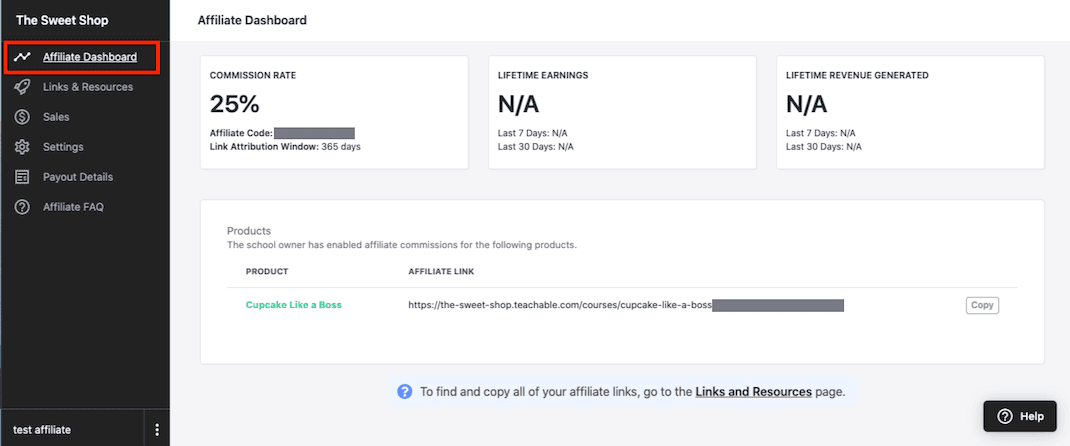
They also let you get specific by assigning affiliates to particular courses and allowing them to combine affiliate codes with coupons.
Kajabi takes affiliate marketing up a notch with more sophisticated features.
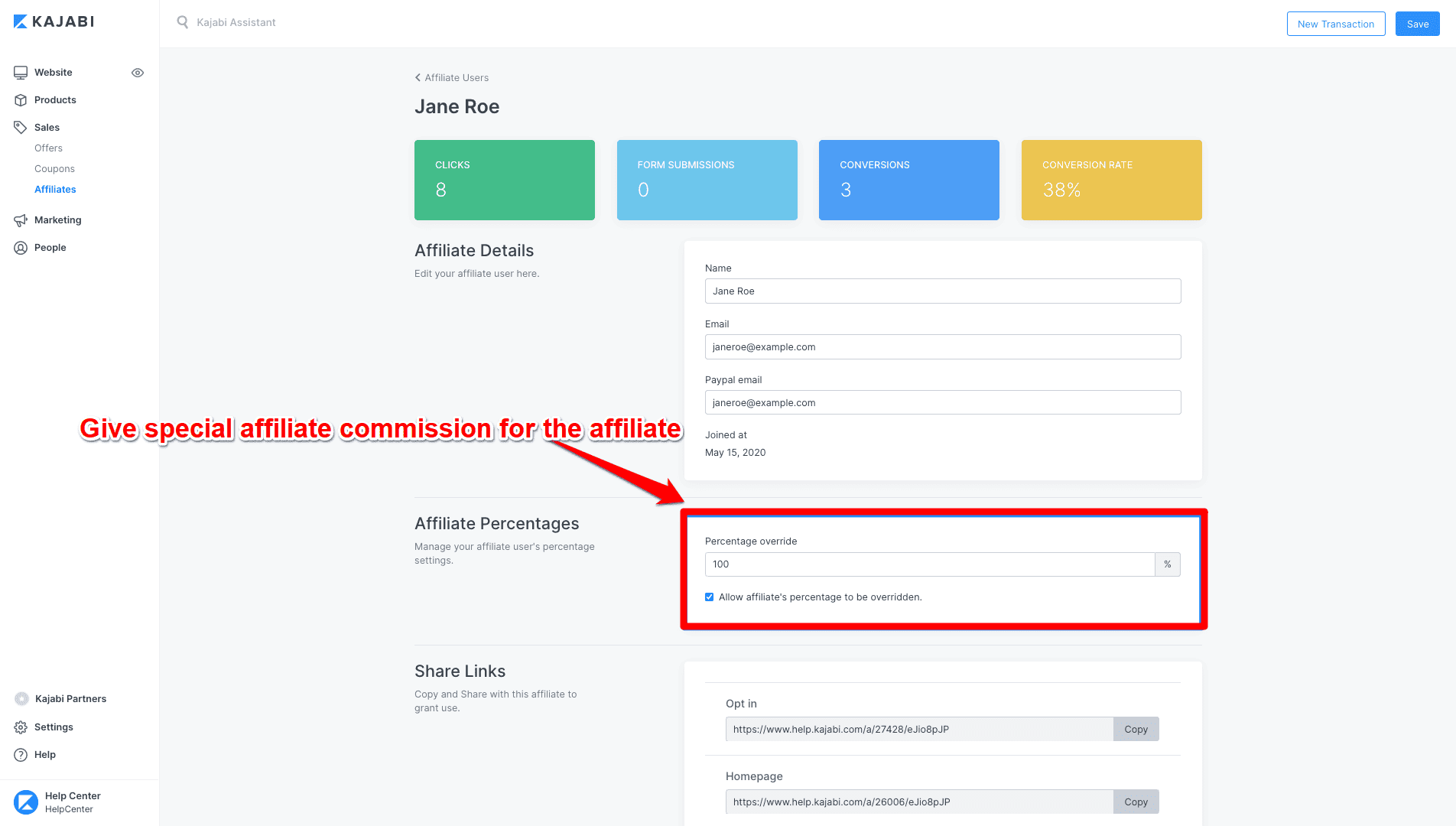
Their system lets you screen potential affiliates through questionnaires and reward top performers with special commission rates.
You get comprehensive insights into affiliate performance, from clicks to conversion rates, with easy one-click data exports.
However, these advanced features are only available on their Growth or Pro plan, starting at $199/month.
🏆 Winner: Kajabi. While Kajabi offers more sophisticated tracking and management tools, they come at a premium price. Teachable’s simpler system is budget-friendly and gets the job done effectively.
Mobile apps
| Features | Teachable | Kajabi |
| Apps | Both Android and iOS | Both Android and iOS |
| Support push notifications? | No | Yes |
| In-app purchases? | Yes | Yes |
| Are apps completely white labeled? | No | No |
Both Teachable and Kajabi have iOS and Android apps.
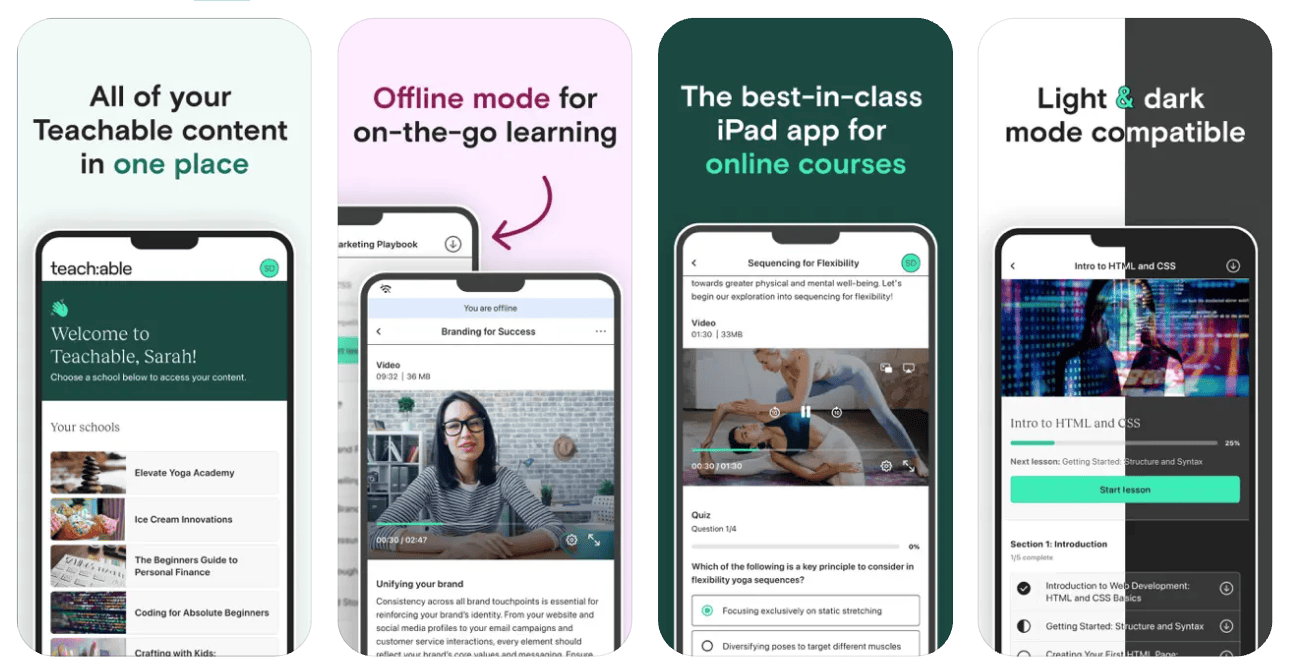
Teachable’s mobile app is pretty straightforward. Students will be only able to access the course content and nothing much.
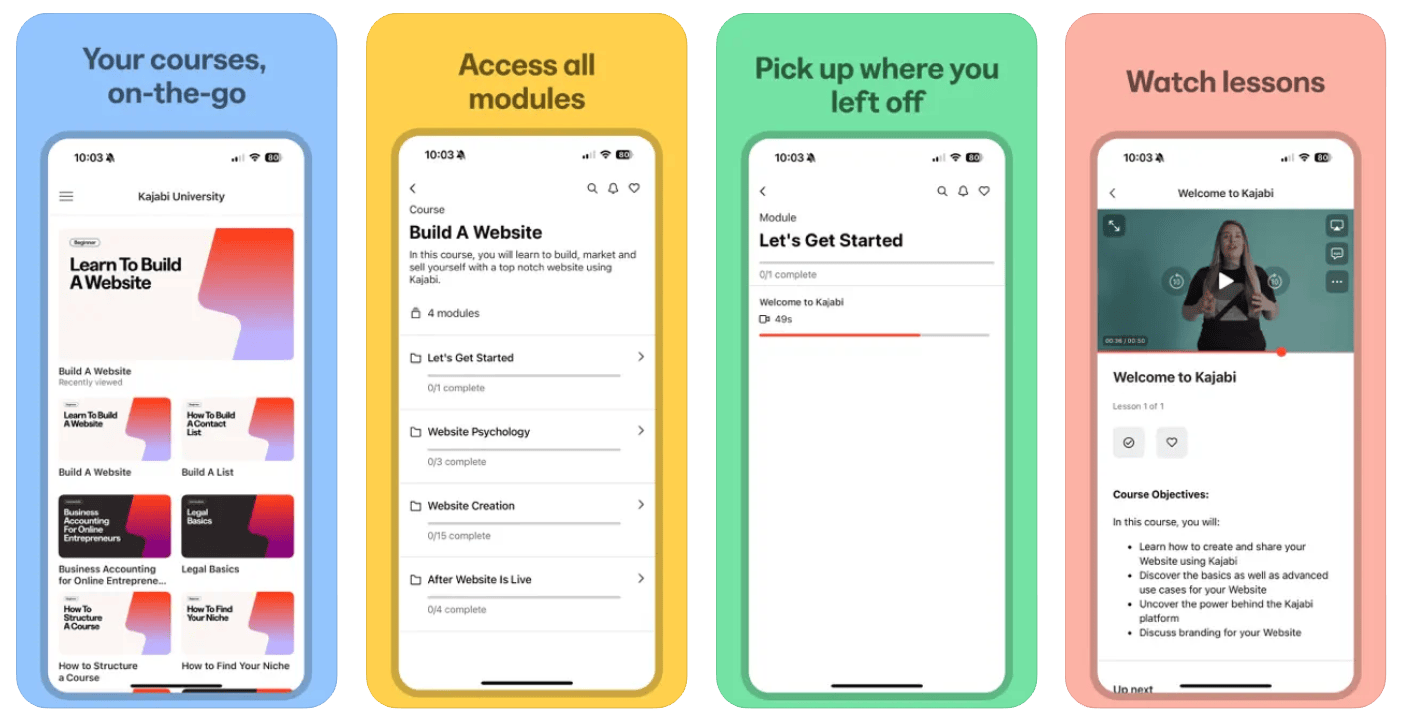
On the other hand, Kajabi’s mobile apps are feature-rich, considering that it is an all-in-one platform.
🏆 Winner: Kajabi (cross-platform and feature-rich)
Integrations
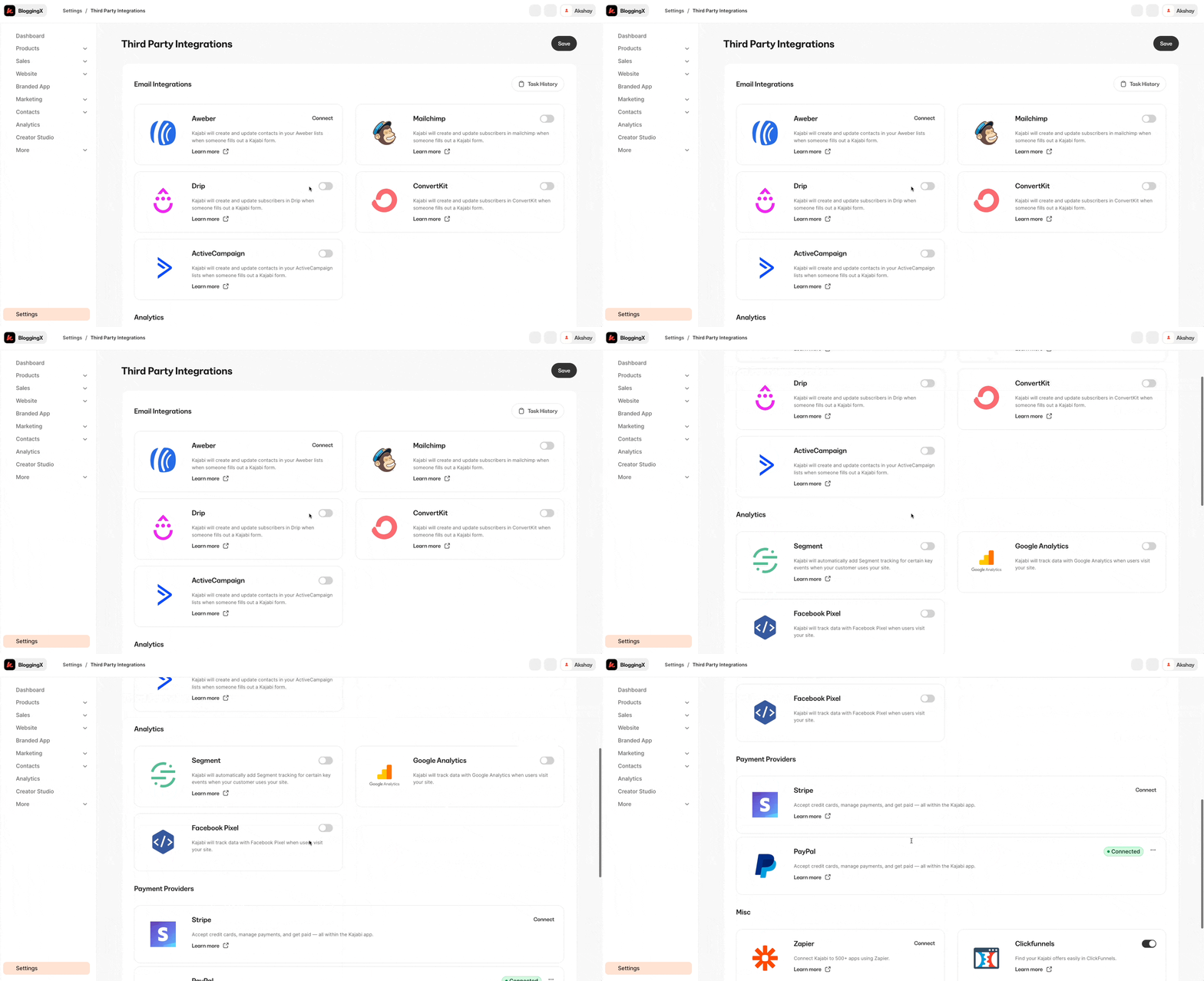
Kajabi comes packed with way more native integrations than Teachable.
Teachable, on the other hand has very few native integrations. For example, if you’re into email marketing, you’re limited to just MailChimp and ConvertKit.
That’s it!
🏆 Winner: Kajabi. As it is an all-in-one platform that also comes with built-in email marketing abilities, you may not be reliant on their integrations much.
Pricing and support
Let’s talk pricing!
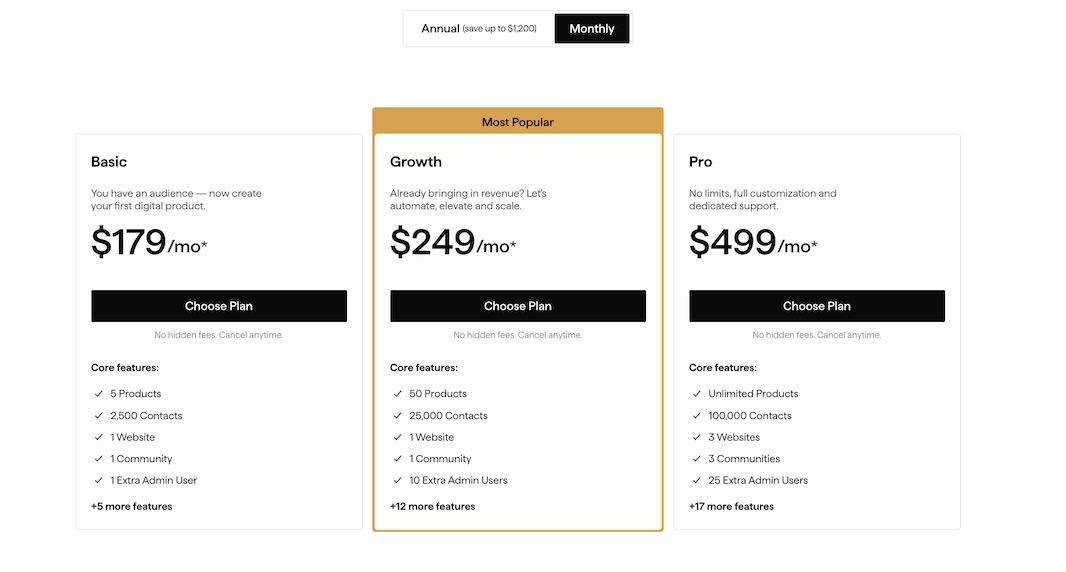
When it comes to pricing, even their Basic plan at $179 per month comes with a limitation of only up to 5 products. So most people end up going with a Growth plan.
Looking for something easier on your wallet? I get it!
Check out some of these alternatives that won’t break the bank but still give you that all-in-one solution.
And Teachable:
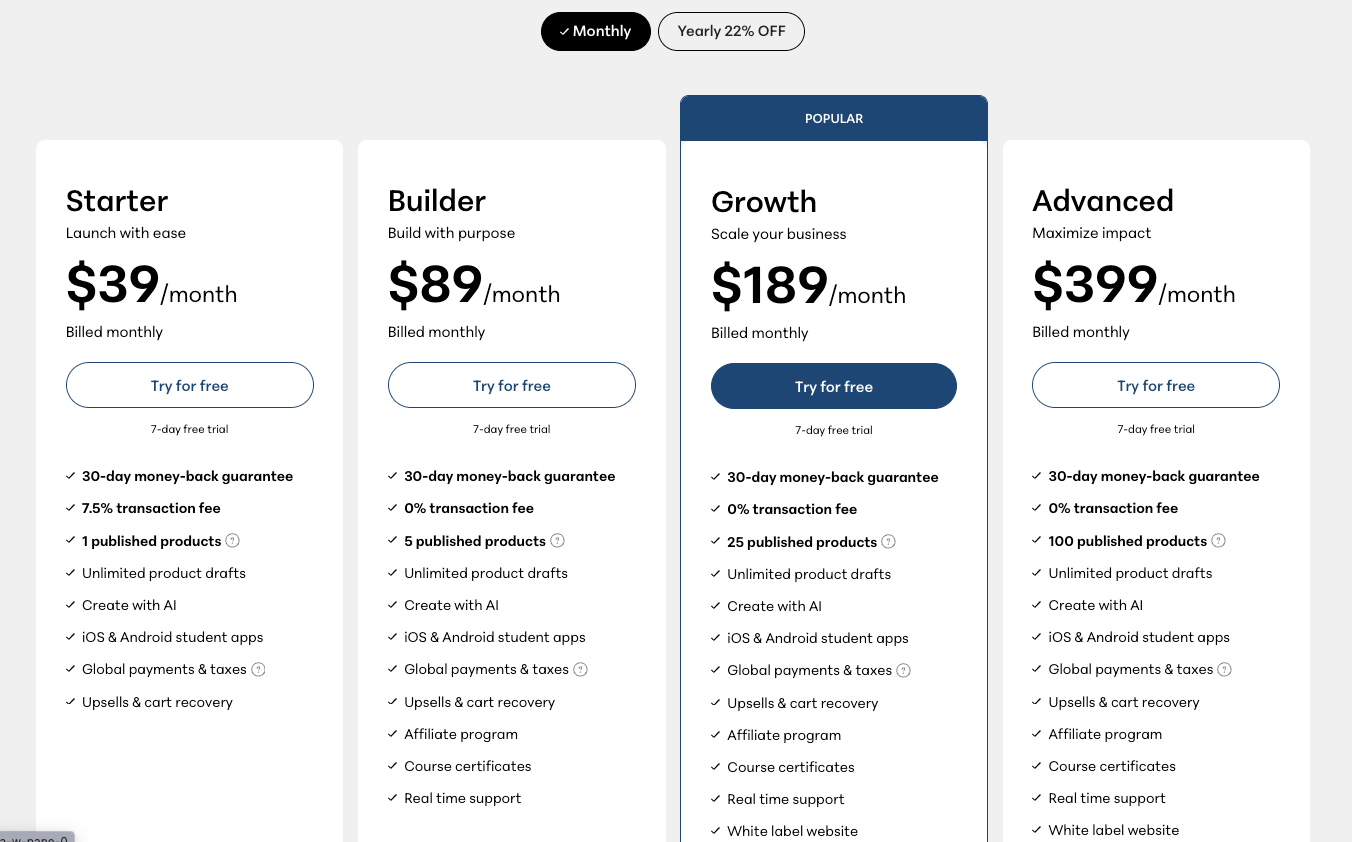
Their Starter plan at $39/month comes with a sneaky 7.5% transaction fee and that too you can create only one published product.
Want to get rid of those fees?
You’ll need to upgrade to their Builder plan at $89/month.
And get this – Teachable used to let you create as many courses as you wanted. But recently, they changed things up leading to backlash.
👉 Kajabi provides 24/7 support, whereas Teachable only offers weekday support from 10am to 5pm EST.
🏆 Winner: Tie. Kajabi is better value for money though.
Teachable vs. Kajabi – Conclusion
I highly recommend Kajabi over Teachable.
Here’s the deal: Kajabi isn’t just matching Teachable feature-for-feature – it’s giving you a complete toolkit that replaces all those separate apps you’re juggling right now.
It also comes with a solid automation engine built right in.
Think Zapier, but it’s all happening inside Kajabi.
No more jumping between apps – you can focus on growing your business instead of playing tech support.
On the other hand, Teachable’s pace of implementing new features has slowed down since its acquisition by Hotmart in 2020, while Kajabi keeps rolling out new features. The initial founders of Teachable have also shifted their focus to Circle.so.
If you want a platform that’s both powerful and easy to use, Kajabi is your best bet.