Teachable has been a popular course platform for a long time.
As a course creator and marketing enthusiast, I’ve been playing with it for the last 3-4 years!
But things changed in 2020.
Ever since Teachable was acquired by Hotmart, the development has slowed down, there have been significant changes in their offering.
So, the question is – “Is Teachable still the best platform for hosting courses?”.
Let’s see in this Teachable review.

Start with Teachable's free trial
Test Teachable's course platform free for 14 days. See if it's the right fit for you.
Verified
What happened after Teachable’s acquisition?
In 2020, Hotmart, a Brazilian online education company, acquired Teachable for approximately $250 million.

The acquisition gave Hotmart access to Teachable’s user base and strong brand name in the US.
After acquisition, the initial founder of Teachable; Ankur Nagpal, remained as the CEO.
Initially, Teachable continued its operations without major disruptions.
However, 2023 was a turning point for Teachable.
Many major shifts happened:
- Pricing overhaul and limitations: Teachable rolled out a new pricing model with sharp cost increases for unlimited courses. Some users’ fees jumped from $40 to $600 monthly (Due to the removal of their unlimited courses feature), forcing many to migrate platforms.
- Customer support’s quality declined: The quality of customer support declined, with users reporting longer wait times and poor support. Tickets were left unresolved for weeks.
- Mass layoff: A significant layoff within the company further affected operations and customer support.
Even people who have been using Teachable for the past 5 to 10 years are now being forced to migrate to other platforms, such as Thinkific and Kajabi.
Some users felt like they were being held for ransom and didn’t want to switch to a different platform because they might lose student comments, analytics, and want to rebuild their entire system.
It’s fair to say this:
Hotmart (the recent owner of Teachable) are milking the popularity of Teachable with high transaction fee (7.5%)and absurd product creation limitations.
The role of Circle in Teachable’s downfall!?
In 2019, Sid Yadav (lead developer in Teachable) – quitted and started Circle.so to fill the need for community platforms – that was sort of emerging at the time.
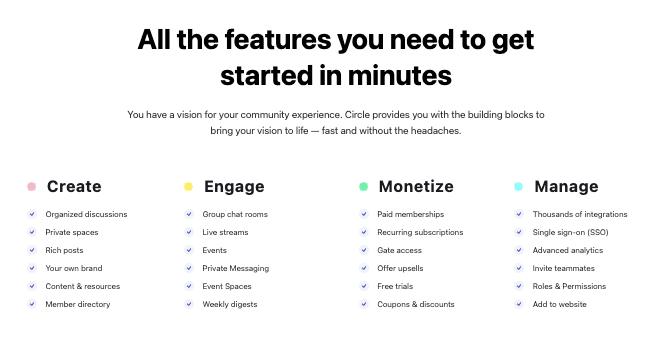
They had the vision to bring together courses, discussions, live streams, chat, events, and memberships under one brand – Circle.so.
Ankur (the founder of Teachable) became one of the early investors in it.
With Ankur’s investment and strategic guidance, Circle.so successfully raised additional funds and began to roll out innovative features, quickly gained traction in the market.
While Circle.so was on the rise, Teachable was sold to Hotmart in 2020.
Even though Ankur continued as CEO at Teachable, who continued to support Circle.so as a stakeholder.
It is clear that Teachable’s original key people have shifted their focus to Circle.so, resulting in a decrease in Teachable’s speed of implementation and iteration of features.
What I like about Teachable?
Despite these issues, you may still choose Teachable, depending on how crucial these unique features are to you:
Intuitive and flexible course creation interface
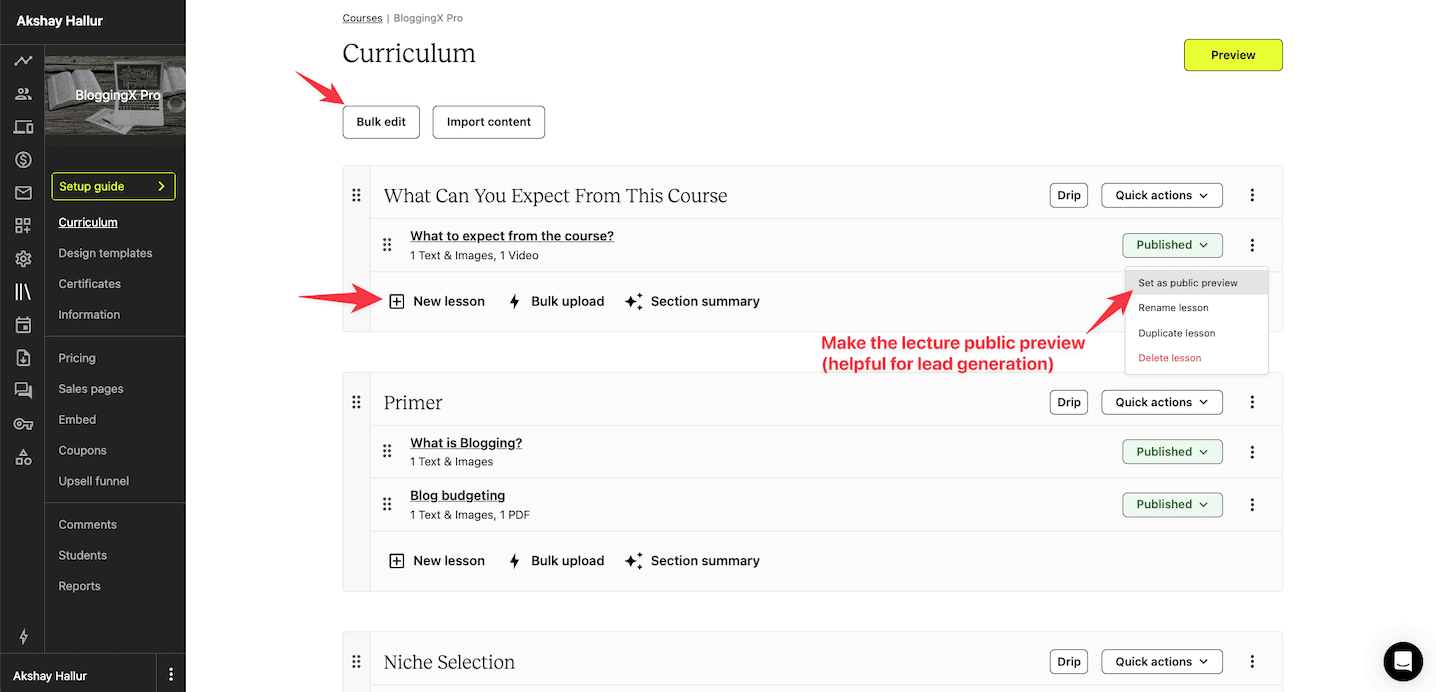
Teachable’s course creation interface is very straightforward. You have modules and lessons under them.
And see this:
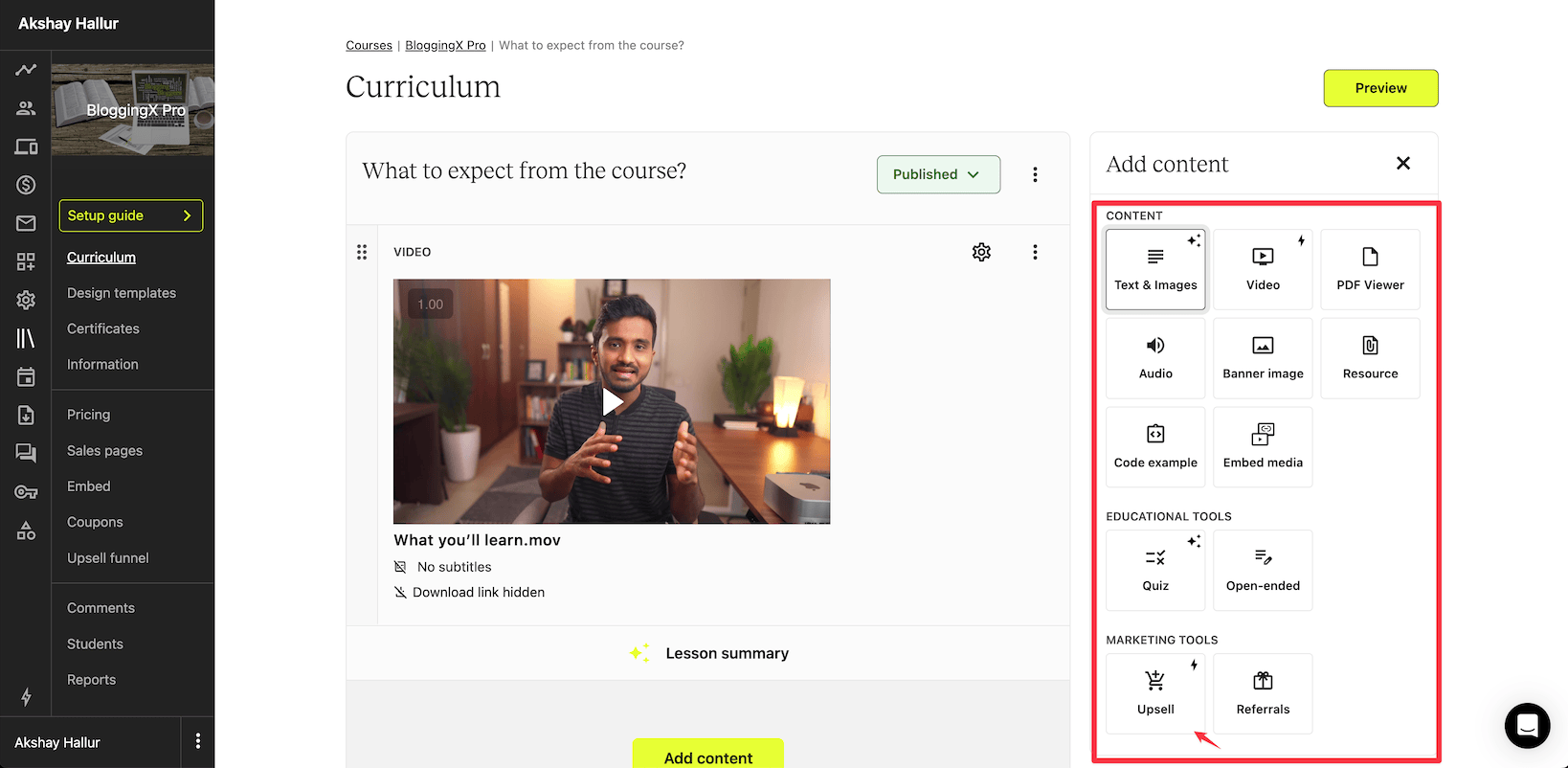
When you create a lesson, you can include multiple formats of content inside a lesson.
For instance, you can upsell to another product directly within the lesson or add custom code.
Good course experience
Teachable includes autoplay, autocomplete, playback controls, miniplayer, in its course player.
It also includes settings for quality, speed, and subtitles.
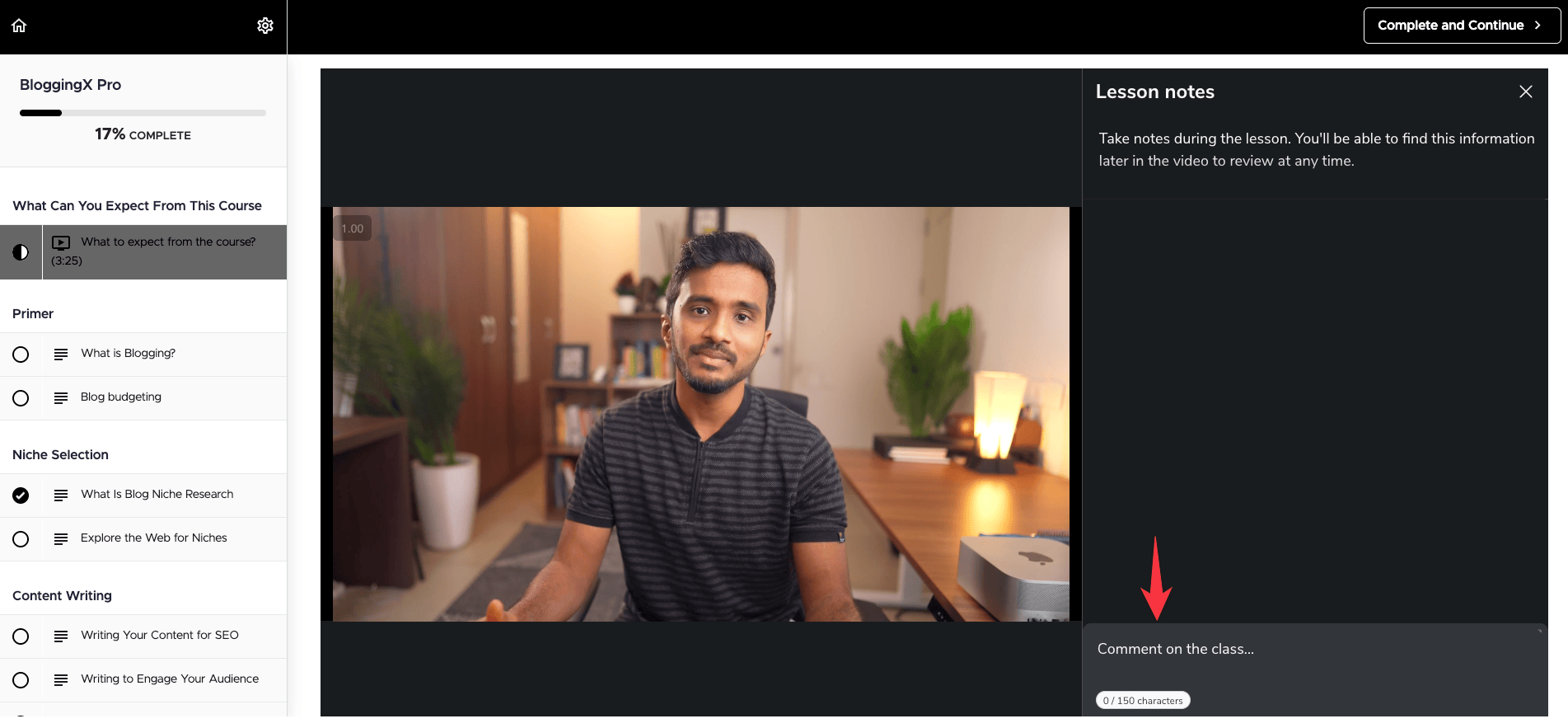
Also it comes with the ability for you to take timestamped “lesson notes,” similar to Udemy.
This feature is one of a kind and is not present in any competitors of Teachable.
Indepth student and video analytics
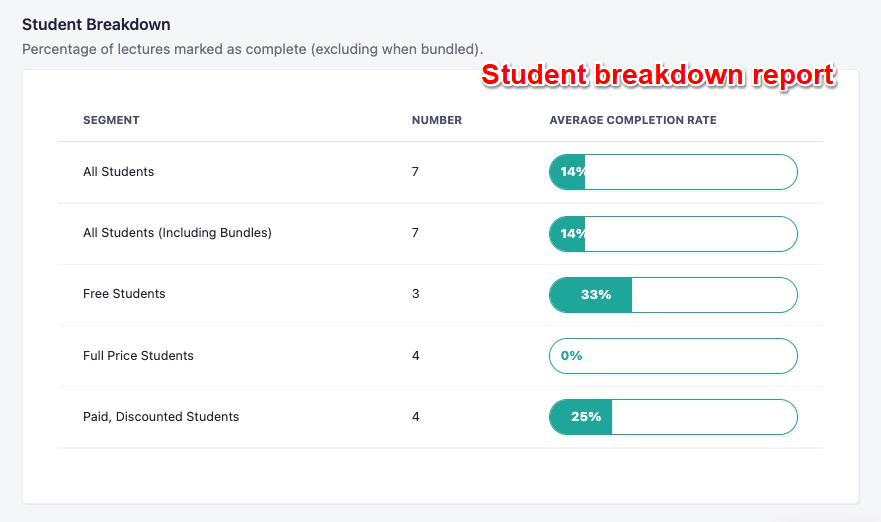
For allowing you to track individual student performance, Teachable also offers robust student-level analytics, progress, quiz performance, video engagement, and more.
Also video level analytics.
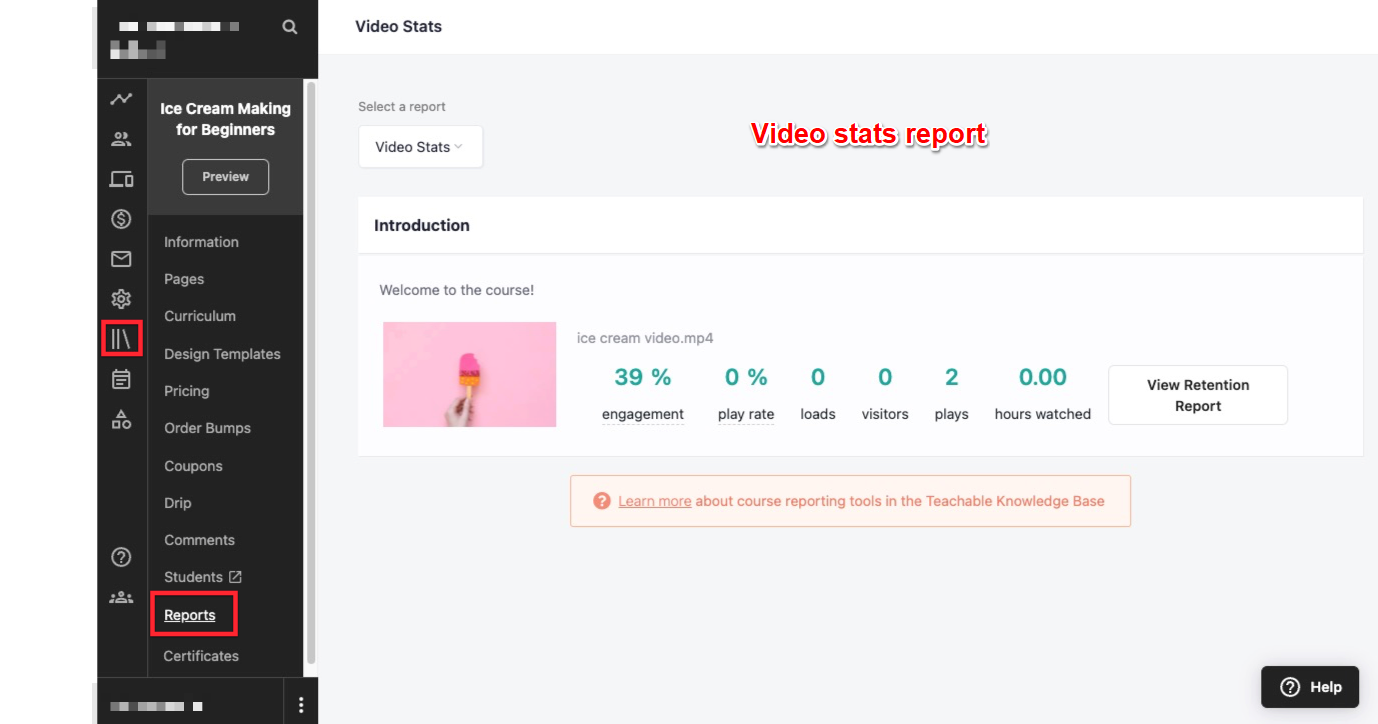
It also provides heat maps, giving insights into how students are interacting with the course content.
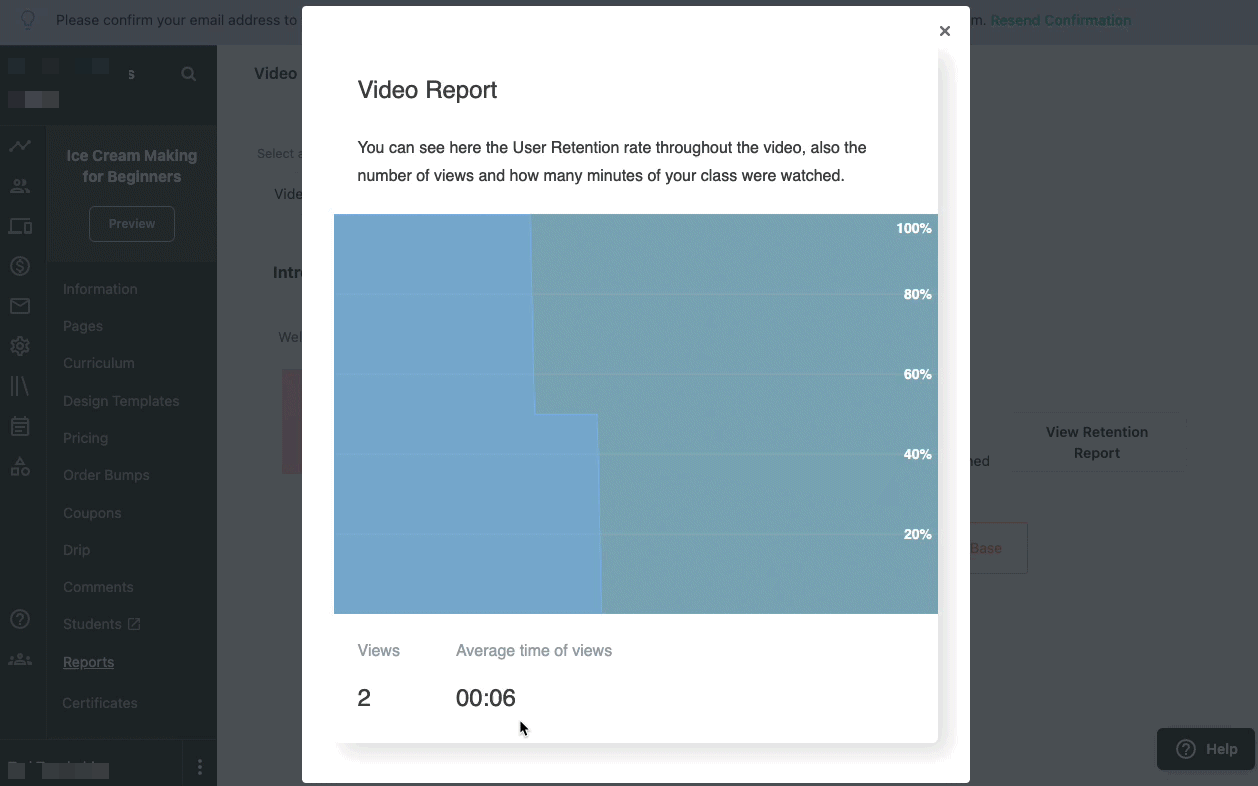
There is also a video retention graph available, showing you how long users watched your video and where they are dropping. It also displays the total number of video views and the average length of time your users watched the video.
Feature-rich payment methods
Teachable comes with a built-in payment gateway (unlike other platforms), that effectively handles EU/VAT and complex affiliate payouts.
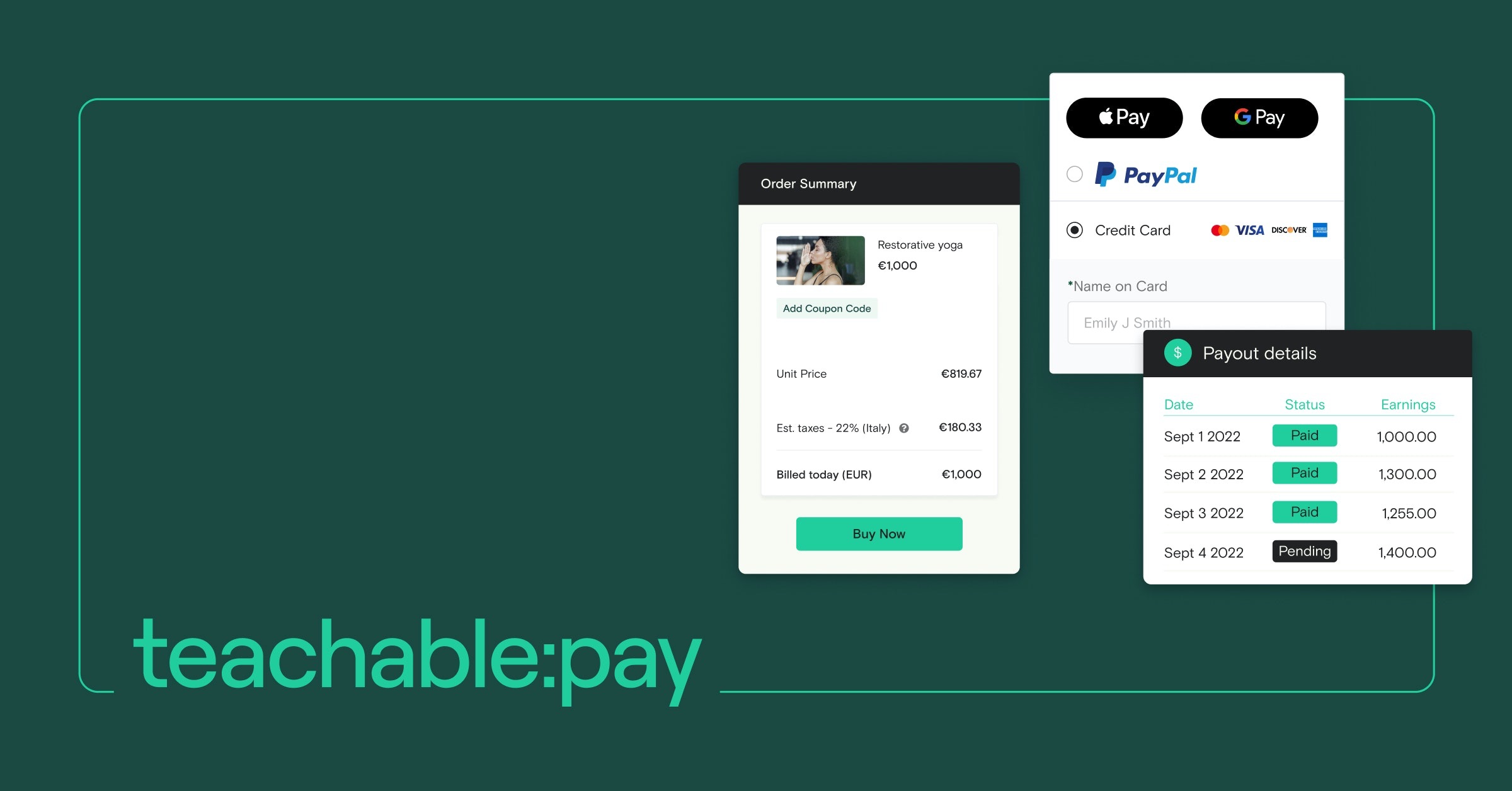
Additionally, Teachable supports purchases using Apple Pay and Google Pay, resulting in friction-free checkouts and increased conversions.
Automatic tax remittance (reducing your back-office work)
One of Teachable’s standout features is its built-in tax handling system through Teachable Pay.
When you use Teachable’s payment gateway, the platform automatically calculates, collects, and remits sales tax and VAT to the appropriate tax authorities on your behalf.
This saves you significant time and hassle dealing with complex tax compliance across different regions and jurisdictions.
For course creators selling internationally, this feature alone can justify the higher costs and transaction fees, as it eliminates the need for manual tax filing or hiring third-party services to handle tax remittance.
Mobile app
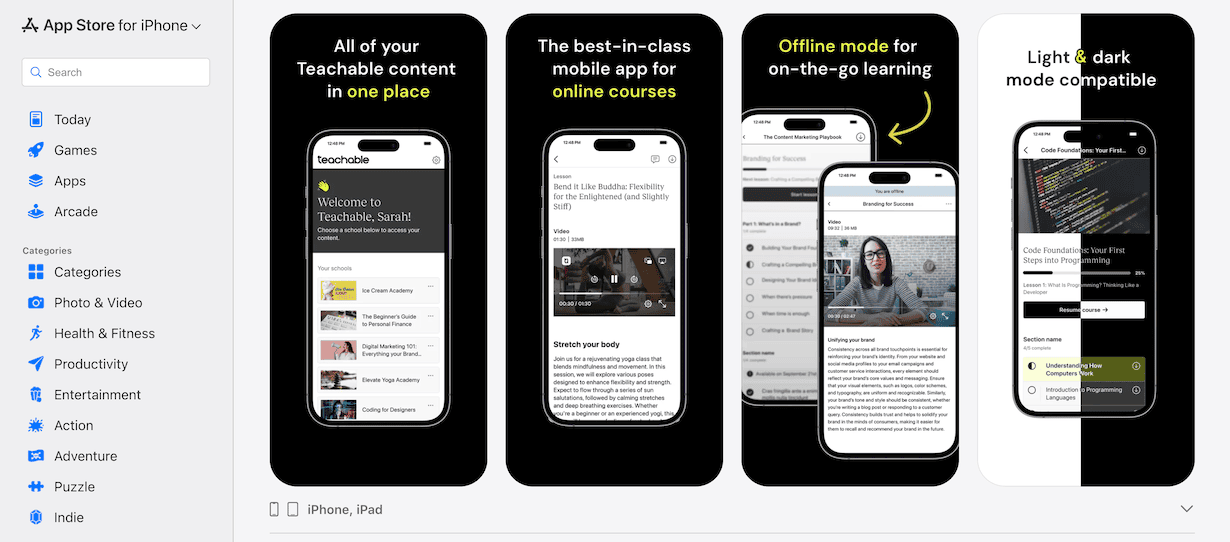
Teachable offers iOS and Android apps for students.
The app lets students pick up where they left off, stream videos, view materials, take quizzes, and check scores.
But it has limits.
Students can’t access coachings, leave comments, or use course compliance features in the app.
There’s no white-label version either, so your courses appear under Teachable’s brand.
What’s bad about Teachable?
Limited marketing tools
Apart from the ability to broadcast emails to your students, Teachable doesn’t come with dedicated email marketing capabilities. You need to still use other email marketing softwares like Kit.
And also it doesn’t support sales funnel abilities.
Although you can build landing pages and sales pages for your course, it can’t be considered as a complete landing page builder.
Communities are limited
Teachable now includes a built-in community feature.
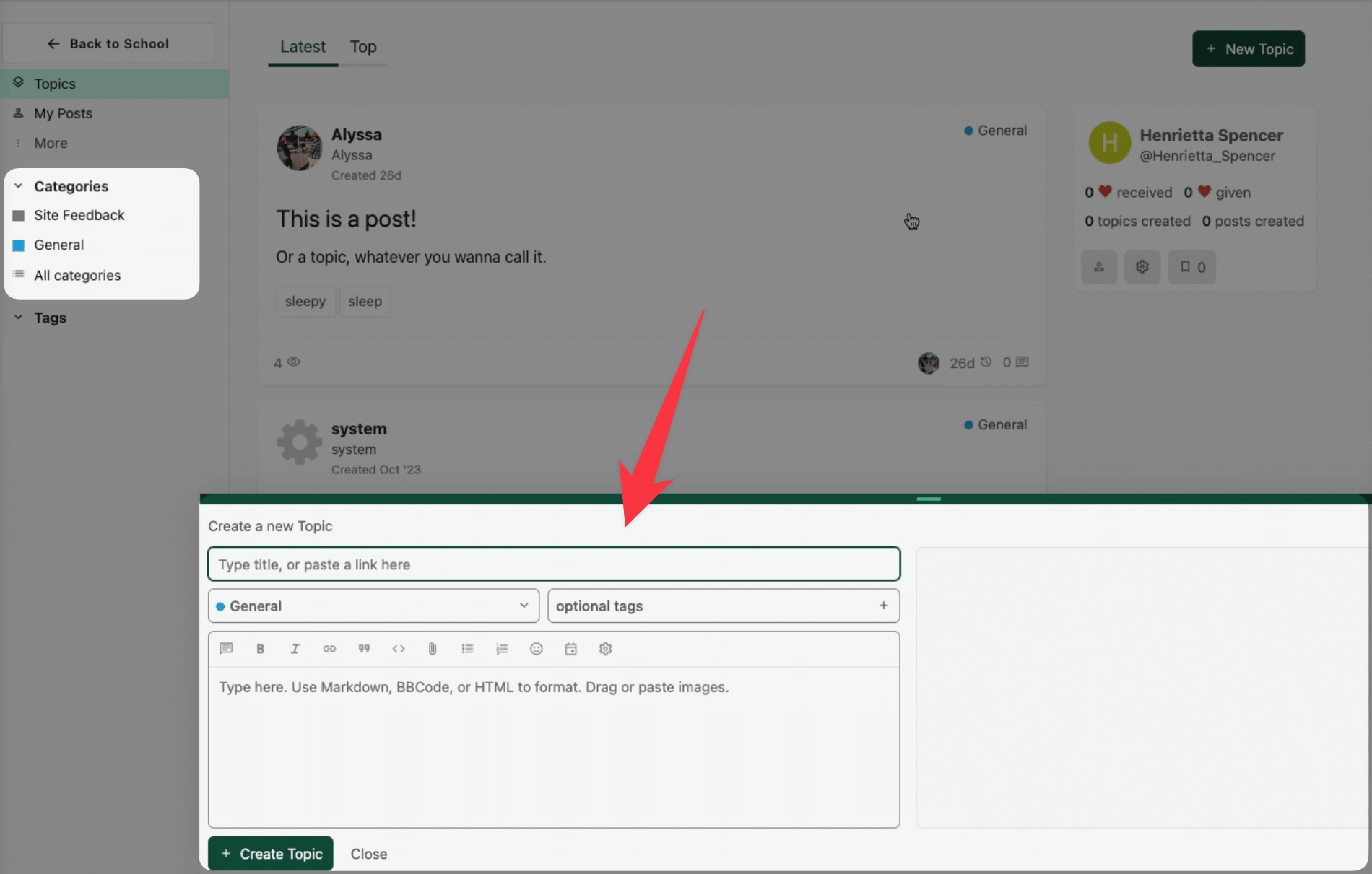
Here’s what you can do:
- Create a community and restrict access to enrolled students only
- Organize discussions using categories and tags
But the feature set is basic compared to dedicated community platforms. For example, there are no advanced gamification or automation features
High transaction fee and product caps
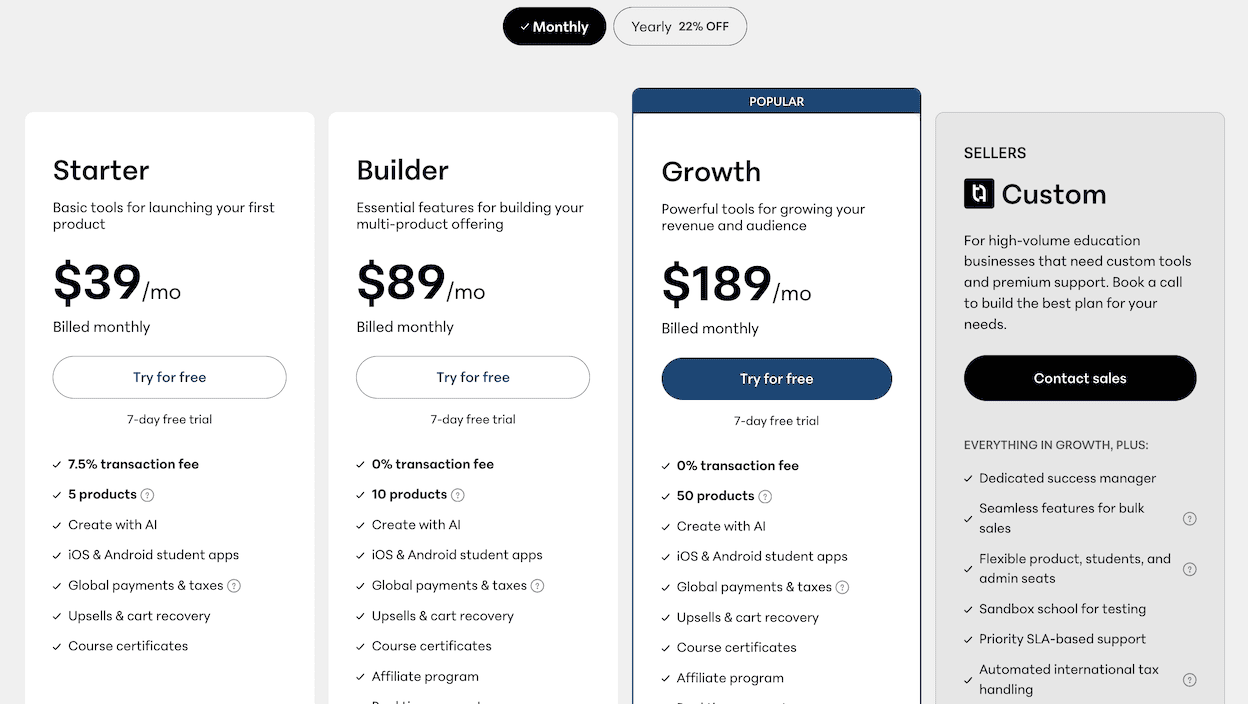
Teachable’s Starter plan even at $39 per month comes with 7.5% transaction fee and the ability to only publish 5 products.
However, the Builder plan at $89/mo offers up to 10 products.
But if you are a course creator with dozens of courses, then you are forced to upgrade to their Growth plan.
As I told you earlier, they had unlimited courses even on their beginner plan, which changed after the acquisition.
🤑 Also check: My Teachable Black Friday deal page to see if there’s any active offer worth grabbing.
👉 If you’re looking for a more straightforward pricing model without artificial limitations, Thinkific offers a compelling alternative. Their Basic plan starts at $99/mo and includes unlimited courses from the get-go without any product caps, and transaction fees.
Teachable review – Bottomline
Teachable has lost ground due to pricing changes, course limits, and weaker support. Forcing users to pay extra to keep courses active was a major misstep that forced people out of the platform!
That said, you might still want it if specific features matter to you.
Things like lesson content formats (like upsells and custom code), course compliance options, automatic tax payment (reducing your back-office work), are hard to find in other platforms.
Whether Teachable works for you depends on what you need for instructional design.
If you want a platform that’s strong on courses, and you’re not after an all-in-one solution with marketing automation or communities, Teachable could be a good fit for you!
Or else, you may look at other course platforms we have featured in our blog post.