Today in this post, I am going to review LearnWorlds vs Teachable and help you decide which is best for your needs.
Teachable is the go-to platform when it comes to online courses.
On the other hand, LearnWorlds is more of an all-in-one platform.
It helps you not only with courses, but also with website building, marketing and sales, and has an all-around learning management features.
But which one is the best?
| Features | LearnWorlds | Teachable |
| Trial | 30-day free trial | 7-day free trial |
| Free plan | Not available | Not available |
| Price | $29/mo | $39/mo |
| Transaction fees | $5 Fee Per Course Sale on the lowest plan | 7.5% transaction fees on its lowest plan |
| Community | Yes | Yes |
| Mobile apps | Yes | Yes |
Quick decision
👍 What I like about Teachable over LearnWorlds
- Specialist course creation features: Teachable has features like the ability to see per student completion reports (for better accountability) and also video retention graphs.
- Marketing-friendly tools: Teachable is more marketing friendly with features like upsells and order bumps. Its one-page click checkout functionality is also more optimized for increasing conversions.
- Teachable Pay: Teachable comes with their own payment gateway system called Teachable Pay that helps you with a lot of back office work, enables instant payouts, and also automatically calculates UWAT.
- Most features available across all plans: Unlike LearnWorlds where many advanced features (interactive videos, SCORM, advanced assessments) are locked behind the expensive $299/mo Learning Center plan, Teachable makes most of its core features available across all pricing tiers. This means you can access essential course creation and marketing tools even on lower-priced plans.
👍 What I like about LearnWorlds over Teachable
- Customizable features: The platform packs a bounty of features like courses, website building, blog, etc. There are more customization options here than Teachable. If you're a techie, you can use code to make myriad course customizations.
- Less course fees: And, of course, Teachable charges 5% off your transactions for its free plan. LearnWorlds charges a $5 flat fee per course sale at that level.
- Website and branding: LearnWorlds offers a custom website/blog. You can brand it and even secure it with the SSL certificate they’ll gift you. Neat! Contrary, Teachable provides an unbranded site that you may find limited.
- Unlimited courses: LearnWorlds come with an ability for you to host unlimited courses. Whereas Teachable used to have this, it removed it relating to a backlash from many users, they were almost held for ransom.
- Interactive videos: You can make your videos interactive by adding in various elements, overlays, quizzes, transcripts and even call-to-action buttons. But this feature is only available on their highest plan at $299 per month.
- Copyright protection: Unlike Teachable, LearnWorlds copyright-protects tutors' course concepts and materials from copycats.
Upfront verdict
Here's my take after testing both platforms:
- Choose LearnWorlds if you want more control over customization, need interactive video features, or plan to build a branded website alongside your courses. It's solid for $29/mo, but many of its best features (interactive videos, SCORM support) are locked behind the $299/mo plan.
- Choose Teachable if you prioritize ease of use and marketing tools. The one-click checkout, upsell features, and Teachable Pay make selling courses smoother. But be aware—recent ownership changes have led to pricing shifts and removed features (like unlimited courses), which frustrated many users.
Interface
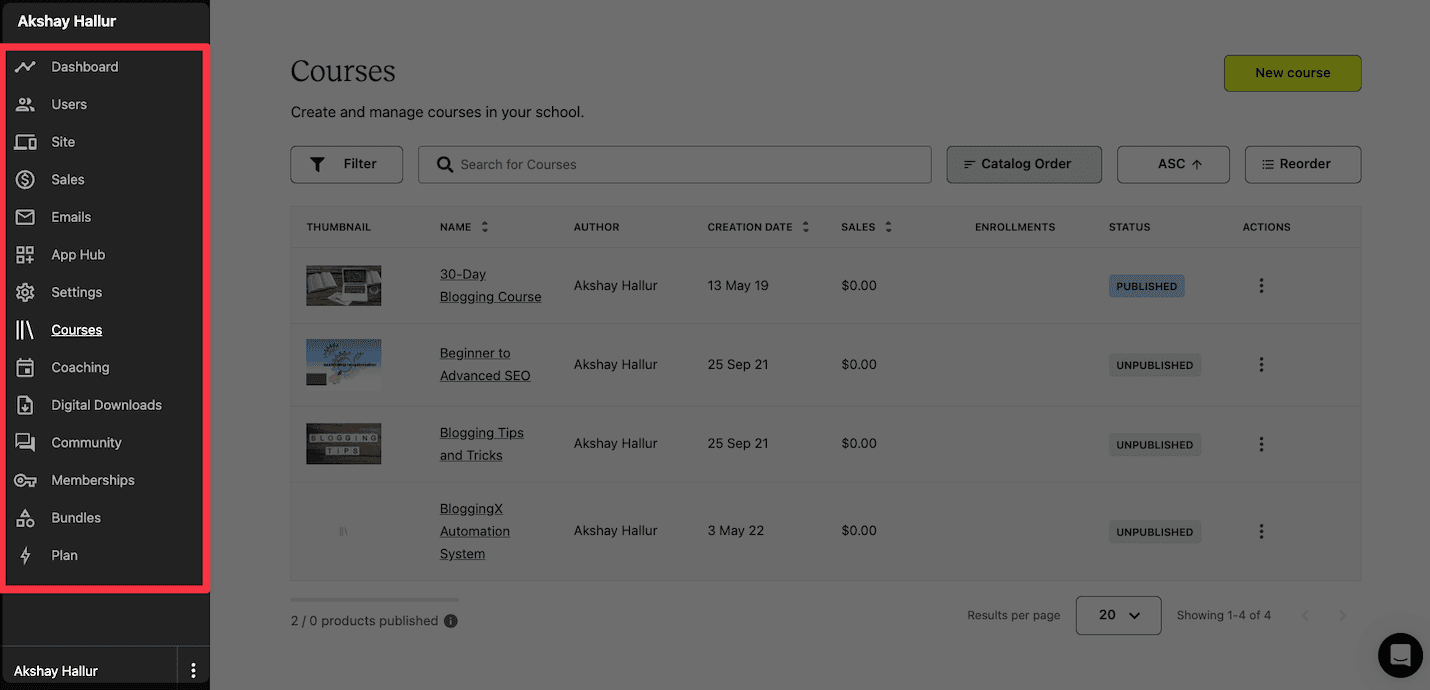
Teachable's user interface and experience is quite better, everything feels modern and you easily get hang around the platform.
On the other hand, LearnWorlds user interface needs a bit learning curve as it has a lot of features.
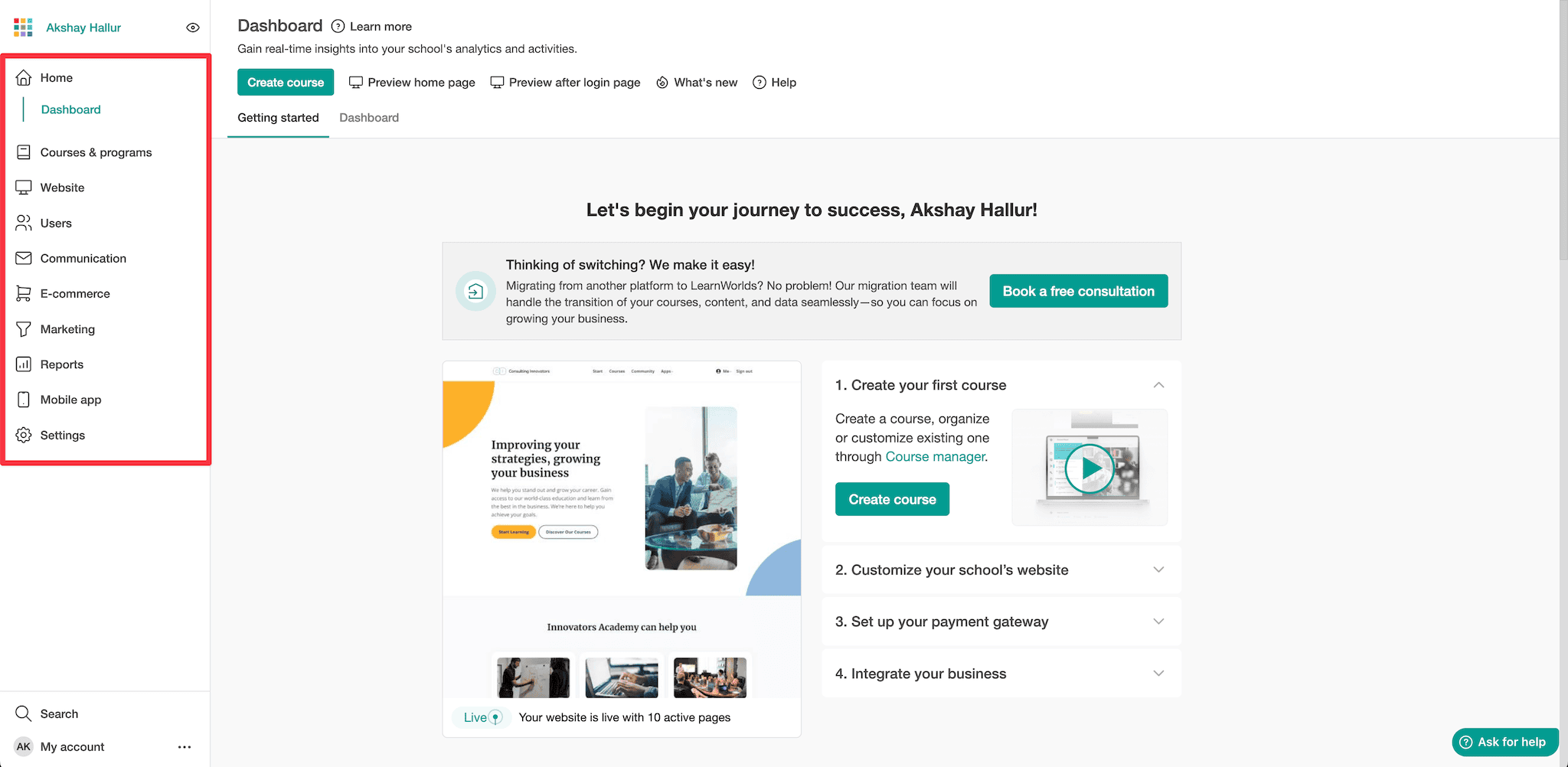
🏆 Winner: Both platforms have good user interfaces. Although LearnWorlds feels overwhelming when starting.
Course creation
Now, for creating a course in Teachable, click on the + button next to Products in the sidebar menu. Choose Courses, hit Next, and follow the prompts.
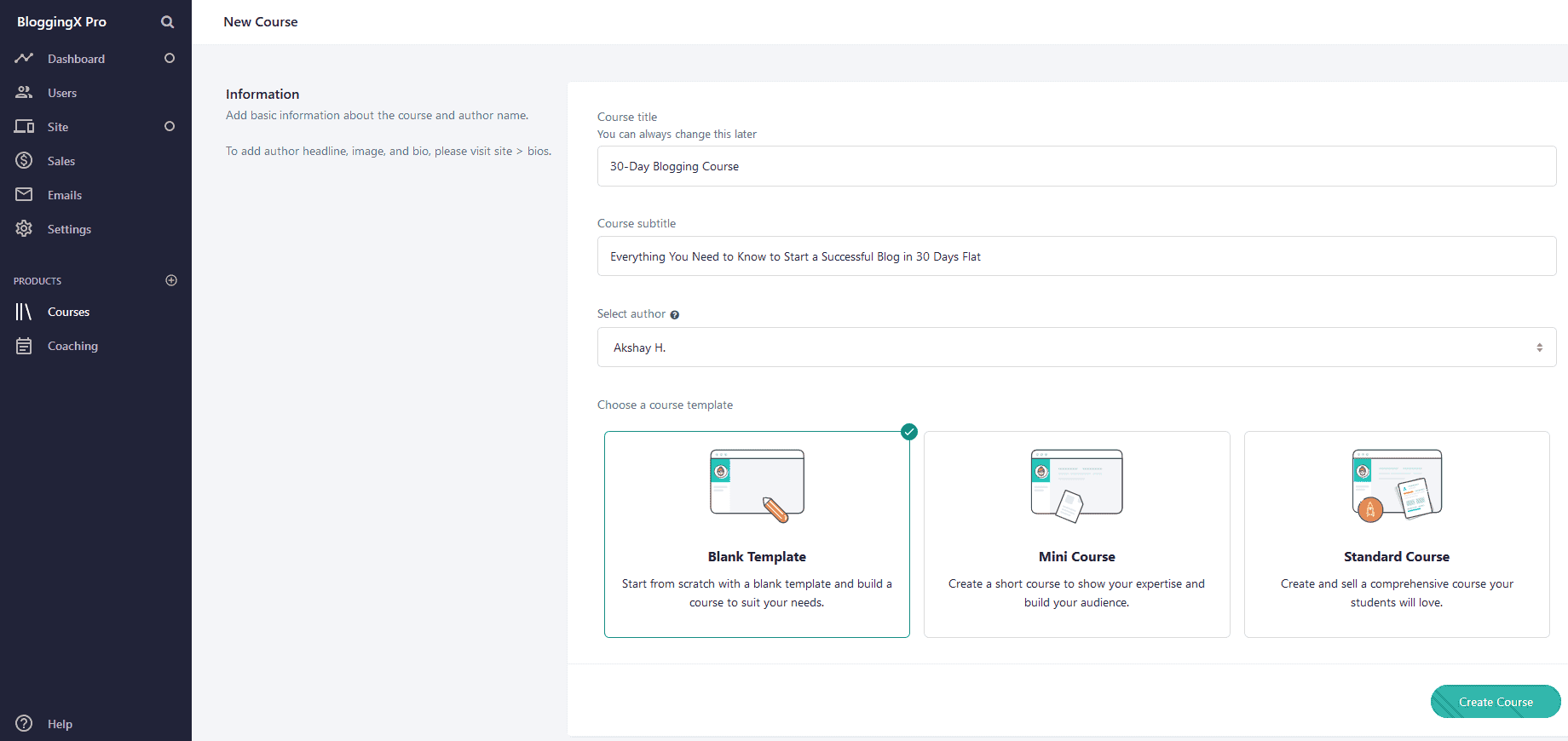
You can upload video lessons right on your course creator.
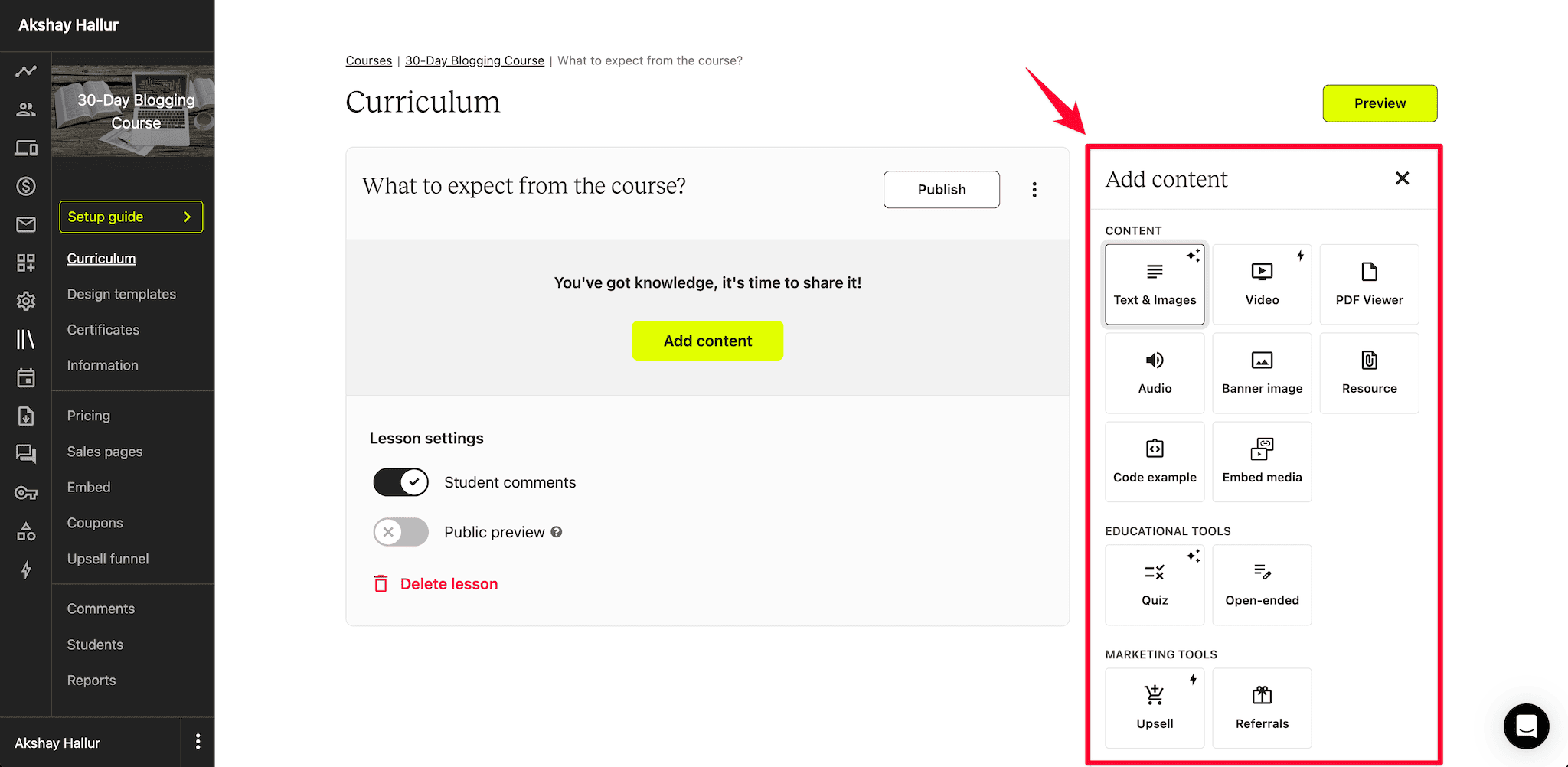
And, you can add text, quizzes, images, and custom code to the Course Curriculum.
LearnWorlds also lets you add videos, text, quizzes, surveys, SCORM/HTML5 files, ebooks, audio, and PDF files to your course.
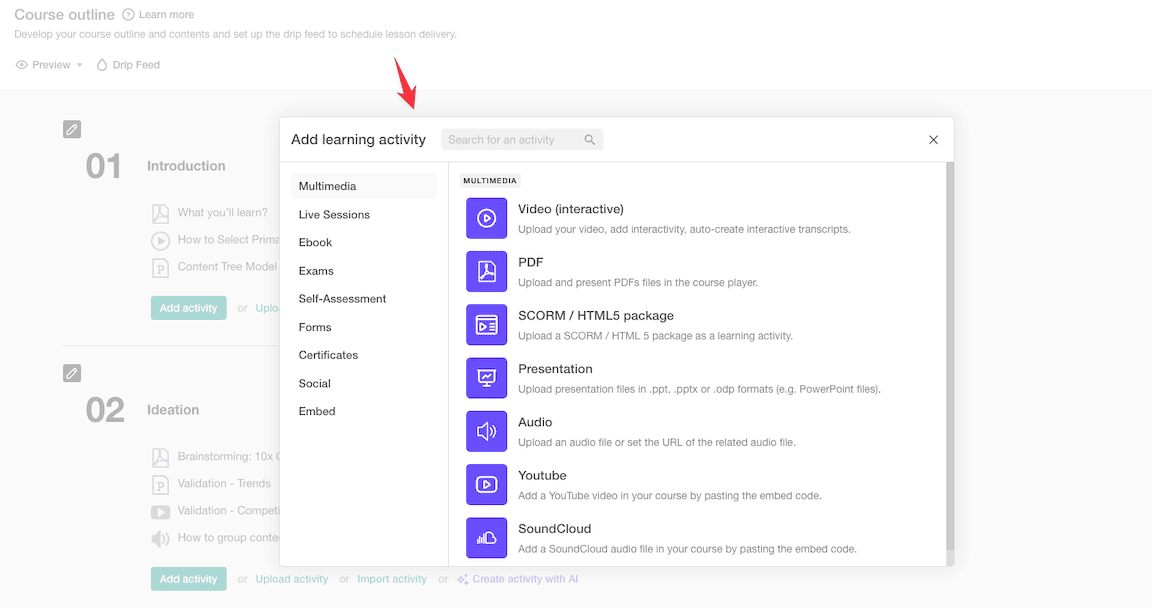
Now here comes the good part.
You can add all those types of content to your lessons in the form of interactive video elements.
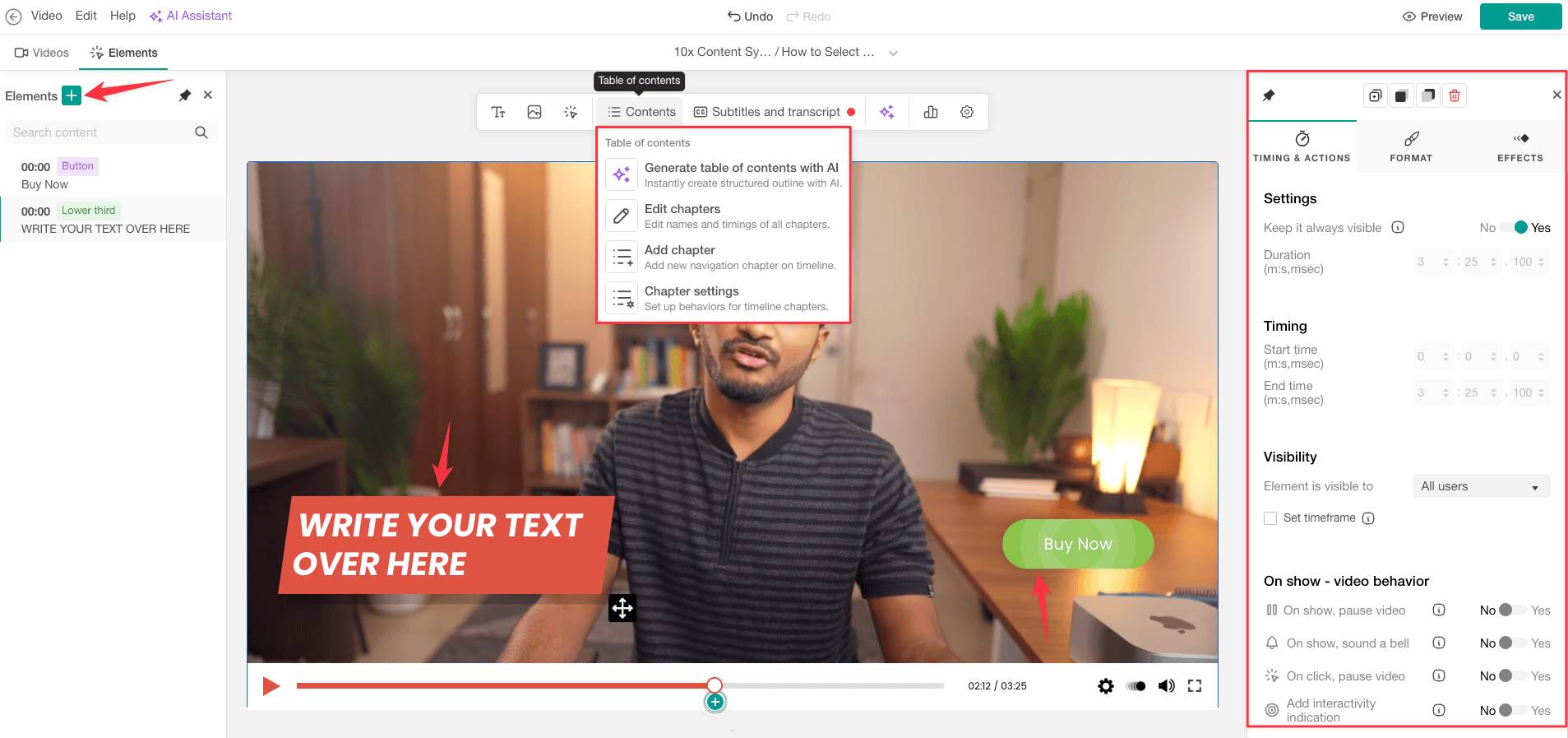
Better yet, you can use interactive videos to boost student engagement.
Such elements include buttons, questions, forms, topics etc.
There are 3 benefits I noticed inside Teachable over LearnWorlds here.
The ability to:
- Upload course content in bulk
- Create course modules, including adding new sections in existing and future lectures.
- Preview the course as you create it.
Also
Both platforms support drip-feeding, allowing you to schedule lesson releases by specific dates or enrollment time.
This feature helps students learn at their own pace without feeling overwhelmed. You can send email notifications when new lessons unlock, ensuring students stay engaged throughout the course.
🏆 Winner: It’s a tie. But generally, if you don’t want interactive videos feature, Teachable wins!
Community features
LearnWorlds has a more established community feature.
It offers a built-in Facebook-like community but it's quite dated.
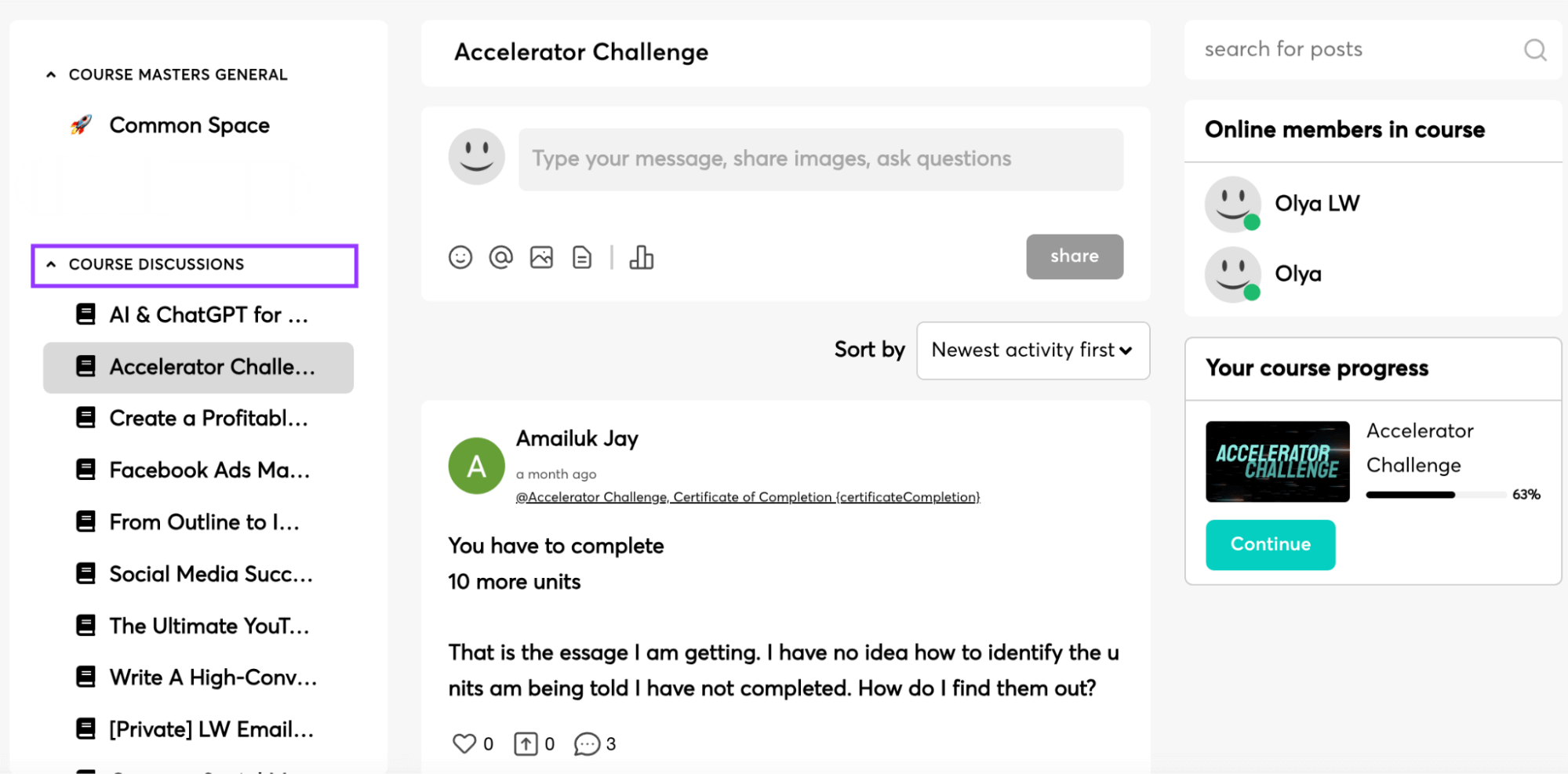
It feels like almost using Facebook in 2010. It features community discussion forums and also a bit of social networking features like, like comment.
It's quite dated.
On the other hand, Teachable has recently introduced a community feature where you can organize the discussions by creating multiple topics or tags.
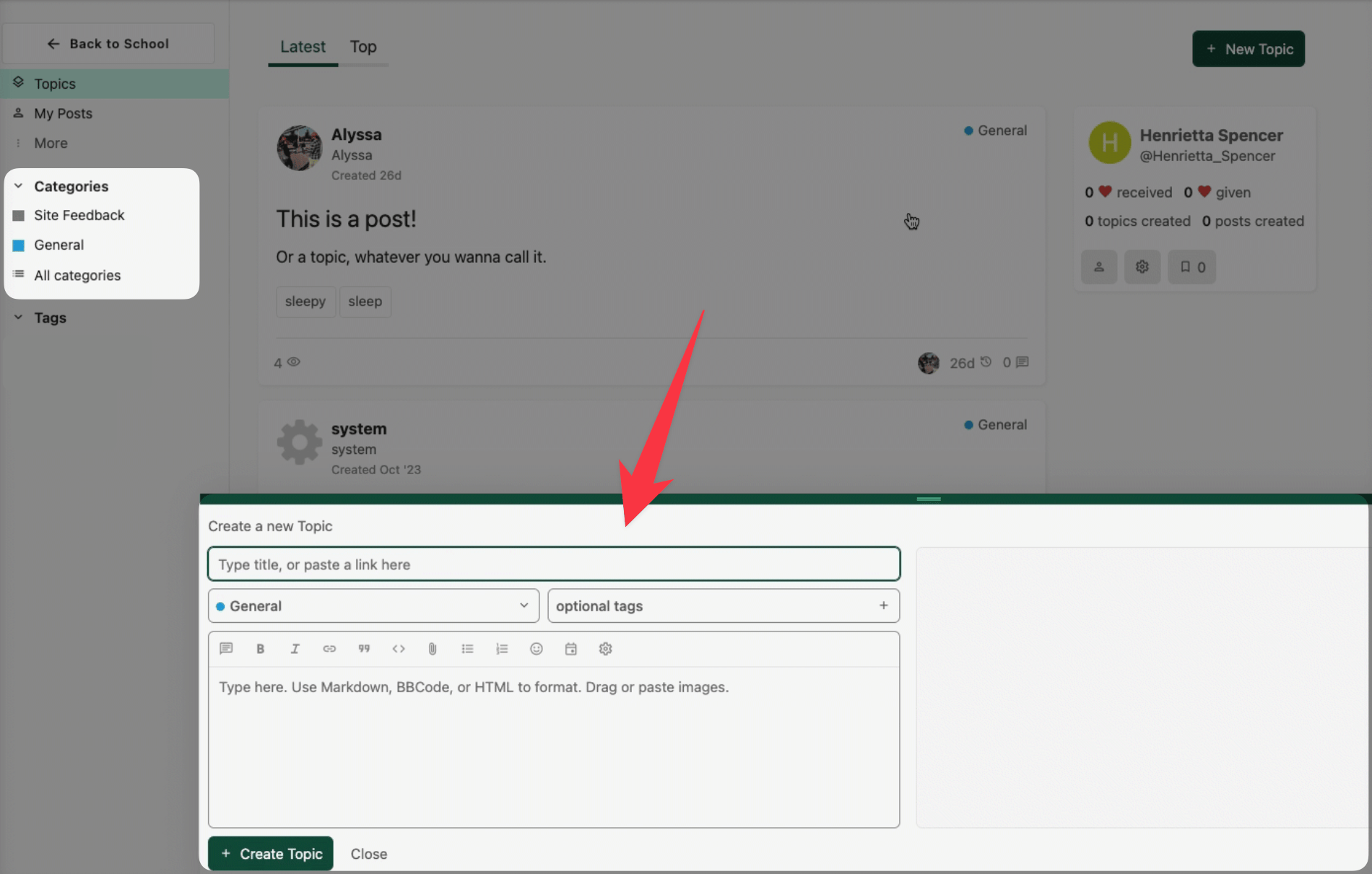
You can create communities and grant access to it for students enrolled in specific courses.
But both of this platform doesn't come with the flat. Come with flexibility and the depth of features found in other dedicated community building platforms like Skool or Circle.
🏆 Winner: Teachable
Design and customization

When it comes to design customization, both LearnWorlds and Teachable offer robust tools, but they differ in approach and flexibility.
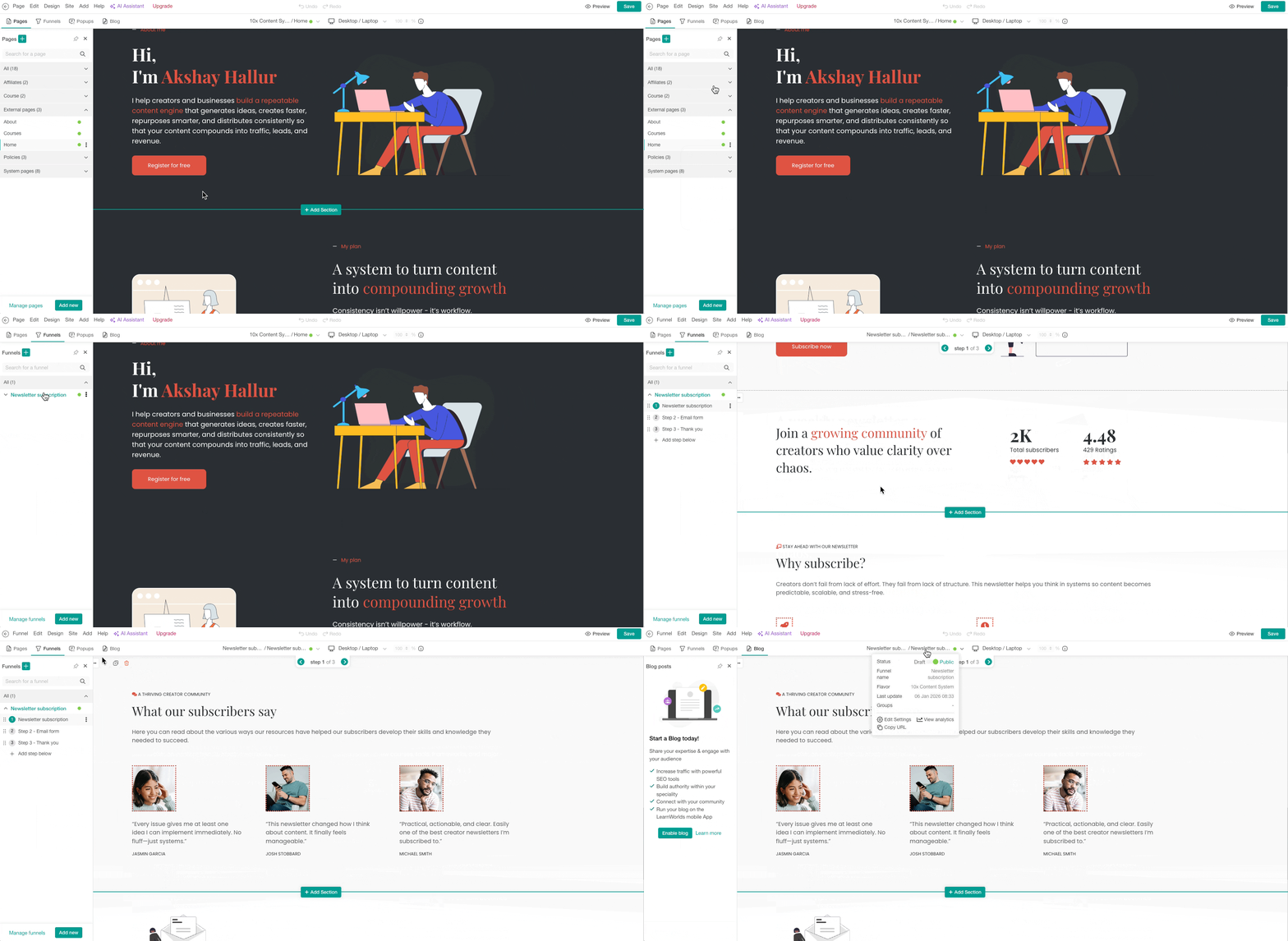
LearnWorlds provides a comprehensive Site Builder that allows customization from home and catalog pages to email headers and footers.
You can choose a subdomain or custom domain, and enjoy features like a free SSL certificate and unlimited web hosting.
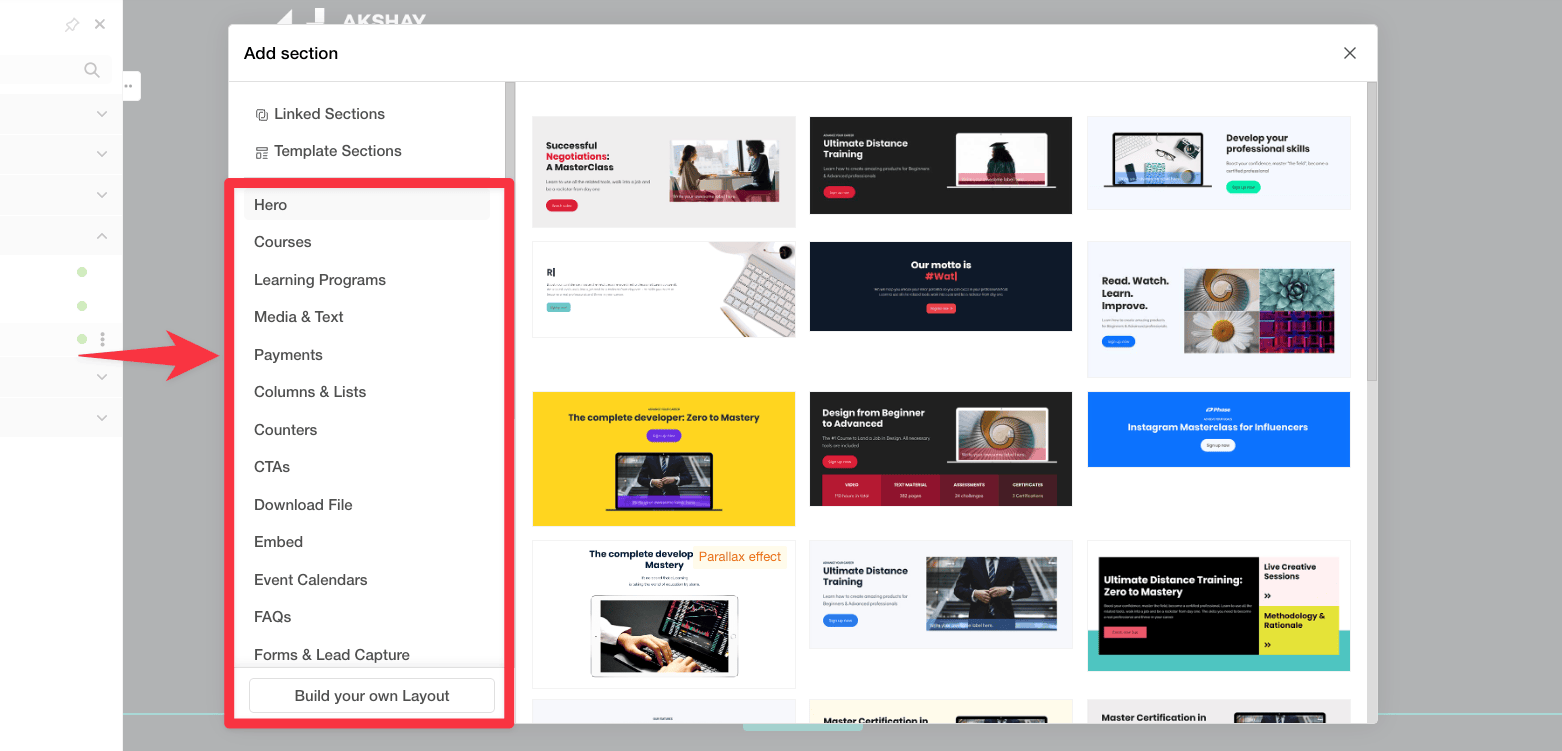
The platform offers a drag-and-drop page builder with several layout templates, although these may feel limited depending on your needs.
Teachable, on the other hand, focuses on simplicity and user experience. It allows customization of welcome, checkout, and thank you pages under the Site section.
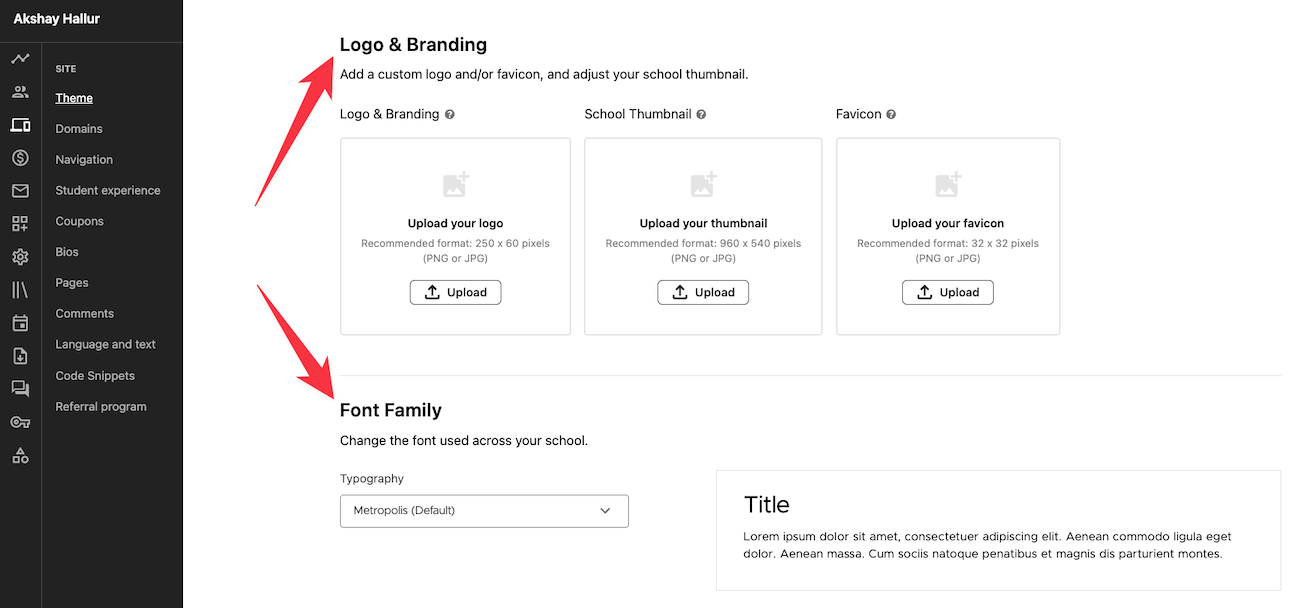
You can easily add a homepage background, custom logo, colors, typography, and more.
🏆 Winner: LearnWorlds offers more extensive customization options, making it ideal for users who want a high degree of control. Teachable excels in user-friendliness, offering straightforward tools that are easy to use but still powerful enough for most needs.
Funnels
Unlike Teachable, LearnWorlds comes with a funnels feature that includes many funnel templates you can import to your website.
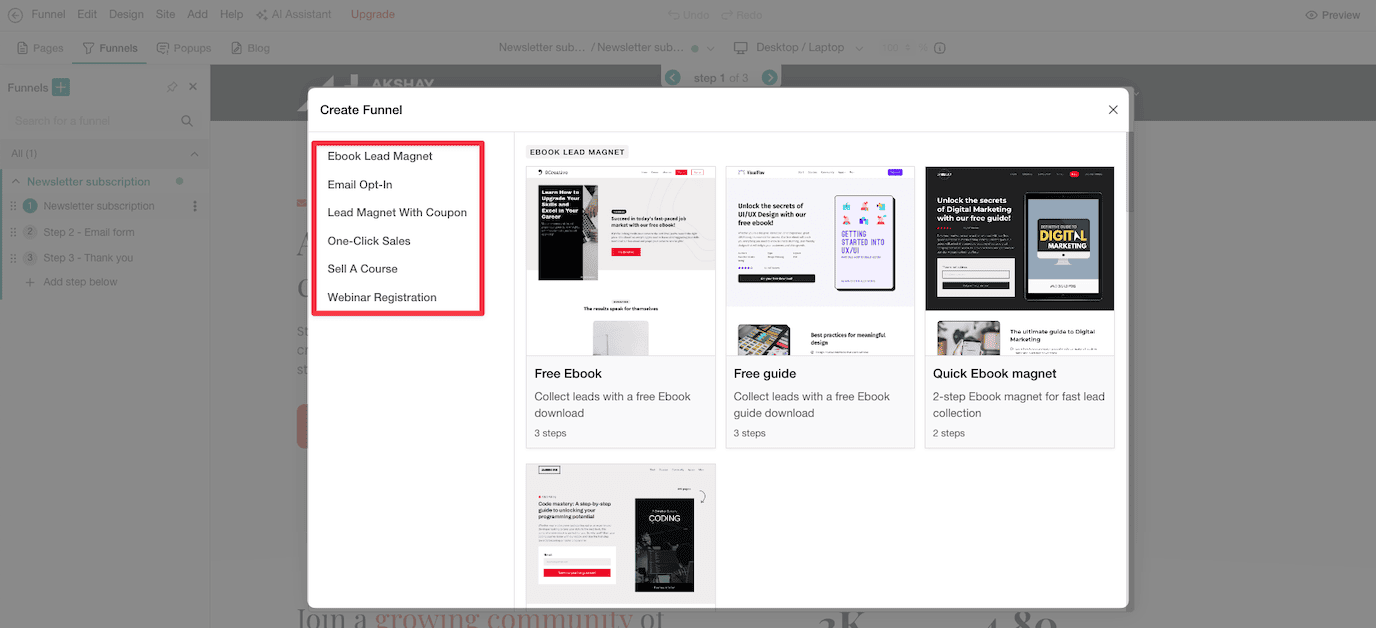
For instance, you can import a sample newsletter subscription funnel with 3 steps: newsletter subscription, email form, and thank you page.
Since it already has a really good landing page builder, the newsletter page is also well designed.
However, when it comes to conversion rate optimization, I found it a bit lacking.
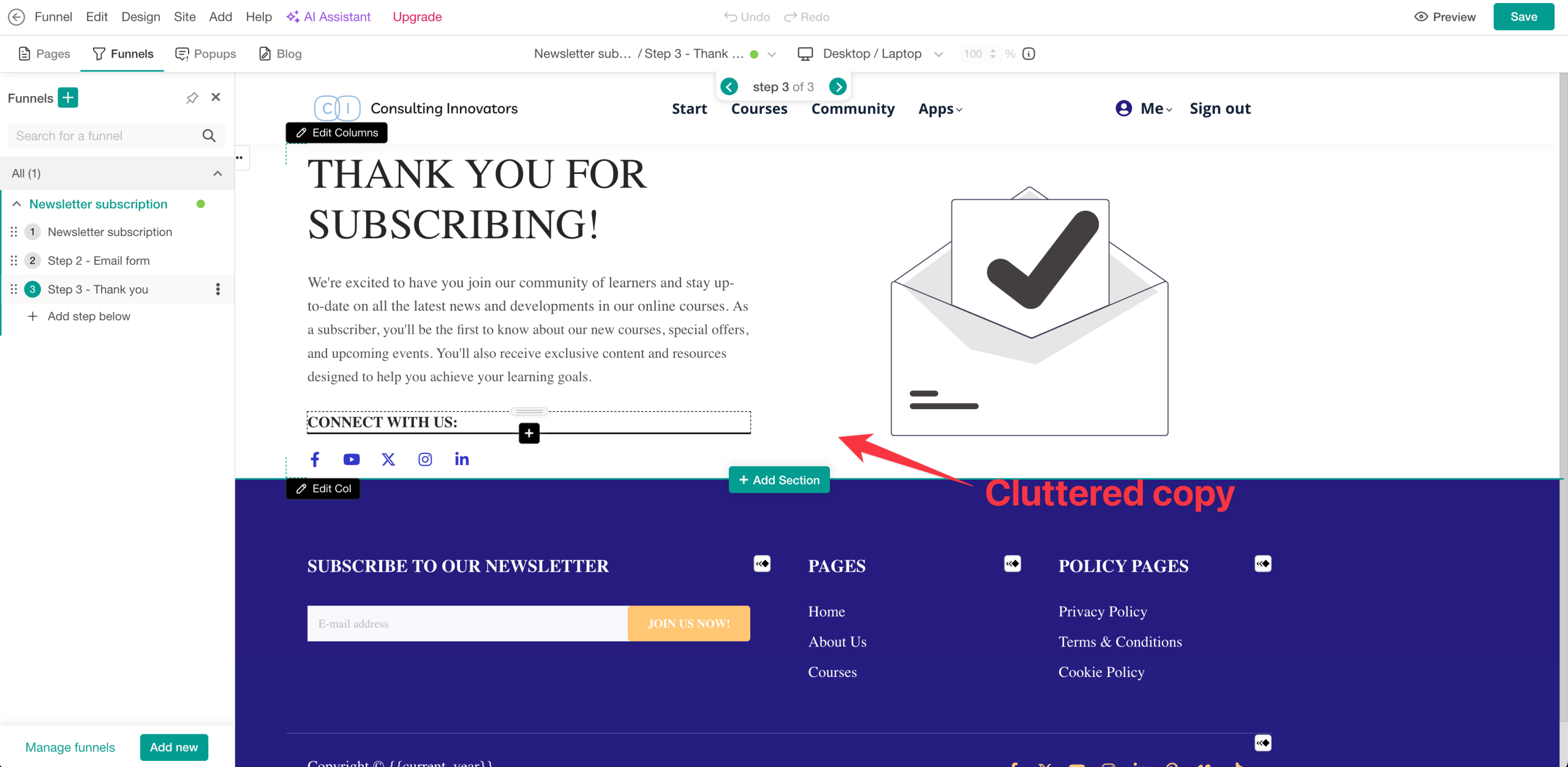
There's a lot of text on their funnel pages, so they need significant conversion rate optimization work.
That said, it's nice to have funnel functionality built into the platform where you're already hosting your training courses.
Email marketing
Both platforms offer integrated email marketing, primarily for interacting with students, drip-feeding lessons, and sending updates.
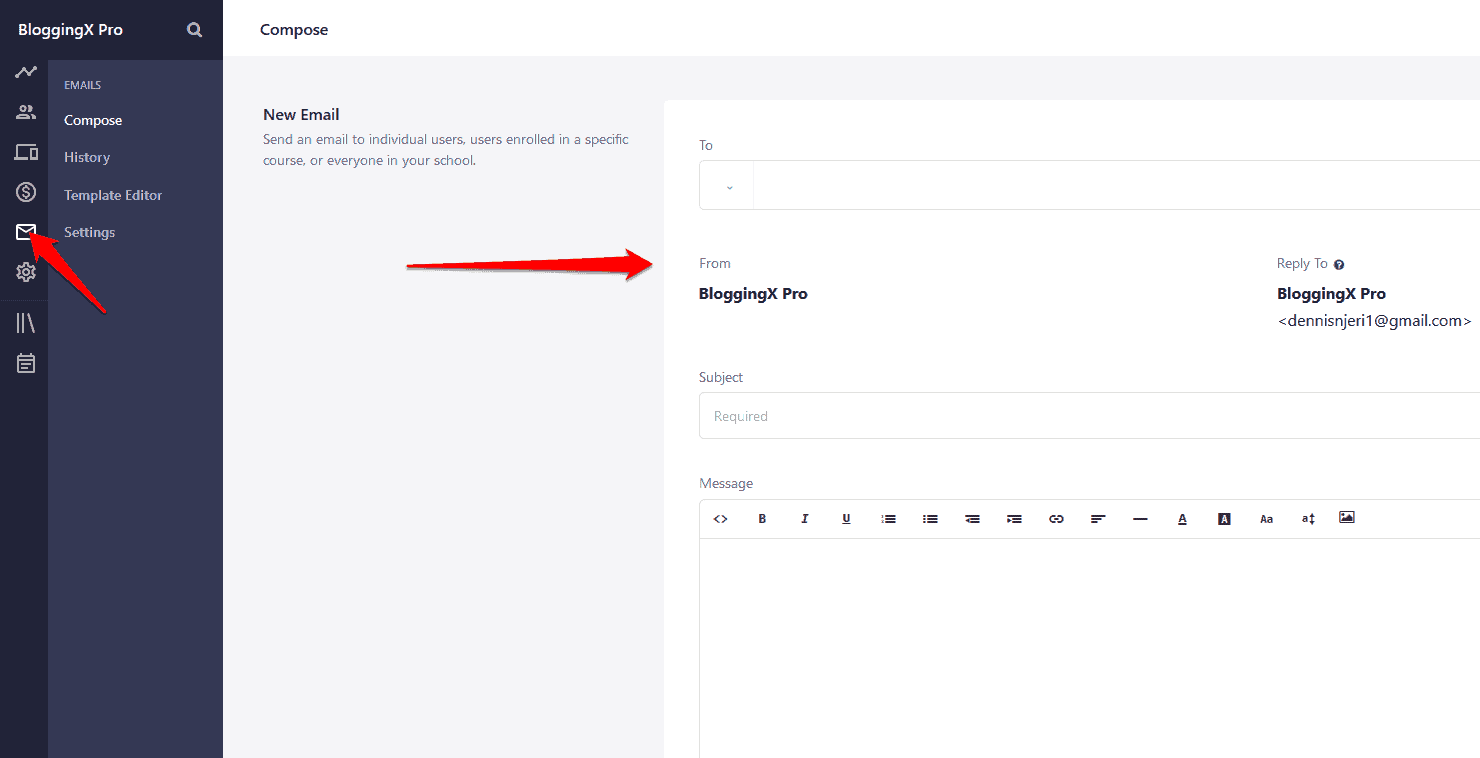
Teachable's system allows sending emails to all users, specific users, or course-specific users.
It also includes an autoresponder tool for email sequences, available on all pricing plans.
LearnWorlds also supports email sequences and provides templates for course launch emails.
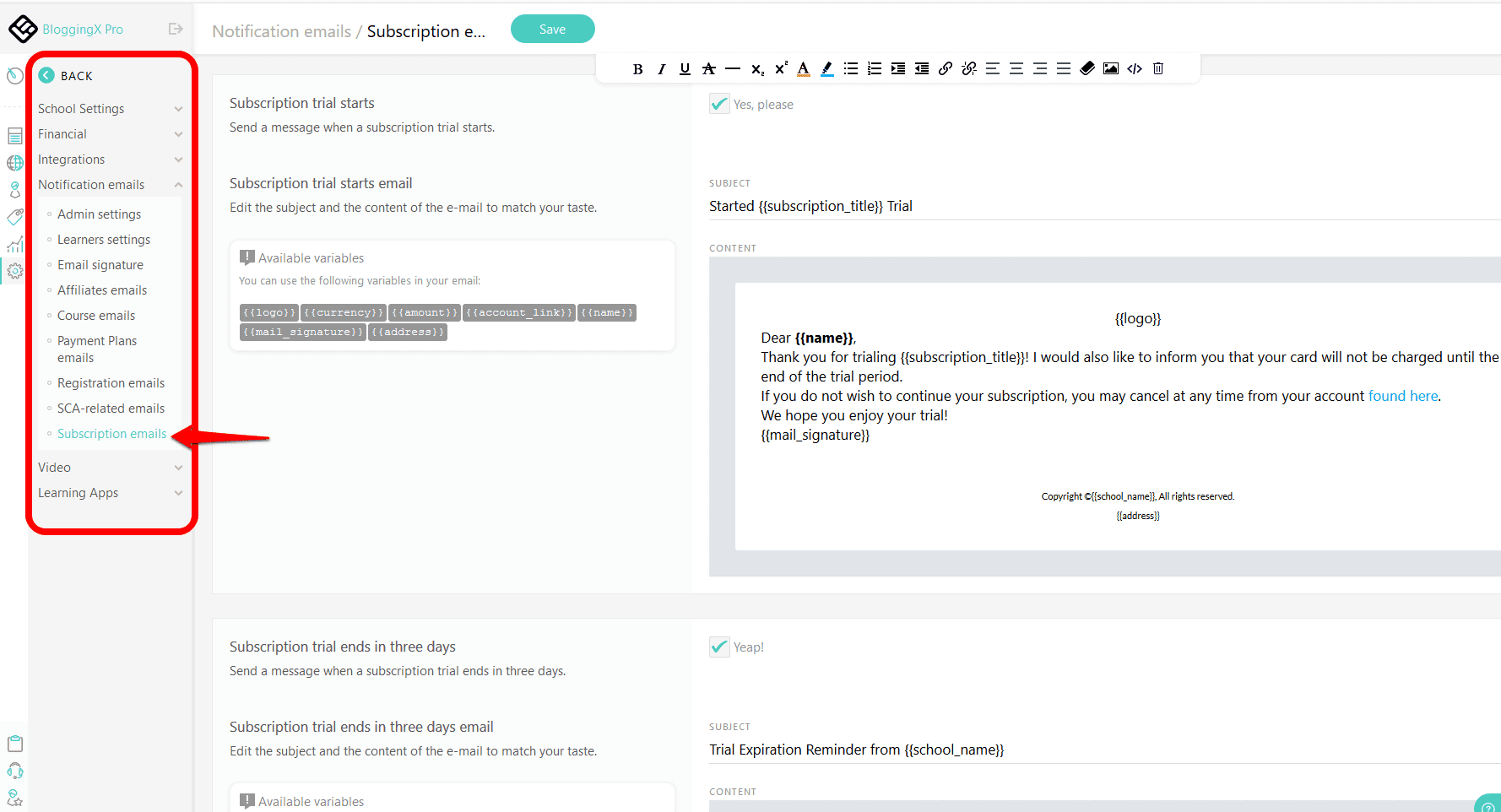
It includes tools for subscription reminders and affiliate notifications.
For more robust marketing tools, consider integrating with platforms like MailChimp or ConvertKit.
🏆 Winner: Both of these tools are good at basic email marketing. However, you may need to consider investing in professional email tools like ConvertKit for more power.
Marketing features
Checkout process
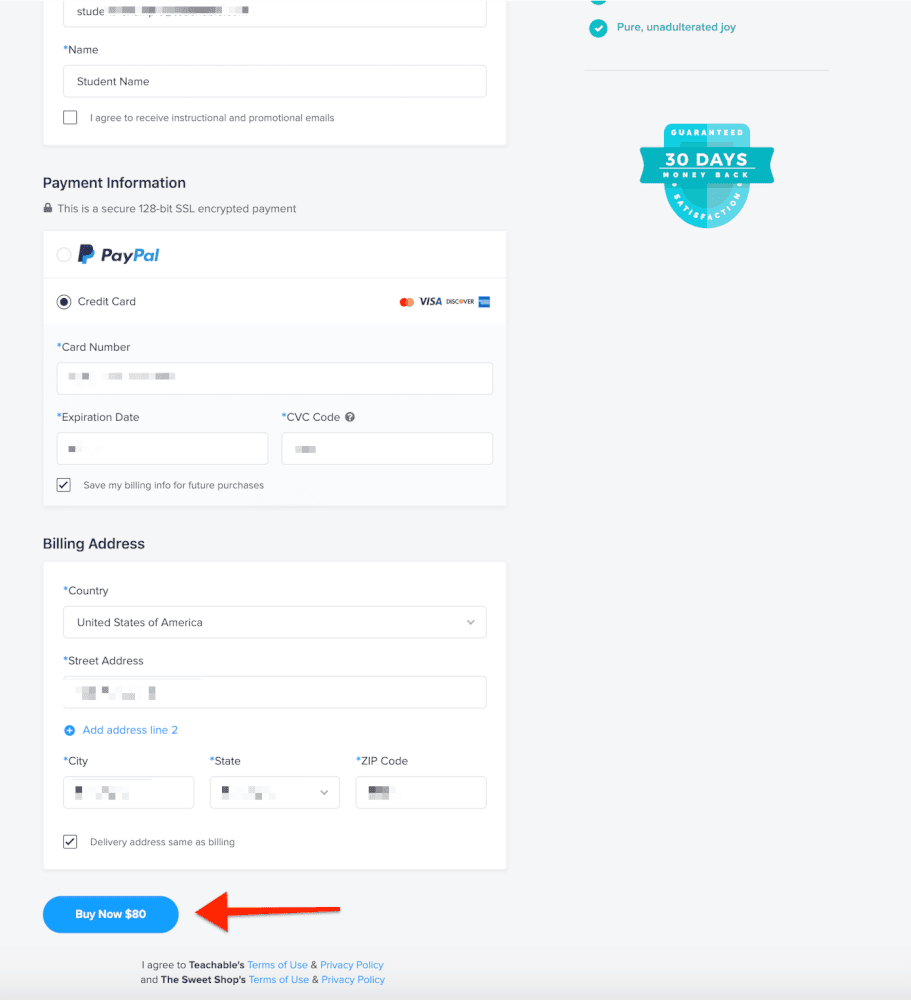
Teachable excels with its streamlined one-click checkout system!
Also, it stands out in upselling opportunities. The platform allows embedding thank-you videos combined with discount coupons to encourage new students to purchase additional courses or materials.
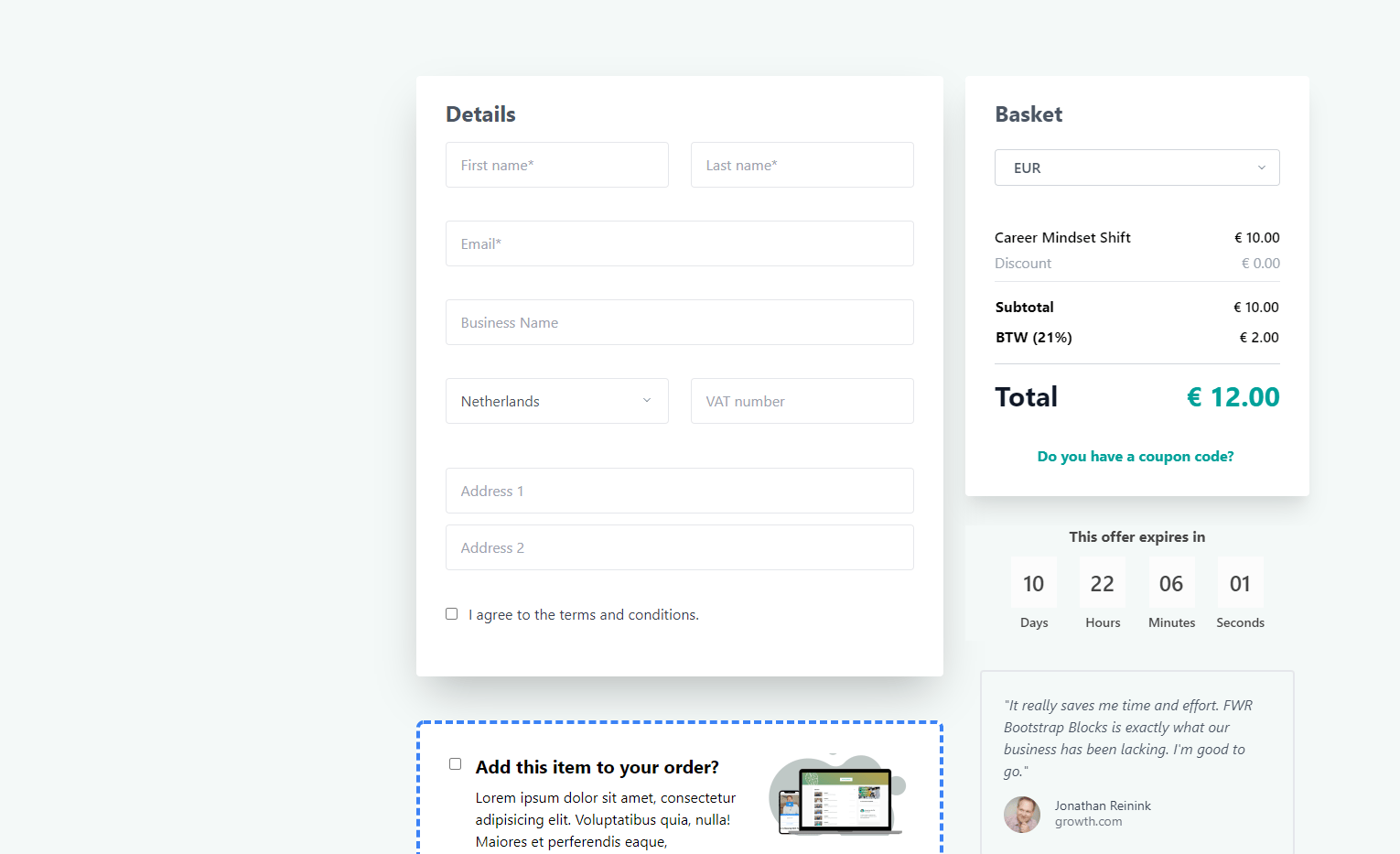
LearnWorlds also has one-click checkout and upsell functionalities, as you can see above.
In addition, it has shopping cart functionality as well.
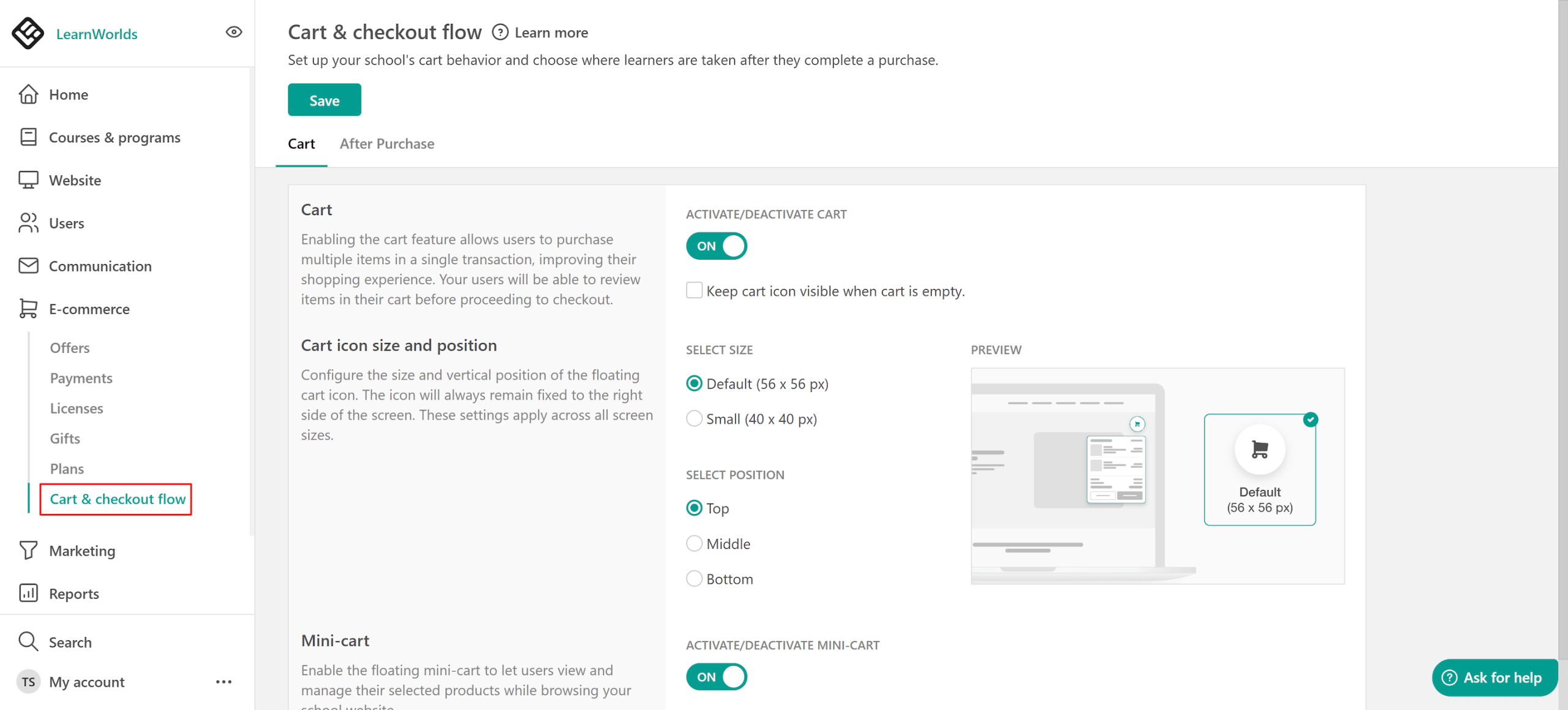
LearnWorlds' shopping cart supports multi-product checkout with a modern, multi-step interface.
It enables deferred purchasing, improved discount logic with stacked coupons, and lays the groundwork for advanced features like group enrollments, gifting, and seat-based selling.
🏆 Winner: LearnWorlds has the best checkout functionality along with shopping cart features.
Affiliate Marketing
Both LearnWorlds and Teachable offer robust affiliate management systems, though they differ slightly in their features and ease of use.
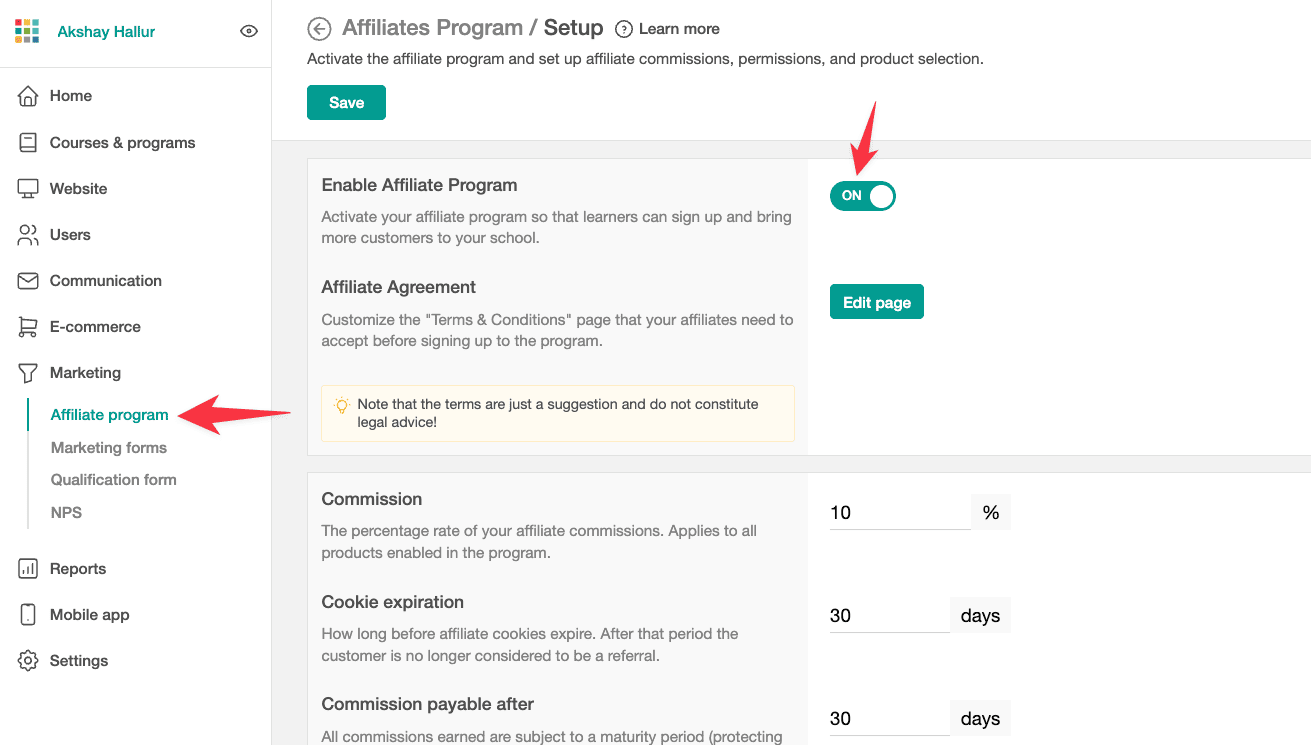
In LearnWorlds, you can control various parameters such as:
- Cookie expiration dates
- Commission percentages
- Display of customer information to affiliates
- Payout delays
Moreover, LearnWorlds provides the option for affiliates to self-register, making it easier to onboard new affiliates.
Teachable also offers a comprehensive affiliate management system, accessible under Users.
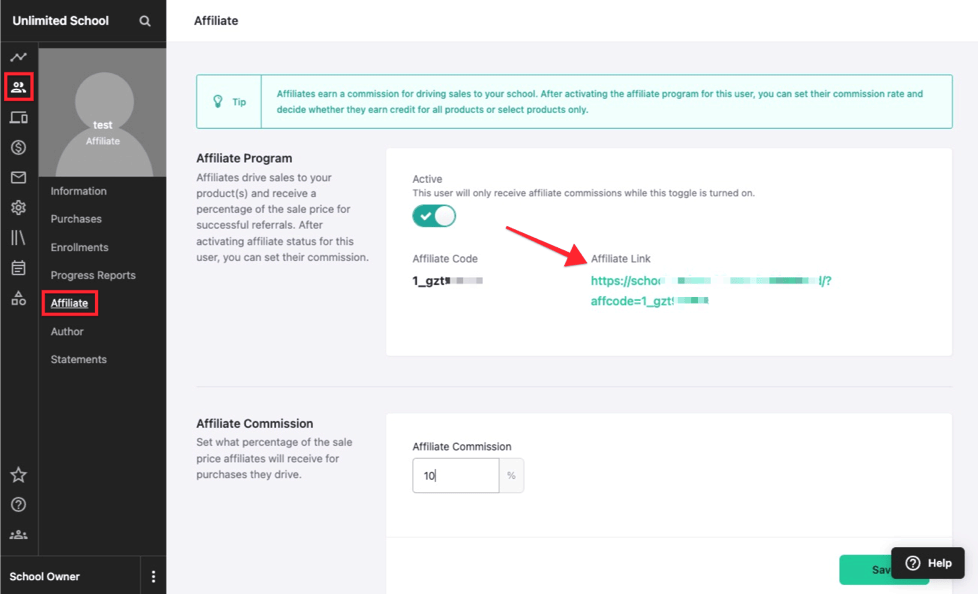
To begin, you need to activate the Teachable affiliates program.
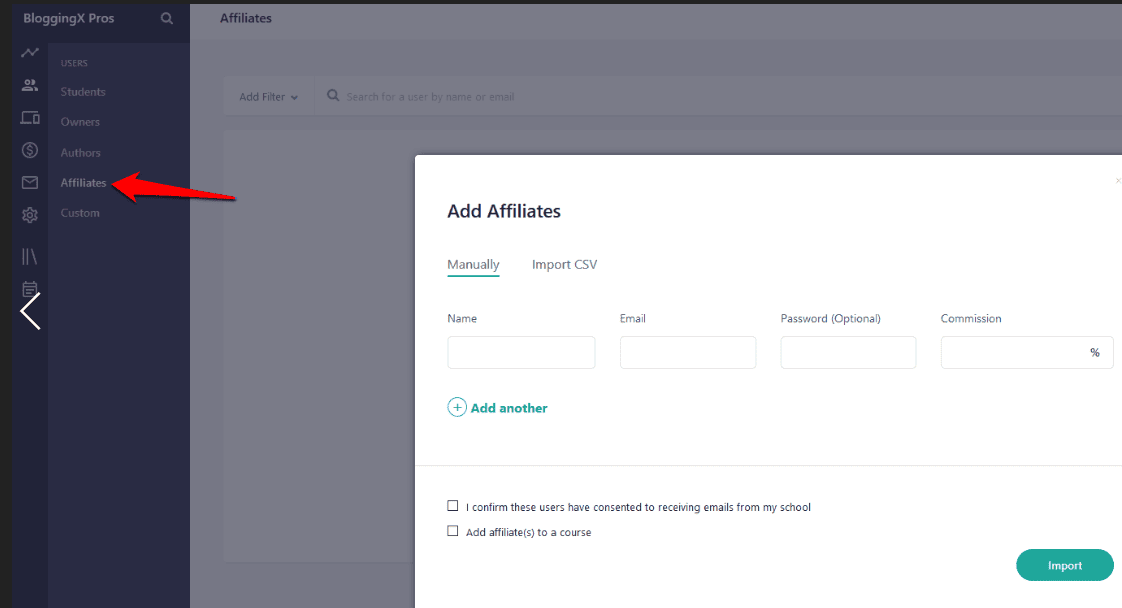
Once activated, you can navigate to Affiliates → Add Affiliates and choose between Manual entry or Import CSV.
Teachable's system allows for a range of flexible settings, including:
- Setting a student as an affiliate
- Course-specific affiliate assignments
- Restricting commissions to specific courses
- Combining coupon and affiliate codes to boost sales
- Customizing payout schedules
- Fetching affiliate links by previewing the affiliate setup page
- Managing cookie expiration dates and payment gateways
Additionally, Teachable offers both instant payment options and a Monthly Payout Gateway schedule. If you need a custom payment gateway, you can create one yourself.
🏆 Winner: Teachable has better affiliate marketing features for power users.
Integrations
Both LearnWorlds and Teachable offer robust integrations to enhance your online course platform, but they approach it differently.
LearnWorlds integrates with a variety of third-party tools, providing extensive options for customization.
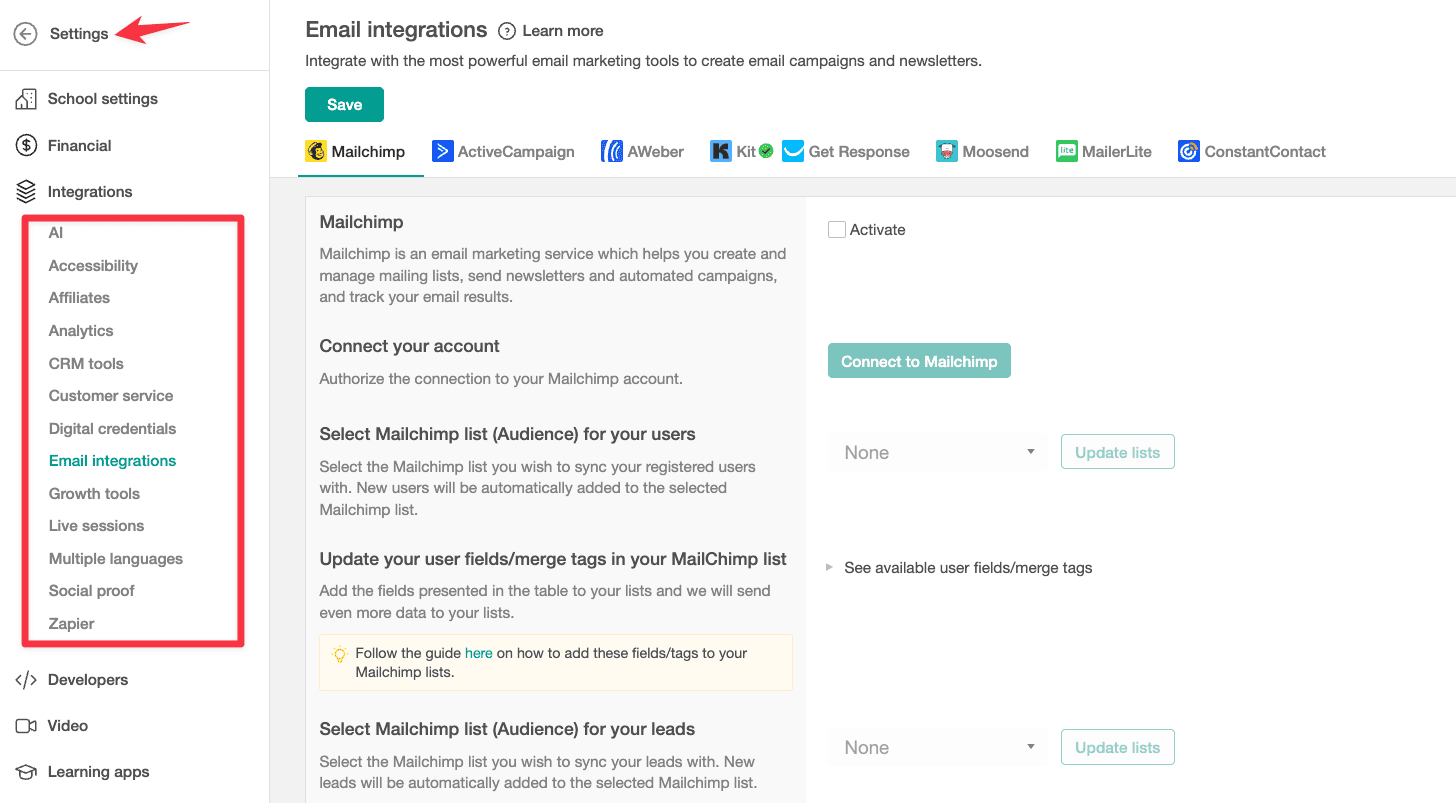
Teachable, on the other hand, focuses on simplicity and ease of use.
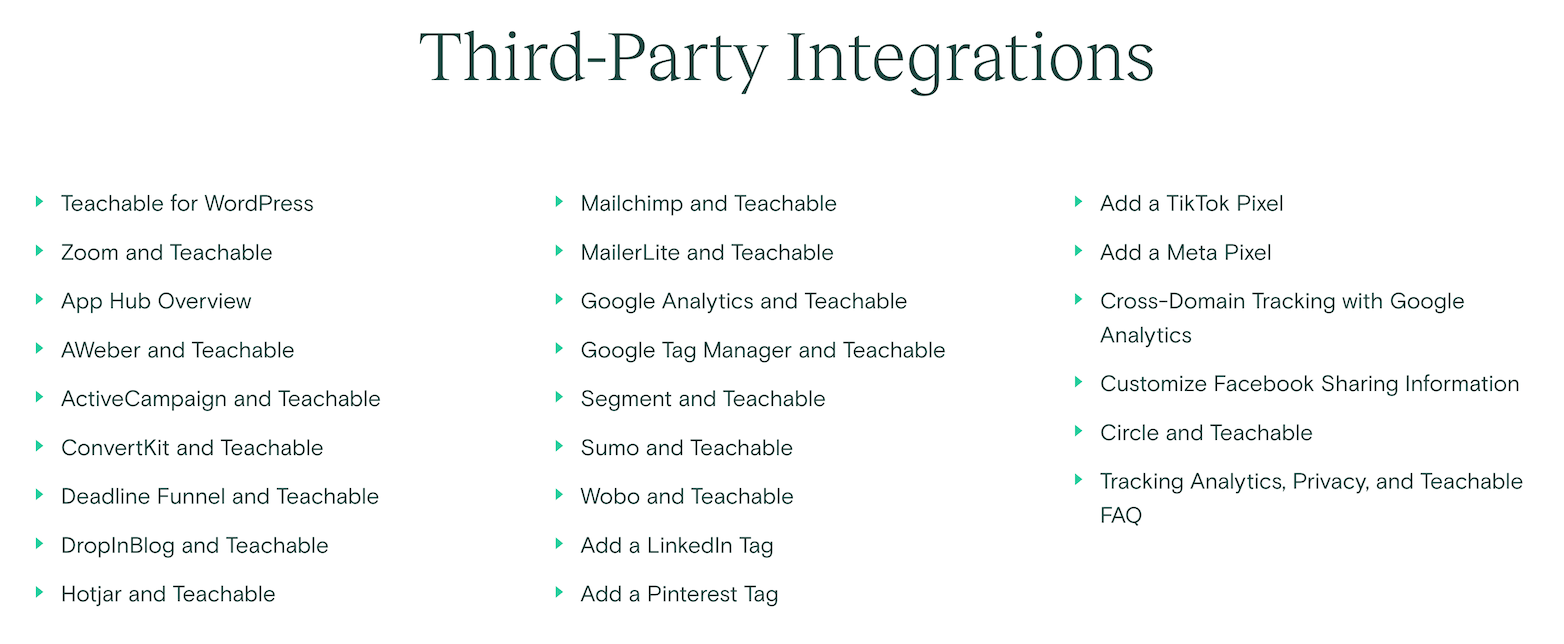
While it offers fewer integrations compared to LearnWorlds, it covers essential needs like Zapier, Mailchimp, Google Analytics, and Zoom. Also, it has external apps that you can install to integrate with ConvertKit, Aweber, and a couple of different email marketing tools.
But the integrations are quite shallow.
Teachable's limited email marketing integrations mean you might need to use Zapier to connect other tools.
🏆 Winner: In summary, while both platforms offer essential integrations, LearnWorlds provides more extensive options ideal for users who need advanced customization.
Pricing and support

Teachable's Starter plan starts at $39/mo with 7.5% transaction fee. It has a restriction of having only up to 1 published products.
Many people end up going with the Growth Plan at $189/mo!
Previously, Teachable had unlimited term courses feature even in their Starter Plan, and they removed it, forcing many people to move out of the platform which is not a good development.
LearnWorlds Starter plan is at $29/mo.

If you need advanced features like funnels, affiliate marketing, and also deep integration with Zapier, you need to go with the Pro Trainer Plan at $99/mo.
Or even their Learning Center Plan that costs $299/mo if you need some exclusive features like interactive videos.
LearnWorlds provides 24/7 support via live chat, email, and an extensive knowledge base. They also offer personalized onboarding sessions and regularly updated blogs with helpful tips.
While, Teachable also offering excellent support, limits live chat to business hours.
🏆 Winner: LearnWorlds offers better value at $29/mo starting price and 24/7 support, while Teachable's $39/mo plan includes transaction fees.
Conclusion
When comparing LearnWorlds and Teachable, it's clear that each platform has unique strengths.
LearnWorlds is a versatile all-in-one platform with features like interactive videos, SCORM support, and extensive customization options.
But, many advanced/unique features are locked behind higher-priced plans, making it more suitable for academic or specialized use cases.
Conversely, Teachable excels in ease of use and user experience. Its streamlined interface, robust marketing tools, and seamless checkout process make it ideal for course creators focused on accessibility and conversion optimization.
However, since its recent ownership change, Teachable has experienced development lag and pricing changes, upsetting many users.
In summary, I can't recommend any of these platforms. I would have recommended Teachable previously, but their ownership change and the events following that are worrisome. For most people, maybe Thinkific offers the best balance of features.