Beacons is an all-in-one platform built for content creators (especially Instagram and TikTok creators) who want more than a basic link-in-bio.
Along with building your bio page, Beacons lets you:
- Sell digital products
- Create courses
- Run email marketing
and even build a full website, all inside the same dashboard.
Is it all good?
Let’s find out!
Quick decision – Beacons AI Review
What I like about Beacons 👍
- All-in-one creator platform: Link-in-bio plus digital products, courses, email marketing, automations, and even a website builder.
- Fast onboarding with AI assistance: The AI-guided setup reduces the “blank page” problem and gets a usable page live quickly.
- Easy customization and blocks: Templates, themes, headers, colors, link reordering, contact forms, and extra content/monetization blocks are simple to work with.
- Strong selling stack: Digital product delivery, checkout flow, email receipts, order bumps, plus basic SEO settings for product pages.
- Built-in email capture + freebies: Forms and simple automations make it easy to turn bio traffic into an email list.
What I don’t like about Beacons 👎
- Email marketing risk during migration: There are reports of Beacons banning accounts for “potential spam” without clear explanations, so migrating lists can be risky.
- Courses are missing advanced features: No drip-feeding lessons and no course certificates, so it’s not a full-featured course platform.
- Creator plan still charges the 9% seller fee: Even at the paid Creator plan ($10/month), Beacons still takes a 9% seller fee. You need Creator Plus for 0% seller fees
Bottom line (upfront)
If you want a simple, fast way to set up a link-in-bio page and you like the idea of selling digital products and collecting emails in the same tool, Beacons is a strong pick.
If you only need a link-in-bio, the free plan is enough.
If you’re serious about selling digital products, I recommend the Creator Plus plan at $30 per month because it removes the 9% seller fee (0% seller fees).
And if email marketing is the core of your business, I’d still use a dedicated email platform because of the account-ban concerns around migration/spam flags.
Explore Beacons (Get $20 free credits)
Creating a link-in-bio page
The setup starts on the signup page where you choose a username.
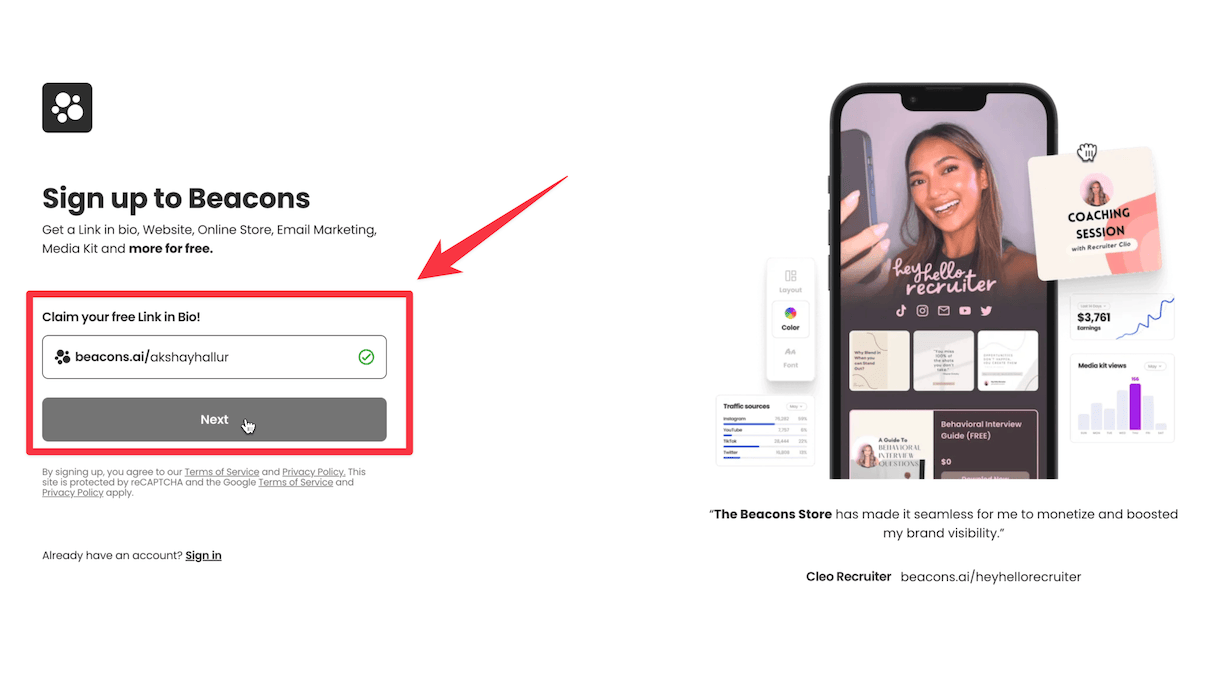
In my case, I used akshayhallur, and it was available.
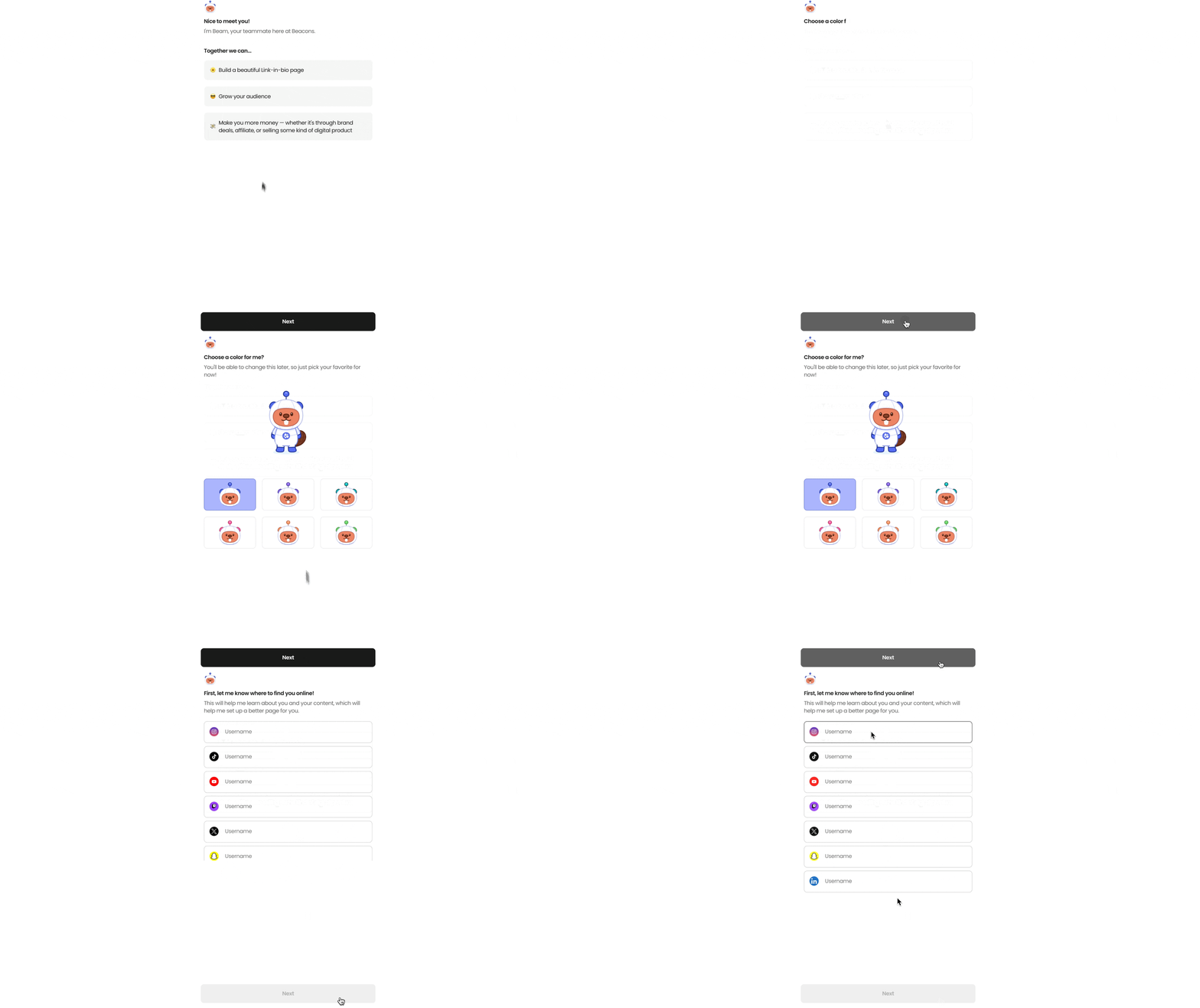
After creating your account, Beacons assists you with an AI agent, which is a really nice touch for onboarding.
Then you enter the URLs for your social media accounts.
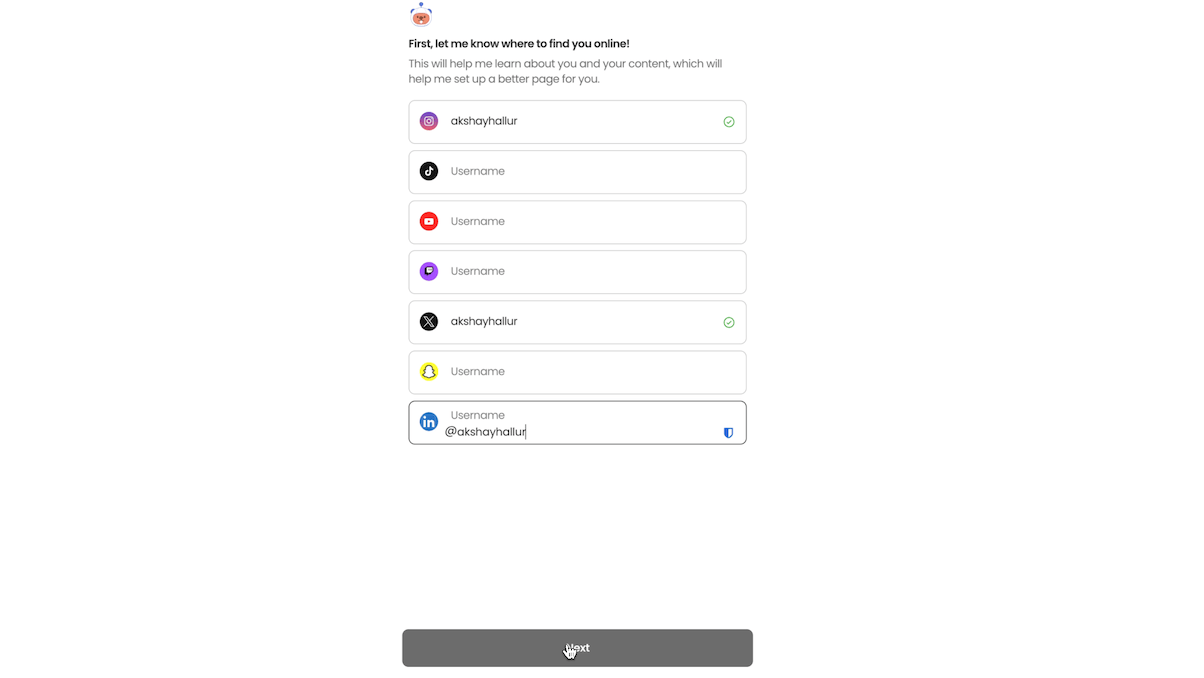
I entered my Instagram, X (Twitter), and LinkedIn.
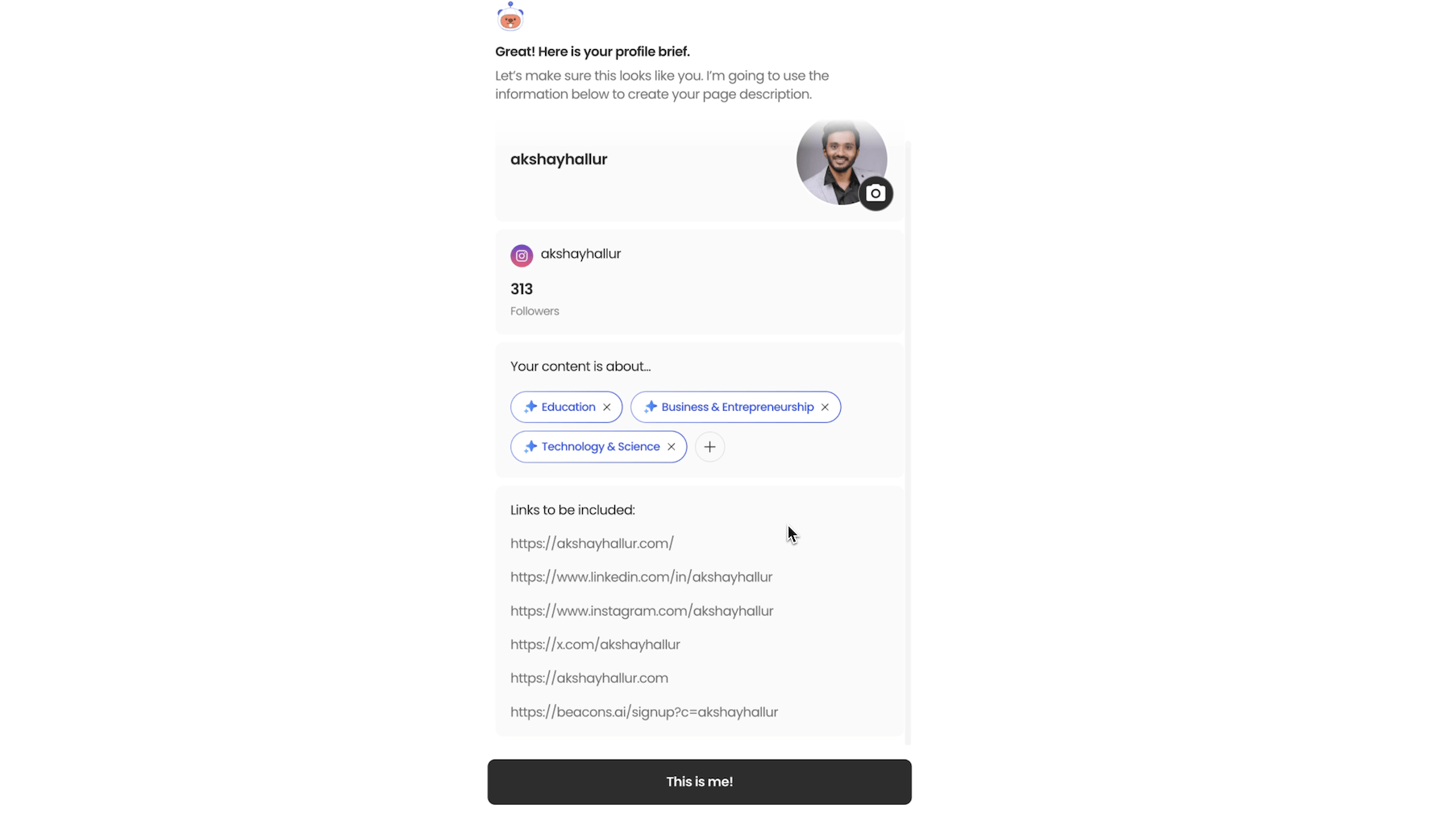
Once you click Next, the AI agent browses your social accounts and gathers information from them, plus any info from your website.
After it collects this data, it generates a prompt that it uses to create your link-in-bio page.
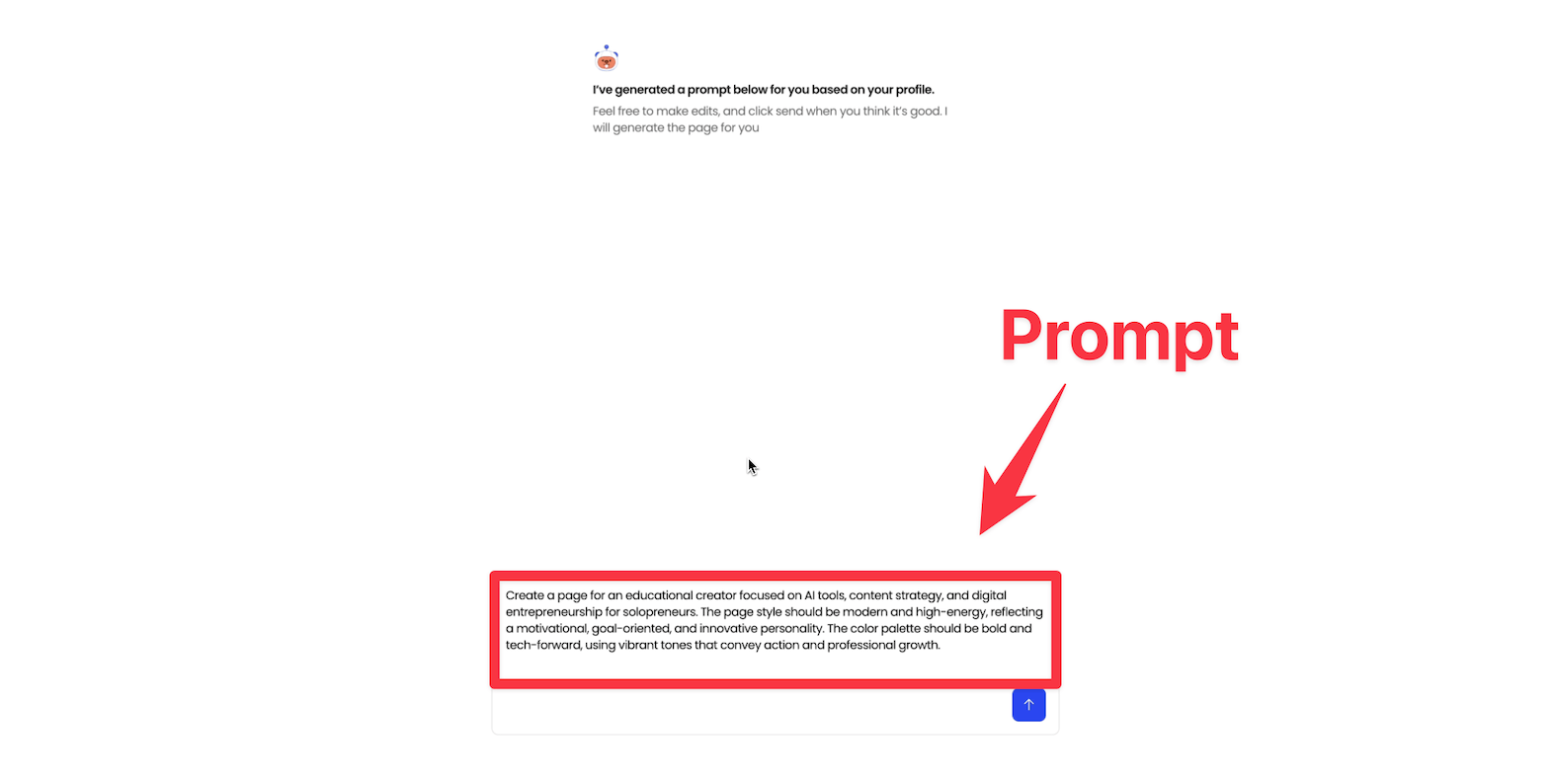
Once your page is generated, you can edit anything. You can also add more building blocks to add elements to your homepage.
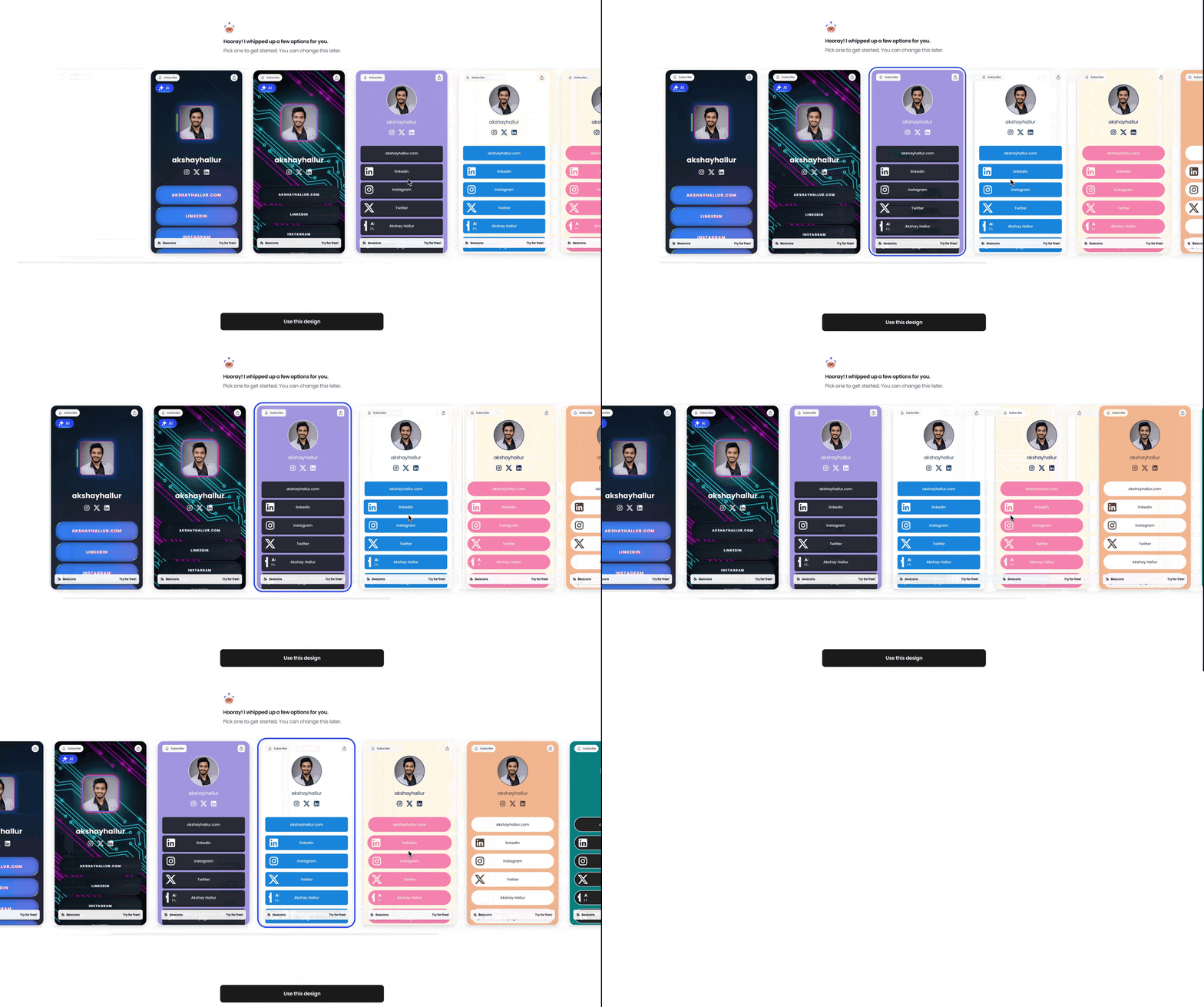
Once you select a template that you would like, you can load up the page editor.
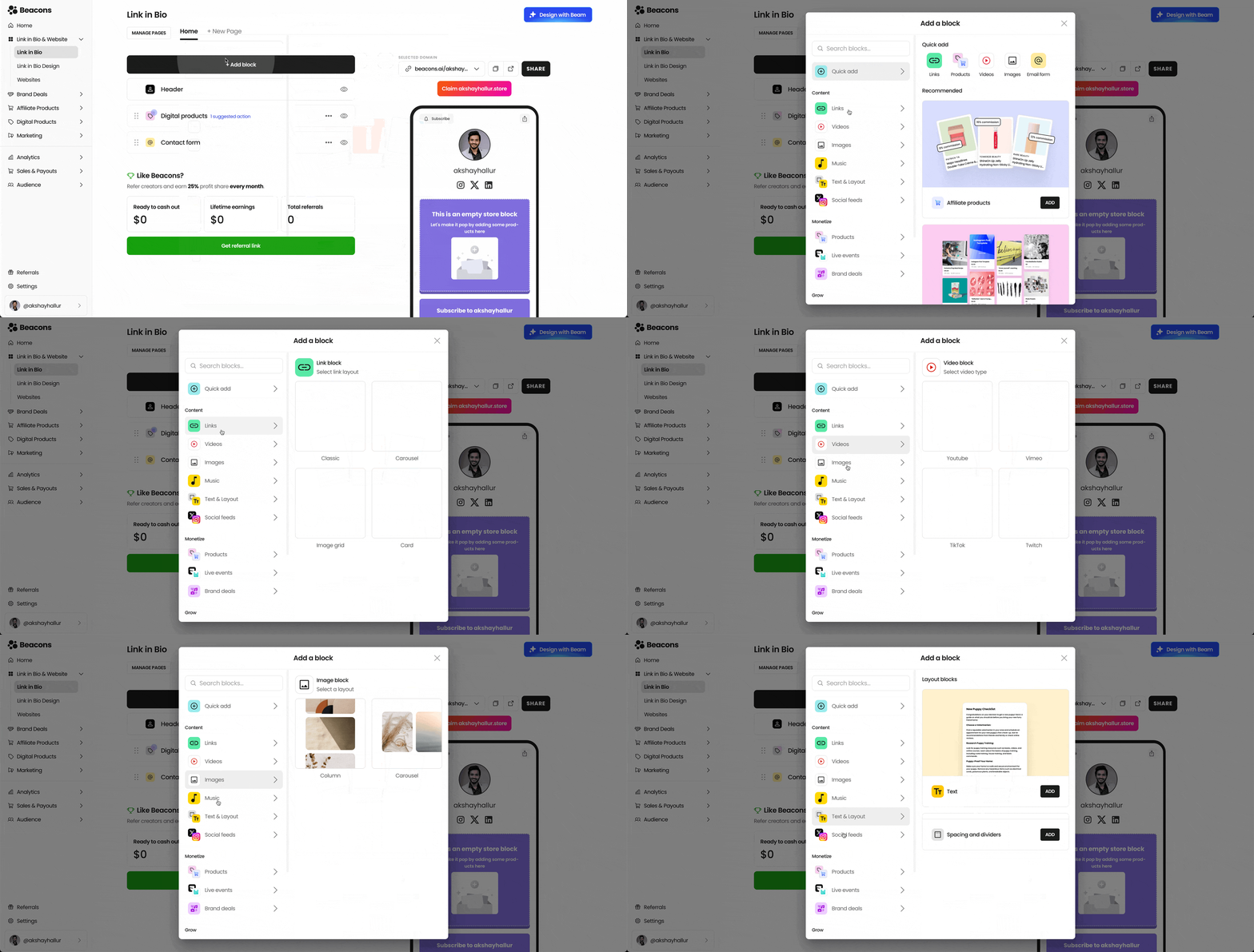
You get content blocks and monetization blocks, where you can embed products, contact forms, and more.
Email marketing features (forms, automations, broadcasts)
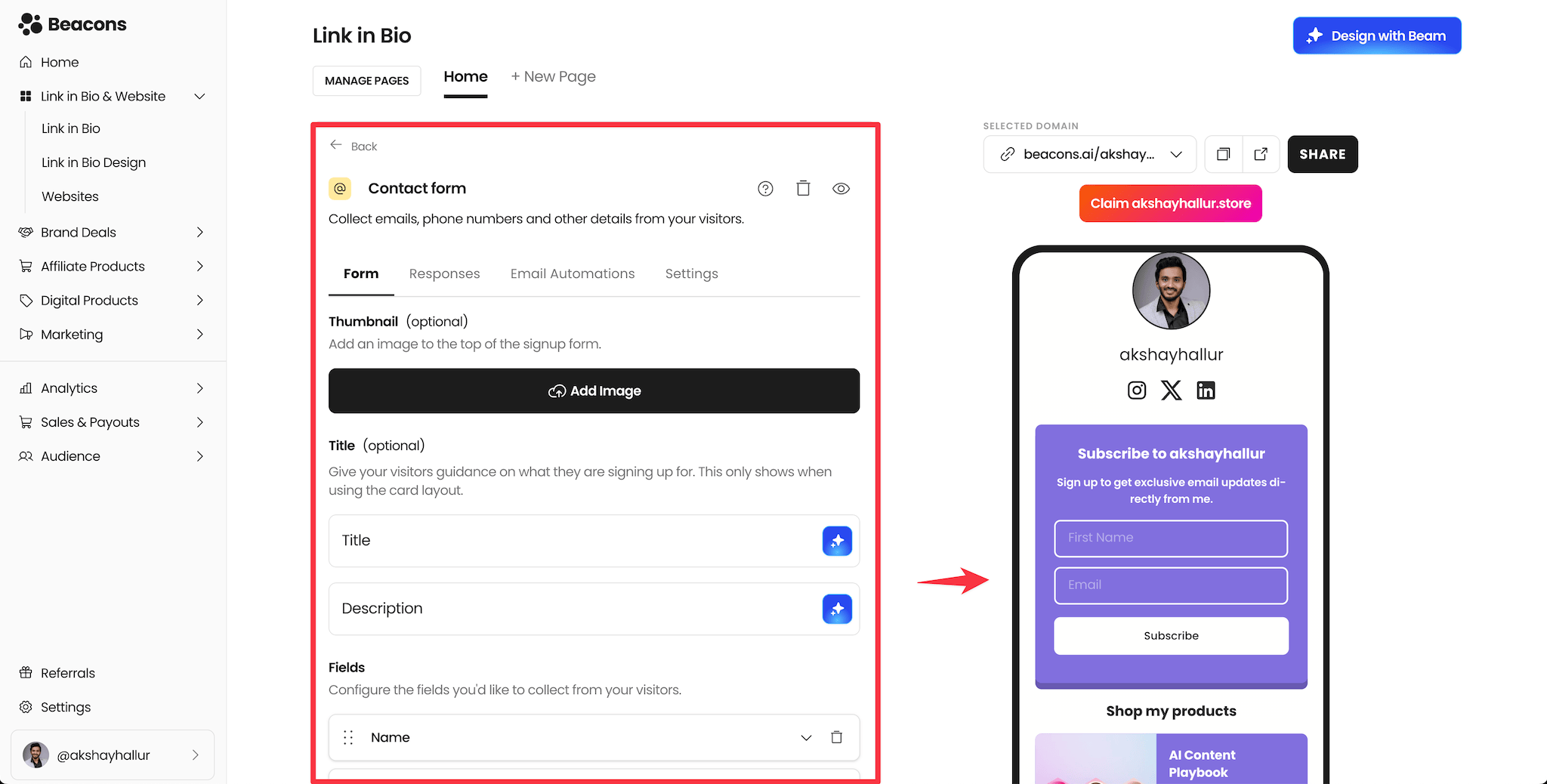
If you want to give subscribers a lead magnet (like a free PDF), you can use Beacons email automations.
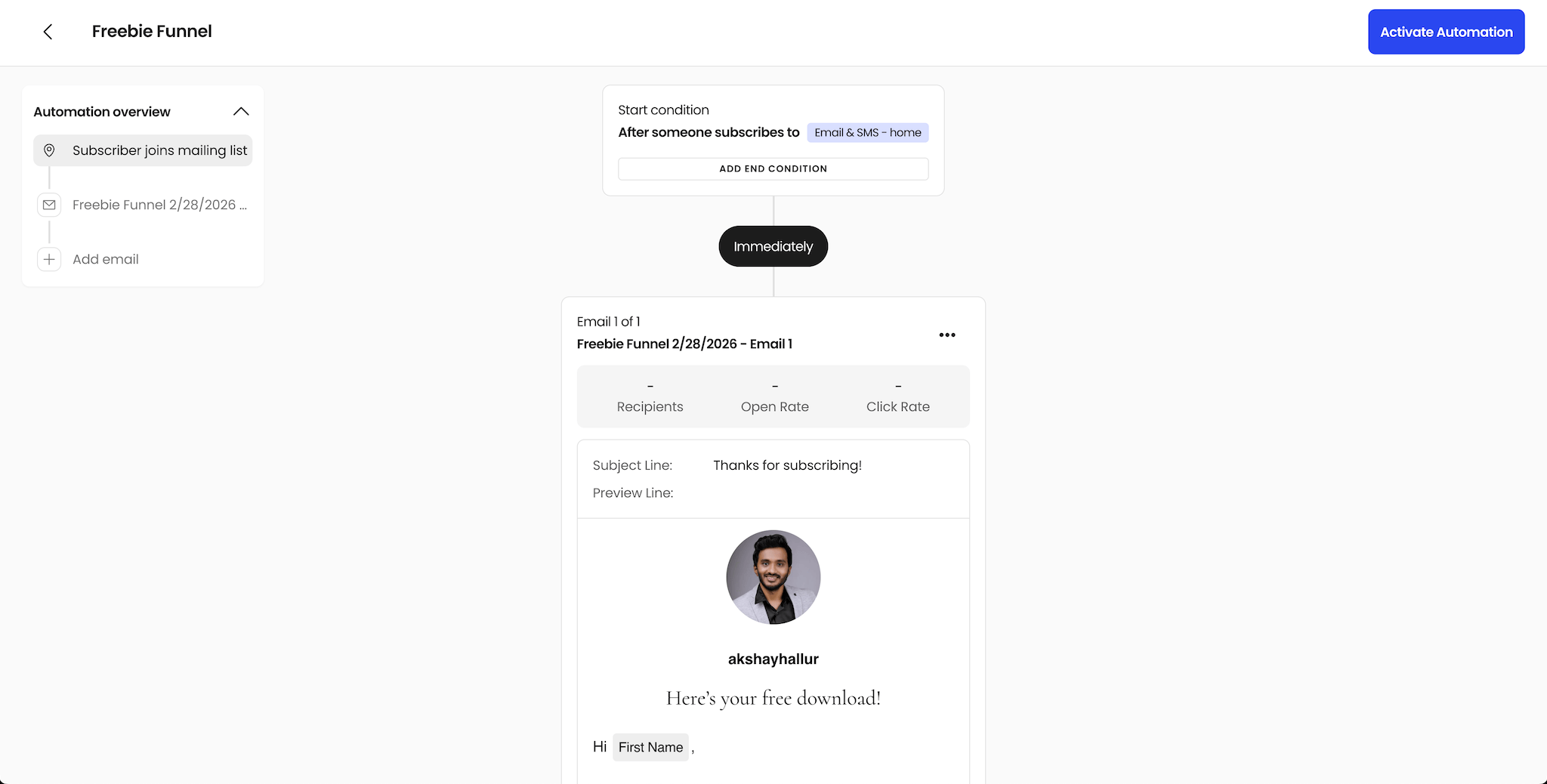
A simple automation example is a “freebie funnel”: when someone signs up through your homepage form, they automatically receive an email containing the freebie.
You can edit the email content, including personalization fields like first name/last name.
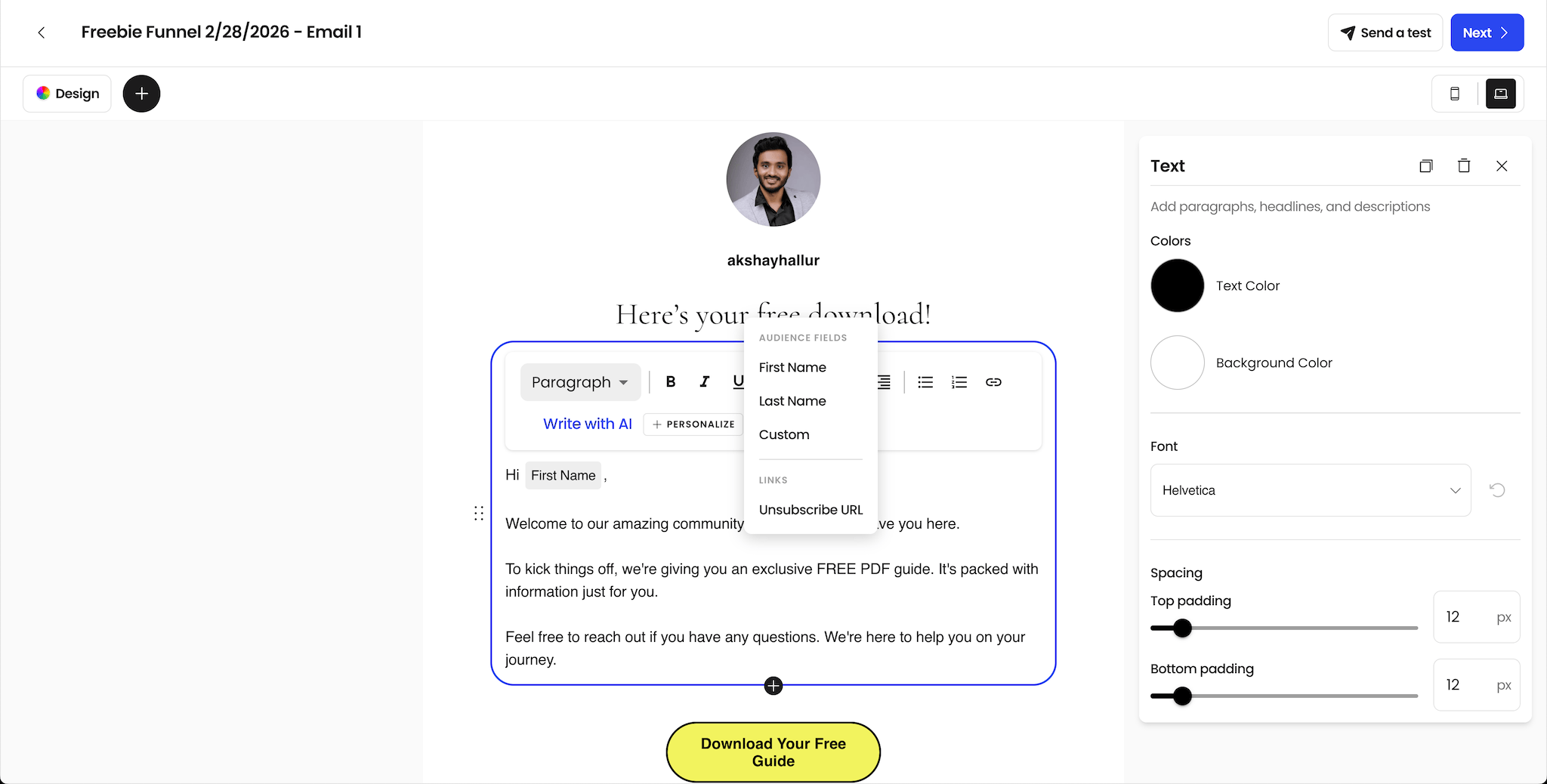
You can add the PDF link inside the email, set the subject line.
Once activated, anyone who subscribes through your bio page will receive the free PDF automatically.
Beacons also lets you send email broadcasts. You can choose from templates or start from scratch. If you care about deliverability, I suggest sending text-only emails.
⚠️ If you’re migrating your email list from another tool to Beacons, be careful. There are reports of Beacons banning accounts for potential spam issues without clear explanations (as seen in Reddit threads). That’s why if email marketing is a big part of your business, I recommend a dedicated tool like Kit or Mailchimp.
Selling: digital products, checkout, and order bumps
Beacons makes it easy to sell digital products directly from your link-in-bio page.
You can create a new digital product, set a title (example: “AI Content Playbook”), set a price (example: $97), and upload the product file.
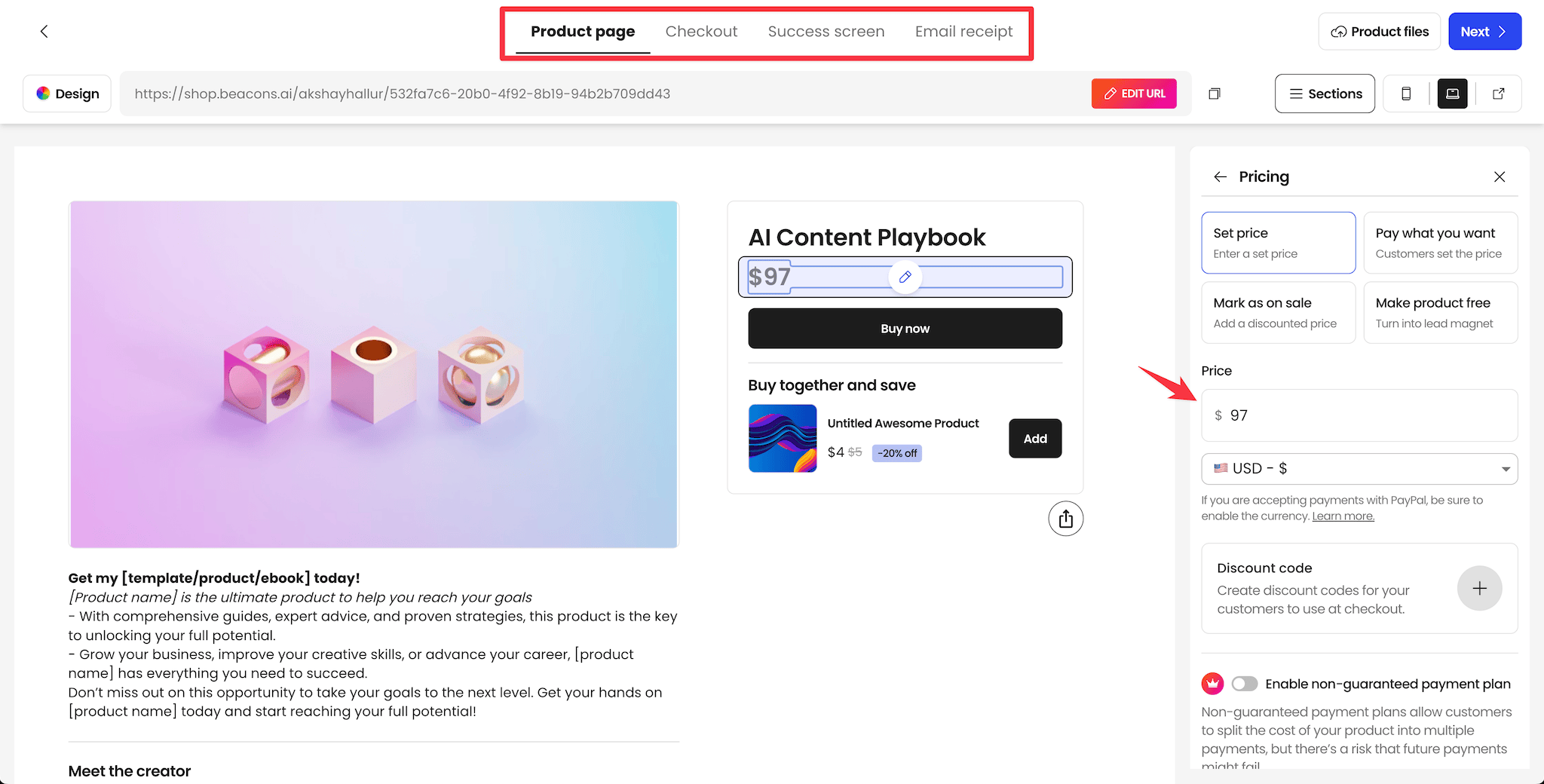
You can upload a PDF directly or deliver using a link (Google Docs or Notion link also works).
When someone clicks “Buy Now,” they go through a checkout page, then a success page, and they receive an email receipt with the download.
👉 One of the best parts is the ability to add order bumps. If you have another product, you can offer a “Buy together and save…” style deal to increase average order value.
Courses: simple course creation
Beacons also lets you create training courses.
There’s a course setup section where you can create modules, then add lessons inside modules.
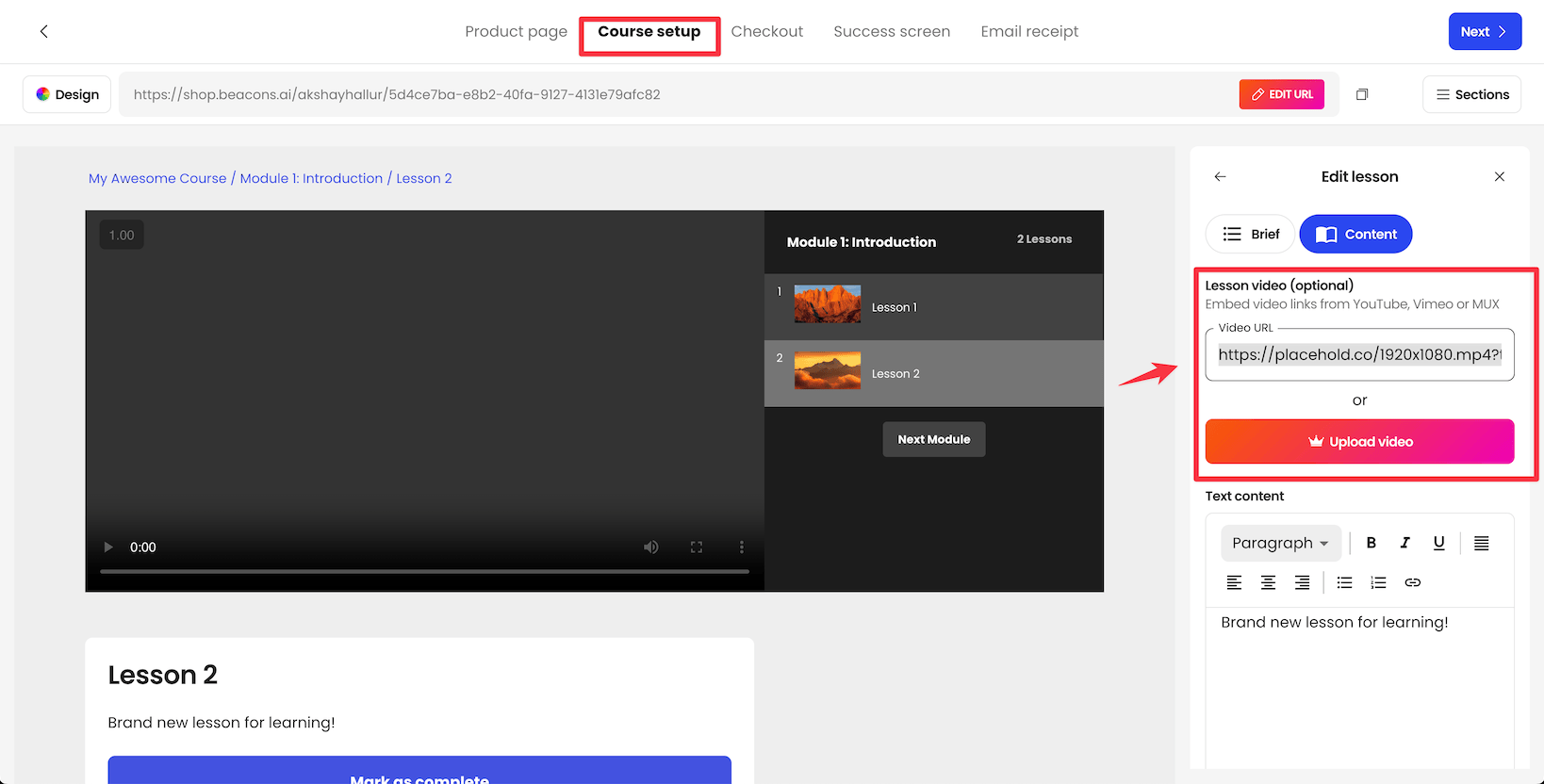
For each lesson, you can upload a video or embed from YouTube, Vimeo, or other platforms. You can also add text content, downloadable files, and more.
⚠️ Courses are functional, but Beacons doesn’t offer advanced features like drip-feeding lesson content or course certificates.
For most creators, this is still enough, especially if you want courses alongside link-in-bio + products + email in one tool.
Website builder
Beacons recently introduced a website builder, so you don’t necessarily need WordPress or Squarespace for a basic creator website.
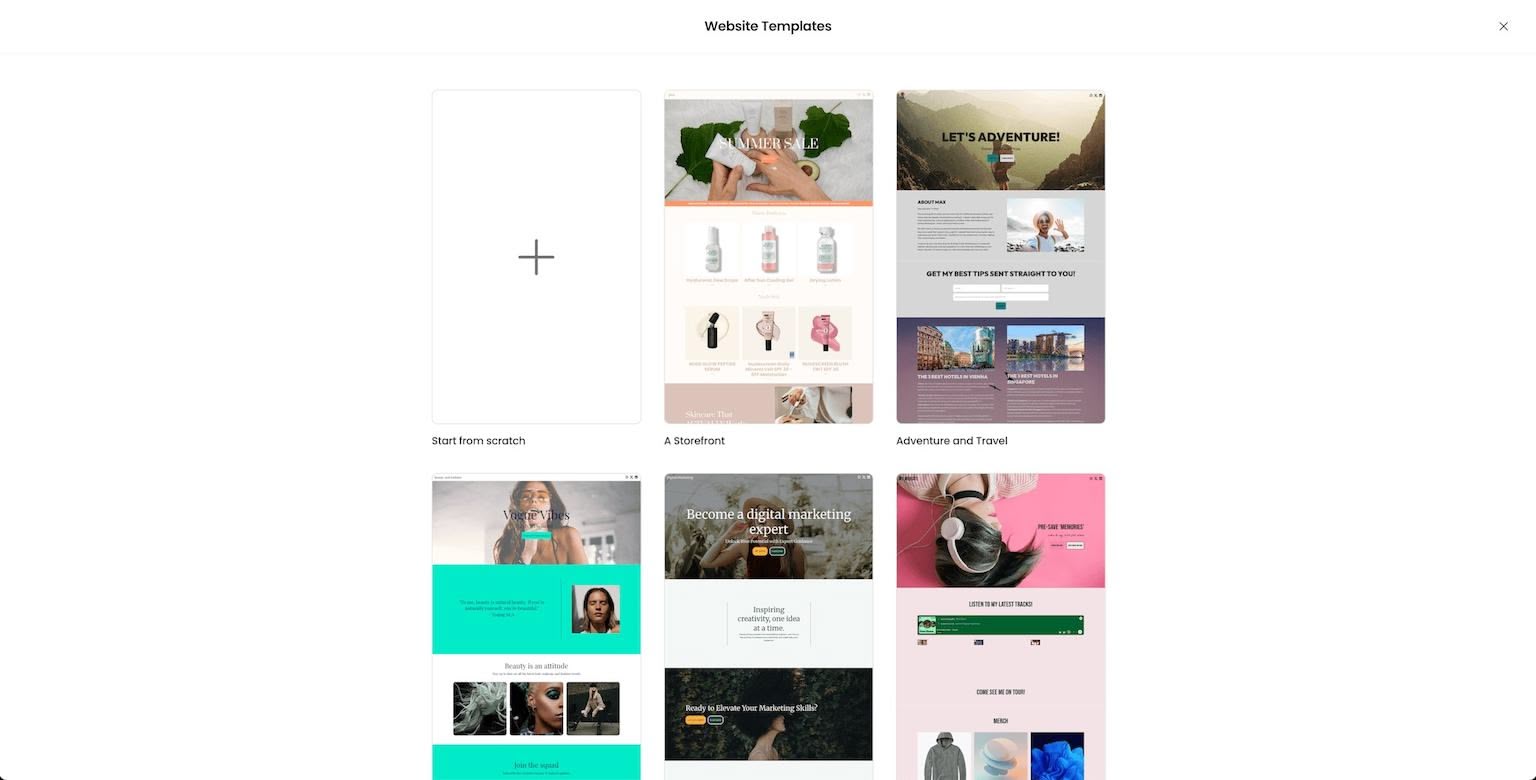
You can pick a template and open the website editor.
You can build a homepage, add multiple pages or pop-ups, and tweak global design options.
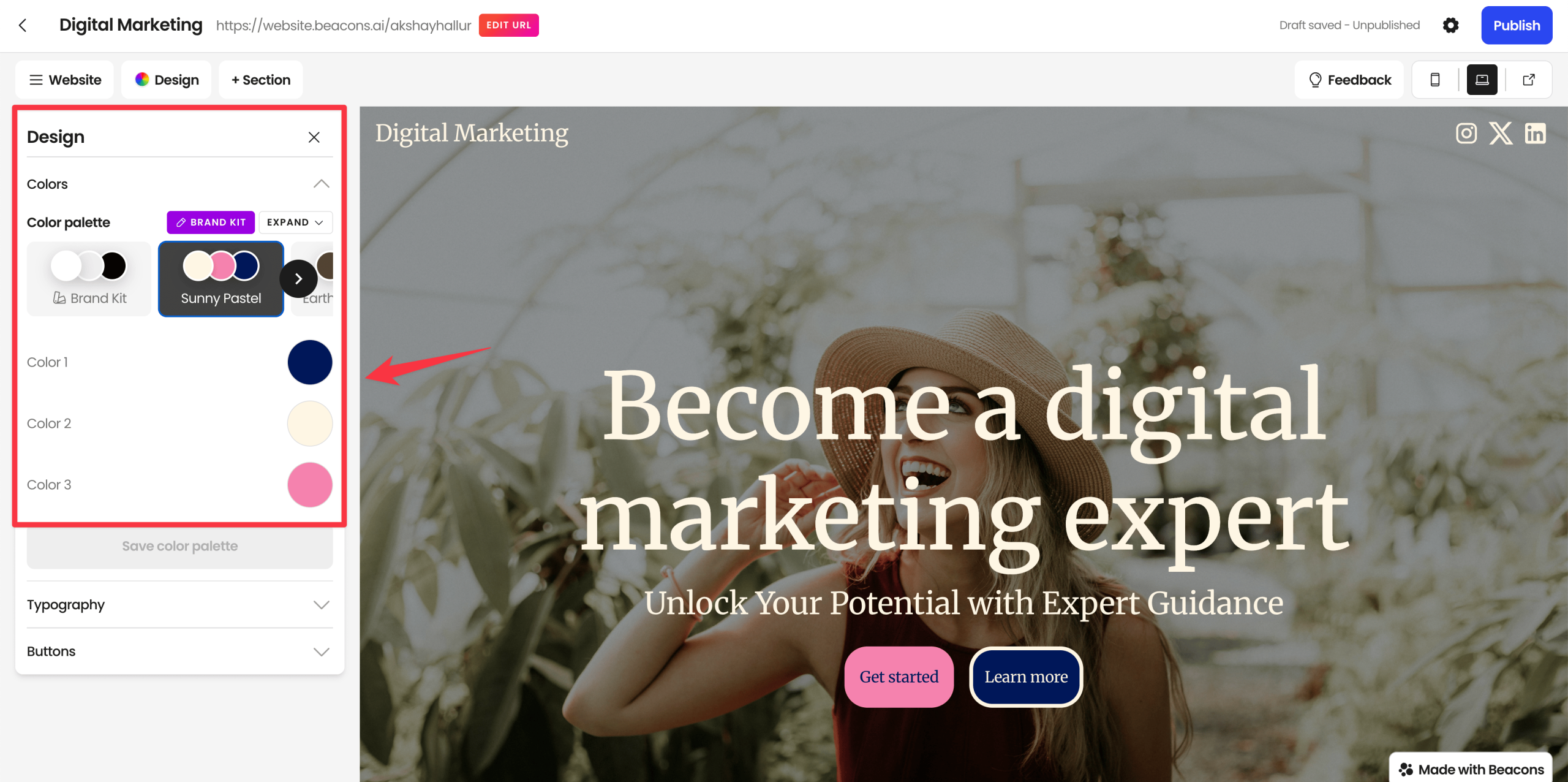
One feature I really liked is the global design option where you can switch between color palettes to match your brand.
You can add hero sections, content sections, media sections, and other blocks.
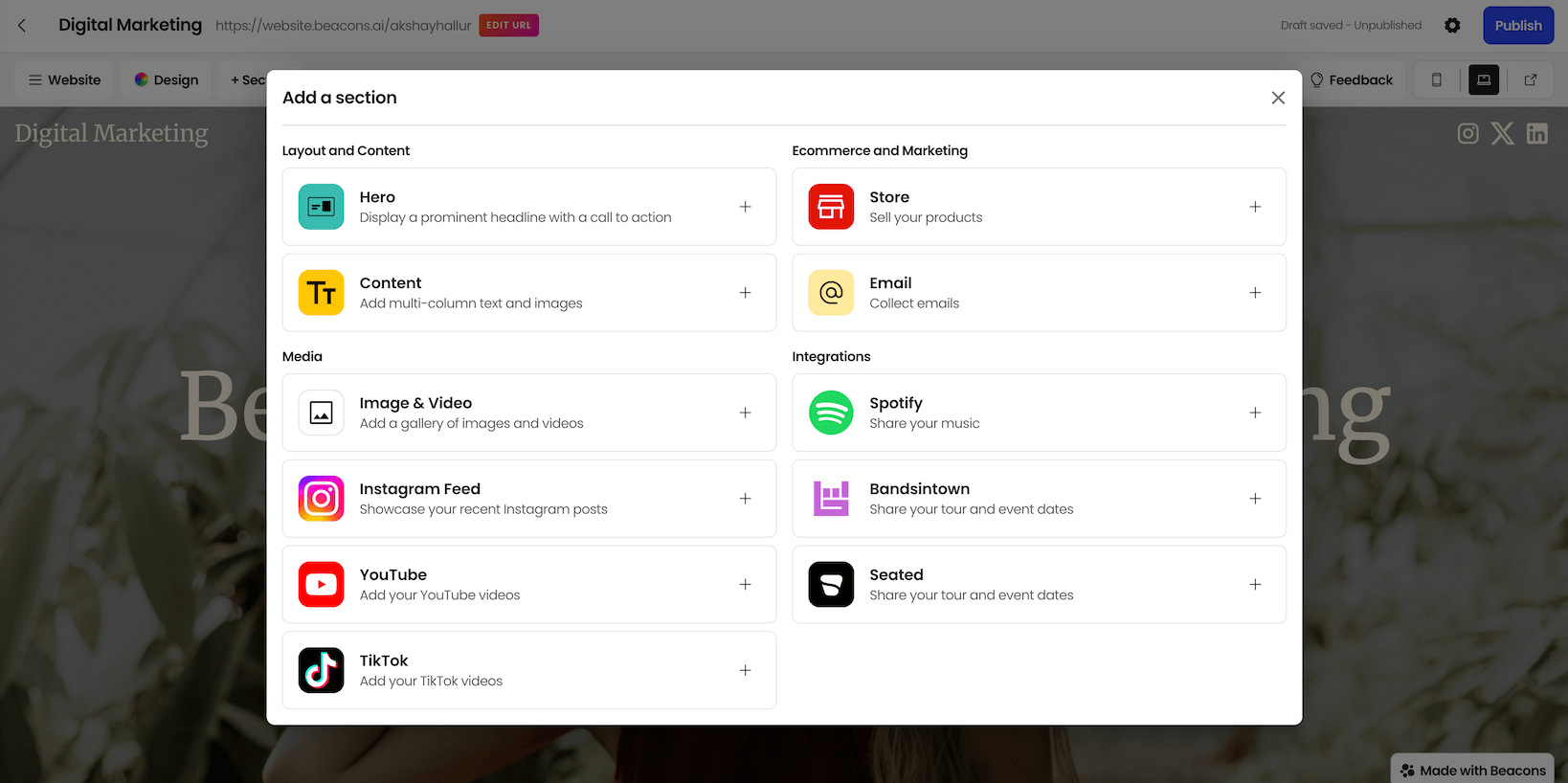
The editor lets you change images/videos, headings, subheadings, buttons, and switch layouts quickly.
There aren’t a ton of building blocks compared to advanced builders, but it’s more than enough for most content creators.
⚠️ Also note: the “Made with Beacons” branding stays unless you upgrade to the right plan.
Pricing: which plan should you choose?
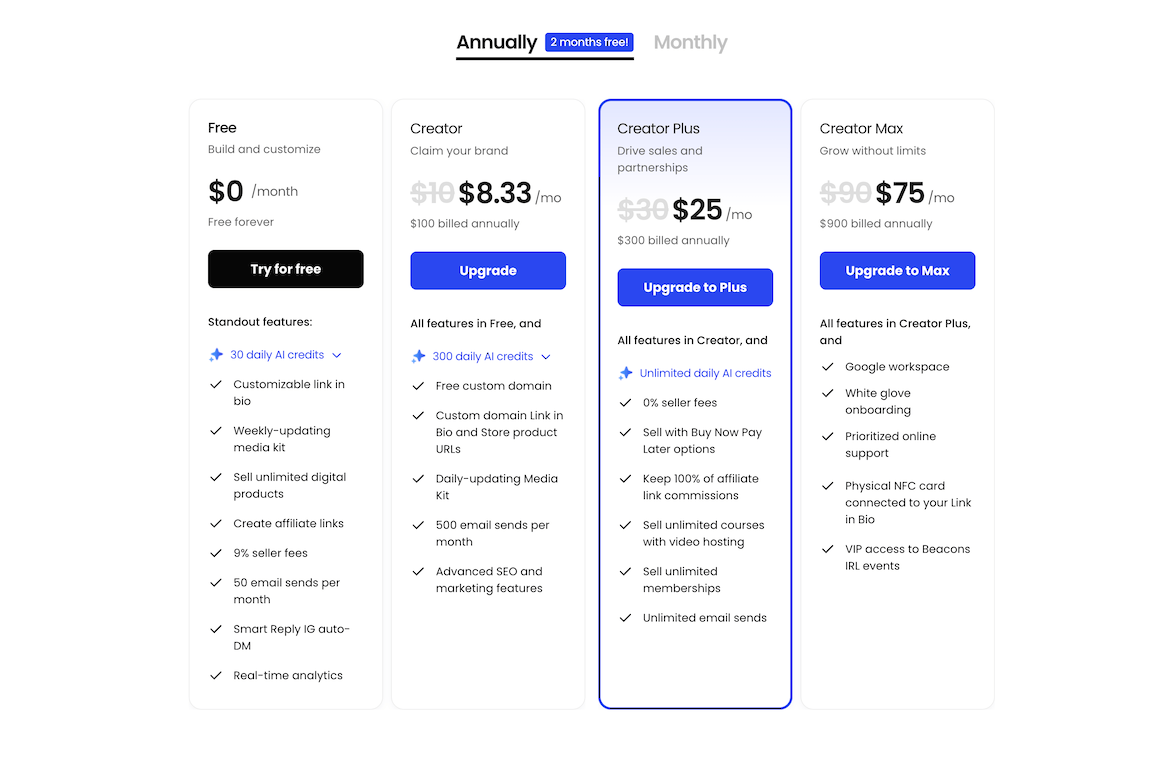
Beacons has 4 plans.
Here’s the decision:
- If you only want a link-in-bio page: The free plan is enough for most people.
- If you sell digital products and the 9% seller fee matters: You’ll want a plan that removes the seller fee. The plan I recommend for serious digital product selling is Creator Plus (0% seller fee).
Just note that the paid Creator plan still has a 9% seller fee (you need Creator Plus for 0% seller fees).
Final verdict
Here’s my verdict on Beacons AI review.
Beacons is a strong all-in-one platform for creators who want to build a link-in-bio page, collect emails, and sell digital products without stitching together 5 different tools.
The AI onboarding is genuinely useful and speeds up setup a lot.
If you’re just looking for a link-in-bio tool, stick with the free plan.
If you’re serious about selling digital products, Creator Plus is the plan I’d pick because the 0% seller fee makes a real difference.
And if email marketing is a major part of your business, I’d still lean toward a dedicated email tool (like Kit or Mailchimp) because of the reported account-ban issues during migration/spam detection.
If you want $20 worth of free AI credits, use my referral link.