You know this. At some point in almost every advertising campaign, creating another ad and social visual starts to feel more like a production line than marketing.
I mean, have you tried creating 20 versions of an ad for different audiences, placements, formats, and tests?
That’s when things get time-consuming and expensive.
You either spend hours creating the ad variants yourself or hire an expensive designer for it. Or, worse, you accept that you’re probably not testing as many ad creatives as you should.
AdCreative AI promises to solve that problem for busy marketers. So, I put the ad design tool to the test for this hands-on AdCreative.ai review.
Here’s what I found.
Quick decision
AdCreative Pros: What I like 👍
- Produces creatives fast: I generated multiple ad variations in seconds rather than building each one manually.
- Great for creative testing: AdCreative makes it much easier to produce the volume of variations you need for A/B testing different ideas.
- Broad creative toolkit: It goes beyond static ads with product photoshoots, AI video, UGC-style creatives, competitor research, and more.
- Useful Creative Scoring: I liked this one. It analyzes your creatives and suggests improvements before you put real ad spend behind them.
- Easy to get started: The redesigned interface and onboarding were pretty straightforward. I didn’t need much hand-holding to start creating.
AdCreative Cons: What Could Be Improved 👎
- Expect to tweak things quite a bit to hone in on your brand messaging and taste.
- Limited creative control: You may want more control over fonts, layouts, colors, and individual elements than is provided.
- Potentially repetitive designs: Like with most AI tools, the automated layouts can start to feel too mechanical.
- Expensive for light users: The economics make more sense when you’re producing creatives at volume.
- Billing and free trial concerns: I haven’t experienced any billing problems myself, but it’s a complaint I’ve seen elsewhere (unexpected charges and delayed refunds). More on this in the AdCreative pricing section below.
Upfront bottomline ✨
AdCreative AI can spark ideas, help you do deeper ad intelligence, and get you past the blank canvas fast. That’s especially handy when you’ve got ten more creatives due urgently, and your brain is already screaming for rest.
You’ll still need to review, polish, and sometimes regenerate what it gives you. But as I found out, even the misses can be useful. They can help you explore different angles, and even clarify exactly what you don’t want your ads to look or feel like.
Want to test those AdCreative pros and cons yourself? Then claim your free 7-day trial here.
What exactly does AdCreative.ai do?
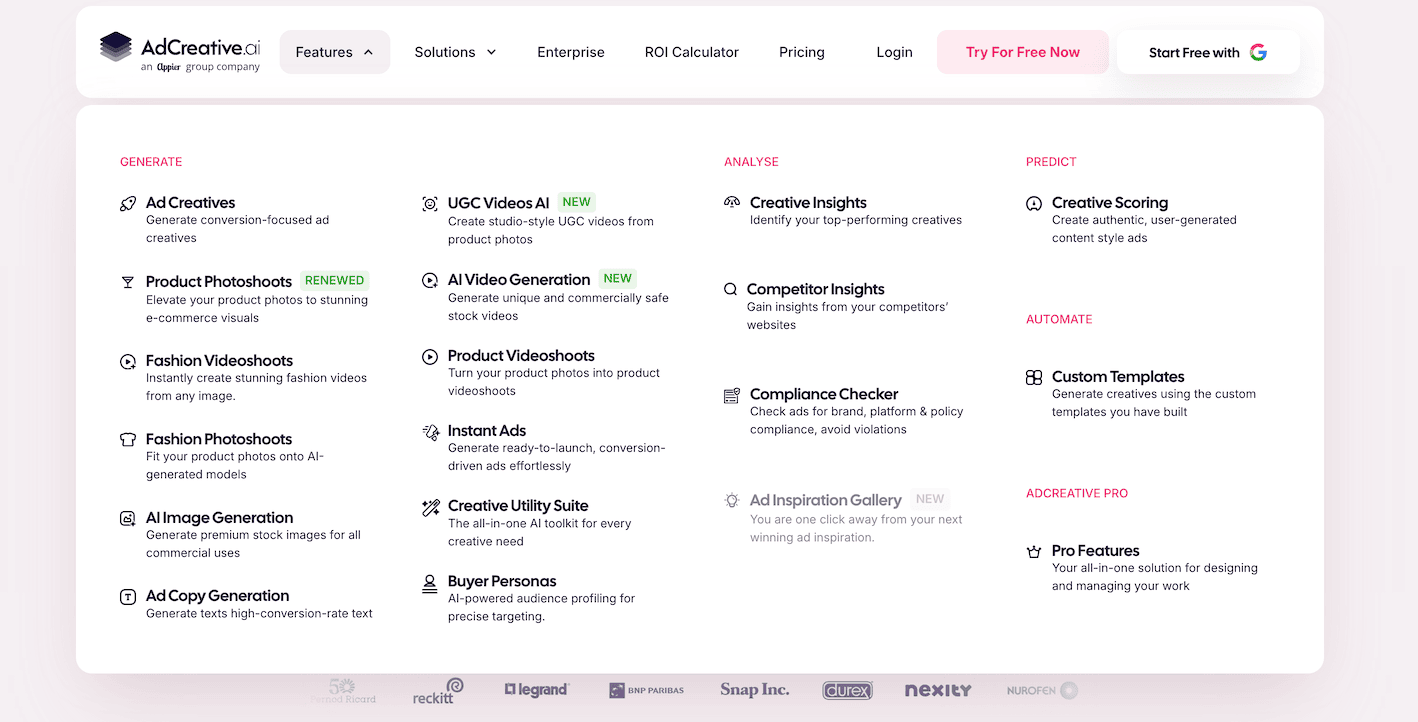
AdCreative is an AI-powered advertising platform for creating, testing, and optimizing ad creatives.
A major draw of its artificial intelligence and machine learning engine is volume. You can quickly create multiple ads to test, explore different ideas, and find ways to improve performance. All without building every ad variant from scratch.
You can use AdCreative.ai to generate:
- Ad images and variations, such as for Meta or Facebook Ads
- Ad copy (text generator AI) and a headlines tool for improving your conversion score
- Product and fashion photoshoots ideal for social media post creatives
- Product videos and UGC-style videos for Google Ads
- AI-generated images and videos
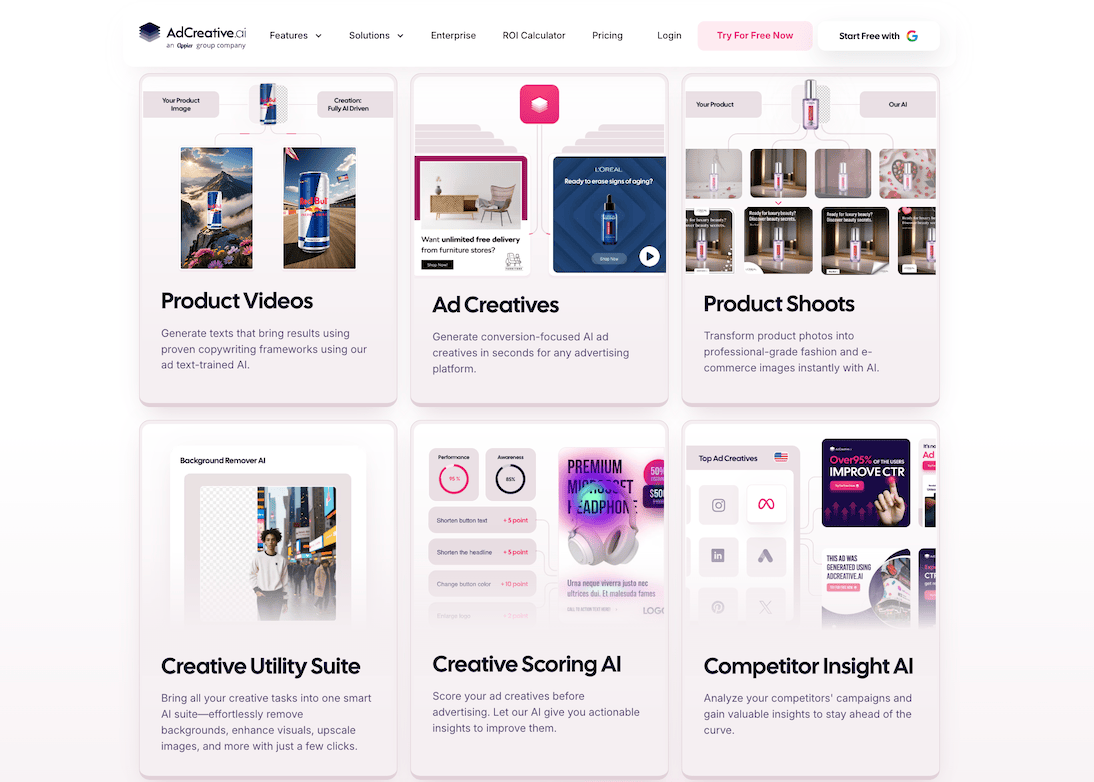
AdCreative also includes a performance scoring tool, which I found interesting (and tested).
AdCreative says it trained its AI on performance data from more than 450 million ad creatives. Beyond generating ads, you can also use the ad generation platform to research competitors (ad intelligence), create buyer personas, and check ad variants for potential compliance issues.
Ultimately, AdCreative makes the most sense for ecommerce brands, PPC teams, and performance marketers producing lots of paid ads. Having these tools in one place could save you serious time.
How does AdCreative actually work?
AdCreative’s automation starts with giving it enough information about your brand and products to work with. Things like your logo, brand colors, fonts, product images, and other visual assets.
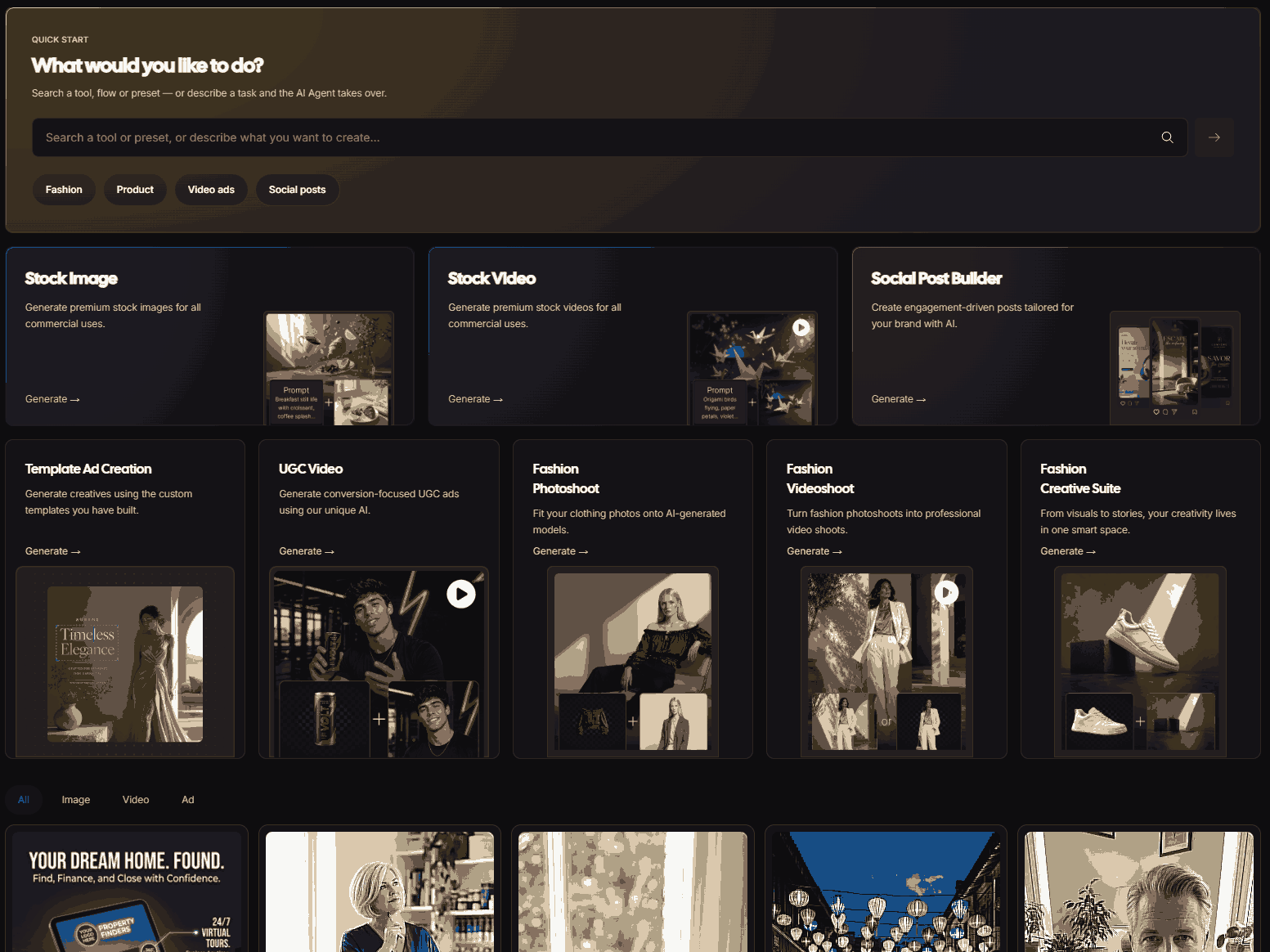
The quality of the inputs you give has a lot to do with the quality of what you get back.
The more complete your brand assets are, the less you’re relying on the AI to guess what your brand should look (and feel) like.
From there, the basic workflow is pretty straightforward.
Set up your brand, add your assets, choose what you want to create, generate, review, and refine.
Why you can trust this AdCreative AI review
This is a hands-on review that I did myself. And rather than jump between random products for each feature, I wanted to see how far AdCreative.ai could take one product from idea to campaign.
So, I created NOMAD, a fictional ecommerce brand selling the NOMAD Duo. It’s a matching 1L + 500ml BPA-free, insulated stainless-steel bottle set.
Here’s my source image:
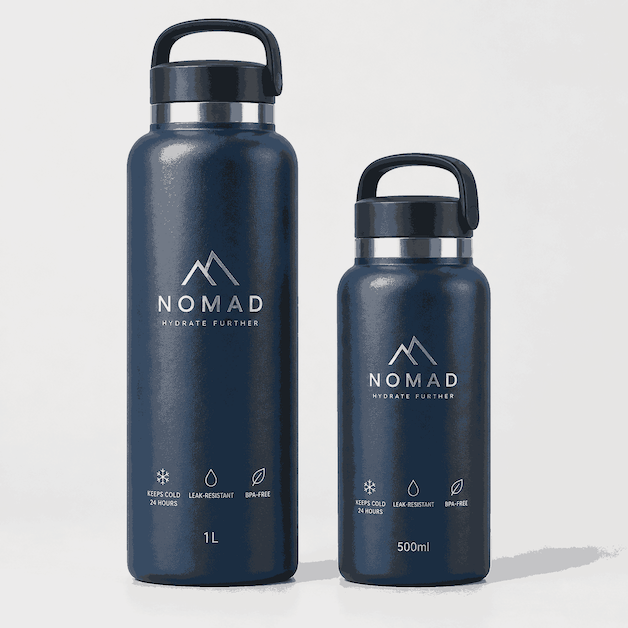
I intentionally chose a two-bottle product. I wanted to give AdCreative.ai more to figure out than simply putting one water bottle into pretty backgrounds.
After all, AdCreative AI says that you only need to add your brand details once, and it’ll generate on-brand ad assets each time.
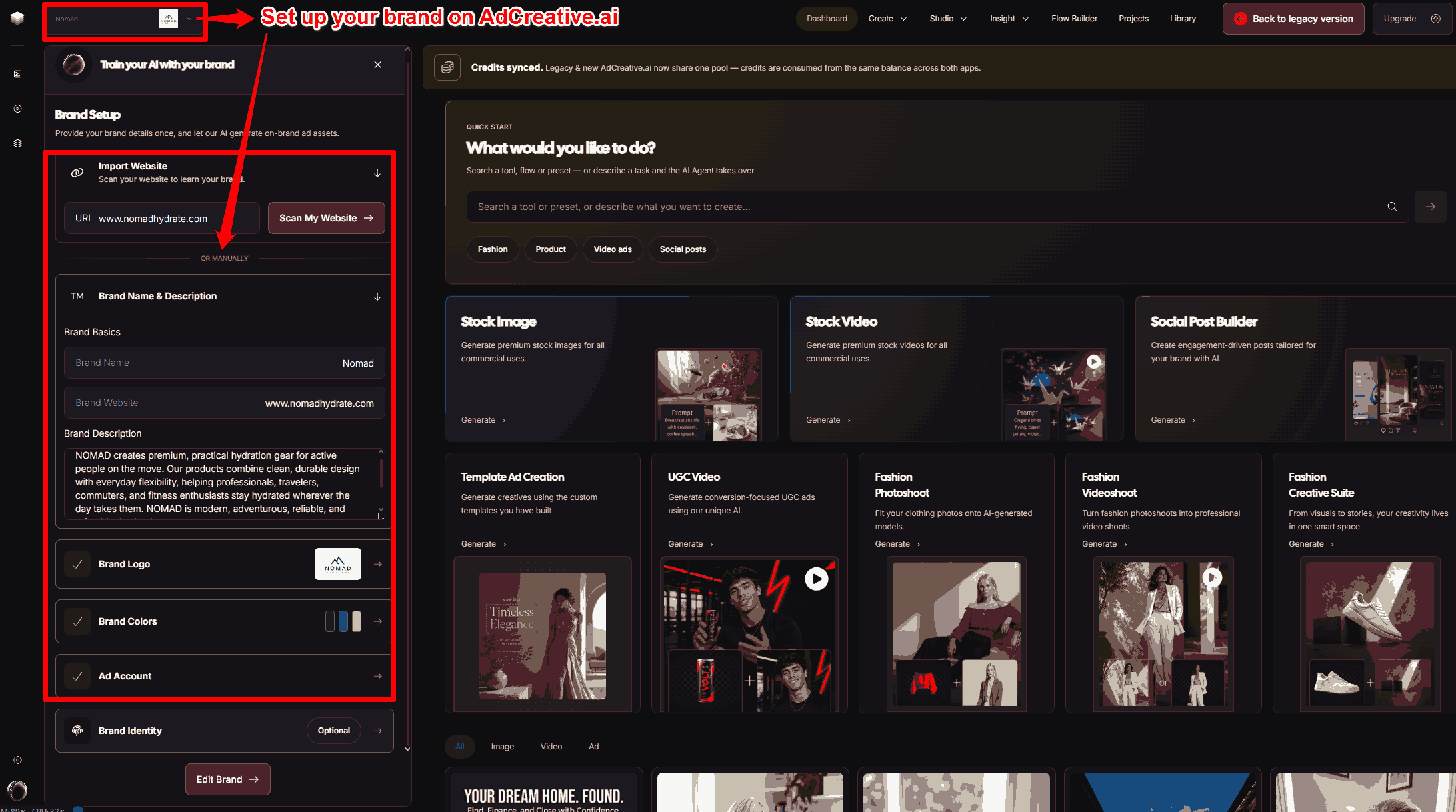
However, my main idea here was flexibility. The larger bottle works for long workdays, workouts, and trips; the smaller one for moving lighter.
Throughout my tests, I wanted to see whether AdCreative.ai could:
- Preserve the two-size setup accurately
- Understand different buyers and use cases
- Create genuinely useful ad variations
- Turn the same product into images, videos, UGC, and other campaign assets
I also put Creative Scoring to the test.
Ultimately, I wanted to see how far the ad creation tool could take me before I had to step back in with the strategy, taste, and manual editing myself.
AdCreative.ai Features: I Tested AdCreative AI Myself, And Here’s What I Found
AdCreative has been evolving, and here are a couple of ad design tools you can expect now.
AI Product Photoshoots
AdCreative’s Product Photoshoots turn basic product visuals into ad creatives for your ecommerce and lifestyle campaigns. No traditional photoshoot needed.
You first upload a clean product photo. Then, pick a pre-designed scene, like this:
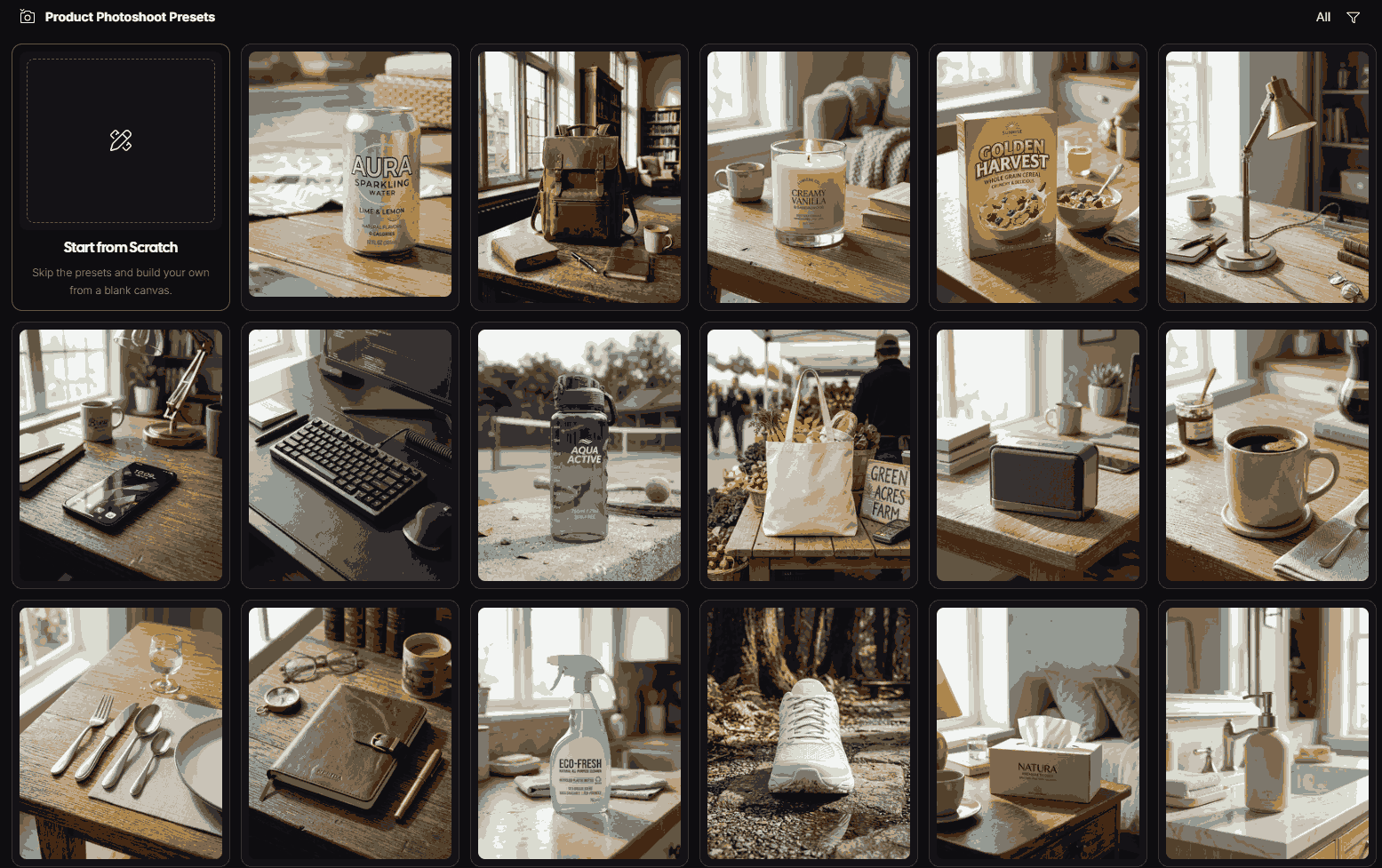
Or, if you want, you can use a prompt to describe your own scene.
For my test, I chose a tennis court scene to emphasize my target customer’s active lifestyle. The NOMAD Duo costs $49, by the way.
The AI generates the background, lighting, composition, and environment around your product. You can then turn the image straight into an ad creative.
So, one clean product shot can become multiple campaign-ready lifestyle images. No hiring photographers, booking studios, or staging new scenes every time.
I used 2 credits to generate these three options in one go:
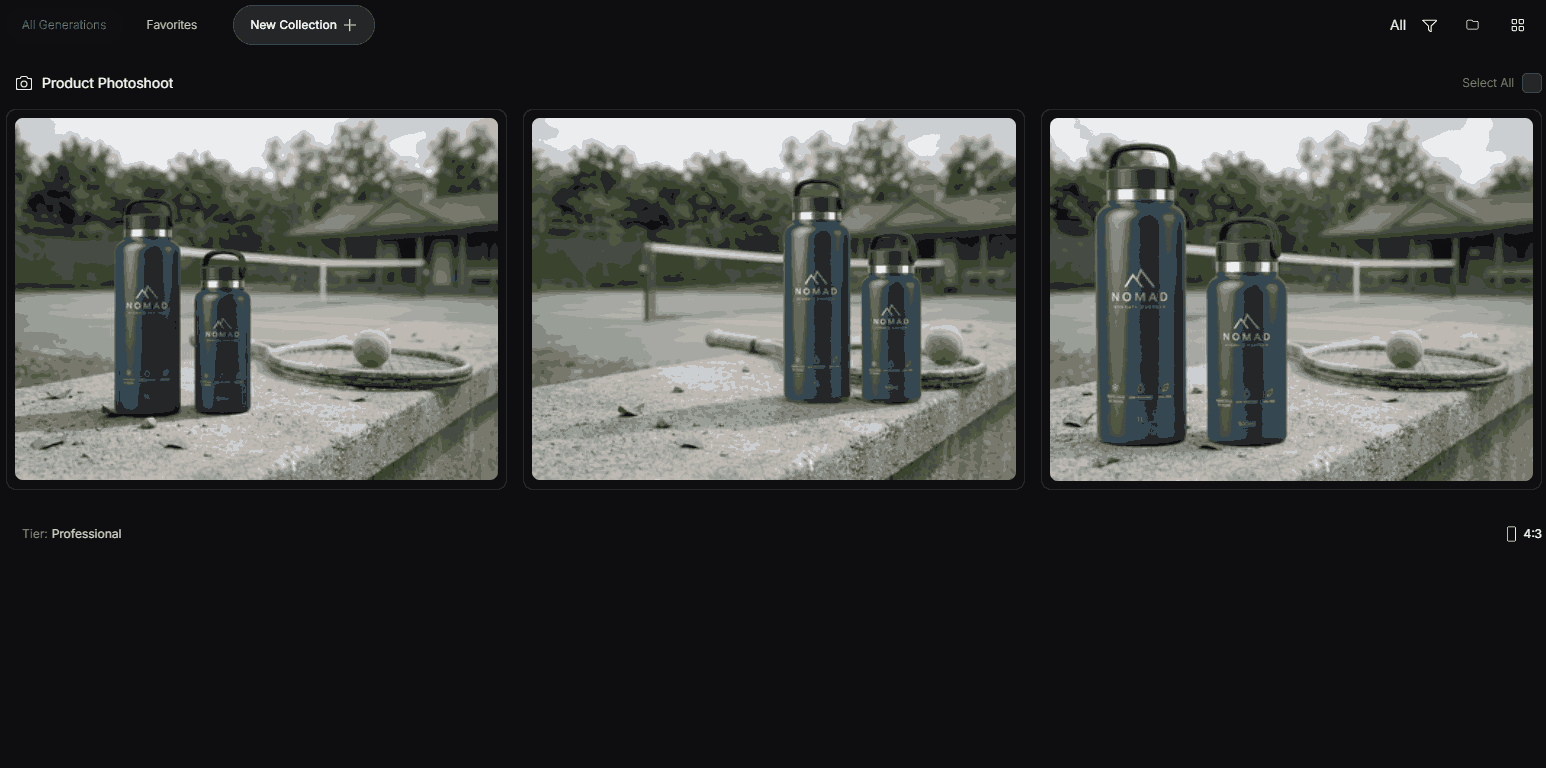
Option 1 on the left looks a little off, especially the product placement and proportions of the 500ml bottle. Option 3 feels more like a hero shot than a lifestyle photoshoot.
Option 2, though, looks ready to go with minimal editing.
If something does look off, hover over any of the images, and you’ll get three options:
- Edit: Describe what you want changed with a prompt.
- Convert to video: Turn the image into a video.
- Convert to ad: Take it straight into AdCreative’s ad creation workflow.
You can also save images to your library, organize them into collections, or favorite them for future campaigns. No need to start from scratch every time.
AI Ad Creative Generator
The AI Ad Creative Generator turns your brand information, product images, and campaign messaging into multiple ad designs. You can create them for different formats, too.
For the product image, you can upload your own. Or, you can choose a ready product visual from the platform’s library of stock visuals.
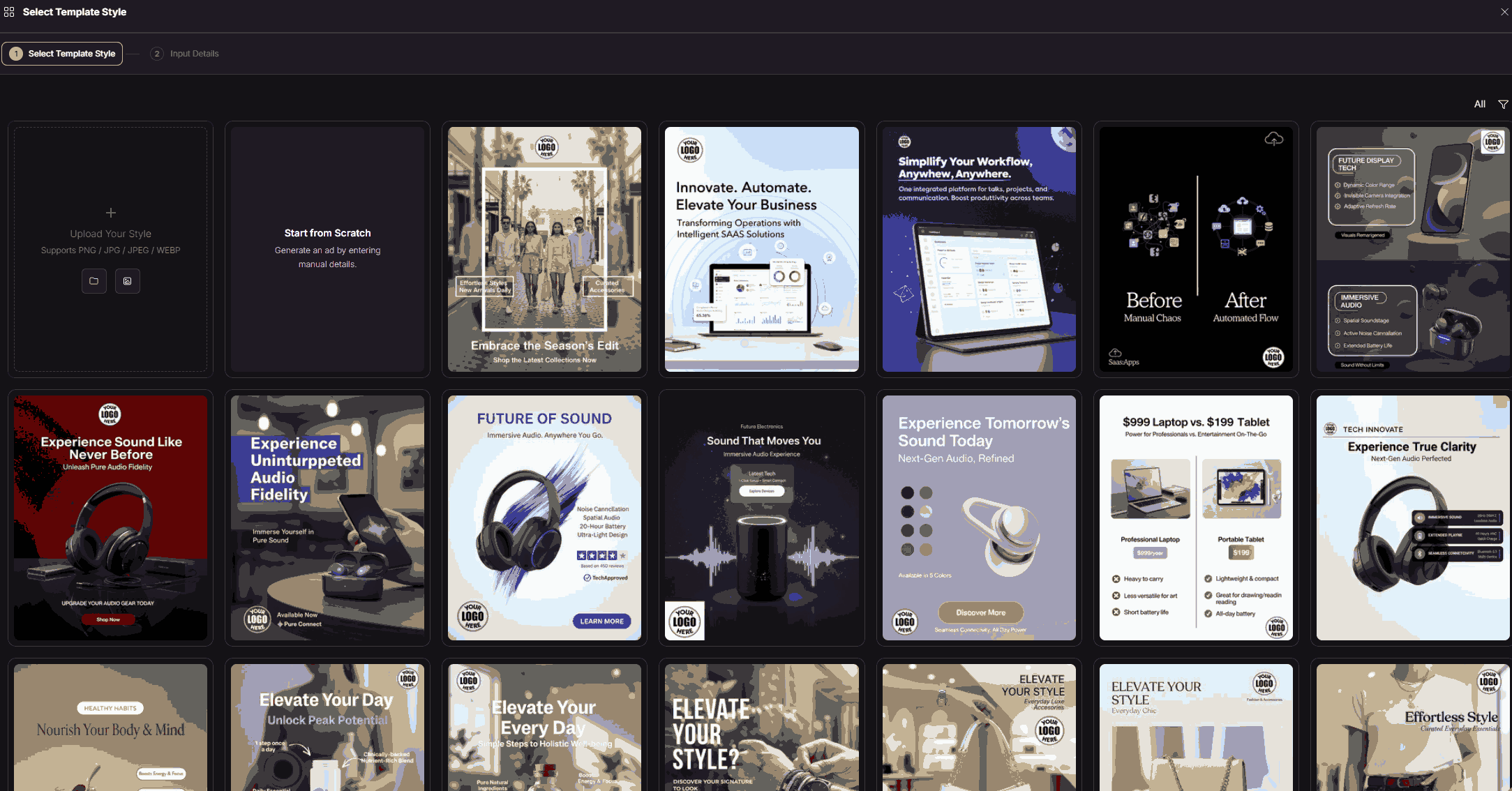
From there, add your copy, ad size, and advertising platform.
The AI handles the rest. It combines your image, headline, logo, colors, and other brand elements into different creative variations.
I chose the “Elevate Your Day” template and gave it this plain-language prompt:
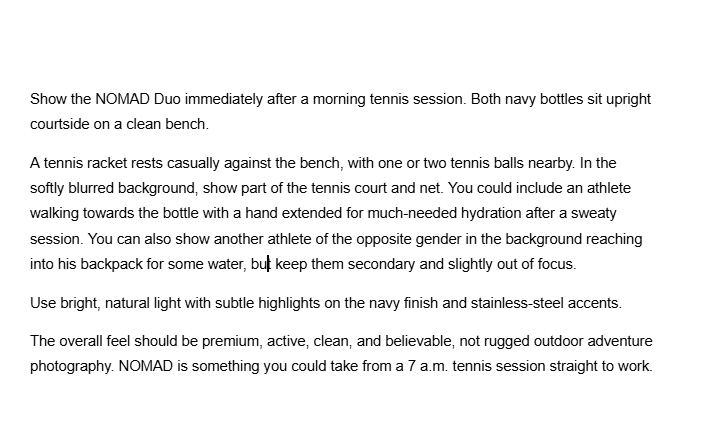
I got three visual variations after about 15 seconds:
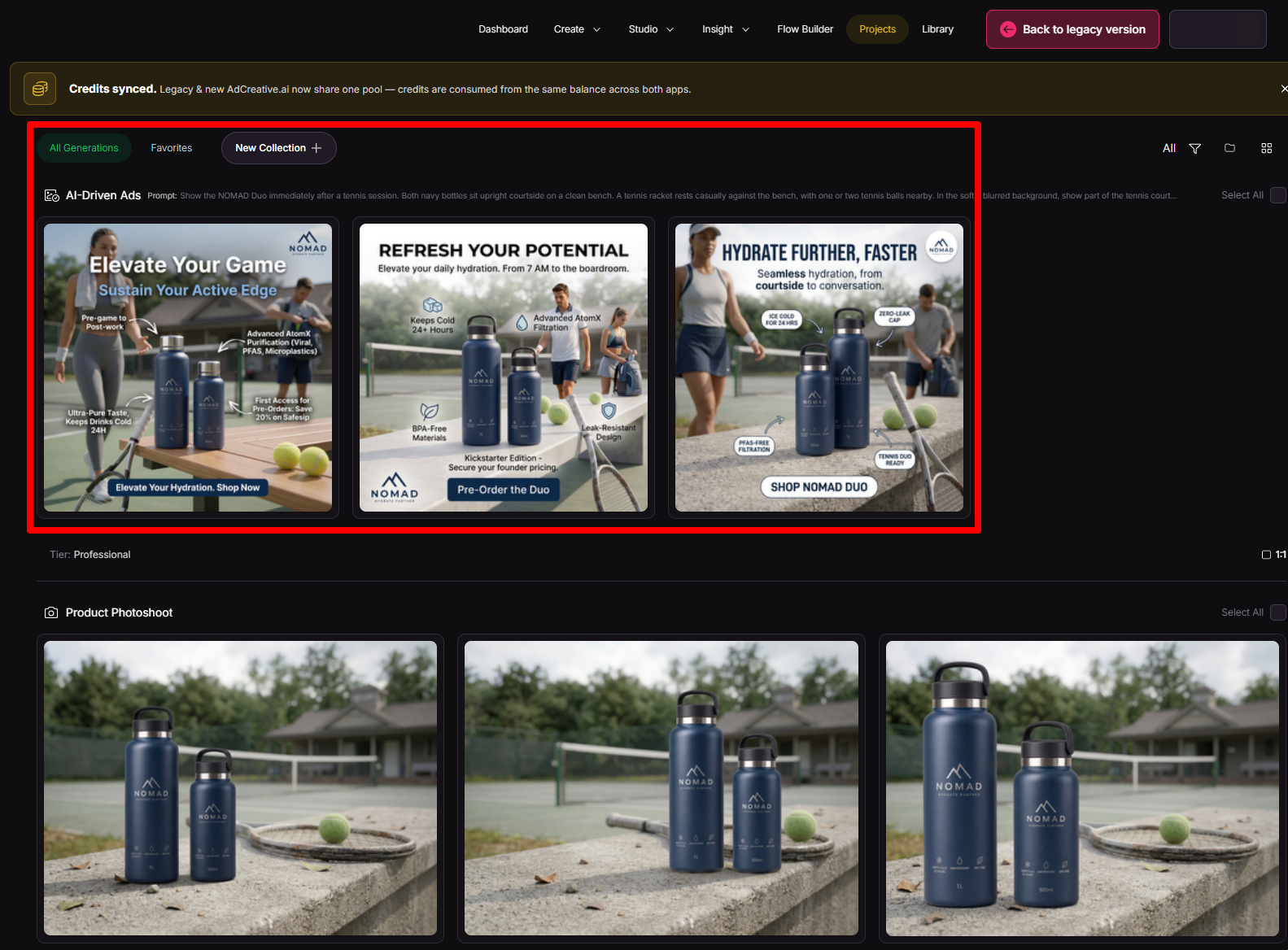
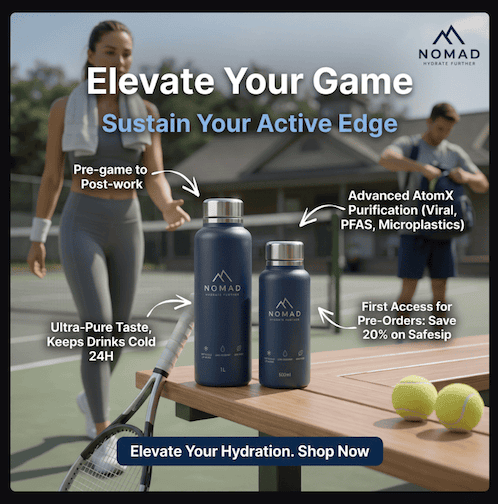
Of the three, I preferred this one:
The middle option felt a little too graphic-y for the lifestyle ad I was going for. The third was much closer, but it had many of the same issues as the first.
On closer inspection, though, you can tell the main athlete isn’t actually looking at the bottle, which can make the image feel a little disconnected.
I’d also simplify things to one bottle instead of two and put the tennis racket in her left hand. That would give the product a clearer focal point. The scene would feel more intentional.
Overall, though, it’s a decent job for something that took about 15 seconds to generate and a not-so-perfect prompt.
Then, I tried editing this rather than throwing it away and starting over. I used this simple prompt:
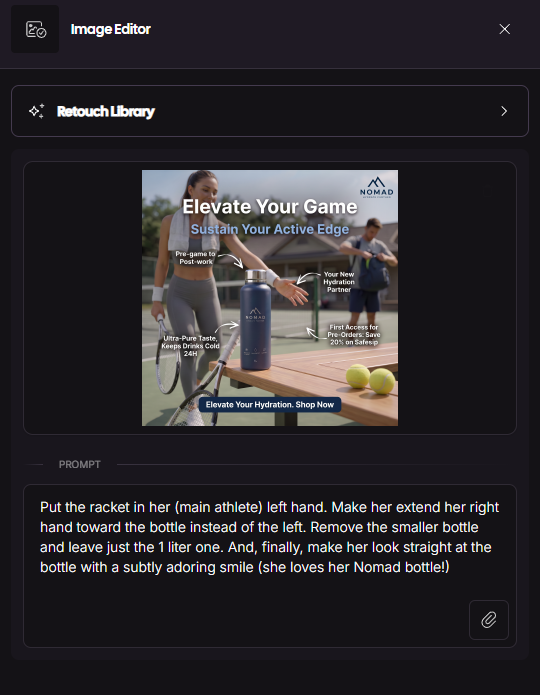
And I got this, even after trying two more times:
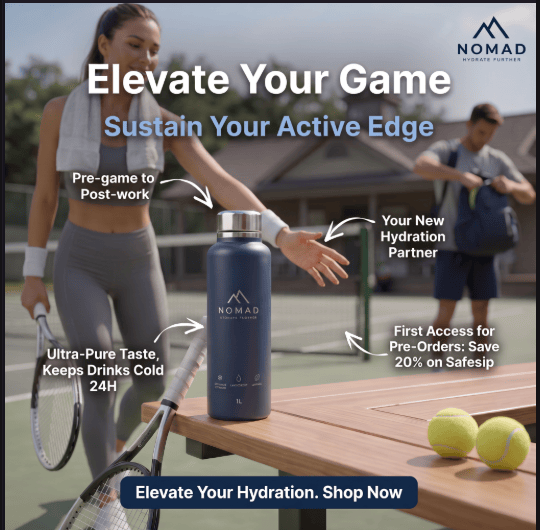
Now, perhaps I should have been more specific about those details in my original generation prompt. Fair enough.
But once I explicitly asked for those changes in the editor three times, it still couldn’t quite get there. So, while the original ad was good enough to edit rather than scrap, the AI editor wasn’t as reliable when I wanted precise compositional changes.
AdCreative’s AI Video & UGC
The AI Video Ads feature takes the same basic idea behind the static ad generator and adds motion.
You can start with product images, other brand visuals, or a text prompt. The AI can then turn those inputs into video creatives designed for your advertising campaigns.
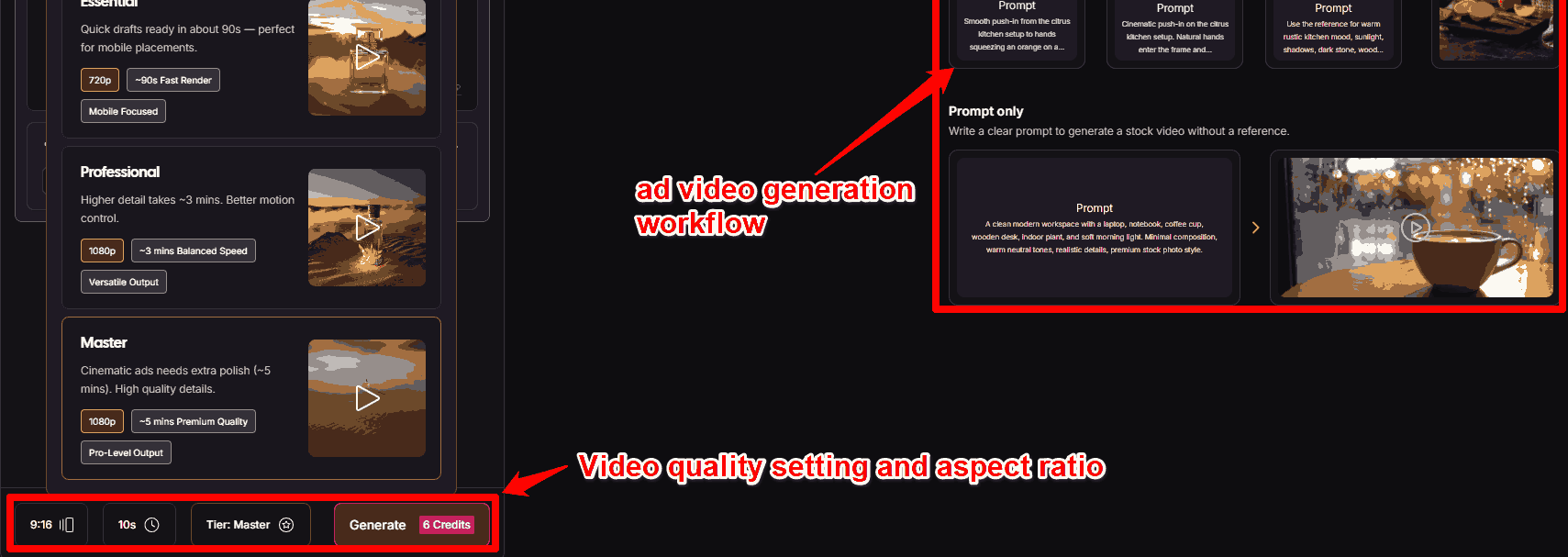
Depending on what you’re creating, AdCreative.ai can generate product-focused videos, AI-generated scenes, UGC-style ads, and other story-driven creatives.
You can also use prompts to steer the creative direction. Then you can turn the generated video into an ad with your branding, messaging, and CTA.
Here’s the prompt I used for that:
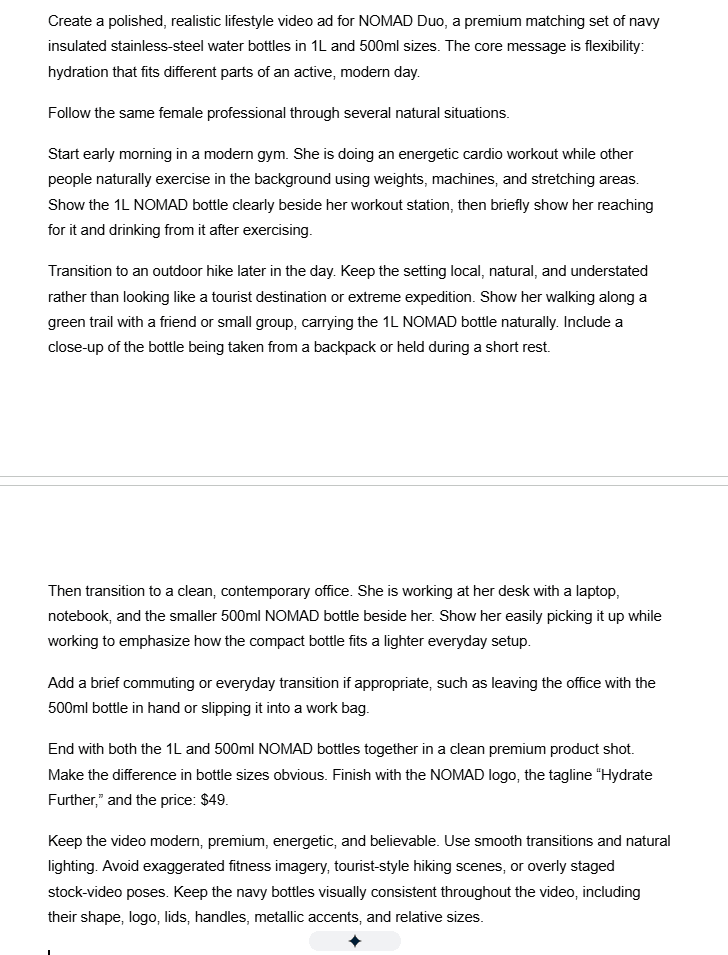
Again, the appeal here is speed and creative volume.
Shooting across several locations, hiring talent, and editing everything together can turn one video ad into serious production work. Here, you can generate and test different concepts without doing all that first.
For my test, I chose 9:16, 10 seconds instead of 5, and the Master tier instead of Professional or Essential. That brought the cost to 6 credits.
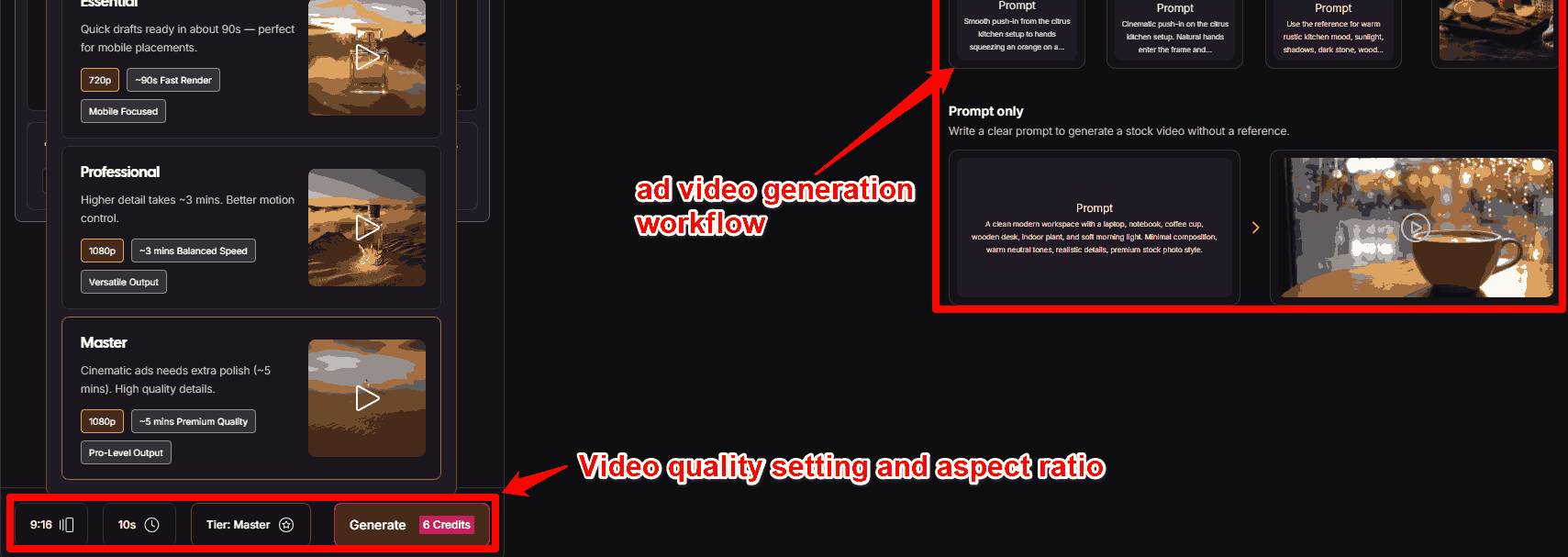
You can go deeper, too. Clicking Fine-tuning and Advanced Controls lets you configure things like the camera, effects, and style.
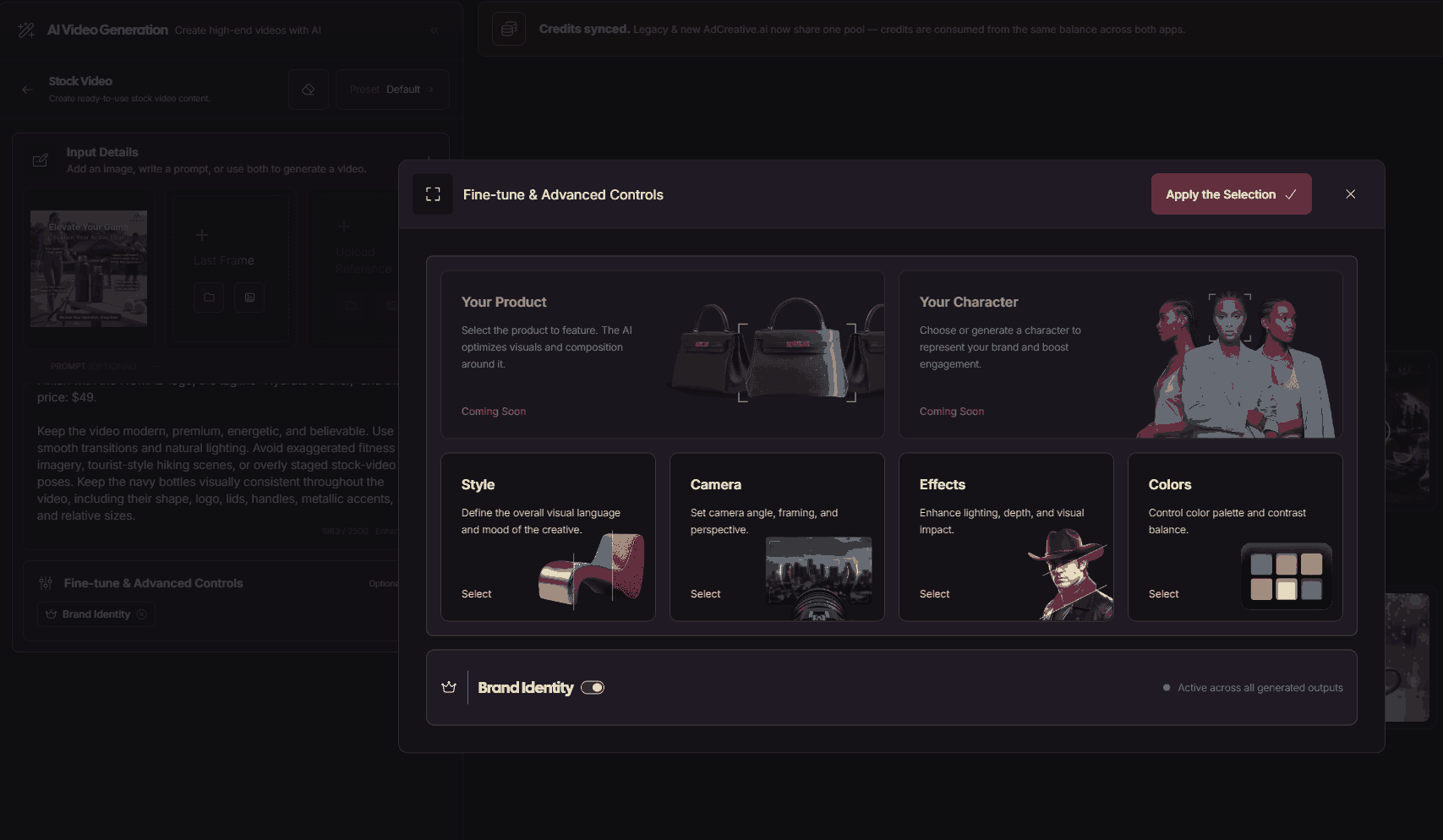
For NOMAD, though, I wanted to make the test tougher. I didn’t just want to animate the bottle. I also wanted to see if AdCreative.ai could capture our actual USP: premium flexibility.
Could it take NOMAD from a workout to the outdoors to the office? And could those scenes feel like one customer’s day rather than a bunch of random AI clips?
Here’s what I got:
Yes, the office scene went by pretty quickly. The final shot also showed two 1L bottles instead of our 1L + 500ml Duo.
Still, the athlete, product, and overall energy stayed surprisingly consistent. The transitions were smooth, too. Best of all, it captured the active-lifestyle idea I was going for.
I’d call this a strong first draft rather than a finished ad.
AdCreative AI Competitor Insights
The Competitor Insights AI lets you peek behind the curtain at what other brands in your market are doing with their advertising.
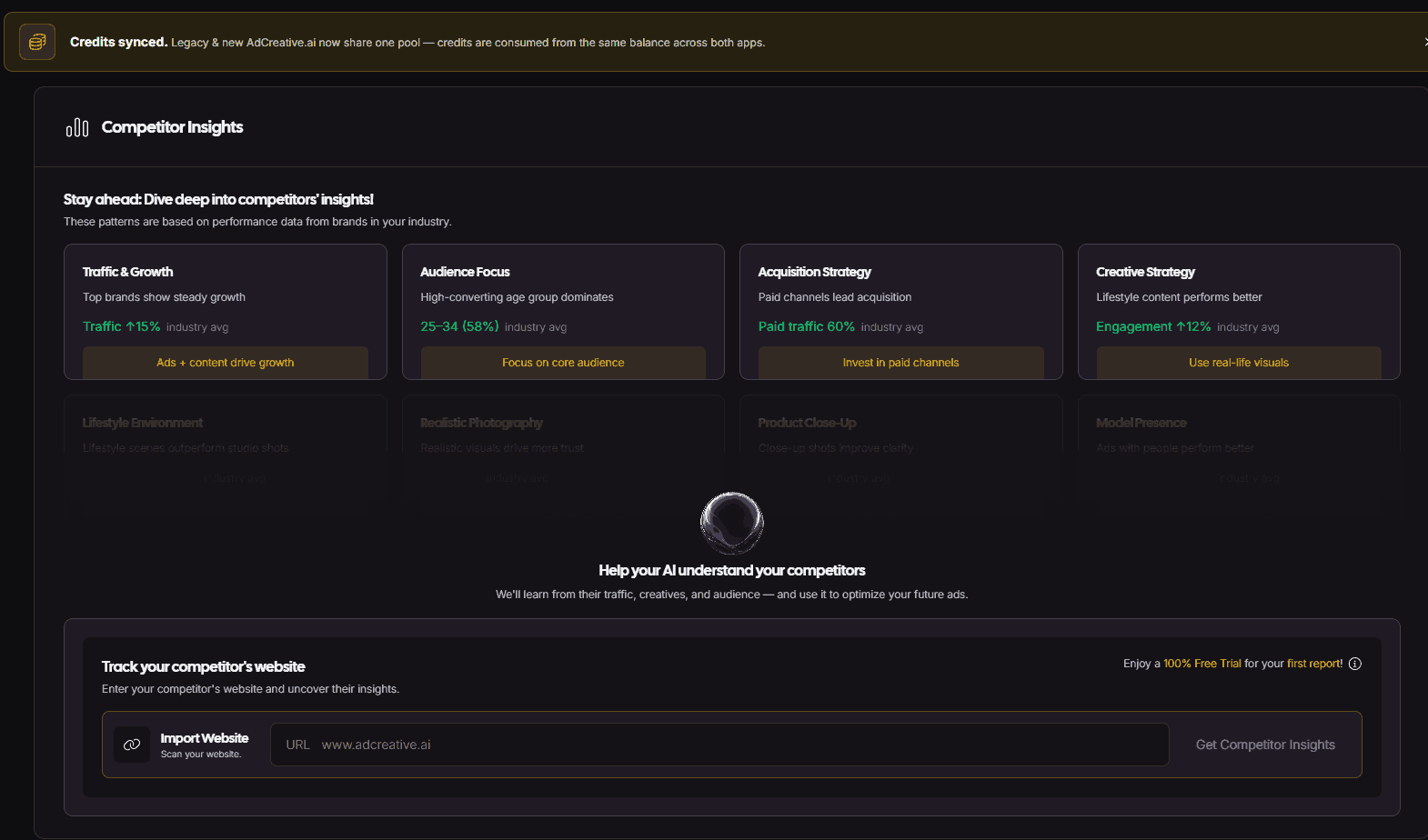
Getting started is simple, too. Just add a competitor’s website URL, and AdCreative.ai will analyze the business and pull together ad intelligence, including their:
- Website traffic
- Audience demographics
- Traffic sources
- Locations
- Landing pages
- Advertising activity.
It’ll even suggest other competitors you may want to track based on your business.
For my test, I used a premium reusable drinkware brand that competes with our NOMAD Duo. I’ll keep the company anonymous for obvious reasons.
And I got this in return:
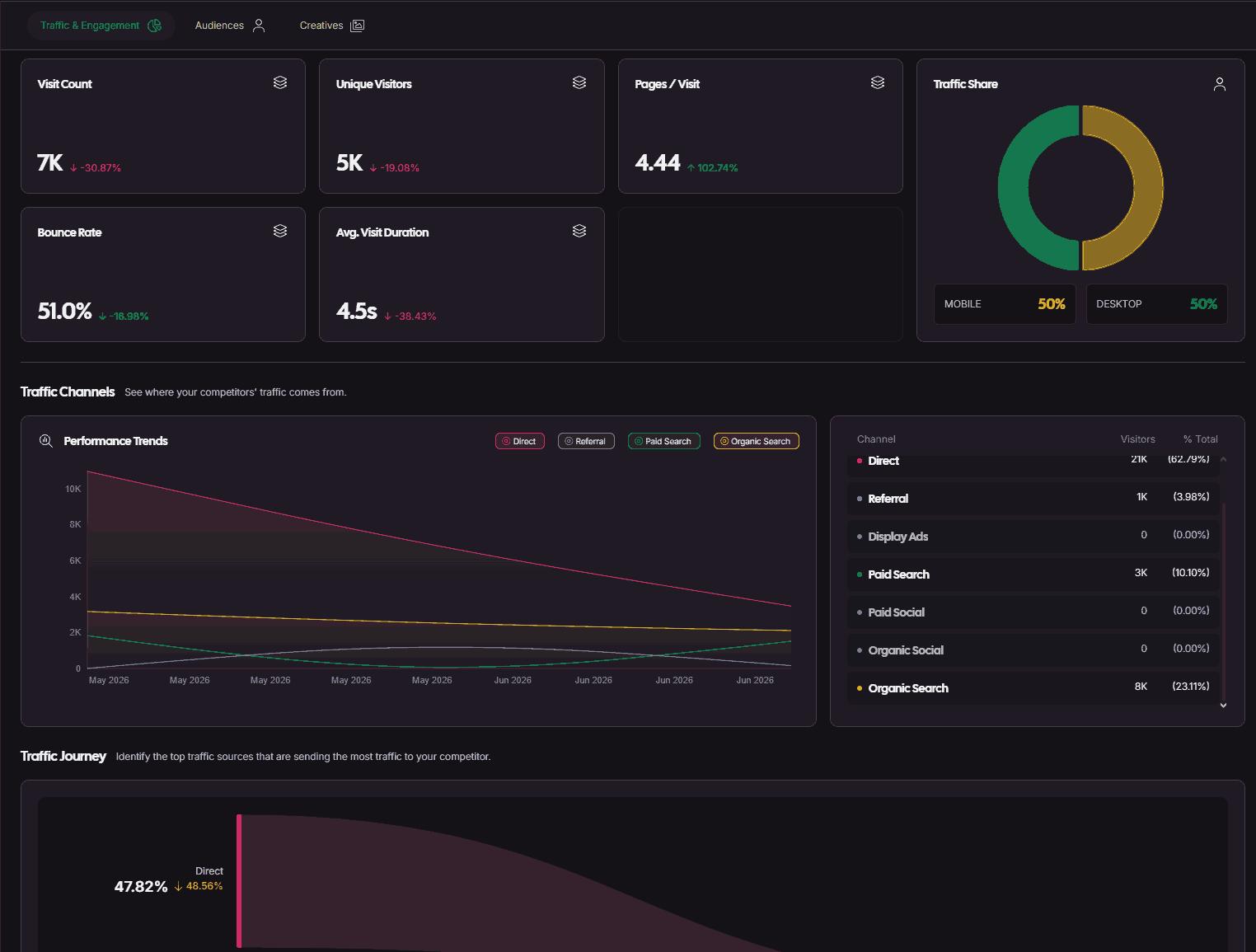
I could see estimated visits, unique visitors, bounce rate, traffic channels, top pages, audience demographics, locations, and more.
That’s a surprisingly deep snapshot from just entering a competitor’s URL.
I could use the traffic journey and audience data to see where competitors get attention. It could also help me understand the customers we’re competing for.
However, AdCreative.ai didn’t find any Top Ad Creatives for this company.
That’s the data I’d really want as an advertiser. I could study their creative angles, messaging, formats, and ad database for inspiration.
Still, I wouldn’t call the feature a failure based on that alone. This company simply may not have enough detectable ad data for AdCreative.ai to show anything yet.
The Creative Scoring AI
AdCreative’s Creative Scoring AI tool is built to help you pick which ads to test or use first.
You only need to upload a creative, and AdCreative.ai will give it an Engagement Score. That score includes an attention heatmap that shows where it expects people’s eyes to go. You’ll also get AI recommendations for improving that creative.
There’s one catch, though.
I couldn’t find Creative Scoring in the new version of AdCreative.ai I’d been using. All I got was a “More features coming soon” banner.
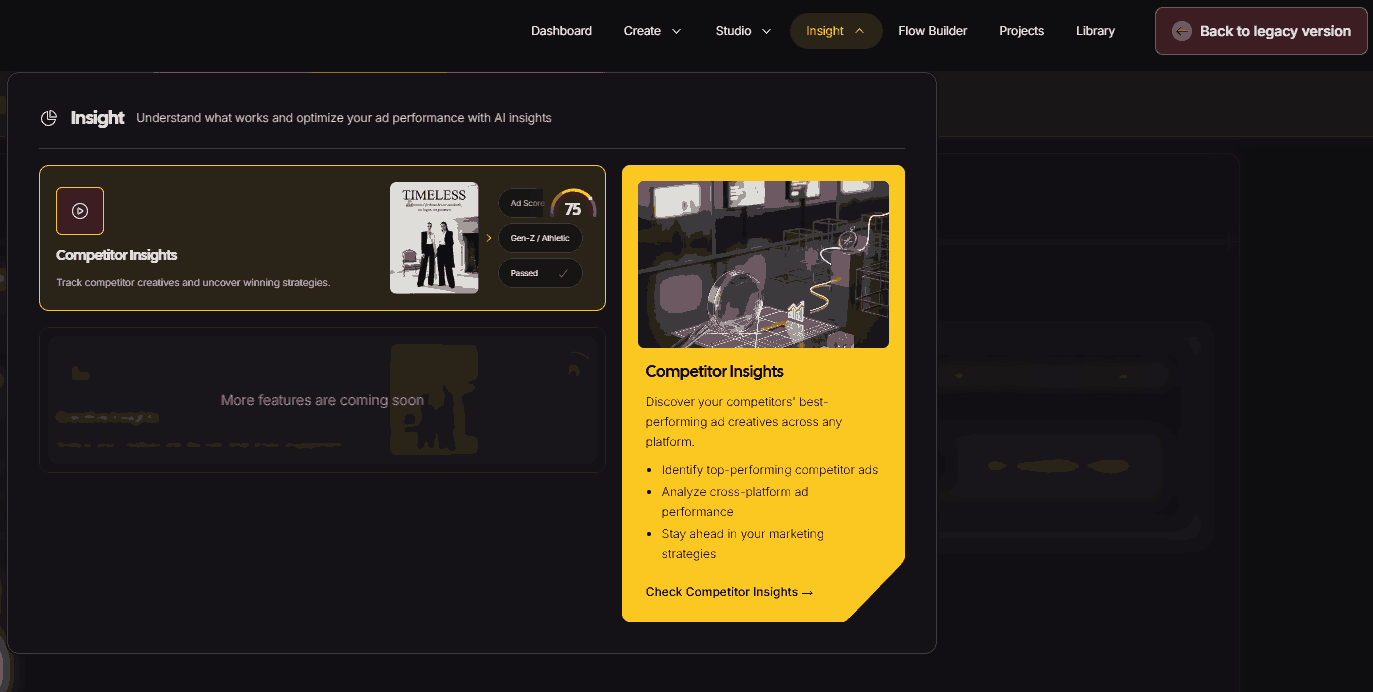
Turns out, Creative Scoring currently lives in AdCreative.ai’s Legacy version.
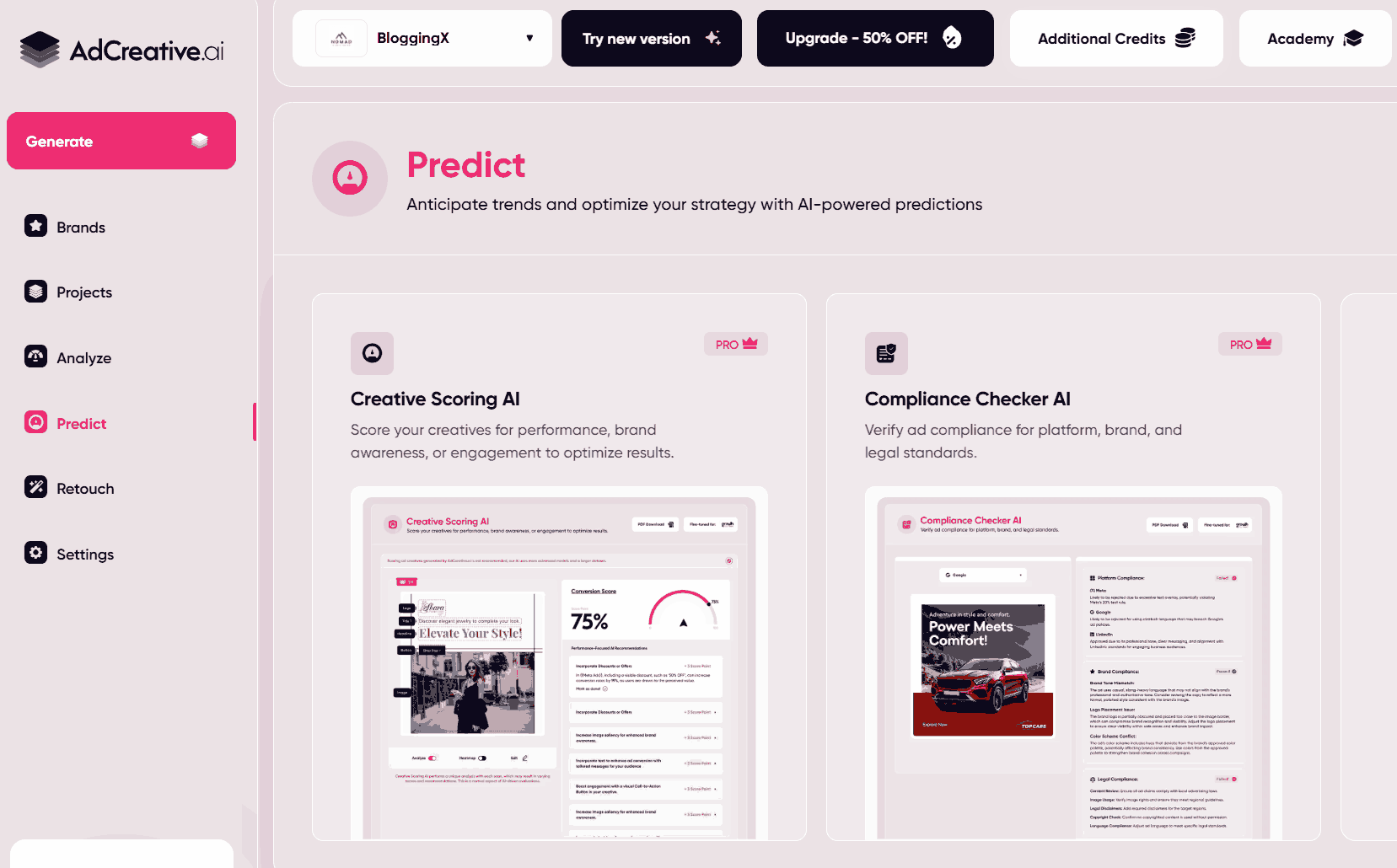
So, I switched over to test it. Unfortunately, my NOMAD brand and creatives didn’t come with me. I had to upload them again, so be careful when switching between these two versions of AdCreative.
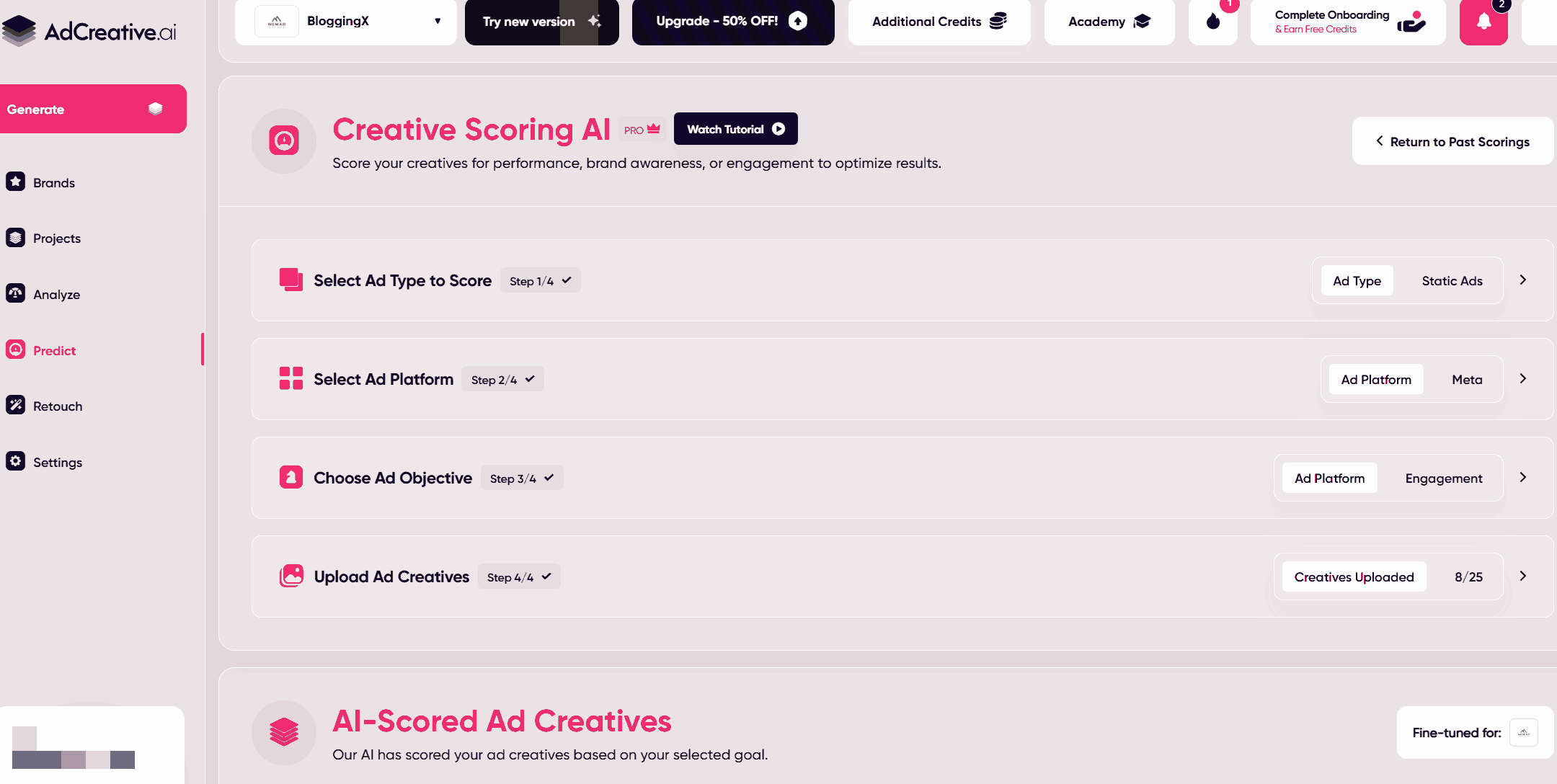
That felt a bit clunky, considering this is one of AdCreative’s more heavily promoted features.
AdCreative.ai says its scoring model evaluates hundreds of data points based on an ad database of millions of ads.
While I won’t argue with that, I was more interested in seeing if it could spot the same strengths and weaknesses I’d already noticed in my NOMAD ads.
First, I tested our original two-bottle product shot:
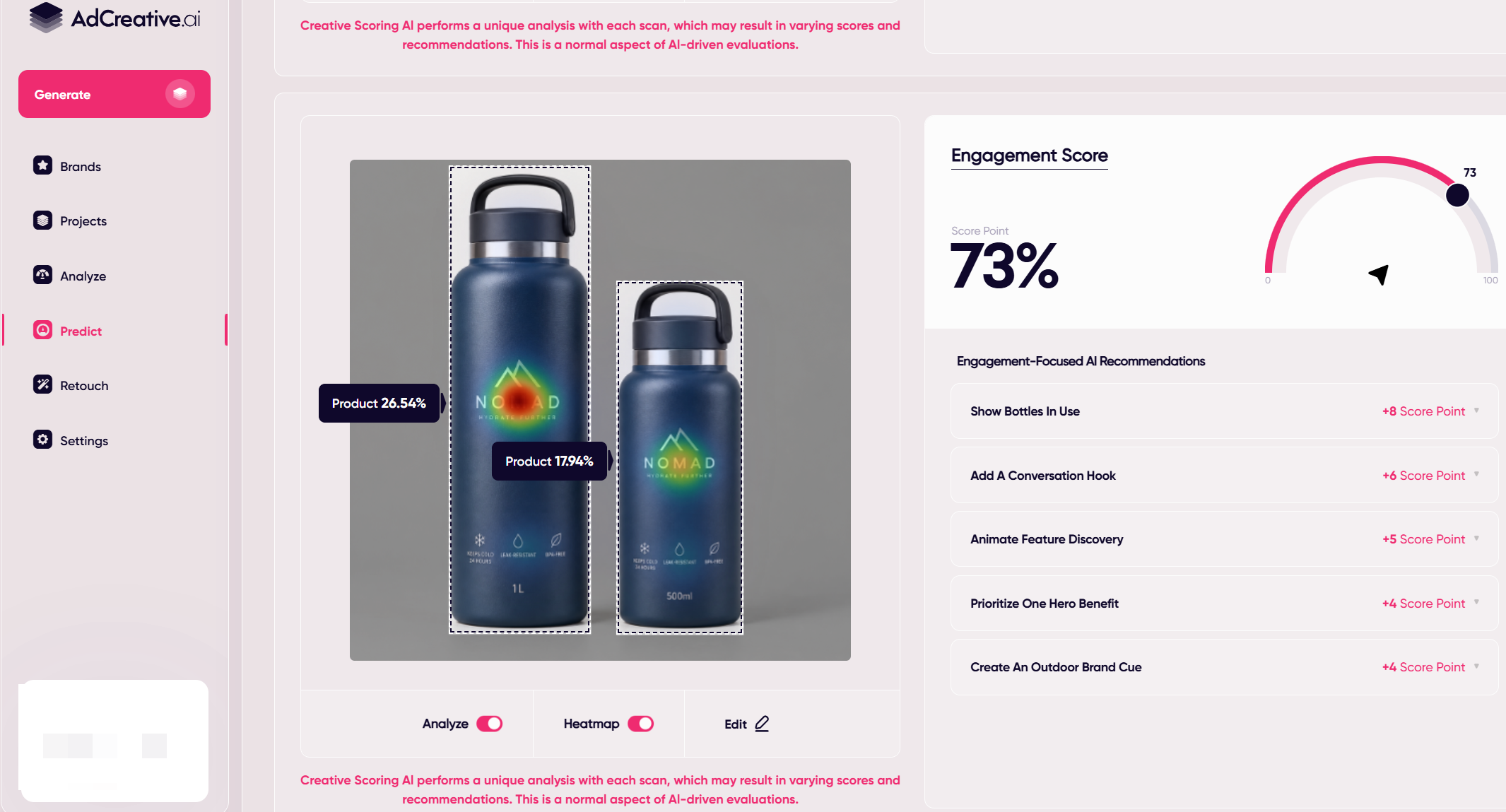
It scored 73% for engagement, with the heatmap predicting most attention around the NOMAD branding.
Here’s what AdCreative.ai recommended I do to raise the score:
- Showing the bottles in use
- Adding a conversational hook
- Prioritizing one hero benefit
- Adding an outdoor brand cue
Not bad.
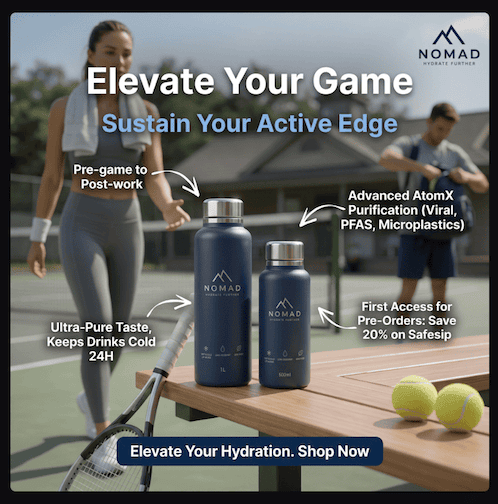
After that, I uploaded the ad I made earlier:
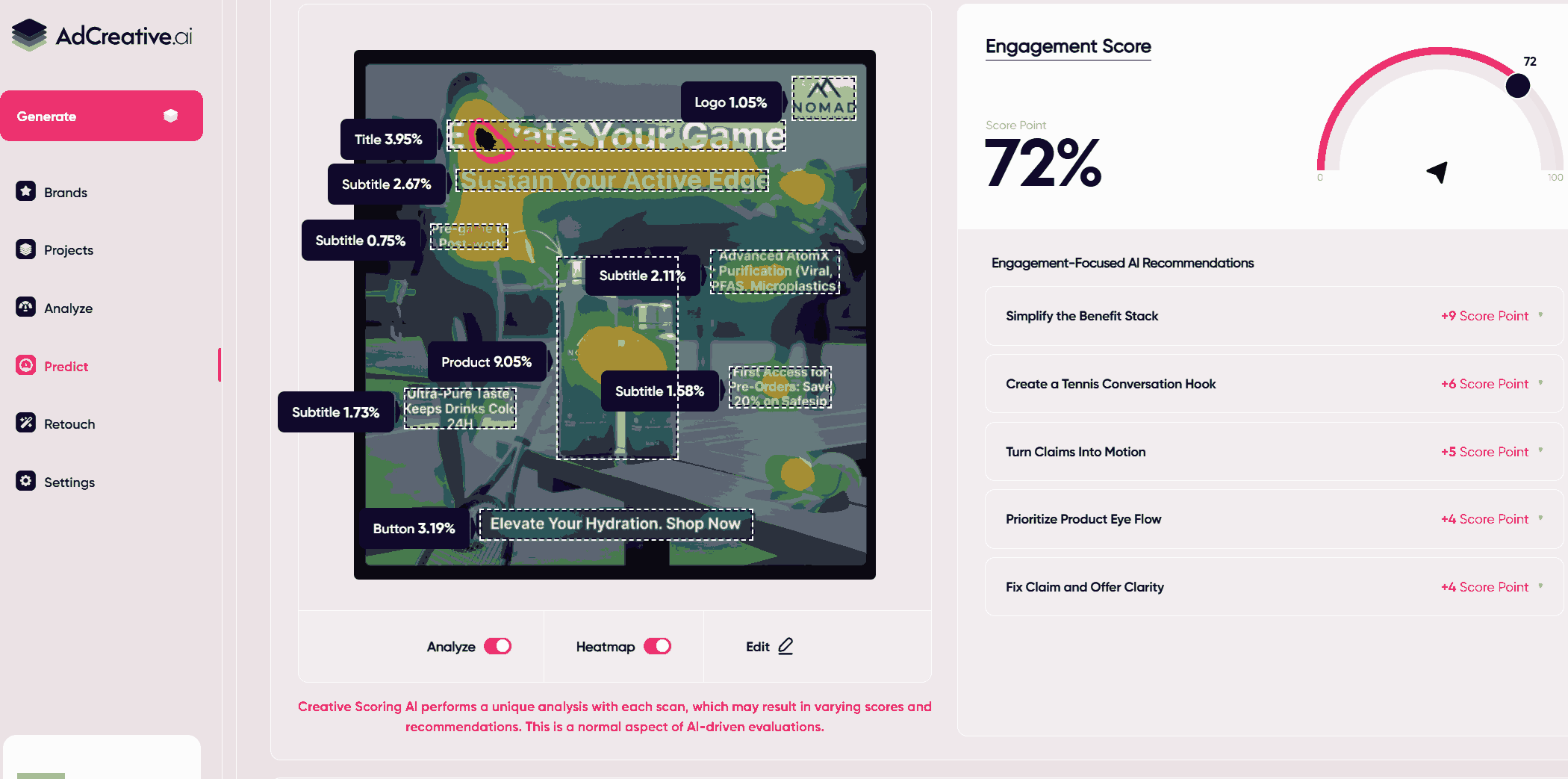
This scored 72%. And remember how I said the athlete wasn’t actually looking at the NOMAD bottle and even tried editing her gaze? This tool caught that, too.
For example, AdCreative.ai recommended that I improve product-eye flow, simplify the benefit stack, and clarify the claims and offer.
That said, I wouldn’t assume that a 90% score will automatically outperform one scoring 70%. You’d still need real campaign data and A/B testing for that. But as a second pair of eyes before you start spending ad dollars, I can see myself using this.
AdCreative pricing can get complex
The tool isn’t particularly cheap, especially if you’re only creating the occasional ad.
AdCreative paid plans currently start at $39/month. The higher tiers target teams and businesses producing considerably more creatives: Professional from $249/month and Ultimate from $599/month.
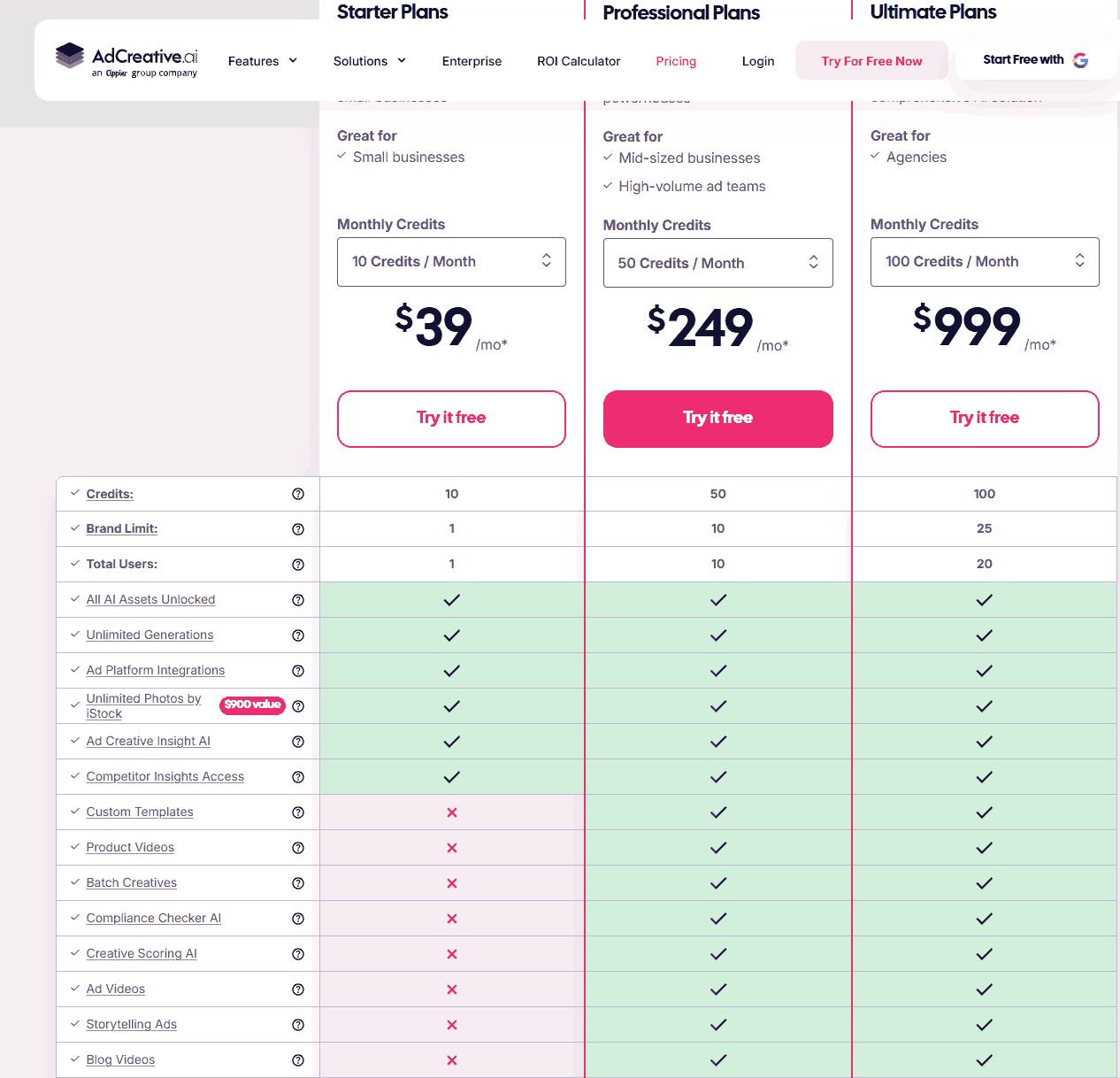
But the monthly subscription price isn’t the only thing you’ll want to pay attention to.
AdCreative.ai also uses credits, and it seems they work less straightforward than I expected.
How AdCreative’s free trial works
AdCreative.ai offers a 7-day free trial with 10 Creative Credits. Its website says those credits let you test ads, banners, videos, and UGC videos.
That’s the trial I used, and those 10 credits disappeared faster than I expected.
For example, this Product Photoshoot required 2 credits.
Generating the 10-second Master-tier NOMAD video required 6 credits.
The thing is, AdCreative has historically said you’ll only consume credits when you download a creative, not when you generate one. But, from my experience, it does cost credits to generate stuff (whether you download it or not).
Does the AdCreative trial automatically renew?
AdCreative.ai says you can cancel anytime. They will even send you a reminder 5 days before the trial expires. And they did for me.
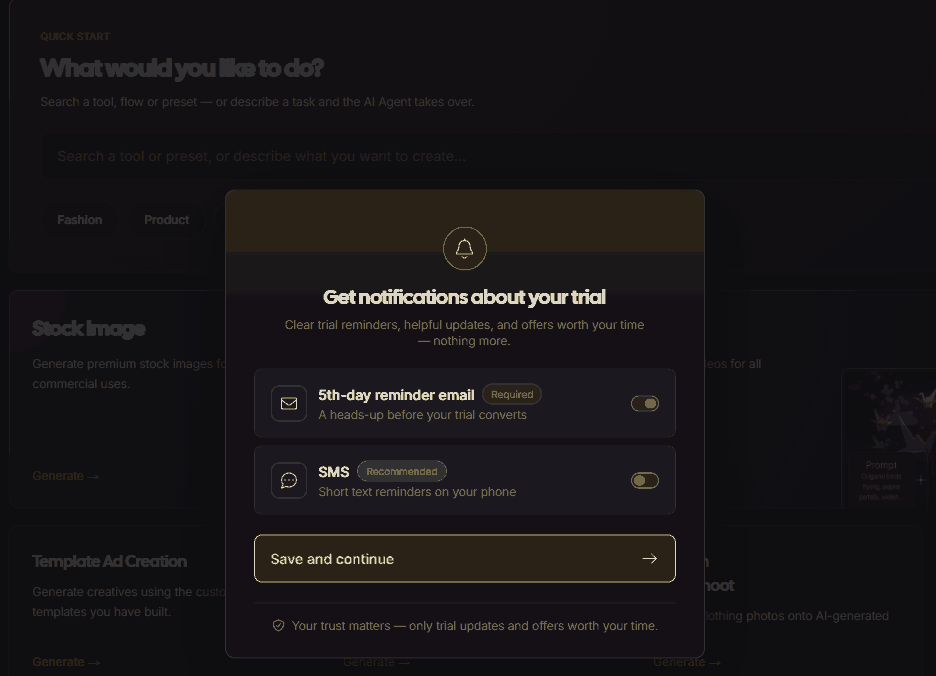
That said, billing and cancellation are recurring complaints in third-party AdCreative.ai reviews, including on Trustpilot.
Most involve unexpected charges after free trials or delays receiving promised refunds. However, other reviewers praise AdCreative.ai’s support team for being responsive and helpful.
I didn’t experience either problem during my testing, so you may not have them either.
Still, something to keep in mind.
AdCreative vs. Canva: Which is better?
Choose AdCreative AI if your goal is to create and test lots of ad creatives. But if you want more hands-on design control (and a broader creative toolkit), Canva is the better fit. Here’s why.
AdCreative.ai is built specifically for advertising. It can generate static and video ads, product photos, and creative variations. You also get tools for market research and ad scoring. Plus, you can push your creatives directly to Meta, Google, and LinkedIn.
Canva gives you more control over the final design. It also makes more sense if ads are just one of many things you create. Think presentations, social posts, documents, and other marketing assets.
Who is AdCreative.ai best for?
AdCreative is ideal for marketers and businesses that need lots of ad creatives. It’s especially handy for ecommerce brands, performance marketers, and agencies running frequent campaigns.
Its higher plans also give larger teams more brands, users, and credits. I’d consider it for freelancers and small businesses, too. It’ll come in handy if you advertise regularly but don’t have a dedicated designer.
Who shouldn’t use AdCreative.ai?
I wouldn’t recommend AdCreative if you only make the occasional ad or want pixel-level creative control.
I saw this when I asked for precise changes to my ad.
The AI struggled to reposition the racket and change where the athlete was looking.
What are the best AdCreative AI alternatives?
Canva, Pencil, Creatify, and Creatopy are among the top alternatives to AdCreative.ai I’d consider.
- Canva is better if you want a general-purpose design platform and more manual creative control.
- Pencil is worth considering if you want to generate ads alongside performance prediction and campaign iteration.
- Creatify specializes in AI video advertising, including avatar and short-form video workflows.
- Creatopy is a stronger fit if you’re into display advertising, multi-size creative production, and design automation.
Is AdCreative worth it?
Yes, AdCreative.ai is worth it if creating enough ads to test is slowing you down. It can save you serious production time. But if you only create ads occasionally, probably not.
The 7-day trial is a good way to see if AdCreative.ai is for you. From my experience, it’s handy when you need ad ideas fast. It also makes creating consistently a lot easier.