I’ve been using Flodesk for a while now.
And I’ll be honest with you.
It’s changed. A lot.
When I first signed up, the promise was simple: unlimited subscribers for $35 a month. Beautiful emails. Easy to use.
But here’s the thing: if you’re thinking about switching to Flodesk today, you need to know what’s actually happening behind the scenes.
The pricing model has shifted. The platform is evolving. And some of those changes might surprise you.
In this review, I’m sharing my real experience with Flodesk – what works, what doesn’t, and whether it’s actually worth switching to it.
Overview

Flodesk was founded in 2018 by Martha Bitar, a talented designer who noticed the gaps in existing email marketing platforms.
But here’s the thing: Flodesk didn’t really take off until around 2023.
So what’s their mission?
To help small, design-focused businesses build beautiful email campaigns without spending a fortune.
Here’s where their pricing gets interesting!
If you’re already a customer, you’re locked into unlimited subscribers for $35/month.
But new customers? They now have tiered pricing based on subscriber count.
👍 What I like about Flodesk?
- Design-centric approach: Flodesk’s design-focused approach to email marketing makes it stand out. The aesthetic templates, immersive visual email builder, and ‘global styles’ feature all contribute to a visually appealing and user-friendly experience.
- Grandfatheredpricing for existing users: If you’re already using Flodesk, you’re locked into unlimited subscribers at $35/month, which is an incredible deal compared to other platforms. For new users, tiered pricing starts affordably and scales as you grow.
- Frequent updates and improvements: Flodesk is actively working on improving its features. The speed at which they are implementing these updates is impressive.
- Impressive analytics feature: Flodesk offers detailed analytics, giving you a broad spectrum of metrics. You get a snapshot of your subscriber growth, open rates, and form performance. You can even see how open rates change at different stages of your automation workflow.
👎 What I don’t like about Flodesk?
- Basic filtering: Flodesk lacks advanced filtering options. You can only filter your email subscribers by their activity, source, and segments.
- Limited automation: Flodesk’s automation is limited, lacking time-based triggers and advanced subscriber segmentation options present in other platforms.
- No dedicated email sequences: Unlike other platforms, Flodesk doesn’t offer a separate email sequence builder, which can lead to cluttered workflow building.
- Not friendly with migration: If you’re considering migrating a large list from your existing email marketing provider, be cautious. Flodesk may suspend your account without providing a reason or access to your data.
👉 Flodesk offers value for money with beautiful design and a user-friendly interface. Although it lacks some advanced features, they are actively improving and expanding their services, demonstrating a promising future.
Should you switch?
You might be tempted to switch to Flodesk, especially if you value beautiful design and simplicity.
But here’s the reality: the pricing landscape has changed.
For existing Flodesk customers, you’ve got an amazing deal. Unlimited email subscribers for just $35 per month. If you’re hosting your emails on ConvertKit with 100,000 subscribers, you could save around $500 per month by staying with Flodesk.
But if you’re a new customer?
The math is different.
Flodesk now uses tiered pricing based on your subscriber count.

For smaller lists (under 10,000 subscribers), the pricing is still competitive. But as your list grows, you’ll need to factor in the increasing costs.
Here’s something else to consider.
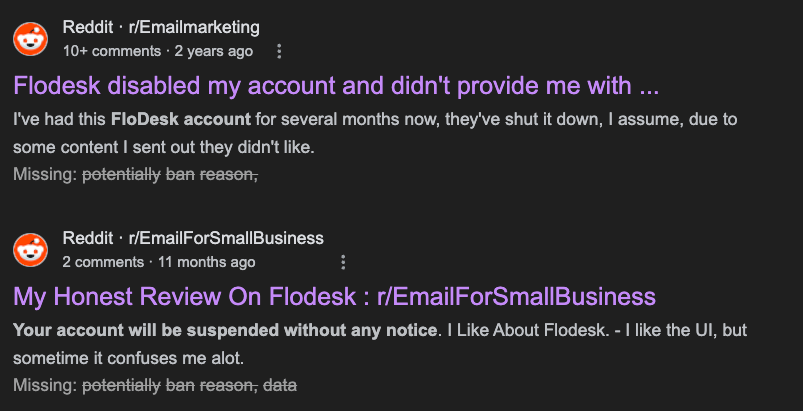
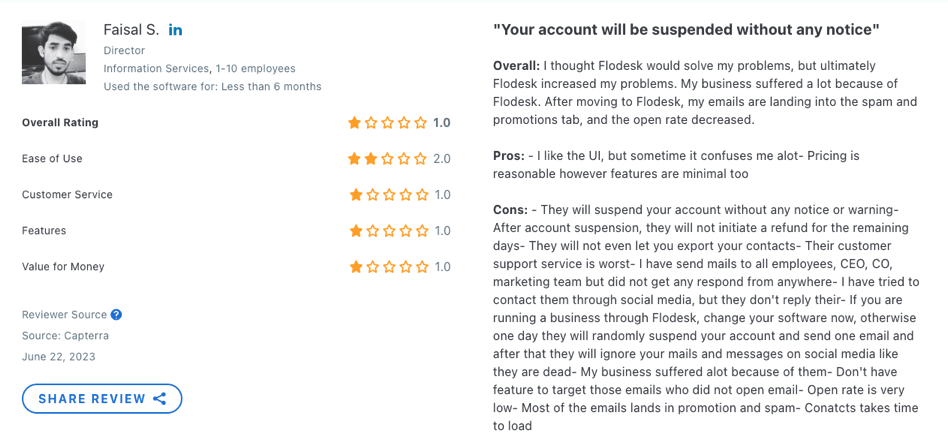
🚧 What happens is, when you export all your email subscribers in bulk to Flodesk, even if you’ve been maintaining a healthy email list, Flodesk might potentially ban your account without any reason, access to data and even replies to email.
This is a red flag!
Why would they do that?
Well, they don’t want to encourage people to jump ship with tons of subscribers solely for the sake of gaming their system.
Although it may make sense on their end, they could be a bit more transparent about this on their website.
Here’s another thing to note – unlike ConvertKit, Flodesk isn’t as marketing-friendly.
But let’s not throw the baby out with the bathwater.
👍 If you’re just starting out on your email marketing journey, or if you have fewer than 10,000 subscribers, Flodesk could be a good option at competitive pricing.
Especially if you abide by the 80-20 rule for sending value-added and commercial emails, maintain a healthy balance, and regularly clean up your list.
However, I urge you to read this blog post completely.
Why?
Because Flodesk, being a newer software, has some limitations when it comes to segmentations and automations. And these might be deal-breakers for you.

Try Flodesk Today!
Get beautiful email templates with competitive pricing for growing lists.
Verified
Interface
Once you sign up for Flodesk, you’ll immediately appreciate the design of the product. It’s beautiful.
You can access all the different features of the app from a neat menu at the top. It’s very straightforward. Plus, the interface is minimal.
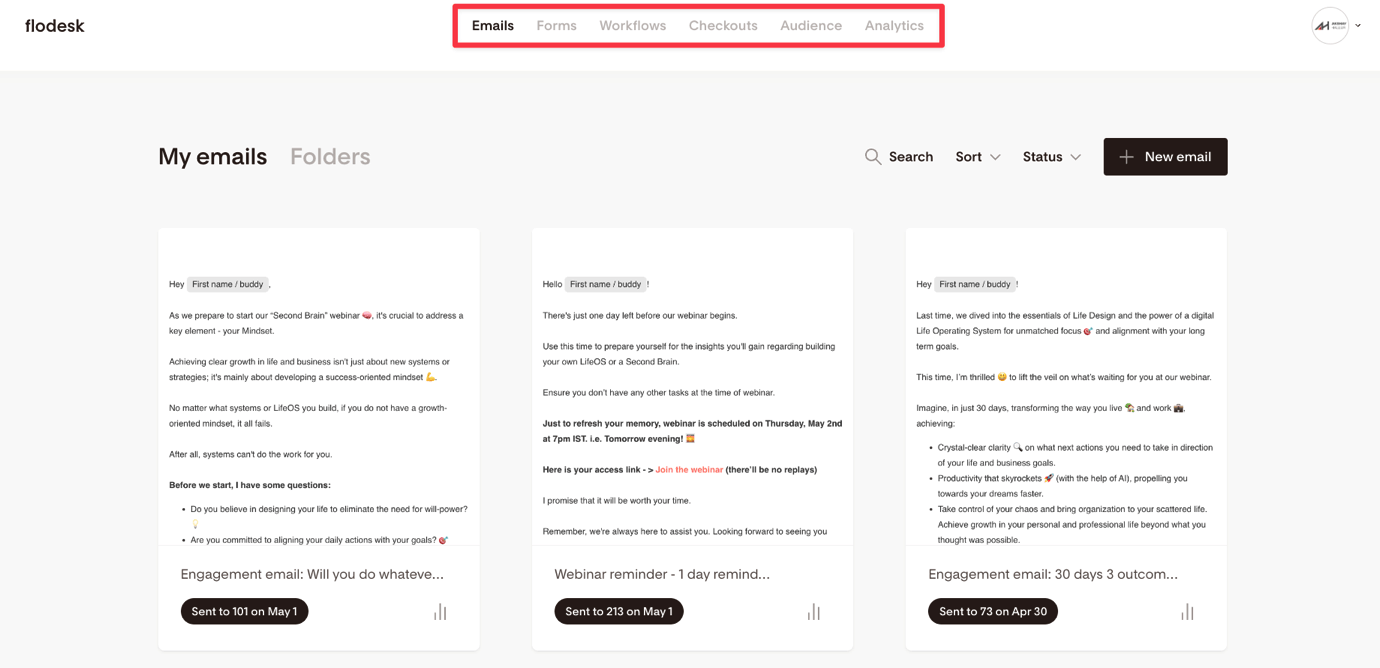
You’re going to be creating different emails and automation workflows, right? Well, Flodesk allows you to organize them neatly under folders. I truly appreciate this feature.
They’ve also incorporated sorting and filtering abilities.
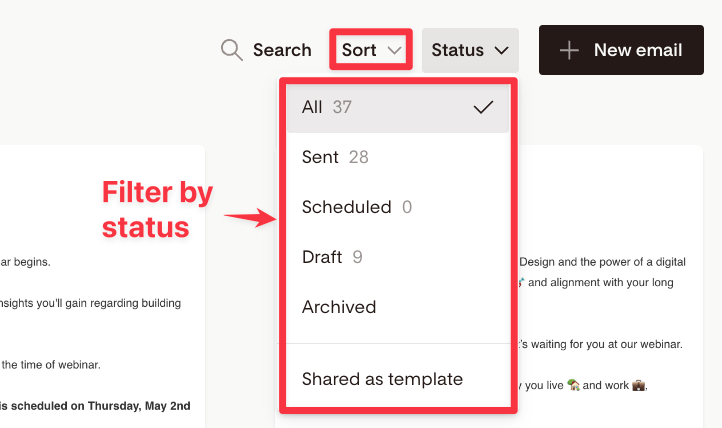
You can sort your emails based on alphabetical order, the date created or the last modified date. You can even filter the emails based on their statuses.
I really enjoy using this app. It loads quickly too.
Email composing
When it comes to crafting emails, Flodesk impresses with a wide array of aesthetic templates spanning different categories.
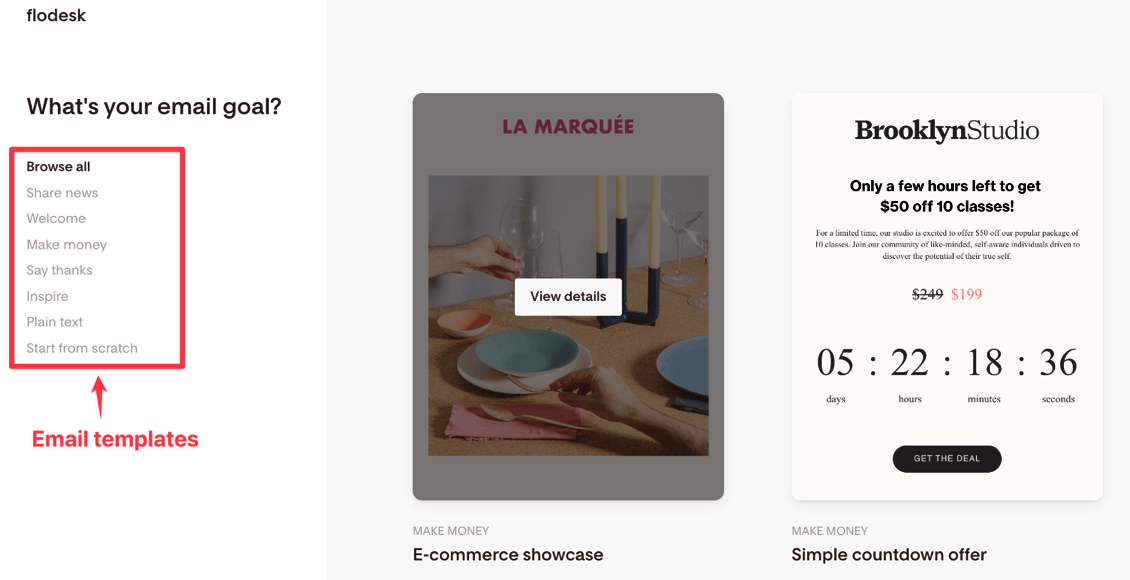
One of the Flodesk founders has a background in creating Photoshop templates, and it’s obvious that she has placed a high emphasis on design.
This strong design focus initially attracted a lot of female solopreneurs.
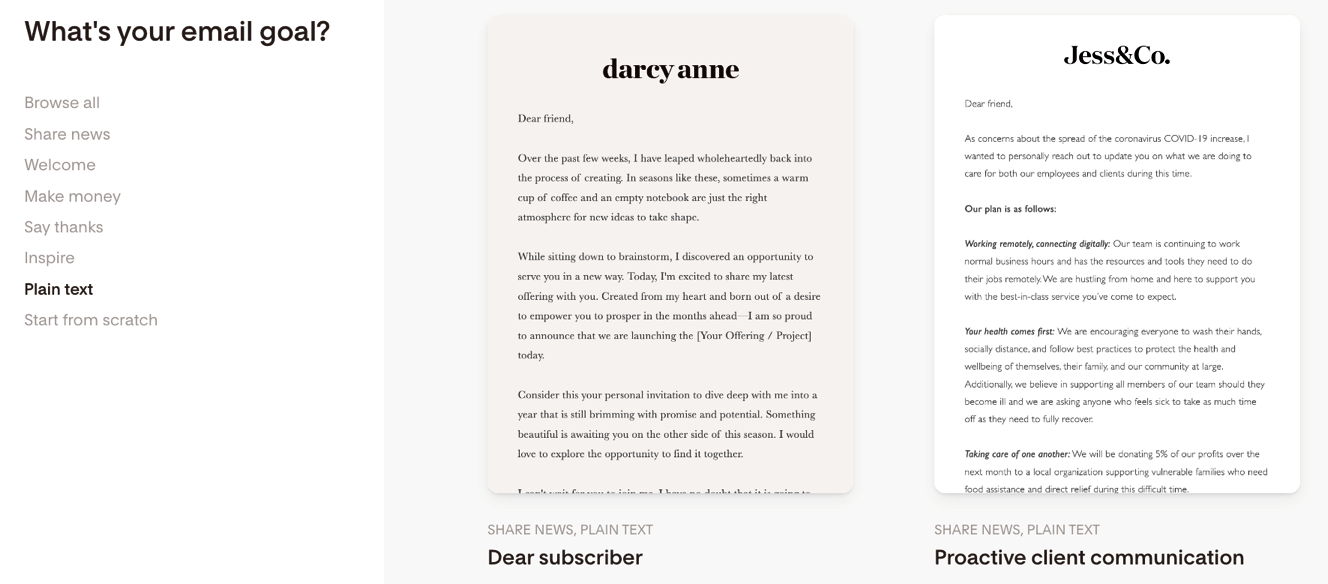
You have the option to use any of these templates, start from scratch, or begin with a plain text template.
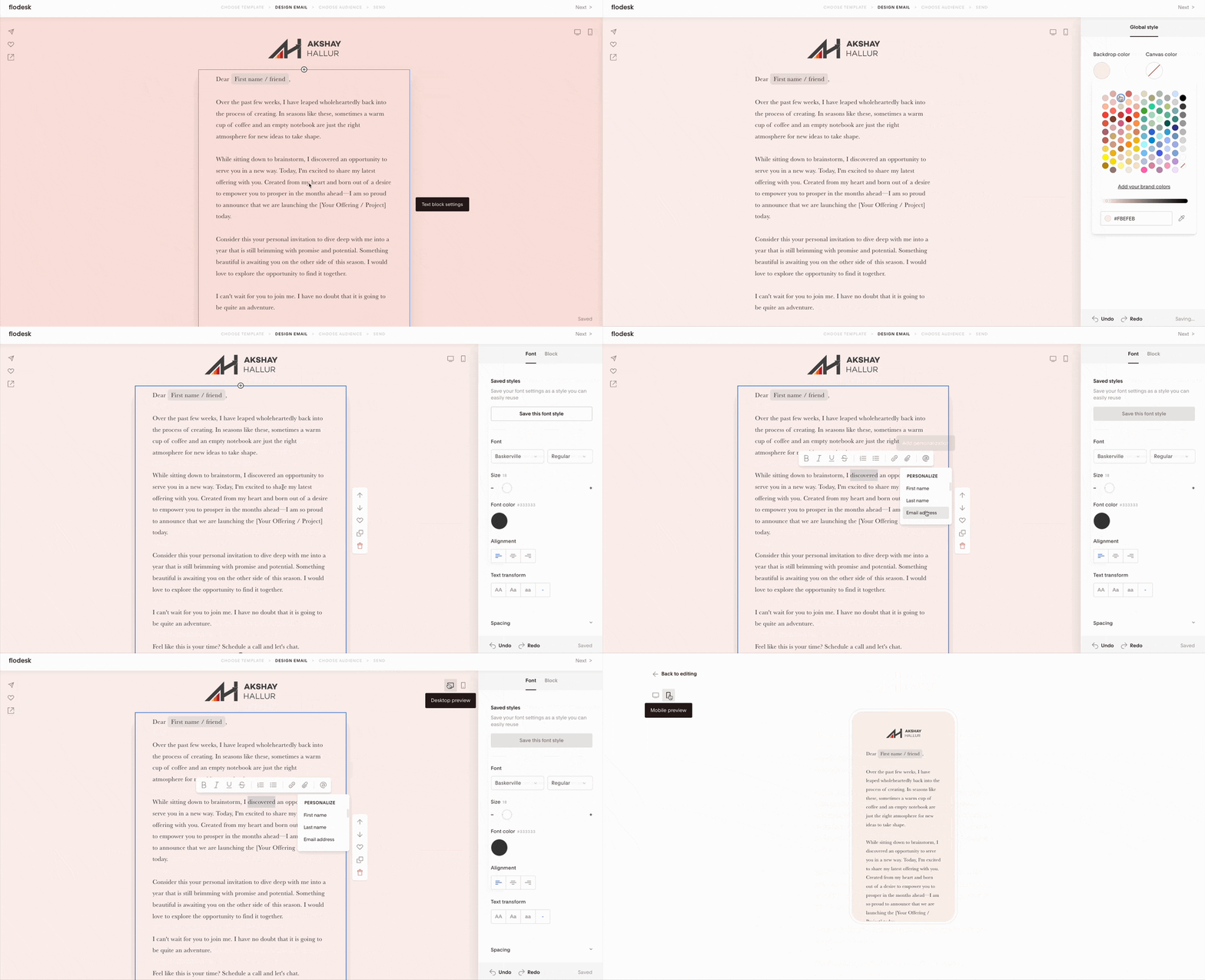
Choosing a plain text template leads you to an immersive visual email builder.
This builder supports various content blocks that I personally find very useful, such as the ability to embed videos, buttons, and even a countdown timer.
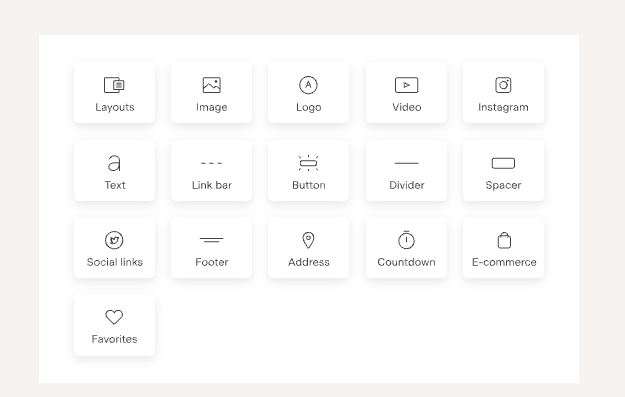
You can also embed any products you’re selling using their e-commerce functionality.
Flodesk has a feature called ‘global styles’. This allows you to select your brand color palette and makes your emails visually appealing.
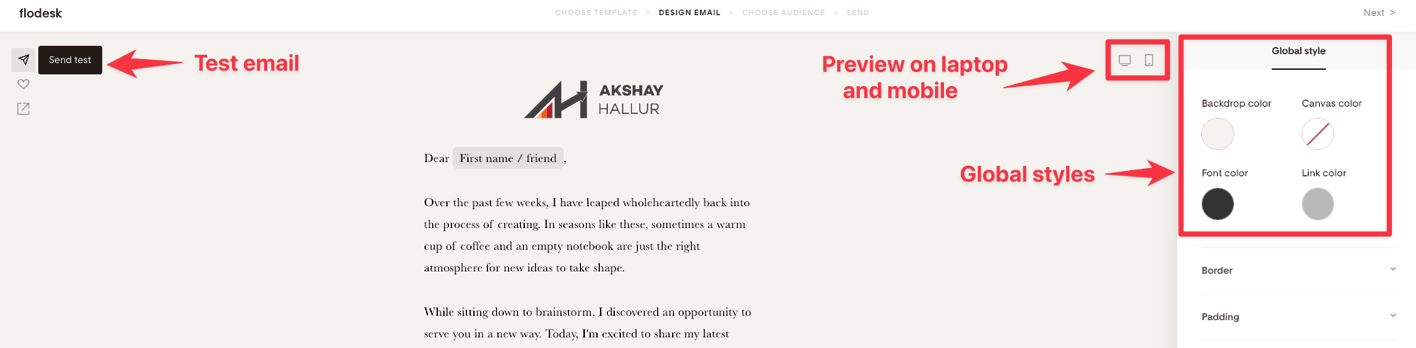
You can preview your email on both desktop and mobile devices, with icons available at the top right corner of the composer. You’re also able to send yourself a test email.
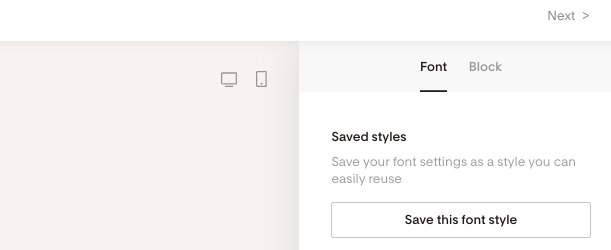
Overall, I think their email composer is stellar. It’s clear they’ve incorporated excellent design thinking. For instance, they have the functionality to save any font size that you’ve used.
☹️ However, I do have one minor gripe. If I copy any markdown text from, say, Notion (where I compose all my emails), and paste it into Flodesk, all the line breaks get removed. I then have to manually add the line breaks back in, which can be quite time-consuming if you’re composing your emails in another external app.
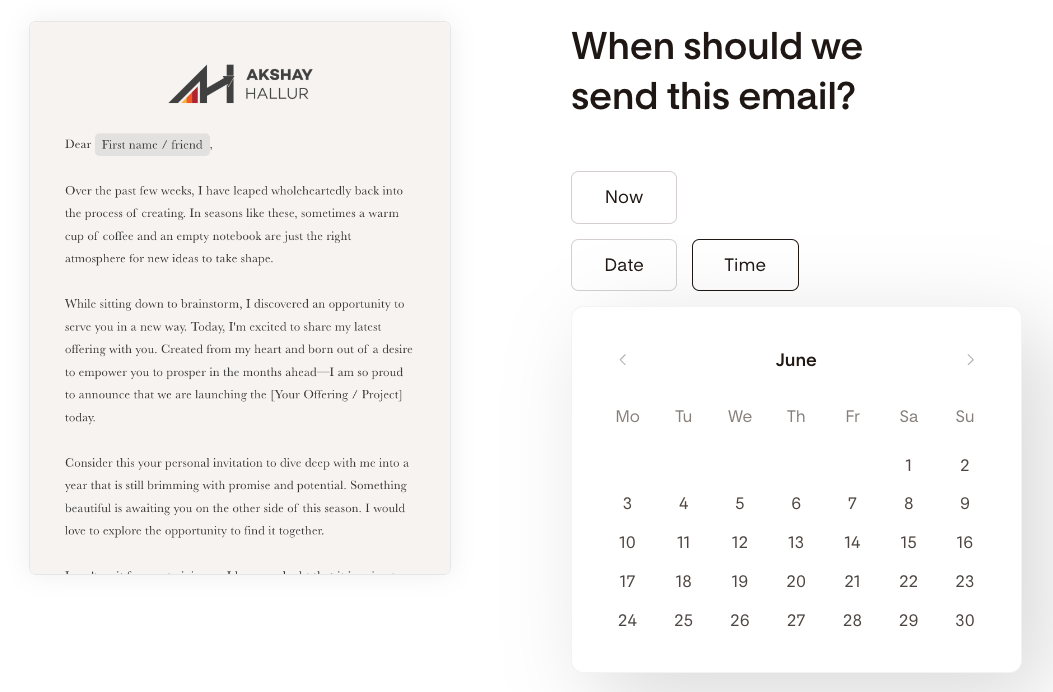
When you’re ready to send out an email, you can choose the audience and either send it immediately or schedule it for later.
Optin forms
Along with emails, Flodesk gives you the capacity to build opt-in forms. You have a variety to choose from: full-page forms, inline forms, pop-up forms, and even the recent ‘link in bio’ form, which can be added to your Instagram bio line.
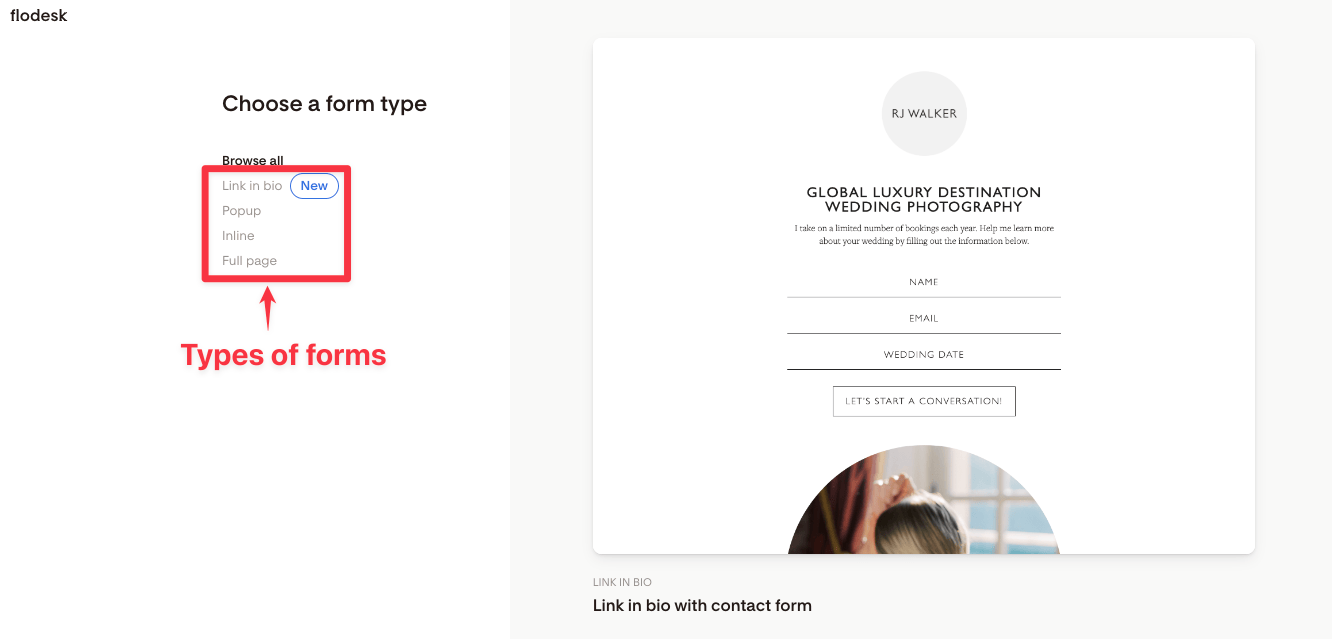
Creating a pop-up form, for example, presents you with numerous templates to choose from and customize.
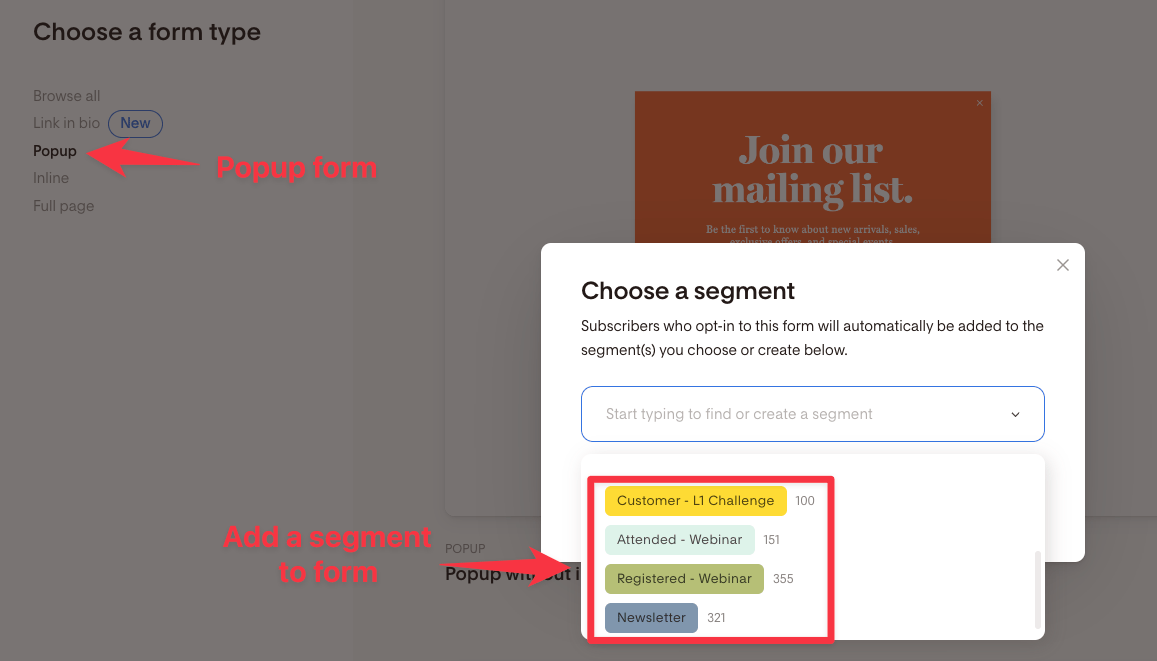
Plus, when you create any pop-up form, it asks you which segment the subscribers of this pop-up should be added to.
Pretty neat, right?
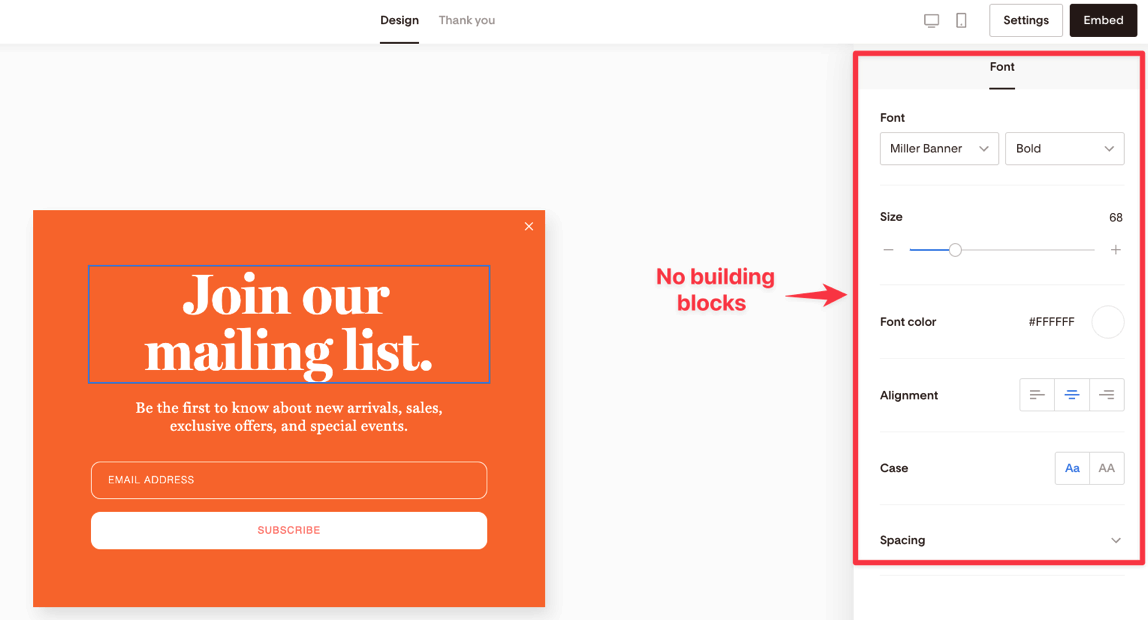
However, in their email opt-in builder, there aren’t building blocks as you might expect. You can only customize the text that’s pre-built in the template. So, it can’t truly be called a ‘pop-up builder’.
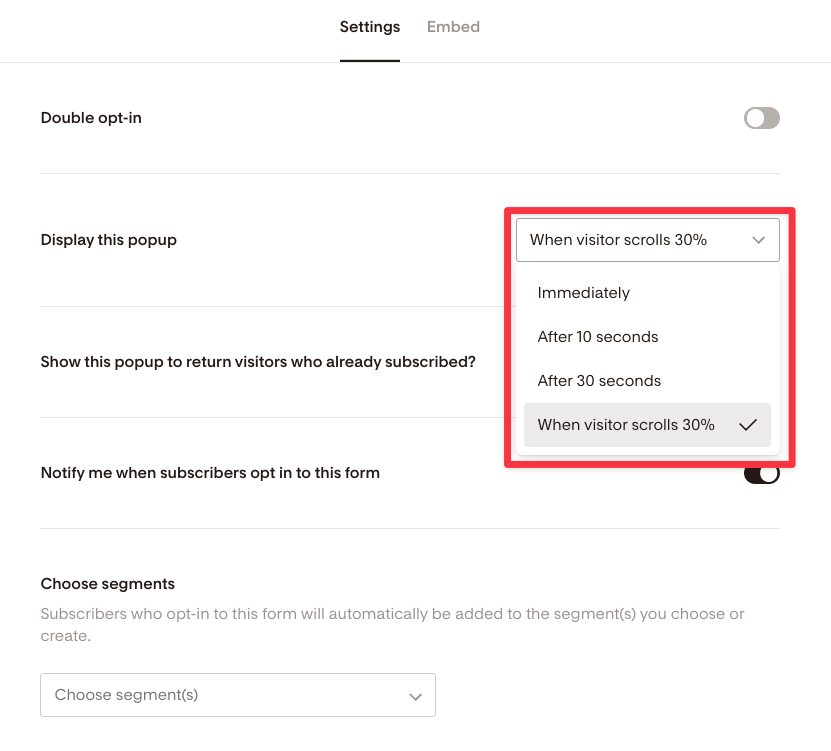
When it comes to form settings, for pop-ups, you’re given options like displaying the pop-up immediately, after 10 seconds, or when the visitor scrolls 30%. But there isn’t a field where you can enter a custom percentage for the scroll trigger.
For those who are building lists via blogging and aren’t fans of using pop-ups because they’re obtrusive, Flodesk provides inline pop-ups.
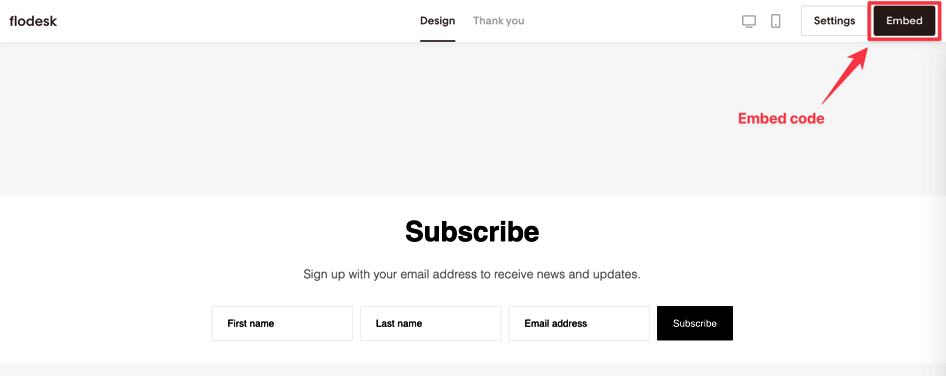
You can also enable double opt-in and embed it on, say, your WordPress website using the embed code. The embed code for these can be copied onto your blog, in the middle of a blog post, or in the form of a ribbon banner.
Automation workflows
Flodesk also offers the ability to build workflow automations, much like ConvertKit and ActiveCampaign.
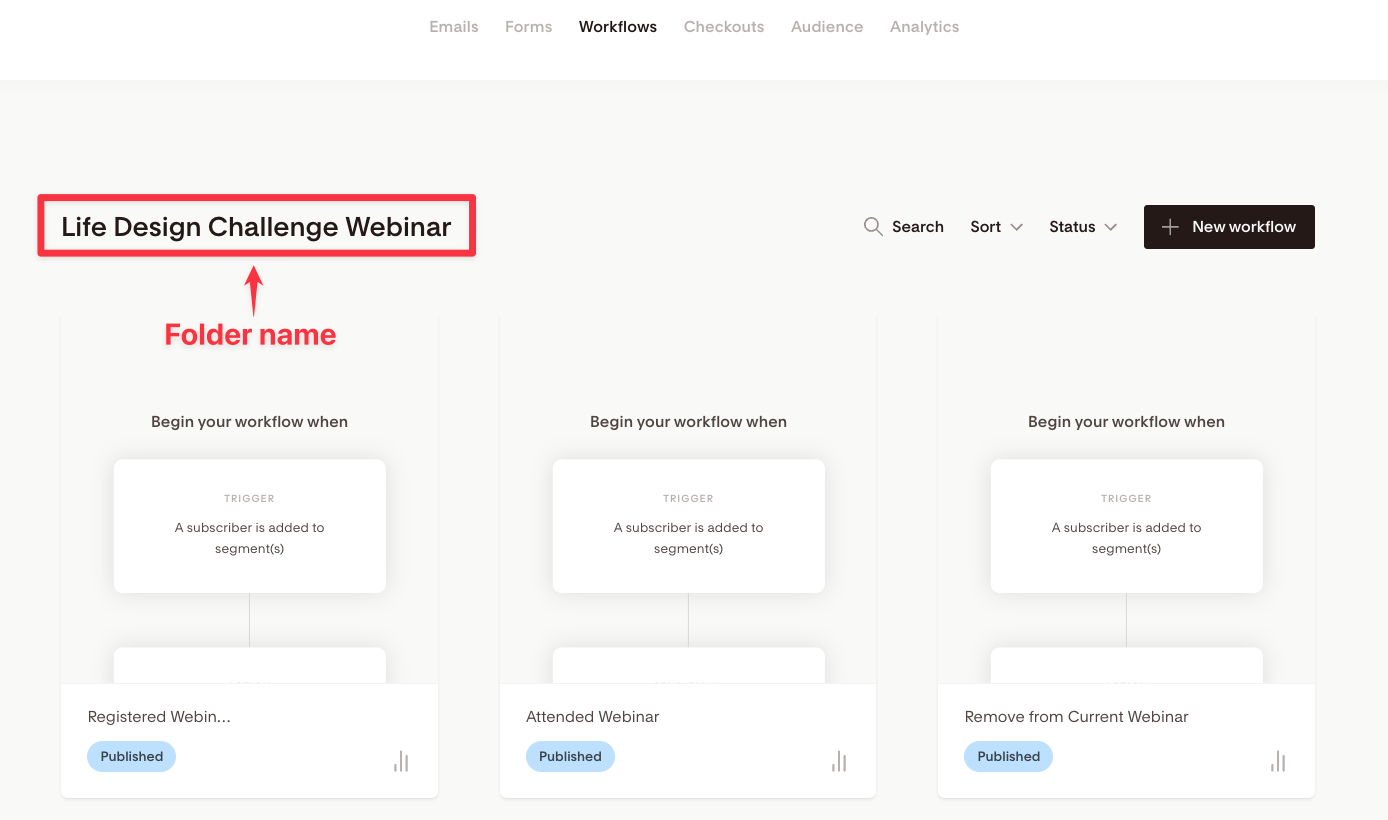
One feature that I find really appealing is the ability to organize workflows into folders.
This is something that you don’t get with ConvertKit, where all your automation workflows end up on one flat page.
The actual automation in Flodesk includes triggers, actions, and conditions. However, for triggers, there’s only one – when a subscriber is added to a segment.
Unfortunately, there are no time-based triggers where you can initiate the automation workflow based on a specific date and time.
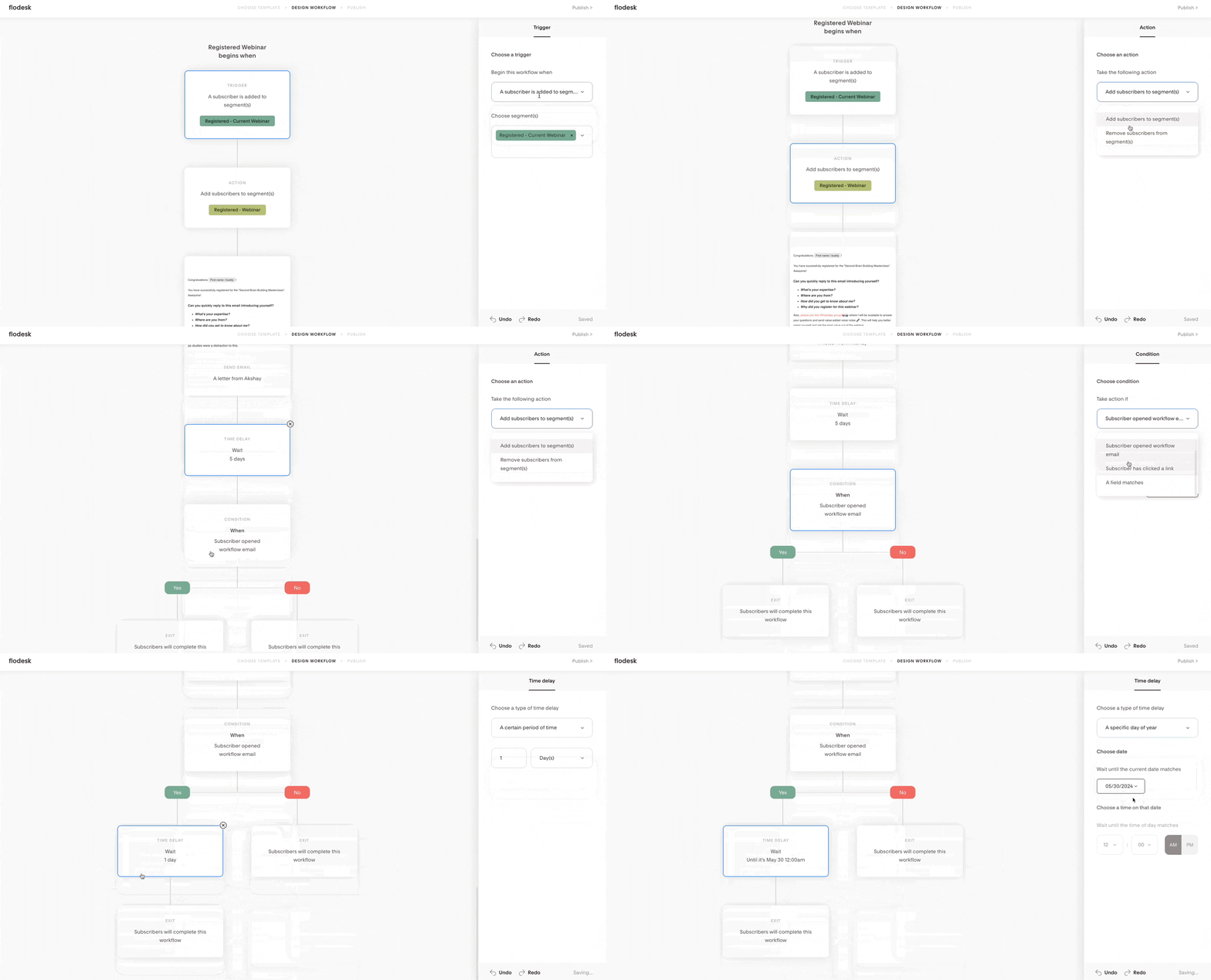
For instance, I conduct weekly webinars in my business and would love the ability to trigger an automation sequence to automatically send an email. Because of this, I end up manually scheduling emails for every webinar on a weekly basis – a major downside for me.
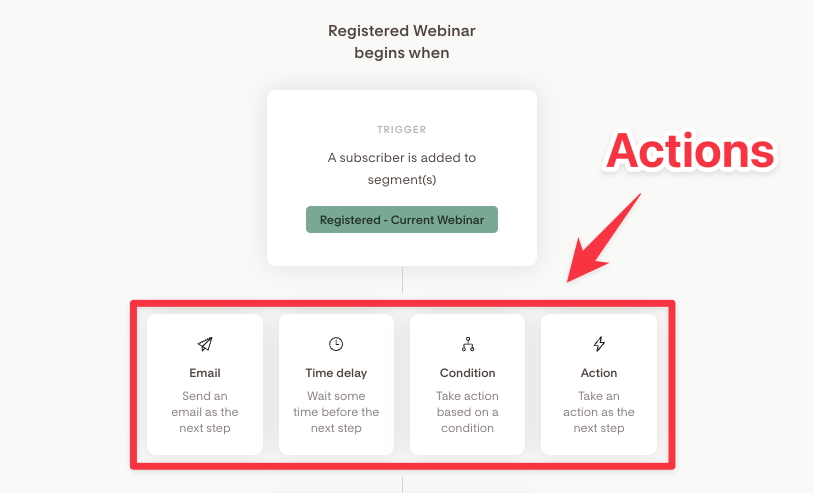
As for automation actions, you can send any email, have a time delay, or choose other actions such as sending another email or adding subscribers to a specific segment or removing them from one.
When it comes to conditions, you can verify if a subscriber is in a specific workflow, has been added to a certain segment, clicked a link, or if any custom field matches your criteria. However, they don’t offer the advanced subscriber segmentation options present in ConvertKit’s automation builder.
Another significant drawback is the lack of a separate email sequence builder.
In ConvertKit, you can build an email sequence or drip campaign and use it as a single block inside your automation builder.
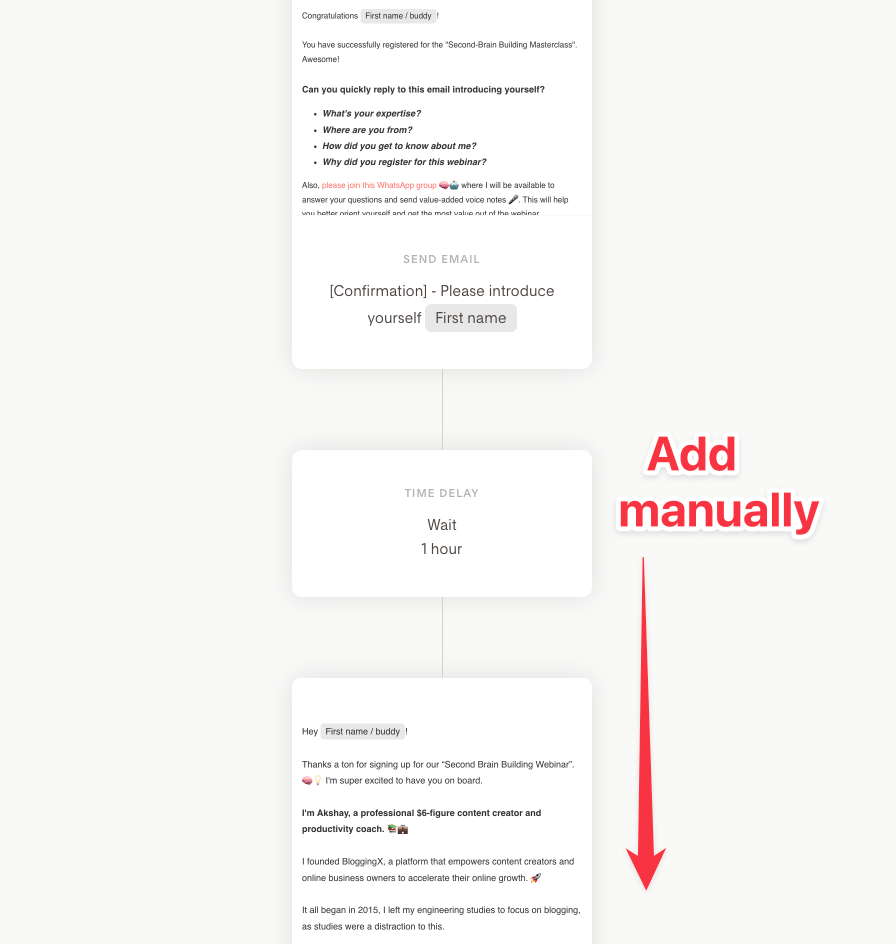
But with Flodesk, you need to manually add the delay block and the email blocks to achieve the email dripping functionality. This clutters the entire workflow building canvas.
This clutter becomes more problematic when you have ‘yes’ or ‘no’ conditions, which further branch out the sequences that people go through based on the conditions you’ve set.
Audience segmentation
Flodesk’s approach to audience segmentation is a bit different.
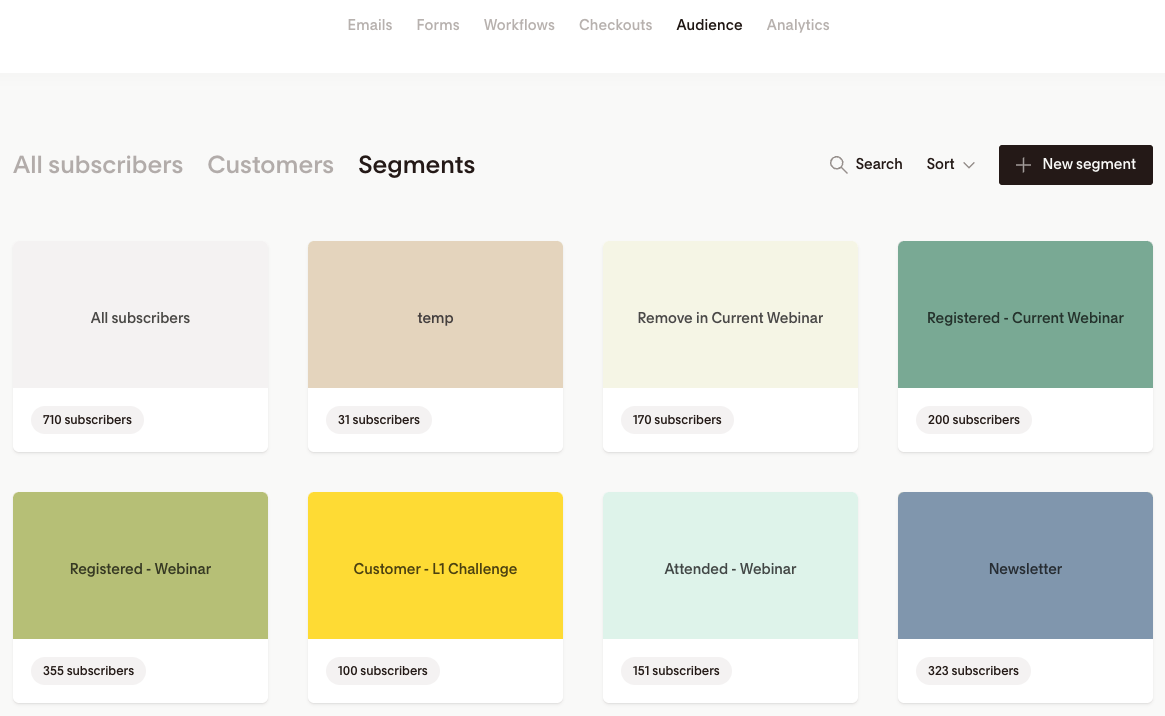
They use something called segments these can be treated as tags. This means a single subscriber can fall into multiple segments.
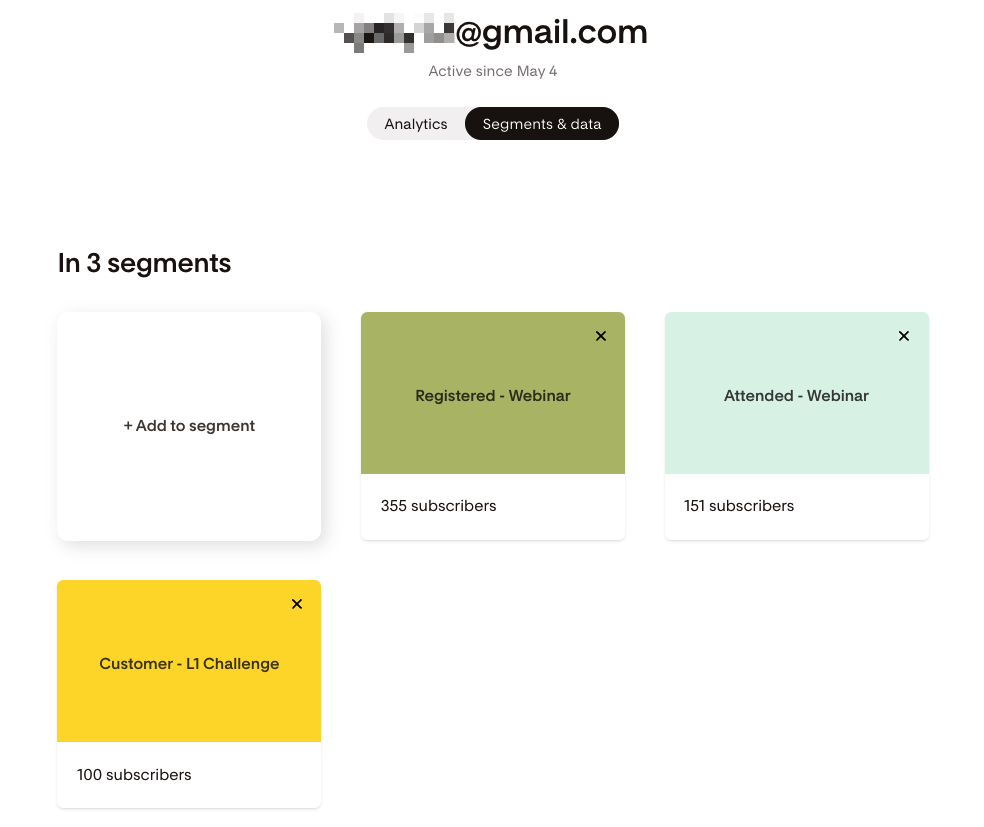
To give you an example, some of my subscribers are in three different segments: they registered for my webinar, attended it, and became a customer. Pretty neat, huh?
👉 Flodesk doesn’t support manual tagging of subscribers. They believe tag management should be automated based on subscriber behavior in your funnel. This suggests they may introduce AI features for automatic tagging based on email interactions.
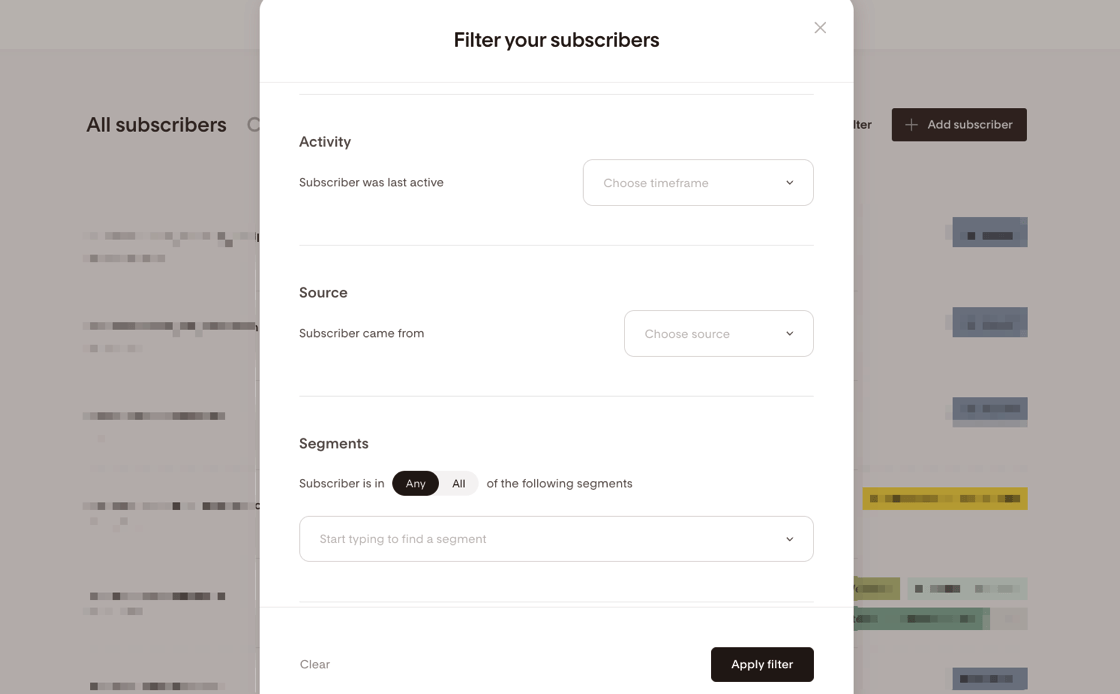
There’s also no advanced filtering. You can only filter your email subscribers by their activity, source, and segments. You won’t find the complex ‘and’ or ‘or’ conditions for filtering the audience that you’d get with ConvertKit or ActiveCampaign.
In ConvertKit, I often use advanced filters to segment subscribers for easier targeting next time.
But I can’t do that in Flodesk.
👉 For advance filtering of segment subscribers, export my subscribers to a Google Sheet, filter them there, and manually re-upload them to a specific segment. It’s double work, and it’s a pain.
Analytics
Flodesk offers an impressive analytics feature.
It covers various aspects, such as your subscriber growth, email open rates, and the performance of your forms.
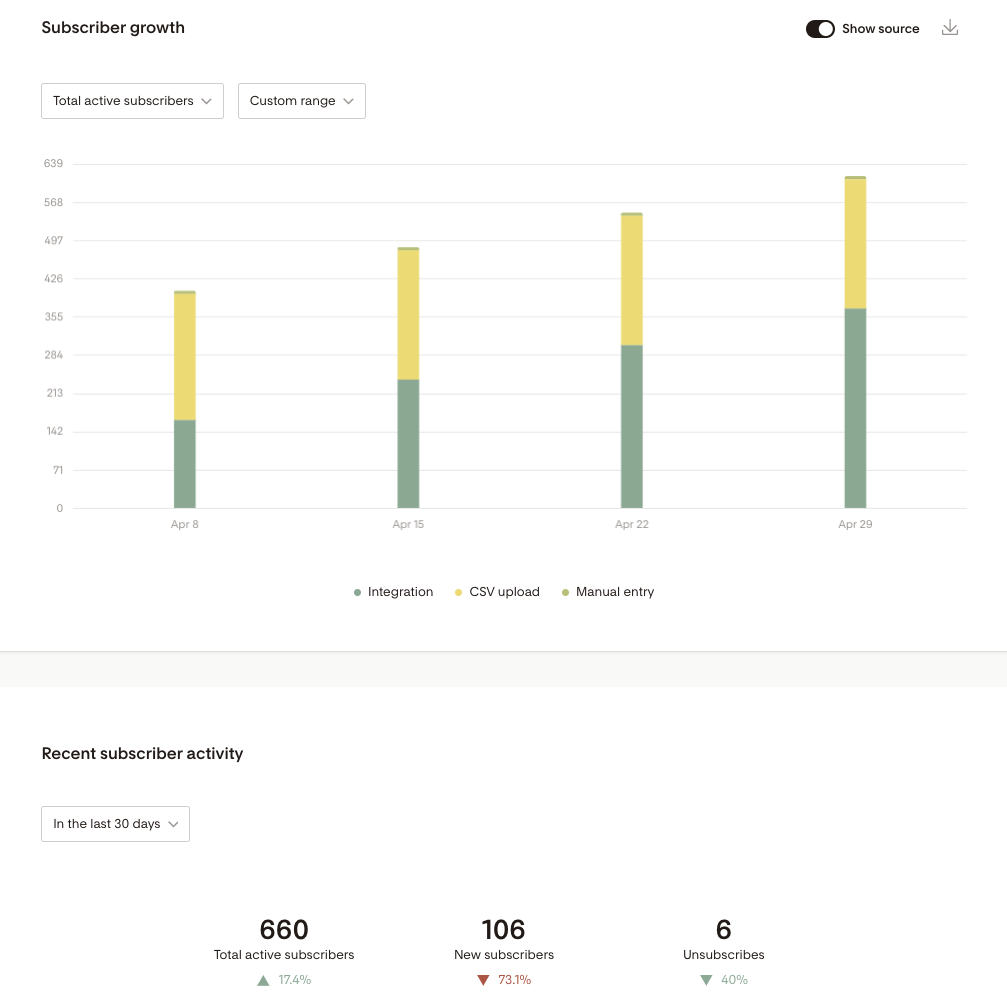
When you delve into the ‘Subscribers’ section, you get a snapshot of your subscriber growth and their recent activity.
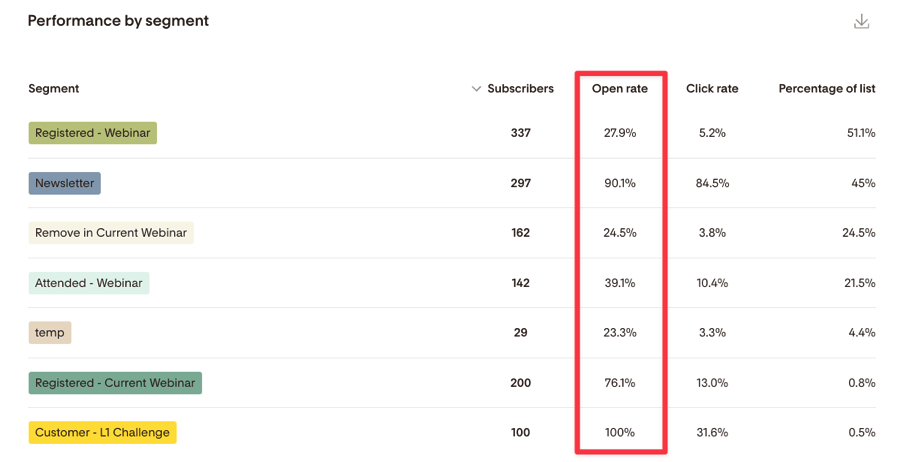
You can see the performance broken down by different segments, open rates, and more.
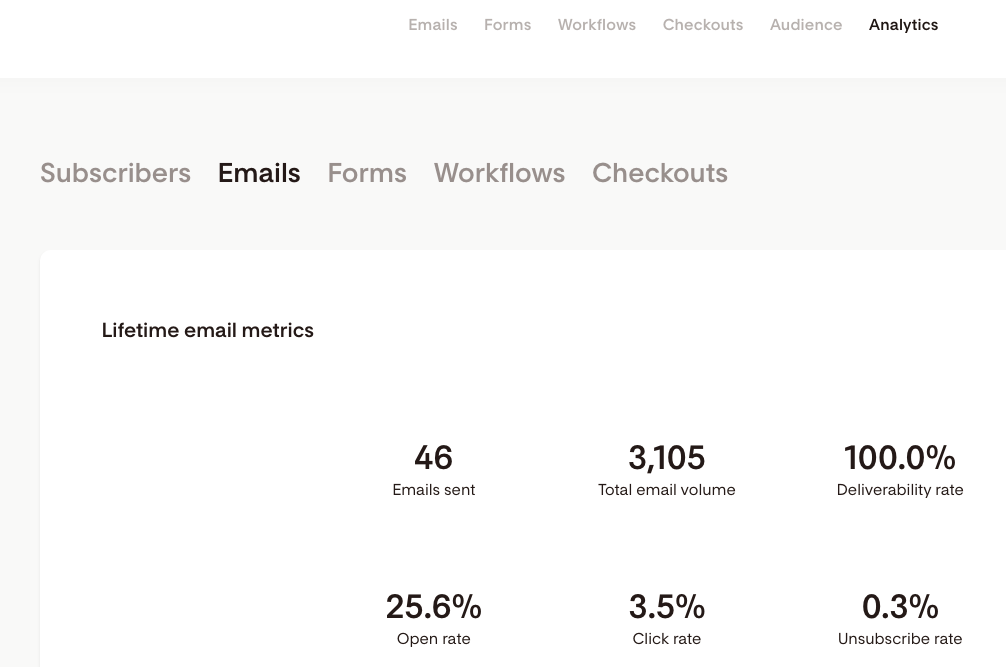
Turning to emails, you’re not only supplied with lifetime email metrics but also open and click rates.
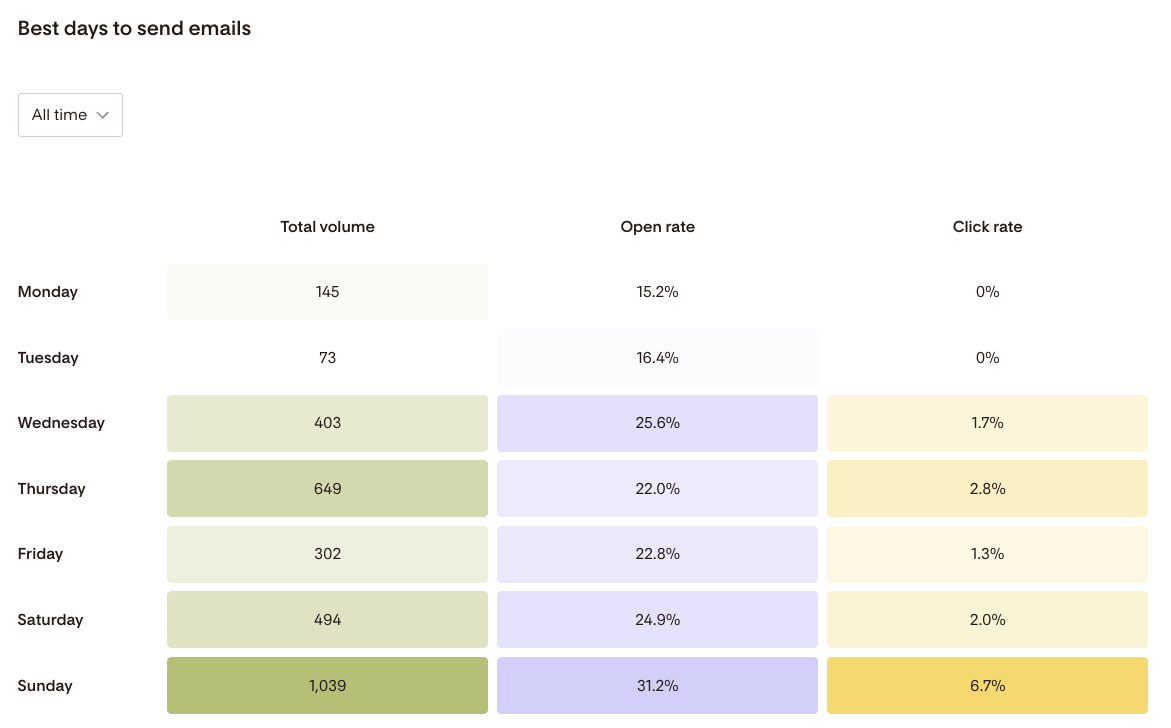
There’s even a handy heatmap-like table that shows the best days of the week to send your emails, based on open and click rates.
Flodesk provides a broad spectrum of metrics, ranging from macro to micro-level details.
In terms of workflow, you get an overview of the metrics at a glance.
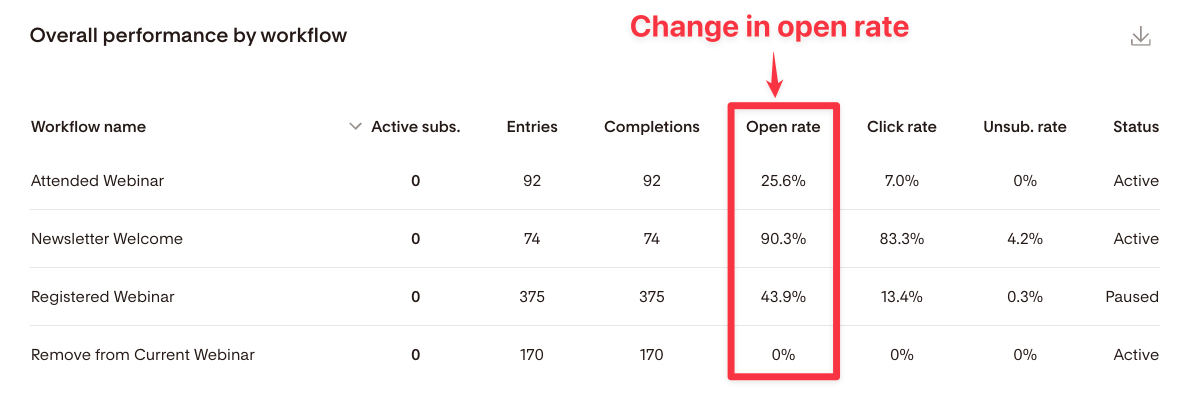
You can also see the overall performance by different workflows. This includes entries, completions, and open rates.
What’s more, if you go into any workflow and click on the graph icon, you can see detailed metrics for each stage of your workflow. This feature is incredibly handy.
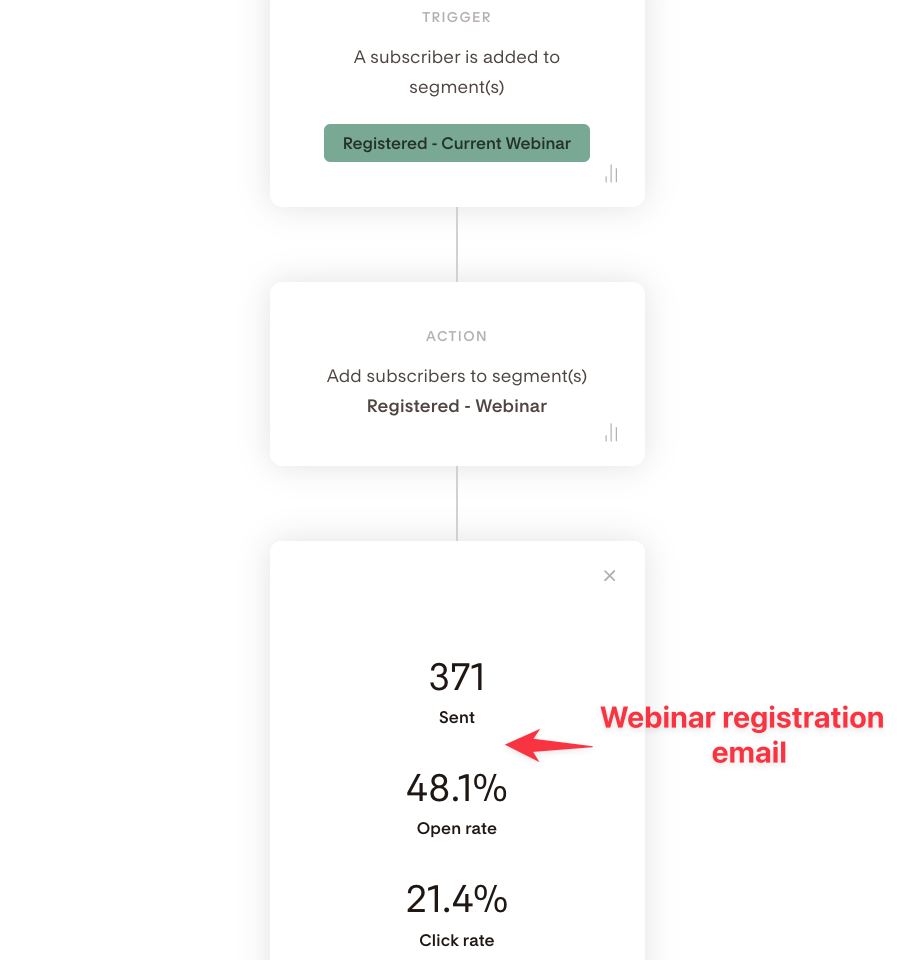
Here’s a practical example. For my webinar registration workflow, 371 subscribers entered. Out of those, only 48% opened the webinar registration email.
Deliverability
Let’s talk about Flodesk’s email deliverability.
Now, I haven’t personally tested it. However, based on the metrics and reviews I’ve seen online, I’d say it’s pretty solid.
Why?
Well, Flodesk is known to be strict about being marketing-friendly. They don’t want you to send overly promotional emails.
They also encourage you to regularly clean up your list.
Take into account that Flodesk is a new company with substantial revenue and a keen eye for detail. It’s pretty safe to say that they’re putting a lot of effort into optimizing their servers and IP addresses to ensure good deliverability.
But remember, the deliverability of emails in any email marketing solution depends on several factors. The type of emails you’re sending, your sender reputation, and how well you send emails that engage your subscribers all play a part.
Also, it’s crucial that you add DKIM and SPF records to your sending domain.
So, I think we’ve got all the bases covered here.
Integrations
Unlike popular email marketing software like ConvertKit, ActiveCampaign, or MailChimp, Flodesk doesn’t prioritize direct integrations with many other applications.
But, they do integrate with Zapier.
This allows for various connections between Flodesk and other apps. Plus, they’re integrated with Integrately.
Here’s what I’m hoping for:
I’m really keen on Flodesk providing native webhook support. This way, even if they don’t natively integrate, we can establish connections with any application without needing Zapier.
Pricing
Flodesk recently changed its pricing structure. Here’s what you need to know.
For existing customers
You’re locked into the original pricing. No matter how many subscribers you have, you pay a flat rate of $35/month. This is a great deal if you have a large list.
If you add their e-commerce functionality (checkouts), the total cost is $64/month for everything.
For new customers
Flodesk uses tiered pricing based on your subscriber count for new customers.
Here’s the breakdown:

- Free plan ($0/month): Good for beginners testing Flodesk. Includes forms, landing pages, designer templates, and audience segmentation.
- Lite plan (starts at $25/month): Works well for small lists up to 25,000 subscribers. You get unlimited email sends, analytics, and one workflow automation. Pricing scales as you grow.
- Pro plan (starts at $28/month): It’s best for growing email marketers who need automation. It includes unlimited workflows, advanced analytics, customizable footers, and supports up to 255,000 subscribers with scalable pricing.
- Everything plan (starts at $54/month): It’s perfect for creators selling products. You get unlimited checkouts, sales funnels, subscriptions, payment plans, and abandoned cart automations alongside all Pro features.
💰 All paid plans offer annual billing with 1 month free (12 months for the price of 11).
Pricing increases as your subscriber count grows, but you only pay for active subscribers.
Verdict
So here’s what I think about Flodesk.
It’s a design-focused email marketing platform that’s always improving.
Sure, it doesn’t have all the advanced segmentation and automation bells and whistles that some competitors offer. But its beautiful templates, easy-to-use interface, and competitive pricing make it a solid choice for creators and small businesses.
If you’re already a customer, you’ve got an amazing grandfathered rate at $35/month for unlimited subscribers. If you’re new, just make sure to check how the tiered pricing works as your list grows.
If you care about simplicity and good-looking emails, Flodesk is worth a look.
Want to see for yourself? Try Flodesk’s free plan today and see how beautiful design can transform your email campaigns.