Stan Store is an all-in-one creator platform that lets you sell your own digital products.
It bundles:
- Link-in-bio storefront (Stan calls it a one-page website)
- Calendar invites and bookings
- Digital product selling (with a lightweight course builder)
- Community
- Instagram AutoDM feature.
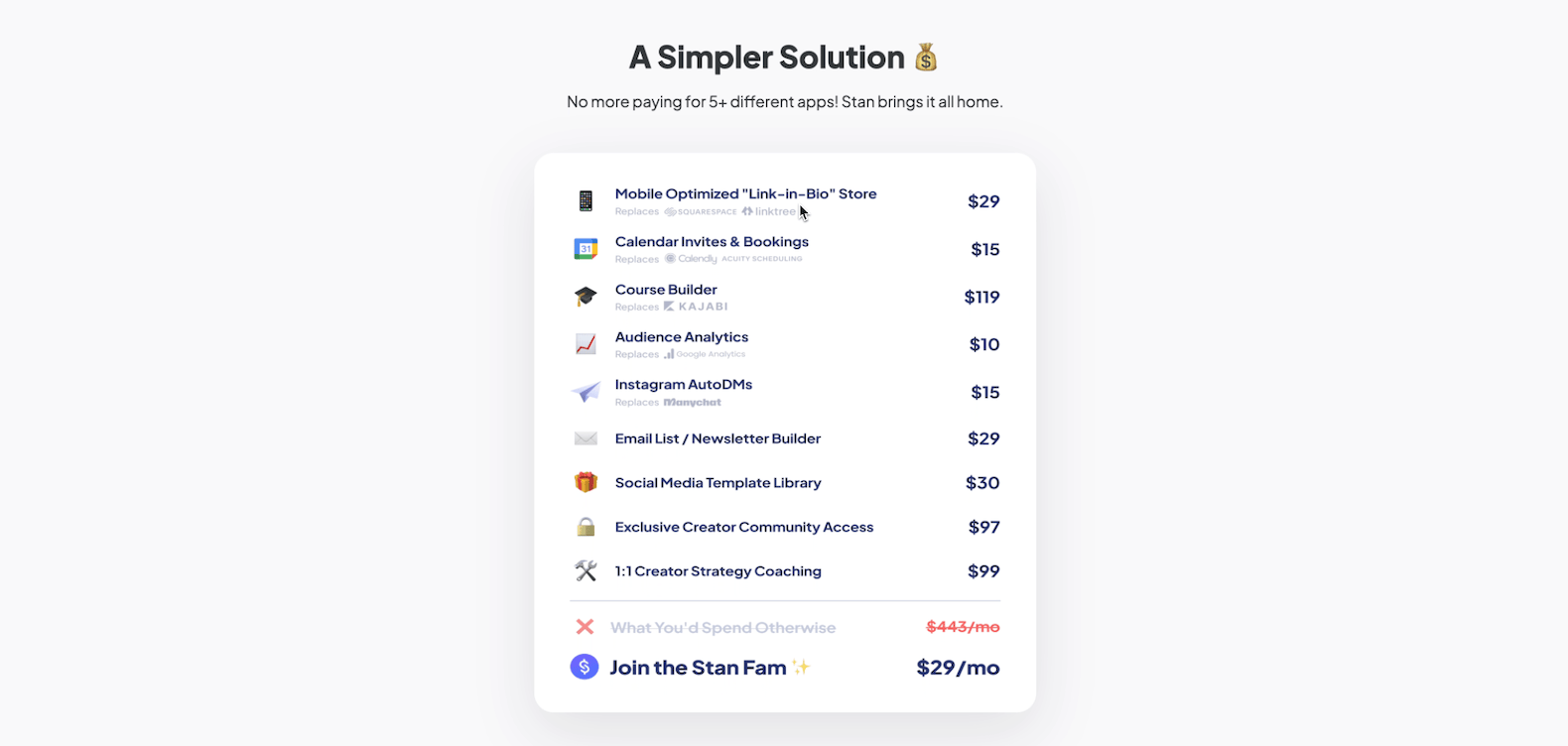
And the big hook is this: it’s $29/month, and when you sell products on Stan Store, there’s no transaction fee (unlike Gumroad and other alternatives).
⚠️ The above screenshot (they advertised) is quite misleading as they don't come with an email builder in their $29 per month plan.
Quick decision – Stan Store review
What I like about Stan Store 👍
- All-in-one creator platform: Link-in-bio storefront, calendar invites/booking, a course builder, Instagram AutoDMs, and digital product selling in one place.
- No transaction fees: When you sell products on Stan Store, there’s no transaction fee (unlike Gumroad and other alternatives).
- Solid value at $29/month: The Creator plan starts at $29/month while bundling features that can replace tools like ManyChat (AutoDMs) and scheduling apps.
- Built-in bookings: You can sell coaching calls, connect Google Meet or Zoom, set availability, buffers, and booking rules (like no bookings within 12 hours).
- Simple storefront editing: It’s easy to add social links, add buttons/URLs, and build a clean bio/storefront page for your socials.
What I don’t like about Stan Store 👎
- Not a website builder: It’s not as powerful as WordPress or Squarespace, and it’s not meant to be a full website builder (it’s a storefront builder).
- No dedicated sales pages: Stan Store doesn’t come with a dedicated sales page. In Stan, your checkout page becomes the “sales page,” so you need to edit the copy there.
- Feature limitations in key areas: The course builder is basic (no comments, quizzes, or certificates), and webinars are basic too (no evergreen webinars, no built-in live streaming, and reminders are email-only).
- Emails only available in their $99/mo plan: The email broadcast and automation features are only available in their highest plan. Thus, it's not an all-in-one platform at $29/month as advertised.
Bottom line (upfront)
If you want a simple platform to sell digital products as a creator and you don’t want to deal with tech hassles, Stan Store is a great pick.
The Creator plan at $29/month is what I recommend for most people; especially if you already use an email marketing tool like Mailchimp or Kit.
If you want built-in email marketing (flows and broadcasts), plus features like order bumps and payment plans, you’ll need the Creator Pro plan at $99/month. This is a major limitation
And if you need advanced course features like certifications, assessments, and exams, Stan Store isn’t the right platform.
Stan Store storefront (link-in-bio page)
Once your Stan Store account is set up, you get a storefront page you can use as your “link in bio” URL across social platforms.
On this page, you can add essential info about you and your work, plus links to your offers.
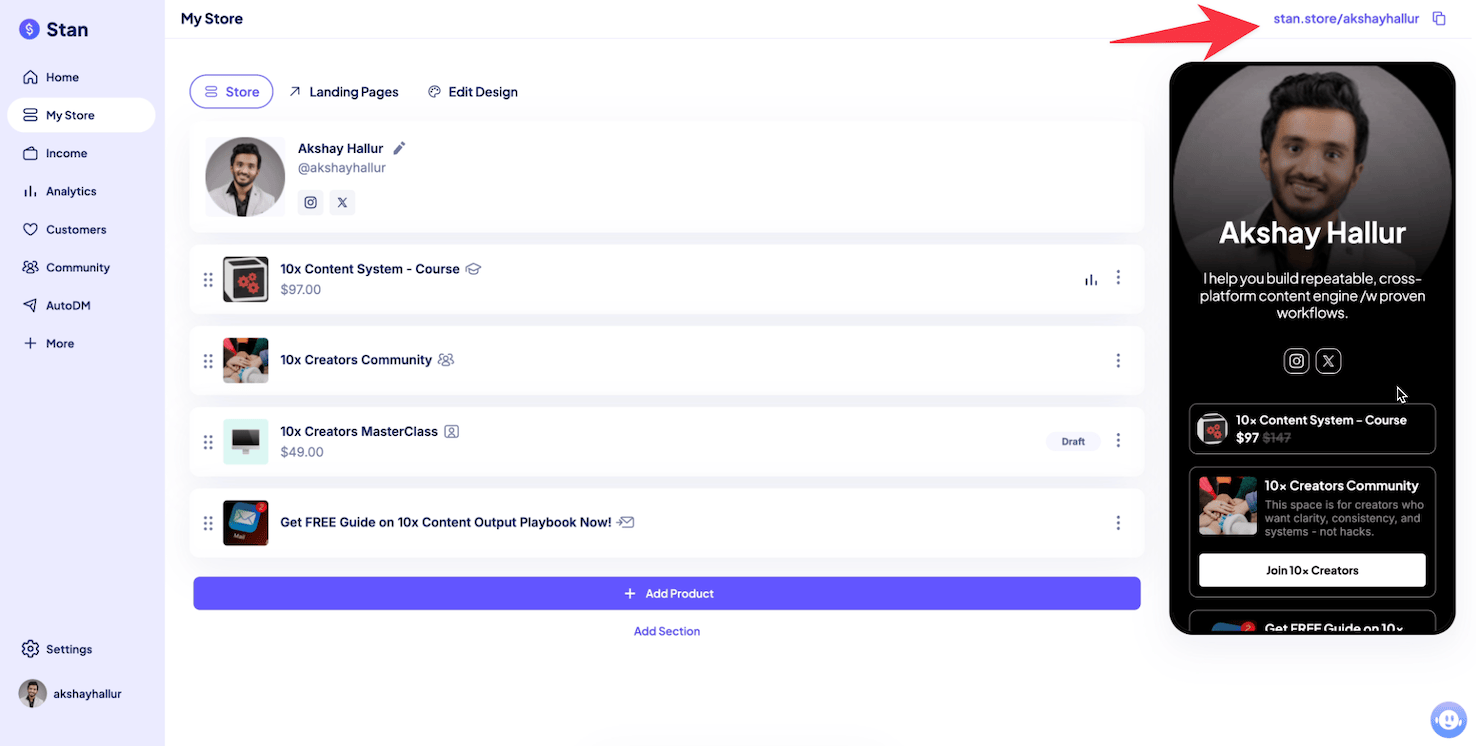
For instance, in the above screenshot, the page includes links to a training course, a community, and a lead magnet.
You can edit your header and add more social links, like Instagram, TikTok, and other platforms.
Creating products on Stan Store
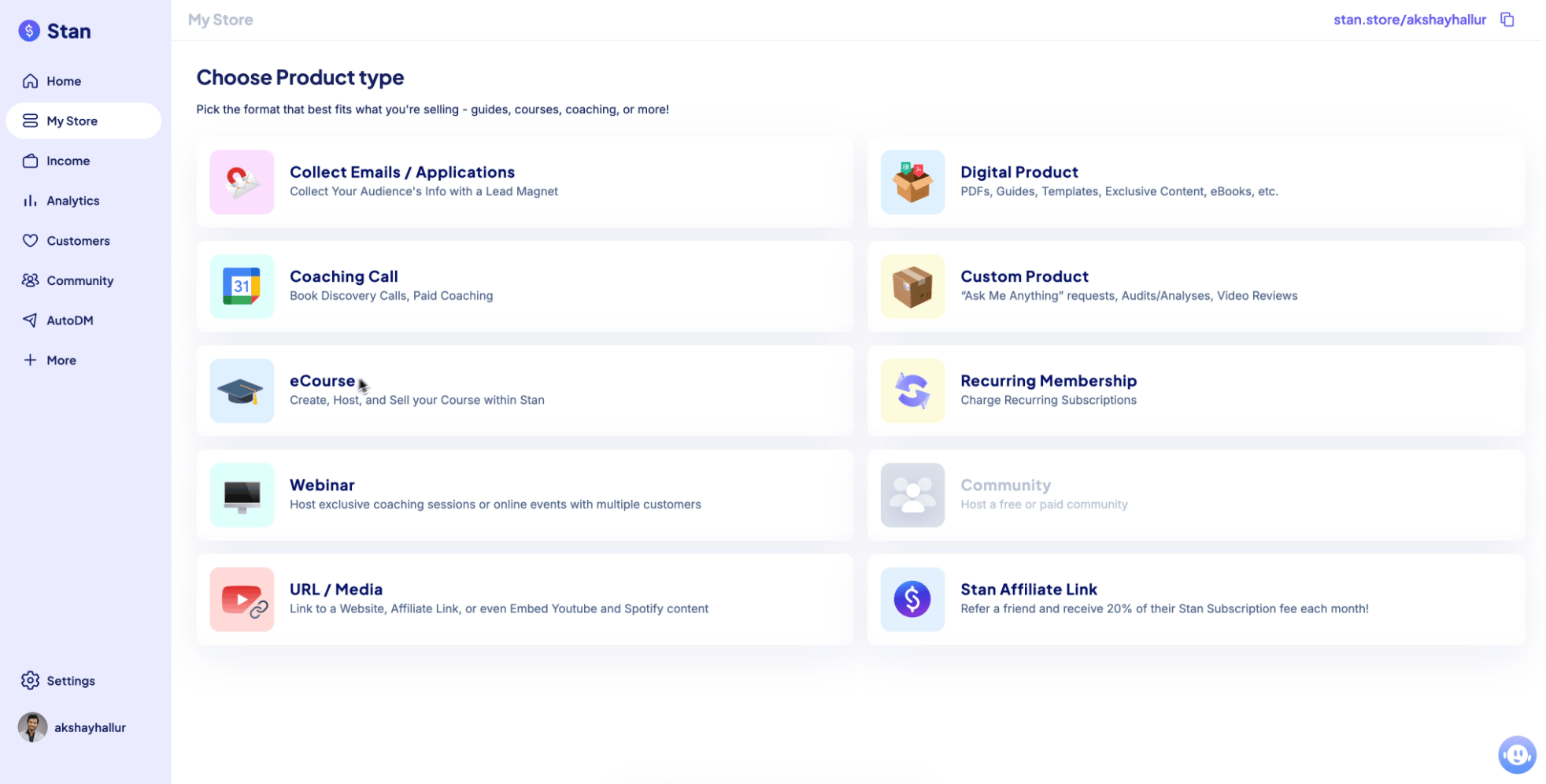
Stan Store supports different product types, including:
- Lead magnet
- Digital product
- Coaching call
- E-course
- Recurring membership
Digital product setup
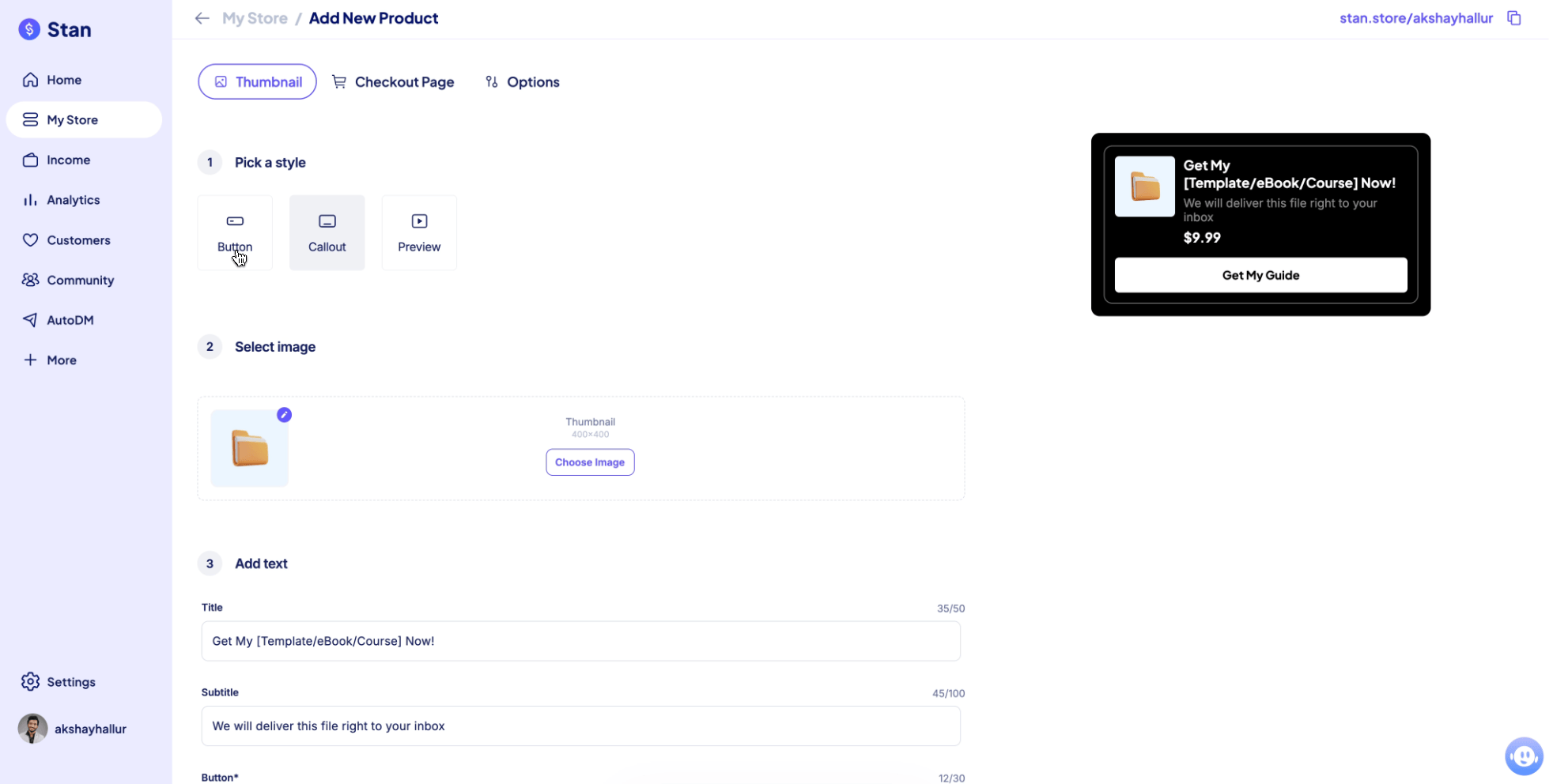
When creating a digital product, you can choose how it displays on the storefront, like:
- Button
- Callout
- Preview
Most of the time, you’ll choose the callout option.
Inside the checkout page, you edit the product description using the formatting options available.
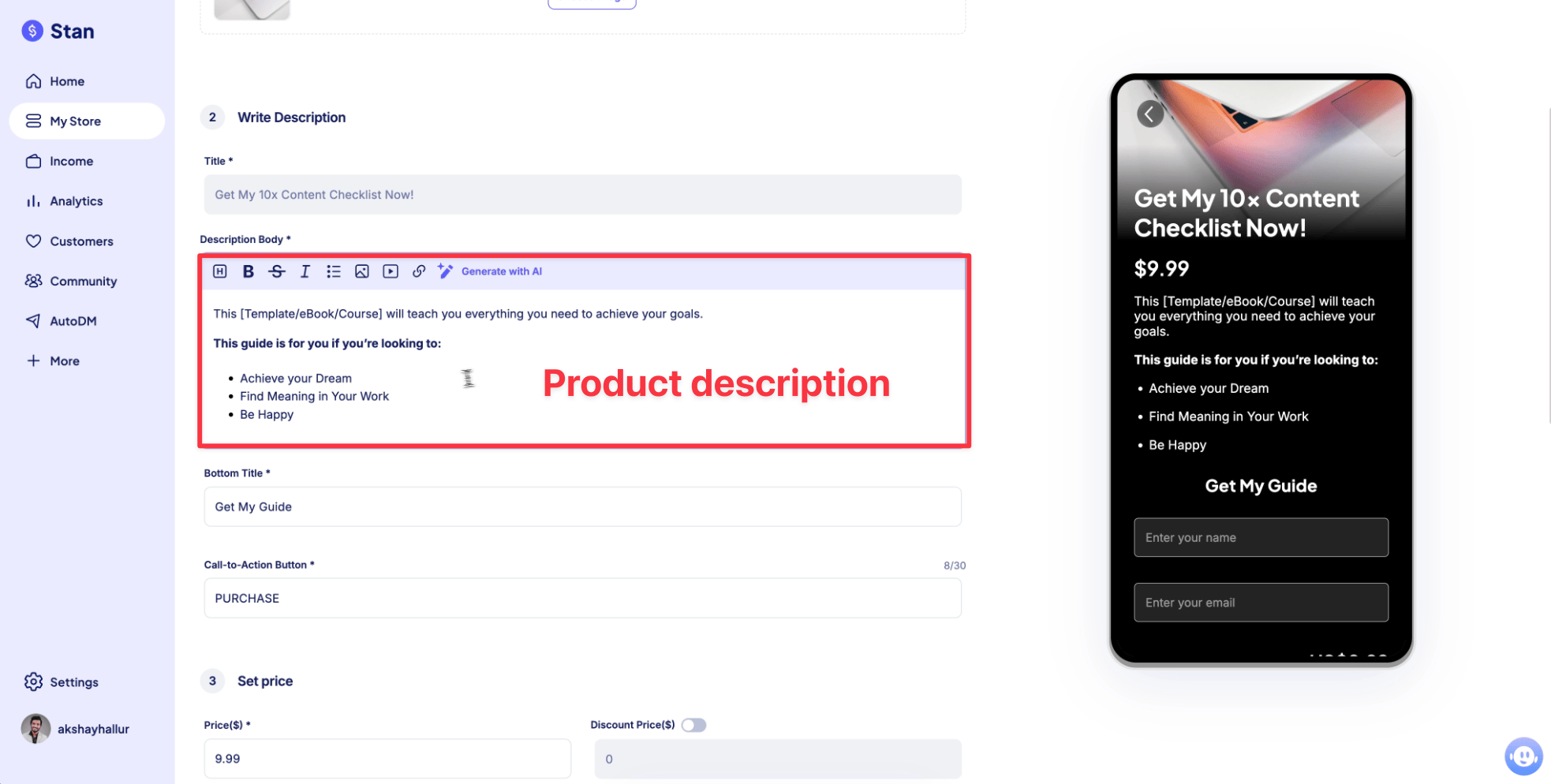
You can enable discount pricing too.
Then you upload your digital product file and hit publish.
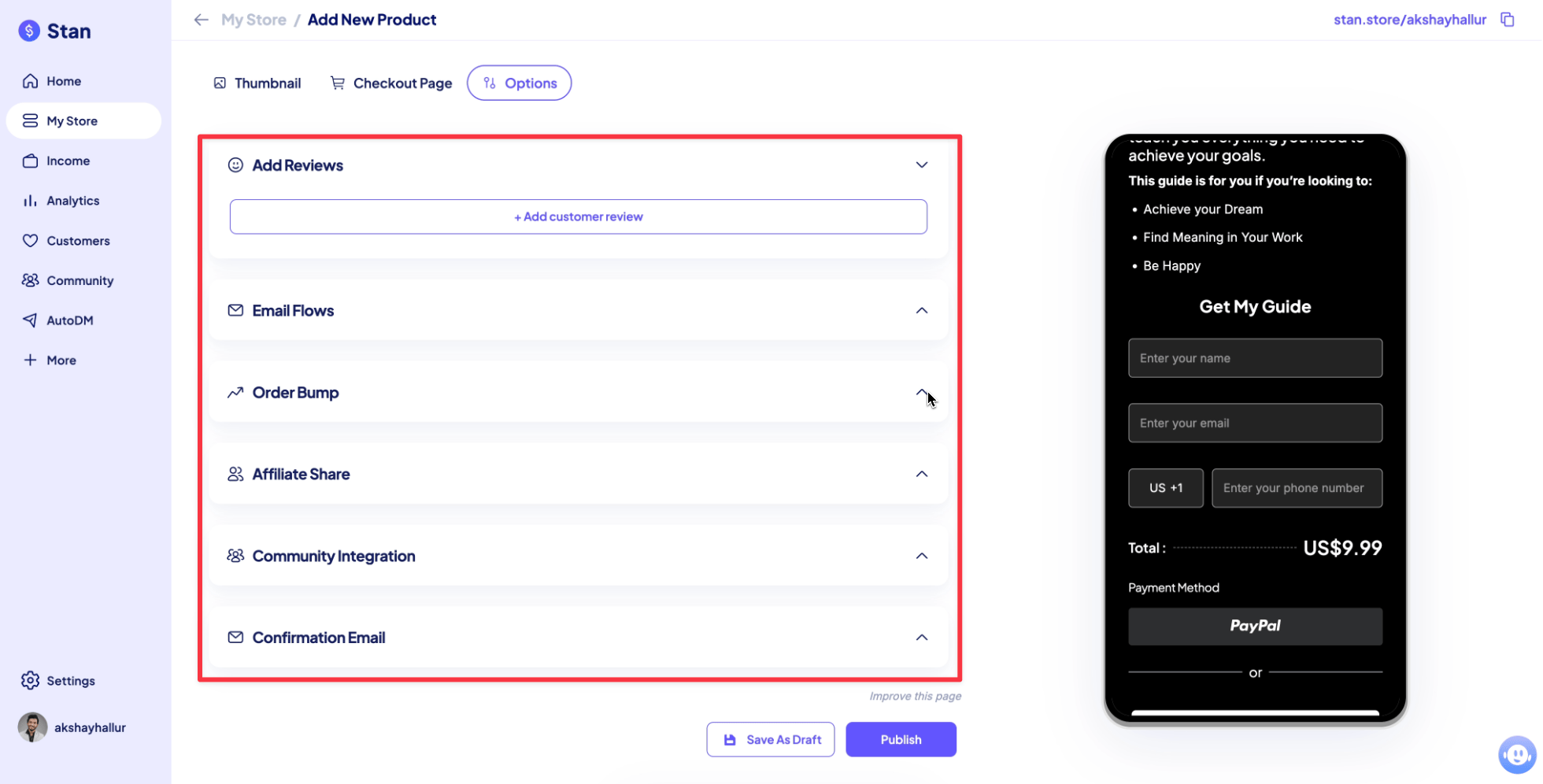
After the core setup, Stan Store also gives you options like:
- Add testimonials/reviews for social proof
- Add buyers into email flows
- Add order bumps
- Community integration (Stan can automatically invite buyers to your community after purchase)
Stan Store also sends a confirmation email after purchase. That email includes the order info and the product file (like the PDF download).
Course builder (lightweight)
Stan Store includes a lightweight course builder, so you don’t always need a separate platform like Kajabi or Teachable for training course needs.
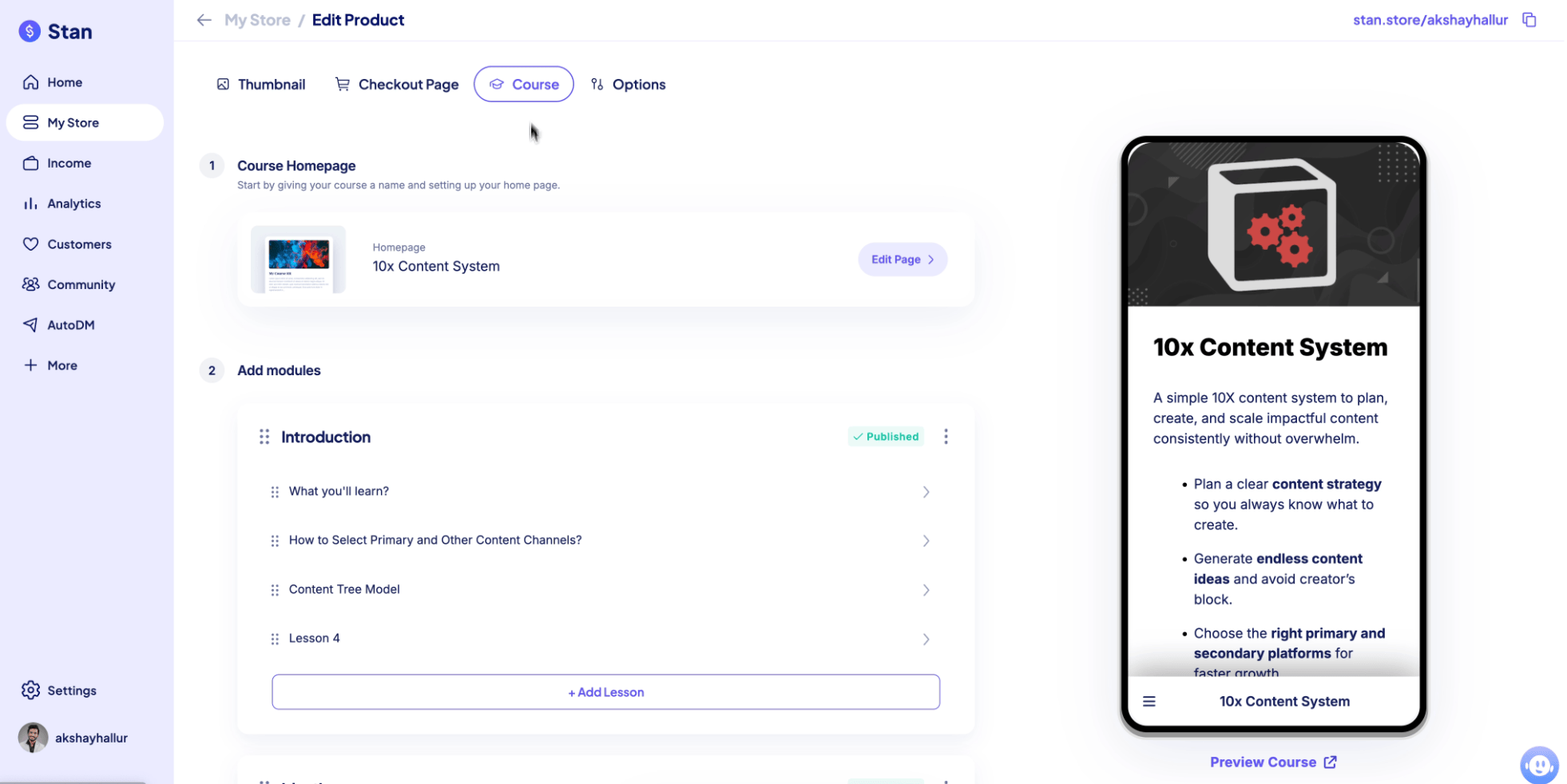
A course in Stan Store includes:
- Basic settings
- A checkout page where you edit the copy
- A course curriculum area where you add modules and lessons
When you preview the course, learners can browse the course using the sidebar. Lessons can include a video player.
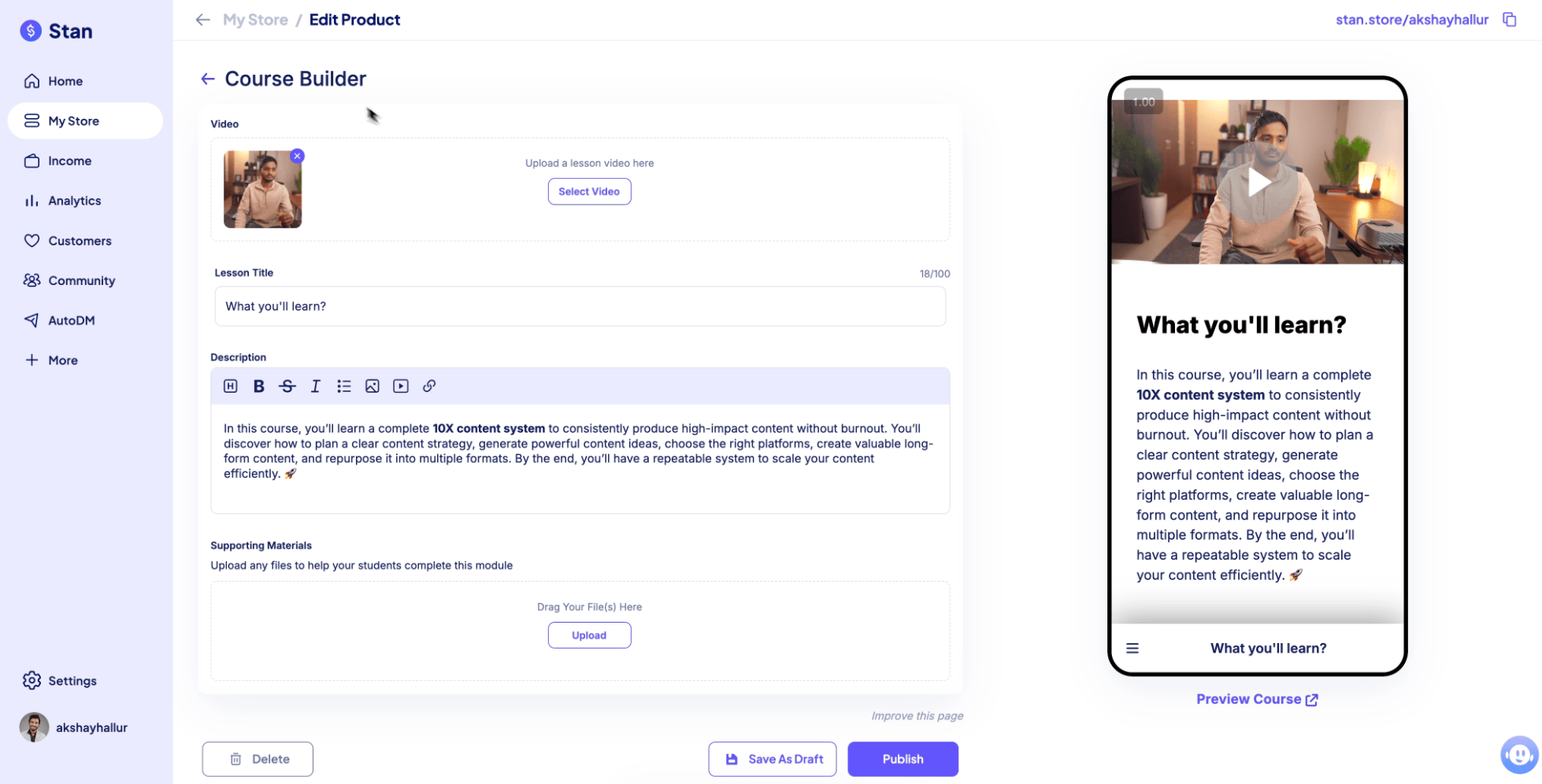
When adding a new lesson, you can upload:
- Lesson video
- Lesson title
- Description
- Supporting materials like PDFs or checklists
The course features are basic, for example:
- There’s no ability for people to leave comments on lessons
- Course player is very limited
- No quizzes
- No certification feature
If you need a more feature-rich course experience, the transcript suggests using platforms like Teachable, Thinkific, or Kajabi.
Coaching calls (bookings + scheduling)
Stan Store also lets you offer 1-to-1 consultations via a coaching call product.
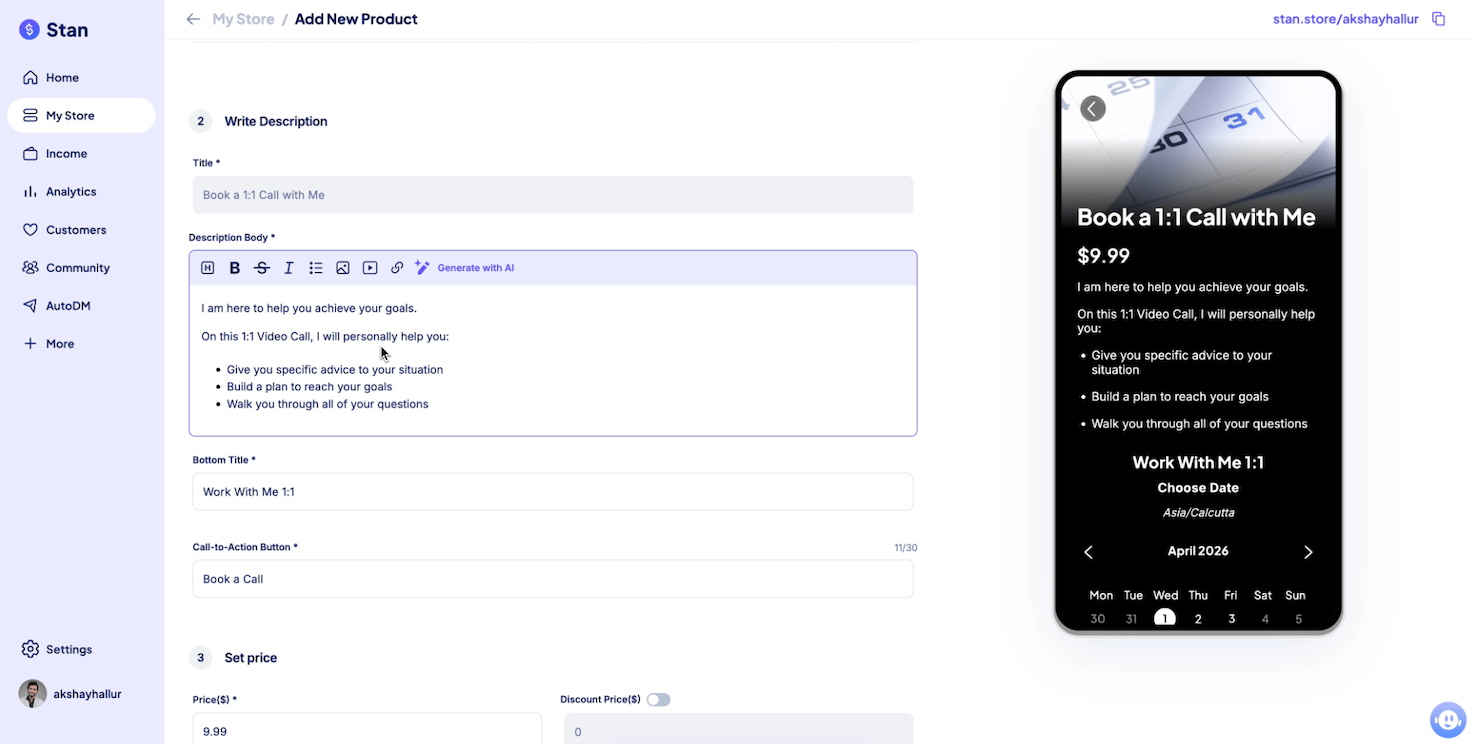
The setup includes:
- Edit the copy
- Edit the “what to expect” description
- Set pricing
- Optionally collect phone number (example: to remind someone on WhatsApp)
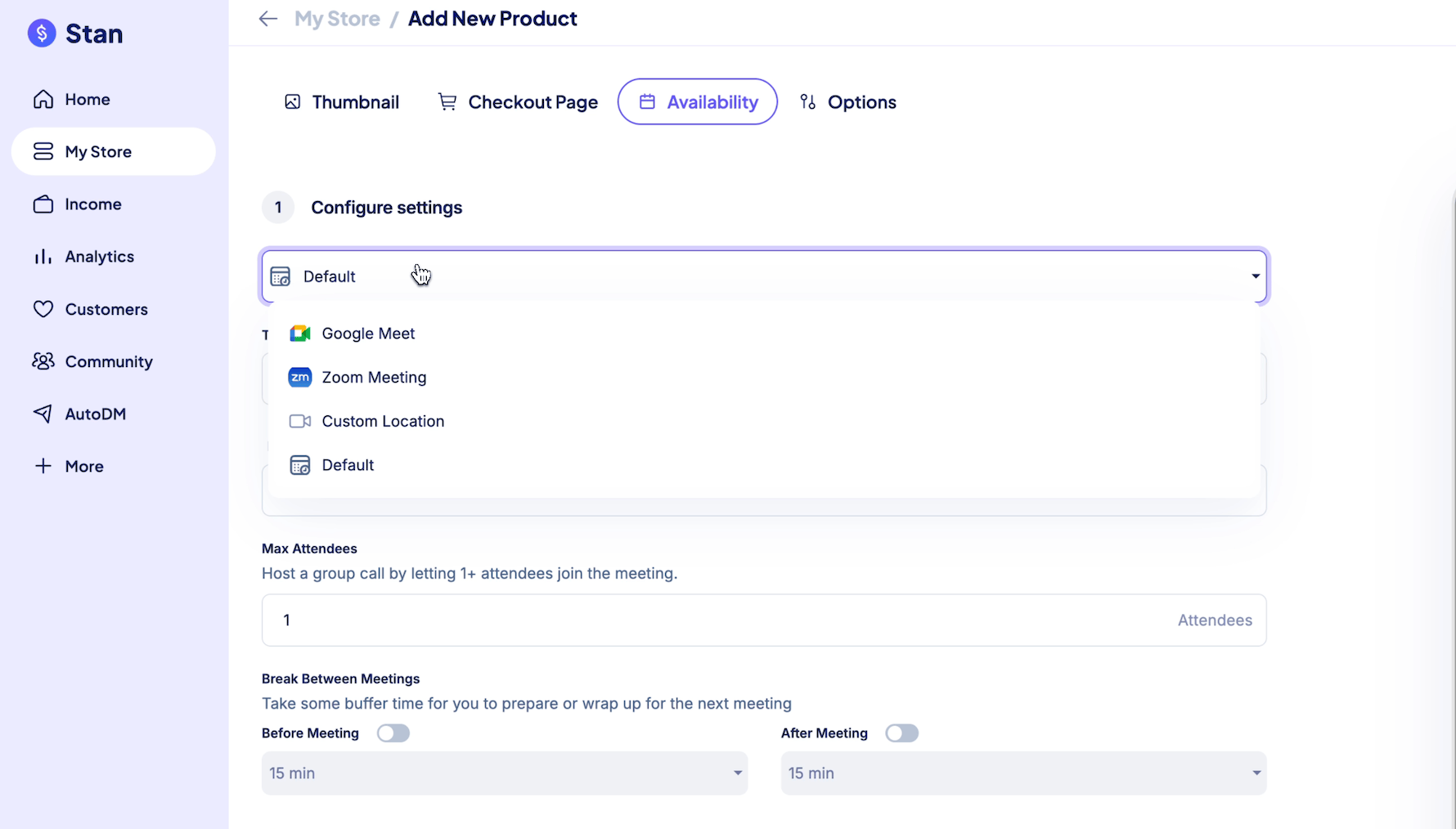
Stan for meetings integrates with:
- Google Meet
- Zoom
You can connect Zoom, set timezone, call duration, and prevent booking within 12 hours (so you get prep time).
You can also configure:
- Buffer time between meetings
- Available times (example: Monday to Friday, 9 am to 5 pm)
- Multiple time slots (example: 11 am to 1:30 pm, and 4:30 pm to 7 pm)
- Block off specific days (no bookings)
Once published, the coaching CTA gets added to your storefront.
Webinars (basic setup)
You can also set up webinars inside Stan Store.
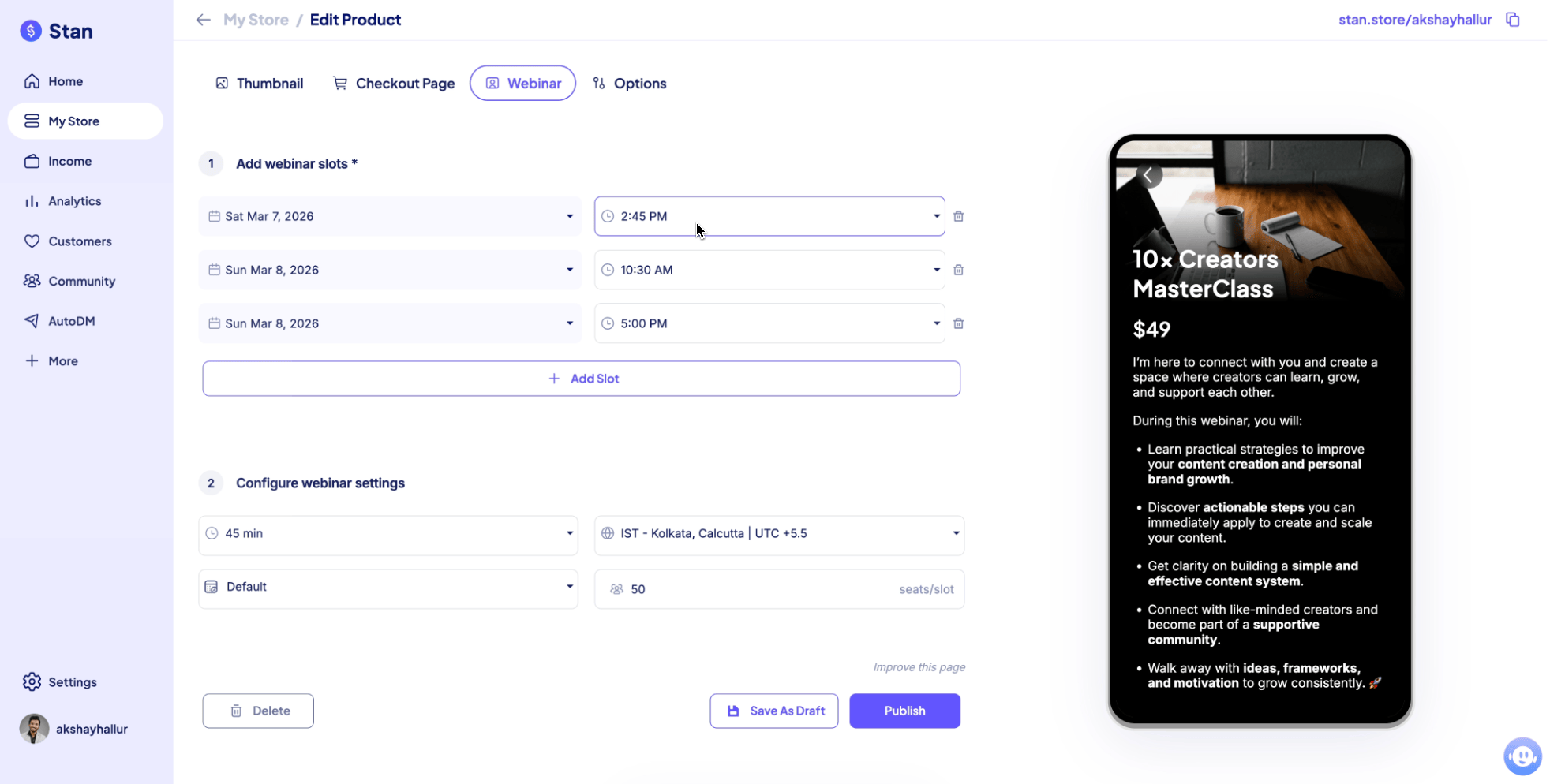
You can add webinar slots, configure settings, and integrate it with:
- Google Meet
- Zoom
- Custom location (URL sent after signup)
Stan Store does not have built-in live streaming. It relies on Zoom or Google Meet.
Also they have reminders feature.
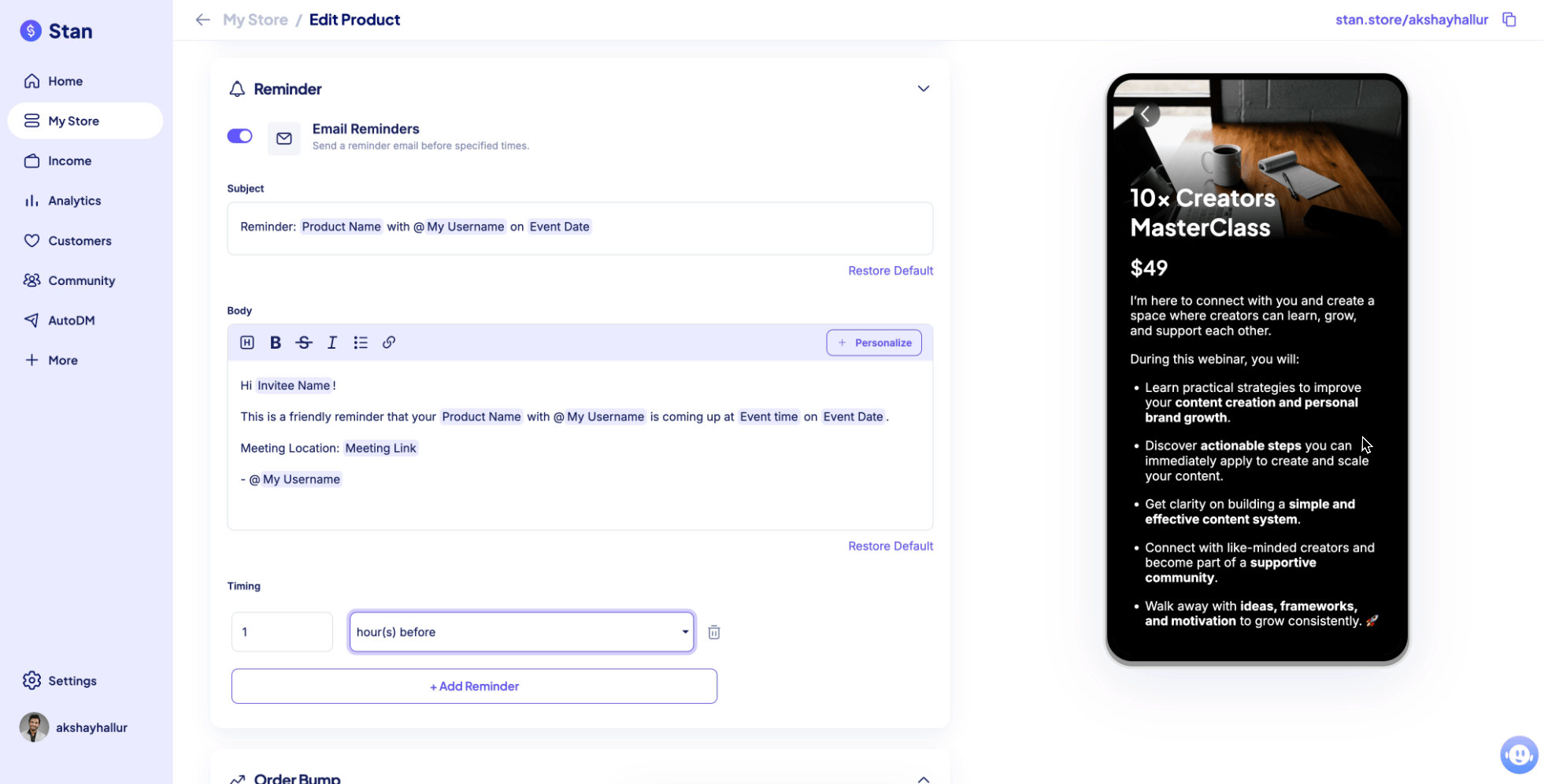
You can send multiple email reminders to registrants, like 1 hour before the event.
But it’s limited to email reminders. WhatsApp or SMS reminders require your own setup.
Other limitations are:
- No evergreen webinar functionality (you can’t play a pre-recorded video “as live”)
- No built-in live streaming
Community feature
Stan Store also includes a community feature, based on the idea that the future of online learning is community.
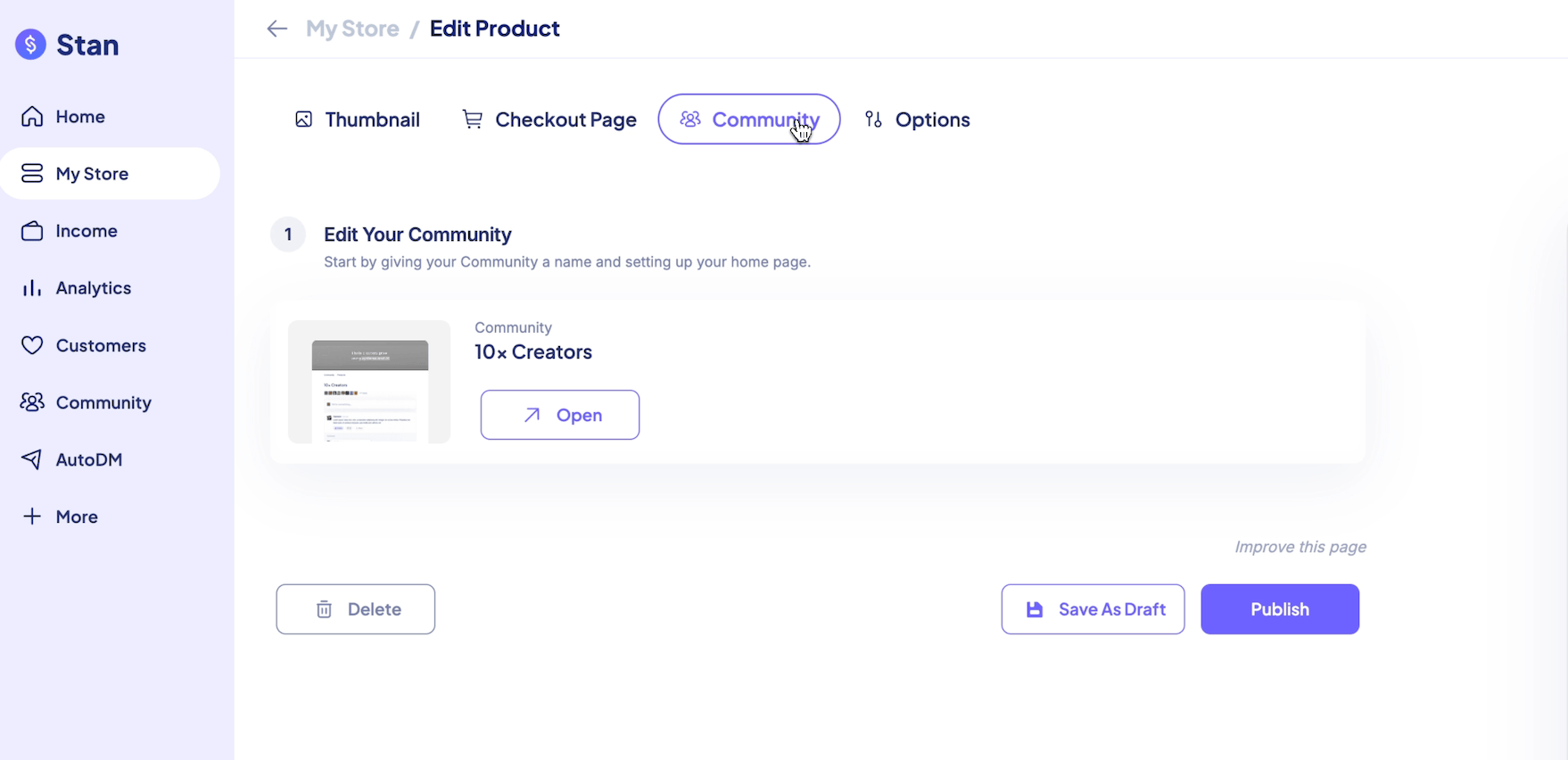
A community setup includes:
- Thumbnail
- Checkout page to convince people to join
- Community area where members can post content
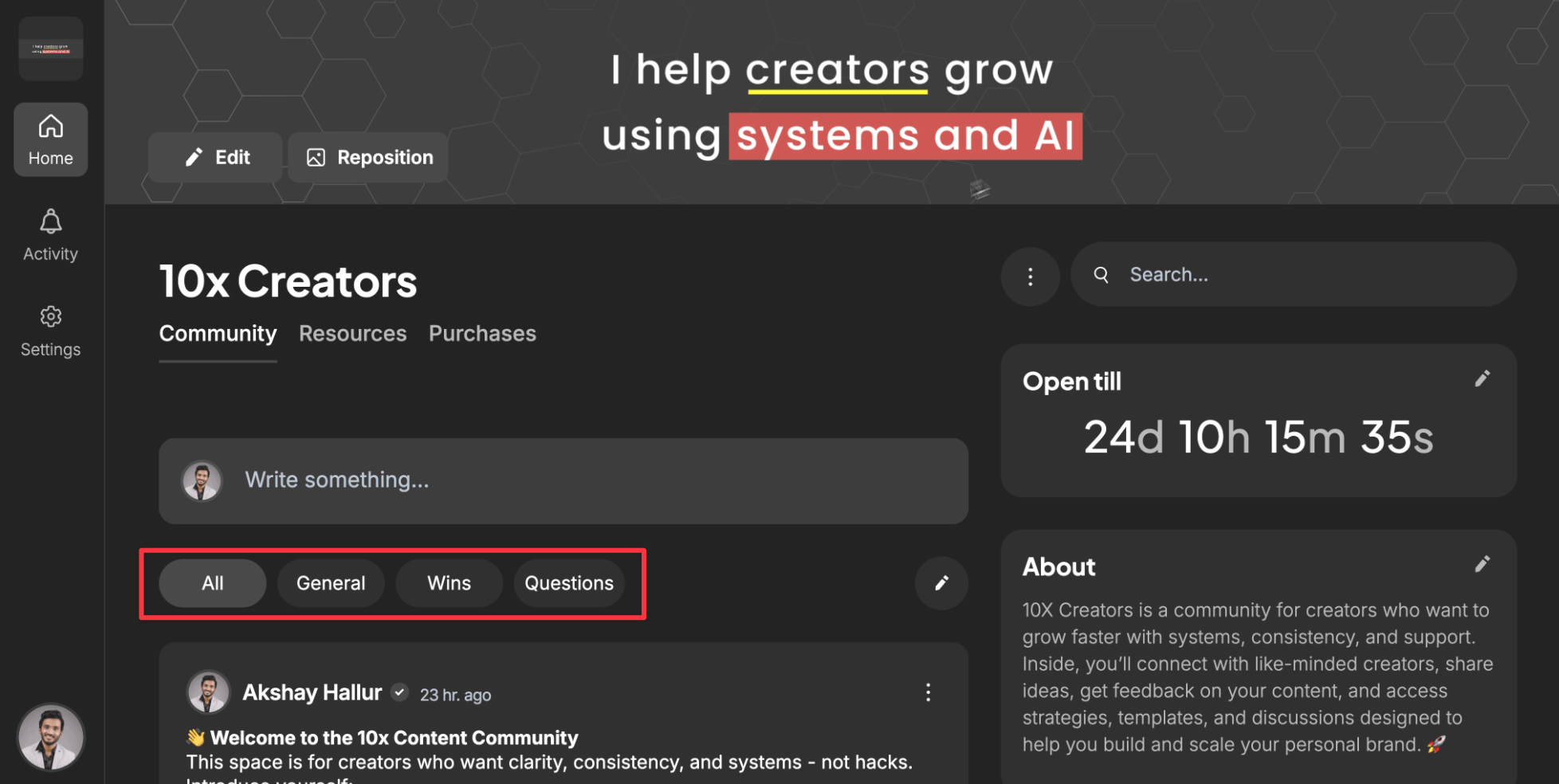
Inside the community, members can categorize posts into categories (example: success stories under “wins”) so it’s easier to browse.
There’s also:
- Activity feed for notifications
- Settings for layout, dark/light theme
- Profile settings like display name and social links
The community feature is basic. It does not include gamification features like:
- Earning points
- Leveling up
Those types of features exist in dedicated tools like Skool or Circle.
So it’s good if you want a community alongside your course, but for a dedicated community-centric environment, I recommend Skool.
Instagram AutoDM feature
Stan Store has a feature called Auto DM.
It automatically sends a DM when:
- Someone comments on your Instagram post, or
- Someone DMs you a specific keyword
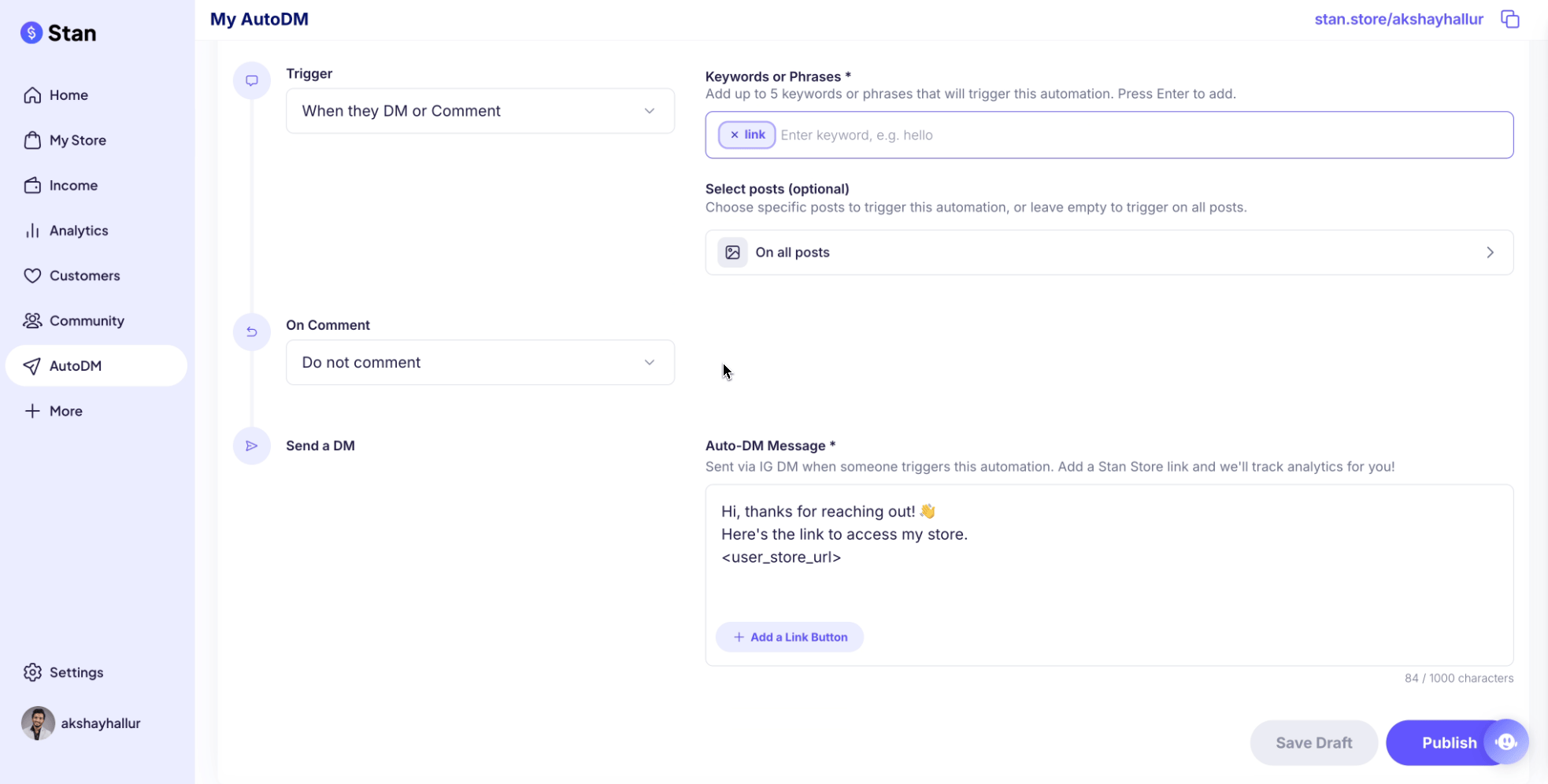
Example: if someone comments or DMs the keyword “link,” they get an automatic DM with a link to the Stan Store landing page.
This can replace ManyChat for most people and potentially save $20 to $30 per month.
Pricing: Creator vs Creator Pro
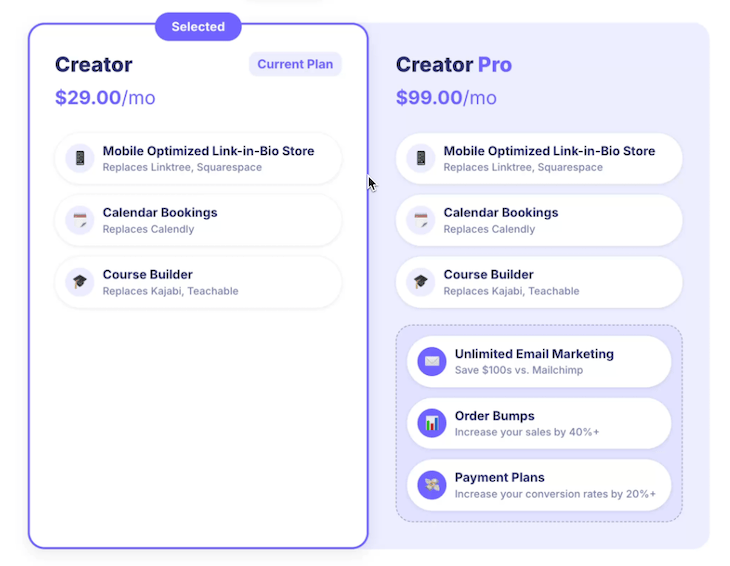
Stan Store has 2 pricing plans.
Most of the features described are available in the Creator plan.
If you want features like:
- Email marketing (email flows and broadcasts)
- Order bumps (additional products on checkout)
- Payment plans
…then you may want the Creator Pro plan at $99 per month.
If you already have an email marketing tool like Mailchimp or Kit, then the Creator plan is more than enough.
Final verdict
If you want a simple platform to sell digital products as a content creator, and you’re not tech-savvy and don’t want to worry about building a website, Stan Store is a great fit.
But if you need advanced training course features like certifications, assessments, and exams, it’s not the right platform.
Also, you may still want your own website hosted elsewhere (like WordPress or Squarespace), because Stan Store’s link-in-bio builder is not a website builder or a landing page builder.
For most people, the Creator plan at $29 per month is my recommendation.
If you want to sign up, use this link to get the exclusive 14-day trial.