Cloud storage bills add up fast.
Month after month.
pCloud flips that model. Their lifetime plans mean you pay once and never see another invoice.
They offered 5TB lifetime storage, password manager, and encryption for $599 for Black Friday 2025.
Here’s everything that made this year’s offer worth your attention.
pCloud Black Friday 2025
👇 The pCloud Black Friday 2025 deal has ended 🔴
For new users
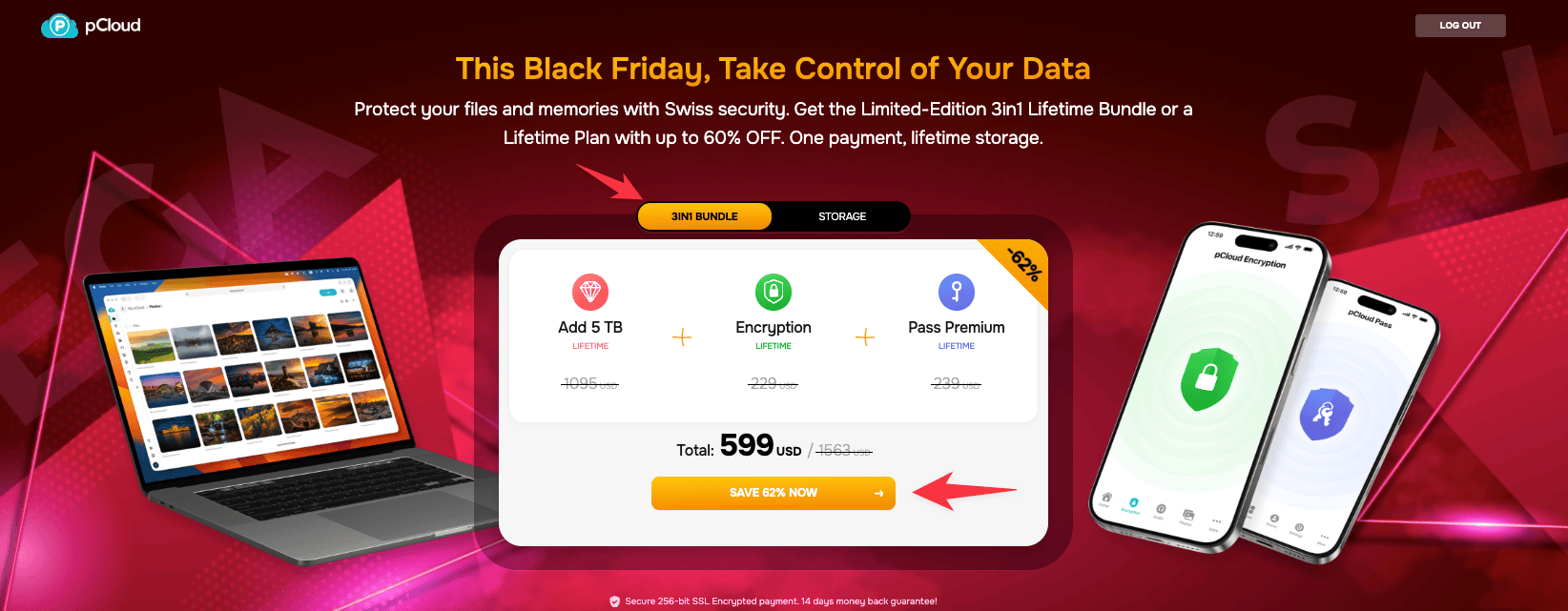
pCloud offered a 3-in-1 bundle for new users.
Here’s what they offered:
- 5TB lifetime storage
- pCloud Pass (password manager)
- pCloud Encryption (client-side security)
This deal packs everything you need into one purchase. You won’t find a better lifetime cloud storage bundle anywhere else.
🤑 Most cloud services charge you monthly forever. With pCloud’s lifetime plan, you pay once and you’re done. No more subscription headaches.
For existing users
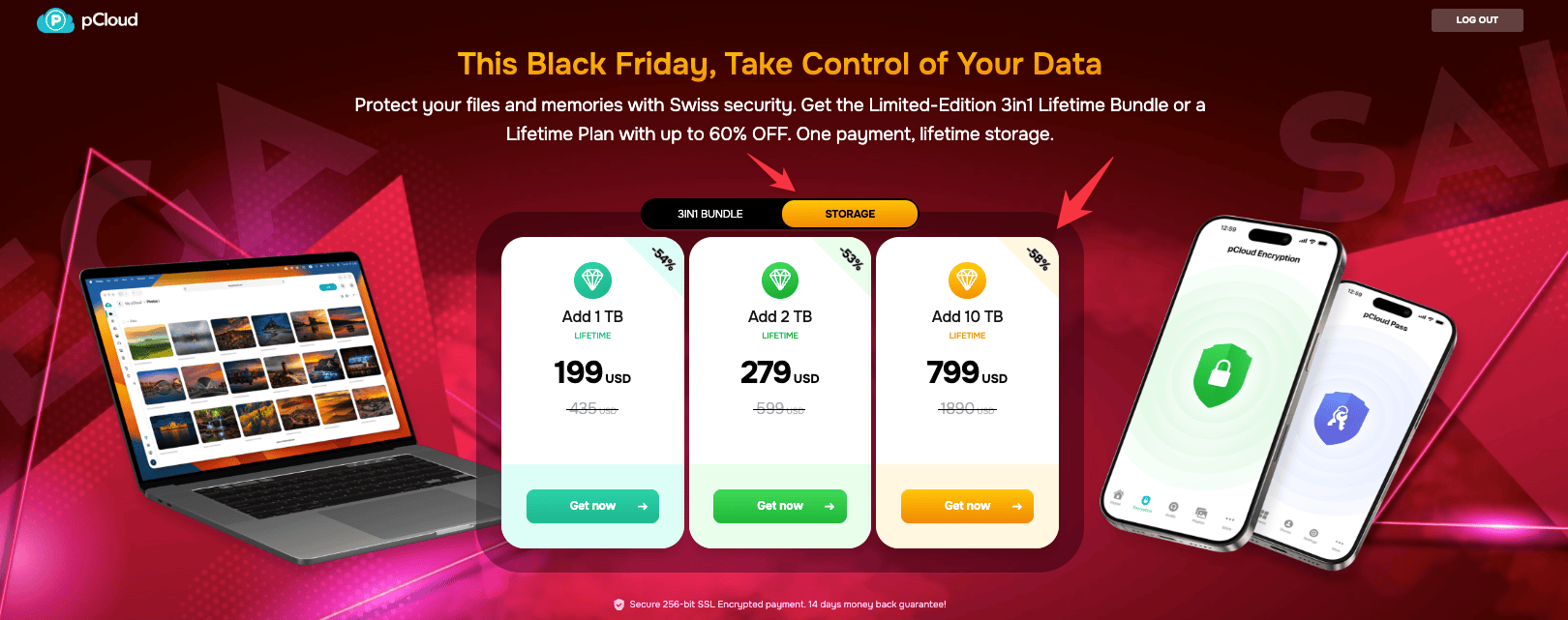
Already using pCloud? They offered more storage.
Existing users got these deals:
- Add 1TB: $199 (was $435) – 54% OFF
- Add 2TB: $279 (was $599) – 53% OFF
- Add 10TB: $799 (was $1890) – 58% OFF
Since you already have pCloud Pass and Encryption, these deals give you more space without the extras.
Claim pCloud Black Friday deal
Latest feature updates in 2025
pCloud has rolled out some impressive updates throughout 2025 that make your cloud experience smoother and more efficient.
- Refreshed file and folder design: The interface got a cleaner, more modern look that makes it easier to navigate your files.
- Smart folder structure preservation: When you upload files, pCloud now keeps your original folder structure intact automatically.
- Drag and drop between apps: Moving files between pCloud and third-party apps is now as simple as dragging and dropping.
- Enhanced Crypto navigation: The encrypted folder experience includes scan suggestions and improved navigation for better file management.
- Third-party app backups on Android: You can now back up files from other apps directly to pCloud with just a few taps.
How pCloud stacks up against the competition
When you’re comparing cloud storage options, pCloud consistently ranks among the top services for 2024-2025.
- Lifetime storage plans: While Dropbox and Google Drive get most of the attention, pCloud offers something they don’t: lifetime plans. You pay once and never worry about monthly fees again. That’s a huge advantage when you’re tired of subscription fatigue.
- Swiss privacy advantage: While other providers operate under various privacy laws, pCloud’s Swiss base means your data gets protection under some of the world’s strictest privacy regulations.
- File-sharing and media playback: pCloud also beats most competitors in file-sharing capabilities and media playback features. You get a built-in video and audio player that works seamlessly, which isn’t something you’ll find with every provider.
pCloud overview

pCloud offers strong security, unlimited downloads, unlimited uploads, and more.
It’s one of the best cloud services available, and the security is excellent. If you need an online storage solution, pCloud is worth considering.
It gives you a secure place to store your files online.
You can access your files from anywhere and share them with others easily. You can reach these files from any device.

If you check out the trend graph above, you can see its popularity.
When it comes to uploading speeds, pCloud beats Dropbox’s performance significantly. I was surprised to see this.
Storage and uploading
pCloud handles storage and file uploads efficiently without eating up space on your local device.
One of the biggest advantages is that pCloud doesn’t use your device’s storage space for hosting files. Everything lives in the cloud, freeing up valuable space on your computer or phone.
Uploading files to pCloud is straightforward and flexible.
You can drag and drop files directly into your pCloud folder, use the web interface, or take advantage of the browser extensions.
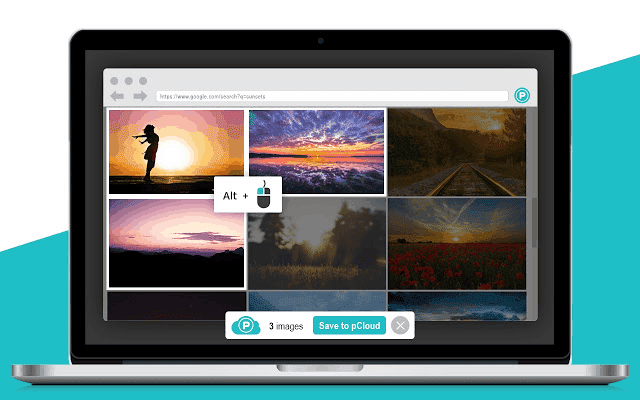
Here are some alternate ways by which you can upload the files:
- pCloud Save extension: Works with Chrome, Opera, and Firefox to save images and text directly to cloud storage with a right-click.
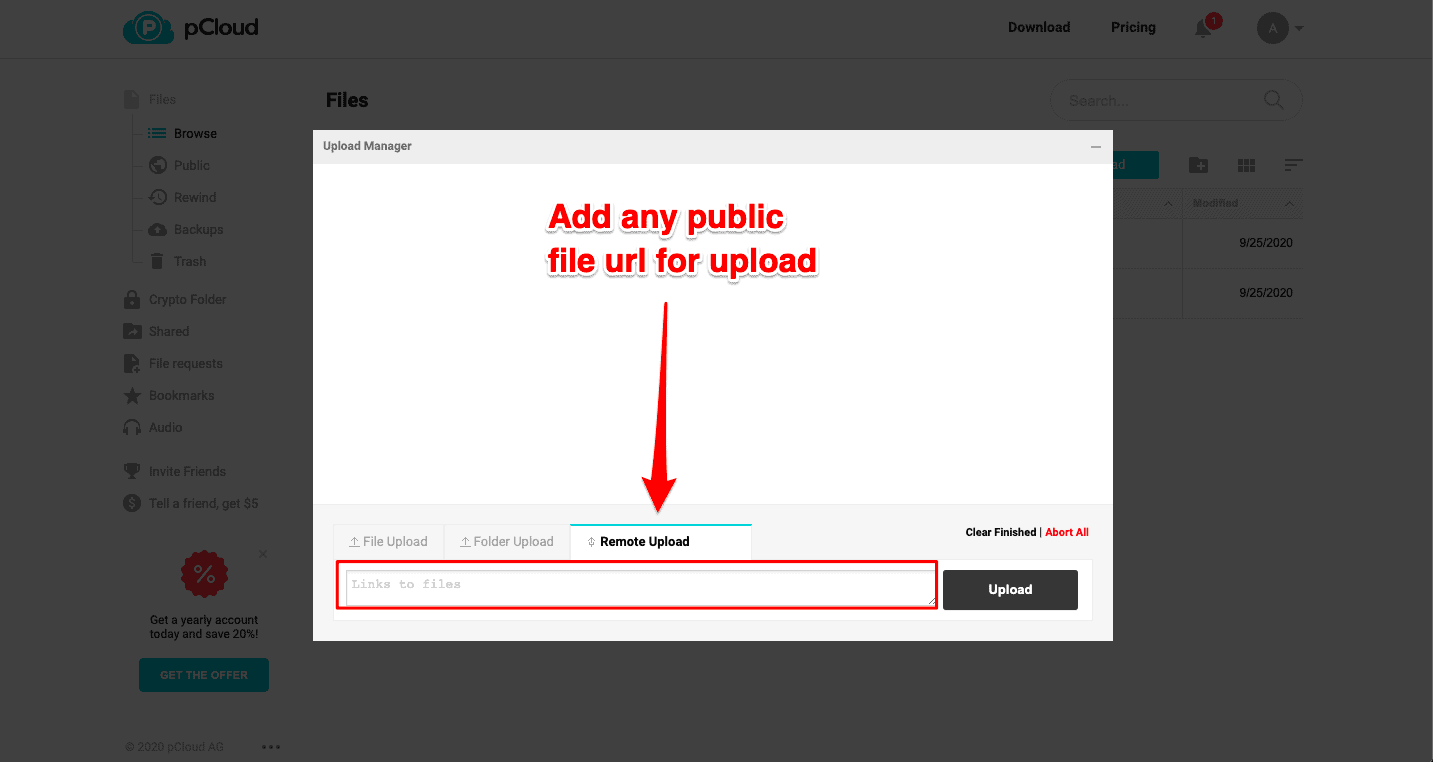
- Remote upload: Paste a link into pCloud’s upload manager to fetch and upload files without downloading them first—ideal for large videos.
Security
pCloud uses TLS/SSL encryption to protect files as they move from your device to pCloud servers.
When you share files, you can invite users to shared folders, send download links directly, or use file requests to receive files straight to your pCloud account.
The shared links are dynamic, which means they always show the latest version of your files. You can add a password to any shared link for privacy or set an expiration date.
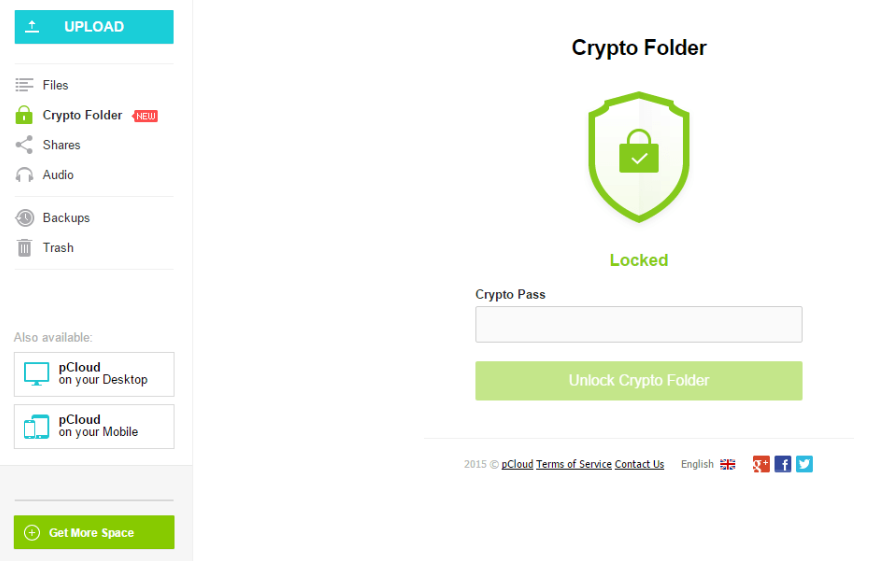
You can add pCloud Crypto (a paid service) to encrypt your files on the client side. This keeps your files safe from unauthorized access.
What makes pCloud’s security even stronger is its Swiss foundation.
Being based in Switzerland means your data is protected under some of the world’s strictest privacy laws. This isn’t just marketing talk. It’s a real legal advantage for your files.
The zero-knowledge encryption with pCloud Crypto takes this protection further.
Even pCloud can’t access your encrypted files because the encryption happens on your device before anything gets uploaded to their servers.
pCloud mobile app
The pCloud mobile app keeps getting better with regular updates that make it easier to use.
The Android and iOS apps now work better in landscape mode. So you can use your phone vertically or horizontally without any issues.
The passcode lock screen also got faster and more responsive.
Recent updates added LDAP signing support for business users and better scan suggestions in the Crypto navigation. These updates make it faster and easier to access your encrypted files.
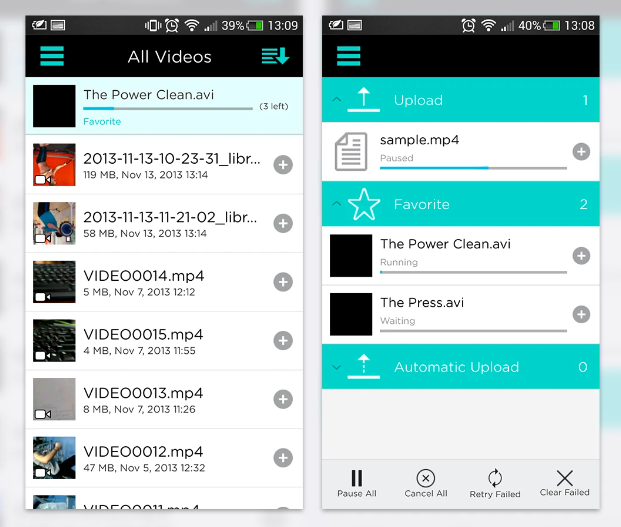
The automatic upload feature keeps your phone’s folder structure when backing up photos and videos.
Your mobile uploads stay organized exactly like they were on your device.
Video and audio players
pCloud has a built-in video and audio player that lets you preview and play files right away.
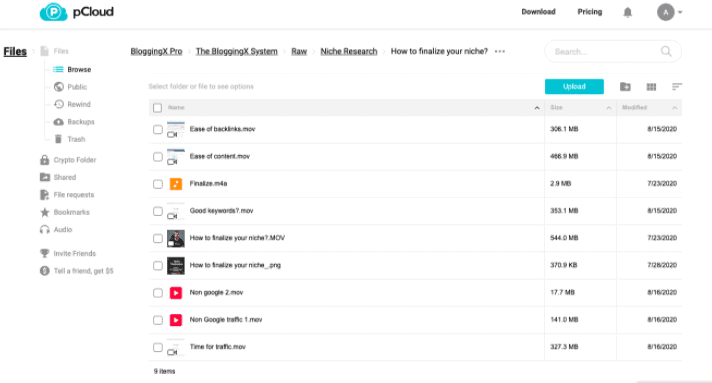
I use pCloud to work with video editors. When files are hosted on pCloud, they can easily access the files and folders and send them back after editing.
With pCloud file versioning, you can access file revisions and see previous versions of your files from 15 days (free) to 30 days (premium).
You can also record all file changes in your account for up to 360 days. The features give you a ton of flexibility.
pCloud Pass
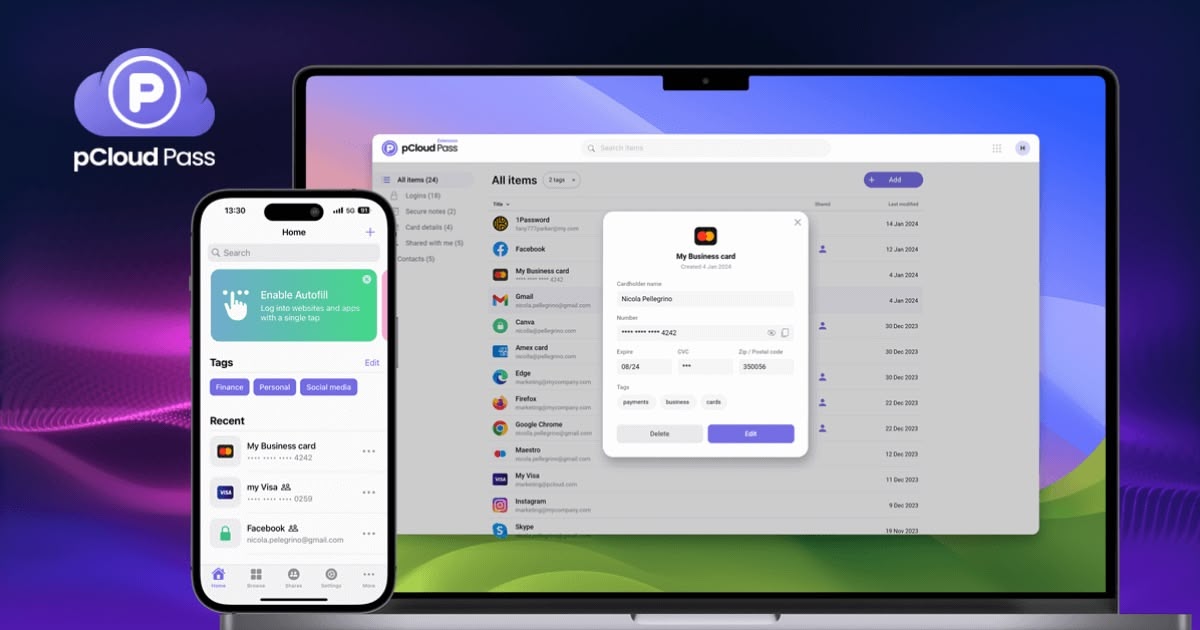
pCloud Pass gives you a secure and easy way to manage your passwords. It uses military-grade encryption to keep your passwords safe.
You can log in to your favorite sites and fill out forms with just one click.
pCloud Pass works on all devices, browsers, and operating systems. So you don’t have to remember or type in long, complicated passwords anymore.
You can import all your passwords from browsers, other password managers, or CSV files in seconds.
pCloud Pass uses AES-256-bit encryption to protect your passwords. And you can generate strong and unique passwords for all your online accounts.
Why choose pCloud for your storage needs?
pCloud stands out for its speed, security, and fair pricing without unnecessary complexity.
The lifetime plan is the biggest draw. Instead of paying monthly or yearly fees that pile up, you pay once and you’re done. If you’re planning to use cloud storage long-term, this saves you serious money.
Switzerland’s strict privacy laws add an extra layer of protection. Your data gets security from both pCloud’s systems and some of the world’s toughest privacy regulations.
Whether you’re using it personally or with a team, pCloud handles both well. The built-in media player works great for video content, and file sharing makes collaboration simple.
FAQs on pCloud Black Friday
- When did the pCloud Black Friday deal end? The deal ended on November 30, 2025. The promotional pricing is no longer available, and current prices reflect standard rates.
- Will there be another pCloud Black Friday deal? pCloud typically runs promotional sales during Black Friday each year. Check back in November 2026 for potential deals, or sign up for their newsletter to get notified.
- What was included in the pCloud Black Friday bundle? The deal included 5TB of lifetime storage, pCloud Pass (password manager), and pCloud Encryption (zero-knowledge security) for $599 – a 62% discount from the regular price.
- Can I still get a lifetime plan? Yes. pCloud still offers lifetime plans, but at regular pricing. The lifetime model remains one of the best ways to avoid ongoing subscription fees, though you won’t get the Black Friday discount.
- Why choose pCloud over Dropbox or Google Drive? pCloud offers lifetime plans (not just subscriptions), Swiss privacy protection with strict data laws, zero-knowledge encryption, and built-in media players. Plus, you own your storage forever instead of renting it monthly.
- Are there any current deals for existing pCloud users? While the Black Friday promotion has ended, pCloud occasionally offers upgrade deals throughout the year. Check their website or contact support to see if any promotions are currently available.
- Can I upgrade my storage later if I need more space? Yes. You can add more storage to your lifetime plan anytime. The new storage gets added on top of what you already have, and you keep the lifetime benefits.
Conclusion
The pCloud Black Friday deal for 2025 has ended, but the value of lifetime cloud storage remains clear.
With Swiss privacy protection, zero-knowledge encryption, and no monthly fees, pCloud offers a compelling alternative to subscription-based services.
If you missed this year’s deal, consider the regular lifetime plans or watch for future promotions.
Explore pCloud’s current plans and secure your digital files today.