LearnWorlds offers robust features for course creators, but its cluttered interface and costly premium plans may deter beginners seeking simplicity. Ideal for those with budget flexibility.
In this blog post, I’m going to review LearnWorlds and let you know if it’s worth your attention.
| Type | Description |
| Trial | 30-day free trial. No credit card required. |
| Free plan | Not available |
| Pricing | Starts at $29/mo |
| Competitors | Podia, Kajabi and Teachable |
| Explore 👉 | Explore LearnWorlds |
And get this – during the pandemic, they raised $32M in growth funding from Insight Partners!
As an instructional designer and fellow course creator, I tried out LearnWorlds and compared it against other platforms like Teachable, Podia, and Kajabi
Overall, I’d say LearnWorlds is definitely worth checking out if you’re a feature-junkie.
Quick decision
👍 What’s good about LearnWorlds?
- Interactive videos: You can add clickable elements that pop up over your videos, letting students interact with the content. But here’s the thing – not many people actually use this feature in practice.
- Comprehensive assessment tools: LearnWorlds gives you tons of assessment options – text assignments, file uploads, video and audio assignments, plus different quiz formats. You can create question banks, build exams, and manually grade with feedback. This makes it great for academic programs and professional training.
- Robust website building: The website builder comes with lots of blocks and templates, plus global elements to save you time. You can even tweak the underlying source code directly! No need for WordPress or Squarespace. And they’ve got a Funnels feature on top of it all.
- Comprehensive reporting tools: You get detailed reporting to track student progress, HTML5 and SCORM support, and insights into learning outcomes. Plus video-level retention graphs so you can see exactly where people drop off!
- Integrated affiliate program: LearnWorlds has a built-in affiliate program where you can sign up users to promote your products for commission. The downside? It doesn’t support automated payouts.
- Branded mobile app: For an extra fee, you can get branded mobile apps for iOS and Android.
👎 What’s bad about LearnWorlds?
- Exclusive features only available in the highest plan: Premium features like interactive videos, automations, and white labeling are locked behind the Learning Center plan at $299/month. On the other end, the beginner plans are just too “Lite” and you end up progressively sliding towards the top end.
- Cluttered interface: LearnWorlds packs in tons of features, which confuses non-technical users. The UX and UI need serious improvement and is quite a mess. This reflects even in their page builder and course builder.
- Limited email marketing capabilities: LearnWorlds doesn’t have built-in email marketing automation or advanced segmentation (just mass emails). You’ll need third-party tools like Mailchimp or ConvertKit for sophisticated campaigns.
Upfront bottomline
Look, I’m going to be straight with you.
LearnWorlds is packed with features that course creators dream about. Interactive videos, robust website builder, comprehensive analytics, built-in affiliate programs – it’s all there.
You can call it a semi all-in-one tool (without powerful email features though!)
But here’s the catch.
The interface feels cluttered and takes time to figure out. Features are scattered around in ways that don’t always make sense. It took a while for me to wrap my heads around the platform when beginning.
And the best features like interactive videos, automations, etc? Locked behind their $299/month plan, this sucks.
So who should use LearnWorlds?
If you’re running an academic program, corporate training, or need advanced features like interactive videos, SCORM support and detailed student tracking – LearnWorlds is solid.
But if you’re just starting out or want something simple and intuitive, you might want to check out Kajabi or Podia instead.

Get 30% OFF on LearnWorlds!
Use AKSHAY30 coupon code.
Verified
If the offer changes, I keep the latest LearnWorlds coupon code updates here.
Interface
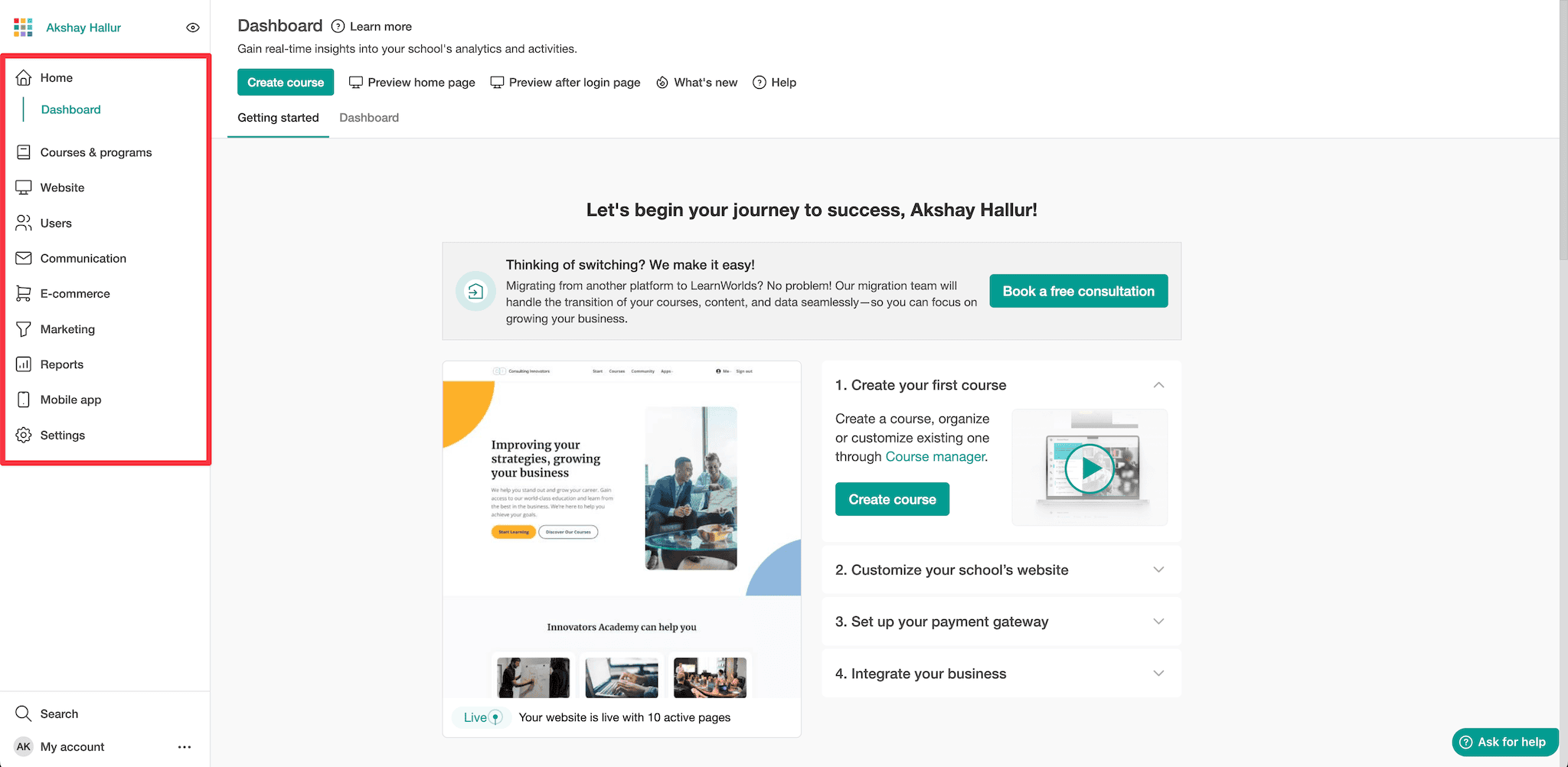
LearnWorld’s user interface has improved recently with a sidebar-based navigation system that looks cleaner.
But here’s the thing.
It takes time to figure out where everything is because there are tons of options under each category.
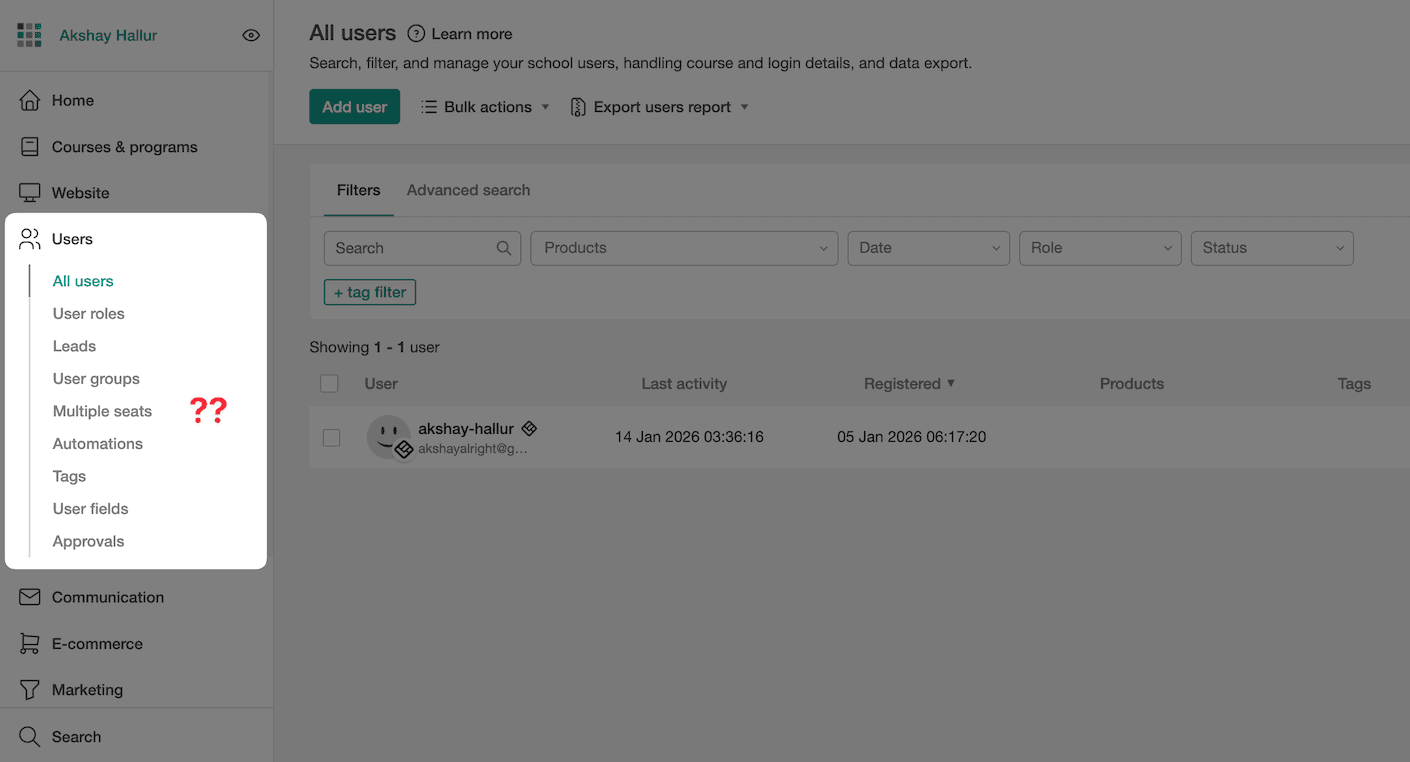
Even after the redesign, the interface feels quite cluttered and messy. Features aren’t organized in a way that makes intuitive sense.
👎 And there’s another issue with website speed – sometimes the loading gets stuck and you need to refresh the page. The underlying code seems bloated and could use some optimization. Added to this, there were some major outages in mid-2025.
Course creation
LearnWorlds curriculum has Sections (modules) and Activities (lessons).
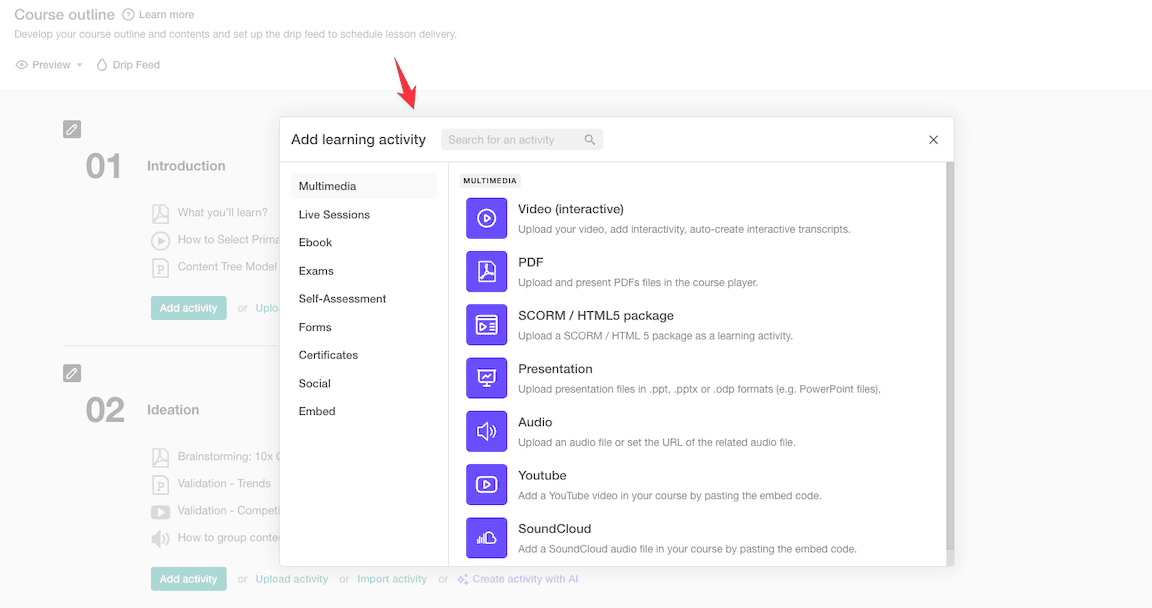
You can create different types of activities: multimedia, live sessions, questionnaires, embeds, and more.
Now, let’s talk about course videos.
LearnWorlds has a feature called interactive videos.
Interactive videos let you add clickable elements on top of your videos.
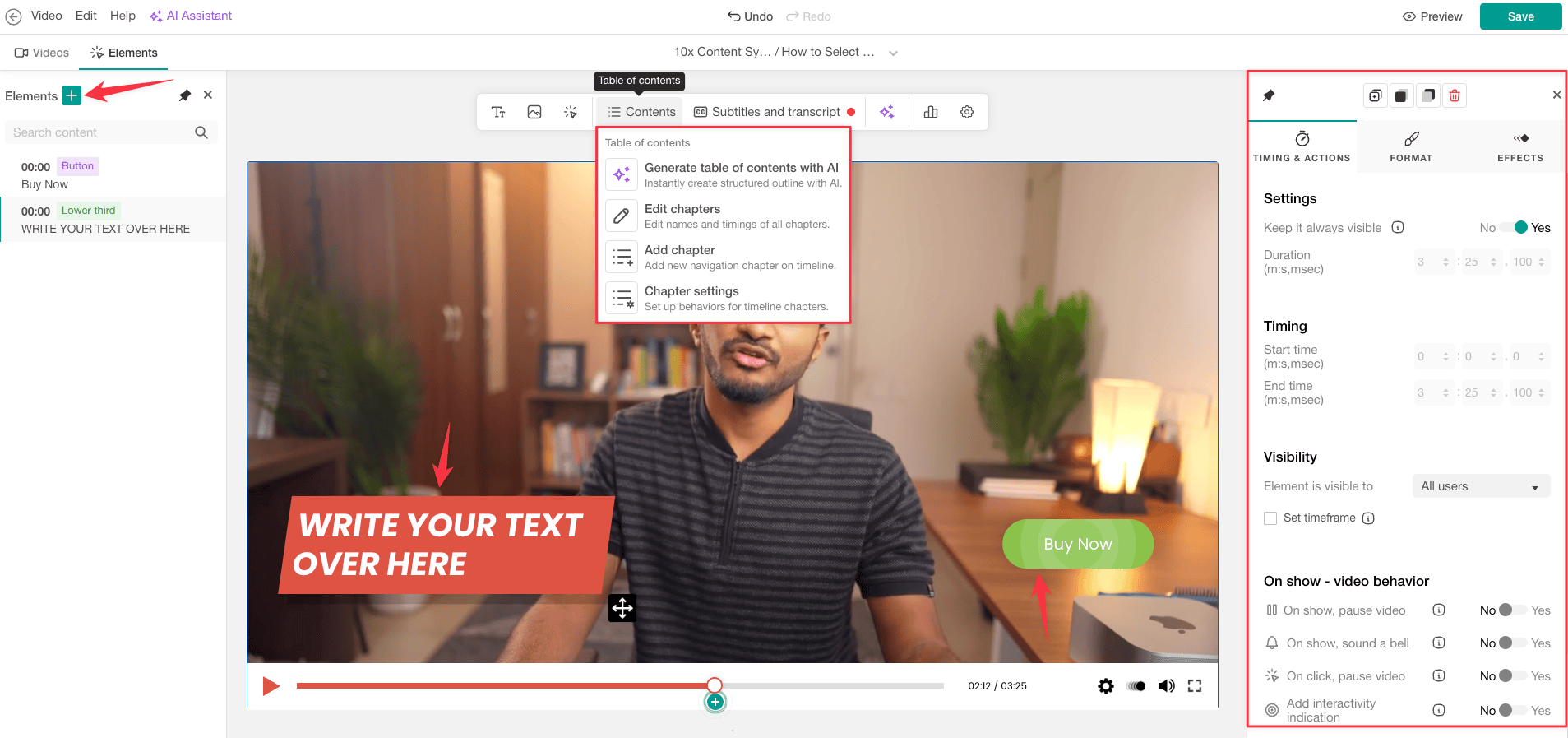
For example, you can include buttons, interactive transcripts, and call-to-action buttons.
But here’s the catch: it’s only available in their highest Learning Center plan.
Quizzes and assessments
LearnWorlds gives you tons of assessment options when you create a learning activity.
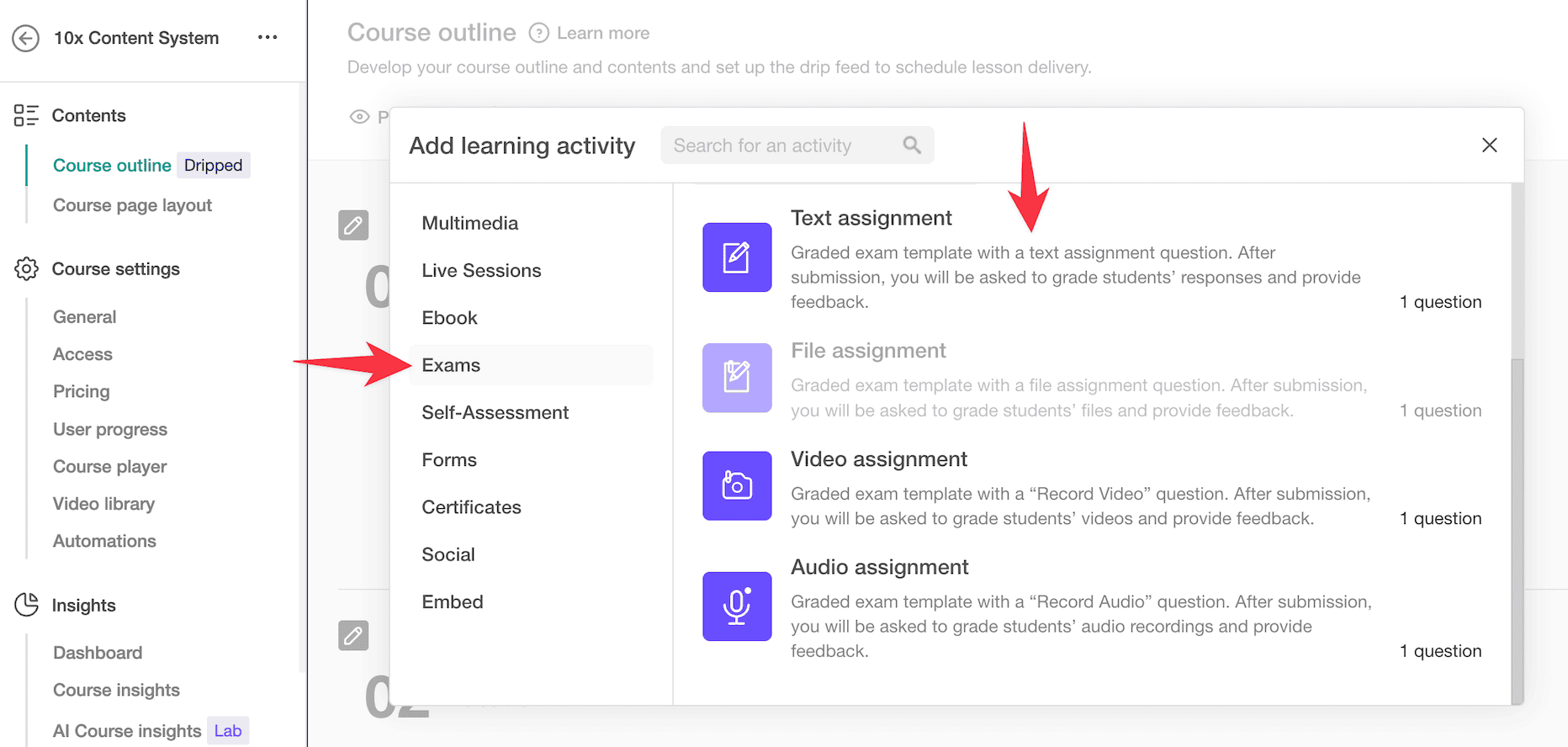
You can add text assessments, file assignments, video assignments, or audio assignments.
For example, if you pick audio assignment for a lesson, your students record an audio file. You can then grade it and give them feedback.
But that’s not all.
You can also embed different forms right inside the course to collect student feedback.
They’ve really packed in comprehensive quiz and assessment features, making it work for all kinds of use cases – whether you’re teaching academics, languages, or anything else.
You can also create question banks.
Think of exams as a learning activity that pulls together different types of quizzes and assignments.
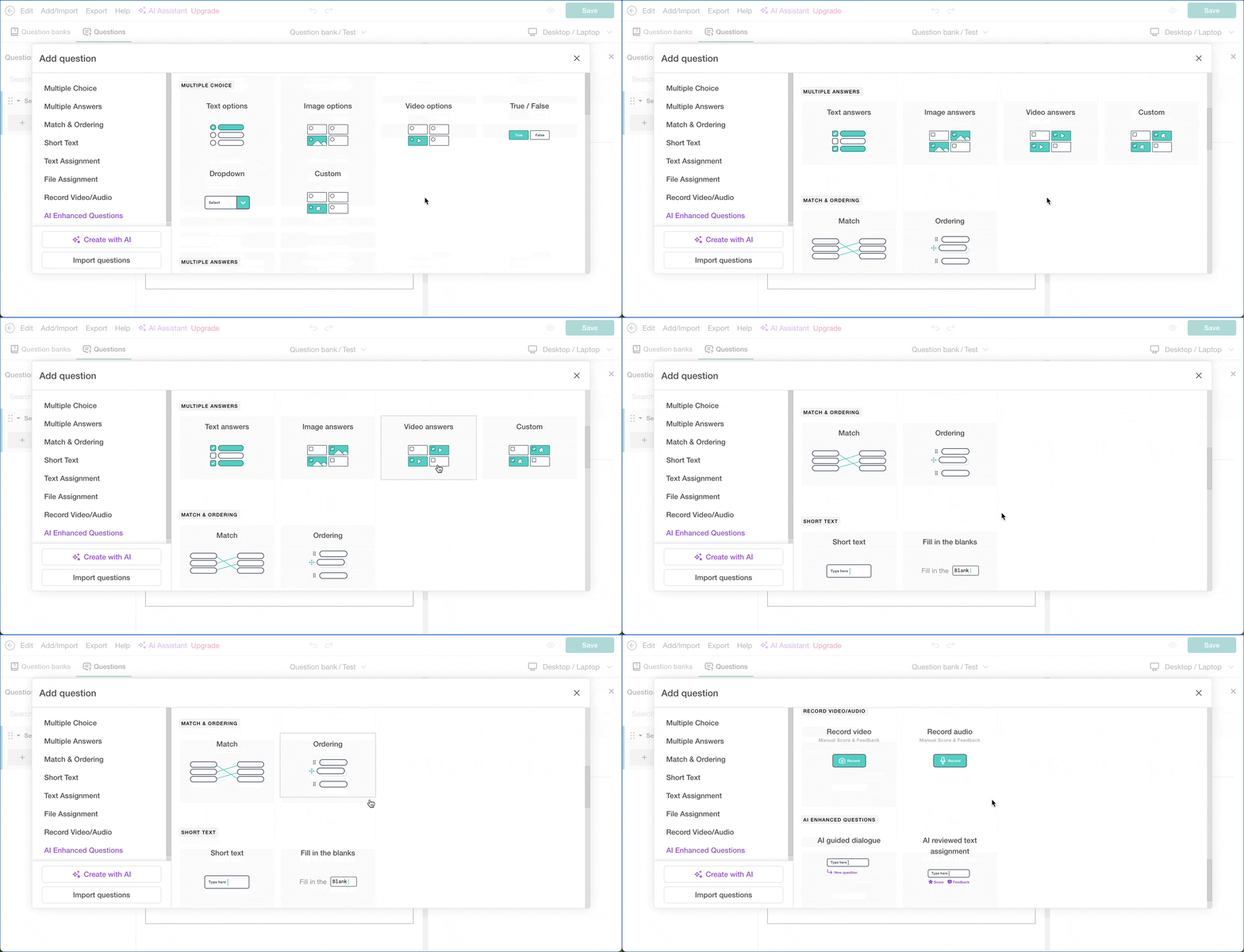
Inside a question bank, you can add various question types: multiple choice, multiple answers, image answers, video answers, matching, ordering, and more.
These work great for different situations. Say you’re teaching kids – image options, video options, or matching exercises might be perfect for your course.
No wonder LearnWorlds is popular for academic courses.
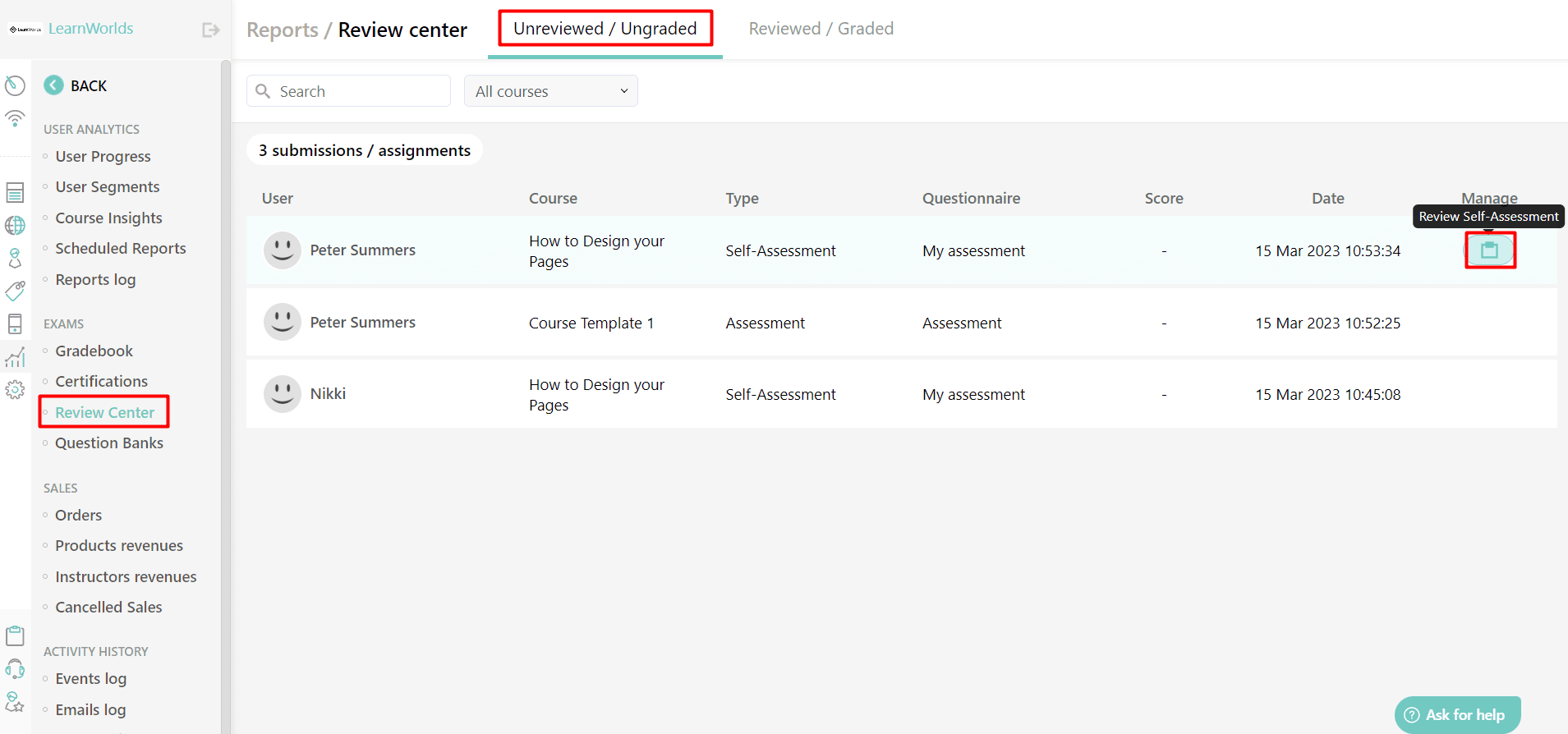
After students complete their exams and assessments, you can check their performance in the review center under reports.
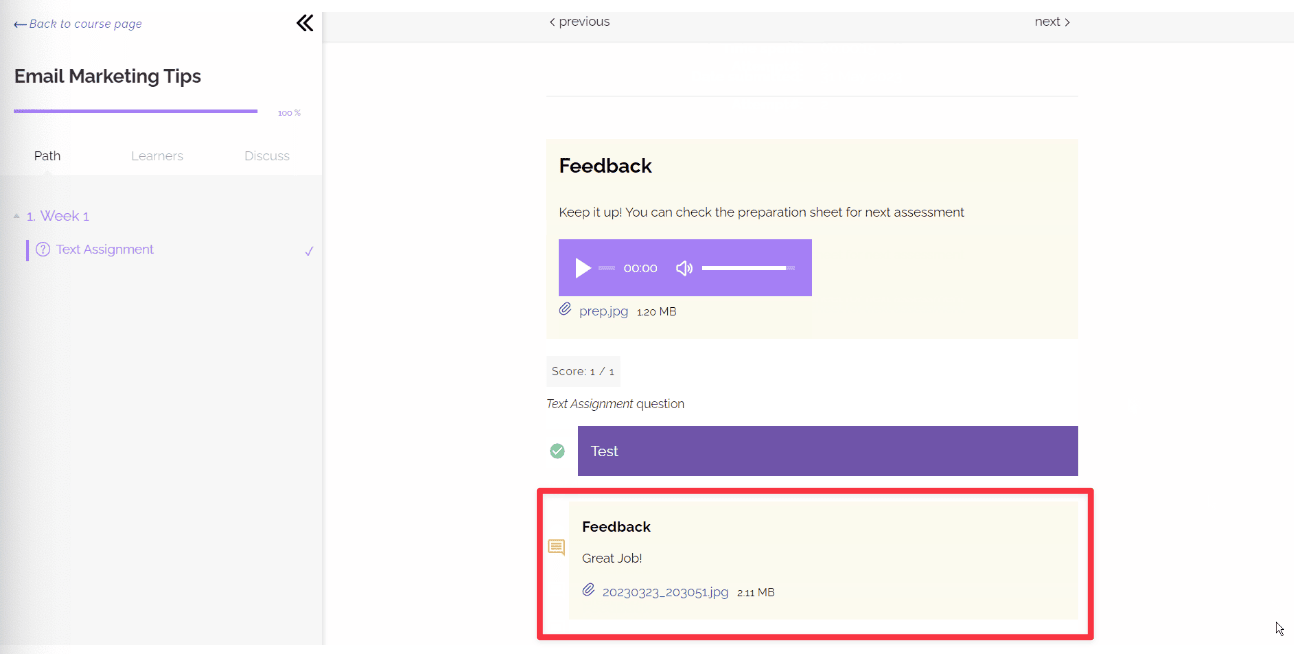
You can review how they did and give them feedback to help them improve.
As soon as you leave feedback, they can see it right inside the course player.
I really liked this feature!
Certification
Based on how students perform, you can give them certificates.
LearnWorlds lets you award two types of certificates:
- Certificate of Completion: Given to learners who finish and pass all tests and activities.
- Certificate of Knowledge: Given when students complete the course with a final exam that’s separate from other assessments.
Let me talk about the Certificate of Knowledge first.
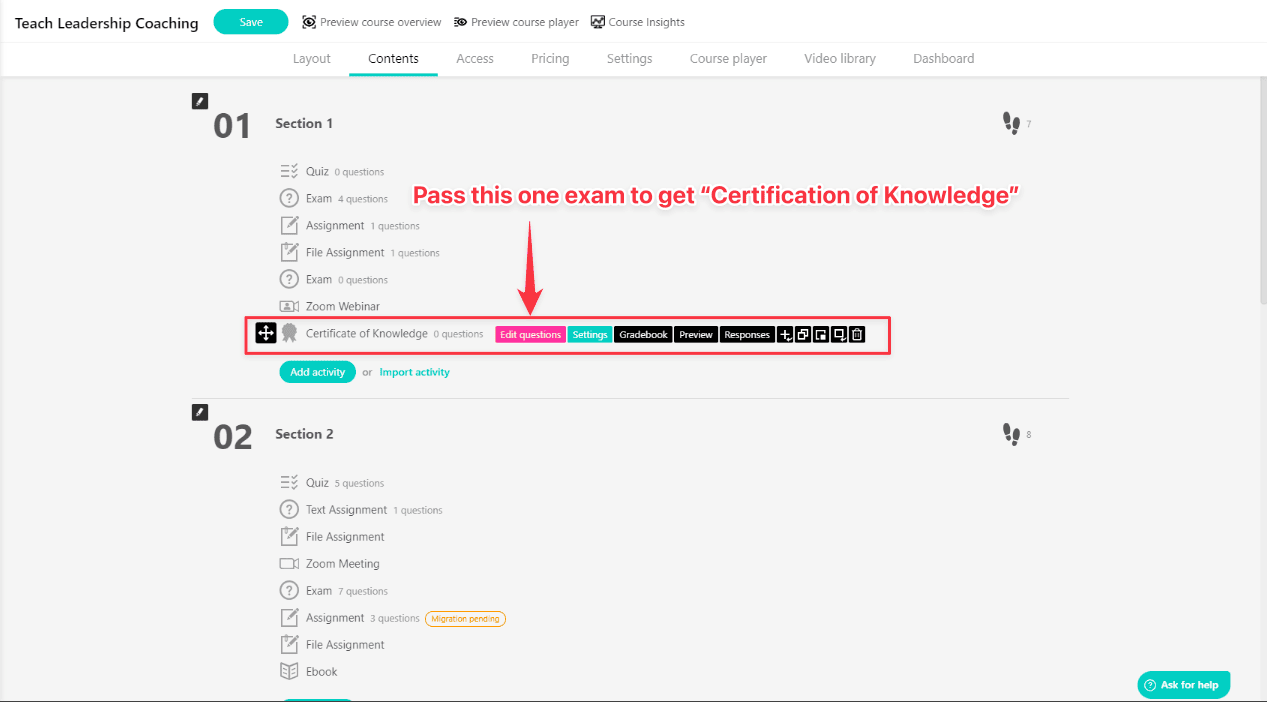
You can add a “Certification of Knowledge” activity anywhere in your curriculum with questions. Students earn this certification when they pass.
Now let me explain the “Certification of Completion.”
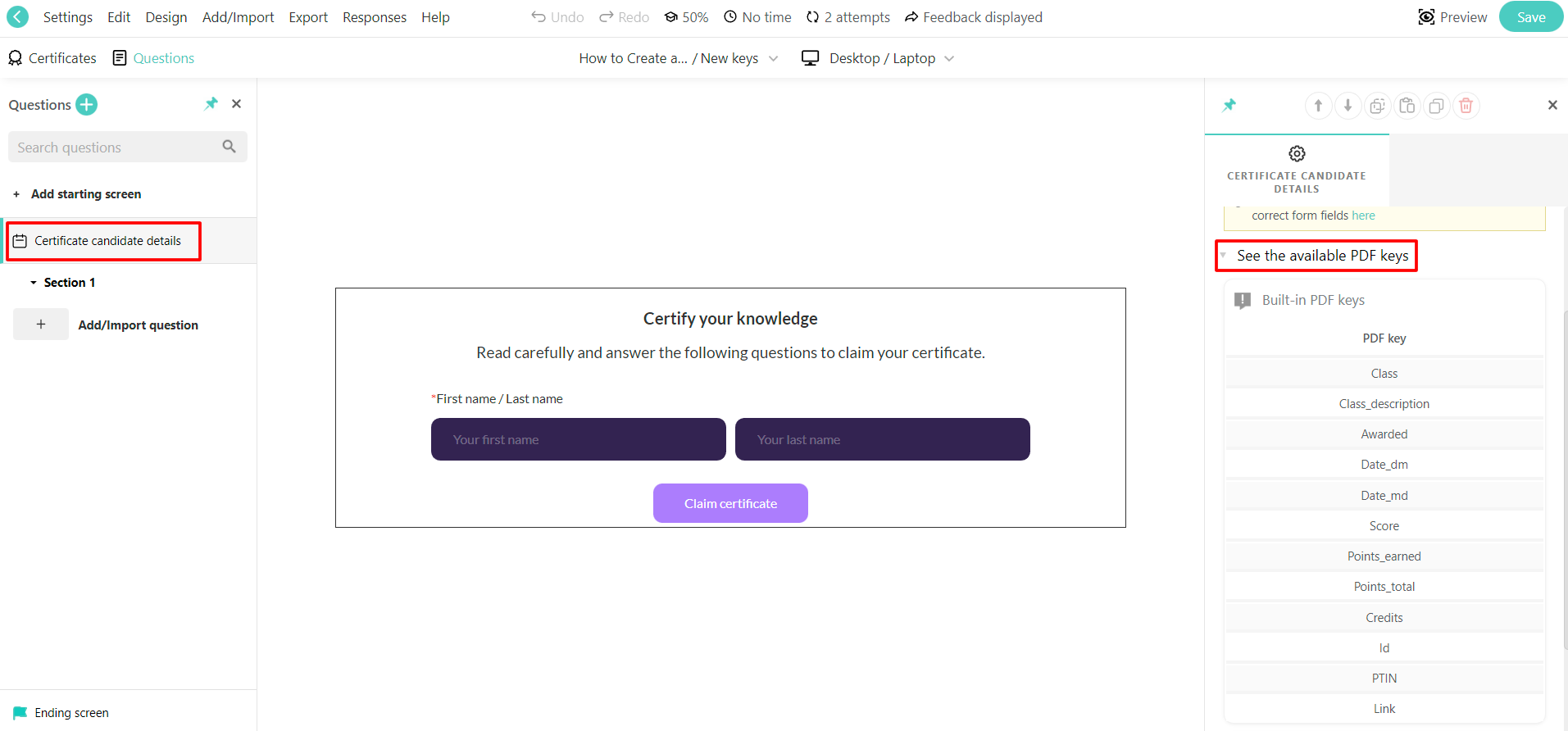
These completion certificates let you set certain conditions.
For example, you can require students to answer all the questions or complete all the learning units before they get the certificate.
👍 And here’s something cool: With the highest pro trainer package, LearnWorlds lets you create your own certification template. You can include various fields or variables to personalize the certificate even more.
Course engagement analytics
LearnWorlds gives you detailed reports to track how your students are doing.
You can see individual student progress reports (great for academic courses).
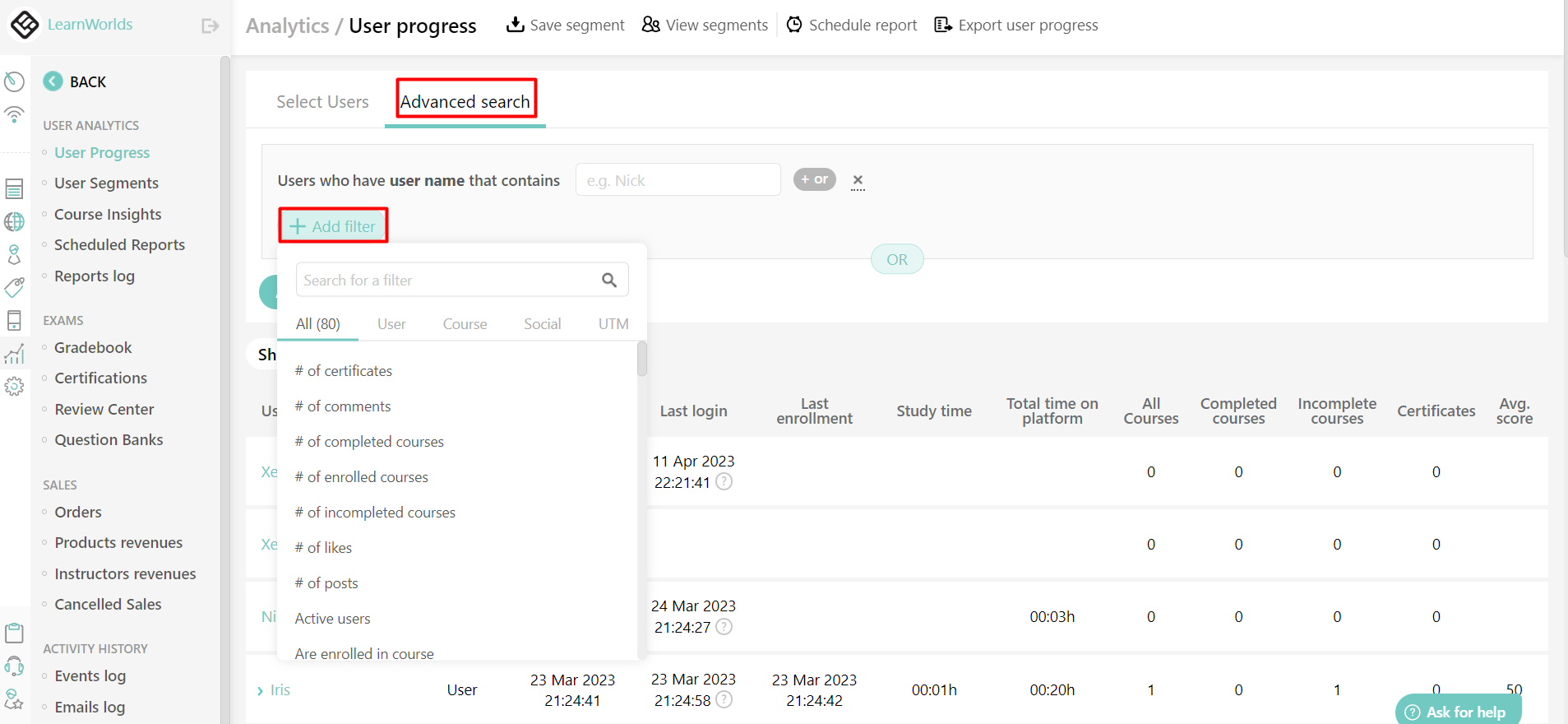
The analytics section lets you filter students and check metrics like average time spent on the platform and course completion rates. This data helps you spot what’s working and what needs improvement.
👉 For example, you can quickly find students who aren’t spending much time on the platform and reach out to them.
They also give you video retention graphs just like YouTube.
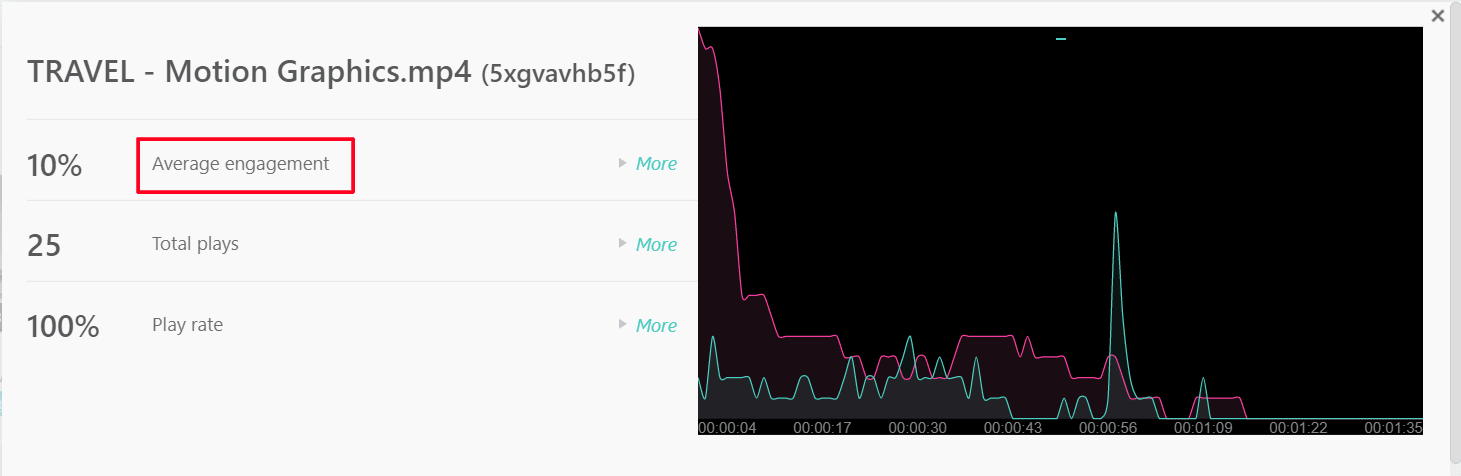

With this, you get to know where students are actually dropping off in the course video and make the necessary video edits! 🔥
Frontend student course experience
When students open their course portal, they can access the learning path or activities they need to complete, connect with fellow learners, and discuss course content.
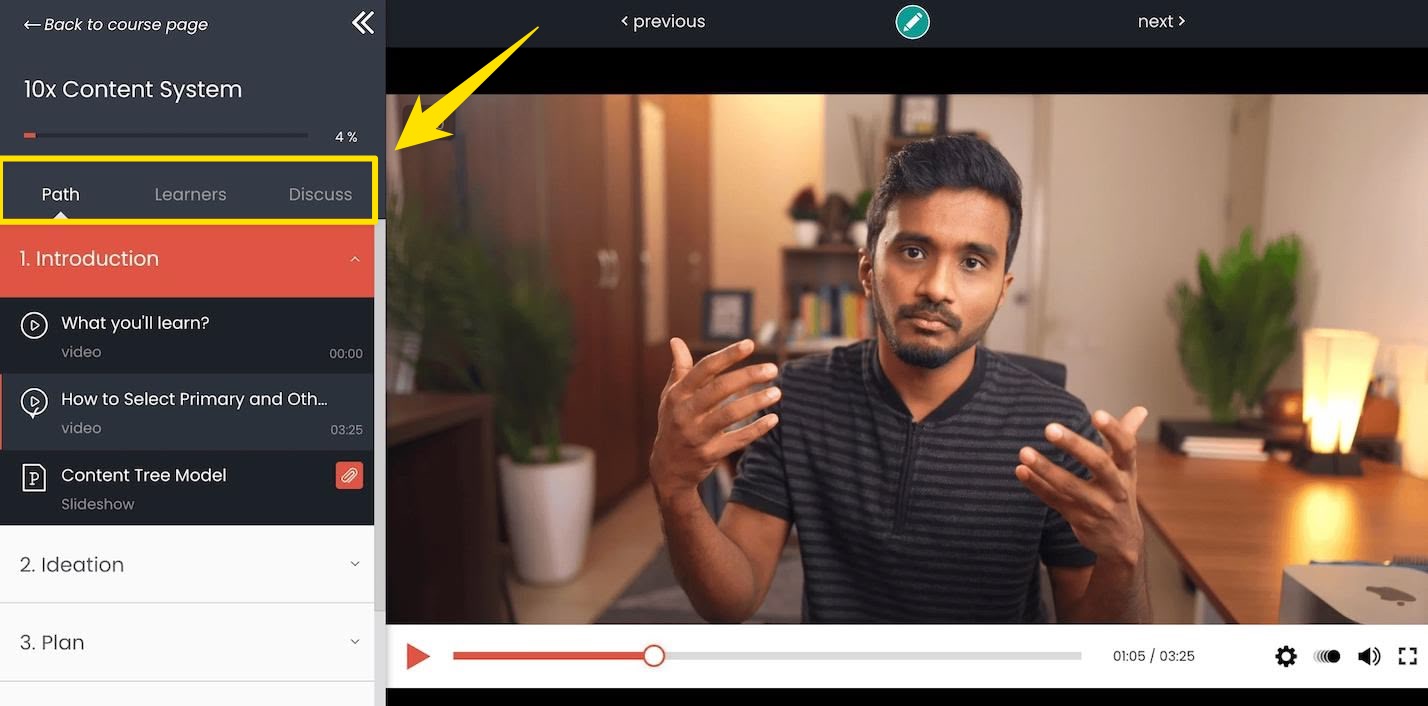
But there are two downsides to their course interface:
- Learner tab: The learners tab only shows the first 150 users alphabetically, with no filtering options for finding specific students.
- Discussion section: The discussion section is tucked away in the sidebar instead of appearing below videos. This requires extra clicks and reduces engagement compared to YouTube’s more intuitive comment placement.
There are no major downsides with the course player interface, but some polishing would be nice.
And when it comes to the course player, there are 5 different skins you can choose from.
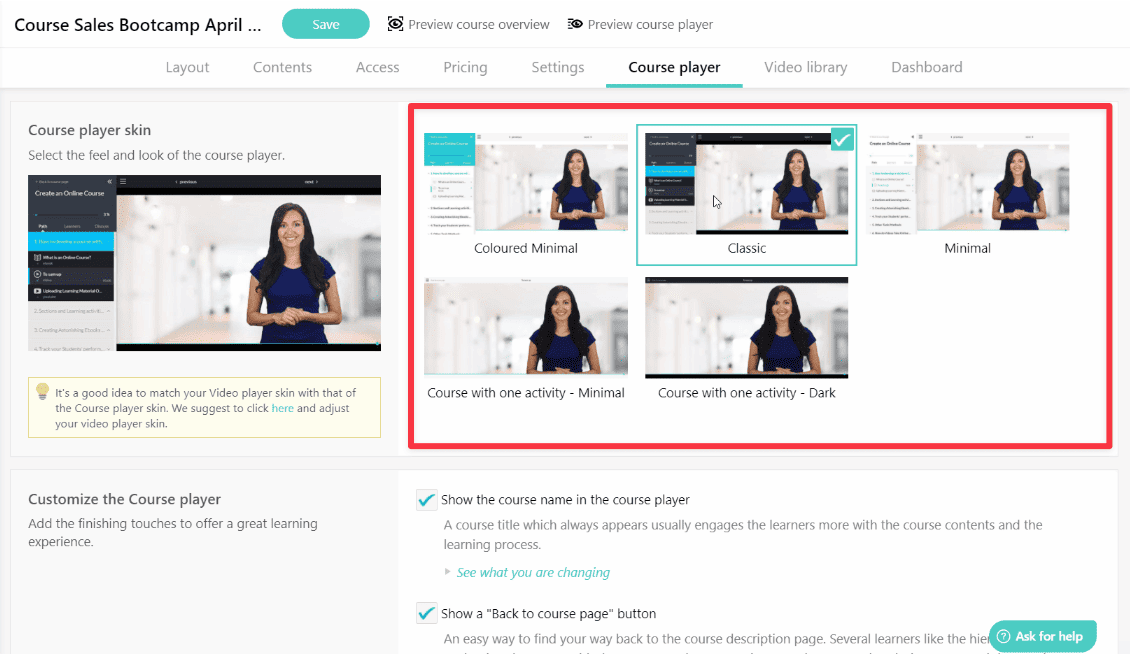
Personally, I like their classic skin that adds some modern UI elements to the player.
Maybe it’s due to my love for dark mode!
👉 Apart from these skins, you also have the ability to add your custom CSS using their custom code editor. 👨💻
Community
You can find LearnWorlds’ community feature under Communication. It took me a while to find it at first.
I added several channels to organize all the community content neatly.
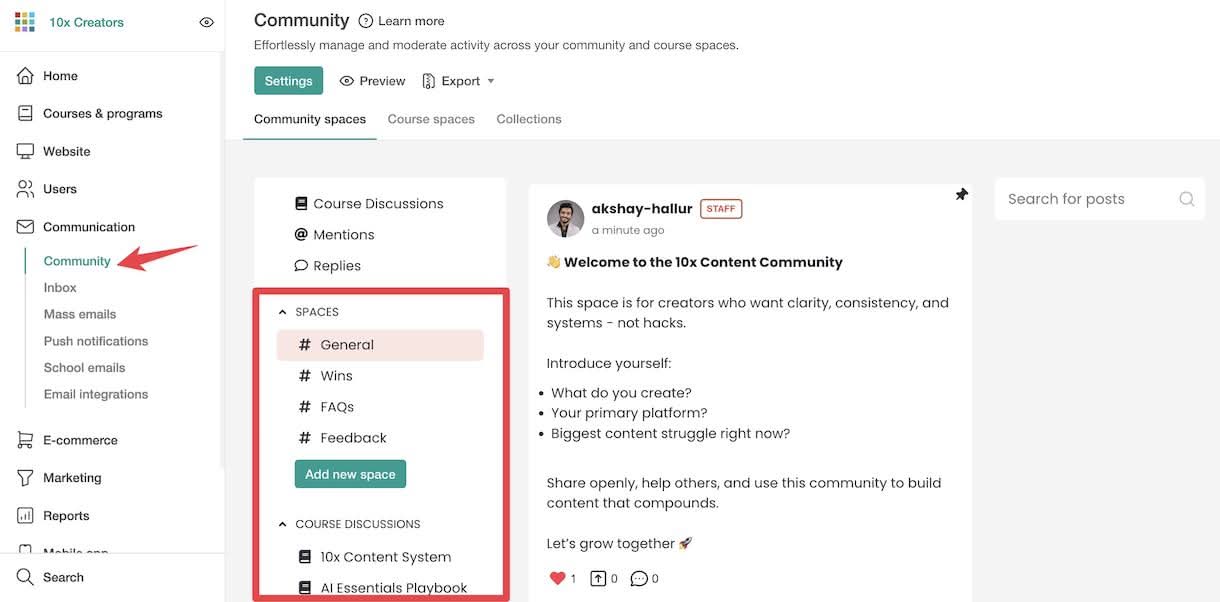
Right below the spaces, there’s a course discussions section where you can organize course-related discussions.
When people browse a course discussion, they can easily track their course progress and continue learning from there.
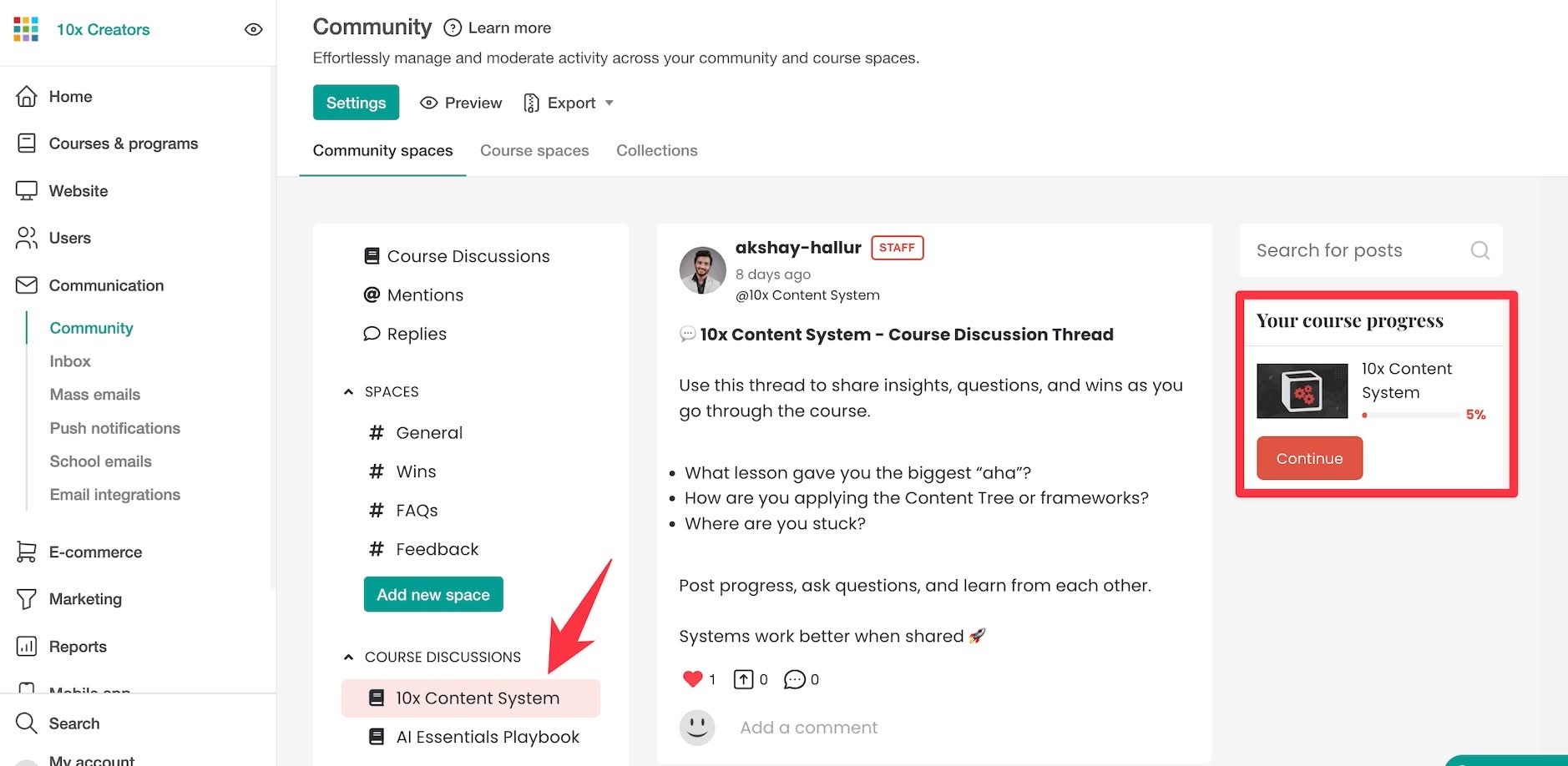
Any message they leave in the discuss tab of the community course lessons gets automatically posted to the course discussions above.
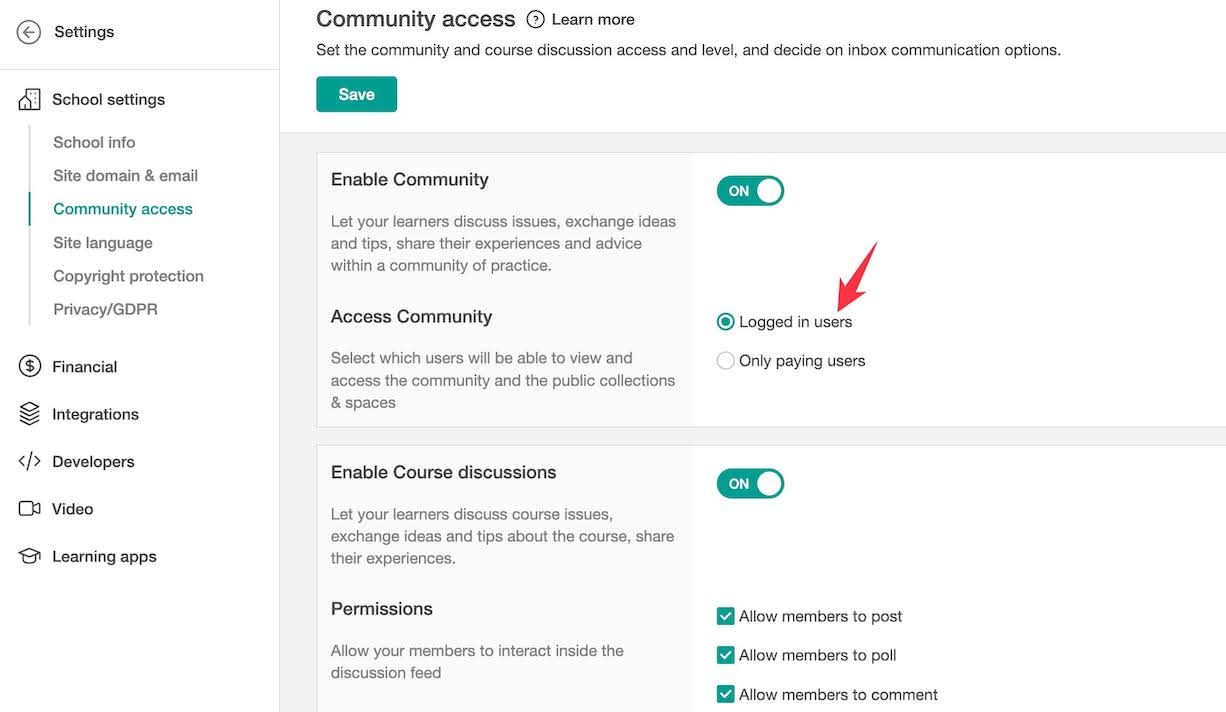
In the settings, you have community access options where you can limit access to logged-in users or paying users only. You can also adjust different permissions for how community members interact.
🏆 Bottom line: LearnWorlds’ community feature is pretty basic. It doesn’t have advanced gamification and livestreaming features that you’ll find in dedicated tools like Skool or Circle.
Website design and customization
LearnWorlds offers powerful website design functionalities for creating websites, landing pages, and blog posts.
They have recently revamped their entire website building functionality, including robust features.
Site themes
There are 15+ professionally made templates available, called site flavors, that allow you to create websites of your own taste.
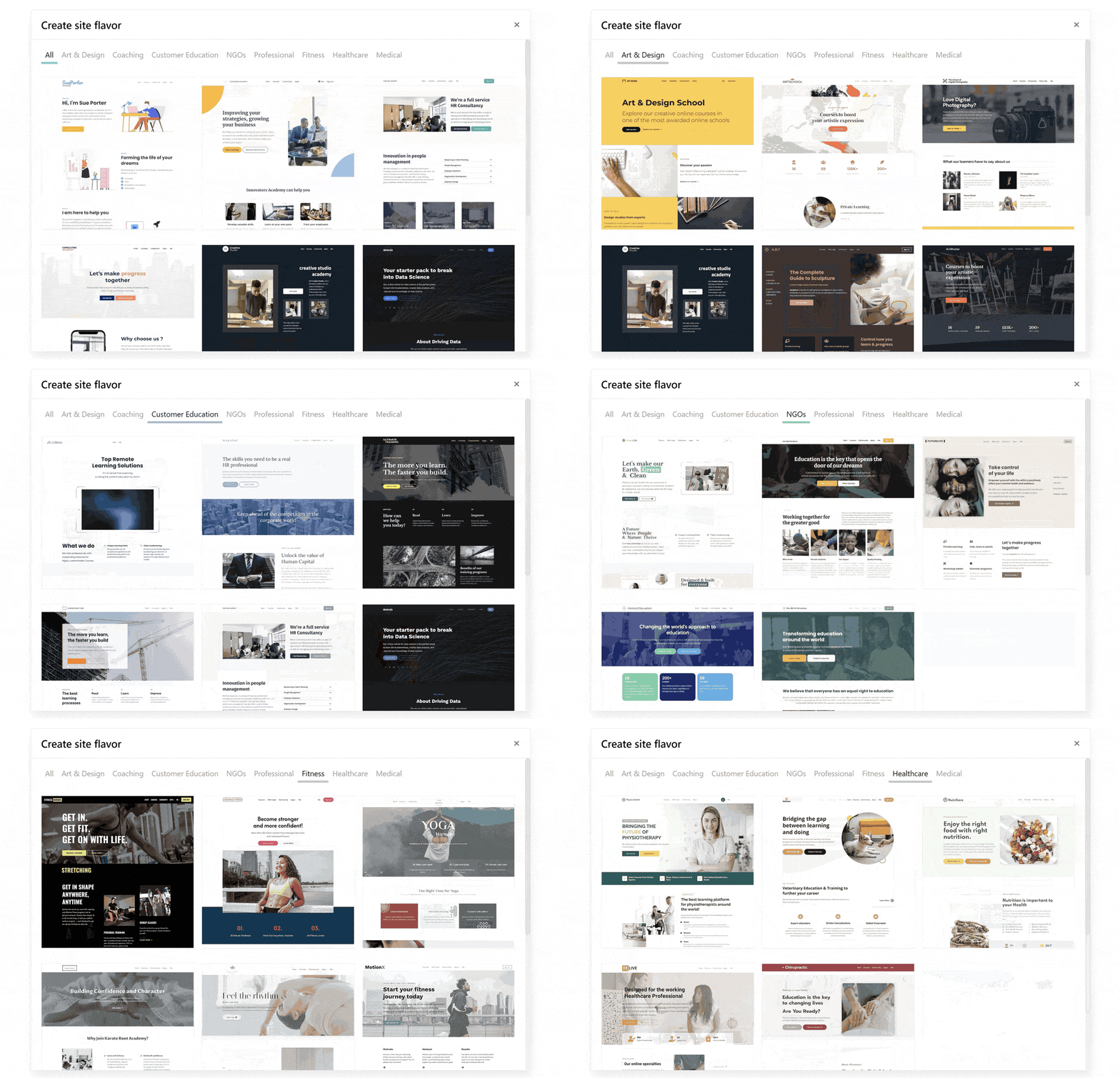
There are different site flavors across various categories like art and design, coaching, customer education, and fitness, among others.
Website builder
Their website builder loads with a clean sidebar showing all your pages. You can click any page and start editing right away.
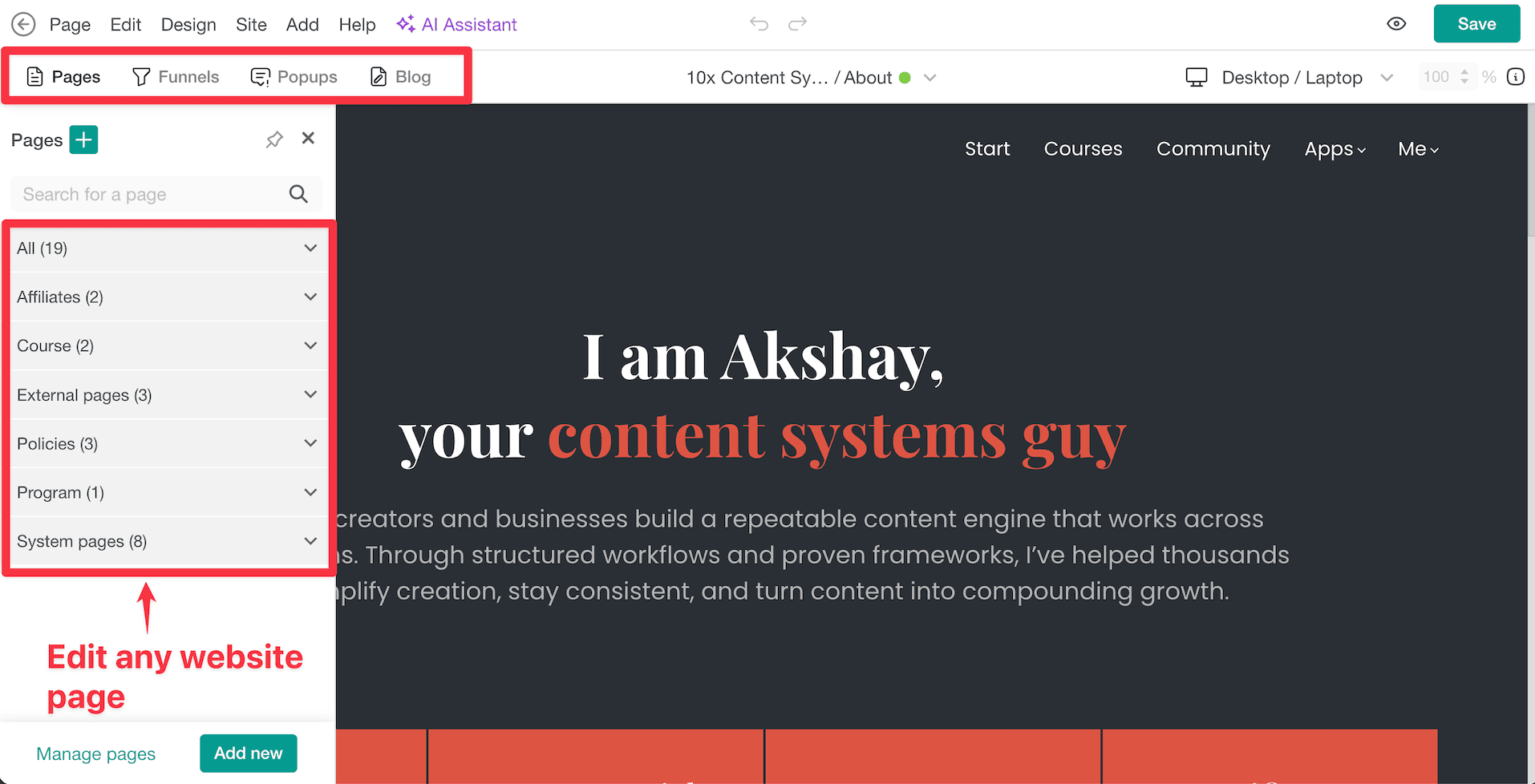
You can also manage your funnels, popups, and blogs from here.
But let’s focus on the page builder first.
Page builder
When you build your website, you can add different sections. Each section comes with multiple ready-made templates.
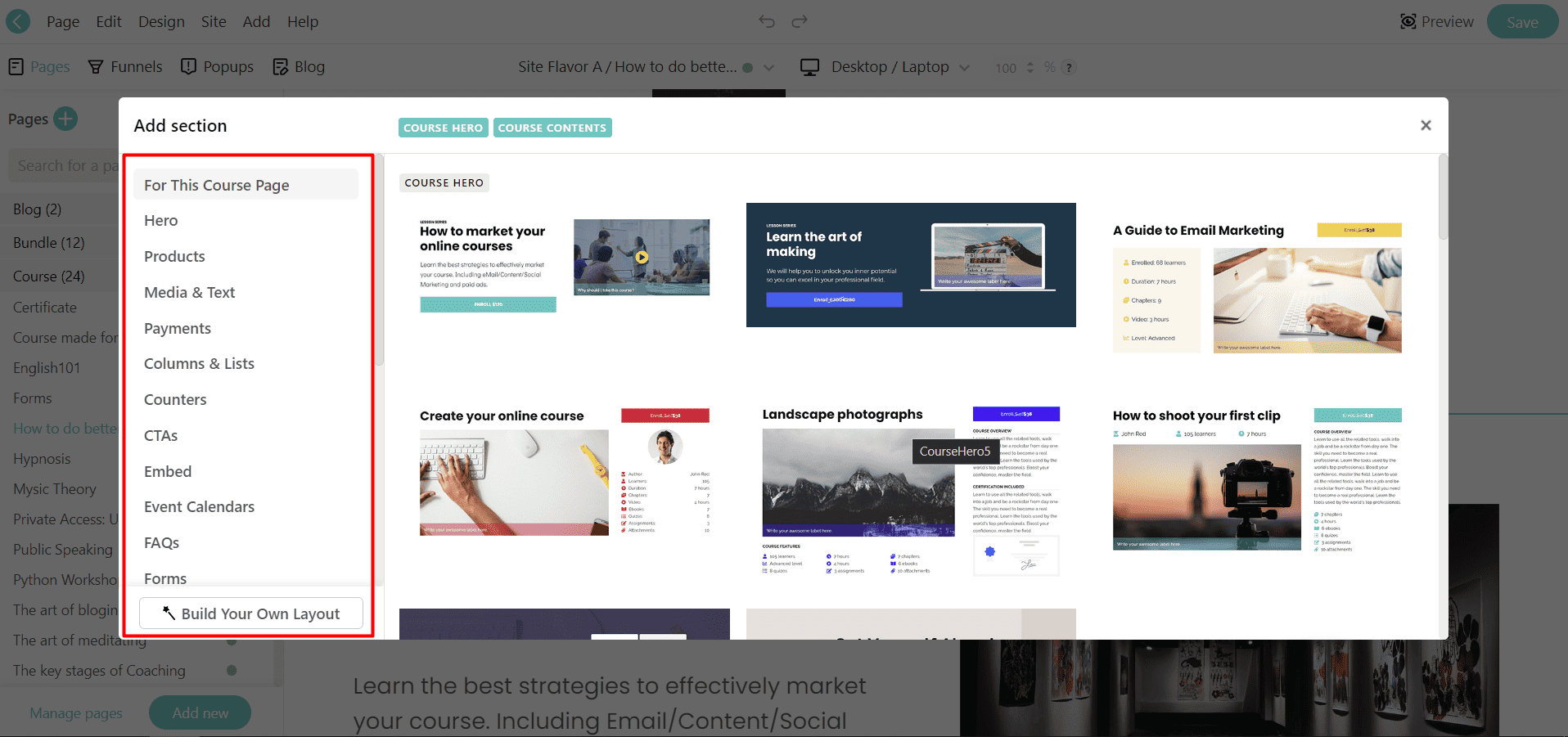
You can easily swap out a section’s template using their magic templates feature. This lets you switch between designs without losing your content.
🧐 I was pleasantly surprised by how many templates LearnWorlds offers, including parallax effects that you typically find in advanced page builders like Elementor.
Now let’s talk about the actual builder.
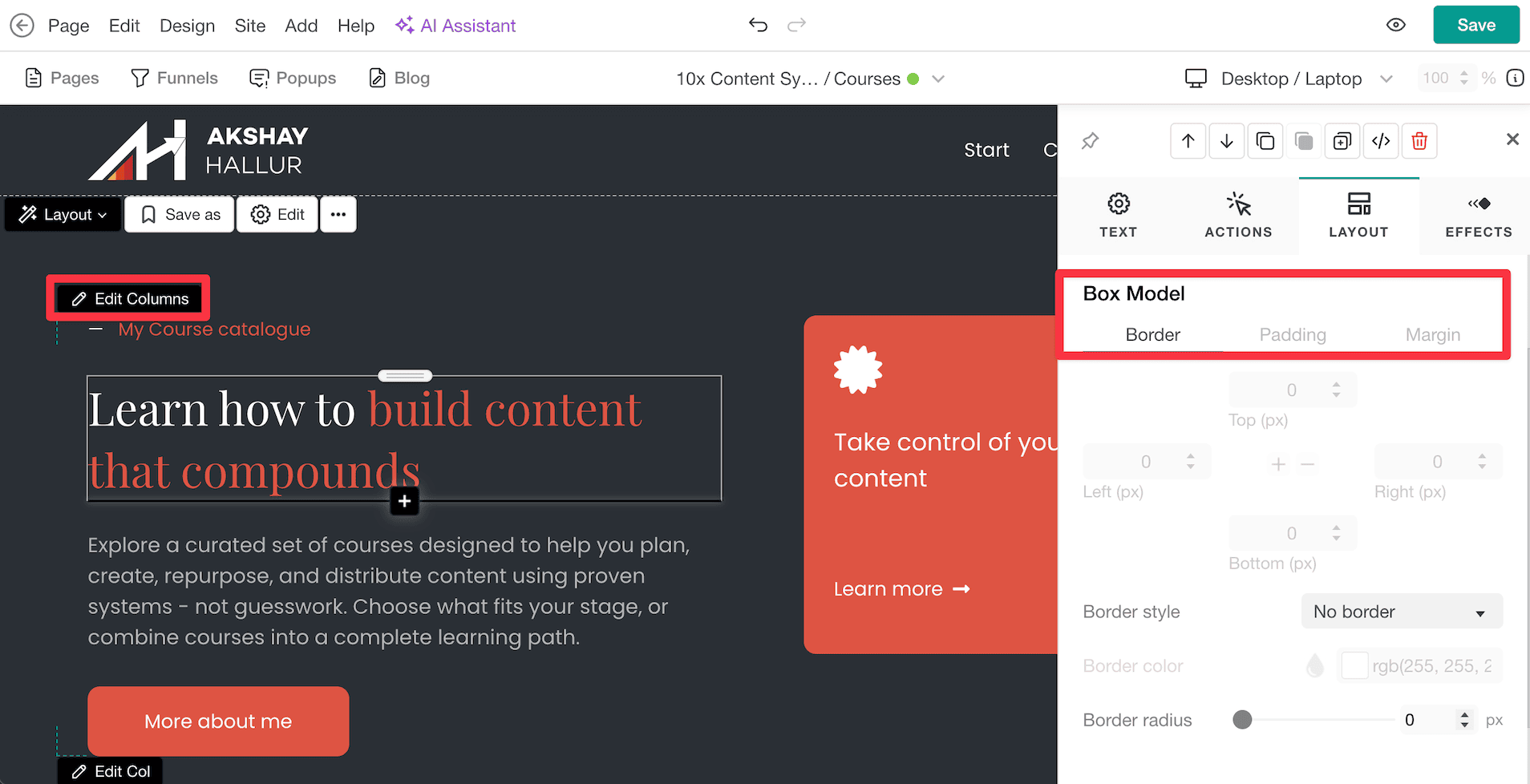
It comes packed with advanced features like control over padding, margins, dividers, box models, animations, and more.
The page builder packs with a lot of features but the features can be quite overwhelming and the actual interface is quite clunky.
And also there is no auto save features, you need to manually save the changes.
But, get this:
It comes with the ability to add custom code and edit the underlying source code of your landing pages.
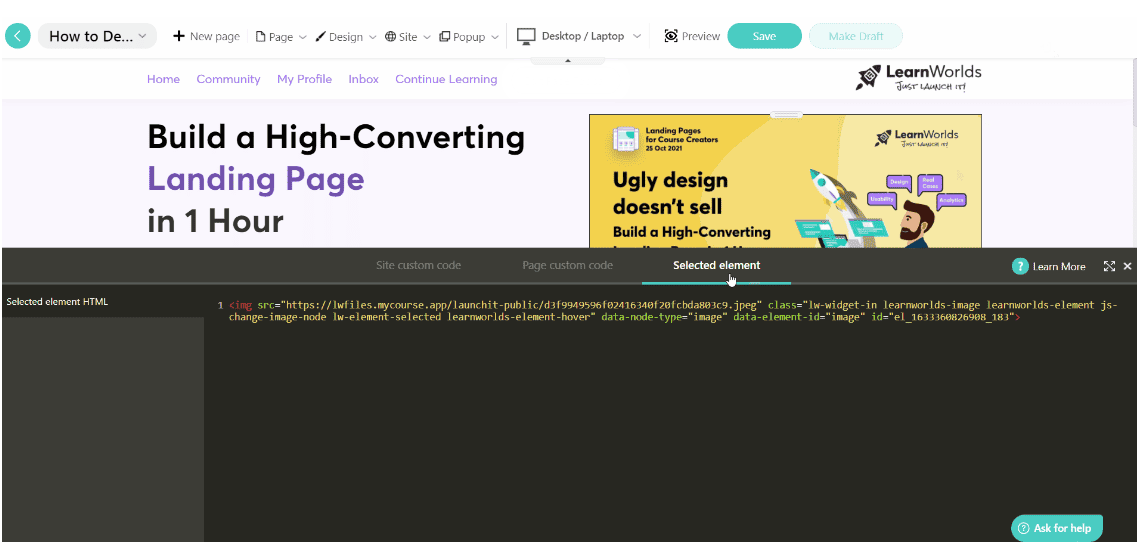
It also allows you to apply custom code throughout your entire site, to a particular page, or even a selected element.
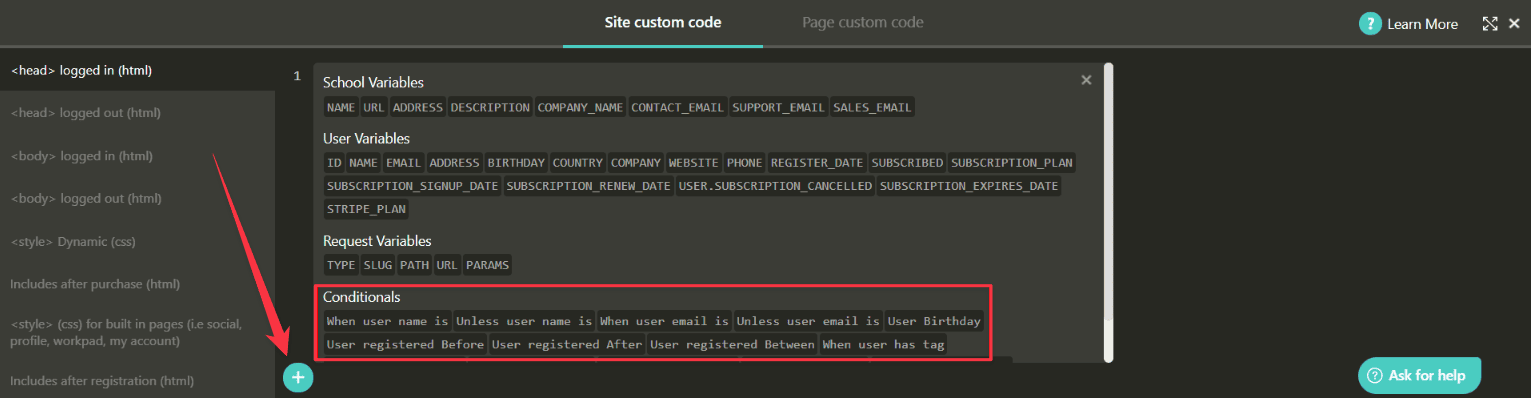
You can also add code snippets with variables and tags based on the liquid templating language. This helps personalize your site’s design depending on which student is viewing it.
It’s such a powerful feature.
Popup builder
Here’s something you won’t find on most online learning platforms.
LearnWorlds comes with a popup builder too.
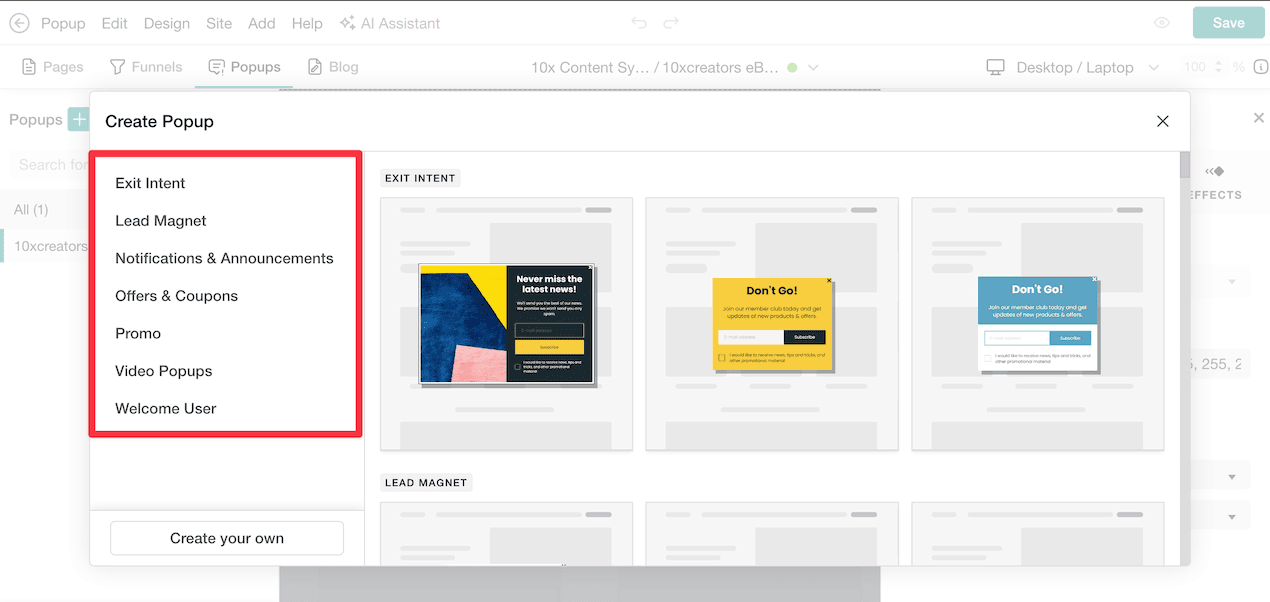
You’ll find various popup templates ranging from exit intent popups, lead magnets, and notifications.
For example, you can create a lead magnet popup where people join your newsletter and get access to an ebook.
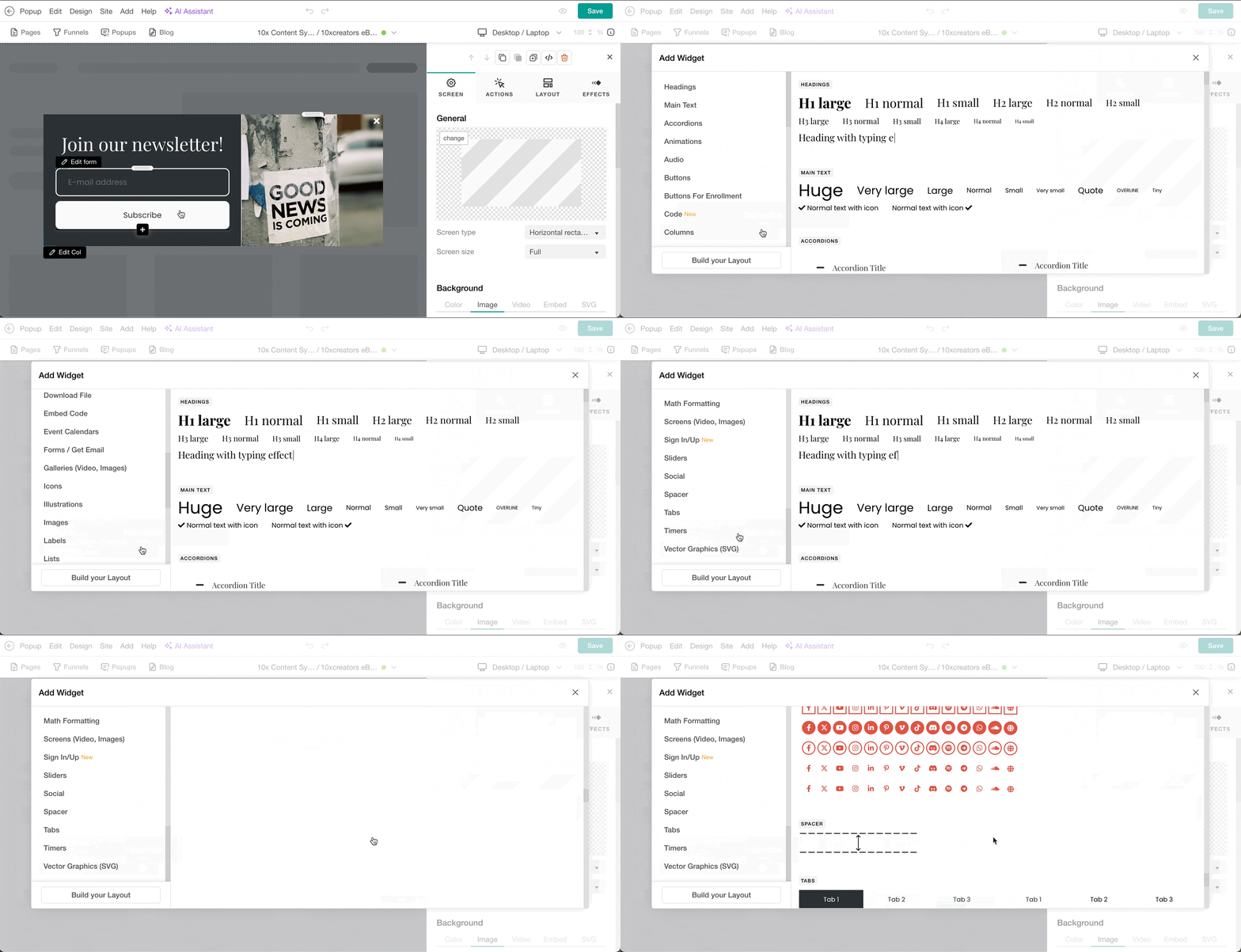
The popup builder lets you customize everything by adding different widgets. You can tweak the design, timing, and triggers to match your needs.
It’s a pretty powerful feature that gives you more control over how you capture leads and engage visitors on your site.
Sales and marketing
Funnels
LearnWorlds also has a Page Funnels feature that gives you ready-made funnel templates for ebooks, lead magnets, email opt-ins, and webinar registrations.
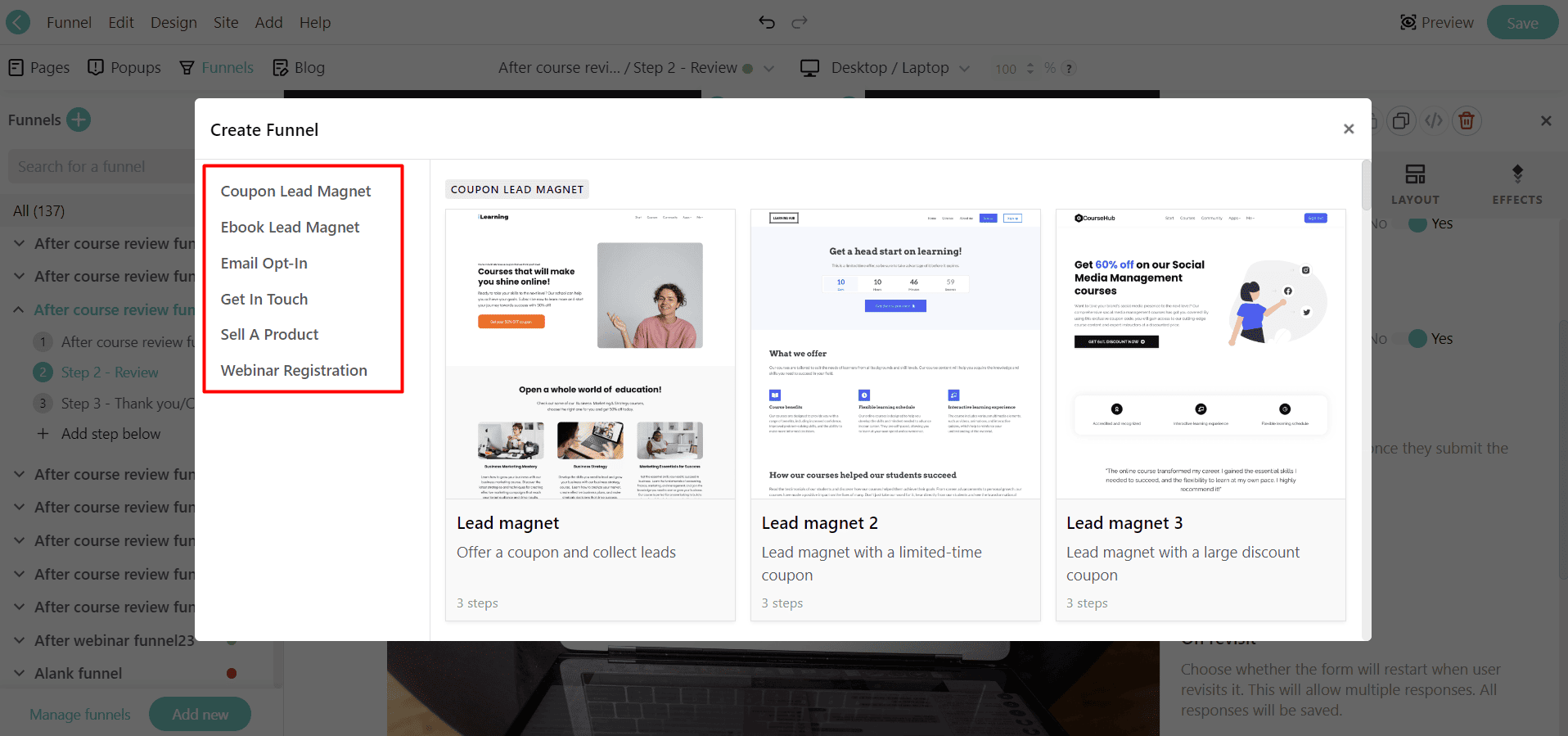
When you pick any of these templates, you can set up all the funnel steps with just one click.

At every step of the funnel, you can modify the properties, view analytics, and more.

The analytics give you clear funnel insights:
- Total funnel views
- Completion rate
- Visitors per step funnel
- Number of visits of any page of the funnel
- Number of visitors that reached the final step of the funnel
When you’re building your landing page or opt-in form, you can use the “Actions” settings to let users jump into any stage of the funnel.
LearnWorlds’ page builder and funnel management work together to give you complete control over your customer’s journey.
These two features complement each other really well.
Payments and checkout
LearnWorlds supports 4 payment gateways: Stripe, PayPal, Shopify, and PagSeguro.
To customize the checkout process, go to their Pages Manager and customize the Payment Page.
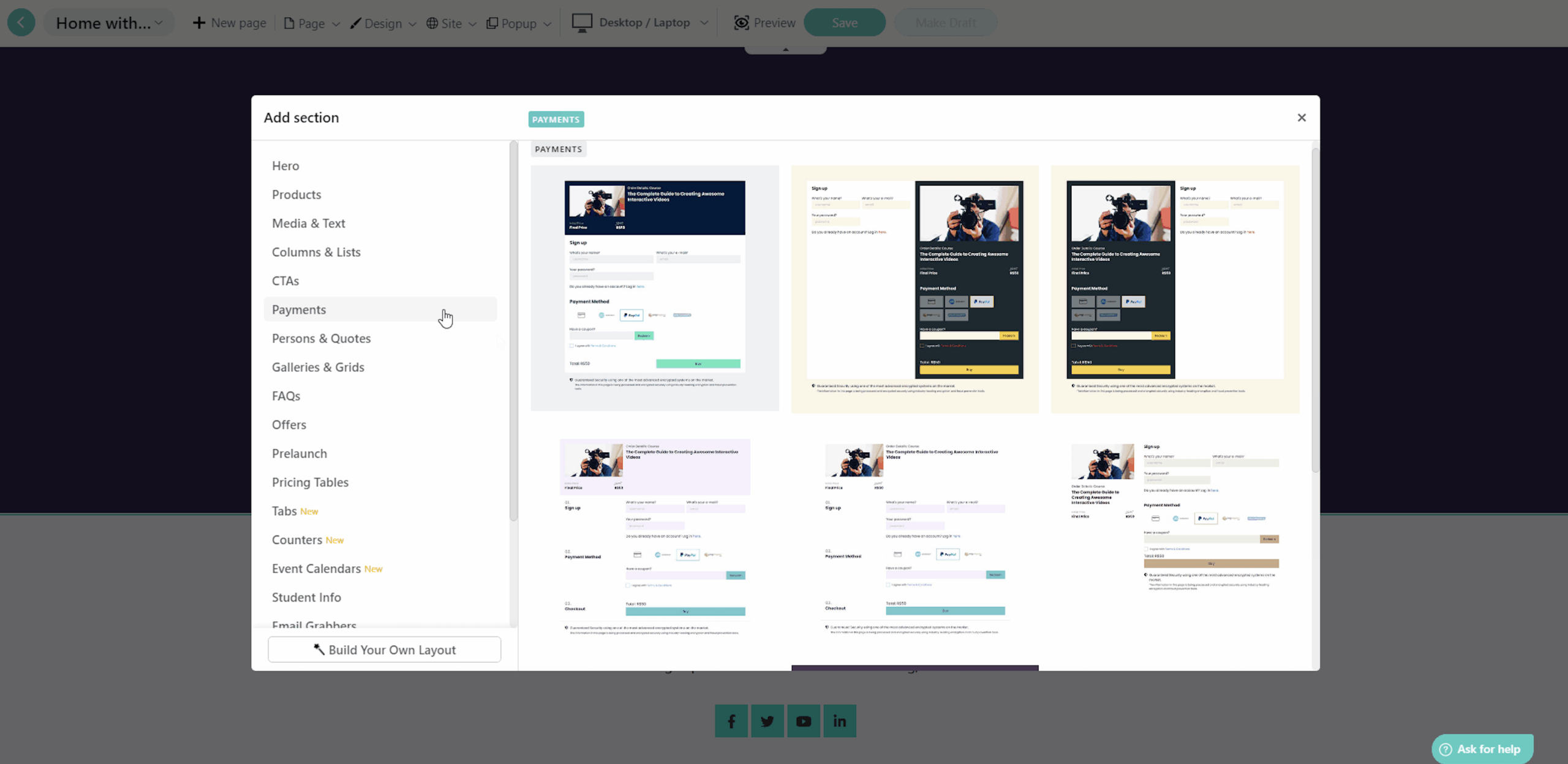
Their page builder has various templates for the Payment Section/Block.
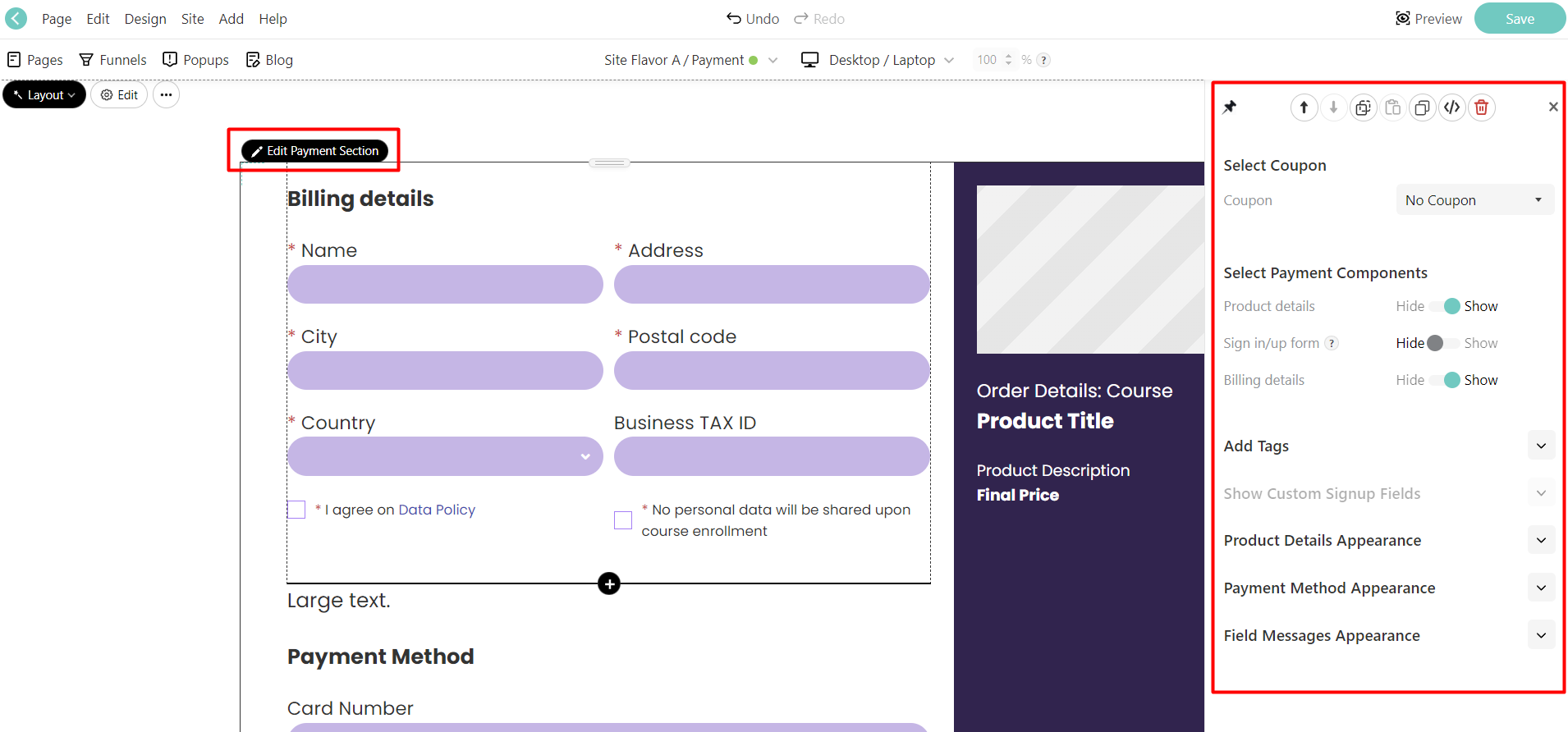
You can add any of these payment sections to your page and customize them however you want.
You can also automatically tie a specific coupon or tag to people who buy through a particular payment section.
👎 You don’t have the option to create “Order bumps” to maximize your revenue here.
Affiliate marketing
LearnWorlds has a built-in affiliate marketing system that helps you sell more courses.
The best part?
You get flexibility with tracking periods.
Most platforms lock you into 30-day cookie windows, but LearnWorlds lets you extend them (though you might need a higher-tier plan for this).
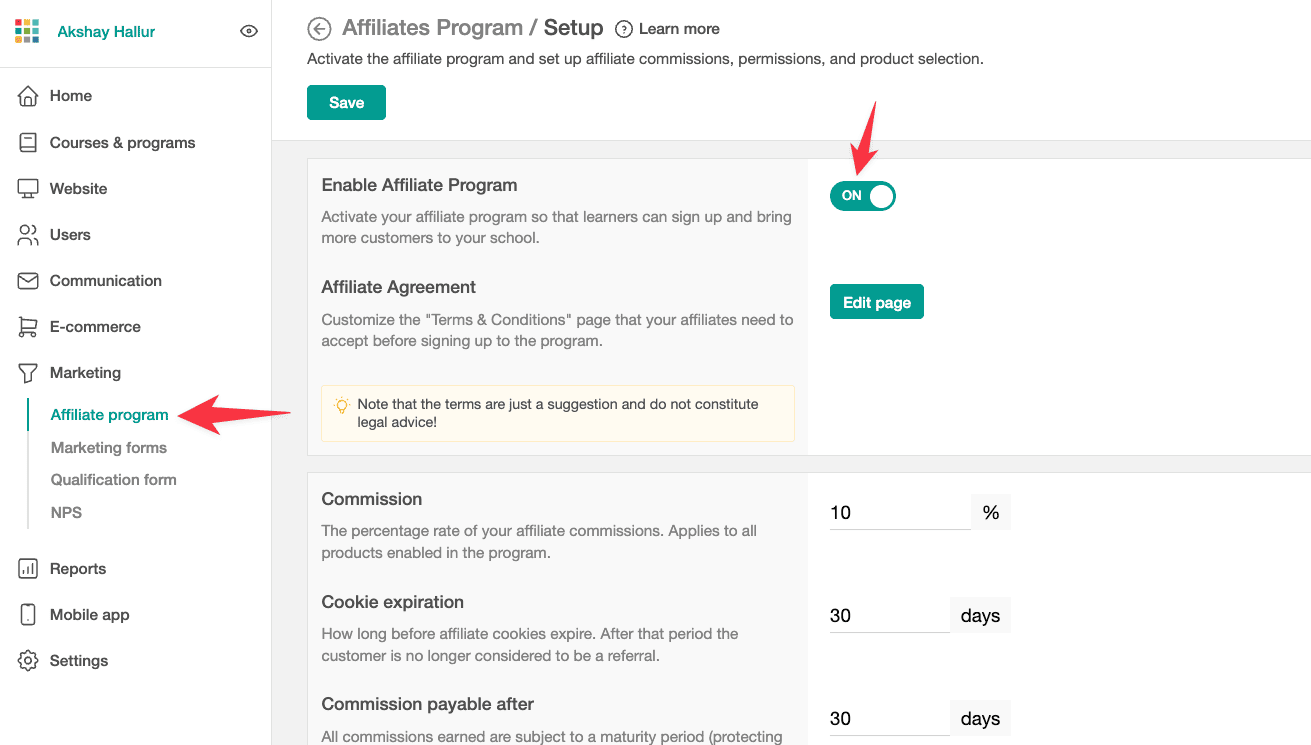
This is important because your affiliates get credit for longer sales cycles.
You can set up both percentage and fixed commissions across different payment methods.
This gives you a way to build passive promotion without managing everything yourself.
Automations
LearnWorlds gives you automation tools, but honestly? They’re pretty basic.
You get 19 ready-made templates and over 30 triggers to work with.

These let you handle user management and send automated messages.
With this, you can:
- Automatically handle student onboarding: Welcome new students without lifting a finger
- Enroll students in bonus courses: Reward them automatically when they complete a course
- Send targeted messages: Trigger emails based on student actions
Plus, they’ve added a Tag Manager that makes it super easy to add tags at each step. This helps you customize exactly how your automation works.
You can segment students and create different paths based on their behavior and progress.
But here’s the thing.
The automation interface feels clunky and outdated. It’s not intuitive at all, and setting things up takes more time than it should.
The workflows work, but they’re not as smooth or visual as what you’d find in more modern platforms.
Mobile apps
You can add a mobile app builder to your LearnWorlds subscription for just $149/month.
When I first checked it out, I was surprised by how similar their mobile app builder is to a website builder.
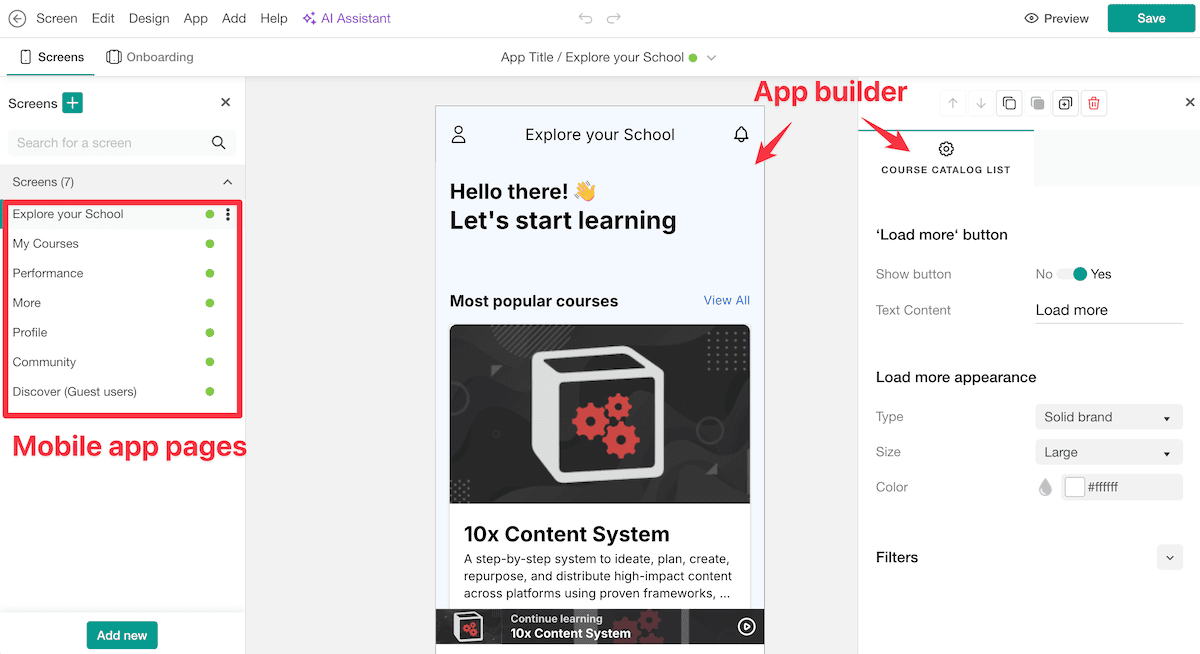
You can add new pages (or screens) to your mobile app and use their drag-and-drop builder to customize how everything looks.
And once your app is ready, you can auto-publish it to iOS and Google Play stores.
It’s super convenient that they handle the entire publishing process for you.
Integrations
LearnWorlds used to have poor integrations with external tools.
But they’ve recently added a lot of new integrations with various tools, including email marketing software, analytics, customer service, CRM, and various other growth tools.
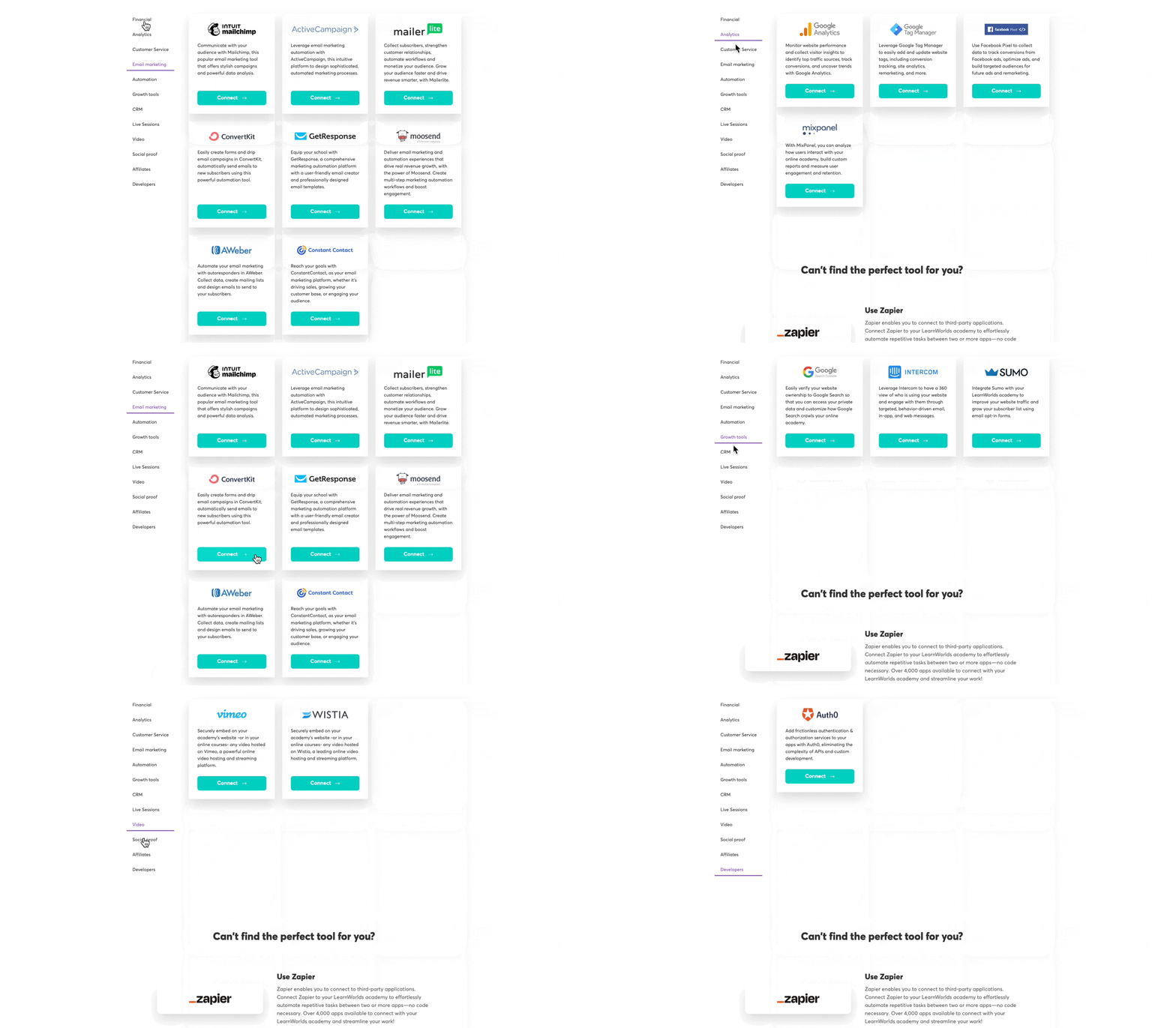
It connects with popular services like:
- MailChimp
- ActiveCampaign
- MailerLite
- ConvertKit
- GetResponse
- Moosend
- Aweber
- Constant Contact
The integration options are limited though.
Using an unsupported email tool? You’ll need Zapier or Make.com, which adds to your costs.
For payments, LearnWorlds works with Stripe, PayPal, and Shopify. This lets you build a store and sell courses through it.
They also integrate with Quaderno for automatic tax calculations, receipts, and EU VAT compliance.
The platform supports webhooks for different events. This gives developers flexibility to create custom integrations without Zapier!
Pricing and support
LearnWorlds locks most of its best features behind the Pro Trainer and Learning Center plans.
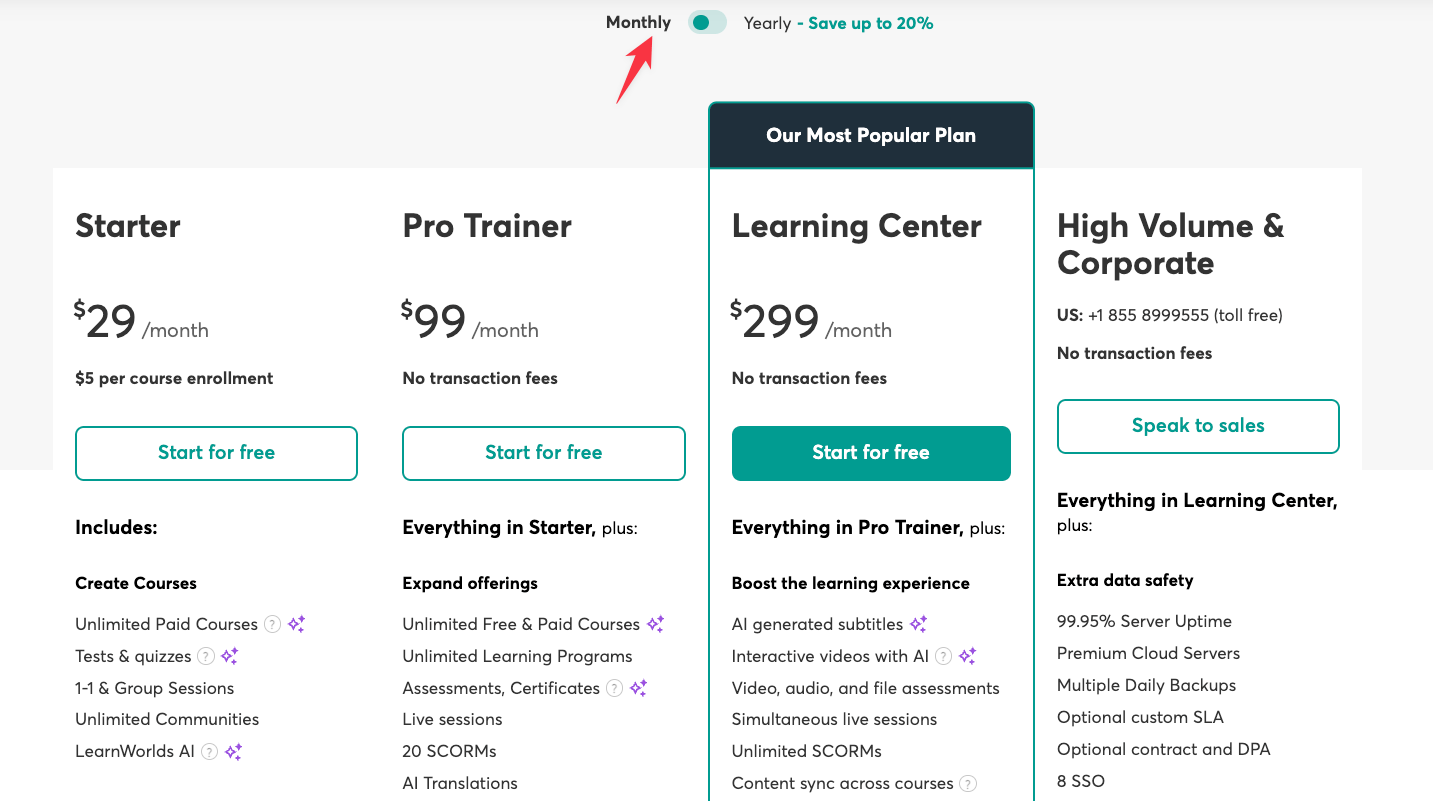
Here’s the problem: their premium features sit behind expensive paywalls.
Want interactive videos, white-labeling, automations, or detailed analytics? You’ll need the Learning Center plan at $299/month.
👎 The Starter plan doesn’t work for serious course creators. You get just 3 pages for your website, no subscription options, and they charge $5 per course sale. It’s built to push you into higher tiers, not to deliver real value.
The support response times need improvement. If fast support matters to you, consider upgrading to the Learning Center plan. It includes 2 hours onboarding and 24/7 “premium” support.
🤑 If you’re planning to grab LearnWorlds at a lower price, keep an eye on their Black Friday deals, I track the latest LearnWorlds Black Friday discounts here.
Wrapping up
LearnWorlds is a solid platform if you’re willing to pay premium prices for premium features.
But here’s the reality: most of what makes LearnWorlds truly powerful is locked behind expensive paywalls. You’re looking at $299/month just to access things like white-labeling, automations, and proper analytics.
The course builder is genuinely impressive. The interactive video features, SCORM support, and comprehensive assessment options stand out, especially if you’re creating professional training content.
If you need advanced video interactivity and can afford the higher-tier plans, LearnWorlds delivers on those fronts.
But the interface? It’s confusing.
Simple tasks require too many clicks, and features are buried in unexpected places
LearnWorlds works best for established course creators with budgets to match their ambitions. If you’re just starting out or need a more intuitive platform, you’ll find better options elsewhere.